
Which productivity tool offers better native video conferencing: Notion or ClickUp?
 Curated byKory White · Fractional CRO · Maryland
 PULSEKNOWLEDGE LIBRARY
Quality
Certified

ClickUp offers native video — its Clips feature records screen and camera asynchronously, attaches recordings to tasks, and auto-transcribes them. Notion has no native video conferencing or recording at all; it embeds Loom, Zoom, or YouTube instead. Neither tool hosts live meetings, so both still require Zoom, Meet, or Teams for synchronous calls.
The Monday morning that exposes the gap
Picture a RevOps lead at a 60-person B2B software company. Renewal season starts in three weeks. She has eleven pipeline-hygiene changes to push out: a new opportunity stage, two rewritten required fields, a revised MEDDPICC scorecard, and a forecast-category mapping that changes what "Commit" means for every AE in the org. Her options are a 45-minute all-hands training call that half the field will skip, a wall-of-text Slack post nobody reads past line four, or a set of short recorded walkthroughs people can watch at 1.5x between calls.
That third option is where the Notion-versus-ClickUp question stops being abstract. If her team's system of record for process is Notion, she opens a separate recorder — Loom, Vidyard, Zoom's local recording, macOS Screenshot, whatever the company already pays for — records the walkthrough, waits for the upload, copies the share link, and pastes it into a Notion page as an embed block. The video lives in one vendor's storage; the context lives in another's. When she rerecords the third clip because she flubbed the field-mapping explanation, she has to remember to swap the link in Notion too, or half her team watches the stale version and files tickets about a field that no longer exists.
If the same team runs on ClickUp, the recorder is already in the toolbar. She hits Clip, records the walkthrough, and the resulting video lands attached to the specific task or doc that the change belongs to. The transcript generates automatically. Nobody has to copy a link anywhere. When she rerecords, she deletes the old clip from the task and the replacement is the only thing anyone can find.
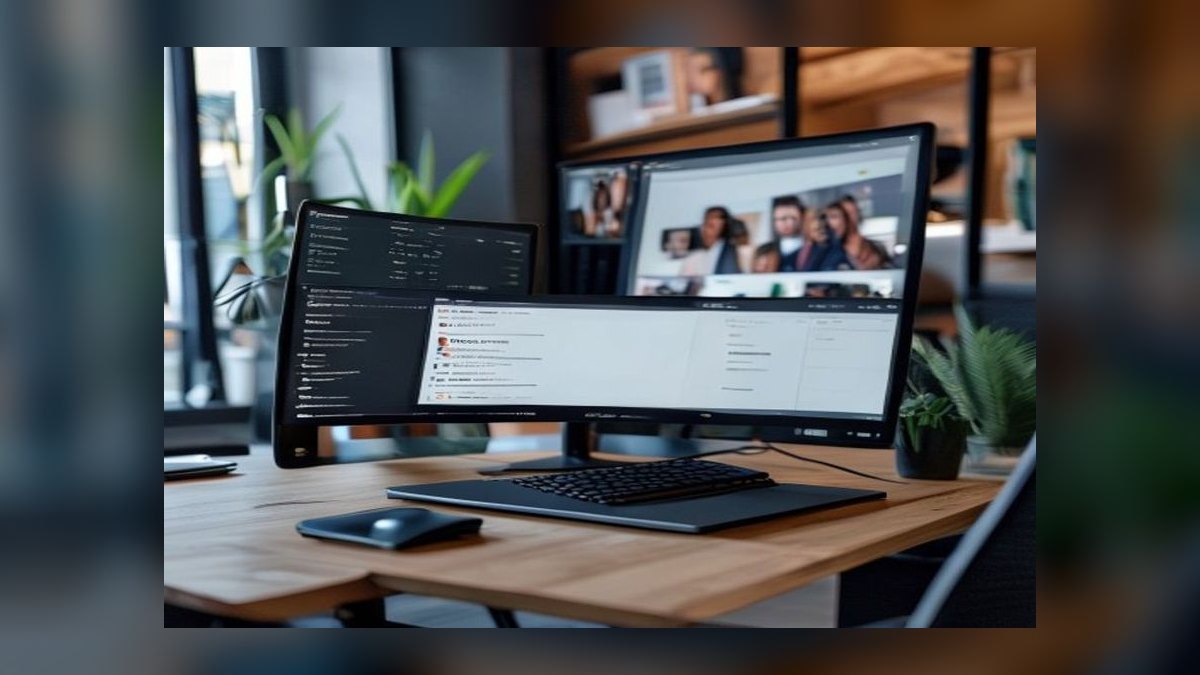
That is genuinely the whole difference, and it is worth being blunt about how narrow it is: this is a comparison between *one tool having an async screen recorder* and *the other tool not having one*. It is not a comparison of two conferencing platforms. Neither Notion nor ClickUp will host a live call with fourteen participants, gallery view, breakout rooms, dial-in numbers, or a waiting room. If your actual requirement is "replace Zoom," neither product is the answer and you should stop evaluating them for that. If your requirement is "stop making people attend a meeting that could have been a three-minute recording, and keep that recording next to the work it describes," ClickUp does that natively and Notion does not.
The broader pattern here shows up everywhere in ops tooling. Teams routinely evaluate a platform on a feature checkbox, discover the checkbox is technically ticked, and only later find out that the feature exists at a completely different depth than the point solution it was supposed to replace. Native video in a productivity suite is a textbook case. The checkbox is real. The depth is shallow. Whether shallow is sufficient depends entirely on what you were going to do with it.
How the async recording loop actually works
The mechanism worth understanding is not the recording itself — every screen recorder works roughly the same way — but what happens to the artifact after the record button stops. That post-record path is the entire difference between the two tools.

In ClickUp, a Clip is created from inside the app: from a task comment, a doc, a chat message, or the global toolbar. You pick screen, camera, or both, record, and stop. The file uploads to ClickUp's storage and appears as an attachment on whatever object you recorded it from. Because it is an attachment rather than an embed, three things follow. Search indexes the transcript, so a recording about "forecast category mapping" surfaces when someone searches that phrase months later. Permissions inherit from the parent object, so a clip on a private space stays private without a separate sharing decision. And the recording carries the task's context with it — the assignee, the due date, the status, the comment thread — so a viewer lands on the work, not on an orphaned video page.
In Notion, the recording is created somewhere else entirely and arrives as a link. Notion renders that link as an embed block, which is a viewport into another product's player. Notion does not know what is in the video. It cannot search the spoken words unless you paste a transcript in as text. It cannot tell you who watched. Permissions are governed by the video tool's sharing settings, not Notion's, which means a page locked to your internal workspace can contain an embed that is publicly viewable on Loom, or a page shared with a customer can contain an embed they cannot open. That mismatch is the most common real-world failure with the embed approach, and it is not hypothetical — it is a direct consequence of two permission systems that do not talk to each other.
There is a second-order effect on the upstream side that most evaluations miss. When recording is one click away inside the tool where work already lives, people record more. When it requires launching a second app, waiting on an upload, and pasting a link, they write a paragraph instead — or schedule a meeting. The friction is small in absolute terms, maybe forty seconds, but it sits directly in the path of a low-priority task, and low-priority tasks are exactly the ones that lose to friction. Anyone who has watched a team's documentation habits collapse the moment a two-step process became a four-step process knows this dynamic.

The downstream effect runs the other way. Because Notion's embeds are just links, they survive vendor changes cleanly. Swap Loom for a different recorder and you update links; you do not migrate a media library. ClickUp's clips live in ClickUp, and getting them out — if you ever leave — means downloading files one at a time or working through the API. That is the classic consolidation trade: tighter integration now, heavier extraction later.
What the platforms actually specify, and what they leave to you
Be careful with numbers here, because this is a space where confident-sounding benchmarks are usually somebody's marketing. The verifiable facts are narrower than most comparison posts admit, so it is worth separating what the vendors document from what you have to measure yourself.
Documented, checkable facts: ClickUp Clips exists as a native screen-and-camera recorder with automatic transcription, and clips attach to tasks, docs, comments, and chat. Notion has no recording feature and documents video only under embeds — you paste a link from a supported provider and Notion renders a player. Neither product offers live multi-party video conferencing. Both integrate with Zoom, Google Meet, and Microsoft Teams for the synchronous half of the job. Clip length limits, storage caps, and which features sit on which plan all vary by tier and change over time, so check the current pricing page rather than trusting any number in an article, including this one. That is not hedging — pricing and limits genuinely move, and a stale number in a procurement doc is worse than no number.

The numbers you actually need are ones only your team can produce, and they are cheap to gather. Run a two-week measurement before you run a migration:
Count the recordings. How many async videos does your team produce per month today, with the tools you already have? If the answer is under five, native recording is not going to change your life, and you are shopping for a solution to a problem you do not have. If it is thirty or more, the friction of the copy-paste loop is a real recurring tax and the integration is worth something.
Time the loop end to end. Stopwatch it: record a three-minute walkthrough, and measure from "stop recording" to "the link is live in the right place, with the right people able to see it." In the embed path this typically runs one to three minutes of pure overhead per recording — upload wait, tab switch, link copy, paste, sharing-permission check. Multiply by your monthly volume. Thirty recordings at two minutes is an hour a month, which is real but not dramatic; the volume has to be substantially higher before this alone justifies a platform change.

Count the search failures. Over two weeks, log every time someone asks in Slack for a walkthrough that already exists. Each instance is a search miss. Transcript-indexed video fixes some meaningful fraction of these; embedded video fixes none of them, because there is nothing to index.
Price the whole stack, not the seat. Compare Notion seats plus your recorder's seats plus storage against ClickUp seats at the tier that includes Clips. Then add the part nobody models: migration labor. Moving a mature Notion workspace into ClickUp is not an import button — it is weeks of restructuring, because Notion's flexible page-and-database model does not map cleanly onto ClickUp's space-folder-list-task hierarchy. Budget several weeks of someone's attention and a period of reduced output while people relearn where things are. Against that, saving ten dollars a seat is noise.

Watch adoption, not licenses. A recorder that ships with your project tool is only better if people use it. Two weeks after rollout, pull the count of clips created and the count of distinct creators. If three people made every clip, you bought a feature for three people, and the honest conclusion is that the tool was not the constraint — the recording habit was.
One more scoping factor that decides the answer outright for some organizations: regulated environments. If you are in healthcare, financial services, or anywhere with data-residency requirements, ask where recorded media is stored, in what region, under what retention policy, and whether it can be legal-held or exported for discovery. The decoupled approach has a real advantage here, because it lets you route video to a vendor that meets your compliance bar while keeping documentation wherever it works best. Get those answers in writing from both vendors' security teams before you record a single customer conversation.
Trade-offs, hybrids, and the alternatives nobody evaluates
The framing of "Notion or ClickUp" quietly assumes the productivity suite has to be the one solving the video problem. It does not, and the third option is the one most teams should look at hardest.

The consolidated bet — ClickUp. One vendor, one login, one permission model, video attached to work. The costs are real: ClickUp's interface is dense, and teams that chose Notion often chose it precisely because it stays out of the way. Migration is expensive. And your recording capability is now coupled to your project-management vendor, which means a pricing change or a product-direction change on one side affects both. You are also accepting whatever ClickUp's recorder does today — if you later need editing, chaptering, CTAs, viewer analytics, or CRM sync, you will bolt a second tool on anyway and you will have paid the consolidation cost without keeping the benefit.
The decoupled bet — Notion plus a specialist recorder. Every piece is replaceable. You get whatever the best recorder does — trimming, click tracking, engagement data, CRM integration for customer-facing video. The costs are two bills, two permission systems, an extra tool in every new hire's setup, and the copy-paste loop forever. This wins clearly when video is customer-facing, because dedicated video software does things a project tool's recorder will not: engagement notifications, view analytics per prospect, embedded calls to action, and revenue-tool integration.
The split that most teams land on without planning it. Internal process walkthroughs go native, wherever they live. Customer-facing video goes to the specialist tool. Live meetings go to Zoom or Teams. Call recording and coaching go to a conversation-intelligence product, because a screen recorder and a call-recording platform are not substitutes — one captures your screen while you narrate, the other captures the customer talking and analyzes it. Confusing those two is the single most expensive mistake in this evaluation, and it happens constantly.

There is an adjacent angle worth naming, because it changes the calculus more than any feature comparison: meeting-recording is being absorbed into the conferencing platforms themselves. If your team already records Zoom or Teams calls with automatic transcripts and AI summaries, a meaningful share of the "async video" need is already met upstream — the recording exists, it is searchable, and it did not require anyone to open a recorder. What remains is the deliberate walkthrough, the thing you record on purpose because it was never going to be a meeting. That residual category is smaller than most teams assume, and it is the only category where native Clips-versus-embed actually decides anything.
The same logic generalizes past this pair. Every consolidated suite eventually ships a thin version of a point solution — a form builder, a whiteboard, a diagramming tool, a doc editor, a chat. The suite version is almost always adequate for internal, low-stakes, high-frequency use and inadequate for external, high-stakes, low-frequency use. Video follows that rule exactly. The recording you make to explain a field change to eight colleagues wants the native tool. The recording you send to a prospect's CFO wants the specialist.
Where these evaluations go wrong
Treating "has video" as a single capability. It is at least four: async screen recording, live conferencing, call recording with intelligence, and video hosting with analytics. ClickUp does the first. Neither does the second. Neither does the third or fourth in any serious sense. A requirements doc that says "native video conferencing" without decomposing it will produce a bad decision no matter which tool wins, because the vendors will each answer a different question and both answers will be technically true.

Migrating a whole workspace for one feature. This is the expensive one. Moving off Notion because ClickUp records video is like moving cities for a better parking spot. The recorder saves minutes a month; the migration costs weeks and pushes an unfamiliar interface onto everyone who was productive in the old one. Adoption resistance is the real risk, and it is invisible in a feature comparison. If native recording is the only reason you are considering the switch, the correct move is to install a recorder next to Notion and keep working.
Assuming a native recorder creates a recording habit. It lowers friction; it does not create motivation. Teams that do not document today will not start because the button moved closer. Test the habit first with whatever you already have — if adoption is thin with a free recorder, native integration will not rescue it, and you will have spent a migration budget discovering that.
Ignoring the permission mismatch. With embeds, the container and the media enforce access separately. A "private" page can hold a publicly linked video, and a shared page can hold a video nobody outside the workspace can open. Both failures are common and neither surfaces until someone complains. If you stay on the embed path, write an explicit rule about default sharing settings and audit it, because the tool will not audit it for you.

Recording things that should be written. A three-minute video costs the viewer three minutes and cannot be skimmed, quoted, searched precisely, or diffed. A well-structured paragraph costs twenty seconds and can be all four. Video is right for showing a screen — a click path, a field layout, a report build. It is wrong for policy, definitions, and anything people need to reference repeatedly. The best-run teams record the demonstration and write the decision, then put both on the same page. Neither product enforces that discipline; you have to.
Forgetting the transcript is the durable asset. Six months out, nobody scrubs a video to find one sentence. They search text. Whatever you choose, make sure spoken content ends up as indexed text somewhere your team searches — native transcription if you have it, a pasted transcript block if you do not. This one habit recovers most of the practical gap between the two approaches, and it costs nothing but a paste.
Skipping the two-week pilot. Both tools have free tiers. Run a real process-change scenario end to end in each, with people who are not the person championing the change. The evaluation costs a fortnight and settles arguments that otherwise run for a quarter.
Related questions
Can either tool replace Zoom for live meetings?
No. Neither Notion nor ClickUp hosts live multi-party video calls with the features conferencing platforms provide — breakout rooms, dial-in, waiting rooms, gallery view. Both integrate with Zoom, Google Meet, and Microsoft Teams so meetings can be scheduled and linked from your workspace, but the call itself happens elsewhere.
Does Notion plan to add native recording?
Notion's documentation covers video only as embeds from supported providers. Roadmaps change, so check Notion's current help center and release notes rather than any third-party claim. Treat "no native recording" as accurate today and verify before making a purchase decision that depends on it.
Is ClickUp Clips good enough for customer-facing video?
For quick answers to an existing customer, usually yes. For prospecting or marketing, dedicated video software is stronger — it offers viewer analytics, engagement notifications, embedded calls to action, and CRM integration that a project tool's recorder does not attempt to match.
What about using both tools together?
Common and reasonable. Teams run Notion for company wiki and long-form documentation while using ClickUp for execution and task-level recordings. The cost is duplicated context and unclear ownership of where a given document belongs — write down the boundary rule early, or people will drift.
Does native video reduce meeting load measurably?
It can, but only if you actually cancel meetings. The tool converts a status meeting into a recording; the calendar entry stays until someone deletes it. Measure recurring meeting hours before and after — if that number is unchanged, the recordings became additional work rather than a substitute.
FAQ
Which productivity tool offers better native video conferencing, Notion or ClickUp?
ClickUp, by default, because it is the only one of the two with any native video capability. Its Clips feature records screen and camera and attaches the result to tasks and docs. Notion offers no recording or conferencing of its own and depends on embedded third-party players. That said, "better native video conferencing" overstates what ClickUp provides — it is async recording, not conferencing. Neither tool hosts live meetings.
Can I attach a recording directly to a task in either tool?
In ClickUp, yes — a clip becomes an attachment on the task, doc, comment, or chat message you recorded it from, and inherits that object's permissions. In Notion, you paste a link into a page and Notion renders an embed. The video itself stays in the recorder's storage, so Notion holds a pointer rather than the media.
Does transcription come with the recording?
ClickUp generates transcripts for clips automatically, which makes spoken content searchable. Notion has nothing to transcribe because it is not the recorder — if you want the words searchable, either use a recorder that produces a transcript and paste it into the page, or write a summary yourself. Doing this consistently closes most of the practical gap.
How should I split async video from live meetings?
Use async recording for anything one-directional: process walkthroughs, dashboard tours, status updates, onboarding. Use live conferencing when the value is in the back-and-forth — negotiation, discovery, escalation, brainstorming, or anything emotionally loaded. A useful test: if you would not take questions during it, it should have been a recording.
Is it worth migrating from Notion to ClickUp just for Clips?
Almost never. Migrating a mature workspace takes weeks of restructuring plus a period of reduced output while people relearn the interface. A standalone recorder alongside Notion delivers most of the benefit for a fraction of the disruption. Migrate when the case rests on the whole platform — task hierarchy, automation, reporting, resourcing — with native recording as a bonus rather than the reason.
What about compliance and data residency for recorded video?
Ask both vendors directly where media is stored, in which region, under what retention and deletion policy, and how it can be exported or legal-held. Answers vary by plan and change over time, so get them in writing from the vendor's security documentation rather than a comparison article. Keeping video with a specialist vendor is often easier to defend in regulated environments because you can pick one that meets your specific bar.
Sources
- ClickUp Help Center — Clips
- ClickUp pricing and plan features
- Notion Help — Embed blocks and supported providers
- Notion Help — Videos and media
- Notion pricing and plan features
- Zoom Support — Local and cloud recording
- Google Workspace Learning Center — Record a Google Meet video meeting
- Microsoft Support — Record a meeting in Microsoft Teams
- Loom Help Center
Related on PULSE
- [Top 10 Productivity Suites for 2027: Notion, Asana, and Monday.com Compared](/knowledge/sw0104)
- [What is the best tool for video prospecting—Loom or Vidyard?](/knowledge/sw0087)
- [Top 10 video conferencing software in 2027](/knowledge/sw0045)
- [Top 10 Video Conferencing Apps for Business in 2027](/knowledge/sw0011)
- [How does Trello compare to ClickUp for agile project management?](/knowledge/sw0097)
- [What is the best tool for A/B testing landing pages—Optimizely or VWO?](/knowledge/sw0096)
This page will be disappearing soon. Save it to your device for $1 — or read it free while it is here.
@Kory-White- · if Venmo asks, the last 4 of my number are 2012
This page is gone.
This one is off the shelf now. $1 keeps it on your phone for good — the whole page, pictures and diagrams included.
 softwareShould I keep tracking deals in HubSpot CRM notes once I need custom close-date probability forecasting in 2027?
 softwareTop 10 ways to evaluate HubSpot CRM for your business in 2027
 softwareHow much does Software cost in 2027?
 softwareShould I switch from HubSpot CRM to Salesforce once my sales team grows past 25 reps in 2027?
 softwareTop 10 places to find HubSpot CRM templates in 2027
 softwareTop 10 HubSpot CRM agencies to hire for custom implementation in 2027
 softwareTop 10 HubSpot CRM onboarding services for new teams in 2027
 softwareHow do I set up automated Slack notifications from Monday.com when a task status changes?
 softwareShould I consolidate my CRM and project management tools into one platform once my team is juggling more than 20 active client projects in 2027?
 softwareWhat is the difference between Outreach and Saleshandy for email sequencing?