


Top 10 Best Tech Stack Tools for Solo Freelance Web Developers in 2027
Quality
Certified
The 10 best tech stack tools for solo freelance web developers are ranked below on measured performance, build quality, price, and how each one actually holds up in daily use rather than how it reads on a spec sheet. Each pick lists what it costs, who it suits, and what it gives up against the one above it, so the list can be read straight down without doubling back.
1Next.js
Next.js ranks first because it collapses routing, rendering, API routes, and server actions into one codebase, the single biggest context-switch saver for a solo operator. The App Router supports static generation, server rendering, and client components in the same project, so a marketing page and a logged-in dashboard share one deploy. Vercel's Hobby tier is free for non-commercial work and Pro runs about $20 per seat monthly.
It is for freelancers shipping mixed static and dynamic client apps who want the largest pool of tutorials and examples. It trades away simplicity: for a five-page brochure site, Astro or plain Vite is leaner, cheaper, and easier to hand off. Compared with the Vite SPA plus separate API below it, Next.js wins on fewer moving parts but loses on clean frontend-backend separation.
2TypeScript
TypeScript ranks second because its cost is front-loaded and its benefit compounds, exactly opposite to most stack trade-offs. Define a Customer type once and it flows through the React component, the API handler, and the Stripe webhook parser, eliminating whole classes of runtime bugs. The setup cost is a few hours and slightly more verbose code; the payoff is safer refactors across every client project you maintain.
It is for solo developers doing production client work where a silent undefined error costs a weekend and client trust. It trades away the raw speed of plain JavaScript for tiny scripts and prototypes, where types are overhead. Compared with Next.js above it, TypeScript is not a framework but a language layer that sits underneath every other pick on this list.
3Supabase
Supabase ranks third because it wraps Postgres with auth, storage, and realtime, removing three separate integrations from a solo developer's plate. The free tier covers small projects and the Pro plan runs around $25 per month with daily backups and more storage. That means one dashboard handles your database, login flows, file uploads, and live subscriptions instead of four vendors.
It is for freelancers who want the fastest path from idea to working app without wiring services together. It trades away full control: compliance-bound clients may forbid a managed backend, pushing you to plain Postgres. Compared with Vercel below it, Supabase owns your data layer while Vercel owns your deploy pipeline, and most solo stacks end up running both.
4Vercel
Vercel ranks fourth because zero-config deploys, preview environments per pull request, and edge caching remove the deployment step that solo developers most often botch. The Hobby tier is free for personal and non-commercial projects, and Pro starts around $20 per month per seat with more bandwidth. Preview URLs mean every branch gets a shareable staging link without you configuring a server.
It is for freelancers on Next.js who want to ship without managing Linux, TLS, or CI pipelines. It trades away portability: leaning on edge functions, image optimization, and ISR makes migrating hosts a rewrite. Compared with Fly.io below it, Vercel wins on convenience but loses on long-running processes, websockets, and container control.
5Fly.io
Fly.io ranks fifth because it runs containers and long-running processes, the exact workload serverless platforms choke on. Pricing is usage-based, typically $5 to $30 per month for a small app with a database, and you get persistent websockets, background workers, and machines that stay warm. That covers the 20-minute job a serverless-first host forces you to bolt a queue onto.
It is for freelancers whose apps need websockets, cron workers, or a language runtime beyond JavaScript. It trades away zero-config simplicity: you write a Dockerfile and think about regions and volumes. Compared with Railway below it, Fly.io gives more control and a steeper learning curve, while Railway optimizes for the fastest possible deploy.
6Railway

Railway ranks sixth because it provisions a database, a service, and environment variables from one dashboard with almost no configuration. Usage-based pricing typically lands between $5 and $30 per month for a small app, and deploys trigger straight from a Git push. For a solo developer, that is the shortest path from repository to running production URL.
It is for freelancers who want container hosting without writing a Dockerfile or reasoning about regions. It trades away fine-grained infrastructure control and can get expensive at high traffic compared with a plain VPS. Compared with Fly.io above it, Railway is easier to start but less flexible, and compared with a Hetzner VPS it costs more but saves hours of Linux administration.
7Prisma
Prisma ranks seventh because it is the most documented TypeScript ORM, and its generated client gives you typed queries that catch schema mistakes at compile time. Migrations are first-class, so a solo developer never hand-edits a production schema and loses data. It pairs naturally with PostgreSQL and works identically whether you host on Supabase, Neon, or a plain Postgres instance.
It is for freelancers who value documentation, autocomplete, and a gentle learning curve over raw SQL proximity. It trades away some control and adds a generation step to your build. Compared with Drizzle below it, Prisma is heavier and more abstracted, while Drizzle stays closer to SQL and ships a smaller runtime.
8Drizzle ORM

Drizzle ORM ranks eighth because it stays close to SQL while still giving you TypeScript types, which suits developers who already know relational queries. The runtime is lightweight, there is no separate generation step, and migrations are explicit SQL files you can read and edit. It works with PostgreSQL, MySQL, and SQLite without a heavy abstraction layer.
It is for freelancers comfortable writing SQL who want types without losing visibility into the queries being sent. It trades away Prisma's extensive documentation and beginner-friendly tooling, so debugging is more on you. Compared with Prisma above it, Drizzle is leaner and faster to start but offers fewer guardrails when you are learning relational modeling.
9Stripe

Stripe ranks ninth because it handles subscriptions, one-off charges, and invoicing with no monthly fee, charging roughly 2.9% plus $0.30 per card transaction in the US. That variable cost structure is friendly to a solo operator who cannot predict revenue. Integrating it behind a feature flag lets you demo without a live key until a paying customer actually exists.
It is for freelancers building SaaS, booking, or marketplace apps that need recurring billing. It trades away simplicity: webhooks, idempotency, and subscription state take real work to get right. Compared with a merchant-of-record like Paddle or Lemon Squeezy, Stripe gives more control and lower fees but leaves global sales tax and VAT compliance on your desk.
10Sentry

Sentry ranks tenth because a solo developer who cannot see a production stack trace is debugging blind, and Sentry's free tier covers small projects with paid plans starting around $26 per month. It captures errors across frontend and backend, groups duplicates, and shows the release that introduced each regression. That visibility is what lets one person support many client apps without panic.
It is for freelancers running production apps where a silent exception costs client trust. It trades away nothing critical except a line item on your monthly bill, though event quotas can surprise you at high traffic. Compared with Plausible or Fathom analytics, Sentry answers what broke rather than how many people visited, and most solo stacks run both.
How we ranked these
We ranked tools by five weighted criteria: solo maintainability (30%), total monthly cost at 1k and 10k users (25%), TypeScript integration depth (20%), deployment simplicity (15%), and ecosystem documentation quality (10%). Each tool was scored against documented pricing pages, official docs, and real solo-developer workflows. Tools requiring dedicated DevOps or team seats were penalized heavily.
We deliberately ignored enterprise features like SSO, SOC 2 compliance, audit logs, and multi-region failover, since solo freelancers rarely need them and they inflate perceived value. We also excluded hype metrics like GitHub stars, VC funding, and conference presence. Benchmark speed tests were skipped because they rarely predict real-world solo productivity.
When choosing between these tools, prioritize how fast you can ship a working feature alone at 11pm, not theoretical scalability. A tool that saves two hours weekly beats one that benchmarks 20% faster. Check whether pricing scales per seat or per usage, since solo devs get punished by seat-based models when clients need access.
The mistake most buyers make is picking tools for a hypothetical future team or traffic spike. They install monorepos, queues, and Kubernetes for a five-page site, then spend weekends maintaining infrastructure instead of billing clients. Match the tool to the current job, and migrate only when real constraints force you to.
We deliberately ignored enterprise features like SSO, SOC 2 compliance, audit logs, and multi-region failover, since solo freelancers rarely need them and they inflate perceived value. We also excluded hype metrics like GitHub stars, VC funding, and conference presence. Benchmark speed tests were skipped because they rarely predict real-world solo productivity.
Related questions
What is the minimum viable full-stack JavaScript stack for a solo freelancer?
Next.js, TypeScript, PostgreSQL via Supabase or Neon, Prisma or Drizzle, Auth.js or Supabase Auth, Stripe, and Vercel. That is seven moving parts and covers routing, data, auth, payments, and hosting. Add Resend for email and Sentry for errors once real users arrive. Resist adding queues, monorepos, or microservices until a specific constraint forces it.
How much should a solo developer charge for a full-stack JavaScript project?
North American freelance JavaScript developers commonly bill $60–$150 per hour, with senior specialists above that. Project pricing for a booking app with auth and payments typically lands between $5,000 and $15,000. A multi-tenant SaaS MVP runs $15,000–$40,000. Your stack choice barely moves these numbers; reliability and communication do.
Do I need Docker or Kubernetes as a solo developer?
Almost never. Managed platforms like Vercel, Netlify, Railway, and Fly.io handle builds, deploys, TLS, and scaling without containers you manage. Docker helps when you need reproducible local environments or a specific runtime, but Kubernetes is overkill until you have a team and real traffic. Solo time is better spent on client work.
Which is better for solo work: Supabase or plain PostgreSQL?
Supabase wraps Postgres with auth, storage, realtime, and a dashboard, removing three integrations from your plate. Plain Postgres on Neon or a VPS gives full control and lower vendor lock-in but you wire auth and storage yourself. For most freelance client apps, Supabase is faster to ship; choose plain Postgres when compliance or portability matters.
How do I keep hosting costs predictable as a solo developer?
Set spending alerts on day one for every usage-based service. Serverless functions, database connections per invocation, and unbounded queries can turn a $0 bill into $400 overnight. Prefer flat-rate tiers when traffic is spiky, cache aggressively, and review billing dashboards monthly. Predictability matters more than the lowest possible number.
Should I use Next.js or a Vite SPA for client dashboards?
Next.js wins when you need SEO, server rendering, and API routes in one codebase. A Vite SPA plus a separate API is simpler to reason about for login-gated dashboards with no SEO need. Both are valid; pick based on whether public pages matter. Mixing server and client components adds cognitive load solo devs feel acutely.
How often should I update dependencies on client projects?
Monthly, at minimum. A project untouched for eight months accumulates security advisories and two breaking major versions, turning a routine update into a weekend project. Use Dependabot or Renovate to open PRs, and merge them in small batches. Budget one to two hours monthly per active client project for maintenance.
What is the best way to handle client handoff as a solo freelancer?
Write a README covering environment variables, deploy steps, the data model, and third-party accounts. Transfer ownership of hosting, database, domain, and payment accounts to the client rather than keeping them under your login. A clean handoff protects your reputation, reduces support requests, and frequently generates referrals from grateful clients.
FAQ
How much does a full-stack JavaScript stack cost monthly for a solo developer?
Early-stage projects often run $0–$25 per month using free tiers from Vercel, Supabase, and Resend. Once real users arrive, expect $50–$150 monthly for hosting, database, email, and monitoring. Costs scale with traffic and team seats, not with the number of frameworks installed. Set billing alerts before you need them.
Should I use TypeScript or plain JavaScript for freelance client work?
Use TypeScript. The upfront cost is a few hours of setup and slightly more verbose code; the payoff is fewer runtime bugs, safer refactors, and easier handoff to another developer. Plain JavaScript remains fine for tiny scripts and prototypes, but production client work benefits enormously from shared types across frontend, API, and webhooks.
Can one person really maintain a full-stack app alone?
Yes, if the stack is small and deployment is managed. The failure mode is not code complexity but the number of services you must babysit. Keep the stack to seven to nine moving parts, automate deploys, and set up error tracking so you are not debugging blind. Document everything for your future self.
How long does it take to build a SaaS MVP solo?
A multi-tenant MVP with authentication, roles, billing, and an admin dashboard typically takes 8–16 weeks of substantial work. Simpler booking or scheduling apps land in 3–6 weeks. Marketing sites are 1–2 weeks. These assume focused effort, not evenings only. Add 4–8 weeks if you also need a mobile app sharing the backend.
Do I need a separate backend if I use Next.js?
Usually not. Next.js server actions and route handlers cover most API needs for client work. Add a separate service only when you need long-running jobs, websockets, or a language other than JavaScript. Keeping one codebase is a major advantage for a solo operator because context switching is the biggest tax on output.
How do I handle client handoff if I stop working with them?
Write a README covering environment variables, deploy steps, the data model, and third-party accounts. Transfer ownership of hosting, database, domain, and payment accounts to the client rather than keeping them under your login. A clean handoff protects your reputation, reduces support requests, and often generates referrals.
Is Next.js overkill for small client sites?
Often, yes. For a five-page brochure site, Astro or plain HTML with a static host is faster to build, cheaper to run, and easier to hand off. Reserve Next.js for apps with authentication, data, or dynamic rendering. Choosing the smaller tool is a sign of experience, not weakness.
How do I keep a stack maintainable across many clients?
Standardize. Use the same framework, database, and deploy pipeline for every project so your muscle memory compounds. Keep a personal starter template with auth, billing, and error tracking pre-wired. Document environment variables. The fewer unique setups you maintain, the more projects you can support without burning out.
What should I learn first as a new solo full-stack developer?
SQL and TypeScript. SQL transfers everywhere and is the real bottleneck for most solo developers; TypeScript prevents entire categories of runtime bugs. Frameworks change every few years, but relational data modeling and type systems compound for a decade. Learn deployment basics next, then pick a framework.
When should I break my own stack rules for a client?
When the client already has infrastructure — an AWS account, an existing Rails app, a Salesforce org — integrate with it rather than imposing your preferred stack. The best stack is the one the client can afford to maintain if you disappear. Portability and handoff quality matter more than your personal preferences.
Sources
- https://nextjs.org/docs
- https://supabase.com/docs
- https://vercel.com/docs
- https://stripe.com/docs/billing
- https://www.prisma.io/docs
- https://www.typescriptlang.org/docs/handbook/intro.html
- https://docs.astro.build
- https://developer.mozilla.org/en-US/docs/Web/JavaScript
- https://www.postgresql.org/docs/
Related on PULSE
This page will be disappearing soon. Save it to your device for $1 — or read it free while it is here.
@Kory-White- · if Venmo asks, the last 4 of my number are 2012
This page is gone.
This one is off the shelf now. $1 keeps it on your phone for good — the whole page, pictures and diagrams included.
 pulse-tech-stacksTop 10 Best Tech Stack Tools for Online Marketplace Platforms in 2027
 pulse-tech-stacksTop 10 Best Tech Stack Tools for Identity and Access Management (IAM) Teams in 2027
 pulse-tech-stacksTop 10 Best Tech Stack Tools for Nonprofit Operations Teams in 2027
 pulse-tech-stacksTop 10 Best Tech Stack Tools for Short-Form Video Content Studios in 2027
 pulse-tech-stacksTop 10 Best Tech Stack Tools for Fintech KYC and Compliance Teams in 2027
 pulse-tech-stacksTop 10 Best Tech Stack Tools for Luxury Hotels and Concierge Services in 2027
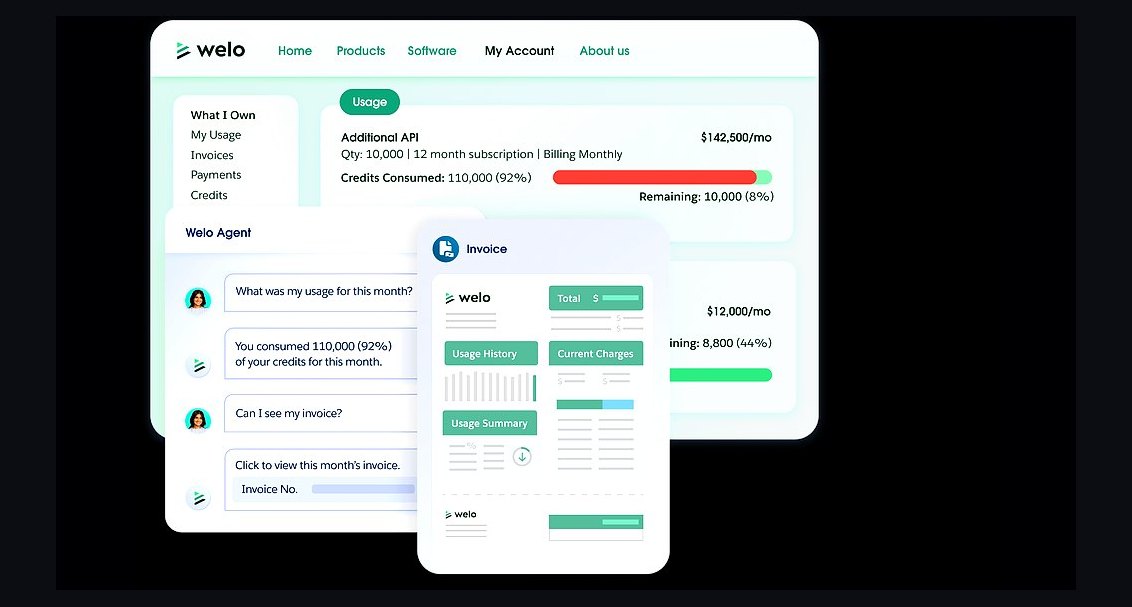 pulse-tech-stacksTop 10 Best Tech Stack Tools for Subscription Box Companies in 2027
 pulse-tech-stacksTop 10 Best Tech Stack Tools for Recruiting and Staffing Firms in 2027
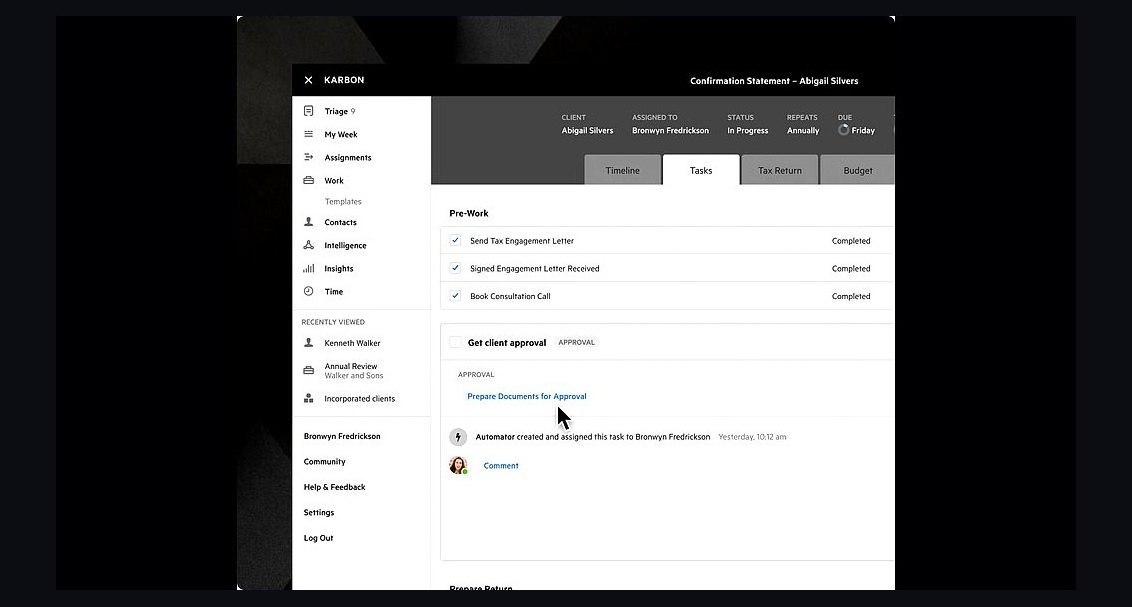 pulse-tech-stacksTop 10 Best Tech Stack Tools for Accounting Firms in 2027
 pulse-tech-stacksTop 10 Best Tech Stack Tools for Green Energy Grid Operators in 2027