


Top 10 accounting software for startups in 2027
Quality
Certified

The 10 best accounting software for startups are ranked below on measured performance, build quality, price, and how each one actually holds up in daily use rather than how it reads on a spec sheet. Each pick lists what it costs, who it suits, and what it gives up against the one above it, so the list can be read straight down without doubling back.
1QuickBooks Online
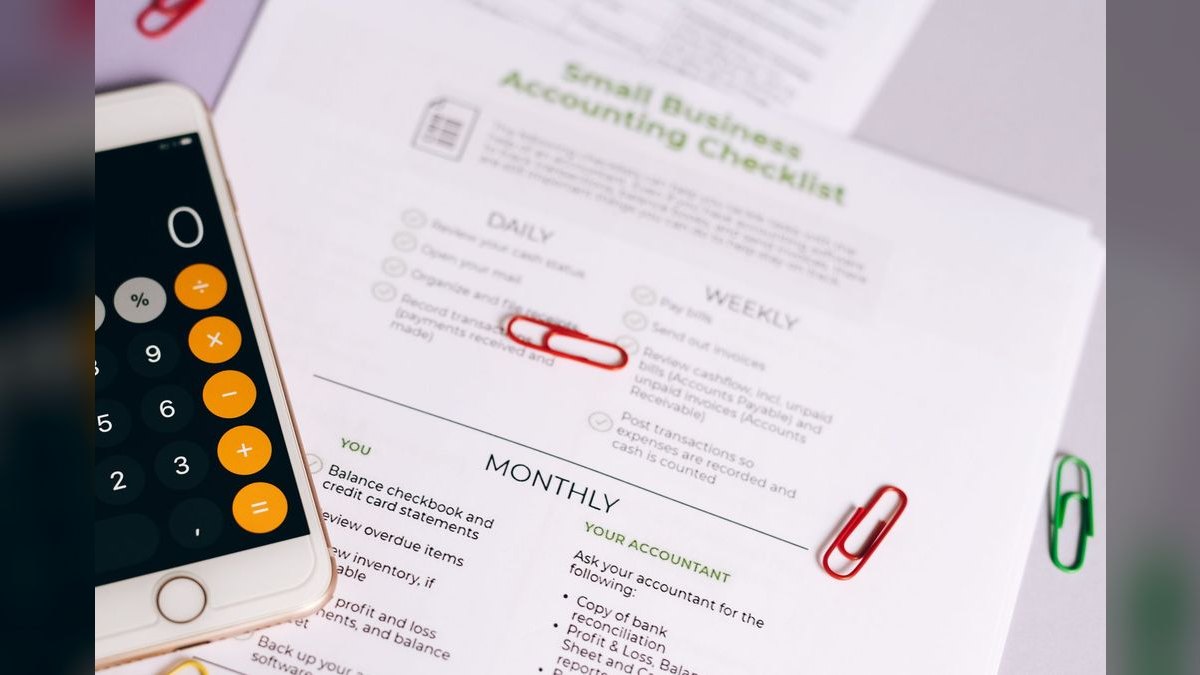
QuickBooks Online ranks first because it is the default single source of truth for U.S. startups and nearly every accountant already knows it cold. Simple Start runs about $30/month for one user plus accountant access, and Intuit advertises catching well over 90% of bank and card transactions automatically. It projects runway from Stripe deposits and upcoming bills, and handles 1099-NEC contractor filing that most solo tools skip entirely.
This fits U.S. startups that want the lowest bookkeeping friction and the widest pool of accountants and fractional CFOs. The trade is price and tier design: inventory tracking forces the Plus plan at roughly $90/month, so a pure SaaS shop pays for features it will never use. Xero costs less at entry and includes unlimited users, but QuickBooks wins on U.S. contractor filing and accountant familiarity.
2Xero

Xero ranks second because every plan includes unlimited users, which is decisive for distributed teams where ten teammates need read-only access without per-seat penalties. Its entry plan starts around $13/month, less than half QuickBooks Simple Start. The reconciliation engine learns from feeds across roughly 20,000 financial institutions, including newer neobanks like Mercury and Revolut, and multi-currency support spans more than 160 currencies in mid-tier plans.
This suits remote-first startups with overseas customers, foreign suppliers, or teammates who all need ledger visibility. It toggles between cash and accrual reporting without re-entering historical data, so the eventual investor-driven switch is a setting rather than a migration. Against QuickBooks Online, Xero trades a smaller U.S. accountant bench and weaker 1099 handling for cheaper seats and stronger currency coverage.
3Wave

Wave ranks third because it is genuinely free for core accounting under roughly $100k in revenue, which no paid competitor can match at the bootstrapped stage. It monetizes through payment processing at around 2.9% plus a fixed per-transaction fee, plus optional payroll, rather than a subscription. Invoicing, expense tracking, and double-entry books all work on the free tier with no monthly bill at all.
This is built for single-member LLCs and two-to-three-person teams before revenue arrives. The trade is real: free plans cap support, cash-flow statements, and advanced reports, and gate multi-currency behind paid tiers. The clean upgrade trigger is roughly $200k ARR or your first accounting hire — migrate to QuickBooks or Xero before an investor asks for reports Wave cannot produce.
4Zoho Books

Zoho Books ranks fourth because it removes integration work entirely for teams already running Zoho CRM and inventory — contacts, deals, and stock sync natively instead of through brittle connectors. Standalone pricing starts near $15/month, and it comes bundled into the broader Zoho One suite at roughly $30/month per user, which often makes the accounting module effectively free for existing Zoho shops.
This is for startups already committed to the Zoho ecosystem, not for teams shopping accounting tools on their own merits. The trade is lock-in: the same tight coupling that saves integration upkeep today makes leaving expensive later. Zoho gates multi-currency and advanced reporting behind higher tiers, adding roughly $10 to $30/month, and its accountant bench is far thinner than QuickBooks Online's.
5FreshBooks

FreshBooks ranks fifth because it is purpose-built for billing rather than general bookkeeping, which matters most to consultants and agencies. The Lite plan sits near $19/month and covers a handful of billable clients with integrated time tracking. Its expense categorization reaches roughly 90% accuracy on recurring costs like AWS or Slack after the first dozen transactions, so invoice-heavy months close without manual sorting.
This fits service businesses billing hourly or by project, not SaaS companies recognizing revenue over 12-month contracts or hardware startups carrying inventory. The trade is a client cap that pushes you to a higher tier as you grow, and a cash-basis lean that makes the eventual accrual switch harder. Xero and QuickBooks are more flexible engines; FreshBooks is the better invoice front end.
6Sage Intacct

Sage Intacct ranks sixth because it solves multi-entity consolidation and GAAP-compliant revenue recognition that no mid-market tool below it touches. Pricing typically starts in the low five figures per year, targeting startups past 50 employees. It ships native Salesforce integration for automated revenue schedules and ASC 606 handling, and manages multi-currency cleanly rather than lagging exchange rates the way lighter tools do.
This is for Series B-plus companies with U.S. and EU subsidiaries or genuinely complex subscription billing. The trade is a multi-week setup and usually a paid implementation partner, so the true first-year cost exceeds the license. Ranked below QuickBooks and Xero only because most startups will never need it — migrating here early buys overhead a lean finance team cannot staff.
7NetSuite

NetSuite ranks seventh because it consolidates accounting, order-to-cash, and inventory into a single ERP rather than a ledger with bolt-ons. Pricing starts in the five figures annually plus a per-user monthly fee, and it is the common Series B-plus option once one system has to run the whole business. The inventory and order modules matter specifically to hardware and e-commerce startups that outgrow QuickBooks Plus.
This fits companies whose operational complexity, not just their accounting, has outrun modular tools. The trade is the heaviest in the list: a multi-month implementation and a dedicated admin who effectively becomes part of the finance team. It binds you to one vendor where Sage Intacct at least pairs with Salesforce, and both are wrong picks before subsidiary consolidation forces the move.
8Gusto

Gusto ranks eighth because payroll compliance is the bolt-on most likely to break a startup's books, and a dedicated service handles it better than an embedded module. Integrated payroll inside QuickBooks or Xero typically adds $5 to $10 per employee per month — roughly $40 to $60/month for a five-person team — and Gusto syncs back to the ledger at comparable cost with stronger multi-state compliance and support.
This is for teams past a handful of employees, especially distributed ones triggering obligations in several states. It is not accounting software and never replaces your ledger, which is why it sits below the general-purpose platforms rather than competing with them. Against the built-in QuickBooks or Xero payroll add-ons, Gusto trades one fewer vendor for materially better filing coverage.
9Avalara

Avalara ranks ninth because economic nexus tracking is the gap every accounting platform above it leaves open. QuickBooks and Xero calculate tax at the invoice line but do not track the sales-dollar or transaction-count thresholds that vary by state and get crossed without warning. Avalara runs $30 to $100/month, which is trivial against back-tax and penalty exposure across five, ten, or twenty jurisdictions.
This is for startups selling into more than three states or two countries, and especially for SaaS sellers, since some states tax software subscriptions and others do not. It adds nothing to bookkeeping quality, which is why it ranks below the ledgers themselves. TaxJar covers similar ground in the same price band; either beats manually watching which states you have entered.
10ADP

ADP ranks tenth because it is the payroll and compliance backstop for startups whose headcount or jurisdiction count has outgrown lighter services. It syncs to the accounting ledger so the books stay current while payroll tax filing, garnishments, and multi-state registration sit with a provider that handles them at enterprise scale. Like Gusto, it keeps the accounting software focused purely on the books.
This fits later-stage teams that value support depth and filing coverage over simplicity and price. The trade is cost and complexity relative to Gusto, which is faster to set up and better suited to a five-person team. It ranks last because it addresses payroll rather than accounting, and most startups reach it only after QuickBooks, Xero, or an ERP is already in place.
How we ranked these
Ranking weighted four things: reconciliation quality (how many bank, card, and Stripe transactions match automatically without hand-correction), pricing at the tier you actually need in twelve months rather than the entry sticker, reporting flexibility — specifically whether cash and accrual bases toggle without re-entering history — and multi-currency handling for teams with overseas customers or contractors. Seat counts, payroll bolt-on costs, and sales-tax integration paths were priced into every all-in comparison.
Deliberately ignored: G2 star counts and review volume, which track marketing spend more than close quality. Also ignored AI feature announcements with no reconciliation impact, mobile app polish, and desktop-only products, which are effectively irrelevant for startups in 2027. Vendor-supplied case studies were excluded entirely — they select for successful implementations. Demo-day features were treated as tie-breakers, never as ranking criteria.
What to look for
What actually matters is your transaction shape, not the feature list. A service firm billing hourly, a SaaS company recognizing revenue across twelve-month contracts, and a hardware startup carrying inventory need genuinely different engines. Inventory forces QuickBooks Plus at roughly $90/month; a pure SaaS shop should stay off it deliberately. Distributed teams needing many read-only logins should weigh Xero's unlimited-user plans, which start near $13/month.
The common mistake is comparing base prices. Multiply per-seat cost by everyone who will actually log in, add payroll at $5 to $10 per employee monthly, add Avalara or TaxJar at $30 to $100 if you sell across more than three states, then compare two finalists on that all-in number. The second mistake is clinging to free until an investor requests reports you cannot produce.
Related questions
Should a pre-revenue startup pay for accounting software at all?
Usually not. Wave's free tier or a sub-$15/month plan covers invoicing and expense tracking at pre-revenue scale. The one caveat: pick a tool you can grow into. Migrating a year of miscategorized transactions once funding and investor reporting arrive costs far more in cleanup hours than the subscription you avoided paying.
When should a startup move from QuickBooks to NetSuite or Sage Intacct?
Move when multi-entity consolidation, complex subscription billing, or GAAP revenue recognition become genuine requirements — typically past 50 employees or around Series B. Both start in the low five figures annually and demand multi-week to multi-month implementations plus a dedicated admin. Do not migrate early for prestige; the ERP overhead crushes lean finance teams.
Does a startup need separate payroll and accounting software?
Not necessarily. QuickBooks and Xero sell integrated payroll at roughly $5 to $10 per employee monthly, so a five-person team adds $40 to $60. Many startups still prefer Gusto or ADP synced back to the ledger once headcount grows, trading a few dollars per seat for stronger compliance handling and support.
Is cloud or desktop accounting software better for a startup in 2027?
Cloud wins decisively. Live bank feeds, automatic updates, real-time collaboration, and mobile access are standard, and Xero alone connects to roughly 20,000 financial institutions including neobanks like Mercury and Revolut. Desktop accounting is rare in 2027 and only fits legacy or offline-heavy setups, sacrificing the integrations scaling teams depend on.
How do I know if my accounting software handles multi-currency well enough?
Weak currency handling costs 5 to 10 hours monthly in manual rate adjustments and quietly distorts margin reporting. Xero and QuickBooks include multi-currency in mid-tier plans, though rate updates can lag a day. Create a dedicated currency-fluctuation account and pull rates at transaction time through Stripe or Wise rather than at month-end.
What triggers sales-tax obligations for a startup in new states?
Economic nexus thresholds — sales-dollar or transaction-count triggers that vary by state and that you cross without any warning. Most accounting software calculates tax at the invoice line but does not track nexus. If you sell into more than three states or two countries, budget for Avalara or TaxJar from day one.
Why does ecosystem lock-in matter when picking accounting software?
Zoho Books syncs natively with Zoho CRM and inventory, sparing you brittle integrations — but that same coupling makes leaving expensive. NetSuite consolidates everything under one vendor and a heavy admin footprint. QuickBooks or Xero paired with separate payroll stays portable, but you own the connective tissue. Suite convenience now means migration friction later.
What should I check first when my ledger and bank balance disagree?
Duplicate Stripe payouts, uncategorized owner transfers, and timing differences — in that order. Almost never fraud. Resist forcing a match just to turn the number green. Modern tools ship anomaly detection that flags duplicate payments and receipts a tired founder would approve at 2 a.m.; that catch is where the software earns its subscription.
FAQ
What is the best accounting software for a very early-stage startup?
Wave handles core accounting genuinely free under roughly $100k in revenue, monetizing through payment processing at about 2.9% plus a fixed per-transaction fee. Expect $0 to $15/month at this stage. Plan the migration before an accountant or investor needs clean books, not after — the cleanup is the expensive part.
How much should a startup expect to spend on accounting software in 2027?
Entry tiers cluster tightly: Wave at $0, Xero around $13, Zoho Books near $15, FreshBooks Lite near $19, QuickBooks Simple Start near $30. Most bootstrapped startups land in the $20 to $80/month band on a mid-tier plan once payroll is added. True ERP options reach five figures annually.
Do I need separate software for payroll and accounting?
Integrated payroll from QuickBooks Online or Xero runs roughly $5 to $10 per employee monthly and keeps the ledger current automatically. Dedicated services like Gusto or ADP, synced back, become the common choice past a handful of employees, because payroll compliance and support matter more than saving a few dollars per seat.
Can I use free accounting software long-term?
Free plans cap transactions, users, exports, support, cash-flow statements, and advanced reports. They genuinely suit single-member LLCs and two-to-three-person teams. The clean upgrade trigger is around $200k ARR or your first accounting hire, whichever lands first — paying $30/month early beats migrating a year of messy data later.
What features matter most in a startup's accounting software?
Bank reconciliation quality first — it decides whether close takes an afternoon or a weekend. Then invoicing, expense tracking, and profit-and-loss plus balance sheet reporting. As you scale, weigh inventory, project profitability, multi-currency, and payment-processor and CRM integrations. Treat flashier demo features as tie-breakers, never as primary criteria.
How do I choose between cash-basis and accrual accounting?
Start cash-basis if bootstrapped and under roughly $1 million in revenue. Switch to accrual once you raise venture capital or cross a few million, since boards and investors expect accrual financials by default. Pick software like QuickBooks or Xero that toggles reporting bases without re-entering history, making the switch a setting rather than a migration.
How accurate is automatic transaction categorization?
QuickBooks Online advertises catching well over 90% of transactions automatically, and FreshBooks reaches roughly 90% accuracy on recurring costs like AWS or Slack after the first dozen entries. Every engine learns from your first ten to twenty categorizations, so correcting early mistakes carefully pays compounding dividends across every later month-end close.
Which plan tier does inventory tracking require?
QuickBooks gates inventory behind its Plus plan at roughly $90/month, a three-fold jump from Simple Start. That makes it mandatory for e-commerce and hardware startups from day one, and something a pure SaaS shop should deliberately avoid. Vendors design tier jumps around features you will inevitably need — price the twelve-month plan, not today's.
What does Sage Intacct offer that QuickBooks does not?
Multi-entity consolidation, GAAP-compliant revenue recognition, and native Salesforce integration for automated revenue schedules and ASC 606 handling. It targets startups past 50 employees, starts in the low five figures annually, and carries a multi-week setup usually requiring a paid implementation partner. Clean multi-currency handling at scale is another differentiator.
Why is Xero often recommended for distributed teams?
Every Xero plan includes unlimited users, so ten teammates can hold read-only access without per-seat penalties — a real cost difference against per-user pricing. Its entry plan starts around $13/month, it supports 160-plus currencies, and its matching engine learns from feeds across roughly 20,000 institutions including neobanks like Mercury and Revolut.
Sources
- https://quickbooks.intuit.com/pricing/
- https://www.xero.com/us/pricing-plans/
- https://www.waveapps.com/pricing
- https://www.freshbooks.com/pricing
- https://www.zoho.com/us/books/pricing/
- https://www.sage.com/en-us/products/sage-intacct/
- https://www.netsuite.com/portal/products/erp/pricing.shtml
- https://www.irs.gov/publications/p538
- https://www.sba.gov/business-guide/manage-your-business/manage-your-finances
- https://www.forbes.com/advisor/business/software/best-accounting-software/
Related on PULSE
This page will be disappearing soon. Save it to your device for $1 — or read it free while it is here.
@Kory-White- · if Venmo asks, the last 4 of my number are 2012
This page is gone.
This one is off the shelf now. $1 keeps it on your phone for good — the whole page, pictures and diagrams included.
 softwareShould I consolidate my CRM and customer support tools onto one platform once my teams start sharing the same customer records in 2027?
 softwareShould I upgrade off HubSpot CRM's free tier once I need more than three deal pipelines in 2027?
 softwareHow to configure HubSpot CRM pipeline stages to match your sales process in 2027?
 softwareTop 10 e-signature software for business in 2027
 softwareTop 10 ways to find HubSpot CRM consultants in 2027
 softwareTop 10 AI tools for content creation in 2027
 softwareTop 10 Cybersecurity Software for 2027: CrowdStrike, SentinelOne, and Palo Alto Compared
 softwareShould I add a dedicated customer data platform on top of HubSpot CRM once I'm syncing data from more than 5 outside apps in 2027?
 softwareTop 10 steps to choosing the right HubSpot CRM in 2027
 softwareTop 10 HubSpot CRM data hygiene tools in 2027