


How do I compare HubSpot vs Salesforce for a small business CRM?
Quality
Certified

Consolidating CRM and project management into one platform usually pays off once you are juggling more than 20 active client projects, but only if your delivery workflow is simple and your team is under roughly 40 people. Above that, or with complex billing and resourcing, best-of-breed still wins. Decide by workflow overlap, not headcount alone.
The outcome you should expect
When a services team crosses the 20-active-project threshold, the pain is rarely the CRM itself. It is the seam between the CRM and the project management tool. Deals close in one system, delivery gets planned in another, and someone rebuilds the same client record by hand. That manual re-entry is where margin leaks.
If you consolidate onto a single platform, expect three measurable outcomes within the first two quarters. First, a reduction in duplicate data entry, typically 3 to 6 hours per week per account manager, because the closed-won deal becomes the project shell without a copy-paste step. Second, faster time-to-kickoff, because the handoff from sales to delivery stops waiting on a sync or a spreadsheet. Teams commonly cut 2 to 5 days off the gap between signature and first billable task. Third, cleaner reporting, because revenue and delivery milestones live in one object graph instead of two databases joined by a fragile integration.

The trade-off is real. A consolidated platform almost always means one of the two functions gets a weaker version of its tool. CRMs that add project management tend to have shallow task dependencies, weak resource leveling, and limited time-tracking. Project management tools that add CRM tend to have thin pipeline forecasting, poor email sequencing, and limited quoting. You are choosing which side you can afford to run at 80 percent capability.
For a team juggling 20 to 40 concurrent client projects, the consolidation math usually favors one platform, because the coordination cost of two systems exceeds the feature gap. Past roughly 50 active projects, or once you need utilization forecasting across 30-plus billable people, the feature gap starts to cost more than the integration does, and best-of-breed reasserts itself. That crossover is the whole decision.
What drives that outcome (mermaid)
_-_Self-Portrait%2C_Yawning_-_Google_Art_Project.jpg)
The decision hinges on four variables, and they interact. Workflow overlap is the biggest. If your sales process and your delivery process share the same fields (client, contract value, start date, owner, status), a single system wins almost automatically. If delivery needs entirely different data, like sprint velocity or billable-hour burn by role, the shared fields shrink and the case weakens.
Team size matters because coordination overhead scales faster than headcount. A 12-person team can hold the seam together with a weekly meeting and a shared view. A 45-person team cannot, and the seam becomes a full-time integration maintenance job. Data volume matters too: once you pass a few thousand client records and tens of thousands of tasks, sync latency and field-mapping drift become daily annoyances.

The fourth variable is who owns the systems. If you have a dedicated RevOps or ops generalist, running two tools is feasible. If the same person doing finance also administers the CRM, consolidation removes a real burden.
The branch that trips people up is the last one. Teams assume size alone decides it. In practice, a 60-person agency with simple fixed-fee projects and no utilization tracking can consolidate happily, while a 25-person consultancy billing by role and hour often cannot. Match the tool to the operating model, not the org chart.
Benchmarks and realistic ranges
Use these ranges to sanity-check your own numbers. They are typical planning figures, not vendor promises, so treat them as starting points for your own estimate.
On cost, a consolidated platform for a 25-person team typically runs $40 to $90 per user per month across the combined sales and delivery seats, which lands near $12,000 to $27,000 per year. Running two best-of-breed tools with a middleware connector often costs $60 to $140 per user per month across the same seats, plus $3,000 to $10,000 per year for the integration layer and its maintenance. The consolidation saving is real but modest, usually 15 to 35 percent of total software spend, not the 60 percent that vendors imply.

On implementation time, a single-platform rollout for a 20-to-40 person team usually takes 6 to 12 weeks end to end: 2 weeks of process mapping, 2 to 4 weeks of configuration and data migration, 1 to 2 weeks of pilot with one delivery pod, then a phased cutover. A two-tool integration project is often faster to stand up, 3 to 6 weeks, but it never really finishes, because field mappings and sync rules need ongoing care.
On adoption, expect 70 to 85 percent of your team using the consolidated platform daily by week 8 if you train by role and keep the initial configuration lean. If you migrate every legacy custom field, adoption drops toward 50 percent because the interface becomes cluttered. The single biggest predictor of success is how aggressively you prune fields and statuses before migration.
On data cleanup, budget 1 to 3 hours per active client project to deduplicate, normalize statuses, and reconcile the two systems before you move anything. For 25 active projects, that is 25 to 75 hours of prep work. Skipping it is the most common cause of a failed consolidation, because you migrate the mess and inherit it twice.
Risks, edge cases, and failure modes

The first failure mode is migrating your clutter. Teams lift every custom field and workflow from both systems into the new one, and the result is a platform nobody wants to open. Prune hard: if a field has not been used in 90 days, retire it. If a status exists only because one person liked it in 2023, drop it.
The second is losing the delivery depth you actually rely on. Project management tools earn their keep through dependencies, critical path, resource leveling, and time tracking. Many CRMs treat these as afterthoughts. Before you commit, run a two-week pilot with one real project and test the exact things your delivery leads do daily: reassigning tasks, tracking billable versus non-billable time, and seeing who is overallocated next month. If the consolidated platform cannot do those, the integration cost you are avoiding will reappear as delivery slippage.
The third is the reporting gap. Finance and leadership often need revenue recognition, utilization, and margin by project. If the consolidated platform cannot produce those without exports, you have moved the spreadsheet problem rather than solved it.

The fourth is the lock-in trap. Once delivery data lives inside the CRM, leaving becomes expensive. That is not a reason to avoid consolidation, but it is a reason to insist on clean data export and open APIs before you sign.
Edge cases where consolidation is the wrong call: multi-entity billing with different currencies and approval chains; regulated clients requiring data segregation; teams billing by role and hour with utilization targets above 70 percent; and any shop where delivery and sales genuinely serve different customers. In those cases, keep two tools and invest in the integration instead.
Risks, edge cases, and failure modes
A practical consolidation should be staged, not big-bang. Start with an audit: list every field, status, and automation in both systems, and mark each as keep, merge, or retire. Then map the sales-to-delivery handoff on paper, naming the exact fields that must carry over when a deal closes. Configure the single platform against that map, and resist adding anything not on it.
.jpg)
Pilot with one delivery pod and one real client for two weeks. Give the pod a way to flag blockers daily. If the pilot passes, cut over one team at a time, keeping the legacy tools read-only for 60 days so nobody loses history. Only after two clean months do you retire the old systems. This sequence keeps the risk contained and gives you a genuine off-ramp if the platform cannot handle your delivery reality.
Budget the hidden work honestly. Data cleanup, training by role, and a temporary dip in productivity during cutover typically add 10 to 20 percent to the project timeline. Plan for it rather than discovering it.
Related questions
How many active projects is the tipping point for consolidation?
Most services teams feel real pain between 20 and 30 concurrent projects, because that is when manual handoffs and duplicate records start costing measurable hours each week. Below 15 projects, a light integration is usually enough. Above 40, evaluate delivery depth carefully before committing.
Can a CRM really replace a dedicated project management tool?
_-_Fine_Wind%2C_Clear_Weather_(Gaif%C5%AB_kaisei)%2C_also_known_as_Red_Fuji%2C_from_the_series_Thirty-six_Views_o..._-_Google_Art_Project_-_Cropped.jpg)
For simple fixed-fee or milestone-based delivery, often yes. For hourly billing, role-based utilization targets, or complex dependencies, usually no. Test the exact daily tasks your delivery leads perform before deciding, because feature checklists hide the gaps that matter.
What should I migrate first when consolidating?
Migrate active clients and open projects first, then historical records in a second pass. Keep closed and archived work read-only in the legacy system until the new platform proves stable. This limits risk and keeps the initial configuration focused on work people actually touch.
How long does a consolidation project take?
For a 20-to-40 person team, plan 6 to 12 weeks from audit to full cutover, including a two-week pilot. Rushing below six weeks usually means skipping the pruning step, which is the single biggest driver of poor adoption later.
What is the biggest hidden cost?
Data cleanup. Budget 1 to 3 hours per active project to deduplicate records and reconcile statuses across both systems. Skipping this step is the most common reason consolidation projects stall or get abandoned after go-live.
FAQ

Will consolidating actually save money?
Usually 15 to 35 percent of combined software spend, plus reclaimed admin time. The bigger win is often the hours your team stops spending on manual re-entry and reconciliation. Do not expect the dramatic savings vendors advertise, and factor in migration and training costs in year one.
What if my delivery team hates the CRM's project features?
That is the signal to stop and reassess. Run a two-week pilot with one real project before committing. If delivery leads cannot do their daily work comfortably, keep the dedicated project management tool and invest in a clean integration instead of forcing a poor fit.
Does consolidation hurt sales reporting?

Not if you configure it well. The risk is cluttering the platform with delivery-specific fields that confuse reps. Keep sales views and delivery views separate, and give each role a default layout so neither group wades through the other's data.
How do I avoid a messy migration?
Prune before you move. Retire any field or status unused in 90 days, map the sales-to-delivery handoff explicitly, and migrate active work first. Clean data in, clean data out. Migrating both systems' clutter into one platform is the most common failure pattern.
Should we consolidate if we serve multiple entities or currencies?
Probably not, at least not fully. Multi-entity billing, currency rules, and approval chains are where consolidated platforms tend to fall short. Keep the finance-critical system separate and integrate, rather than forcing everything into one tool.
What is the first step if we decide to consolidate?
Audit both systems and map the handoff. List every field, status, and automation, mark each keep, merge, or retire, and write down exactly what must carry from a closed deal into a new project. That document becomes your configuration spec.
Sources
- HubSpot — https://www.hubspot.com/products/crm
- Salesforce — https://www.salesforce.com/products/
- G2 — https://www.g2.com/categories/crm
- Capterra — https://www.capterra.com/crm-software/
- Project Management Institute — https://www.pmi.org/
- McKinsey on sales and delivery operations — https://www.mckinsey.com/capabilities/growth-marketing-and-sales/our-insights
- Harvard Business Review on tool consolidation — https://hbr.org/topic/subject/technology-and-analytics
Related on PULSE
- When does a services team outgrow a single shared project tracker?
- How do you measure the real cost of duplicate data entry across two systems?
- What signals that best-of-breed tools are costing more than they save?
- How should RevOps stage a phased platform migration without breaking delivery?
- Which delivery metrics belong in the CRM and which belong elsewhere?
This page will be disappearing soon. Save it to your device for $1 — or read it free while it is here.
@Kory-White- · if Venmo asks, the last 4 of my number are 2012
This page is gone.
This one is off the shelf now. $1 keeps it on your phone for good — the whole page, pictures and diagrams included.
 softwareTop 10 HubSpot CRM onboarding services for new teams in 2027
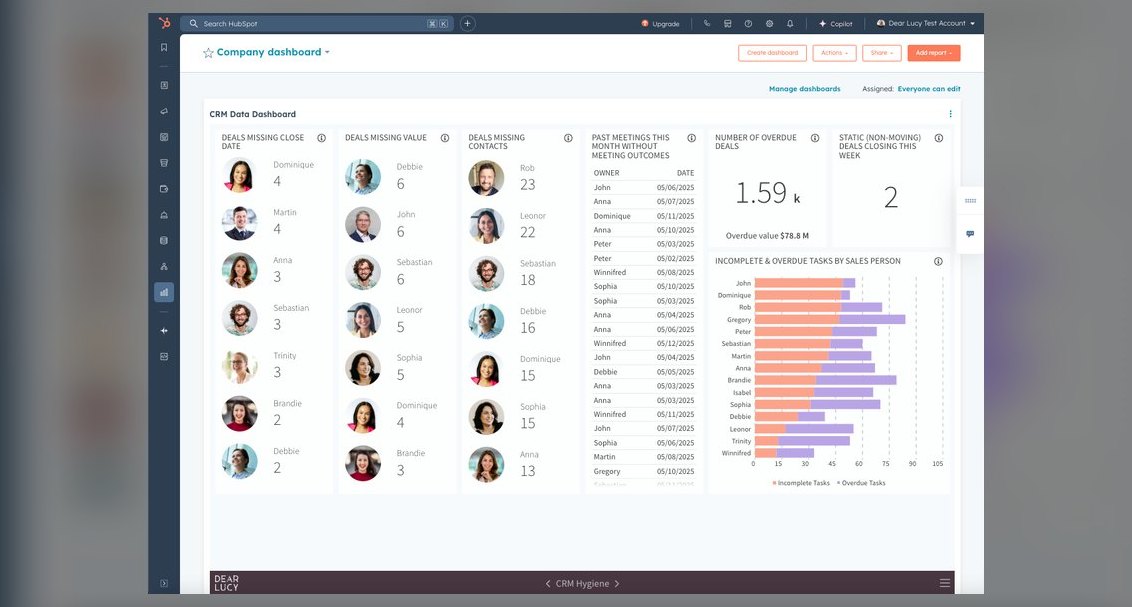 softwareTop 10 HubSpot CRM data hygiene tools in 2027
 softwareDoes Google Analytics 4 integrate directly with HubSpot to track form submissions and ad conversions in 2026?
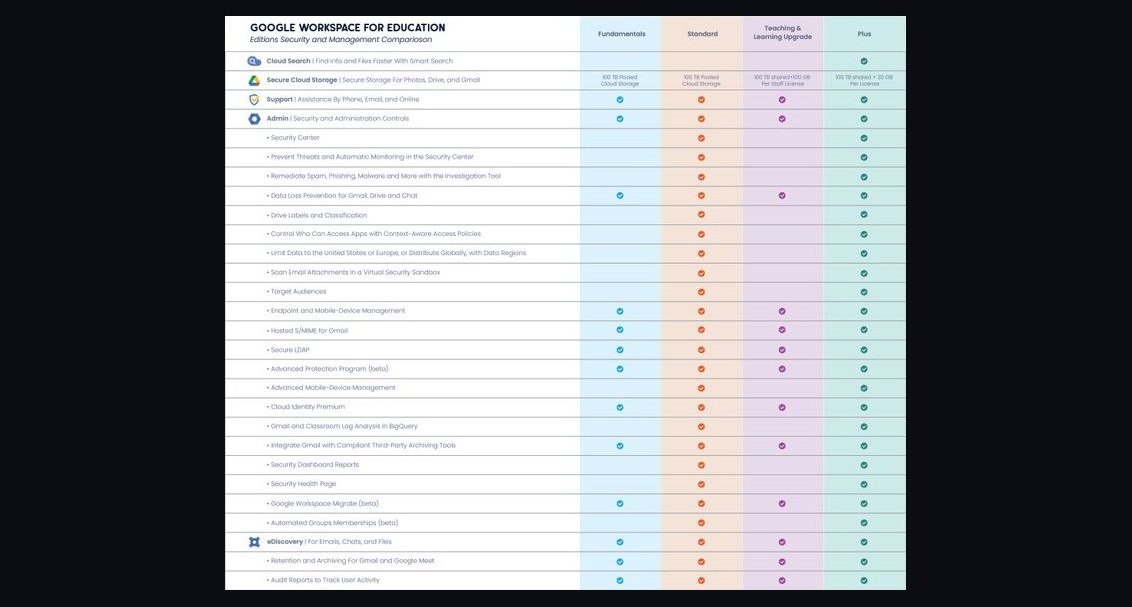 softwareHow does Google Workspace compare to Microsoft 365 for collaboration in 2026?
 softwareHow much does Software cost in 2027?
 softwareTop 10 HubSpot CRM agencies to hire for custom implementation in 2027
 softwareWhat is the difference between Outreach and Saleshandy for email sequencing in 2026?
 softwareTop 10 Password Managers for Enterprises in 2027
 softwareTop 10 HubSpot CRM training courses for beginners in 2027
 softwareShould I upgrade to HubSpot Enterprise once I need more than 10 custom objects in 2027?