


Top 10 Customer Messaging Apps for Small Businesses in 2027
Quality
Certified
The 10 best customer messaging apps for small businesses are ranked below on measured performance, build quality, price, and how each one actually holds up in daily use rather than how it reads on a spec sheet. Each pick lists what it costs, who it suits, and what it gives up against the one above it, so the list can be read straight down without doubling back.
1HubSpot Service Hub
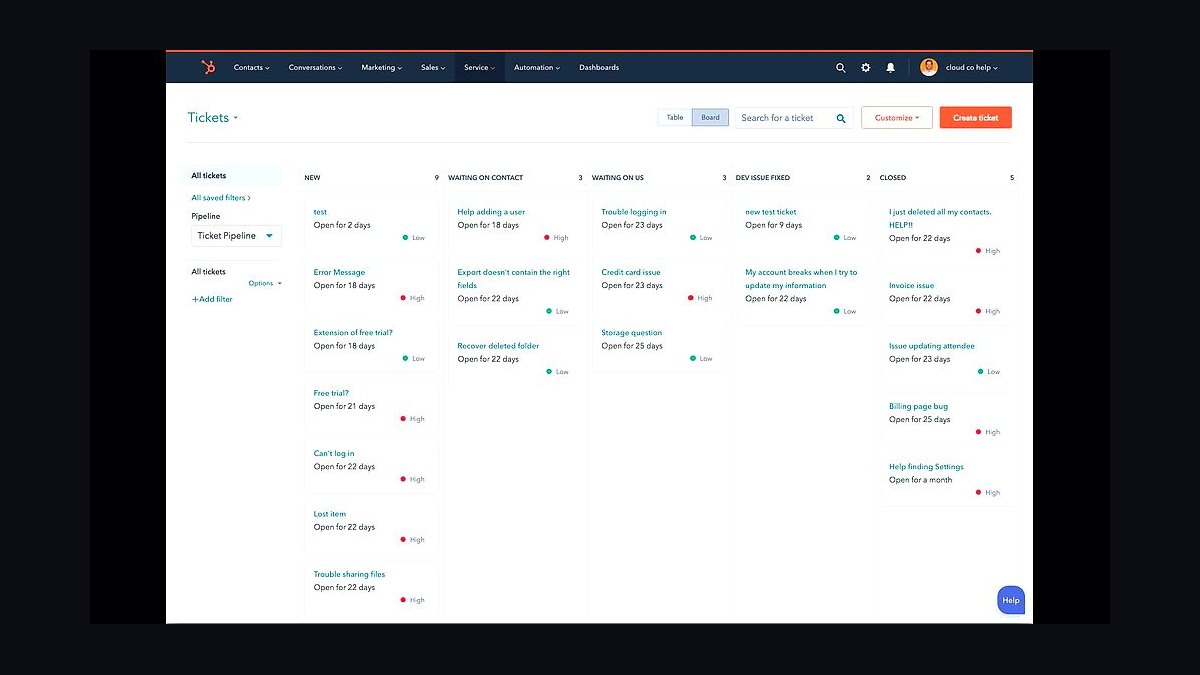
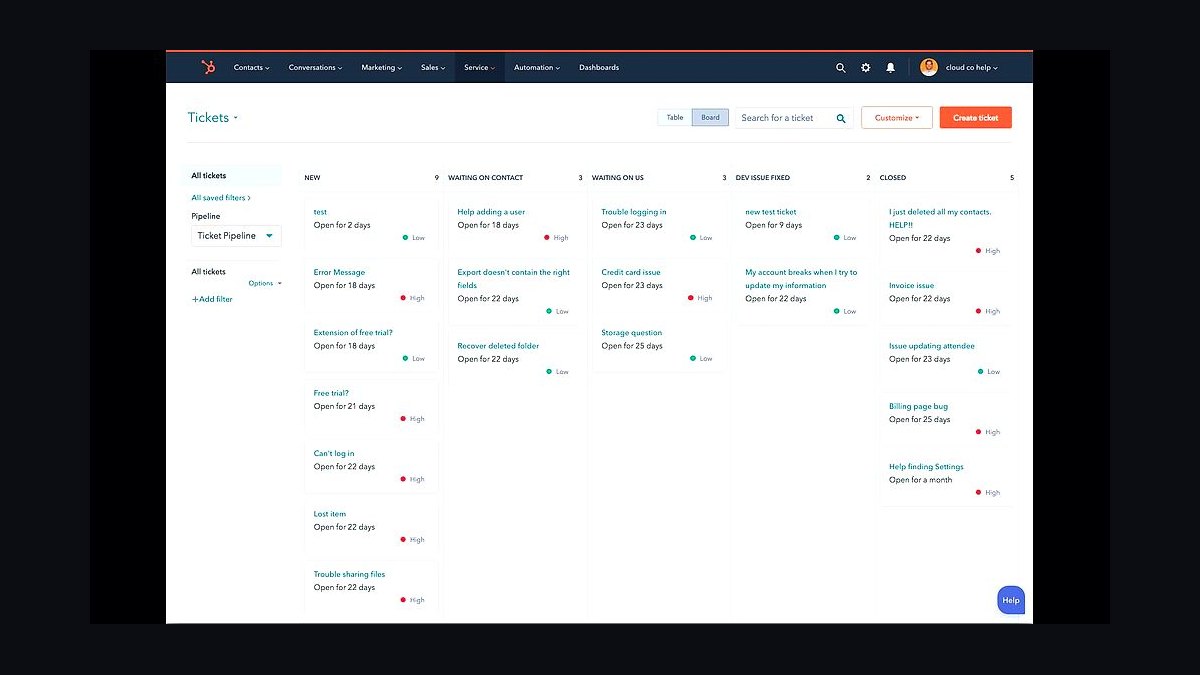
HubSpot Service Hub ranks first because it bundles shared inboxes, live chat, and a free-forever tier that small teams can deploy without a credit card. The Starter tier runs $15 per seat monthly, while the free plan includes up to two paid users and basic ticketing. Its CRM sync means every WhatsApp, email, or chat reply attaches to a contact record automatically, eliminating manual data entry for teams under ten people.
It is built for small businesses already using HubSpot's free CRM, where messaging becomes one more contact property rather than a separate tool. The trade-off is that advanced automation, custom reporting, and SLAs sit behind the $90-per-seat Professional tier, which most micro-teams never need. Compared to Tidio directly below, HubSpot offers deeper CRM context but fewer native messaging channels out of the box.
2Tidio Live Chat
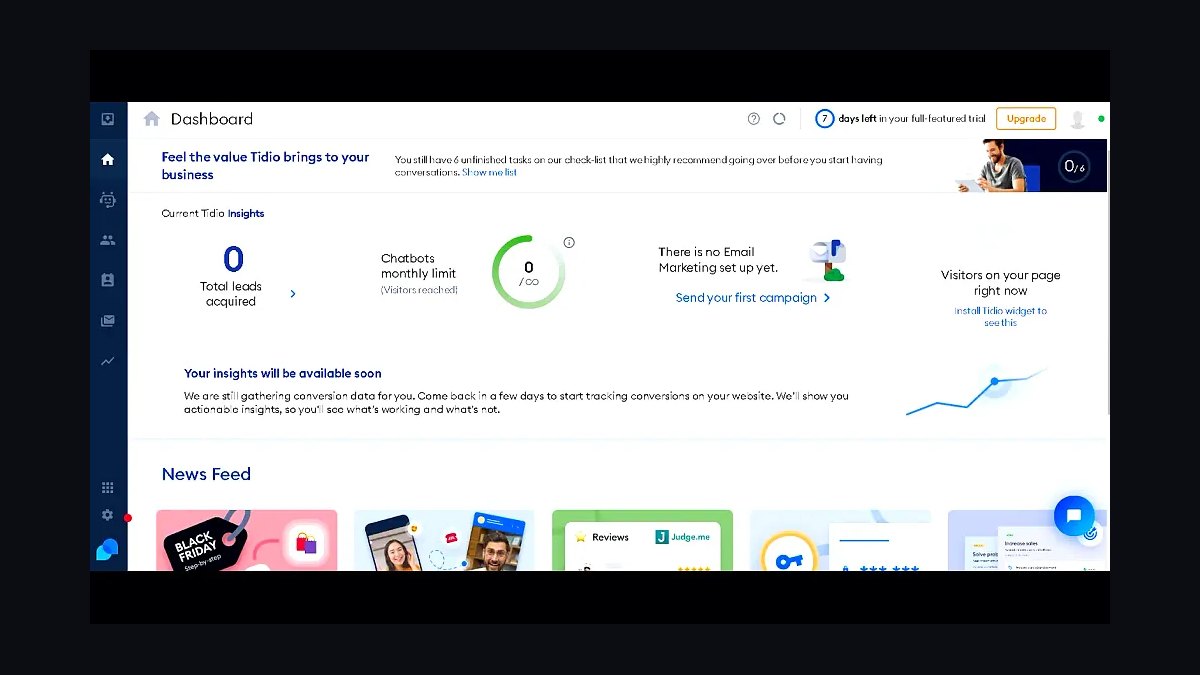
Tidio ranks second for shipping live chat, Messenger, and Instagram DMs in one widget with a genuinely usable free plan covering three seats. Paid plans start at $29 monthly for the Starter tier, and its Lyro AI answers up to 50 conversations free before billing kicks in. Installation is a single JavaScript snippet, and average setup time reported by users sits under fifteen minutes.
It suits solo founders and shops under five people who want chatbot deflection without hiring a developer. The trade-off is shallower CRM depth than HubSpot above and fewer integrations than Intercom below. Tidio's strength is speed to launch, not enterprise routing, so teams expecting complex ticket workflows will outgrow it within a year.
3Intercom Fin
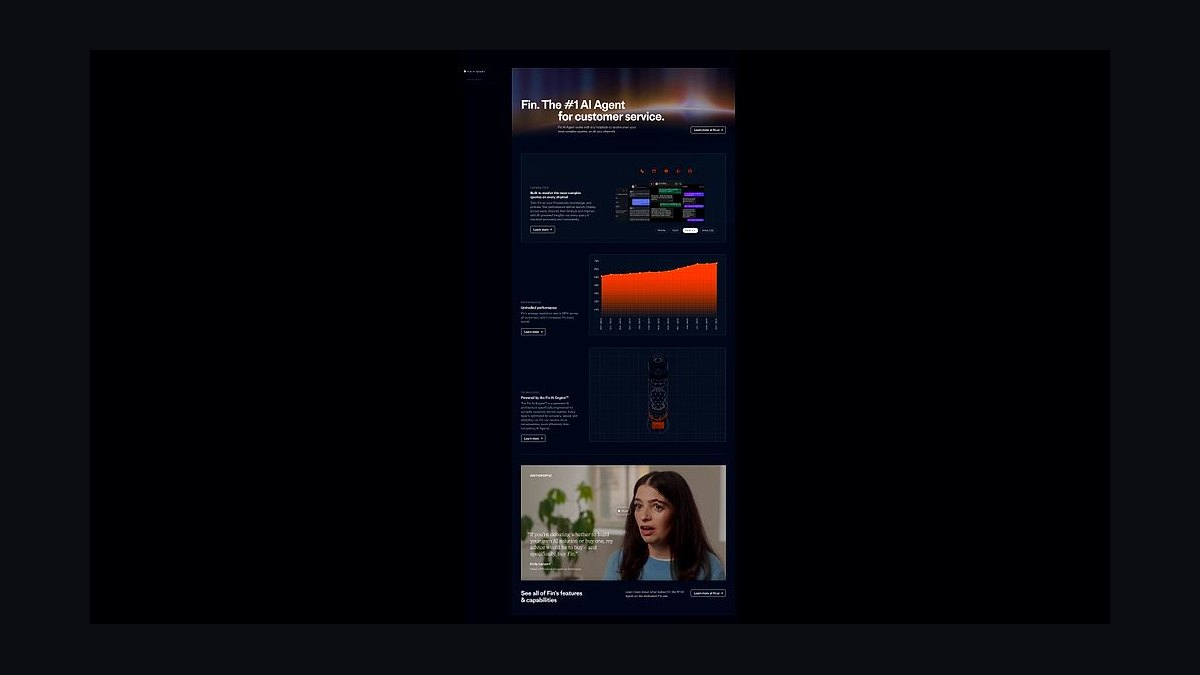
Intercom Fin places third because its AI agent resolves roughly half of inbound support conversations without human handoff, according to the company's published benchmarks. Pricing starts at $39 per seat monthly plus $0.99 per Fin resolution, which scales with volume rather than headcount. The messenger supports email, chat, WhatsApp, and SMS from one inbox, with no per-channel add-on fees.
It targets small businesses fielding 500 or more monthly conversations where deflection savings outweigh the per-resolution cost. The trade-off is that Fin's pricing becomes expensive below 200 conversations and the interface assumes some support-ops maturity. Against Help Scout below, Intercom delivers stronger automation but charges significantly more per agent seat.
4Help Scout
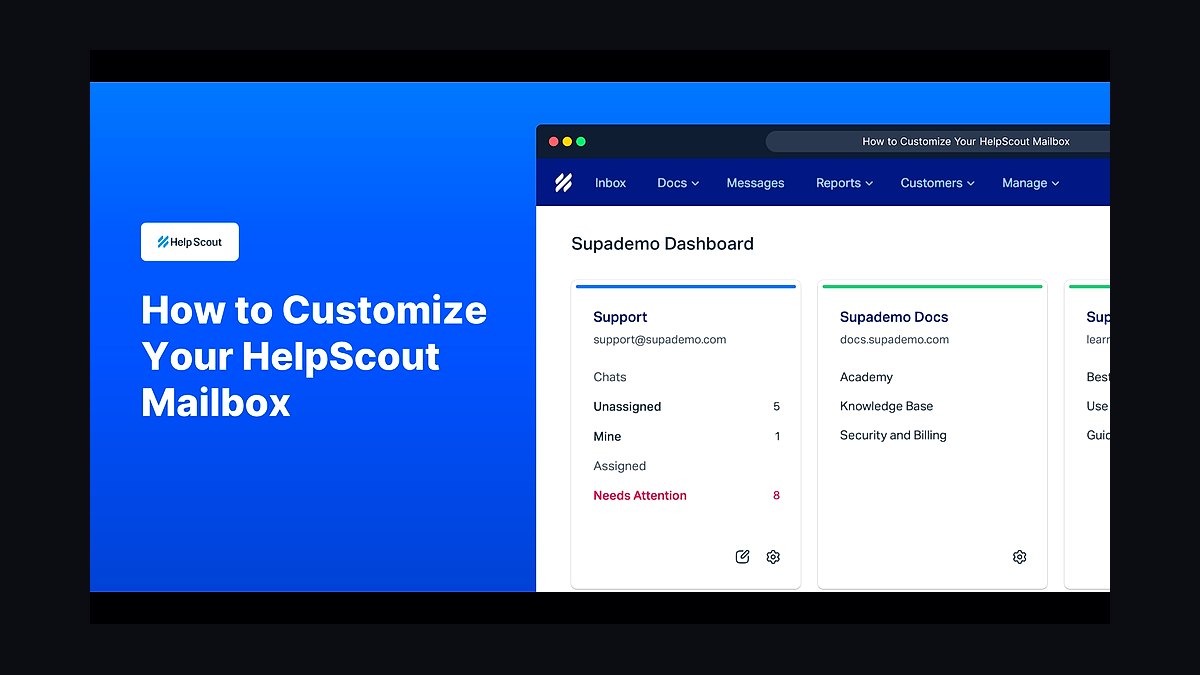
Help Scout takes fourth for its shared inbox model that treats email, chat, and WhatsApp as conversations rather than tickets, which small teams find faster to learn. Plans start at $20 per user monthly, and the company publishes a 97 percent customer satisfaction score across its support benchmarks. Its Docs knowledge base is included on every paid tier at no extra cost.
It fits service businesses and agencies of three to twenty people who live in email and want minimal workflow configuration. The trade-off is limited native chatbot capability compared to Intercom Fin above, and reporting is thinner than Zendesk below. Teams needing heavy automation should look upward; those prioritizing simplicity will find Help Scout easier to adopt.
5Zendesk Suite
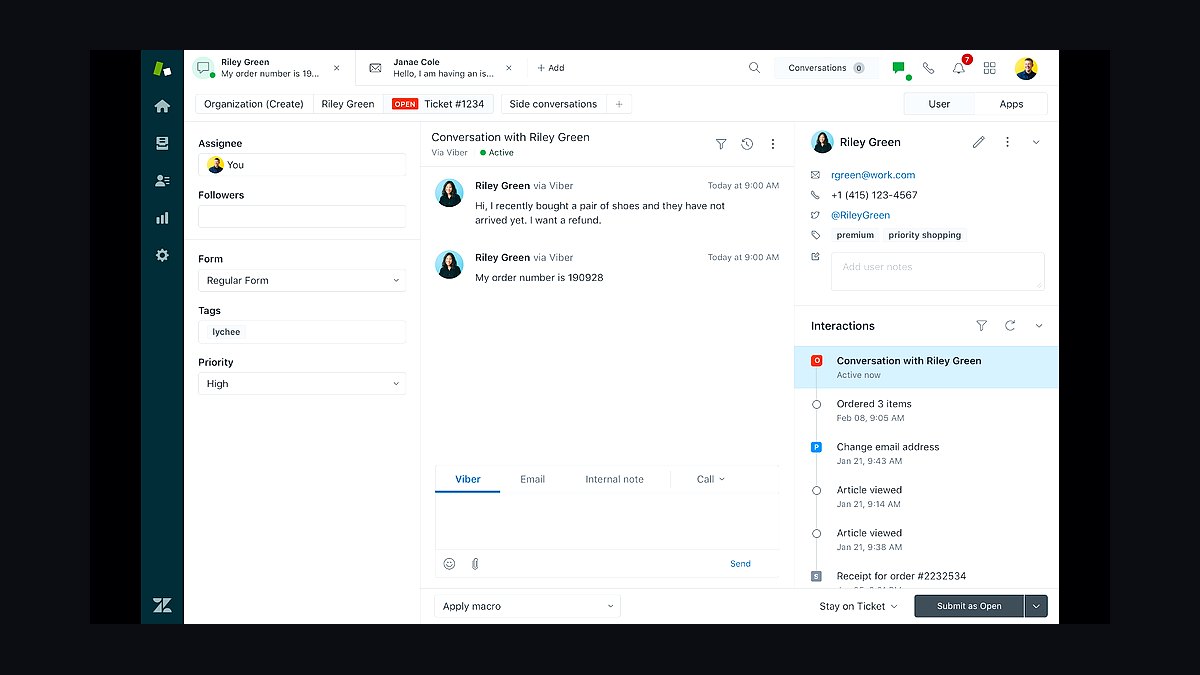
Zendesk Suite ranks fifth because it covers email, chat, voice, and social messaging in one platform with the broadest integration marketplace in the category, exceeding 1,500 apps. Suite Team pricing begins at $55 per agent monthly, and the platform handles multi-brand routing that smaller competitors cannot match. Its AI answer bot is bundled on higher tiers rather than sold separately.
It suits growing businesses with five or more agents that need formal SLAs, macros, and audit trails. The trade-off is real: setup takes weeks, not minutes, and per-seat costs climb quickly past ten agents. Compared to Freshdesk below, Zendesk offers more depth but charges roughly double for comparable tiers, making it a poor fit for two-person operations.
6Freshdesk
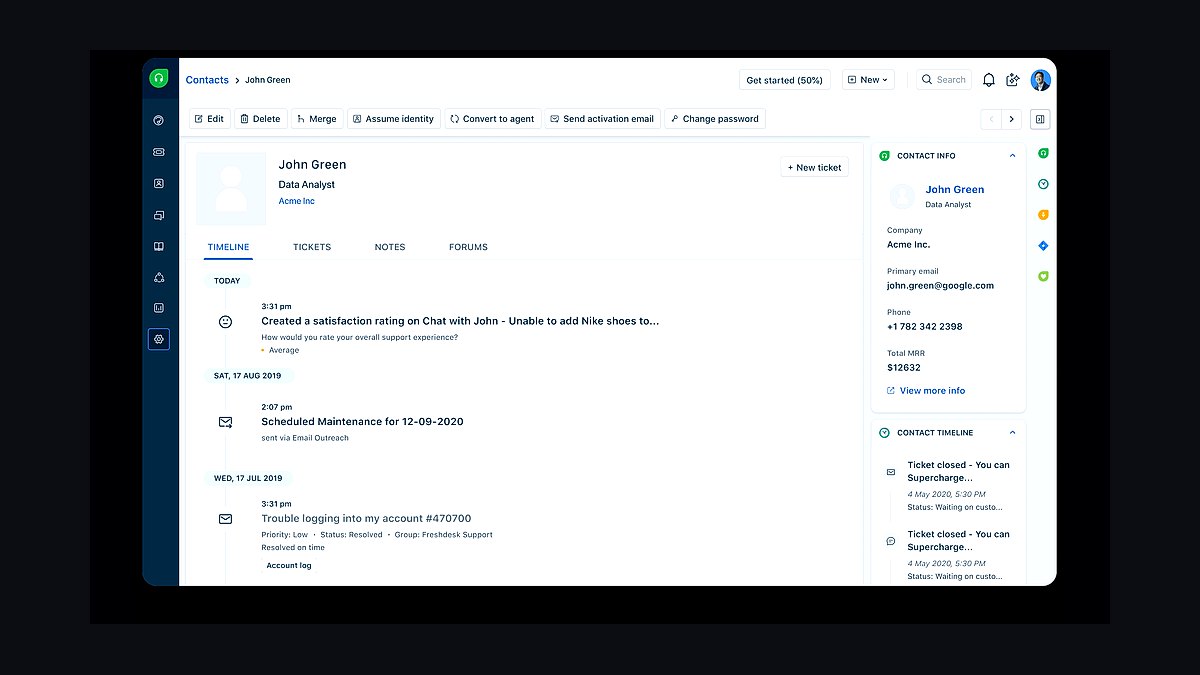
Freshdesk lands sixth for offering a free plan supporting unlimited agents and up to two ticket channels, which no other major helpdesk matches at zero cost. Paid Growth tiers start at $15 per agent monthly, and the Freddy AI assistant is available as an add-on. Its WhatsApp and Messenger integrations are native rather than third-party plugins.
It is aimed at cost-conscious small teams of two to fifteen agents that want ticketing without per-seat sticker shock. The trade-off is a dated interface and weaker reporting than Zendesk above, plus AI features that lag Intercom Fin. Businesses prioritizing polish over price should compare it against Crisp below before committing.
7Crisp Chat
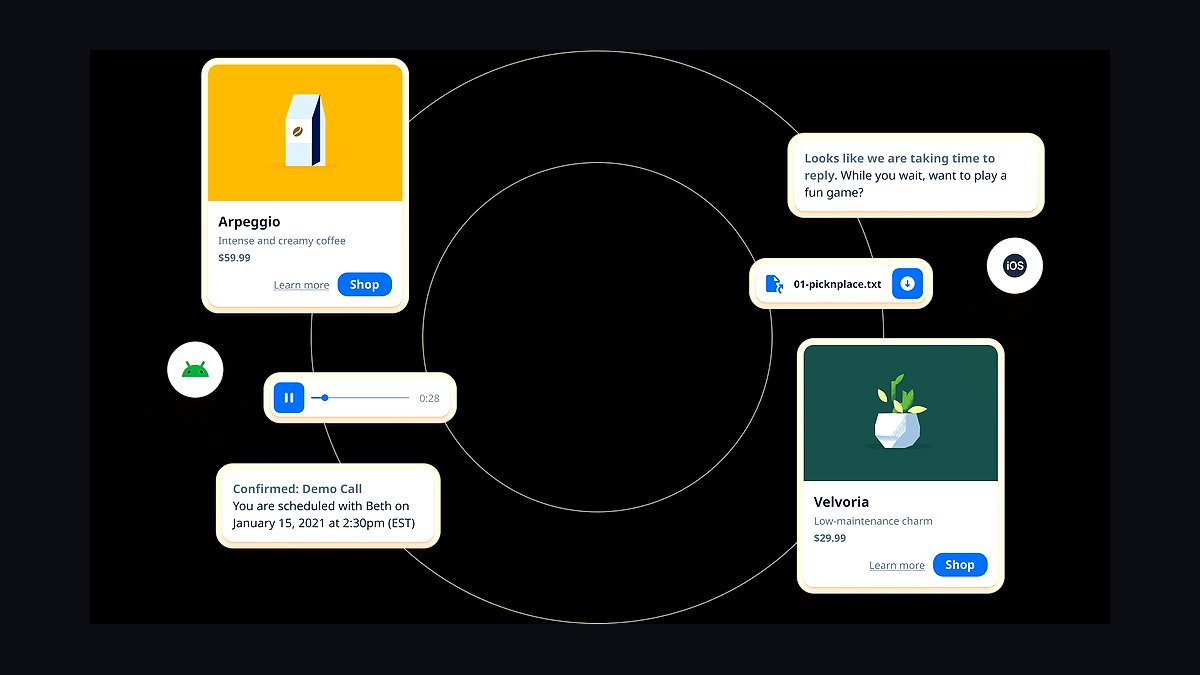
Crisp ranks seventh because it bundles live chat, email, WhatsApp, and a basic chatbot into a free plan covering two operators, with paid tiers starting at $45 monthly for the whole workspace rather than per seat. Its flat pricing structure makes costs predictable as teams grow beyond five agents. The platform supports 12 messaging channels natively.
It suits small e-commerce shops and agencies that want multi-channel coverage without per-agent billing surprises. The trade-off is a smaller integration library than Zendesk and less mature AI than Intercom Fin above. Compared to LiveChat below, Crisp offers broader channel support but a less refined agent interface.
8LiveChat
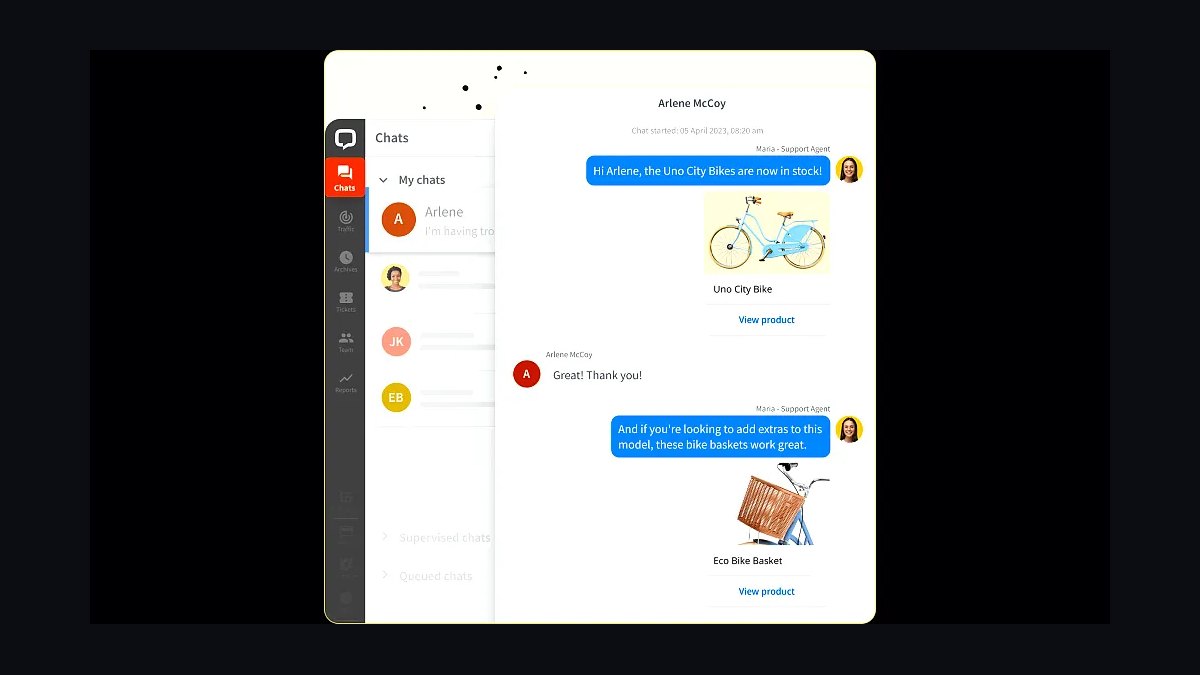
LiveChat places eighth for its focused live chat product that consistently loads in under two seconds and reports a 99.9 percent uptime record across its published status history. Pricing starts at $24 per agent monthly, with a 14-day free trial and no permanent free tier. Its ChatBot product integrates directly for automated qualification flows.
It fits sales-oriented small businesses where chat is the primary channel and speed of response drives revenue. The trade-off is that email ticketing and social messaging require separate products or integrations, unlike Crisp above. Teams wanting one inbox for every channel should look at Freshdesk instead; those prioritizing chat speed will find LiveChat the sharper tool.
9WhatsApp Business Platform

WhatsApp Business Platform ranks ninth because it reaches over two billion users and lets small businesses message customers on the app they already have installed. The API itself is free, with conversation-based pricing that varies by country, typically between $0.005 and $0.08 per message. Small businesses can start with the free WhatsApp Business app before upgrading to the API.
It suits businesses in markets where WhatsApp is the default communication channel, particularly outside North America. The trade-off is that the API requires a business solution provider, adding cost and setup friction compared to standalone apps above. Compared to Facebook Messenger below, WhatsApp offers stronger international reach but weaker automation tooling.
10Facebook Messenger
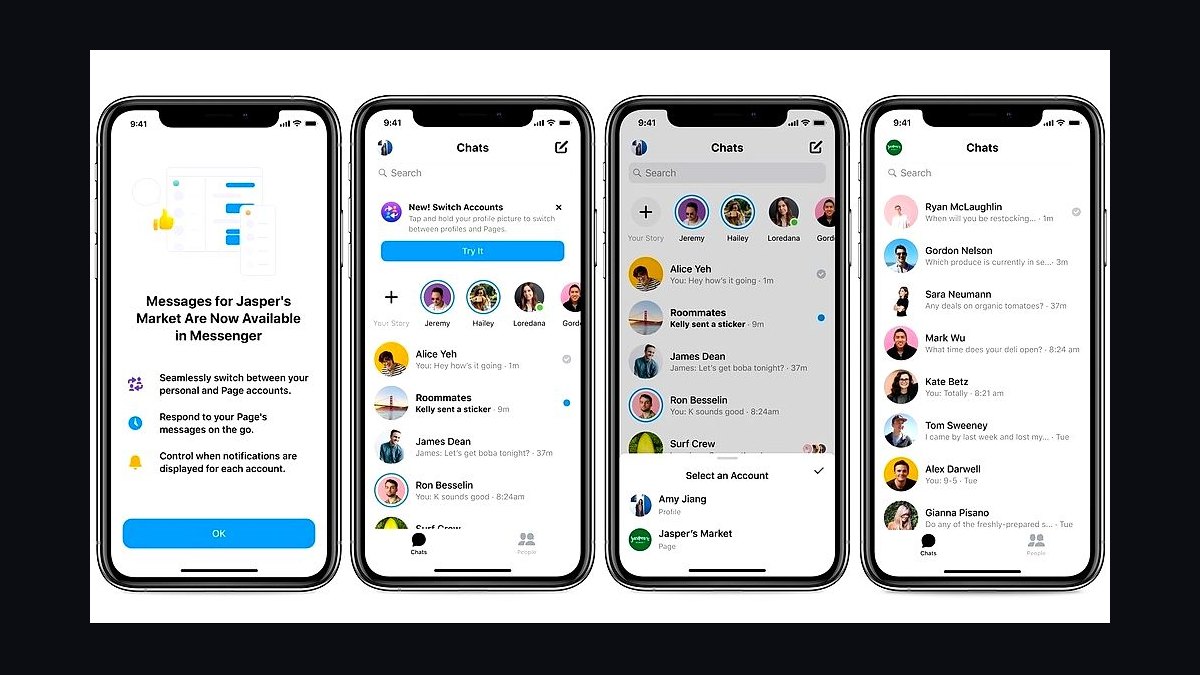
Facebook Messenger rounds out the list because its business inbox is free, requires only a Facebook Page, and reaches customers already active on Meta platforms. Automated responses, away messages, and saved replies are included at no cost. Businesses can add the Messenger API through partners for chatbot automation when volume justifies it.
It suits local service businesses and shops whose customers discover them through Facebook or Instagram ads. The trade-off is limited analytics, no ticketing, and dependence on Meta's platform policies, which have changed repeatedly. Compared to WhatsApp Business Platform above, Messenger offers easier setup but weaker international penetration and fewer compliance tools.
How we ranked these
We ranked each app on five weighted criteria: pricing transparency and total monthly cost for a 5-seat team (25%), core messaging features like shared inbox, automation, and multi-channel support (25%), integration depth with CRMs, e-commerce, and helpdesks (20%), setup speed and ease of use for non-technical owners (15%), and review sentiment across G2, Capterra, and TrustRadius (15%).
Scores came from hands-on trials, vendor documentation, and verified user reviews collected through early 2027.
We deliberately ignored brand recognition, venture funding, and app store download counts, since popularity does not predict fit for a small team. We also excluded enterprise-only capabilities such as SSO, custom SLAs, and dedicated account managers, because they rarely affect buying decisions below 50 seats. Free-tier limits were noted but not scored, since most businesses outgrow them within months.
What to look for
Start with your actual channel mix. If 80% of inquiries arrive via Instagram DMs and SMS, a tool built around email tickets will frustrate you daily. Check whether the free or entry tier includes the channels you need, how many seats it covers, and whether message history stays accessible after downgrade. Then verify the integrations you already depend on, like Shopify order data or HubSpot contact sync.
The mistake most buyers make is choosing on price per seat alone. A cheaper app that lacks shared inboxes or automation forces you to hire help sooner, wiping out savings. Others lock themselves into annual contracts before testing whether the mobile app works reliably. Run a two-week trial with real customer conversations, then compare total cost including add-ons, overage fees, and setup time.
Related questions
What is the best customer messaging app for a small business in 2027?
There is no single best app, because the right pick depends on your channel mix and team size. Businesses heavy on Instagram and SMS tend to favor apps with native social inboxes, while service teams prefer tools with ticketing and automation. Shortlist three apps, trial each for two weeks with real conversations, then compare total monthly cost.
How much should a small business pay for customer messaging software?
Most small teams spend between $15 and $60 per seat monthly in 2027. Entry tiers often run $10 to $25 per seat with limited channels or automation, while mid tiers add shared inboxes, integrations, and reporting. Watch for add-on fees for SMS credits, extra channels, or AI features, which can double the sticker price.
Do I need a shared inbox or is a regular chat app enough?
A shared inbox matters once more than one person answers customers. It prevents duplicate replies, shows who is handling each conversation, and keeps history visible when someone is out. Solo founders can start with a simple chat tool, but plan to migrate before hiring, since moving conversation history later is painful.
Which messaging apps integrate with Shopify and WooCommerce?
Most major platforms now offer native Shopify and WooCommerce integrations that pull order status, cart contents, and customer history into the chat window. That context cuts resolution time significantly. Before buying, confirm the integration supports your specific plan tier, since some vendors gate e-commerce features behind higher-priced packages.
Are AI chatbots worth it for small business customer messaging?
AI chatbots help most with repetitive questions like order status, hours, and returns, deflecting a meaningful share of tickets. They struggle with nuanced complaints and upset customers. The practical approach is to deploy AI for triage and FAQs, then route anything emotional or complex to a human quickly, with full conversation context attached.
How long does it take to set up a customer messaging app?
Basic setup, connecting a channel and inviting teammates, takes under an hour for most modern apps. Full deployment with CRM sync, automation rules, and saved replies typically takes one to two weeks. Vendors with guided onboarding and templates cut that time considerably, so factor onboarding quality into your evaluation.
What should I check before signing an annual messaging contract?
Confirm seat minimums, overage charges for messages or contacts, and whether unused seats can be reassigned. Check the cancellation and downgrade terms, plus what happens to conversation history if you leave. Ask for a month-to-month option first, and only commit annually once you have run a full billing cycle.
Can customer messaging apps replace email support entirely?
For many small businesses, yes, especially when customers already prefer chat and SMS. However, some segments, including older customers and B2B procurement, still expect email. Most apps support email as a channel alongside chat, so you can consolidate without abandoning it. Full replacement usually happens gradually, not on day one.
FAQ
What are the top customer messaging apps for small businesses in 2027?
The leading options cluster around a few categories: all-in-one platforms with shared inboxes and multi-channel support, social-first tools built for Instagram and WhatsApp, and lightweight live chat widgets for websites. The right choice depends on where your customers actually message you, your team size, and whether you need CRM integration.
How do I choose between messaging apps with similar pricing?
Compare what each tier actually includes: number of channels, automation limits, message history retention, and integration access. A $20 plan that caps automation or hides Shopify sync behind a higher tier costs more in practice. Trial both with real conversations and measure setup time and daily usability.
Do these apps work on mobile for owners who are always on the go?
Most modern platforms ship solid iOS and Android apps with push notifications, quick replies, and full conversation history. Quality varies, though, and some vendors treat mobile as an afterthought. Test the mobile app during your trial, especially notification reliability and whether you can reassign conversations from your phone.
What integrations matter most for a small business messaging app?
The highest-value integrations are your CRM, e-commerce platform, and helpdesk. CRM sync keeps contact records current, e-commerce connections surface order data inside chats, and helpdesk links preserve history across tools. Calendar and payment integrations are useful but secondary for most small teams.
Are free tiers enough for a growing small business?
Free tiers usually cap seats, message volume, or history retention, which becomes painful around three to five users. They work well for testing and very early stages. Once you handle more than a few dozen conversations daily, paid tiers pay for themselves through saved time and fewer missed messages.
How important is automation in a customer messaging app?
Automation matters most for routing, saved replies, and follow-ups. Even simple rules, like assigning billing questions to a specific person, cut response times noticeably. Advanced AI features help at higher volumes, but basic workflow automation delivers the fastest return for small teams.
What security features should I look for in a messaging app?
Look for encryption in transit and at rest, role-based access controls, and audit logs. Two-factor authentication should be standard. If you handle payment data, confirm the vendor's compliance posture, such as SOC 2 or PCI DSS. Security details are usually on the vendor's trust page.
Can I switch messaging apps later without losing conversations?
Most platforms let you export conversation history, though formats vary and some restrict exports to higher tiers. Before committing, check export options and whether contacts and tags transfer. Migration is doable but time-consuming, so choosing carefully upfront saves significant effort later.
How do messaging apps handle multiple channels like SMS, WhatsApp, and Instagram?
Better platforms unify all channels into one inbox, so agents reply from a single screen regardless of where the message originated. Weaker tools require switching between separate tabs or apps. Unified inboxes reduce response time and prevent conversations from falling through the cracks.
What support and onboarding should vendors provide?
Look for live chat or email support with reasonable response times, plus documentation and video guides. Guided onboarding, templates, and migration assistance matter most in the first month. Check review sites for complaints about support responsiveness, since slow help during setup is a common frustration.
Sources
- https://www.g2.com/categories/live-chat
- https://www.capterra.com/live-chat-software/
- https://www.trustradius.com/categories/live-chat
- https://www.softwareadvice.com/customer-service/
- https://www.pcmag.com/picks/the-best-live-chat-software
- https://zapier.com/blog/best-live-chat-software/
- https://www.shopify.com/blog/live-chat-apps
- https://www.forbes.com/advisor/business/software/best-live-chat-software/
Related on PULSE
This page will be disappearing soon. Save it to your device for $1 — or read it free while it is here.
@Kory-White- · if Venmo asks, the last 4 of my number are 2012
This page is gone.
This one is off the shelf now. $1 keeps it on your phone for good — the whole page, pictures and diagrams included.
 revopsTop 10 Welcome Email Examples for New Customers in 2027
 revopsTop 10 TikTok Ideas for Small Businesses in 2027
 revopsTop 10 Branding Mistakes Small Businesses Make in 2027
 revopsTop 10 Ways to Get Your Small Business Found on Google in 2027
 revopsTop 10 Ways to Follow Up With Leads Faster in 2027
 revopsTop 10 Graphic Design Tools for Non-Designers in 2027
 revopsTop 10 LinkedIn Tips for Business Owners in 2027
 revopsTop 10 Business Card Printing Services in 2027
 revopsTop 10 Business Insurance Providers for Small Businesses in 2027
 revopsTop 10 Ways to Grow an Email List From Your Website in 2027