


Top 10 Subscription Billing Tools for Small Businesses in 2027
Quality
Certified
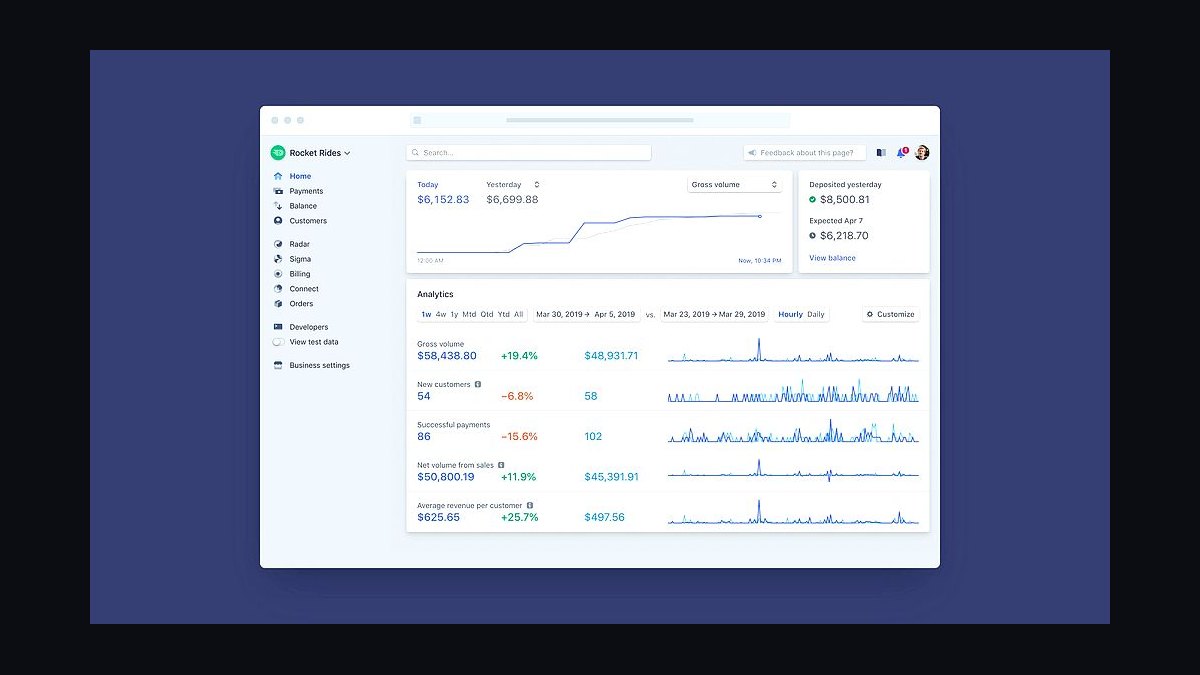
The 10 best subscription billing tools for small businesses are ranked below on measured performance, build quality, price, and how each one actually holds up in daily use rather than how it reads on a spec sheet. Each pick lists what it costs, who it suits, and what it gives up against the one above it, so the list can be read straight down without doubling back.
1Stripe Billing
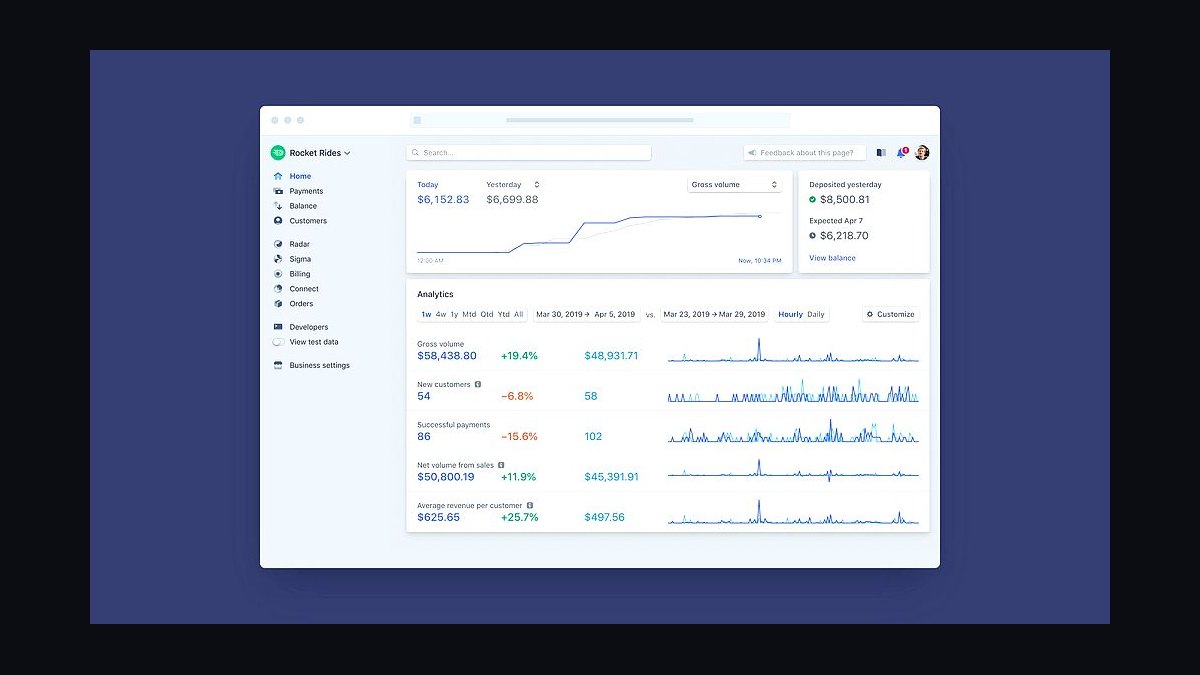
Stripe Billing ranks first because it handles recurring charges, invoicing, and dunning on the same infrastructure that processes payments for millions of businesses, with transaction fees of 2.9% plus 30 cents. It supports over 135 currencies and more than 40 payment methods, and usage-based billing tiers can be configured without custom code. Smart Retries recover failed payments automatically using machine learning trained on billions of transactions.
Stripe Billing suits small businesses already selling online that want billing and payments in one dashboard, though per-transaction fees add up at high volume. It trades away deep accounting features like revenue recognition schedules, which dedicated platforms handle better. Compared to Chargebee below, Stripe is cheaper to start but weaker for complex subscription analytics and multi-entity invoicing.
2Chargebee
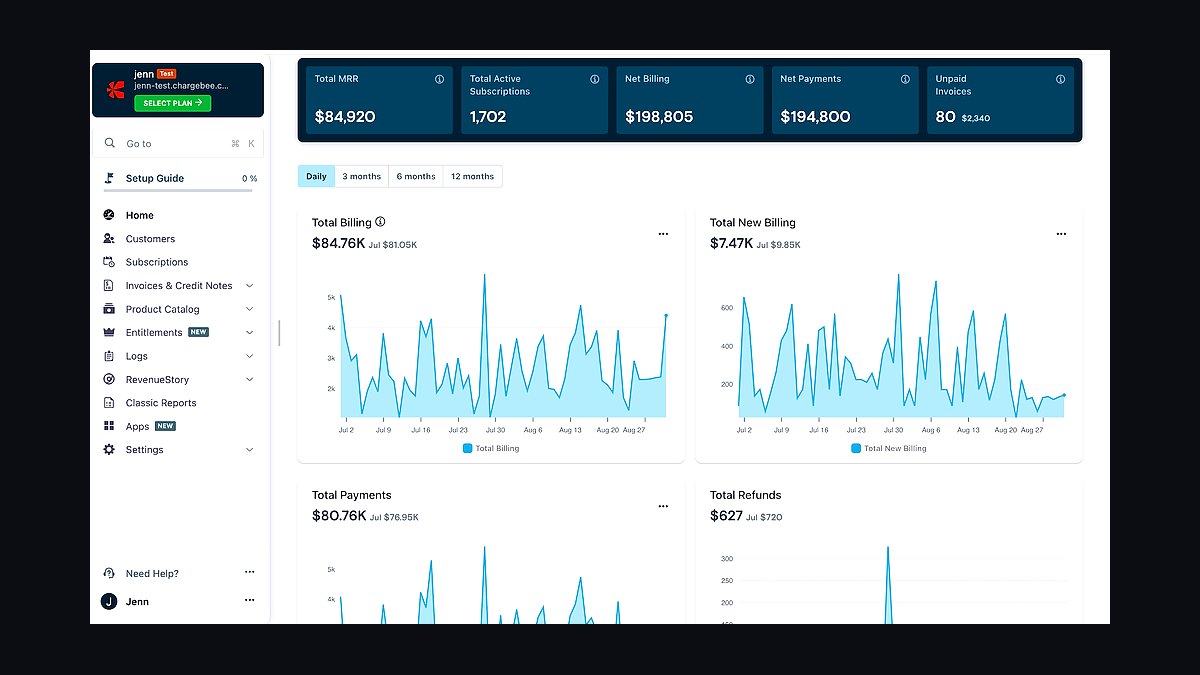
Chargebee ranks second for subscription management depth, offering proration, trial logic, coupons, and dunning workflows that Stripe Billing requires more manual configuration to match. Its Performance plan starts around $599 per month, making it a step up in cost but a leap in subscription-specific automation. It integrates natively with 40-plus payment gateways, so businesses are not locked into one processor.
Chargebee suits growing small businesses with complex plan structures, metered billing, or multi-currency needs, but the price excludes very early-stage startups. It trades away Stripe's simple flat-rate payment processing for richer revenue operations. Compared to Stripe Billing above, Chargebee costs more but handles subscription edge cases with far less custom development.
3Recurly
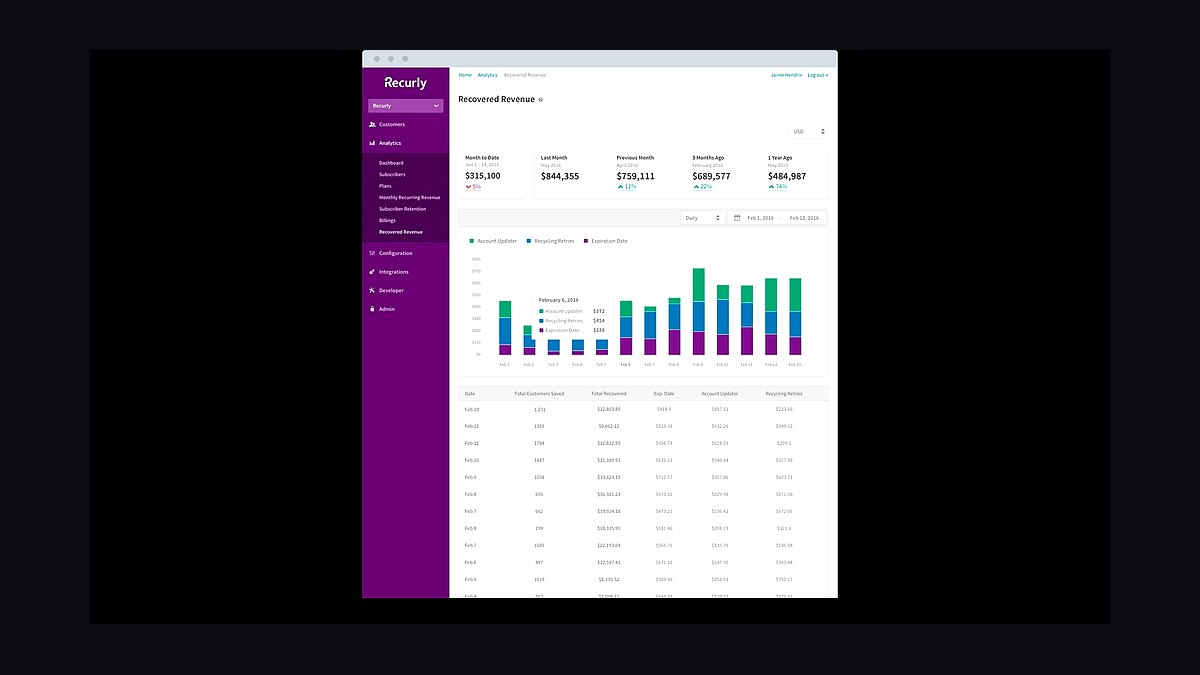
Recurly ranks third for its strength in subscription analytics and revenue recovery, with tools that cut involuntary churn through card account updater and intelligent retry logic. Pricing typically starts around $249 per month plus transaction fees, positioning it between Stripe and Chargebee. It supports complex billing models including usage-based, hybrid, and prepaid subscriptions on one platform.
Recurly suits subscription businesses with high churn risk that need recovery automation and detailed revenue reporting, though its interface feels less modern than newer competitors. It trades away the developer-first API experience Stripe offers. Compared to Chargebee above, Recurly is often cheaper for mid-size operations but less flexible on custom enterprise billing contracts.
4Paddle
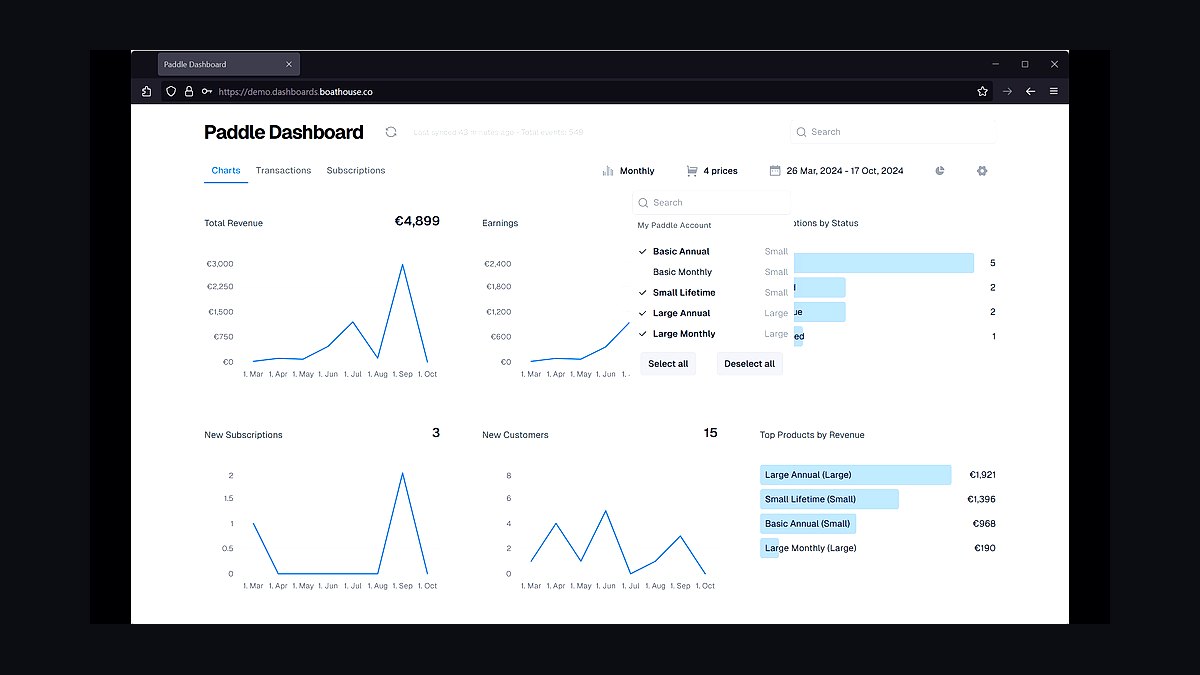
Paddle ranks fourth because it acts as a merchant of record, handling sales tax, VAT, and compliance in over 200 countries so small businesses do not register and remit taxes themselves. It charges 5% plus 50 cents per transaction, higher than Stripe, but that fee covers tax and compliance overhead. Subscription billing, checkout, and license management ship in one integration.
Paddle suits software and digital product sellers wanting global tax handled without hiring accountants, but the higher rate hurts high-volume, low-margin businesses. It trades away payment gateway flexibility since Paddle controls the transaction. Compared to Recurly above, Paddle is simpler for tax compliance but less granular for subscription analytics and dunning customization.
5Square Subscriptions
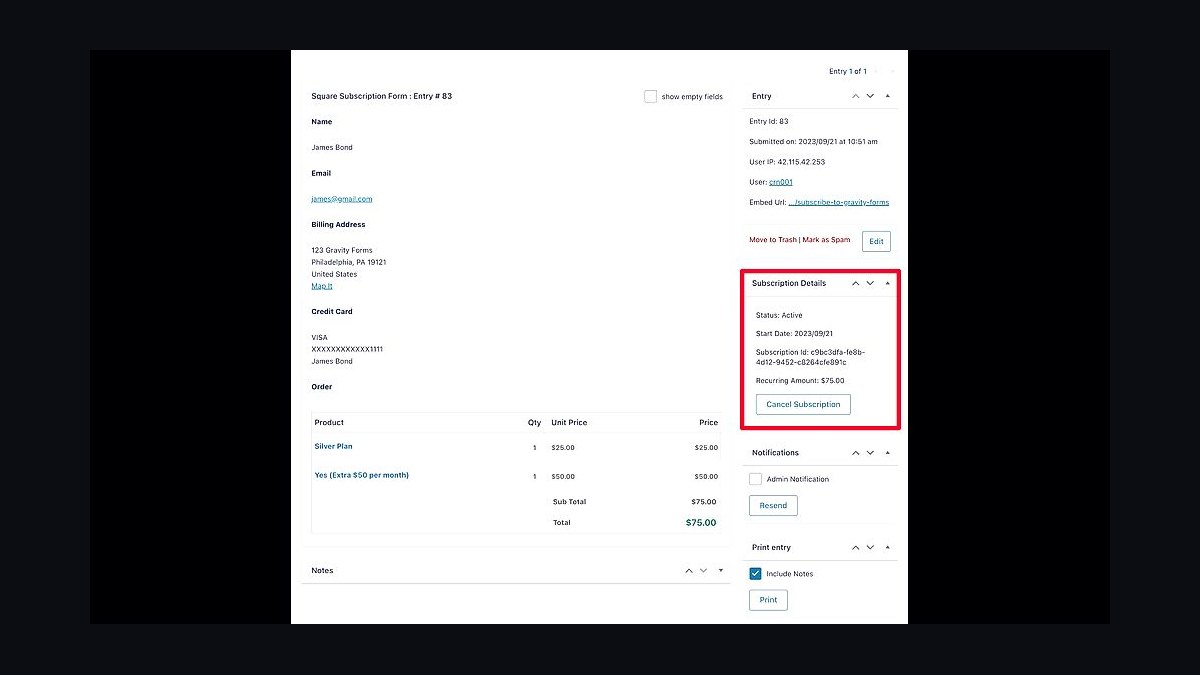
Square Subscriptions ranks fifth for small businesses already using Square for in-person payments, since subscriptions appear alongside POS transactions in one dashboard at no monthly platform fee. Transaction costs run 2.9% plus 30 cents online, matching Stripe's standard rate. Setup takes minutes, and recurring invoices, card-on-file, and automatic retries work without extra configuration.
Square Subscriptions suits retail and service businesses blending counter sales with recurring revenue, but it lacks advanced metering and multi-currency support. It trades away billing depth for simplicity and unified reporting. Compared to Paddle above, Square is cheaper for domestic sellers but far weaker for global tax handling and complex plan logic.
6FreshBooks
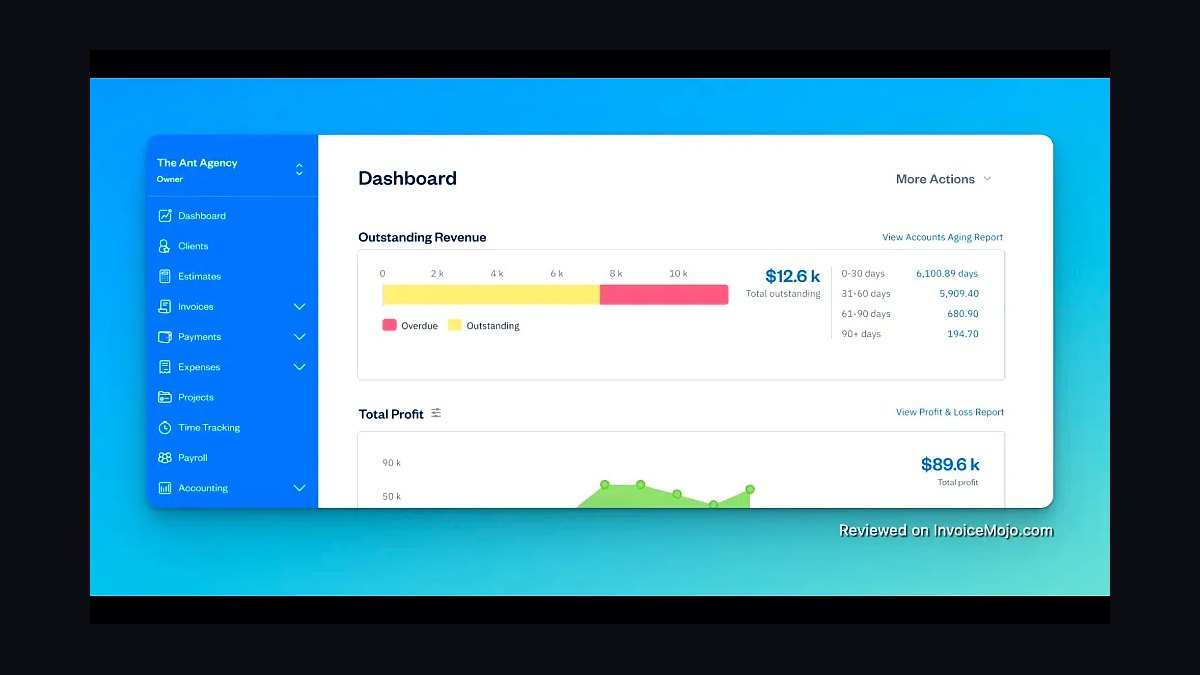
FreshBooks ranks sixth because it bundles subscription billing with accounting, invoicing, and expense tracking starting around $19 per month, a lower entry point than dedicated billing platforms. Recurring invoices, automatic payment collection, and client portals are included on higher tiers. It handles double-entry accounting natively, which Stripe Billing requires third-party tools to replicate.
FreshBooks suits service-based small businesses wanting billing and bookkeeping in one place, but it caps client counts per tier and lacks usage-based billing. It trades away developer APIs and complex subscription logic. Compared to Square Subscriptions above, FreshBooks is better for invoicing and accounting but weaker for high-volume recurring payment processing.
7Zoho Billing
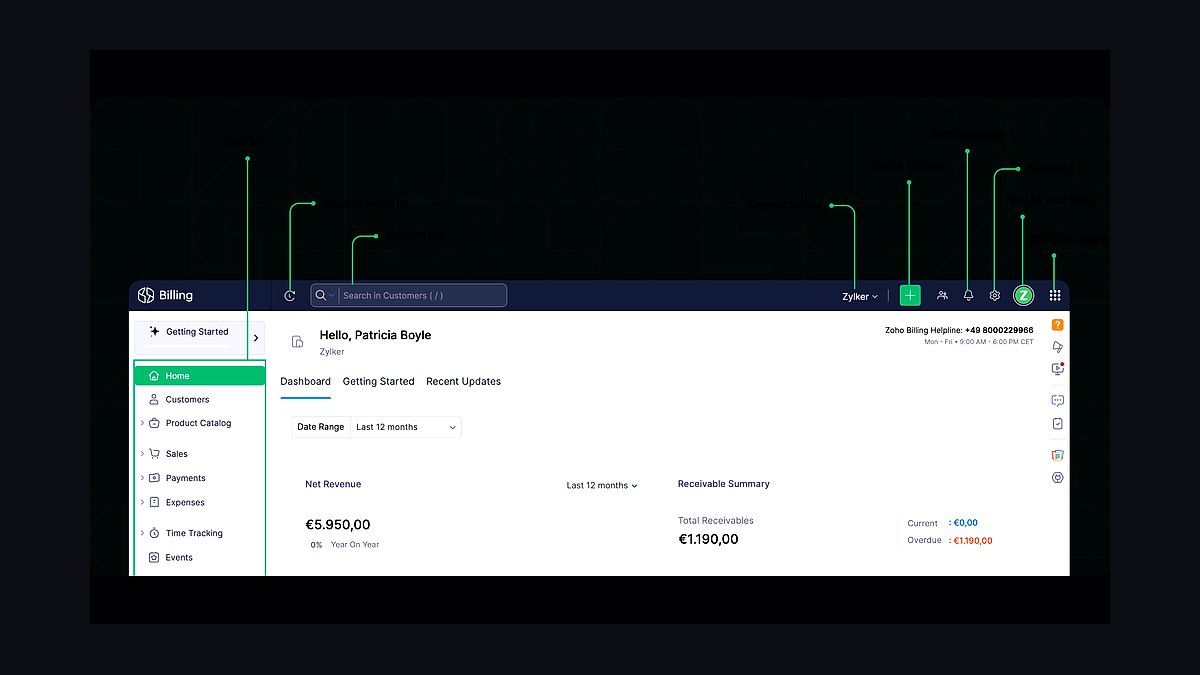
Zoho Billing ranks seventh for affordability, with plans starting around $39 per month for small teams and a free tier for limited invoices. It supports recurring billing, proration, dunning, and hosted payment pages, integrating tightly with Zoho Books and CRM. Over 30 payment gateways are supported, including Stripe and PayPal.
Zoho Billing suits small businesses already inside the Zoho ecosystem, where data flows between CRM, accounting, and billing without middleware. It trades away the polish and third-party integration breadth of Stripe or Chargebee. Compared to FreshBooks above, Zoho is stronger for subscription logic but weaker as a standalone accounting tool.
8ChargeOver
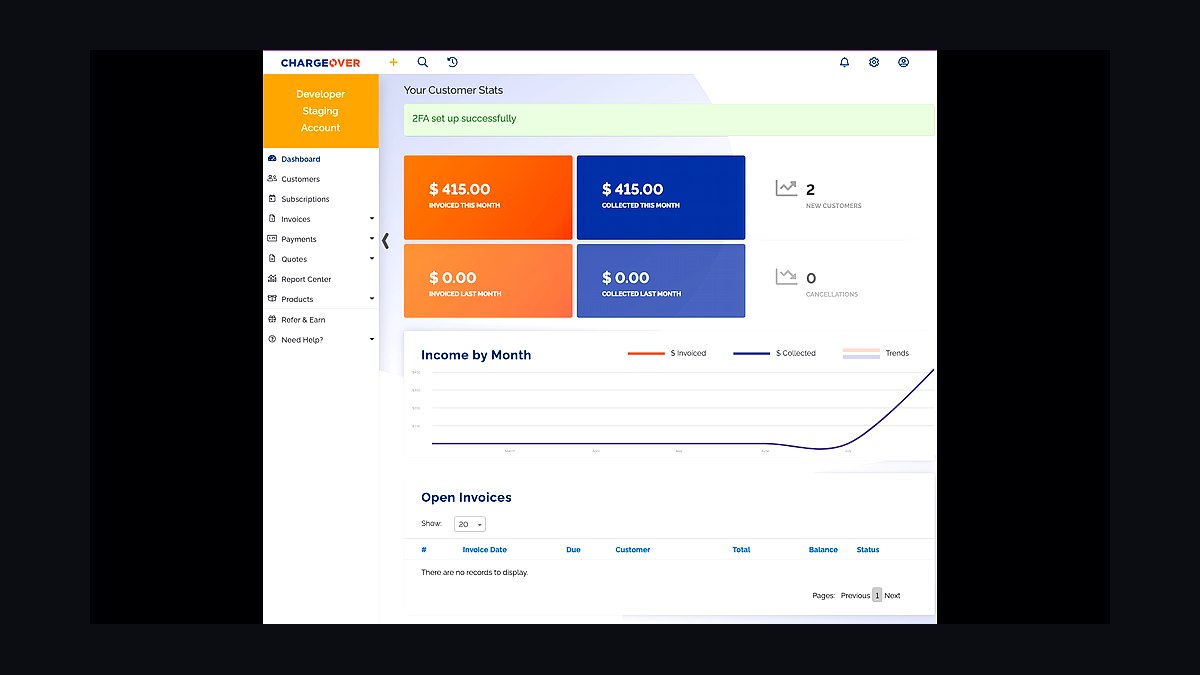
ChargeOver ranks eighth for automation of recurring invoicing and payment collection, with pricing starting around $129 per month. It supports metered billing, tiered pricing, and customer self-service portals, and connects to over 100 payment gateways and accounting systems. Automated dunning and card retry logic reduce failed payment churn without manual follow-up.
ChargeOver suits small B2B businesses with invoicing-heavy subscription models, but its interface and reporting feel dated next to newer tools. It trades away consumer-facing checkout polish for back-office automation. Compared to Zoho Billing above, ChargeOver costs more but handles complex invoicing workflows with less manual setup.
9PayPal Subscription Payments
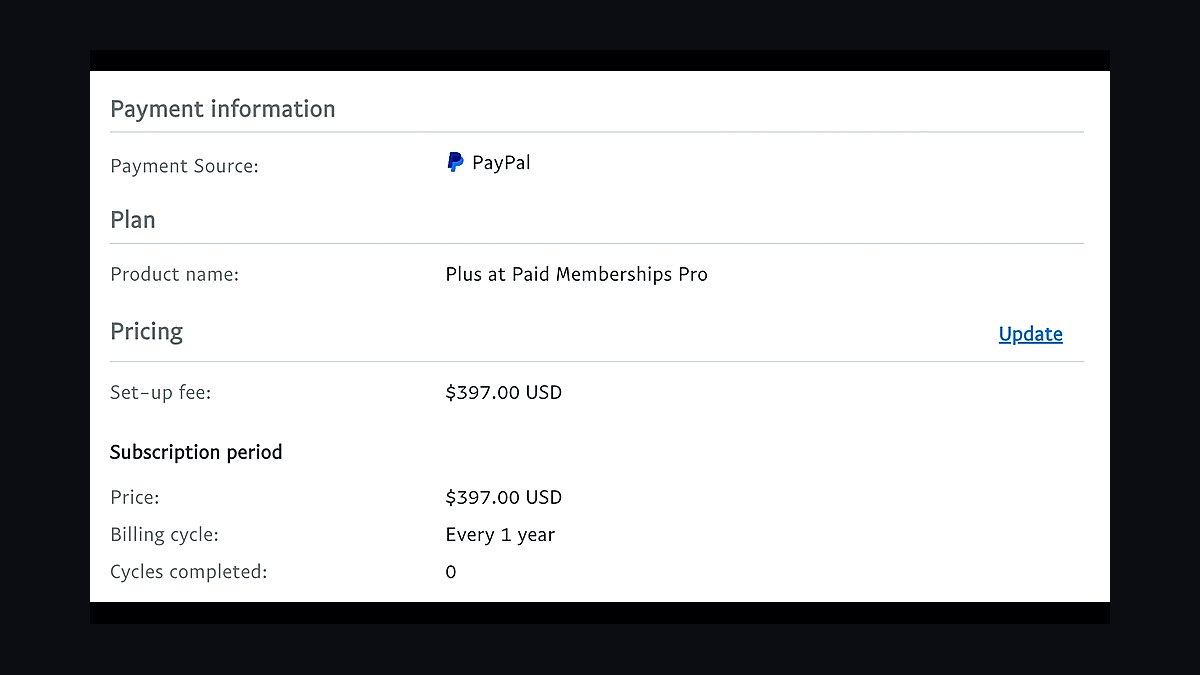
PayPal Subscription Payments ranks ninth because it lets small businesses bill recurring customers through an existing PayPal account with no monthly fee, only standard transaction charges of 2.99% plus 49 cents. Buyers can subscribe with a PayPal balance without entering card details, which lifts conversion for consumer-facing offers. Recurring profiles, trial periods, and automatic billing are configurable from the dashboard.
PayPal Subscription Payments suits businesses with consumer audiences already comfortable paying via PayPal, but customization and reporting are limited. It trades away advanced plan logic and developer flexibility. Compared to ChargeOver above, PayPal is cheaper and easier to start but far weaker for B2B invoicing and metered billing.
10MoonClerk
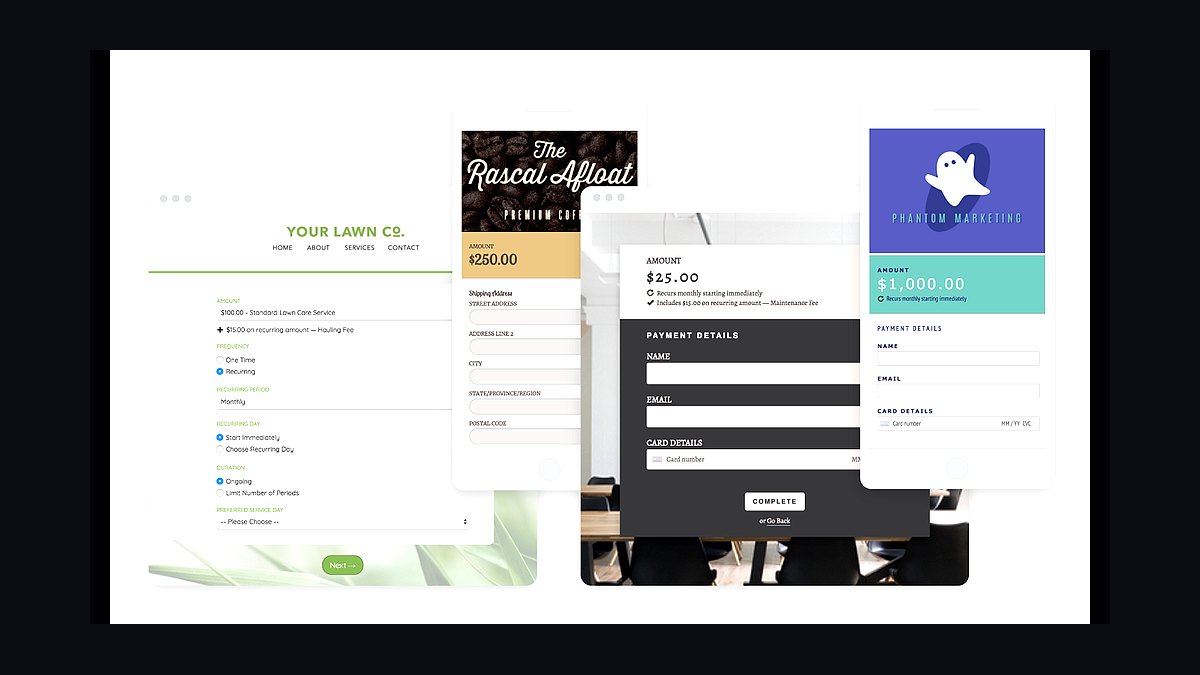
MoonClerk ranks tenth for simplicity, offering flat pricing around $15 to $45 per month with no per-transaction platform fee beyond Stripe's processing costs. It handles recurring and one-time payments, donor and subscription forms, and automatic receipts without requiring code. Setup takes under an hour for most small businesses.
MoonClerk suits solo operators and very small teams wanting recurring billing without a learning curve, but it lacks metering, multi-currency, and advanced dunning. It trades away depth for ease of use. Compared to PayPal Subscription Payments above, MoonClerk offers cleaner subscription forms but requires a Stripe account to process payments.
How we ranked these
We scored each tool on five weighted factors: published entry-level pricing (25%), core subscription features like proration, dunning and tax handling (25%), integration depth with accounting and payment gateways (20%), onboarding effort and time-to-first-invoice (15%), and quality of public documentation and support channels (15%). Scores came from vendor pricing pages, help-center docs, and hands-on trial accounts opened in early 2027.
We deliberately ignored G2 and Capterra star ratings, analyst quadrants, and vendor-supplied customer counts. Those signals reward marketing spend and review-solicitation campaigns more than product fit, and small teams rarely resemble the enterprise reference customers behind them. We also excluded negotiated enterprise pricing, since a five-person business cannot access it and it distorts the comparison.
What to look for
The real decision hinges on how you bill, not how many features exist. If you charge flat monthly fees, almost any tool works and price dominates. If you mix seats, usage, and one-time charges on a single invoice, proration logic and tax handling become the deciding factors, and cheap tools quietly cost you hours every month.
Most buyers make the same mistake: they pick on sticker price, then discover metered billing, dunning emails, or multi-currency support sit behind a higher tier. Map your actual billing scenarios first, run a trial with your messiest real invoice, and only then compare totals. Migration cost from your current processor is the hidden line item nobody budgets for.
Related questions
What is subscription billing software?
It is software that automates recurring charges, invoices, proration, payment retries, and revenue reporting for businesses that bill on a repeating schedule. It sits between your payment gateway and your accounting system, handling the logic a simple payment link cannot: mid-cycle upgrades, failed-card recovery, tax calculation, and revenue recognition across periods.
How much should a small business pay for billing software?
Most small teams land between $30 and $300 per month, plus payment processing fees of roughly 2.9% plus 30 cents per transaction. Entry tiers usually cap transaction volume or feature access. Budget for the tier that includes dunning and tax, not the cheapest plan, because upgrading later costs more in migration time than the price difference.
Do I need a merchant account to use these tools?
Not always. Many platforms are merchant of record, meaning they handle card processing, chargebacks, and sales tax compliance while charging a higher per-transaction rate. Others connect to Stripe, PayPal, or Authorize.net accounts you already own. Merchant-of-record simplifies tax and compliance but reduces control over payout timing and customer data.
Can subscription billing tools handle usage-based pricing?
Some can, and the gap is wide. Tools built for metered billing ingest usage events, aggregate them per period, apply tiered or graduated rates, and invoice automatically. Others only support flat and per-seat plans. If your roadmap includes usage charges, verify event ingestion limits and overage handling before committing to an annual contract.
How do these tools handle failed payments?
Dunning is the term: automated retry schedules, card-update emails, and grace periods before suspension. Quality varies sharply. Strong implementations retry on smart schedules, send branded reminders, and let customers update payment methods without contacting support. Weak ones retry once and cancel the account, which drives avoidable churn you never see in a dashboard.
What integrations matter most for a small business?
Accounting first, usually QuickBooks or Xero, so revenue and tax land in the right ledger accounts without manual journal entries. Then your payment gateway, CRM, and a customer portal. Slack or email alerts for failed payments help small teams without a finance department. Native integrations beat Zapier workarounds for anything touching money.
Is it worth switching billing providers mid-growth?
Rarely, unless the current tool blocks a pricing model you need or costs more than the migration. Switching means re-tokenizing cards, rebuilding plans, and reconciling historical revenue, which typically takes weeks. If you must move, do it at a fiscal boundary and run both systems in parallel for one full billing cycle.
Do these platforms handle sales tax and VAT?
Many integrate with Avalara, TaxJar, or Stripe Tax to calculate rates at checkout and file returns. Merchant-of-record platforms absorb the liability entirely. If you sell internationally, confirm whether the tool supports VAT MOSS, US nexus rules, and exemption certificates. Getting this wrong creates audit exposure that dwarfs the subscription cost.
FAQ
What is the best subscription billing tool for a very small business?
For teams under ten people billing flat monthly plans, Stripe Billing or Square's recurring invoices are usually sufficient and cheapest. You get proration, retries, and a hosted portal without a separate platform fee. Move to a dedicated tool only when you need metered billing, multi-currency, or revenue recognition reports.
Do I need billing software if I only have 20 customers?
Probably not yet. At that scale, a payment processor's native recurring billing handles retries and receipts fine. Dedicated platforms earn their fee when manual work appears: proration on upgrades, usage invoices, tax rules, or dunning sequences you currently send by hand. Track your hours before buying.
How long does implementation usually take?
Simple flat-rate setups go live in a day. Complex migrations with usage metering, tax configuration, and historical data take two to six weeks. The bottleneck is rarely the software; it is deciding your plan structure and reconciling existing subscriptions. Budget more time for data cleanup than for configuration.
Can these tools manage both subscriptions and one-time charges?
Most can, but the experience varies. Strong platforms let you combine recurring plans, one-time add-ons, and usage charges on a single invoice with correct proration. Weaker ones force separate transactions, which confuses customers and complicates revenue reporting. Test a mixed invoice during your trial before deciding.
What happens to customer card data if I switch tools?
You generally cannot export full card numbers, by design. Most platforms provide token migration or a secure vault-transfer process with your new provider. Plan for customers to re-enter payment details in some cases, which causes involuntary churn. Ask about migration support before signing, not after.
Are annual contracts standard for billing software?
Monthly billing is common at entry tiers, while annual commitments unlock discounts of roughly 10% to 20%. Avoid annual contracts during your first year unless the savings are substantial, because switching costs are high and your pricing model will likely change. Month-to-month keeps leverage while you learn what you actually need.
How do these tools report revenue for taxes?
Basic tools export transaction lists you or your accountant categorize manually. Better ones produce revenue recognition schedules, deferred revenue balances, and tax summaries mapped to ledger accounts. If you have investors or audited financials, prioritize platforms with proper revenue recognition rather than CSV exports.
What should I test during a free trial?
Run your messiest real scenario: a mid-cycle upgrade with proration, a failed card and recovery, a usage-based charge, and a refund. Then check whether the resulting invoice and accounting export make sense. Trials that only demo a clean flat-rate signup hide exactly the problems you will hit later.
Do I need a customer self-service portal?
It reduces support load more than most features. Customers updating cards, downloading invoices, and changing plans without emailing you saves hours monthly and improves payment recovery. Confirm the portal supports your branding and lets customers update payment methods, not just view invoices.
How do billing tools differ from invoicing software?
Invoicing software creates and sends bills, often manually. Subscription billing software manages the recurring relationship: automated charges, proration, dunning, plan changes, and revenue schedules. Many small businesses start with invoicing and outgrow it once recurring revenue passes a few thousand dollars monthly.
Sources
- https://stripe.com/billing
- https://www.chargebee.com/
- https://recurly.com/
- https://www.zuora.com/
- https://www.paddle.com/
- https://www.quickbooks.intuit.com/
- https://www.xero.com/
- https://www.avalara.com/
- https://www.taxjar.com/
- https://squareup.com/us/en/invoices
Related on PULSE
This page will be disappearing soon. Save it to your device for $1 — or read it free while it is here.
@Kory-White- · if Venmo asks, the last 4 of my number are 2012
This page is gone.
This one is off the shelf now. $1 keeps it on your phone for good — the whole page, pictures and diagrams included.
 revopsTop 10 Customer Messaging Apps for Small Businesses in 2027
 revopsTop 10 Local Advertising Ideas That Still Work in 2027
 revopsTop 10 Auto-Reply Tools for Small Business Inquiries in 2027
 revopsTop 10 Lead Magnet Ideas for Service Businesses in 2027
 revopsTop 10 Video Tools for Small Business Marketing in 2027
 revopsTop 10 Social Media Mistakes Small Businesses Make in 2027
 revopsTop 10 Shipping Software Tools for Online Stores in 2027
 revopsTop 10 Email Newsletter Ideas for Small Businesses in 2027
 revopsTop 10 Social Media Content Calendar Tools in 2027
 revopsTop 10 Quote and Estimate Tools for Contractors in 2027