


Top 10 Best Tech Stack Tools for Restaurants and Multi-Unit Hospitality Groups in 2027
Quality
Certified
The 10 best tech stack tools for restaurants and multi-unit hospitality groups are ranked below on measured performance, build quality, price, and how each one actually holds up in daily use rather than how it reads on a spec sheet. Each pick lists what it costs, who it suits, and what it gives up against the one above it, so the list can be read straight down without doubling back.
1Toast POS
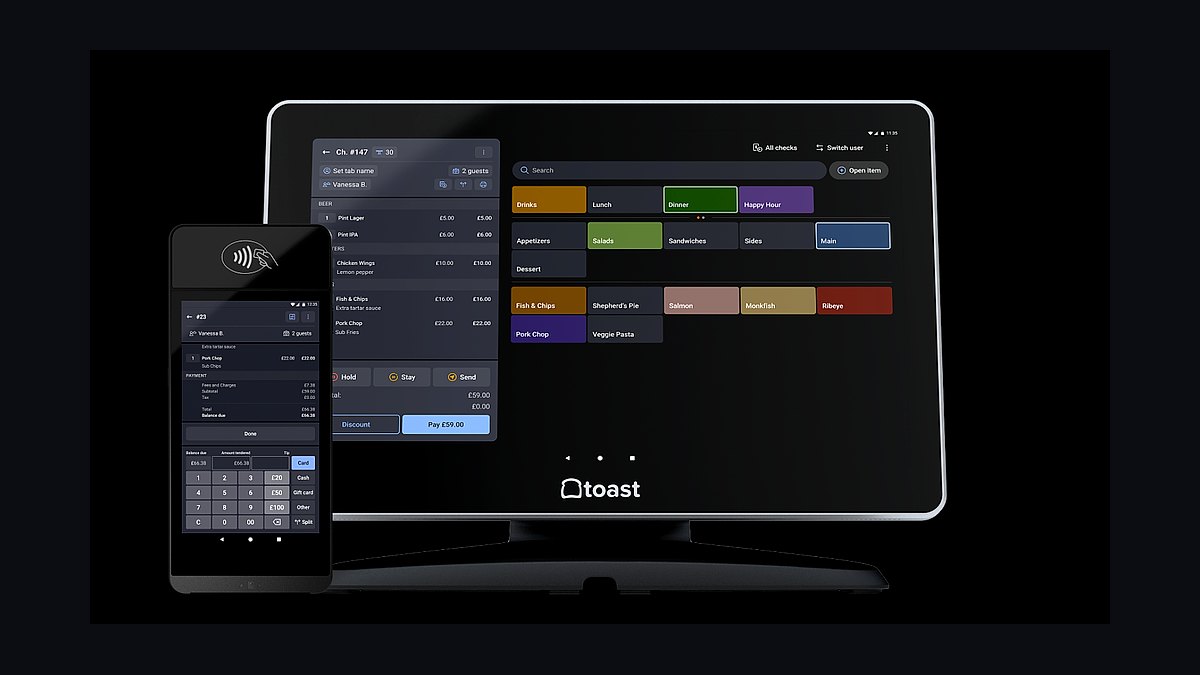
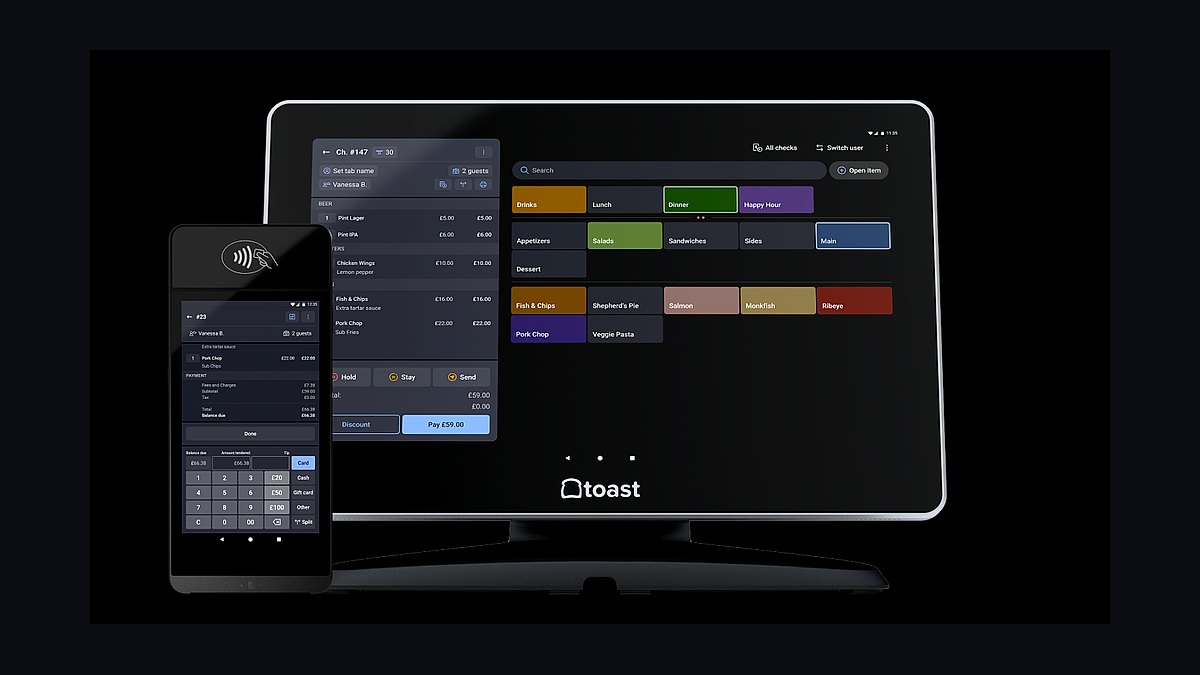
Toast ranks first because the POS is the spine of every restaurant stack, and Toast is purpose-built for full-service and growing multi-unit groups. Android handhelds, strong kitchen routing, and a deep add-on ecosystem for payroll, loyalty, and online ordering make it the safest default. Software runs roughly $69-$165 per month per location, with hardware from $0-$799 per terminal plus payment processing.
It is for operators who plan to grow past one or two units and want hours, sales, and payments flowing into one system. The trade-off is premium pricing and ecosystem lock-in; a simple cafe may find Square cheaper. Compared with Square for Restaurants directly below, Toast wins on kitchen routing and multi-unit reporting but costs more and demands more setup.
2Square for Restaurants
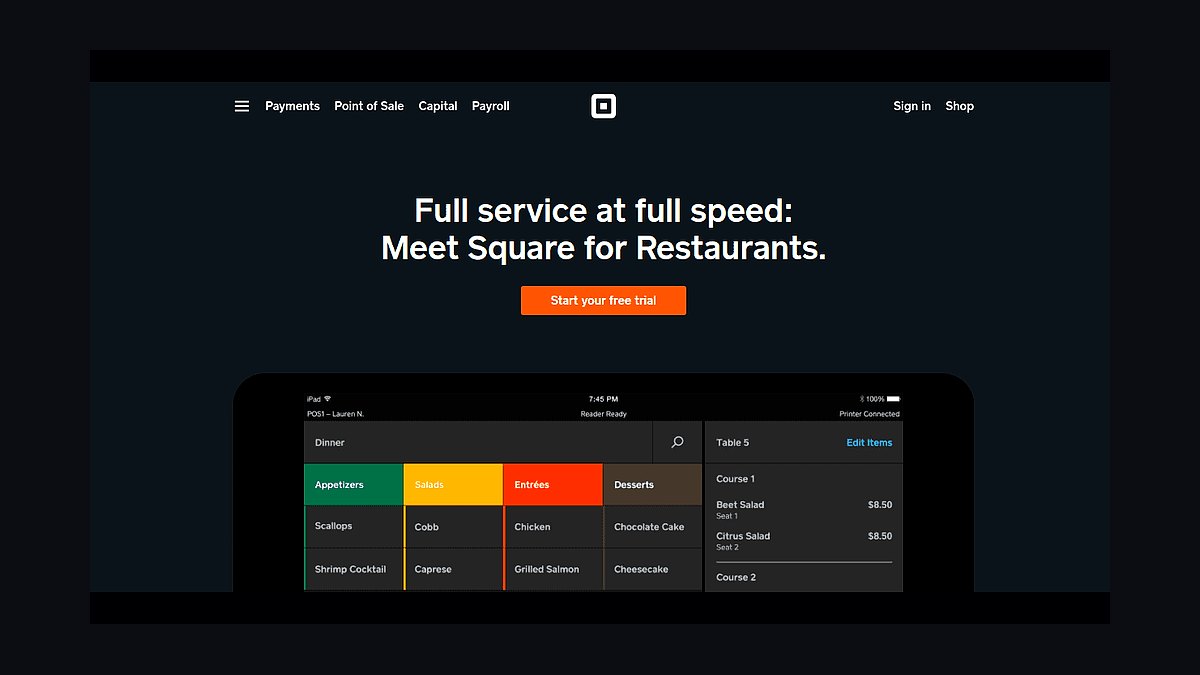
Square for Restaurants ranks second because it delivers the core POS spine at transparent pricing, with a free starter tier that undercuts Toast for cafes and lean quick-service. The hardware is clean and cheap, and built-in loyalty, gift cards, and online ordering cover most single-location needs without extra vendors. Processing rates are flat and published, so operators can forecast costs accurately.
It is for counter-service concepts, coffee shops, and single-location operators who do not need enterprise kitchen routing or above-store reporting. The trade-off is weaker multi-unit consolidation and fewer deep restaurant modules than Toast. Compared with Toast above, Square trades integration depth for simplicity and lower cost, which is the right call only while the operation stays small.
3Olo
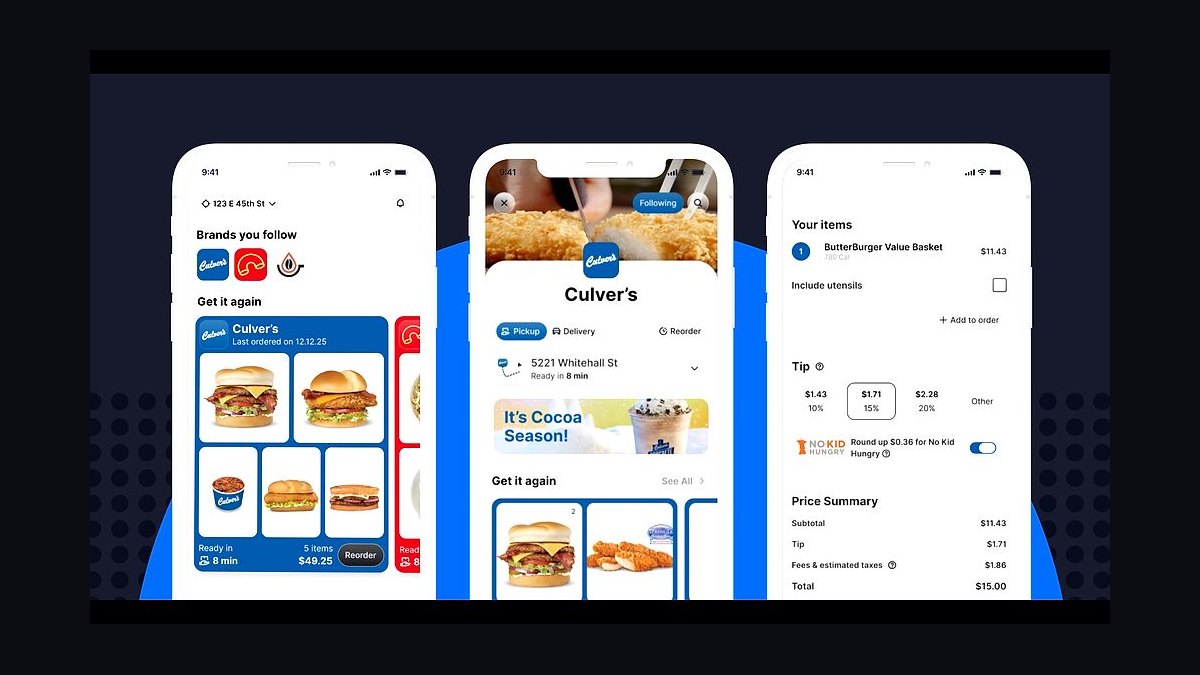
Olo ranks third because first-party online ordering protects margin against the 15-30 percent commissions DoorDash, Uber Eats, and Grubhub charge. It is the enterprise choice for multi-unit brands, with deep POS integrations and delivery dispatch that push orders straight into the kitchen without re-keying. Pricing runs roughly $100-$700 per month depending on tier and volume.
It is for growing groups that already have a POS spine and want to own their customer data and repeat demand. The trade-off is cost and setup complexity; a single independent rarely justifies it. Compared with ChowNow, which suits independents on flat fees, Olo scales better across locations but demands more integration work and a larger budget.
4Otter
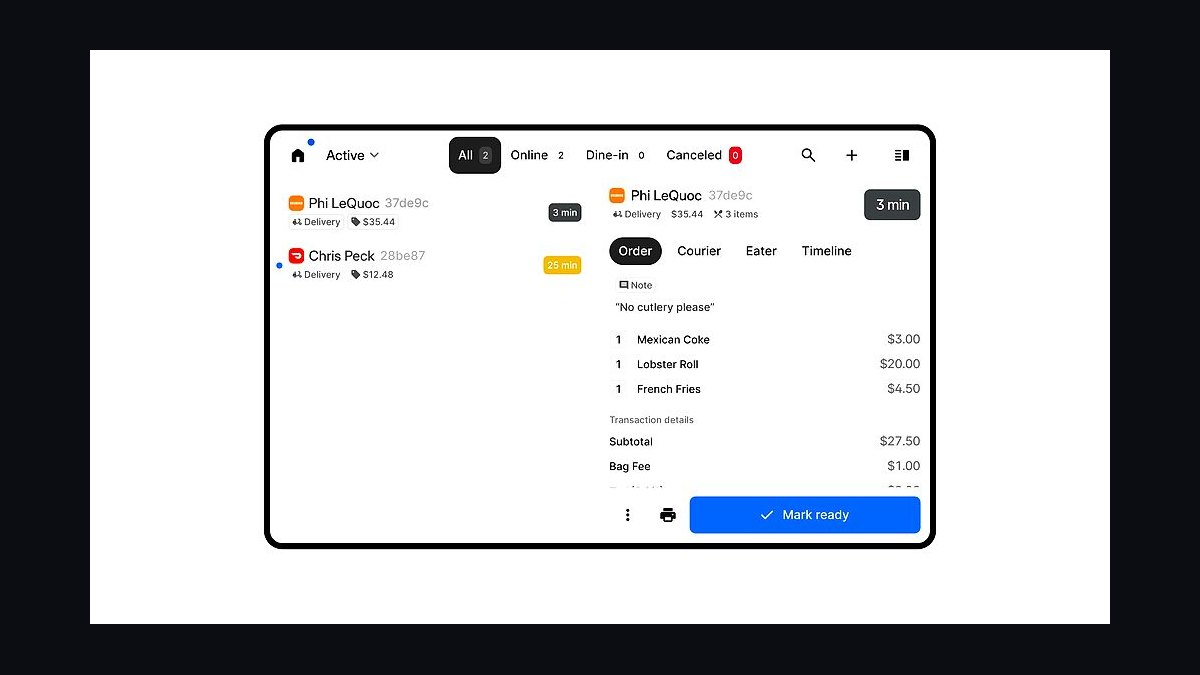
Otter ranks fourth because delivery marketplaces are permanent demand channels, and without an aggregator every order arrives on a separate tablet that nobody syncs. Otter consolidates DoorDash, Uber Eats, and Grubhub menus into one tablet, pauses items in one place, and injects orders directly into the POS. Pricing runs roughly $100-$300 per month.
It is for any operator running third-party delivery at volume, especially multi-unit groups where menu consistency across marketplaces matters. The trade-off is another monthly fee and a dependency on marketplace APIs that occasionally change. Compared with Deliverect, which handles menu sync at scale, Otter is simpler to deploy but less flexible for very large chains.
5SevenRooms
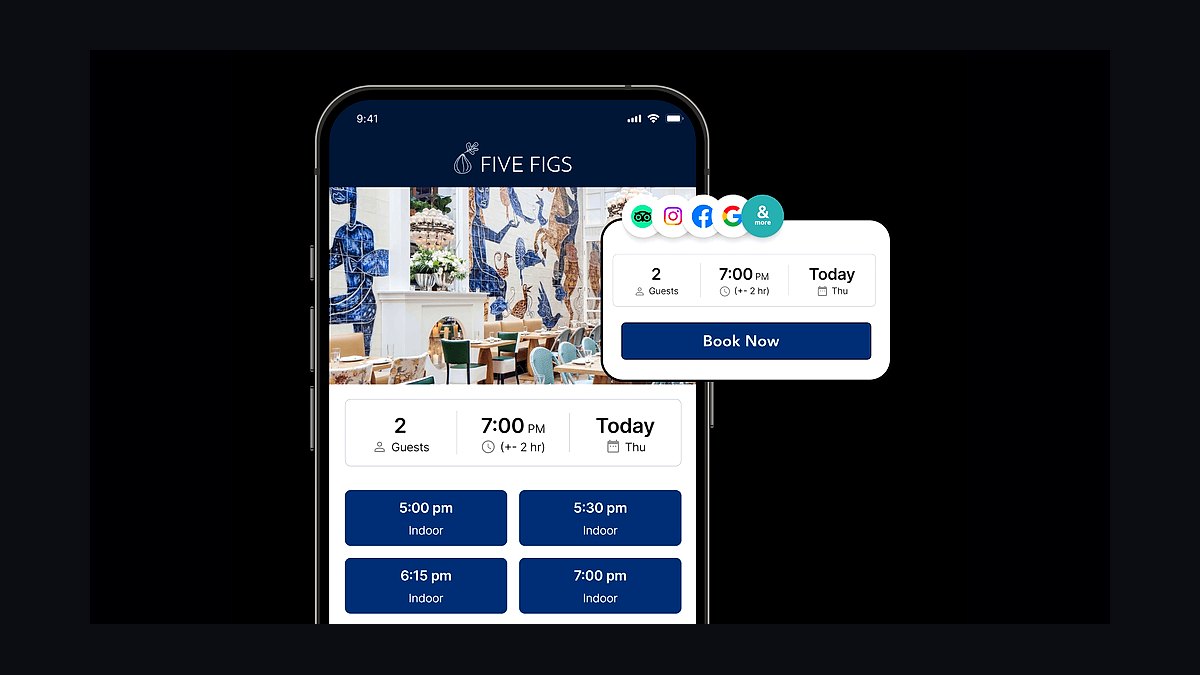
SevenRooms ranks fifth because it treats the guest database as the asset, doubling as reservations, waitlist, CRM, and marketing engine in one platform. For multi-concept groups, that unified guest record across brands is worth more than OpenTable's larger diner network. Pricing runs roughly $100-$900 per month by feature depth and location count.
It is for full-service and high-demand concepts that want to own guest data and run targeted campaigns rather than rent demand from a marketplace. The trade-off is a smaller discovery network than OpenTable and a higher setup burden. Compared with OpenTable, SevenRooms wins on data ownership but loses on walk-in demand from the diner network.
67shifts
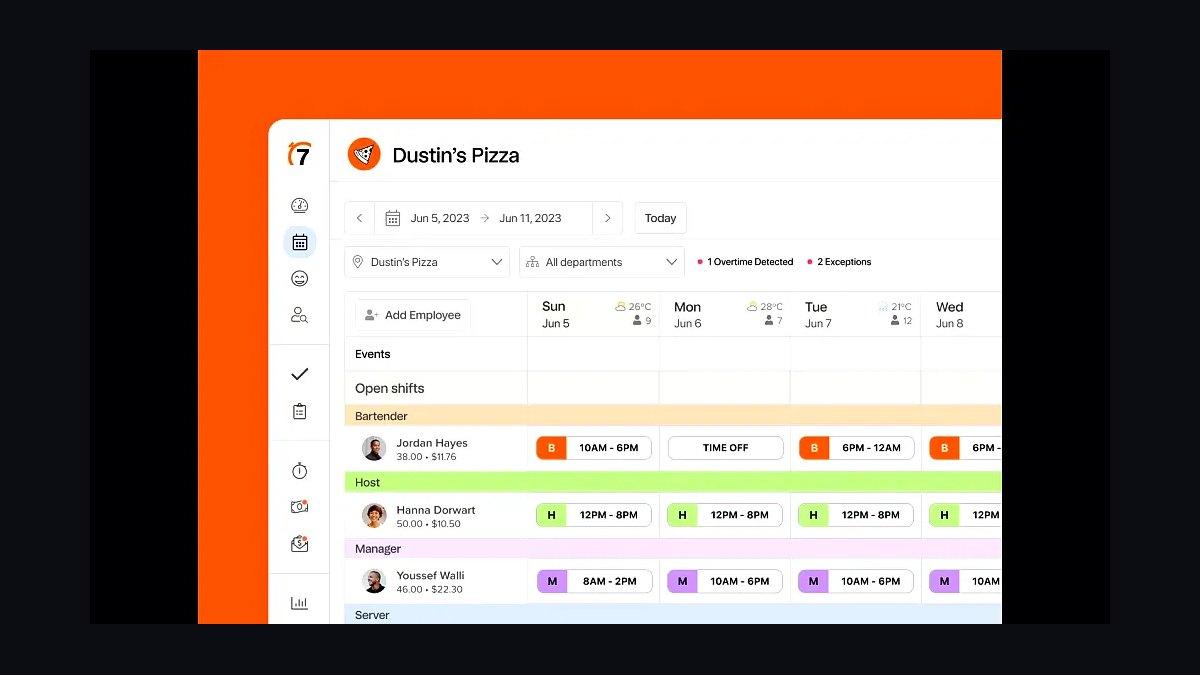
7shifts ranks sixth because labor is half of prime cost, and scheduling against real-time sales is where margin is protected. It handles scheduling, shift swaps, labor-cost forecasting, and tip pooling, with native POS integrations that pull sales data automatically. Pricing runs roughly $30-$150 per month per location, making it one of the cheapest high-impact tools in the stack.
It is for any operator with hourly staff and variable covers, from a single full-service restaurant to a multi-unit group. The trade-off is that forecasting accuracy depends on clean POS data and consistent scheduling discipline. Compared with Homebase directly below, 7shifts is more restaurant-specific but costs more and offers a weaker free tier.
7Homebase
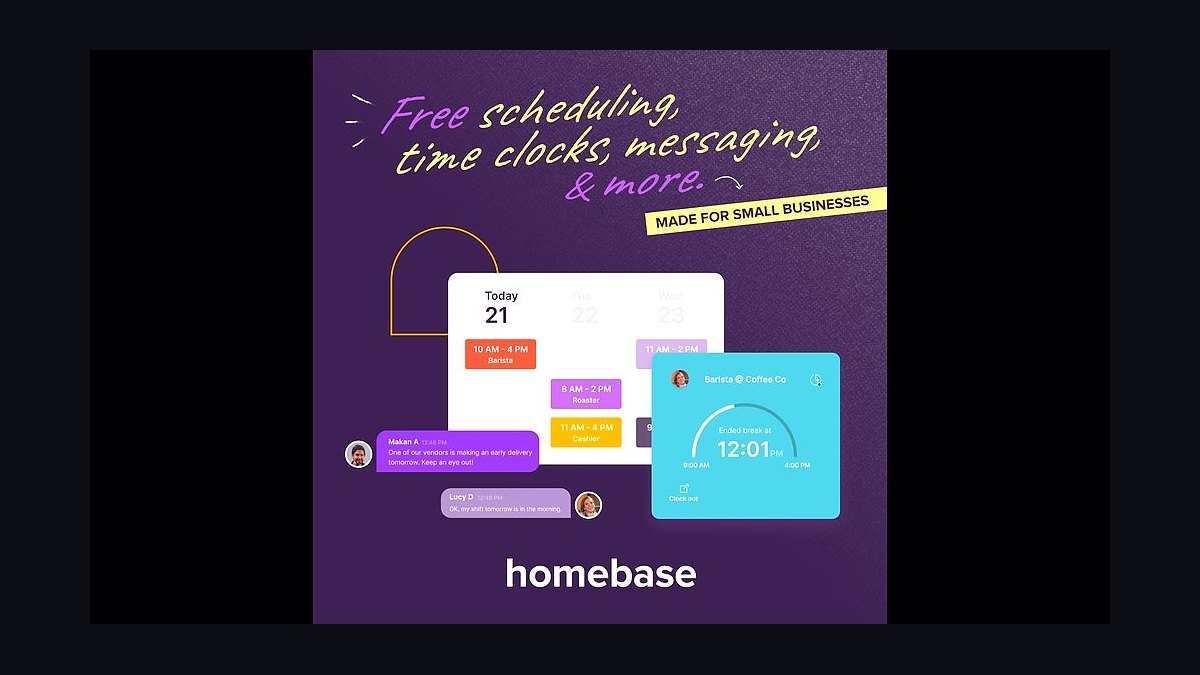
Homebase ranks seventh because it gives single-location operators a genuinely usable free tier for scheduling, time tracking, and team communication. For a cafe or small restaurant that cannot justify 7shifts pricing, it covers the scheduling basics without a monthly commitment. Paid tiers add hiring, onboarding, and payroll at modest per-location rates.
It is for single locations and very small groups where labor complexity is low and budget is tight. The trade-off is shallower restaurant-specific features, weaker tip pooling, and less granular labor-cost forecasting than 7shifts. Compared with 7shifts above, Homebase trades depth for price, which makes sense only until scheduling complexity grows.
8MarketMan
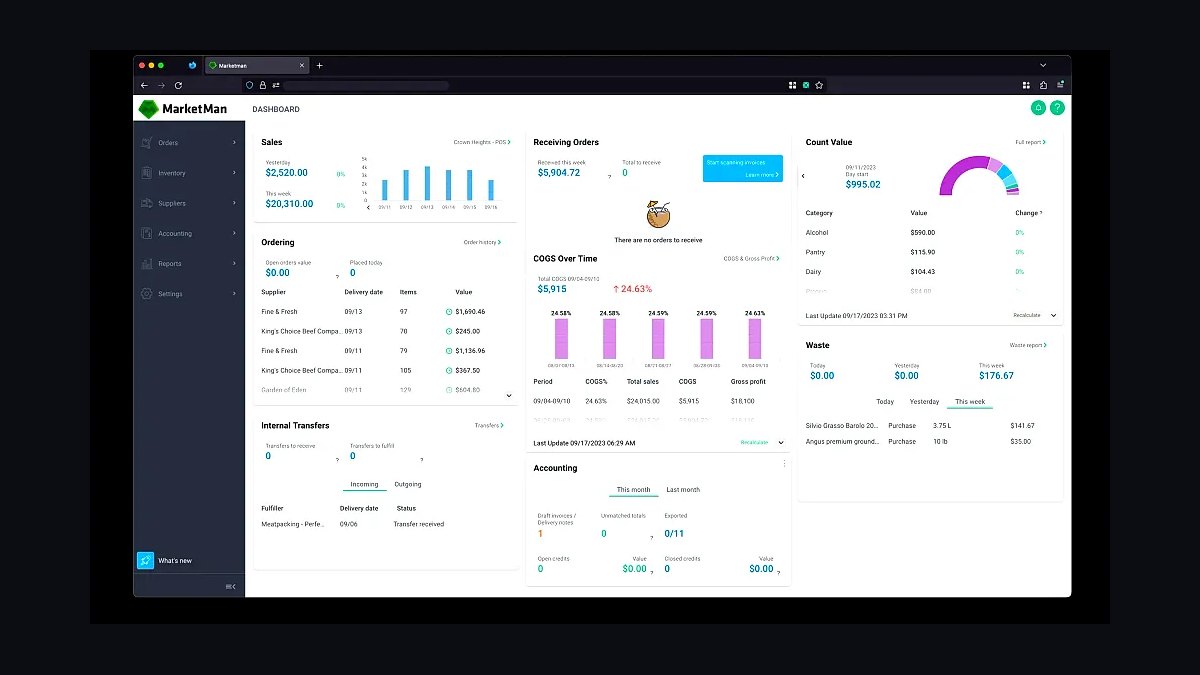
MarketMan ranks eighth because inventory and COGS control is where thin restaurant margins are won or lost, and MarketMan is best-of-breed and POS-agnostic. It handles recipe costing, theoretical-versus-actual food cost, vendor invoices, and ordering in one system. Pricing runs roughly $130-$400 per month per location, and it typically pays for itself within weeks by exposing waste.
It is for operators who can no longer eyeball food cost and need a number they can manage across vendors and locations. The trade-off is real setup work: recipes, vendors, and units must be entered before the data is useful. Compared with xtraCHEF by Toast directly below, MarketMan works with any POS but lacks the native Toast integration.
9xtraCHEF by Toast
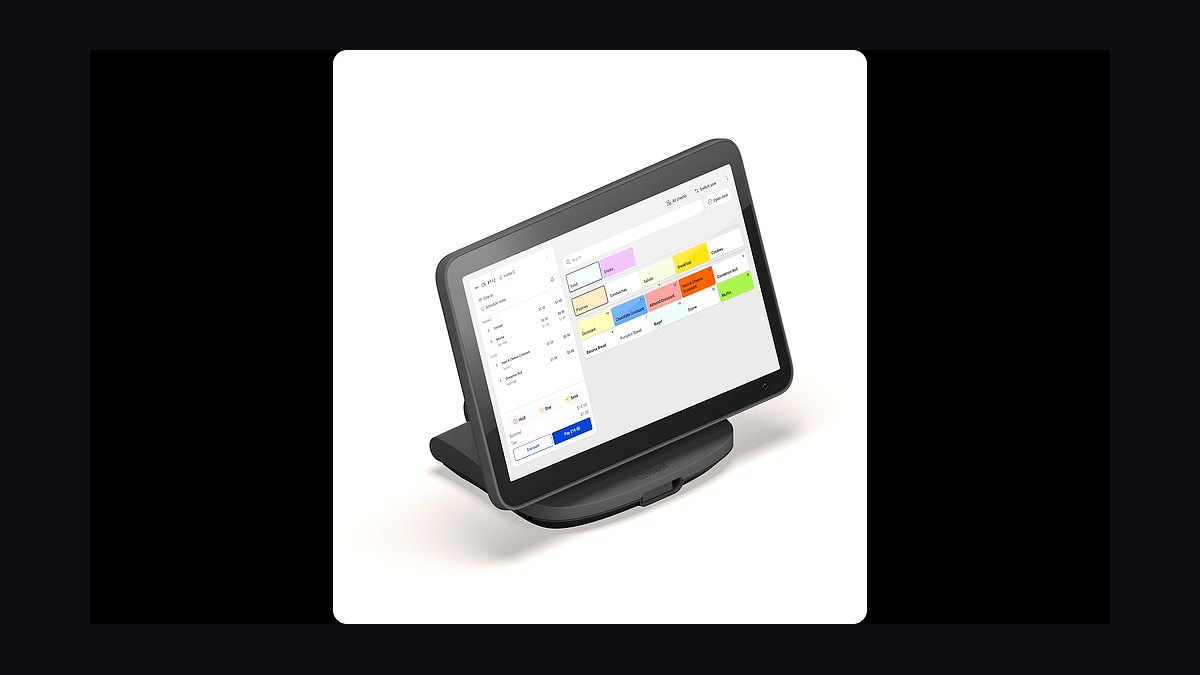
xtraCHEF by Toast ranks ninth because it delivers inventory and food-cost control natively inside the Toast ecosystem, with invoices and recipe costing flowing without third-party connectors. For operators already standardized on Toast, that integration removes the setup friction that kills most inventory projects. Pricing runs roughly $130-$400 per month per location, comparable to MarketMan.
It is for Toast operators who want COGS visibility without managing another integration. The trade-off is that it is effectively locked to Toast, so switching POS means switching inventory tools too. Compared with MarketMan above, xtraCHEF wins on integration ease but loses on POS flexibility for mixed-fleet groups.
10Restaurant365
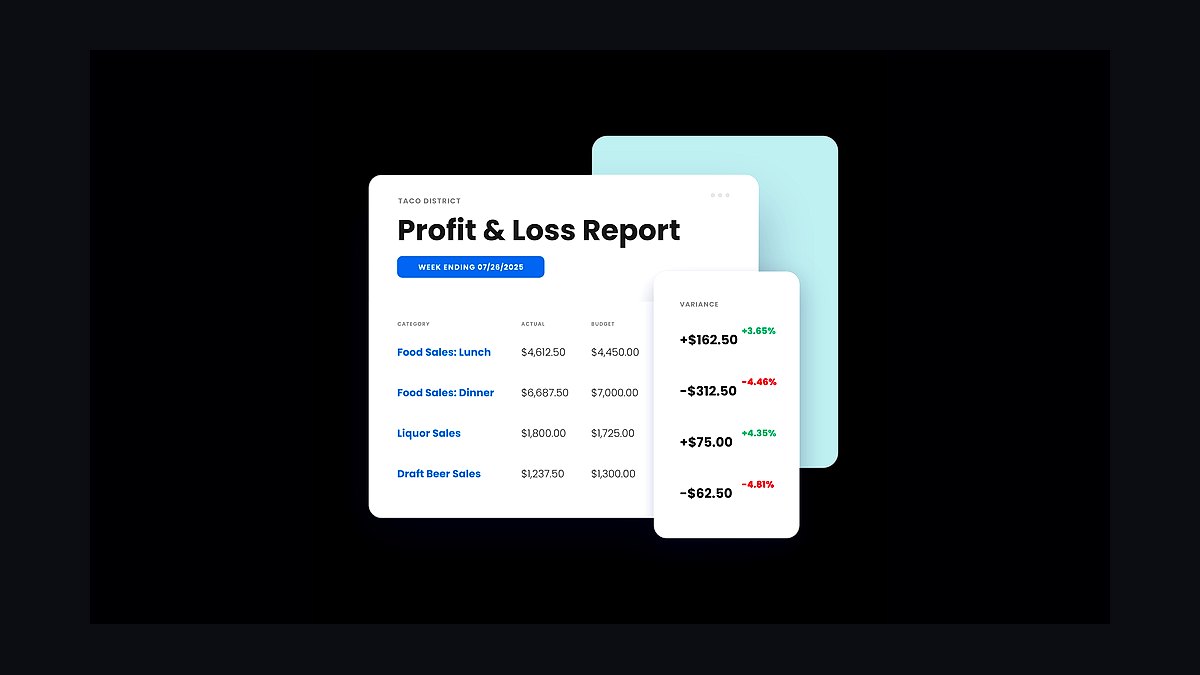
Restaurant365 ranks tenth because once an operator passes roughly five locations, generic bookkeeping breaks down and consolidated above-store reporting becomes mandatory. It combines restaurant-specific accounting, inventory, scheduling, and reporting in one platform, which is why it is the multi-unit standard. Pricing starts around $435 per month per location.
It is for groups of five or more units that need one view of sales, labor, and food cost across locations. The trade-off is significant cost and a real implementation project; below five units, QuickBooks Online plus a connector handles the books for far less. Compared with QuickBooks, Restaurant365 is more capable but far more expensive.
How we ranked these
We scored each tool on four weighted factors: POS integration depth (30%), multi-unit above-store reporting (25%), total cost of ownership across 1–15 locations (25%), and operator-reported reliability and support (20%). Pricing, integration counts, and capability claims were checked against vendor documentation and analyst coverage, then normalized so a cheap single-location tool was not penalized for lacking enterprise features it never claimed to have.
We deliberately ignored brand popularity, app-store star ratings, and raw feature counts. Popularity rewards marketing spend, not fit, and star ratings skew toward whichever vendor nags users hardest for reviews. Feature counts punish focused tools that do one layer well. We also excluded any vendor whose pricing could not be verified publicly, and we did not weight AI features, since most restaurant AI claims in 2027 remain unproven at scale.
What to look for
Start with the POS, because every other layer either feeds it or reads from it. Verify three integrations before signing anything: daily sales journal into your accounting system, hours and sales into scheduling, and marketplace orders injecting directly into the POS without re-keying. If any of those three require a human in the middle, the tool is not ready for a multi-unit operation regardless of its demo.
The mistake most buyers make is choosing the POS on payment processing rate alone, then discovering it cannot route to the kitchen, support their delivery channels, or feed their accountant. The second most common mistake is over-buying at one location — signing enterprise loyalty, dedicated reservations, and consolidated accounting for a single cafe. Match the stack to unit count, then add layers only when a specific number justifies them.
Related questions
What is the best POS for a multi-unit restaurant group in 2027?
Toast is the safest default for full-service and growing multi-unit operators, thanks to Android handhelds, strong kitchen routing, and a deep add-on ecosystem spanning payroll, loyalty, and online ordering. Square for Restaurants wins for cafes and lean quick-service on transparent pricing. SpotOn and TouchBistro suit operators wanting a lighter all-in-one with stronger in-person support.
How much should a single-location restaurant budget for its tech stack?
Roughly $200 to $600 per month. That covers a POS at $70 to $165, built-in online ordering and loyalty, Homebase or 7shifts for scheduling at $30 to $150, Gusto for payroll at about $40 plus per-employee fees, and QuickBooks for the books. Skip enterprise inventory, dedicated reservations, and reputation tools unless the concept genuinely demands them.
Do I need a delivery aggregator if I already use DoorDash and Uber Eats?
Yes, if you run more than one marketplace. Aggregators like Otter or Deliverect pull every marketplace order into one tablet and inject them straight into the POS, eliminating manual re-keying, wrong prices, and 86'd items still selling. Running three separate tablets at the expense window is the classic failure mode. Expect roughly $100 to $300 per month.
When does Restaurant365 make more sense than QuickBooks?
Around five or more locations, or sooner if food-cost variance and consolidated above-store reporting are consuming your time. Restaurant365 combines restaurant-specific accounting, inventory, scheduling, and multi-unit reporting in one platform, starting around $435 per month per location. Below that threshold, QuickBooks Online plus a restaurant connector handles the books for far less.
Is separate inventory software actually worth the cost?
On restaurant margins, yes. MarketMan and xtraCHEF by Toast deliver recipe costing, theoretical-versus-actual food cost, vendor invoice capture, and ordering, typically for $130 to $400 per month per location. Prime cost runs 60 to 65 percent of sales, so a two-point swing erases profit. Most operators report the tool pays for itself within weeks.
What is the difference between Olo and ChowNow for online ordering?
Olo is the enterprise choice for multi-unit brands, with deep POS and delivery dispatch integrations built for scale. ChowNow is the flat-fee favorite for independents who want to own their customer data without commission. Both protect margin against the 15 to 30 percent aggregators take. Expect roughly $100 to $700 per month depending on tier and location count.
Should a fast-casual restaurant invest in reservations software?
Usually no. OpenTable, Resy, and SevenRooms earn their cost at full-service and high-demand concepts where table turns and guest data drive revenue. A counter-service cafe or QSR rarely needs more than the loyalty and ordering tools bundled with the POS. SevenRooms does double as a guest CRM, which can justify it for hybrid concepts.
How long does it take to implement a full restaurant tech stack?
Plan for 90 days. Days 1 to 30 stand up the POS, menu, kitchen routing, and payments. Days 31 to 60 add first-party ordering, delivery aggregation, and labor scheduling. Days 61 to 90 connect accounting, inventory, loyalty, and reputation management. Rushing the spine phase is the most common cause of a failed rollout.
FAQ
Is Toast worth the premium over a cheaper POS?
For full-service and any operator planning to grow past one or two units, usually yes. Integrated payroll, loyalty, online ordering, and reporting save more in stitched-together tooling and re-keyed orders than the premium costs. For a simple single-location cafe, Square for Restaurants often delivers the same outcome for less money each month.
Should I use third-party delivery or build my own ordering channel?
Both. DoorDash, Uber Eats, and Grubhub are demand you cannot ignore, but their 15 to 30 percent commissions hurt margin. Pair them with a commission-free first-party channel like Olo or ChowNow and steer regulars there. An aggregator keeps both flows landing in one POS ticket stream.
All-in-one or best-of-breed for a restaurant stack?
Single locations should lean all-in-one, either Toast or Square, for simplicity and one support number. Multi-unit groups should lean best-of-breed where a weak module in labor, accounting, or loyalty would cap the whole operation. That means accepting more integration work in exchange for stronger tools at each layer.
What integrations are non-negotiable in a restaurant stack?
Three. POS to accounting, so daily sales post automatically. POS to labor, so scheduling forecasts against real sales and hours. Aggregator to POS, so marketplace orders never get re-keyed. Everything else, including loyalty, reviews, and reservations, is upside. If any of those three needs a human in the middle, the stack is not ready.
How much does a multi-unit group spend per month on technology?
Roughly $3,000 to $8,000 per month for six or more units, scaling per location. That covers Restaurant365 for consolidated accounting and inventory, enterprise loyalty like Punchh or Thanx, SevenRooms for guest data, Birdeye for reputation, and ADP or Toast Payroll for compliance. Per-unit platform cost typically falls as location count rises.
What is the biggest mistake operators make when buying restaurant tech?
Choosing the POS on payment processing rate alone, then discovering it cannot route to the kitchen, feed the accountant, or support delivery channels. The second biggest is over-buying at a single location, signing enterprise loyalty, reservations, and consolidated accounting for a cafe that needs an all-in-one plus payroll and nothing more.
Do I need a kitchen display system if I already have a POS?
At any meaningful volume, yes. A KDS replaces paper tickets, routes items by station, and times courses, which reduces misfires and ticket times. Toast KDS or Fresh KDS runs roughly $20 to $50 per month per screen. Low-volume counters can often get by with printed tickets from the POS itself.
How does labor scheduling software actually save money?
It forecasts labor cost against real-time sales, so managers schedule to demand instead of habit. 7shifts and Homebase also handle shift swaps, tip pooling, and compliance, cutting the admin hours spent on schedules. At $30 to $150 per month per location, the savings from one avoided over-scheduled shift typically covers the cost.
What should a coffee shop or cafe run for its tech stack?
Square for Restaurants for transparent pricing and clean hardware, Homebase for scheduling, Gusto for payroll, and Square's built-in loyalty and gift cards. That covers most single-location cafe needs for well under $300 per month. Resist adding dedicated reservations, enterprise inventory, or reputation platforms at this size.
How do I keep menus and prices consistent across locations?
Use enterprise menu management tied to the POS, so a price change pushes to every location and every channel at once, including marketplaces. Restaurant365 and Olo both handle above-store menu control. Without it, each store drifts, delivery listings go stale, and guests see different prices depending on where they order.
Sources
- https://www.toasttab.com/
- https://squareup.com/us/en/restaurants
- https://www.spoton.com/
- https://www.touchbistro.com/
- https://www.olo.com/
- https://www.chownow.com/
- https://www.otter.com/
- https://www.opentable.com/
- https://www.sevenrooms.com/
- https://www.restaurant365.com/
Related on PULSE
This page will be disappearing soon. Save it to your device for $1 — or read it free while it is here.
@Kory-White- · if Venmo asks, the last 4 of my number are 2012
This page is gone.
This one is off the shelf now. $1 keeps it on your phone for good — the whole page, pictures and diagrams included.
 pulse-tech-stacksTop 10 Best Tech Stack Tools for Small Pest Control Companies in 2027
 pulse-tech-stacksTop 10 Best Tech Stack Tools for Hair Salons in 2027
 pulse-tech-stacksTop 10 Best Tech Stack Tools for Software Development Agencies in 2027
 pulse-tech-stacksTop 10 Best Tech Stack Tools for Employee Benefits Consulting Firms in 2027
 pulse-tech-stacksTop 10 Best Tech Stack Tools for Bot Mitigation Vendors in 2027
 pulse-tech-stacksTop 10 Best Tech Stack Tools for Independent Driving Schools in 2027
 pulse-tech-stacksTop 10 Best Tech Stack Tools for MSP and IT Services Companies in 2027
 pulse-tech-stacksTop 10 Best Tech Stack Tools for Independent Wholesale Distribution Businesses in 2027
 pulse-tech-stacksTop 10 Best Tech Stack Tools for Self-Storage Operators in 2027
 pulse-tech-stacksTop 10 Best Tech Stack Tools for Movie Theaters in 2027