


Top 10 Best Tech Stack Tools for Commercial Electrical Contractors in 2027
Quality
Certified
The 10 best tech stack tools for commercial electrical contractors are ranked below on measured performance, build quality, price, and how each one actually holds up in daily use rather than how it reads on a spec sheet. Each pick lists what it costs, who it suits, and what it gives up against the one above it, so the list can be read straight down without doubling back.
1Trimble Accubid Electrical Estimating

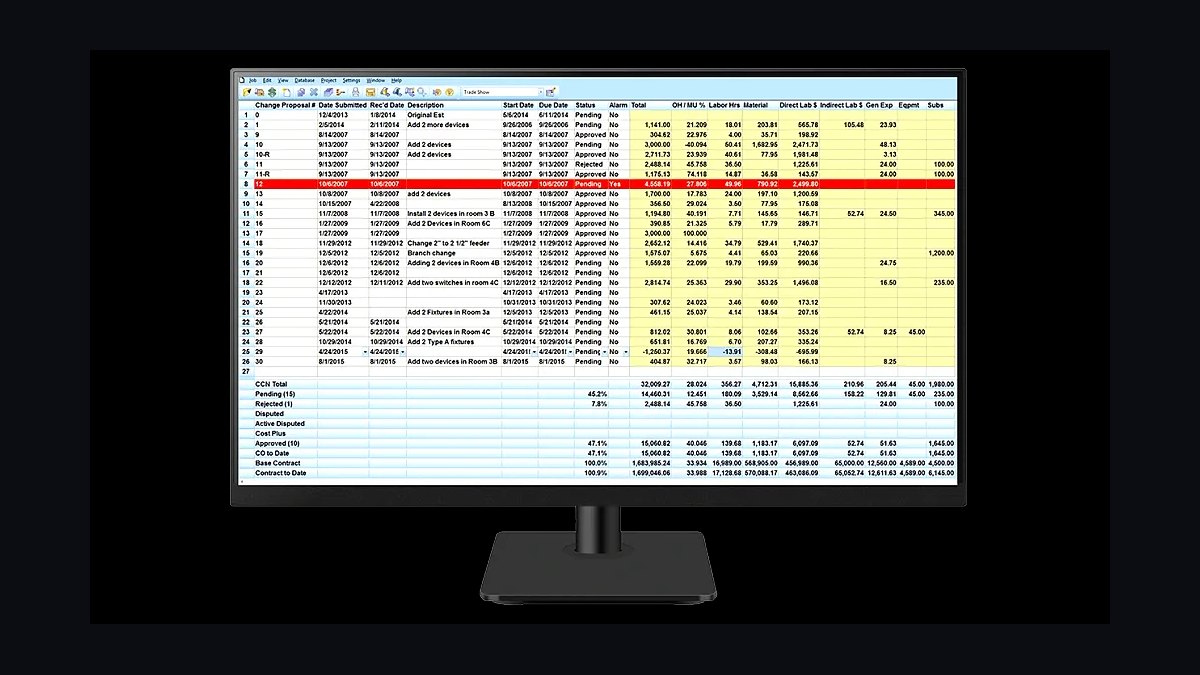
Trimble Accubid ranks first because commercial electrical margin lives in labor units, not material markup, and Accubid is the dominant engine for competitive hard bids. It prices thousands of devices, fixtures, gear lineups, and conduit runs against maintained NECA-style assemblies with a subscribed pricing database. Cloud seats run roughly $200–$500 per user per month; on-premise Classic deployments cost more.
It suits mid-size and large contractors bidding design-build and hard-bid work where a 5% labor-unit error on a $4 million project can erase $100,000–$150,000. It trades away simplicity: assembly maintenance takes real estimator discipline. ConEst IntelliBid below is the value alternate many estimators prefer for interface, but Accubid remains the default when GCs and large project teams expect it.
2ConEst IntelliBid Electrical Estimating

ConEst IntelliBid ranks second as the strongest value alternate to Accubid, with an interface many working estimators prefer for everyday takeoff speed. It attaches labor units to devices, feeders, and gear lineups, supports maintained assemblies, and connects to subscribed pricing databases the same way the top pick does. Licensing typically lands below full Trimble cloud seats.
It fits contractors who want trade-specific estimating without paying enterprise-tier pricing, especially design-build firms bidding their own engineered work. It trades away Accubid's ecosystem depth and the familiarity some large GCs expect. Compared with the pick above it, IntelliBid is cheaper and often faster to learn, but Accubid still wins on enterprise estimating and integration breadth.
3Procore Construction Project Management

Procore ranks third because long commercial contracts run 9 to 24 months through RFIs, submittal logs, and change order chains, and Procore is the lingua franca between electrical subs and their GCs. Many GCs run projects in Procore and invite subs in, so drawings, daily logs, and scope instructions live where everyone sees them. Pricing is tied to annual construction volume with a five-figure annual minimum.
It fits contractors whose portfolio spans multiple GC relationships and who need their own change-order tracking rather than guest access. It trades away affordability for small shops, who should wait until a GC mandates it. Compared with the estimating engines above, Procore does nothing for bid pricing — it manages the project after award.
4Foundation Software Construction Accounting

Foundation Software ranks fourth because it delivers the WIP schedules, percentage-of-completion recognition, retention tracking, and WH-347 certified payroll that QuickBooks cannot produce. It tracks fringe by classification automatically for prevailing-wage public work. Pricing typically lands in the $400–$1,500 per month range at the small-to-mid end, with implementation cost on top.
It fits contractors graduating off QuickBooks the moment a public job requires certified payroll, or the first seven-figure contract forces real job costing. It trades away polish for accounting depth, and it is not project management. Compared with Procore above, Foundation owns the ledger while Procore owns RFIs and submittals — they are sequential layers, not substitutes.
5BuildOps Commercial MEP Field Service

BuildOps ranks fifth because the recurring maintenance division behaves nothing like construction projects, and BuildOps is purpose-built for commercial MEP service. It handles agreements, dispatch, technician mobile ticketing, and the project-to-service handoff better than residential-first tools. Expect roughly $150–$350 per technician per month.
It fits contractors with more than a couple of dedicated service technicians, where same-day invoicing and an owned renewal calendar stop quiet revenue leakage. It trades away project-side depth — a 90-minute troubleshooting call needs no submittal schedule. Compared with Foundation above, BuildOps runs the service business while Foundation reconciles both ledgers; a 50/50 revenue split runs both in parallel.
6Sage 300 CRE Construction Accounting

Sage 300 CRE ranks sixth as the heavier construction ledger alternate to Foundation, handling WIP, over/under billing, retention, and certified payroll for larger books. It carries real implementation cost and a steeper learning curve, but scales further into multi-entity and enterprise reporting. It pairs naturally with Viewpoint Spectrum or COINS at the top tier.
It fits contractors above roughly 150 field staff, or those whose accounting complexity has outgrown Foundation's small-to-mid configuration. It trades away quick deployment and low cost. Compared with Foundation directly above, Sage 300 CRE is more capable and considerably more expensive; mid-size shops usually pick Foundation unless growth demands otherwise.
7Bluebeam Revu PDF Markup
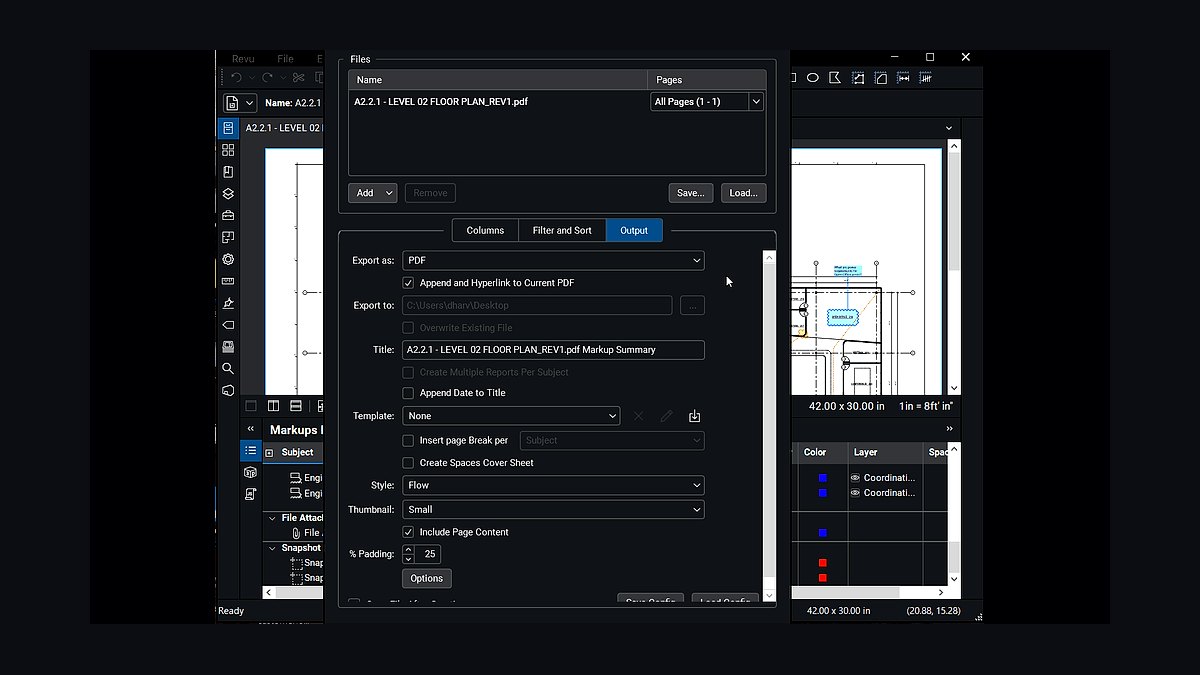
Bluebeam Revu ranks seventh because estimating and submittal workflows still run on marked-up PDFs, and Revu is the standard for visual takeoff and drawing markup. It costs roughly $260 per user per year, making it the cheapest high-leverage tool in the stack. Estimators count devices and fixtures directly on the drawing set before assemblies get priced.
It fits the estimating and project management group at any size, from a small shop to an enterprise VDC team. It trades away automation — it is markup and measurement, not estimating logic. Compared with the estimating engines above, Revu feeds the takeoff while Accubid or IntelliBid prices it; the two are complementary, not competing.
8eVolve MEP Revit Spooling

eVolve MEP ranks eighth because prefabrication moves labor off the jobsite into a controlled shop where it costs less, and eVolve turns the Revit model into spool sheets, hangers, and bills of material. Revit plus eVolve runs a few thousand dollars per seat per year, so it only pays back with a genuine fab operation behind it.
It fits industrial and data-center contractors where prefab is the entire labor strategy, and mid-size firms buying a handful of seats for selective prefab. It trades away value for contractors without a shop — the software follows the fab operation, never the reverse. Compared with Bluebeam above, eVolve is a much larger commitment aimed at model-driven production.
9Autodesk Navisworks Clash Detection
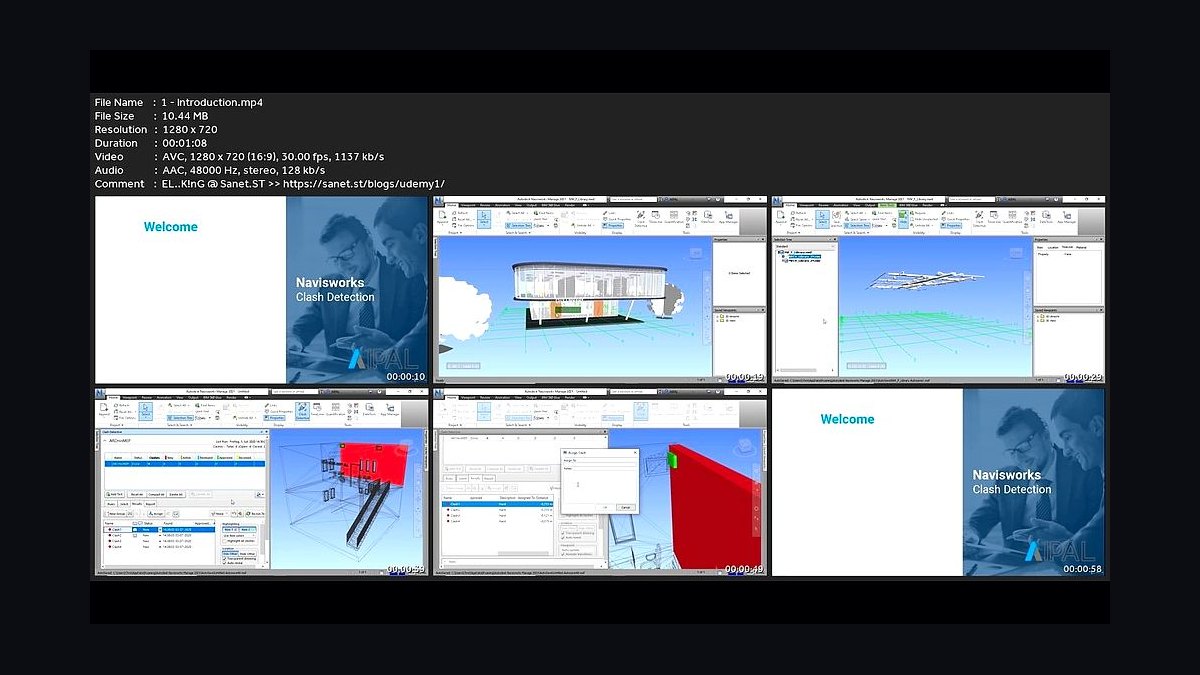
Autodesk Navisworks ranks ninth because commercial electrical lives downstream of mechanical and structural trades, and Navisworks runs the clash detection and model coordination that prevents costly field rework. It sits inside the Autodesk Construction Cloud ecosystem alongside Revit, so coordination and modeling stay in one toolchain. It is typically licensed as part of a VDC seat package.
It fits contractors with a real VDC or prefab team running daily coordination on complex industrial and data-center work. It trades away relevance for small commercial shops with no modeling practice. Compared with eVolve above, Navisworks coordinates the model while eVolve converts it into spool sheets and material lists for the shop.
10Power BI Construction Reporting
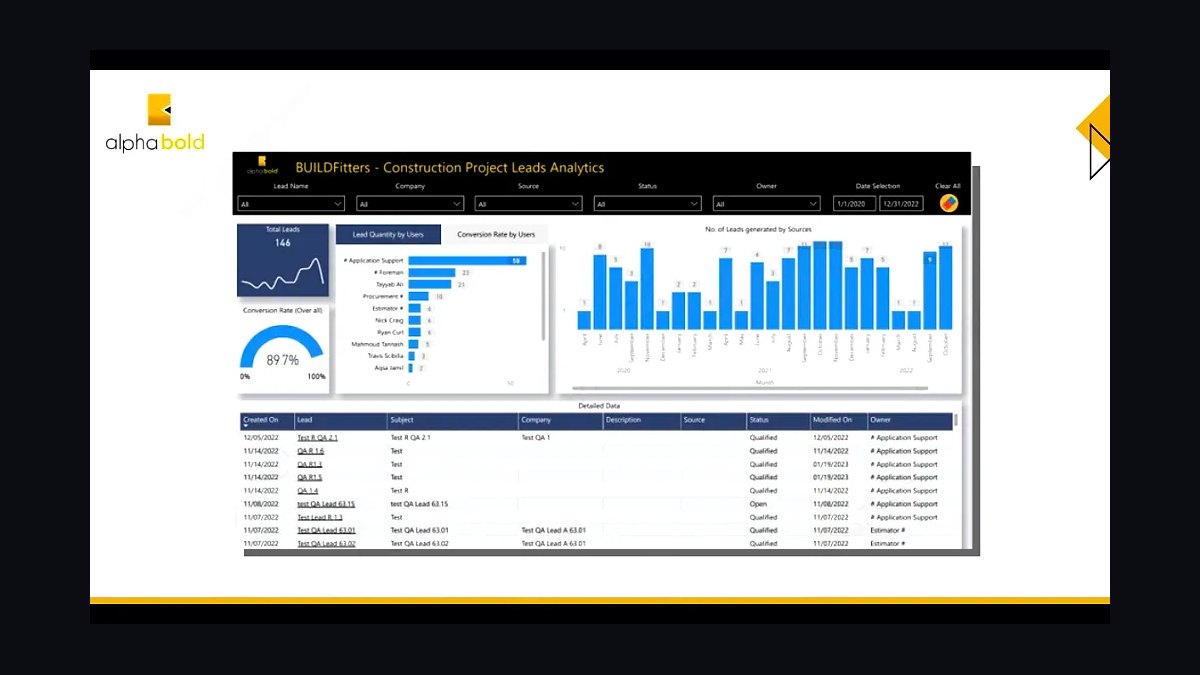
Power BI ranks tenth because once the four anchors are live, the numbers only pay off if someone can see them, and Power BI costs roughly $10–$20 per user per month. It builds dashboards for backlog, WIP, earned-versus-estimated hours per cost code, and service agreement renewal rates. It reads from the ledger and PM hub through connectors.
It fits contractors with an analyst or a controller willing to own the reporting layer, especially at the mid-size and enterprise tiers. It trades away out-of-the-box construction content — the dashboards must be built. Compared with Navisworks above, Power BI is cheap and broadly useful, but it only reports what the integrated layers actually capture.
How we ranked these
We scored each tool on four weighted criteria: labor-unit estimating depth for electrical work (30%), project delivery fit for GC-facing RFIs, submittals, and change orders (25%), construction accounting capability including WIP and certified payroll (25%), and service-division dispatch and agreement handling (20%). Pricing bands, integration with the other three anchors, and adoption friction among field crews were scored as modifiers.
We deliberately ignored feature-count checklists, mobile app store ratings, and vendor size. A tool with fifty features nobody uses loses to one that prices conduit accurately. We also excluded residential-first platforms, generic ERPs without construction ledgers, and anything requiring a full suite purchase to unlock estimating, because those force compromises commercial electrical contractors cannot absorb on competitive hard bids.
What to look for
Match the tool to your revenue mix before your headcount. A contractor with half its revenue in recurring service should buy field service management first and estimating second; a pure hard-bid shop inverts that. Confirm the system produces WH-347 certified payroll and tracks fringe by classification before you sign, because retrofitting compliance after the first public job is expensive and slow.
The mistake most buyers make is chasing an all-in-one suite to avoid integrations. Commercial electrical estimating is too specialized for suites to do well, so you end up with a weak labor-unit module bolted to a weak service module and re-key everything anyway. The second mistake is buying BIM and prefab seats before a fab operation exists. Software follows the shop, never the reverse.
Related questions
Can we start with just estimating and accounting?
Yes, and most contractors should. Those two protect margin directly. Project management can run on the GC's Procore instance you get invited into, and a small service book can survive on the ledger's invoicing until it has dedicated technicians.
How long does a full stack migration realistically take?
Budget 90 days for the core anchors and 12 to 18 months for the stack to feel settled. Estimating validation and cost-code mapping are the slow parts; software installation is not. Contractors who rush the cost-code mapping spend the next year reconciling budget-versus-actual by hand.
Do we need Procore if our GCs already invite us into theirs?
Not necessarily. Guest access covers RFIs and submittals on that GC's project. You need your own instance when you want your portfolio in one place, your own change-order tracking, and your field tools inside the same hub. Many mid-size contractors eventually license both.
What if half our revenue is service?
Invert the buying order: field service management first, estimating second. A contractor with a genuine 50/50 split runs two parallel systems sharing a customer list and a general ledger, and treats the handoff between them as a documented process with a named owner.
Is an all-in-one construction suite ever the right call?
Rarely for commercial electrical. The estimating requirement is too specialized. Suites that do WIP and service well almost always ship a weak labor-unit estimating module, and estimating is the layer you cannot compromise. Buy best-of-breed and integrate deliberately.
How do we validate an estimating engine before trusting it on live bids?
Re-bid a project you already completed and compare estimated hours per cost code against what the crew actually burned. That comparison reveals whether your assemblies need adjustment factors for your market, crew mix, and typical installation conditions. Do this before the first competitive bid.
What integration should we test first in any vendor demo?
Whether the estimate's cost codes flow into the project management system and then into the ledger without re-keying. If a product cannot receive cost codes on the way in or hand actuals to accounting on the way out, it is a data island, and data islands are where month-end surprises originate.
When should a contractor graduate off QuickBooks?
The first public job requiring certified payroll, or the first contract large enough to need percentage-of-completion revenue recognition. Both force a construction ledger such as Foundation Software or Sage 300 CRE. Waiting until year-end close to migrate creates reconciliation pain.
FAQ
Why can't a commercial electrical contractor just run everything in QuickBooks?
QuickBooks has no WIP schedule, no percentage-of-completion revenue recognition, no certified payroll, and no labor-unit estimating. It works for a very small shop, but the first public job or the first seven-figure contract forces a move to a construction ledger such as Foundation Software or Sage 300 CRE.
Do we need both an estimating tool and a project management hub — don't they overlap?
No. Estimating tools like Accubid price the bid using labor units before you win the work; Procore manages the project after award through RFIs, submittals, change orders, and drawings. They are sequential, not redundant. The estimate becomes the project budget when you wire the cost codes together.
What's the best field service management tool for our service division?
BuildOps is the strongest fit for a commercial electrical contractor because it is built for commercial MEP service — agreements, dispatch, and the project-to-service handoff. ServiceTitan Commercial is the heavyweight alternate with deeper reporting, and Service Fusion is the budget choice for a small team.
Is prefab and BIM software worth it for a mid-size contractor?
Only if prefab is already part of your labor strategy. Buy a few eVolve MEP seats on Revit for selective prefab rather than tooling the whole team. Industrial and data-center contractors get the most out of it; small commercial shops generally do not need it.
How do we handle prevailing wage and certified payroll on public work?
Use a construction accounting system that produces WH-347 certified payroll reports and tracks fringe by classification automatically — Foundation Software, Sage 300 CRE, and Viewpoint all do this. Handling it manually is where compliance findings and back-wage assessments come from.
Which tool should we buy first if the budget is tight?
The estimating engine. Bids are won and lost on labor-unit accuracy, and a single mispriced large project costs more than years of software licensing. Estimating first, construction accounting second, project management third, service and prefab last.
How much should a mid-size commercial electrical contractor budget monthly?
Roughly $4,000 to $11,000 per month for 25 to 150 field personnel. That covers full Accubid or ConEst estimating, Procore, Foundation or Sage accounting, BuildOps for service, a few eVolve seats, Bluebeam, and Power BI reporting.
What is the biggest failure mode when rolling out this stack?
Launching all four anchors in the same quarter. Migrations stall when estimating, accounting, project management, and service go live simultaneously. Sequence estimating and accounting first, then project delivery on one active project, then service and prefab.
How do we measure whether the stack is actually working?
Track earned hours versus estimated hours per cost code weekly rather than at closeout, and monitor service agreement renewal rate plus days-to-invoice on service tickets. Both numbers are only measurable if the estimate-to-ledger integration actually holds.
Should we license both Procore and Autodesk Build if our GCs are split?
Sometimes yes. If your general contractors are genuinely split between platforms, licensing both is annoying but usually cheaper than losing a relationship or re-keying RFIs. Start with guest access on each and license your own instance only when portfolio visibility justifies it.
Sources
- https://www.necanet.org/
- https://www.procore.com/
- https://www.foundationsoft.com/
- https://www.sage.com/en-us/products/sage-300-cre/
- https://www.trimble.com/en/products/accubid
- https://www.conest.com/
- https://www.buildops.com/
- https://www.autodesk.com/products/revit/overview
- https://www.osha.gov/prevailing-wage
- https://www.dol.gov/agencies/whd/government-contracts
Related on PULSE
This page will be disappearing soon. Save it to your device for $1 — or read it free while it is here.
@Kory-White- · if Venmo asks, the last 4 of my number are 2012
This page is gone.
This one is off the shelf now. $1 keeps it on your phone for good — the whole page, pictures and diagrams included.
 pulse-tech-stacksTop 10 Best Tech Stack Tools for Vulnerability Management Software Vendors in 2027
 pulse-tech-stacksTop 10 Best Tech Stack Tools for Online Travel Agencies (OTAs) in 2027
 pulse-tech-stacksTop 10 Best Tech Stack Tools for AI Customer Support Companies in 2027
 pulse-tech-stacksTop 10 Best Tech Stack Tools for AI Translation API Companies in 2027
 pulse-tech-stacksTop 10 Best Tech Stack Tools for Commercial HVAC Contractors in 2027
 pulse-tech-stacksTop 10 Best Tech Stack Tools for Painting Contractors in 2027
 pulse-tech-stacksTop 10 Best Tech Stack Tools for Staffing Agencies in 2027
 pulse-tech-stacksTop 10 Best Tech Stack Tools for Self-Storage Operators in 2027
 pulse-tech-stacksTop 10 Best Tech Stack Tools for HOA and Community Association Management Companies in 2027
 pulse-tech-stacksTop 10 Best Tech Stack Tools for Appliance Repair Services in 2027