


Top 10 Best Tech Stack Tools for Drywall Contractors in 2027
Quality
Certified
The 10 best tech stack tools for drywall contractors are ranked below on measured performance, build quality, price, and how each one actually holds up in daily use rather than how it reads on a spec sheet. Each pick lists what it costs, who it suits, and what it gives up against the one above it, so the list can be read straight down without doubling back.
1On-Screen Takeoff
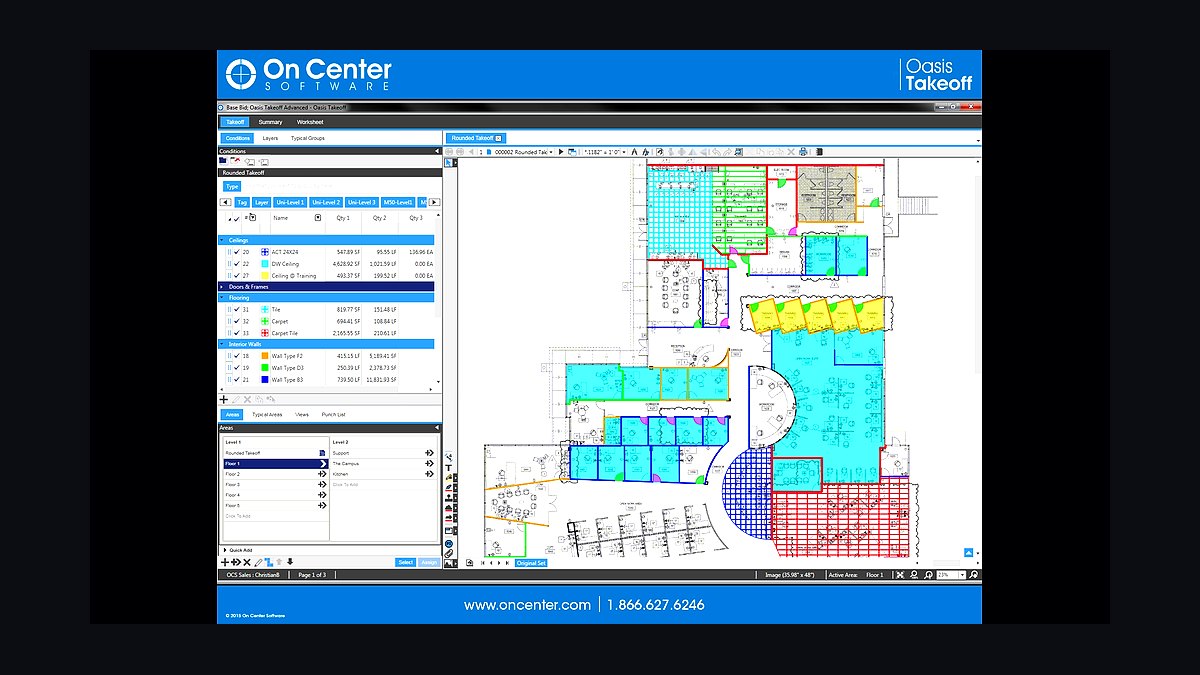
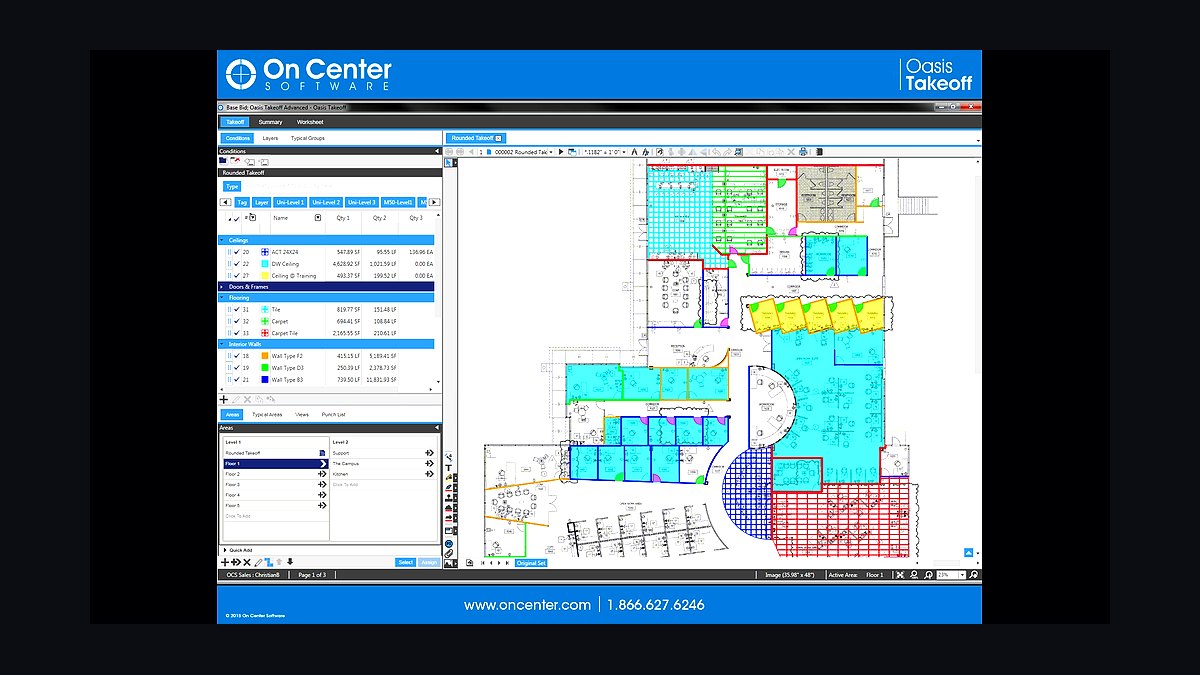
On-Screen Takeoff ranks first because a drywall bid is won or lost on board square footage and finish level, and this is the commercial takeoff engine that measures both off digital plans. It handles 1/2-inch, 5/8-inch Type X, mold-resistant, and abuse-resistant board conditions, plus metal stud framing linear footage and GA Level 0-5 finish areas. The Quick Bid bundle runs roughly $250-$450 per user per month.
This is for commercial wall-and-ceiling subs bidding multi-story plans where a 10% board-count miss erases single-digit margin profit. It trades away simplicity: onboarding takes real estimator training, and lazy assemblies still produce bad bids. STACK, ranked second, is the lighter cloud alternative for residential shops that want faster setup and lower cost.
2STACK Takeoff
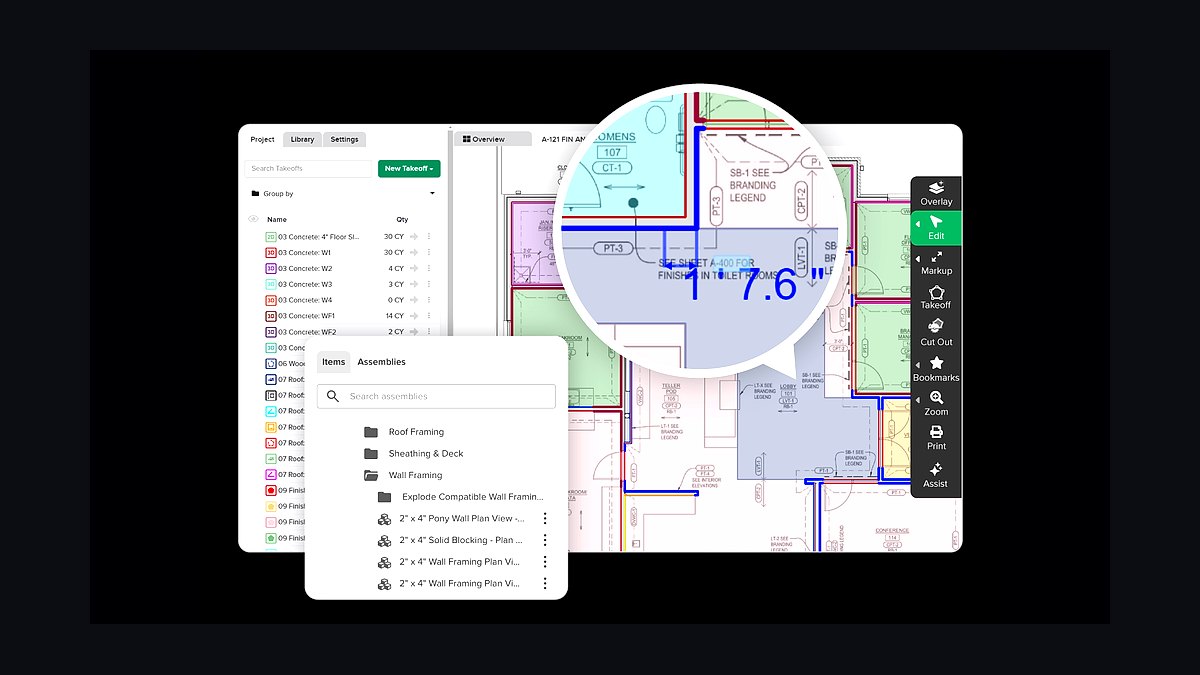
STACK ranks second as the cloud-based takeoff tool that gets a drywall contractor measuring board and finish quantities without installing desktop software or hiring a dedicated estimator. It runs in a browser, imports PDF plans, and prices assemblies from a library, which makes it the fastest onboarding path for residential and light commercial drywall work. Pricing sits well below the On-Screen Takeoff bundle.
This is for owner-operators and small crews bidding tract homes and remodels who need accurate square footage more than deep commercial conditions. It trades away the assembly depth and finish-level rigor that On-Screen Takeoff handles for complex commercial plans. Compared to Bluebeam Revu below, STACK is a dedicated takeoff engine rather than a markup and plan-review tool.
3Bluebeam Revu
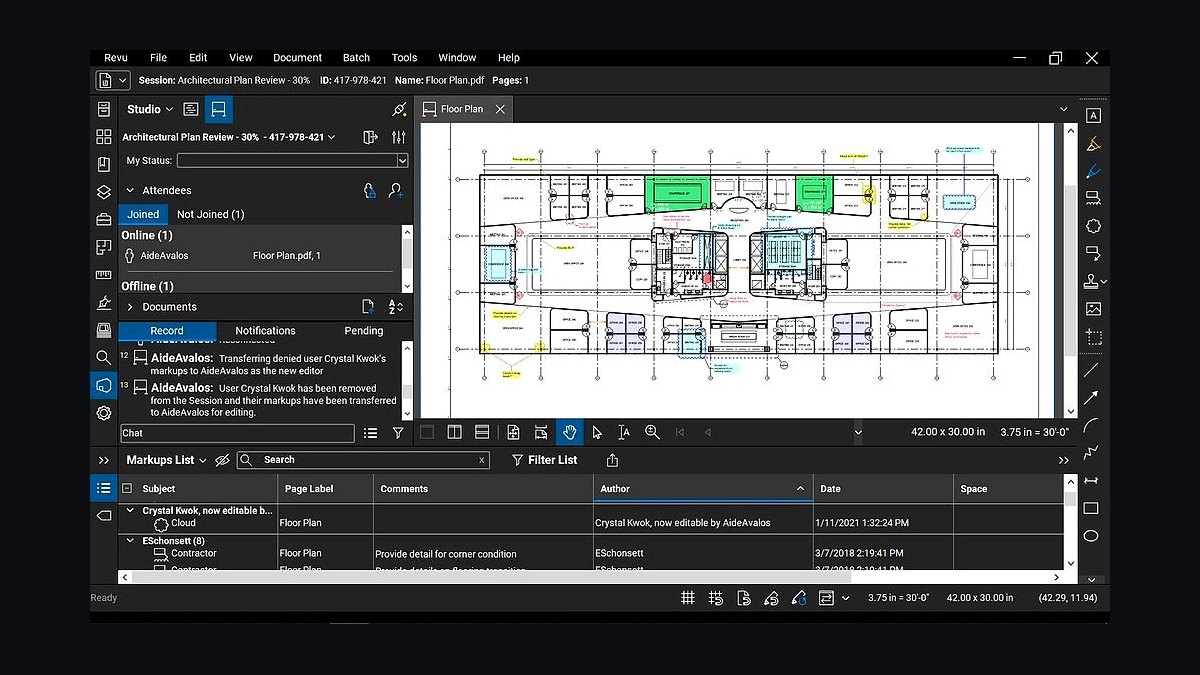
Bluebeam Revu ranks third because drywall estimators live in PDF drawings during the bid window, and this is the standard for marking up plans, running quantity counts, and managing addenda before submission. The core edition runs about $260 per user per year, far cheaper than a dedicated takeoff seat. It measures areas and linear runs directly on the sheet.
This is for any drywall contractor who needs fast plan markup, scope highlighting, and revision comparison alongside a takeoff tool. It trades away labored estimating: Bluebeam counts quantities but does not price a bid with your assemblies. Most drywall estimators keep it even when they run STACK or On-Screen Takeoff, because markup and takeoff solve different problems.
4BuildingConnected
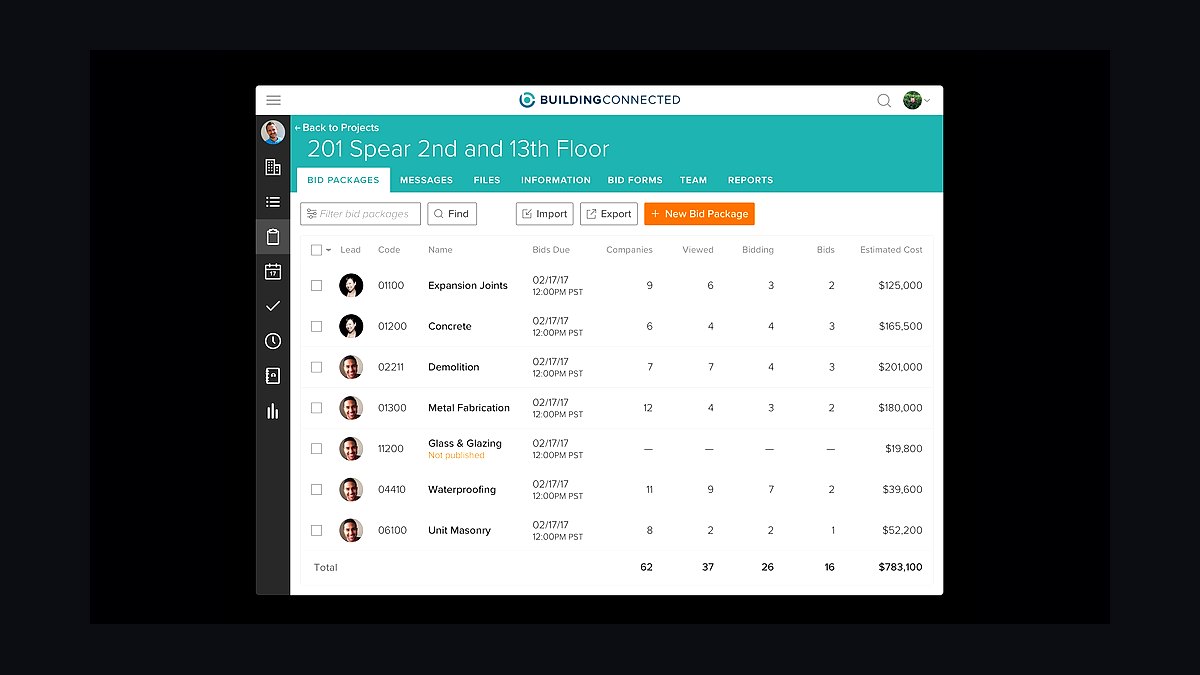
BuildingConnected ranks fourth because a drywall subcontractor's real sales pipeline is bid invitations from general contractors, and missing one means missing the job. The Autodesk-owned plan room connects subs to GCs, distributes addenda, and tracks bid due dates across commercial projects. Pricing typically runs a few hundred to low thousands per year depending on seats and bid volume.
This is for commercial drywall subs who win work through GC bid lists rather than inbound leads. It trades away estimating function entirely: it feeds you the opportunity, not the price. Compared to iSqFt and PlanHub, BuildingConnected dominates larger commercial work, while PlanHub suits smaller and residential subs at lower cost.
5eSUB
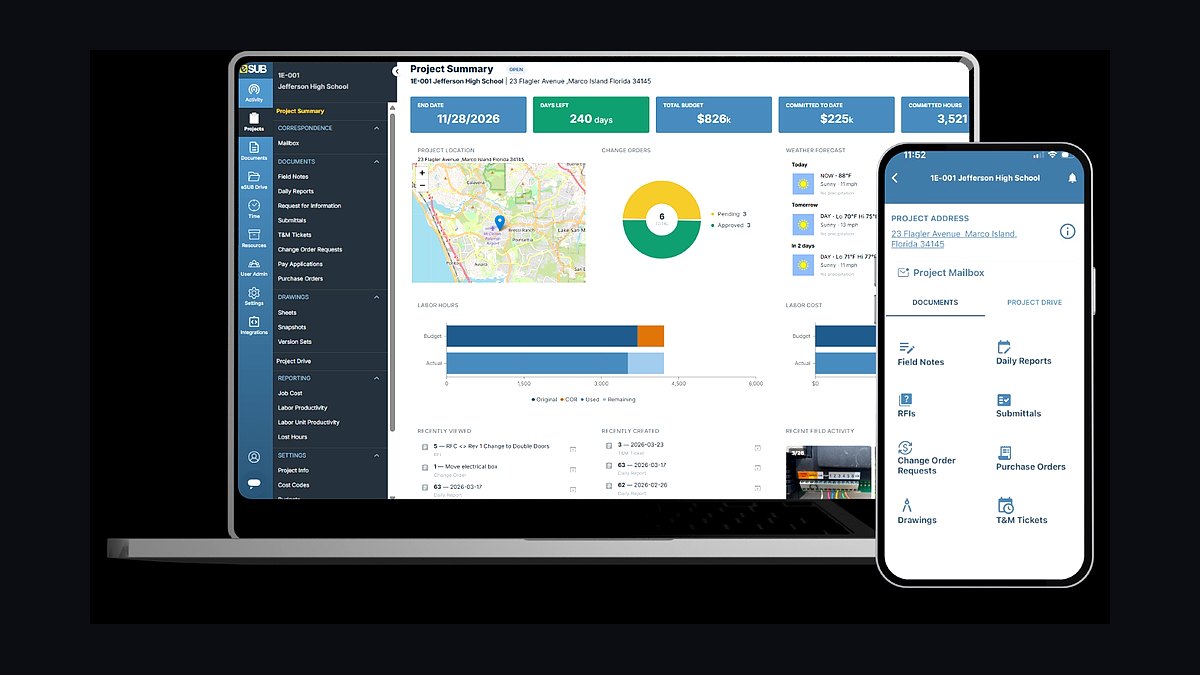
eSUB ranks fifth because a drywall sub works inside the GC's world of submittals, RFIs, change orders, and daily logs, and this platform is built from the subcontractor's point of view. It tracks those documents, syncs to the GC's system, and keeps your own record after closeout. Expect roughly $50-$80 per user per month.
This is for commercial drywall subs with a dedicated project manager or controller handling multiple active jobs. It trades away GC-side features: many generals mandate Procore, so you may still work inside their instance. eSUB remains your internal source of truth, which matters when defending a payment dispute or pricing the next bid.
6Procore
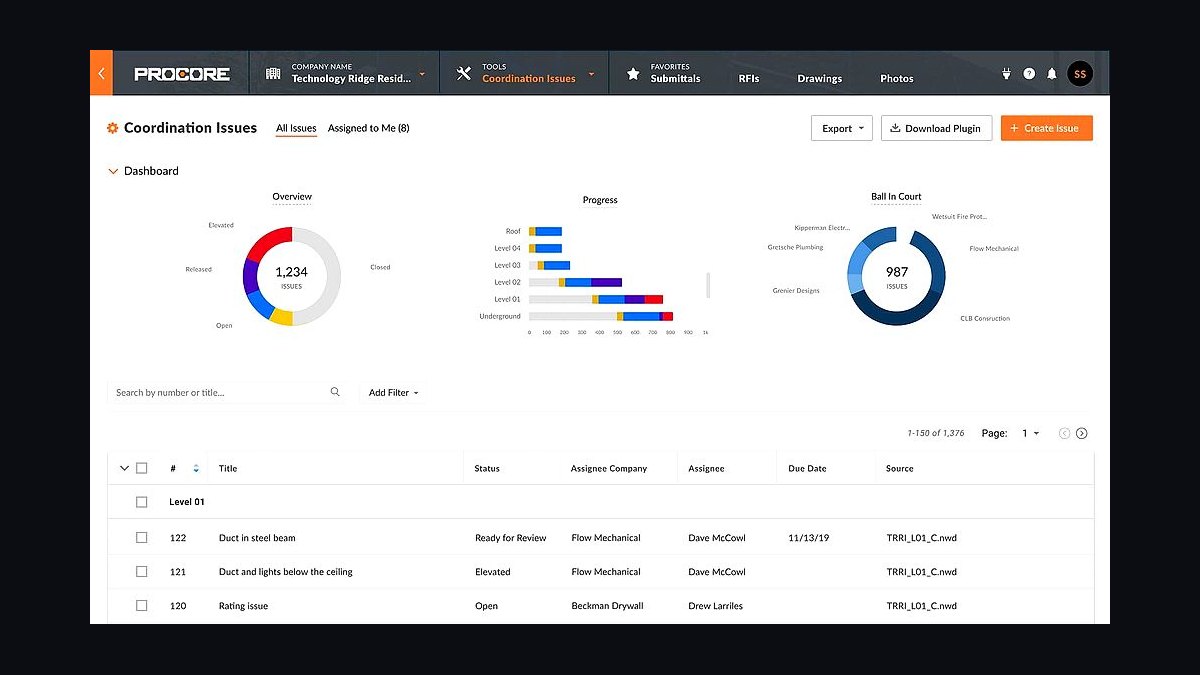
Procore ranks sixth because general contractors frequently mandate it, and a drywall sub that cannot work inside the GC's project management instance loses access to current drawings, RFIs, and change orders. It centralizes submittals, daily logs, and document control across the project team. It is sold as a percentage of construction volume and runs into tens of thousands annually.
This is for drywall subs on GC-mandated commercial projects where the platform is non-negotiable. It trades away subcontractor focus: the workflow is built around the prime contract, not the sub's internal accounting. Keep eSUB or your accounting system as your own record, because Procore data leaves with the project at closeout.
7Foundation Software
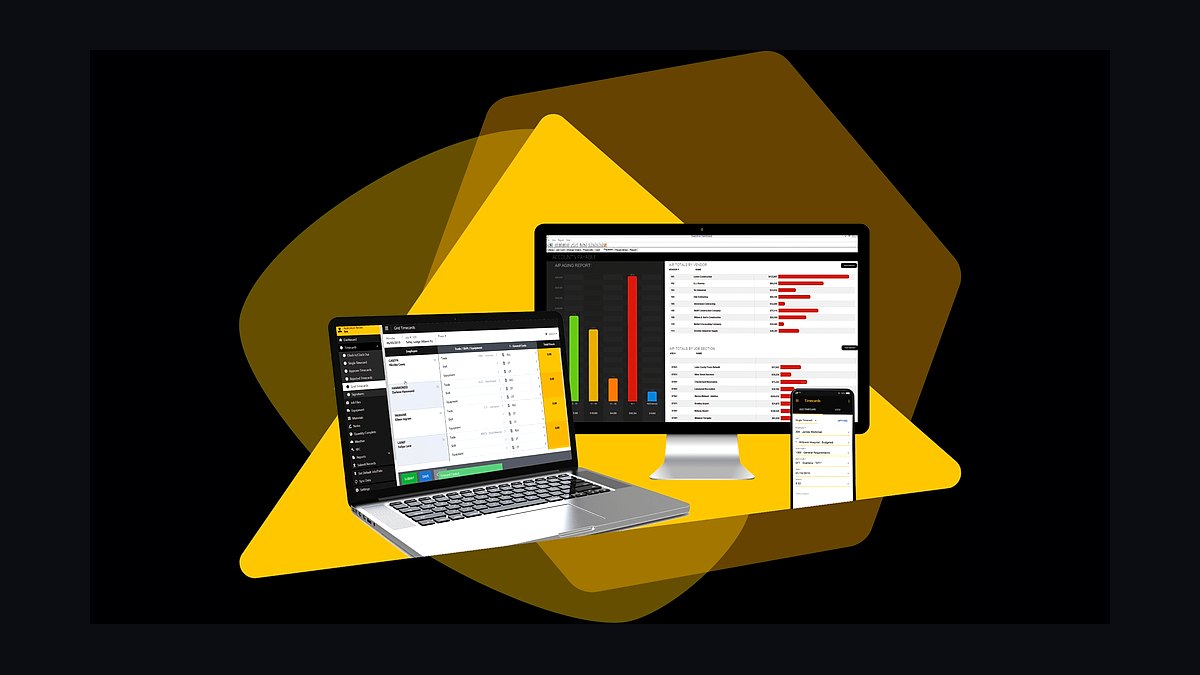
Foundation Software ranks seventh because it is the contractor accounting backbone that produces job costing by cost code, WIP reports, AIA progress billing, and certified payroll for public drywall work. It runs roughly $200-$400 per month plus modules, and its payroll engine is widely respected among trade contractors. It separates a real contractor stack from generic bookkeeping.
This is for mid-size commercial drywall subs with a controller and prevailing-wage jobs. It trades away simplicity and low cost: setup requires a real chart of cost codes and accounting discipline. Compared to QuickBooks with Knowify, Foundation handles certified payroll and WIP reporting that residential-grade bookkeeping cannot, at several times the price.
8Siteline
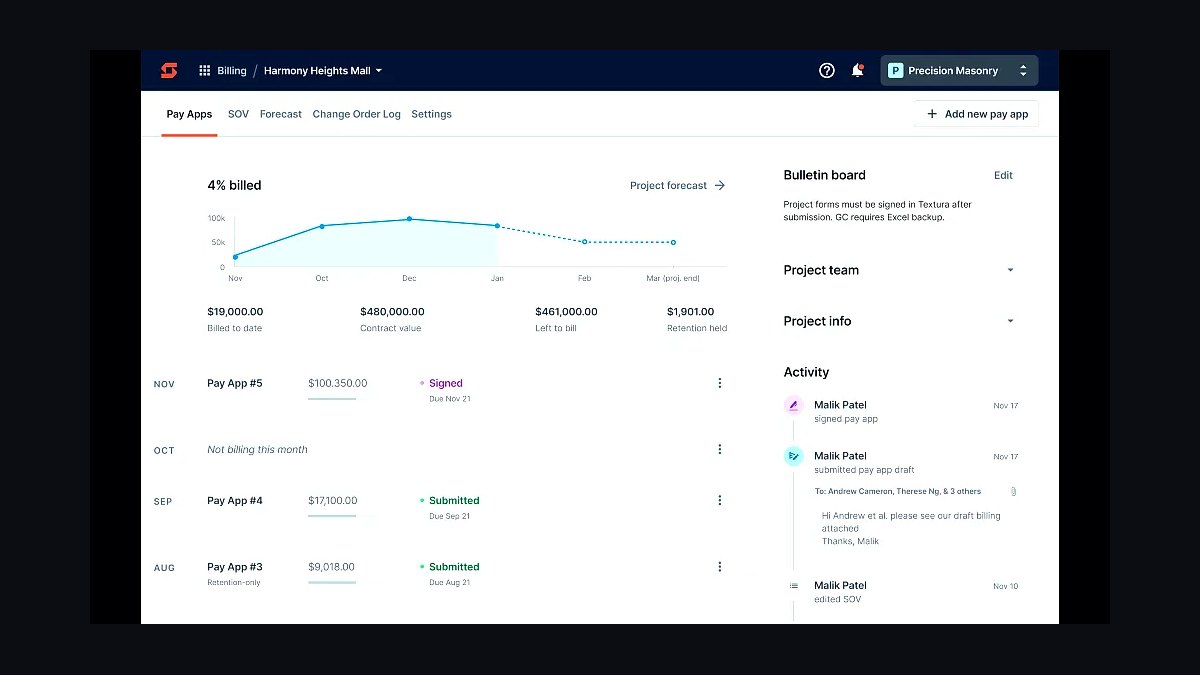
Siteline ranks eighth because it automates the monthly AIA G702/G703 pay application, schedule-of-values management, retention tracking, and lien-waiver exchange that eats a drywall controller's week. It attacks days-to-payment directly, and drywall subs routinely wait 60-90 days with retention stretching longer. Pricing typically runs a few hundred dollars per month per active project portfolio.
This is for commercial drywall subs billing monthly against a schedule of values with multiple GCs. It trades away accounting depth: it generates and tracks pay apps but does not replace Foundation or Sage as your ledger. GCPay is the GC-side network many subs are pulled into, while Siteline is built for the sub's own billing workflow.
9Levelset

Levelset ranks ninth because drywall subs sit low in the payment chain, and lien rights are the legal leverage protecting a disputed receivable. It tracks preliminary notice and lien-filing deadlines by state, sends the notices, and surfaces which GCs pay slowly. Standalone tiers start in the low hundreds per month, and it is often bundled into Procore.
This is for any drywall contractor with receivables large enough that a missed deadline would be fatal. It trades away billing automation: it protects the claim but does not produce the pay app Siteline generates. Treat it as cash insurance rather than paperwork, because a sub that bids perfectly but cannot collect fails just as fast.
10Rhumbix
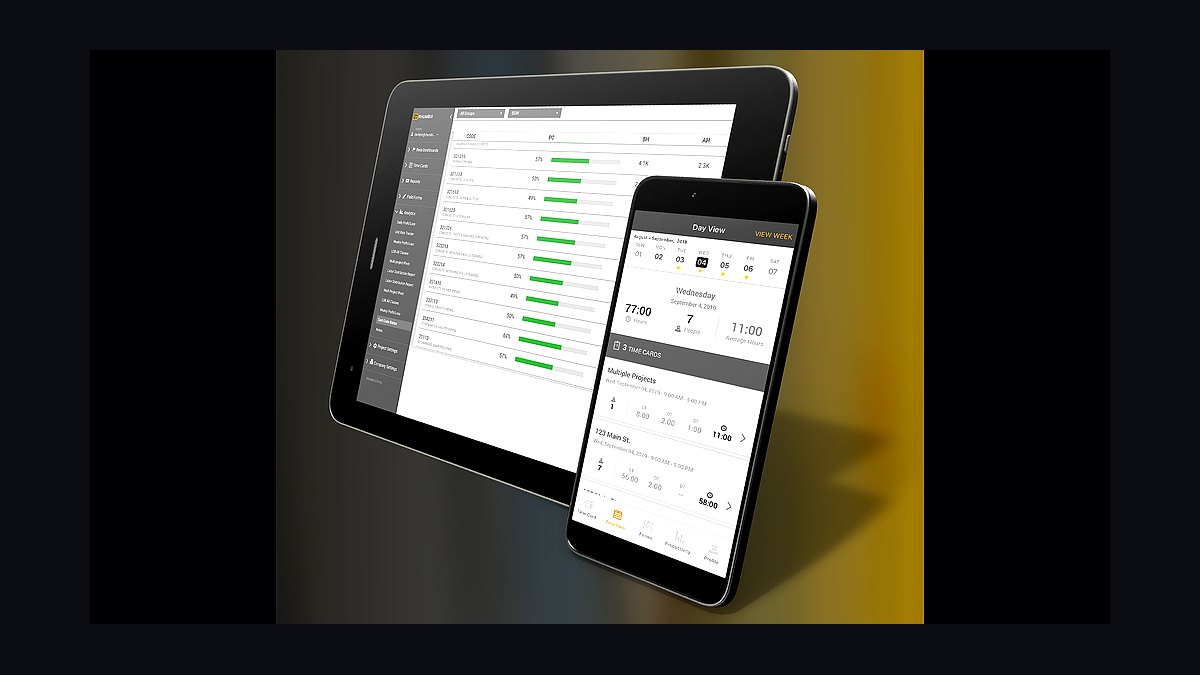
Rhumbix ranks tenth because labor is the variable that decides drywall profit, and this tool captures cost-coded time by jobsite and phase so you can compute hours per thousand board feet during the job. It separates hang, tape, and finish hours instead of lumping crews into one bucket. Budget about $10-$20 per user per month.
This is for commercial drywall subs tracking piece-rate productivity across multiple active jobsites in a single week. It trades away simplicity: cost-code discipline must exist before the data means anything. busybusy is the value pick for smaller crews with strong GPS time tracking, while Rhumbix targets commercial field productivity reporting.
How we ranked these
I weighted five layers by their direct impact on drywall subcontractor margin: takeoff and estimating accuracy (30%), subcontractor project management and document control (20%), construction accounting with WIP and certified payroll (20%), field labor productivity tracking by cost code (20%), and pay-app automation plus lien-rights protection (10%). Each tool was scored on fit for board-and-finish-level takeoff, AIA G702/G703 billing, retention handling, and integration depth with the other layers.
I deliberately ignored generic small-business CRM features, inbound lead-generation tools, marketing automation, and social media scheduling. A drywall contractor's pipeline is bid invitations from general contractors through plan rooms, not inbound leads, so CRM scoring would distort the ranking. I also excluded consumer-grade invoicing apps and any tool lacking cost-code job costing, since those cannot produce WIP reports or defend a bid on thin margins.
What to look for
What matters most is whether the tool speaks the subcontractor's language: board square footage by thickness and finish level, AIA G702/G703 pay applications, retention tracking, certified payroll, and cost-coded labor by jobsite. Integration depth beats feature breadth. A takeoff tool that cannot feed your accounting system's schedule of values creates rework every month, and a PM tool that cannot sync with a GC-mandated Procore instance becomes a second job for your project manager.
The mistake most buyers make is shopping for the cheapest per-seat tool instead of the one that closes the loop from estimate to pay app. A drywall sub that saves $50 per user on a generic time clock but loses visibility into labor hours per thousand board feet will bleed far more than it saved. Buy the layer that defends the bid, the cash, and the labor cost, then consolidate.
Related questions
What software do most drywall contractors use for estimating?
Commercial drywall subs overwhelmingly default to On-Screen Takeoff paired with Quick Bid from ConstructConnect, because the combination measures board square footage, framing linear footage, and finish areas off digital plans, then turns quantities into a labored bid using your own assemblies. PlanSwift and STACK are common lower-cost alternates, especially for residential and mixed-trade shops that do not need the full commercial assembly library.
How does a drywall subcontractor get paid on a commercial job?
Payment flows through a monthly AIA G702/G703 pay application against a schedule of values, with the general contractor typically holding 5-10% retention until closeout. Subs submit percent-complete billing, the GC certifies it, and payment often arrives 60-90 days after work. Tools like Siteline and GCPay automate that billing grind, while Levelset tracks preliminary notice and lien deadlines to protect the receivable.
What is the best way to track drywall labor productivity?
Track cost-coded hours by jobsite and by phase — hang, tape, and finish — so you can compute labor hours or dollars per thousand board feet against the budgeted estimate. Rhumbix is built for commercial field productivity, while busybusy and ExakTime are value picks for smaller crews. Generic time clocks fail because they do not tie hours to cost codes or separate hang from finish labor.
Do drywall contractors need Procore if the GC mandates it?
You often have no choice: many general contractors require all project documents, RFIs, submittals, and change orders to live inside their Procore or Autodesk Build instance. The trap is letting the GC's platform become your only system of record. Keep your own internal source of truth in eSUB or your accounting system so you retain data for payment disputes and future bids.
What accounting software handles certified payroll for drywall subs?
Foundation Software is purpose-built for contractors and is widely praised for certified and prevailing-wage payroll, job costing by cost code, WIP reporting, and AIA progress billing. Sage 100 Contractor suits mid-size subs, while Sage 300 CRE and Viewpoint Vista scale to large enterprise subcontractors. QuickBooks plus Knowify covers small residential drywall shops that do not need certified payroll.
How do drywall contractors find bid invitations?
Commercial drywall subs receive bid invitations through plan rooms and bid networks, most commonly BuildingConnected (Autodesk) and iSqFt (ConstructConnect), with PlanHub strong for smaller and residential work. Missing an invitation means missing the job, so these platforms function as the sub's real sales pipeline. Pricing typically runs a few hundred to low thousands per year depending on seats and bid volume.
What is the biggest tech mistake drywall contractors make?
The most expensive mistake is treating takeoff as an afterthought. On single-digit margins, a 10% miss on board count or a misread finish level — pricing a Level 4 area as Level 5, or vice versa — erases the profit on the entire job. A great takeoff tool with lazy assemblies still loses bids or wins money-losing ones, so disciplined conditions matter more than the software brand.
Can a small residential drywall contractor skip enterprise software?
Yes. A small residential drywall contractor can run STACK or PlanSwift for occasional takeoffs, QuickBooks with Knowify for job costing and progress invoicing, busybusy on phones for time and GPS, and PlanHub to find work. That lean cloud-first stack covers the financial and field layers affordably, and the GC's own Procore portal handles project documents when required.
FAQ
What is the best tech stack for a drywall contractor in 2027?
Center the stack on accurate finish-level takeoff with On-Screen Takeoff and Quick Bid or STACK, subcontractor project management with eSUB or GC-mandated Procore, construction accounting with WIP and certified payroll from Foundation or Sage, field labor tracking with Rhumbix or busybusy, and a pay-app and lien layer with Siteline, GCPay, and Levelset. The through-line is defending the bid, the cash, and the labor cost.
Why is takeoff the most important layer for drywall contractors?
A drywall estimate is fundamentally a quantity problem: board square footage by thickness and type, framing linear footage, joint compound and tape, and finish level from GA Level 0 through Level 5. Level 5 demands a full skim coat and roughly doubles finishing labor. On single-digit subcontractor margins, a 10% board miss or a misread finish level deletes the job's profit entirely.
What does a drywall contractor's pay application workflow look like?
Each month the sub bills on AIA G702/G703 forms against a schedule of values, showing percent complete and requesting progress payment, with 5-10% retention held until closeout. Siteline automates the billing, schedule-of-values management, retention tracking, and lien-waiver exchange. GCPay is the GC-side network many subs get pulled into. Both directly attack days-sales-outstanding, which is survival for a low-tier sub.
How should drywall crews track piece-rate labor across jobsites?
Hangers and finishers are often paid piece-rate and move across multiple active jobsites in a single week, so time must be captured by jobsite and by phase — hang, tape, finish. Rhumbix and busybusy tie hours to cost codes and jobsites, making labor hours per thousand board feet visible in near-real time. Generic time clocks cannot separate phases, so productivity stays invisible until the job is already lost.
Do drywall subcontractors really need lien-rights software?
Yes, because drywall subs sit low in the payment chain and routinely wait 60-90 days or more, with retention stretching longer. Levelset tracks preliminary notice and lien-filing deadlines by state, sends the notices, and surfaces which GCs pay slowly. For a sub whose cash is held hostage by slow-paying general contractors, lien-rights tracking is cash insurance, not paperwork.
What is the difference between eSUB and Procore for a drywall sub?
eSUB is built specifically for trade subcontractors, handling submittals, RFIs, daily logs, change order requests, and field notes from the sub's point of view, at roughly $50-$80 per user per month. Procore is the GC-side platform many generals mandate, sold as a percentage of construction volume and running into tens of thousands annually. Most drywall subs end up working inside both.
How much should a drywall contractor budget for software?
A mid-size commercial drywall sub should expect roughly $250-$450 per user per month for takeoff and estimating, $50-$80 per user monthly for subcontractor project management, $200-$400 monthly for contractor accounting, $10-$20 per user monthly for field labor tracking, and a few hundred monthly for pay-app automation. A small residential shop can collapse most of that into QuickBooks plus a takeoff tool for under $200 monthly.
What reports should a drywall contractor's stack produce?
At minimum: work-in-progress and gap analysis, labor productivity by crew and job measured in hours per thousand board feet, backlog, days-sales-outstanding, retention receivable aging, and certified payroll for public work. Microsoft Power BI at around $14 per user monthly ties jobs, labor hours, and pay apps into dashboards once the accounting system holds the data. Small shops can live in accounting reports until they run several concurrent jobs.
Can a drywall contractor run everything on QuickBooks alone?
No. QuickBooks handles bookkeeping but lacks cost-code job costing, WIP reporting, AIA G702/G703 progress billing, retention tracking, and certified payroll — the exact functions that distinguish a contractor stack from generic small-business accounting. QuickBooks plus Knowify covers small residential drywall shops, but commercial subs need Foundation, Sage 100 Contractor, Sage 300 CRE, or Viewpoint Vista as the financial backbone.
What should a drywall contractor ignore when buying software?
Skip generic small-business CRM, inbound lead-generation, marketing automation, and social scheduling tools. A drywall contractor's pipeline is bid invitations from general contractors through plan rooms like BuildingConnected, iSqFt, and PlanHub, not inbound leads. Also avoid any tool lacking cost-code job costing, because it cannot produce WIP reports, defend a bid, or feed a schedule of values for monthly pay applications.
Sources
- https://www.constructconnect.com/
- https://www.procore.com/
- https://esub.com/
- https://www.foundationsoft.com/
- https://www.sage.com/en-us/products/sage-100-contractor/
- https://www.levelset.com/
- https://www.rhumbix.com/
- https://busybusy.com/
- https://www.bluebeam.com/
- https://www.autodesk.com/products/buildingconnected/overview
Related on PULSE
This page will be disappearing soon. Save it to your device for $1 — or read it free while it is here.
@Kory-White- · if Venmo asks, the last 4 of my number are 2012
This page is gone.
This one is off the shelf now. $1 keeps it on your phone for good — the whole page, pictures and diagrams included.
 pulse-tech-stacksTop 10 Best Tech Stack Tools for AI Translation API Companies in 2027
 pulse-tech-stacksTop 10 Best Tech Stack Tools for Independent Roofing Contractors in 2027
 pulse-tech-stacksTop 10 Best Tech Stack Tools for Small Pest Control Companies in 2027
 pulse-tech-stacksTop 10 Best Tech Stack Tools for Medical Billing and RCM Companies in 2027
 pulse-tech-stacksTop 10 Best Tech Stack Tools for Movie Theaters in 2027
 pulse-tech-stacksTop 10 Best Tech Stack Tools for Public Relations Agencies in 2027
 pulse-tech-stacksTop 10 Best Tech Stack Tools for Online Travel Agencies (OTAs) in 2027
 pulse-tech-stacksTop 10 Best Tech Stack Tools for AI Customer Support Companies in 2027
 pulse-tech-stacksTop 10 Best Tech Stack Tools for MSP and IT Services Companies in 2027
 pulse-tech-stacksTop 10 Best Tech Stack Tools for HVAC Equipment Distributors in 2027