


Top 10 Best Tech Stack Tools for Small Businesses in 2027
Quality
Certified
The 10 best tech stack tools for small businesses are ranked below on measured performance, build quality, price, and how each one actually holds up in daily use rather than how it reads on a spec sheet. Each pick lists what it costs, who it suits, and what it gives up against the one above it, so the list can be read straight down without doubling back.
1HubSpot CRM
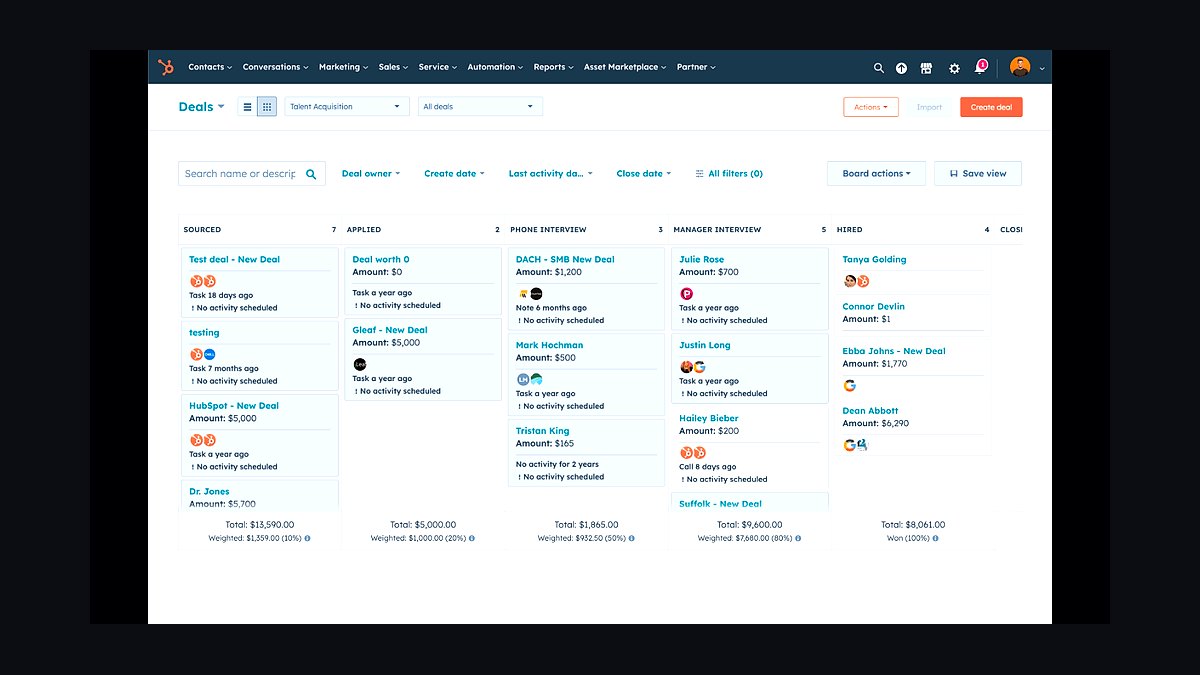
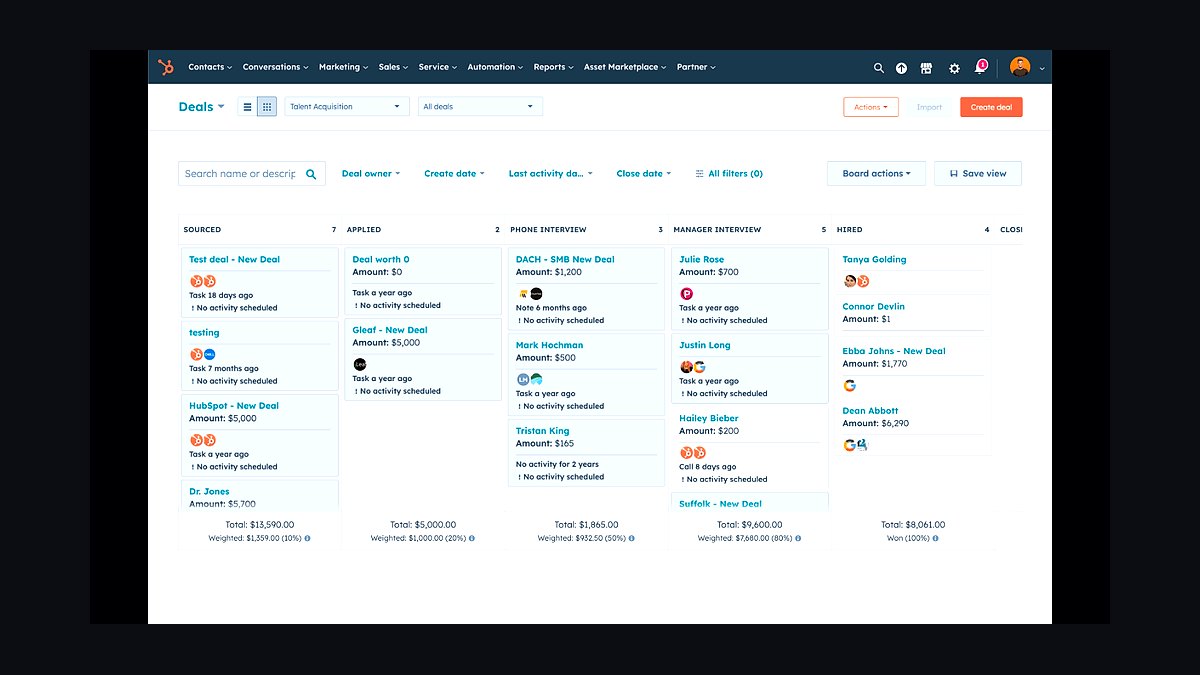
HubSpot CRM ranks first because it gives small businesses a genuinely free tier that covers contacts, deals, and pipeline management with no seat limits, then scales into marketing, sales, and service hubs without a platform migration. Native AI features like predictive lead scoring and automated sequences are included rather than sold as add-ons. For a five-person team, the Starter Customer Platform runs about $20 per seat per month, making it the lowest-risk entry point in 2027.
It suits businesses that want one vendor, one database, and one login rather than a dozen point tools stitched together. The trade-off is depth: advanced revenue intelligence, custom objects, and multi-touch attribution sit behind Enterprise pricing that most small teams cannot justify. Compared with Salesforce Sales Cloud below, HubSpot gives up configurability but wins decisively on time-to-value and total cost.
2Salesforce Sales Cloud
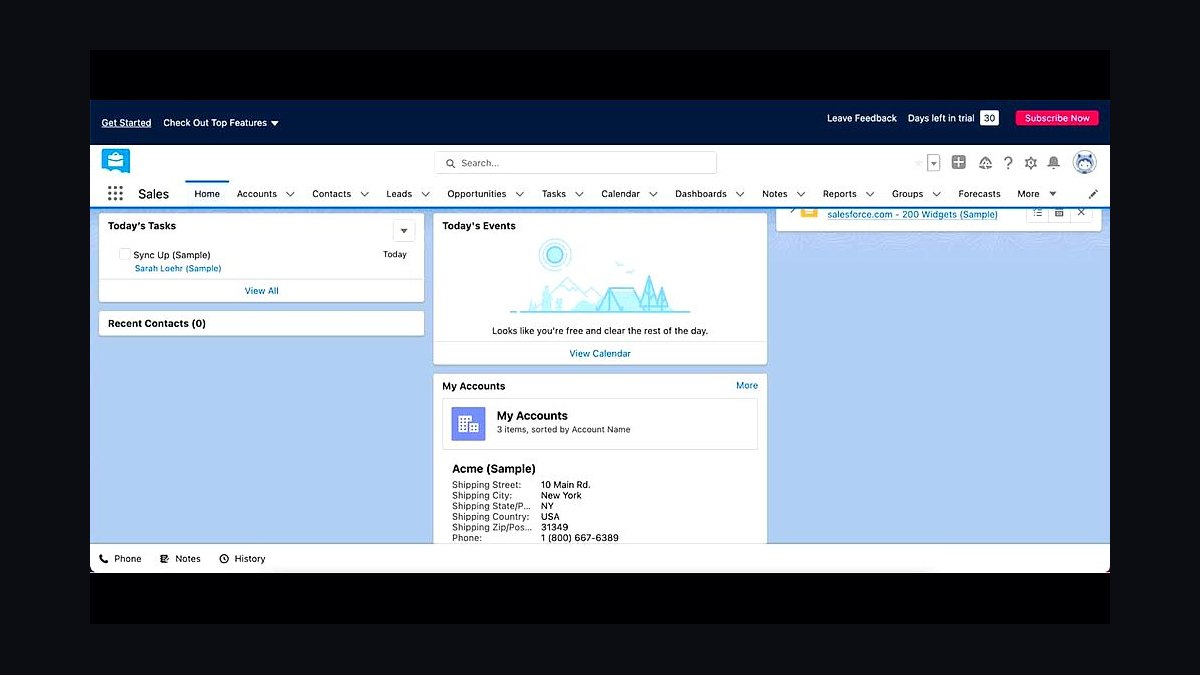
Salesforce Sales Cloud ranks second because it remains the most extensible CRM on the market, with Starter Suite pricing around $25 per user per month and an AppExchange of thousands of prebuilt integrations. Its Einstein AI layer handles lead scoring, opportunity insights, and forecasting natively, and the platform absorbs new tools without custom middleware. For small businesses with unusual sales processes, that flexibility is worth the learning curve.
The catch is administration: Salesforce rewards teams that assign an owner to configuration, and costs climb quickly once you add Marketing Cloud or Revenue Cloud. It is built for companies planning to double headcount within two years, not for a three-person shop that wants something running this week. Against HubSpot above, it trades simplicity for ceiling and ecosystem depth.
3Zapier
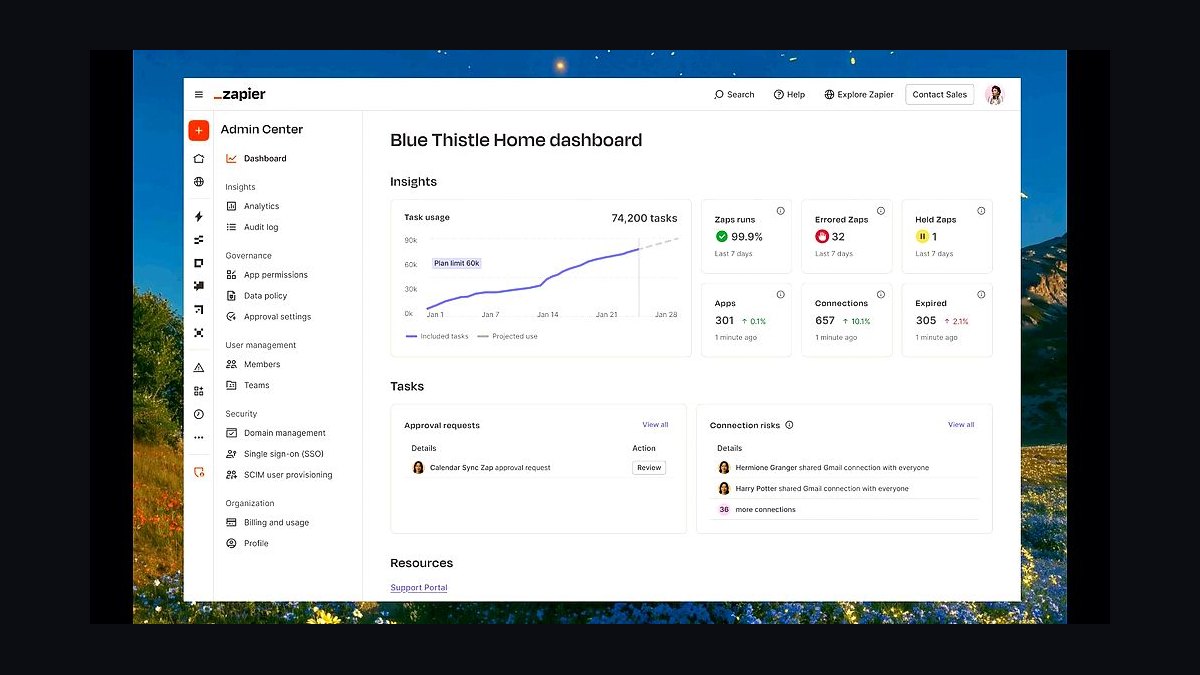
Zapier ranks third because integration middleware is what actually makes a small-business stack function, and Zapier connects over 6,000 apps without engineering help. The free tier allows 100 tasks per month across five single-step Zaps, and paid plans start near $20 per month for multi-step workflows with filters and paths. That means a lead captured in a form can create a CRM record, notify Slack, and start an email sequence automatically.
It is for teams running best-of-breed tools that do not talk to each other natively, and for anyone who needs automation before hiring a RevOps engineer. The trade-off is reliability at scale: high-volume, real-time syncs eventually outgrow task-based pricing and push teams toward iPaaS platforms. Compared with the CRMs above, Zapier is glue rather than a system of record.
4Mailchimp
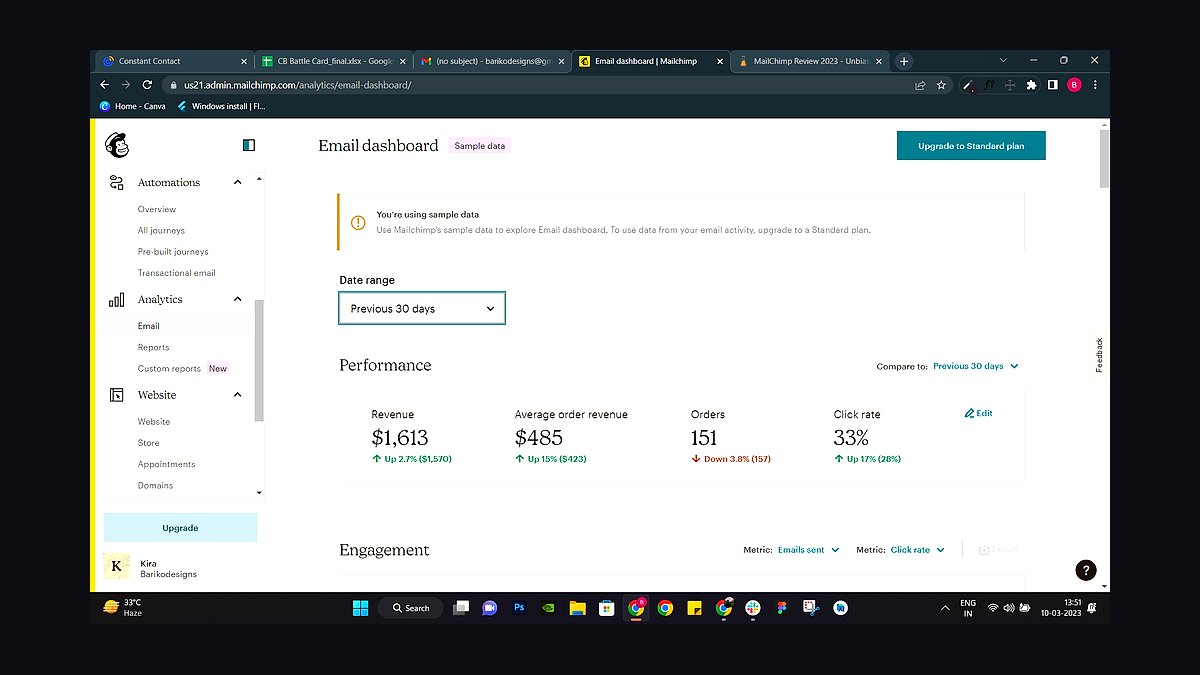
Mailchimp ranks fourth because email marketing remains the highest-ROI channel for small businesses, and Mailchimp's free plan covers up to 500 contacts and 1,000 sends per month. Paid tiers start around $13 monthly for 500 contacts and add segmentation, A/B testing, and a built-in CRM with basic customer journey automation. Its AI tools now suggest send times, subject lines, and audience segments based on historical engagement data.
It fits businesses whose primary revenue motion is email and who want one tool for campaigns, automations, and light audience management. The trade-off is that its CRM and reporting are shallow next to HubSpot or Salesforce, so it works best alongside a real CRM rather than replacing one. Against Zapier above, Mailchimp is a channel tool, not connective infrastructure.
5Slack
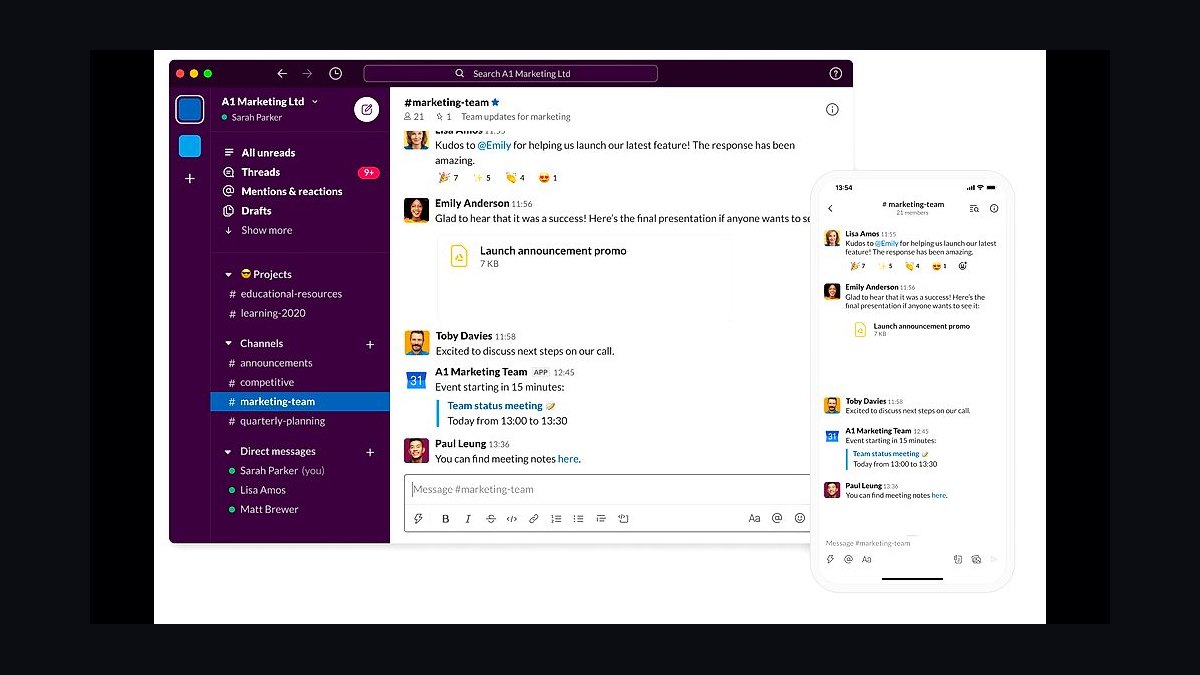
Slack ranks fifth because internal communication is where small-business stacks either cohere or fragment, and Slack's free plan supports unlimited users with 90-day message history and one-on-one huddles. Paid plans run roughly $7.25 per user per month and unlock unlimited history, group huddles, and workflow builder, which lets teams approve deals or trigger alerts without leaving the channel. Its 2,600-plus app directory connects CRMs, ticketing, and analytics directly into conversations.
It is for teams that want deal alerts, customer health warnings, and approval requests to arrive where people already are, rather than in yet another dashboard. The trade-off is that Slack is not a system of record, and message sprawl can hide decisions if channels are not governed. Compared with Mailchimp above, it is internal-facing rather than customer-facing.
6Notion
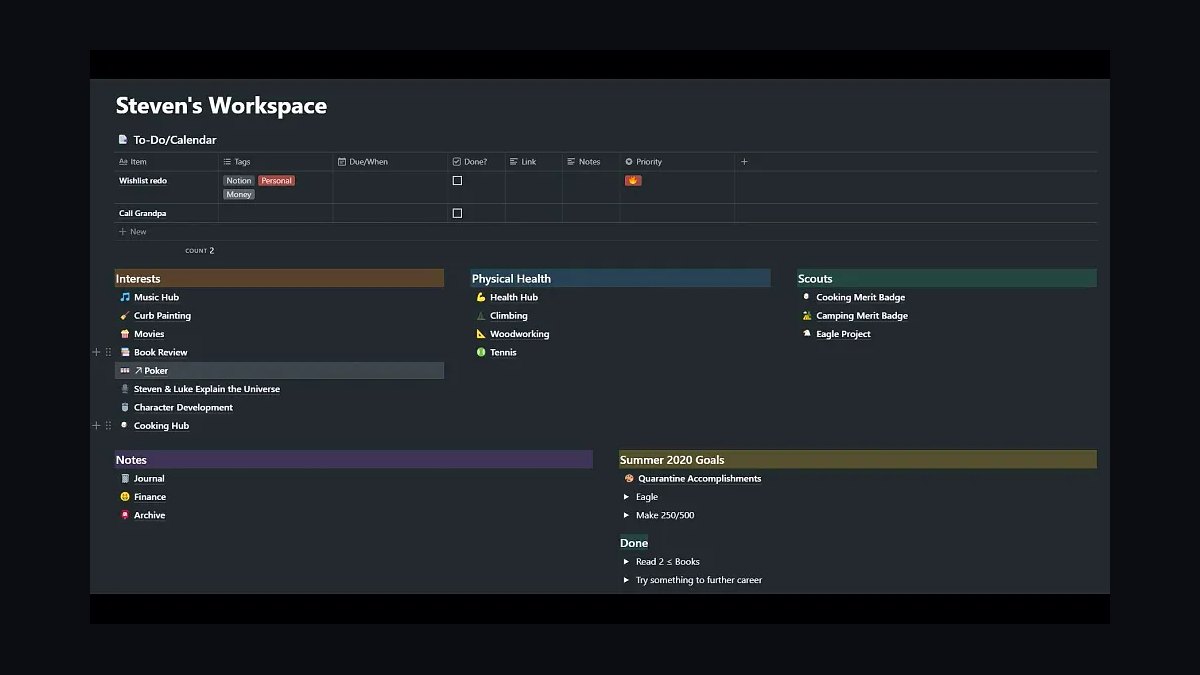
Notion ranks sixth because small businesses need one place for process documentation, SOPs, and lightweight project tracking, and Notion's free plan covers unlimited pages for individuals plus limited collaborative blocks for small teams. Paid plans start around $10 per user per month and add unlimited file uploads, version history, and Notion AI for summarization and drafting. Teams use it to document sales playbooks, onboarding checklists, and quarterly planning in a single searchable workspace.
It suits companies that have outgrown shared docs but do not need a formal knowledge base platform. The trade-off is that Notion is not built for structured data at scale, so CRM-style pipelines and reporting quickly hit its limits. Compared with Slack above, Notion is asynchronous and durable while Slack is real-time and ephemeral.
7QuickBooks Online
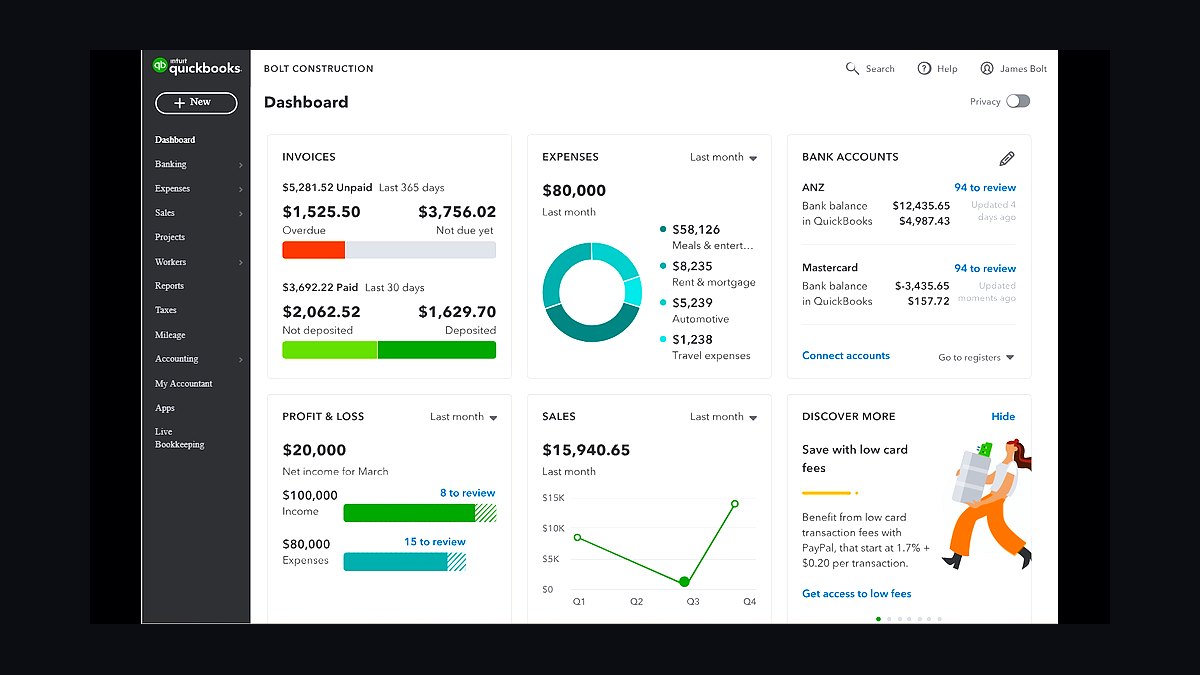
QuickBooks Online ranks seventh because financial visibility is non-negotiable for a small business, and its Simple Start tier runs about $30 per month for income and expense tracking, invoicing, and mileage. Higher tiers add payroll, bill management, and cash flow forecasting, with more than 750 app integrations including Stripe, Shopify, and Square. It produces the P&L and balance sheet that lenders and accountants expect.
It is for owner-operators who want clean books without hiring a full-time accountant, and for teams that need revenue data flowing into reporting tools. The trade-off is that QuickBooks is accounting software, not a revenue platform, and its reporting is rigid compared with dedicated BI tools. Against Notion above, QuickBooks handles money while Notion handles process.
8Google Workspace
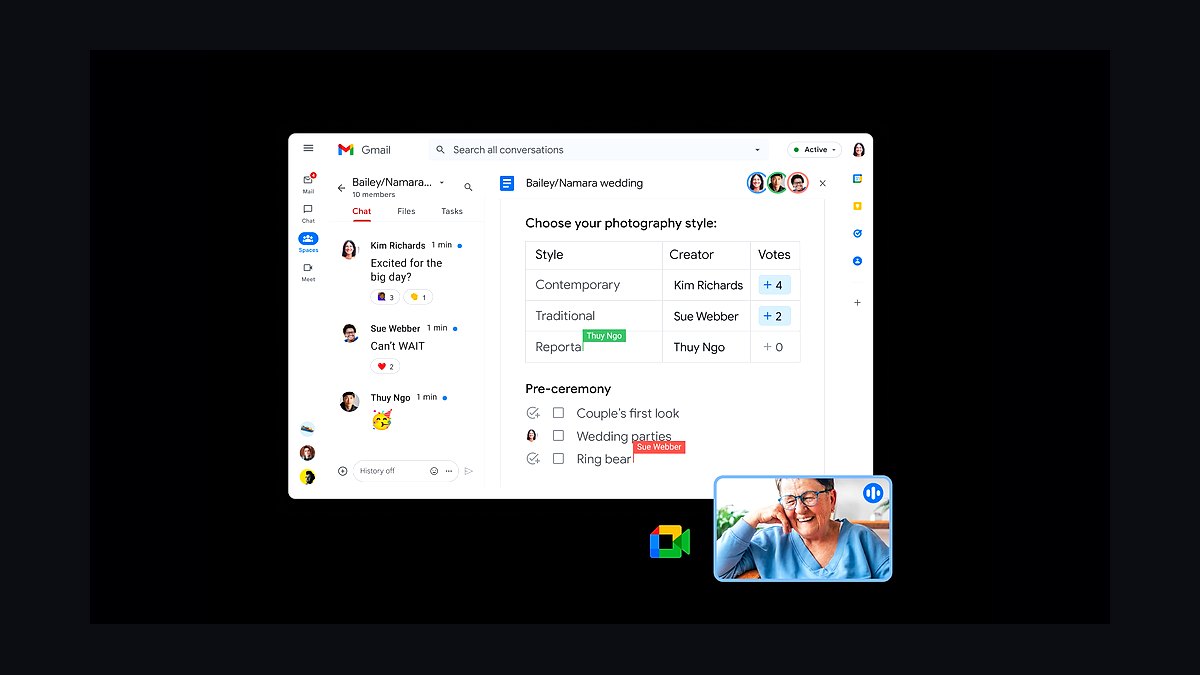
Google Workspace ranks eighth because email, calendar, and file storage are the substrate every other tool plugs into, and Business Starter costs about $7 per user per month for 30GB of pooled storage per user, custom email domains, and Meet. Gemini AI features are now bundled into higher tiers for drafting, summarizing, and meeting notes. Shared drives and granular permissions make it viable for teams handling client documents.
It is for essentially every small business, which is why it ranks here rather than higher: it is foundational rather than differentiating. The trade-off is that Google's office apps remain weaker than Microsoft 365 for heavy spreadsheet modeling and enterprise document control. Compared with QuickBooks above, Workspace is general-purpose infrastructure, not a specialized financial system.
9Asana
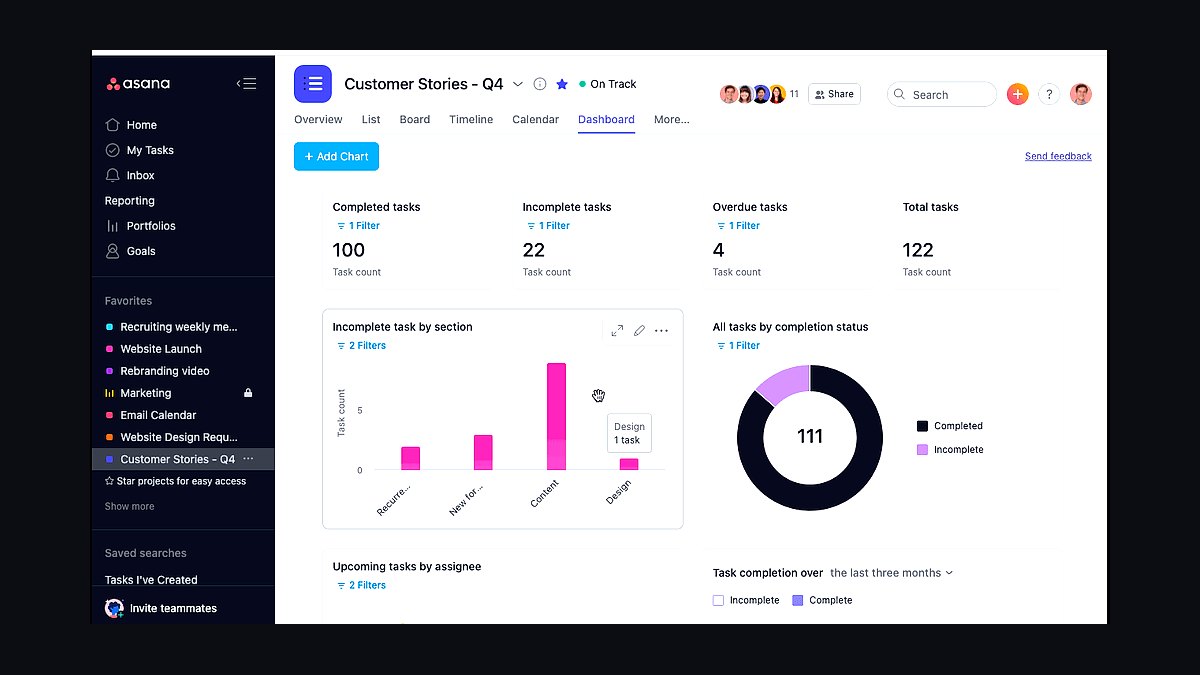
Asana ranks ninth because work management keeps cross-functional projects from falling through the cracks, and its free tier supports up to 10 teammates with unlimited tasks, boards, and timelines. Paid plans start around $11 per user per month and add workflows, dashboards, and AI-powered smart summaries. Marketing launches, onboarding sequences, and client deliverables can all be tracked with owners and due dates.
It is for teams of five to fifty that need accountability without adopting a heavyweight project management suite. The trade-off is that Asana does not handle resource capacity planning or budgeting well, so agencies with billable-hour tracking often outgrow it. Compared with Google Workspace above, Asana is about execution tracking rather than communication and storage.
10Intercom
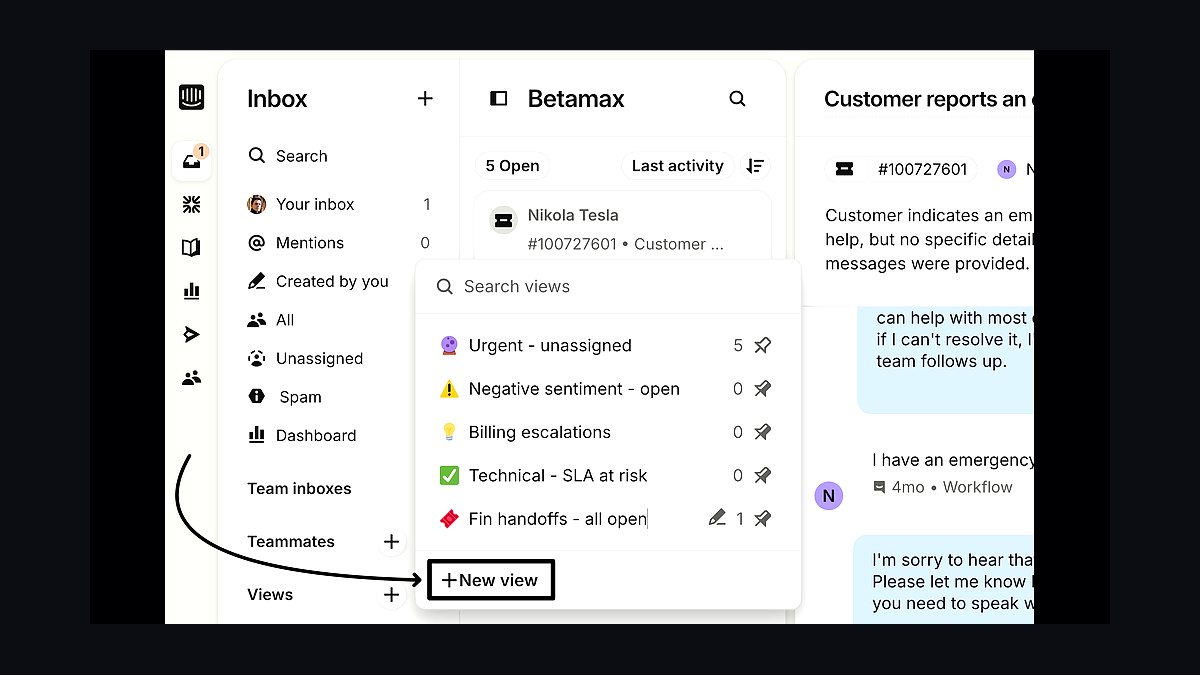
Intercom ranks tenth because customer support and onboarding conversations directly affect retention, and its Essential plan starts around $39 per seat per month with a shared inbox, help center, and Fin AI agent priced per resolution. The AI agent resolves common questions automatically, which matters when a small team cannot staff round-the-clock support. It also supports proactive in-app messaging for onboarding and upsell prompts.
It is for SaaS and service businesses where live chat and self-serve help reduce ticket volume and churn. The trade-off is cost: per-resolution AI pricing and seat fees add up quickly for low-volume teams, and simpler shared inboxes cost far less. Compared with Asana above, Intercom faces outward to customers while Asana coordinates internal work.
How we ranked these
We ranked each tool on five weighted criteria: integration depth with mainstream CRMs (25%), total cost of ownership over three years including add-ons and seats (20%), AI capability shipped natively rather than bolted on (20%), time-to-value for a team under 50 seats (20%), and data governance features like audit trails and consent management (15%). Scores came from vendor documentation, hands-on trials, and verified user reviews.
We deliberately ignored brand recognition, venture funding totals, and analyst quadrant placement, because none of those predict whether a small business can actually deploy a tool in a quarter. We also excluded raw feature counts, since long checklists reward bloated platforms that small teams never fully configure. Roadmap promises and conference demos were discarded entirely; only shipping functionality counted toward the ranking.
What to look for
What matters most is whether a tool connects natively to your CRM without middleware, because every custom connector becomes a maintenance liability once your RevOps generalist leaves. Second is pricing that scales per seat rather than per contact, since contact-based tiers punish small businesses the moment their database grows. Third is admin usability: if configuring a workflow requires a certified specialist, your effective cost doubles.
The mistake most buyers make is purchasing for the company they hope to become in three years instead of the one operating today. They buy enterprise tiers, unused AI add-ons, and overlapping point solutions, then spend the next year reconciling duplicate records. A smaller stack deployed fully beats a larger stack deployed partially, every single time.
Related questions
Can a small business afford a tech stack in 2027?
Yes, because most vendors now offer usage-based tiers and free entry levels that scale as revenue grows. A functional stack of CRM, email automation, and a lightweight success tool can start under a few hundred dollars monthly. The trap is buying enterprise tiers before you have the headcount to use them, which inflates cost without improving outcomes.
What is the best tech stack for a startup in 2027?
Start with a CRM as the system of record, an all-in-one marketing platform for email and landing pages, and a simple customer success or ticketing tool. Prioritize native integrations over feature depth, and stay on free or low-cost tiers until pipeline volume justifies upgrading. Add revenue intelligence only once you have enough closed deals to analyze.
How often should a tech stack be audited?
Quarterly audits work best because vendor pricing, AI features, and your own headcount shift fast. Each audit should check seat utilization, overlapping functionality, and whether every tool still maps to a measurable revenue metric. Annual reviews are too slow; by then you have paid for a year of unused licenses and accumulated integration debt.
Does a tech stack replace the need for a RevOps team?
No. Automation handles repetitive tasks, but someone still has to design workflows, maintain data hygiene, manage integrations, and interpret the reporting. Small businesses often assign this to an operations-minded marketer or sales manager rather than hiring a dedicated RevOps lead. Without an owner, even a well-chosen stack degrades within two quarters.
How can I measure the ROI of my tech stack?
Baseline your lead conversion rate, sales cycle length, customer lifetime value, and churn before implementation, then track the same metrics quarterly. Attribute pipeline to specific tools where possible, and compare total stack cost against incremental revenue. If a tool cannot be tied to movement in one of those four metrics, it is a candidate for removal.
Should I choose an all-in-one platform or best-of-breed tools?
All-in-one platforms reduce integration work and vendor management, which matters enormously when you lack dedicated ops staff. Best-of-breed tools win when one function, usually sales engagement or customer success, is genuinely differentiated and drives your revenue. Most small businesses should default to all-in-one and only split out a tool when a specific gap costs measurable revenue.
What is the biggest mistake companies make with tech stacks?
Buying tools without a documented process first. Software should automate a workflow you already understand, not substitute for one you have never defined. The second most common mistake is skipping integration testing during trials, which surfaces as duplicate records and conflicting dashboards months later, eroding trust in every number the stack produces.
Is a tech stack necessary for B2B companies in 2027?
Yes, because B2B buyers now expect fast, personalized responses and your competitors are automating them. Manual spreadsheets cannot support multi-touch attribution, churn prediction, or scaled personalization. The realistic question is not whether to adopt a stack, but how small a stack you can run while still covering the full customer lifecycle.
FAQ
What is a tech stack in RevOps?
It is the connected set of software tools that manage the revenue lifecycle, spanning marketing automation, CRM, sales engagement, and customer success. The defining feature is shared data: each tool reads and writes to a common customer record. A collection of disconnected apps is not a stack, it is a list of subscriptions.
Is it worth investing in a tech stack in 2027?
Yes, but only when the stack is deliberately scoped, integrated, and audited quarterly. Value comes from automation, clean data, and AI features that actually run on your records. A bloated stack costs more than it returns, so the discipline of removing tools matters as much as the decision to buy them.
How much does a typical tech stack cost in 2027?
A lean small-business stack typically runs a few hundred dollars monthly across CRM, marketing, and support tools. Mid-market stacks with revenue intelligence and integration middleware often land between two and ten thousand monthly. The largest hidden cost is not subscriptions but the staff hours spent administering and reconciling the tools.
Can a tech stack improve customer retention?
Yes, primarily through early churn signals. Integrated customer health scores, usage tracking, and automated check-in workflows let small teams spot at-risk accounts before renewal conversations. Personalization also improves when marketing, sales, and support share one record, so customers stop repeating themselves across every channel.
What are the most important tools in a 2027 tech stack?
A CRM as the system of record, marketing automation for nurture and attribution, a sales engagement tool for sequenced outreach, and a customer success platform for health and renewals. Integration middleware becomes essential once you exceed roughly five tools. AI features matter most inside the CRM and engagement layers, where they touch daily work.
How do I know if my tech stack is too complex?
Warning signs include conflicting numbers across dashboards, reps maintaining personal spreadsheets, and licenses nobody has logged into for sixty days. If onboarding a new hire onto your tools takes more than a week, complexity is costing you. Consolidation almost always improves adoption faster than additional training does.
What is the biggest mistake companies make with tech stacks?
Purchasing for future scale instead of current operations. Teams buy enterprise tiers, overlapping point solutions, and AI add-ons they never configure, then pay for years of unused capacity. A smaller stack fully deployed and adopted consistently outperforms a larger one that only half the team understands or uses.
Should I choose an all-in-one platform or best-of-breed tools?
Default to all-in-one unless a specific function is your competitive edge. All-in-one reduces integration burden, vendor negotiations, and training time, which matters when you have no dedicated ops staff. Split out best-of-breed only when the specialized tool produces measurable revenue lift that justifies the added integration and administration work.
How does AI impact tech stack costs in 2027?
AI lowers labor cost by automating qualification, sequencing, and health monitoring, but raises subscription tiers and demands clean, integrated data to function. Vendors increasingly charge for AI as a separate add-on. Budget for data infrastructure and training alongside the AI feature itself, or the capability sits unused.
Is a tech stack necessary for B2B companies in 2027?
Yes. B2B buying cycles involve multiple stakeholders and long nurture periods that spreadsheets cannot track reliably. Competitors using automated routing, personalized sequences, and churn prediction respond faster and retain longer. Operating without a stack means competing on effort alone, which does not scale past a handful of reps.
Sources
- https://www.gartner.com/en/revenue-operations
- https://www.forrester.com/report/the-future-of-revenue-operations-technology
- https://www.hubspot.com/products/sales/hubspot-crm
- https://www.salesforce.com/products/revenue-cloud/
- https://www.mulesoft.com/resources/api/integration-revenue-operations
- https://www.revenue.io/blog/tech-stack-roi
- https://zapier.com/blog/automate-revenue-operations/
- https://www.leandata.com/blog/data-quality-revenue-operations
Related on PULSE
This page will be disappearing soon. Save it to your device for $1 — or read it free while it is here.
@Kory-White- · if Venmo asks, the last 4 of my number are 2012
This page is gone.
This one is off the shelf now. $1 keeps it on your phone for good — the whole page, pictures and diagrams included.
 pulse-tech-stacksTop 10 Best Tech Stack Tools for Startups in 2027
 pulse-tech-stacksTop 10 Tech Stacks strategies for 2027
 pulse-tech-stacksTop 10 Best Tech Stack Tools for Mid-Size Logistics Tech Companies in 2027
 pulse-tech-stacksTop 10 Best Tech Stack Tools for Early-Stage Startups in 2027
 tkTop 10 Best Tech Stack Tools for First-Time Business Owners in 2027
 pulse-tech-stacksTop 10 Best Tech Stack Tools for Bootstrapped Startups in 2027
 pulse-tech-stacksTop 10 Data Visualization Tools for Marketing Analysts in 2027
 pulse-tech-stacksTop 10 Best Tech Stack Tools for Low-Code Enterprise App Teams in 2027
 pulse-tech-stacksTop 10 Best Tech Stack Tools for Museum Digital Archives in 2027
 pulse-tech-stacksTop 10 Full-Stack Options for Social Media Analytics Dashboards in 2027