


How do I set up a new cell phone after switching carriers in 2027?
Quality
Certified
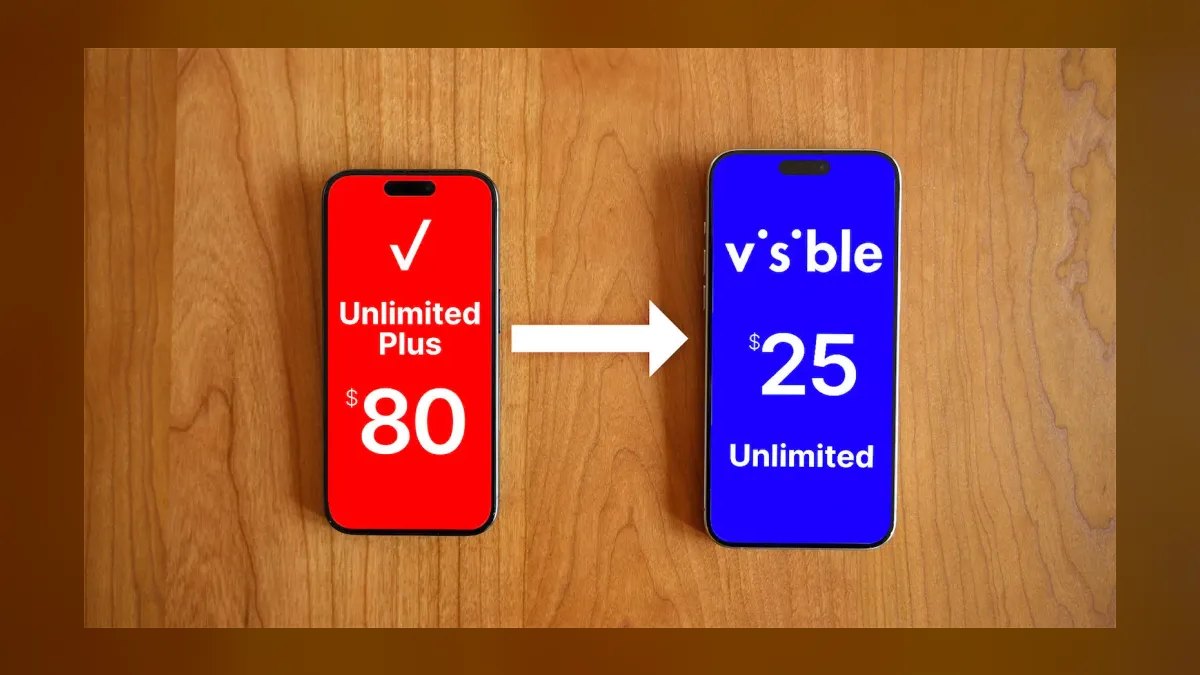
After switching carriers, back up your old phone fully, get your port-out PIN and account number from the old carrier, then insert or activate the new carrier's SIM (physical or eSIM) in your phone. Most transfers complete number porting within a few hours to one business day, after which you restore your backup, confirm calls/texts/data work, and cancel the old line so double-billing doesn't continue.
A Long Weekend With Two SIM Cards
Picture a fairly typical scenario in 2027: someone has just switched carriers after years on the same plan, usually chasing a better price or coverage in a new city. They walk out of the store, or finish an online signup, holding either a small physical SIM card or a QR code for an eSIM profile, and their existing phone is still connected to the old carrier's network. This overlap period — where the old SIM or eSIM profile is technically still active while the new one is being provisioned — is where most confusion happens. The phone itself doesn't change; what changes is which network authenticates it and which account controls the phone number.
The practical sequence starts before the carrier switch is even finalized. A person should confirm their phone is unlocked (meaning it isn't restricted to only work on the previous carrier's network), back up photos, messages, and app data to iCloud or a Google Account, and write down two pieces of information from the old carrier: the account number and the port-out authorization PIN. Carriers require both to release a phone number to a new provider, and without the PIN, the port request is often rejected or delayed by a day or more. Once the new SIM or eSIM is installed and the port request is submitted, the phone briefly loses old-network service, then reconnects on the new network once activation finishes — sometimes in under 15 minutes, sometimes overnight if the port queues outside business hours.
The reason this process still trips people up in 2027, even with eSIMs and largely automated activation flows, is that "setting up a new phone" and "switching carriers" are two overlapping but separate jobs happening at once: moving personal data from old phone to new (or keeping the same phone but changing its network identity), and moving a phone number and service plan from one carrier's systems to another's. Treating them as one step is what causes texts to stop arriving, calls to fail, or apps tied to a phone number (like two-factor authentication or ride-share accounts) to temporarily break.
How Activation Actually Works Behind the Screen
When someone switches carriers, three systems have to agree before the phone works normally again: the device itself, the new carrier's network core, and the number-porting clearinghouse that all major U.S. carriers use to hand a phone number from one company to another. The device layer is what the user directly interacts with — inserting a SIM or scanning an eSIM QR code, which loads a small profile containing an ICCID (a unique SIM identifier) and authentication keys tied to the new carrier's SIM database.

Once that profile is active, the phone attempts to register on the new carrier's radio network using its IMEI (the phone's hardware serial number). The carrier checks that IMEI against a device compatibility list — confirming the phone supports the right frequency bands and isn't reported lost, stolen, or still locked to another carrier. This is why a phone bought from a specific carrier a year or two earlier sometimes needs an explicit unlock request (usually free after a contract is paid off, per FCC rules) before a new carrier's SIM will fully activate — the network will let it attach for basic emergency service but block full data and porting until the unlock is confirmed, which itself can take a few hours up to two business days depending on the original carrier.
The number-porting piece runs in parallel through the North American Numbering Plan Administration's porting system, which every U.S. carrier is required to use. When someone requests a port, the new carrier submits the phone number, account number, and PIN from the old carrier into this shared system. If everything matches, the losing carrier has to release the number, typically within a few hours for simple mobile-to-mobile ports and legally within one business day under FCC number portability rules. The moment the port completes, the old SIM or eSIM profile stops working entirely and the number is live on the new network — which is the exact moment a phone that still has the old profile installed will show "No Service" until it re-registers with the new one.
Timelines, Costs, and Compatibility Numbers to Expect

Setting realistic expectations around timing prevents most of the frustration people report after switching carriers. A straightforward port of a single mobile number between two major U.S. carriers, submitted during business hours with the correct account number and PIN, typically finishes in 15 minutes to 2 hours. Ports submitted late at night, on weekends, or involving a landline-to-mobile number (an increasingly rare but still common request) can take the full one-business-day window that FCC portability rules allow as a maximum. If a port stalls past 24 hours, that's a signal something on the paperwork mismatched — usually a billing address or account name that doesn't exactly match what the old carrier has on file — and it needs a manual fix through customer support rather than just waiting longer.
Unlocking a phone, if required, adds its own timeline. Under FCC rules that took effect for postpaid phones, carriers generally must unlock a device within 24 hours of a valid request once contract or financing obligations are met, though prepaid unlock policies still vary — some carriers require the line to be active for a minimum period (commonly around 12 months) before unlocking. It's worth checking the phone's lock status before ever visiting a new carrier by dialing the code that reveals IMEI info directly on the device and cross-referencing it, or calling the current carrier and simply asking, since a locked phone is the single most common reason a physical SIM or eSIM from a new carrier fails to activate on the first try.

On the data-transfer side, the size of a typical phone backup drives how long setup actually takes. A moderately used smartphone with several years of photos and videos often has a backup in the 20-80 GB range, while a lightly used or newer device might be under 10 GB. Restoring over home Wi-Fi at typical broadband speeds (100-300 Mbps) usually takes anywhere from 10 minutes to just over an hour for that size range; restoring over cellular data, especially on a capped plan, is both slower and more likely to eat into a monthly data allowance, so Wi-Fi is the practical choice for the restore step.
Compatibility numbers matter too. Since roughly 2022, the large majority of new flagship and mid-range phones sold in the U.S. ship with eSIM support, and many current-generation phones sold specifically for the U.S. market are eSIM-only with no physical SIM tray at all. Network band compatibility is the other number worth checking: each major carrier relies on a mix of low-band, mid-band (including C-band around 3.7-3.98 GHz), and high-band millimeter-wave spectrum for 5G, and a phone built primarily for one carrier's band plan can lose meaningful speed — sometimes dropping from 5G to 4G LTE entirely in some areas — on a different carrier even after it "works."
eSIM vs Physical SIM vs Keeping Your Old Phone as a Backup

By 2027, most people switching carriers face a real choice between activating via eSIM or requesting a physical SIM card, and the trade-offs are concrete rather than cosmetic. An eSIM activates almost immediately after switching carriers — usually by scanning a QR code the new carrier emails or texts, or by using the carrier's app to push the profile directly to a compatible phone already signed into a matching account. There's no shipping wait, no physical card to lose, and many phones support multiple eSIM profiles at once, which is useful for anyone keeping a secondary number active during the transition. The downside is that eSIM transfers between phones (for example, moving to a new device six months later) require going through the carrier's app or support line again rather than simply popping a card into a new phone, and a small percentage of older or budget devices still don't support eSIM at all.
A physical SIM, by contrast, is the more universal option — it works in essentially every unlocked phone regardless of age, and moving it to a different phone later is as simple as removing the tray. The trade-off is the wait for shipping if it's not picked up in a retail store, typically 2-5 business days by mail, plus the small but real risk of losing or damaging a physical card. Some carriers also charge a small SIM card fee (commonly in the $5-10 range) that eSIM activation usually waives.
The third consideration — keeping the old phone as a backup during the switch — matters more than people expect. Rather than immediately wiping the old device, it's worth leaving it powered on but disconnected from cellular service (Wi-Fi only) for a week or two after switching carriers. This gives a safety net for any account, photo, or app data that didn't transfer cleanly, and lets someone confirm the new phone is fully stable — receiving verification texts, running location services, syncing accounts — before factory-resetting or trading in the old hardware. Trading in a phone the same day service is confirmed working can backfire if a 2FA app or an old text thread with an important code wasn't backed up.
Common Mistakes That Turn a 20-Minute Switch Into a Week-Long Mess

The single most common mistake is requesting a number port before confirming the new SIM or eSIM is actually installed and recognized by the phone. If the port completes on the carrier side while the phone is still trying to read a misconfigured or not-yet-installed profile, the number can go dark on both networks simultaneously — no service on the old carrier because the port already happened, and no service on the new one because the phone hasn't finished registering. The fix is sequencing: install and confirm the new SIM shows as "active" or "ready" in phone settings first, then submit or confirm the port request.
A second frequent issue is forgetting APN (Access Point Name) settings when moving a phone that was previously locked to, or purchased through, a different carrier. Most modern phones auto-configure APN settings correctly the moment a new carrier's SIM profile is detected, but occasionally — especially with SIM cards from smaller MVNO (mobile virtual network operator) carriers that lease network capacity from the major carriers — data doesn't connect even though calls and texts work fine. This shows up as full signal bars but no working internet, and it's fixed by manually entering the APN values the new carrier publishes in its support documentation, not by resetting the whole phone.

Third, people frequently skip verifying the account number and PIN before starting the switch, assuming the new carrier can "just look it up." Carriers cannot look up another carrier's account information; that PIN has to come directly from the losing carrier, either through their app, website account settings, or by calling support. Missing or mistyped PINs are the leading cause of ports that stall well past the typical few-hours window.
Fourth is neglecting to check IMEI unlock status in advance. Someone who financed a phone through their old carrier and paid it off, but never explicitly requested an unlock, may find the phone technically still locked at the network level even though the balance is zero — carriers don't always unlock automatically the moment financing ends. Requesting the unlock a few days before the planned switch avoids a same-day scramble.
Finally, many people forget to formally cancel the old line after the port completes, assuming the port itself closes the old account. Porting a number out transfers the number, but the old account can remain open and billable — sometimes downgraded to a data-only or suspended state that still carries a monthly charge — until the customer explicitly cancels it, which is worth confirming in writing or via the app rather than assuming it happens automatically.
Related questions
Do I need a new phone number when I switch carriers?

No. Number porting exists specifically so a phone number moves with you between carriers, keeping the same number as long as the port request is submitted correctly with the account number and PIN.
Will switching carriers erase my phone's data?
No, switching carriers only changes which network authenticates the phone and controls the number; it doesn't touch photos, apps, or messages, though a full backup before switching is still recommended as a safety net.
Can I use my old phone with a new carrier?
Usually yes, as long as the phone is unlocked and supports the new carrier's network bands; checking both before switching avoids activation failures.
How long does eSIM activation take after switching carriers?
Often under 15 minutes once the QR code or carrier app profile is installed, though full number porting alongside it can still take up to a business day.
What happens to my old carrier's app after I switch?
It typically stops functioning for account management once the line is fully ported out and canceled, though it may still allow login briefly to view final billing.
FAQ
Do I lose my phone number if I switch carriers? No. As long as you request a number port rather than a new number, your existing phone number transfers to the new carrier, usually within a few hours to one business day.

What do I need before switching carriers to set up my new phone smoothly? Have your old carrier's account number, port-out PIN, and confirmation the phone is unlocked, plus a recent backup of photos and app data to iCloud or Google before beginning.
Is eSIM or physical SIM better when switching carriers? eSIM activates faster and skips shipping, but a physical SIM works in any unlocked phone and is easier to move between devices later; either works fine for most people switching carriers.
Why does my phone show full signal but no internet after switching carriers? This is usually a missing or incorrect APN setting, common with smaller MVNO carriers; entering the correct APN values from the new carrier's support page typically fixes it without a factory reset.
How do I know if my phone is unlocked before switching carriers? Contact your current carrier and ask directly, or insert a SIM card from a different carrier temporarily; if it registers on the new network, the phone is unlocked.
Should I cancel my old carrier immediately after the port completes? Confirm the port fully completed and the new phone has stable service for a day or two, then formally cancel the old line in writing or via the app, since porting alone doesn't always close the old account.
Sources
- https://www.fcc.gov/wireless-number-portability
- https://www.fcc.gov/consumers/guides/basics-mobile-phone-unlocking
- https://www.gsma.com/newsroom/all-documents/esim-whitepaper/
- https://support.apple.com/en-us/HT211527
- https://support.google.com/android/answer/9448833
- https://www.ctia.org/news/what-to-know-about-esim
- https://www.verizon.com/support/esim-faqs/
- https://www.t-mobile.com/support/plans-features/esim
- https://www.att.com/support/article/wireless/KM1225110/
Related on PULSE
- How do I unlock my phone from my old carrier before switching?
- What's the difference between eSIM and a physical SIM card?
- How long does it take to port a phone number in 2027?
- What should I back up before getting a new phone?
- Why does my new phone have no data even though calls and texts work?
- How do I check if my phone is compatible with a different carrier's network?
This page will be disappearing soon. Save it to your device for $1 — or read it free while it is here.
@Kory-White- · if Venmo asks, the last 4 of my number are 2012
This page is gone.
This one is off the shelf now. $1 keeps it on your phone for good — the whole page, pictures and diagrams included.
 telcoBest Cellular and Wireless Carrier in Greensboro in 2027
 telcoWhat is the best plan for a frequent international traveler in 2027?
 telcoBest Cellular and Wireless Carrier in Hartford in 2027
 telcoBest Cell Phone Plans for Light Users in 2027
 telcoBest Cellular and Wireless Carrier in Dayton in 2027
 telcoBest Cellular and Wireless Carrier in Washington in 2027
 telcoBest Cellular and Wireless Carrier in Seattle in 2027
 telcoBest Cheap Cell Phone Plans in 2027
 telcoBest Cellular and Wireless Carrier in Charleston in 2027
 telcoBest Cellular and Wireless Carrier in Virginia Beach in 2027