


How do I transfer everything from my old phone to a new one in 2027?
Quality
Certified
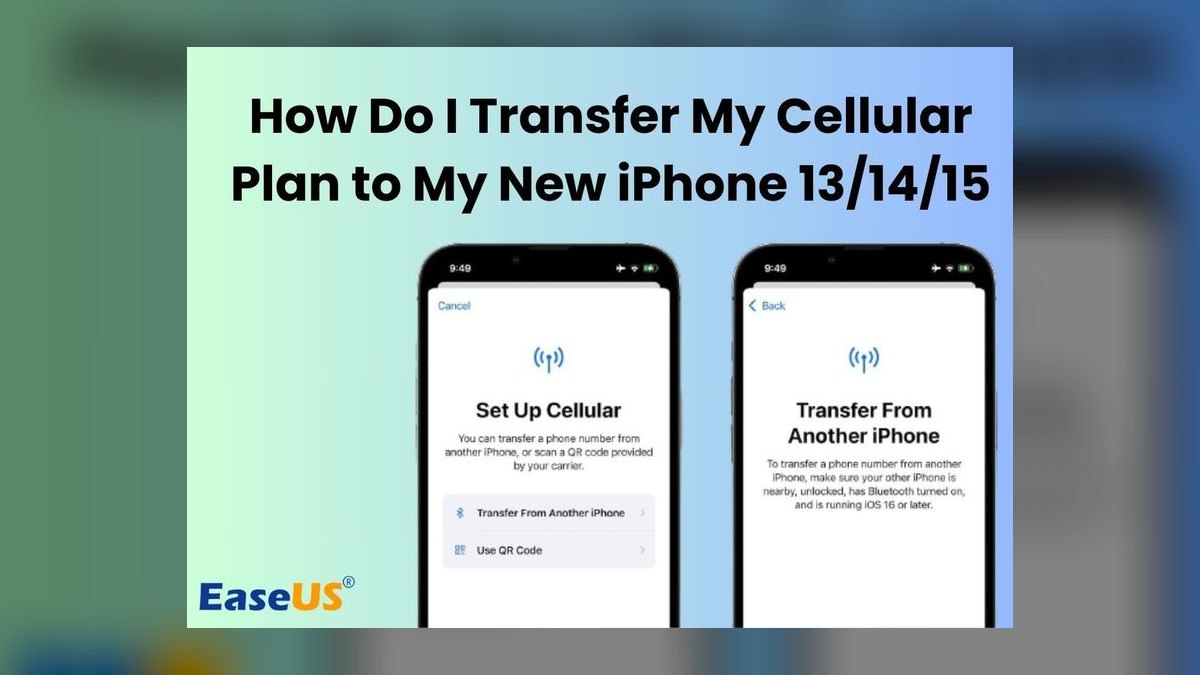
Transferring everything from an old phone to a new one in 2027 means matching the right migration method to your platform and data volume. Use the manufacturer's built-in tool for same-OS moves, a cable or cloud path for cross-platform jumps, and verify that messages, photos, authenticator apps, and banking tokens all survived before wiping the old device.
What it is and why it matters
Phone-to-phone migration is the process of moving your entire digital life — contacts, photos, videos, messages, call history, app data, Wi-Fi passwords, saved passwords, two-factor tokens, eSIM profiles, and device settings — from an old handset to a new one. In 2027 this is no longer a niche chore. The average flagship ships with 256 GB to 1 TB of storage, and a typical heavy user carries 80 GB to 400 GB of personal data, so "just re-download the apps" no longer covers it. Photos alone often exceed 100 GB, and chat backups from WhatsApp, Signal, or WeChat can run 20 GB to 60 GB on their own.
Why it matters more now than five years ago: authentication has moved onto the phone. Your banking app, your work SSO, your password manager, and your authenticator all live on the device. If you transfer the photos but lose the authenticator seed, you can be locked out of dozens of accounts for days. If you transfer the authenticator but not the eSIM, you have no number to receive recovery codes. Migration is therefore a security event, not just a convenience.
There are three broad families of method, and picking the wrong one is the single biggest source of pain:
- Direct device-to-device (D2D): a cable, a Wi-Fi Direct link, or a QR-code pairing moves data locally. Fastest for large volumes; typically 30 minutes to 3 hours for 200 GB.
- Cloud restore: the old phone uploads a backup, the new phone downloads it. Convenient and works across time zones, but bounded by your upload speed and your cloud storage tier.
- App-by-app manual: you reinstall each app and sign in. Slowest, but the only reliable path for some cross-platform cases and the safest for apps with device-bound credentials.
The practical answer in 2027 is almost always a hybrid: use the built-in tool for the bulk, then manually re-authenticate the handful of apps that refuse to migrate. Knowing which apps those are before you start is what separates a 45-minute setup from a three-day ordeal.
One more reason this deserves real attention: the old phone is a liability the moment the new one is live. A device that still holds your photos, your session tokens, and your SIM is a breach waiting to happen. A complete transfer includes a complete wipe, and the wipe should happen only after you have verified the new device actually works.
The step-by-step process
The sequence below is platform-agnostic. It works whether you are going iPhone to iPhone, Android to Android, iPhone to Android, or Android to iPhone. The specifics differ; the order does not.
Step 1 — Inventory the old phone (15 minutes). Before touching the new device, walk through the old one and list what actually needs to move. Open Settings and check storage usage by category. Then check these specific buckets, because they are the ones people forget:

- Photos and videos, including "Recently Deleted" and any hidden or locked albums.
- Messages, including attachments and any disappearing-message apps.
- Contacts, and whether they live in the device, a Google account, an iCloud account, or an Exchange account.
- Calendars and reminders.
- Notes, including locked notes.
- Authenticator apps and their backup/export status.
- Password manager vault and whether it syncs independently.
- Banking, payment, and transit apps with device-bound tokens.
- eSIM or physical SIM status.
- Work profiles, MDM enrollment, and corporate certificates.
- Voicemail, call history, and blocked-number lists.
- Downloaded offline media in streaming apps (usually not worth migrating).
- Two-factor SMS numbers tied to the old SIM.
Step 2 — Back up the old phone (20 minutes to overnight). Do this even if you plan a direct cable transfer. A backup is your rollback. On iPhone, an encrypted local backup to a computer preserves Health data, saved passwords, and Wi-Fi settings that an unencrypted backup omits. On Android, a Google One backup covers most app data, but check that each critical app has its own cloud sync enabled — many do not.
Step 3 — Prepare the new phone. Charge both devices above 50 percent. Put both on the same Wi-Fi network if the method uses Wi-Fi. Update the new phone to the latest OS before restoring, not after. Have your Apple ID or Google account password ready, plus the password for your password manager.
Step 4 — Run the transfer. This is where the method branches. The diagram below maps the decision.
Step 5 — Verify before you trust. Do not skip this. Open the new phone and check, in this order: photos count versus old phone, messages thread count, contacts count, authenticator codes generating, eSIM active with a test call, banking app logged in, password manager synced, work email and calendar syncing. A five-minute checklist here prevents a week of discovery-by-surprise.
Step 6 — Re-authenticate what did not move. Expect 5 to 15 apps to require a fresh login. Common offenders are banking apps, government ID apps, corporate VPN clients, and any app that binds a license to a device ID. Budget 30 to 60 minutes for this.
Step 7 — Decommission the old phone. Sign out of Apple ID or Google account, disable Find My or Find My Device, remove the device from your MDM if it was enrolled, transfer or erase the eSIM, then factory reset. If you are trading it in, the reset is mandatory; if you are keeping it as a backup, at minimum remove all accounts and set a new passcode.
Step 8 — Confirm the old device is truly clean. After the reset, the phone should boot to the initial setup screen. If it boots to a home screen, the reset did not complete, and your data is still on it.
Two timing notes. First, the transfer itself is often the shortest part; verification and re-authentication take longer. Second, if you are migrating more than 200 GB, start in the evening and let it run overnight — thermal throttling on both phones will slow a large Wi-Fi transfer dramatically if they are in a warm room.
Costs, timelines, and typical ranges
Migration is mostly free, but the exceptions are where people get surprised. Here are realistic 2027 ranges.
Time. A same-OS direct transfer of 50 GB takes roughly 20 to 40 minutes. At 200 GB, expect 1 to 2 hours over a cable and 2 to 4 hours over Wi-Fi. At 500 GB or more, plan 4 to 8 hours, and consider whether you actually need the offline video files. Cross-platform transfers are slower because they convert formats: 100 GB from Android to iPhone commonly takes 1.5 to 3 hours.
Cloud storage. Most people need more than the free tier. Google's free 15 GB is shared across Gmail, Drive, and Photos, so a photo library alone blows past it. Apple's free 5 GB is even tighter. Paid tiers in the 200 GB to 2 TB range typically run a few dollars to roughly ten dollars per month, depending on provider and region. If your photo library is 150 GB, you will need a paid tier or a cable.
Cables and adapters. A direct cable transfer needs the right connector. USB-C to USB-C is now the default on most Android phones and on iPhone models from recent generations. Lightning to USB-C adapters are still needed for older iPhones. Expect to pay somewhere between ten and forty dollars for a quality cable or adapter. Cheap charge-only cables will not carry data — check that the cable is rated for data transfer, not just power.
Trade-in and residual value. A two-year-old flagship in good condition often retains 30 to 50 percent of its launch price as trade-in credit. A cracked screen can cut that by half. This is not a migration cost, but it is the reason the wipe step matters: a phone that still has your accounts on it cannot be safely traded in.

Repair and unlock costs. If the old phone's screen is dead, a direct transfer is impossible without a repair. A screen replacement on a mid-range phone commonly runs 80 to 200 dollars, which may or may not be worth it versus a cloud restore. If the old phone is carrier-locked, an unlock may be free after the contract term or may carry a fee.
Data overage. If you transfer over cellular instead of Wi-Fi, a 100 GB move will blow through most plans. Always use Wi-Fi or a cable.
The hidden cost: downtime. If your phone is also your authenticator and your work SSO device, every hour of migration is an hour you cannot approve logins. Practitioners should plan migrations for a low-stakes window, or set up a backup authenticator method before starting.
Realistic total. For a typical user with 150 GB of data moving same-OS: 1 to 2 hours of transfer, 45 minutes of verification and re-auth, zero to ten dollars in one-time costs if you already have a cable and a cloud tier. For a cross-platform user with 300 GB and a dozen device-bound apps: 4 to 6 hours spread over an evening and a morning, plus a month of a higher cloud tier.
Where teams get it wrong
Even solo users make the same mistakes IT teams make at scale. These are the recurring failure modes.
Treating the transfer as the finish line. The transfer completing is not the same as the data being usable. The most common complaint after a migration is not "it failed" but "my messages are there but the photos inside them are missing," or "my notes synced but the locked ones did not." Verification is the actual work.

Forgetting the authenticator. This is the single most damaging omission. If your authenticator app does not support cloud backup or export, and you wipe the old phone, you lose every TOTP seed on it. Recovery means contacting each service's support team individually, which can take days to weeks. Before wiping, confirm your authenticator either syncs to a cloud account or that you have exported and stored the seeds somewhere safe.
Assuming the SIM moves itself. Physical SIM cards need to be physically moved. eSIMs need to be transferred through the carrier, and many carriers require you to initiate the transfer from the new device or through their app. If you wipe the old phone before transferring the eSIM, you may need a carrier visit or a support call to reactivate.
Ignoring work profiles. If the old phone was enrolled in a corporate MDM, the work profile may not migrate at all, and it may not be allowed to. Check with IT before you start, and make sure the old device is properly unenrolled so it does not remain a managed device holding corporate data.
Migrating junk. People transfer 400 GB including 80 GB of offline video they will never watch. Pruning before the transfer — deleting duplicate photos, old downloads, and dead apps — can cut migration time in half and reduce the cloud tier you need.
Skipping the encrypted backup. On iPhone, an unencrypted backup omits saved passwords, Health data, and Wi-Fi passwords. On Android, some apps only back up if you explicitly enable it. A backup that silently omits the important parts is worse than no backup, because it creates false confidence.
Wiping too early. The old phone is your rollback. Keep it functional and offline-but-charged for at least a week after the new phone is live. Only wipe once you are certain nothing is missing.

Buying the wrong cable. Charge-only USB cables are extremely common and will not carry data. If your transfer tool says "no device found" or stalls at zero percent, the cable is the first suspect.
Overlooking region and account locks. Some apps and services are region-locked, and some accounts have device limits. Moving to a new phone can trigger a security review on a banking or government app, which can take days. Start those re-authentications early.
Not testing the new phone's core functions. Make a call, send a text, take a photo, check that notifications arrive, and confirm that your alarm works. A phone that restored perfectly but cannot receive calls is not migrated.
Decision framework: when to choose what
The right method depends on four variables: operating system match, data volume, how many device-bound apps you have, and how much downtime you can tolerate. The diagram below walks the decision.
Read the framework as a set of rules:

- Same OS, small data, few device-bound apps: wireless direct transfer during setup. Fastest path, lowest effort.
- Same OS, large data: cable-based transfer. Wi-Fi will throttle and stall on very large libraries.
- Cross-platform, small data: cloud restore. Format conversion over a cable for small volumes is not worth the friction.
- Cross-platform, large data: cable or adapter tool. Accept that some app data will not move and plan for manual re-setup.
- Many device-bound apps: split the migration into two phases. Move the data first, then re-authenticate apps over 24 to 48 hours so you are not locked out of everything at once.
- Zero tolerance for downtime: keep the old phone fully functional on Wi-Fi (SIM moved to the new phone) until the new phone is verified. This costs you nothing and eliminates the worst-case scenario.
A note on cloud versus cable: cloud is more forgiving if something goes wrong mid-transfer, because the backup persists. Cable is faster and does not consume your upload bandwidth or cloud quota. If you have a fast fiber connection and a paid cloud tier, cloud is often the simpler choice. If you have a slow connection or a huge library, cable wins.
Finally, consider the two-phone overlap period. Running both phones for a week — old phone on Wi-Fi only, new phone with the SIM — lets you catch anything that did not migrate while the source is still intact. It is the single highest-value habit in this entire process.
Related questions
How long does a phone-to-phone transfer usually take?
Same-OS transfers run 20 minutes for 50 GB up to 4 hours for 300 GB, depending on cable versus Wi-Fi. Cross-platform moves add 50 to 100 percent because files convert formats. Always budget extra time for verification and app re-authentication afterward.
Can I transfer everything without Wi-Fi?
Yes, if you use a cable. Direct cable transfers move data locally with no network involved. Cloud restores require Wi-Fi or cellular, and cellular will consume enormous data. Wi-Fi is strongly preferred for any wireless method.
What never transfers between platforms?

Most app data, saved passwords inside apps, authenticator seeds, some message history, and device-bound banking tokens typically do not move cross-platform. Photos, contacts, calendars, and files usually do. Plan to re-authenticate roughly 5 to 15 apps manually.
Do I need to keep my old phone after transferring?
Keep it functional for at least a week as a rollback. After you have confirmed the new phone works and nothing is missing, sign out of all accounts, transfer or erase the eSIM, and factory reset before trade-in or storage.
Is it safe to transfer banking apps this way?
The data moves, but the login usually does not. Expect to re-authenticate with your bank, sometimes with a call or a code sent to the old device. Do this before wiping the old phone, since the old device may be your second factor.
FAQ
Does transferring everything from my old phone to a new one delete anything from the old phone? No. A transfer copies data; it does not remove it from the source. The old phone keeps everything until you deliberately factory reset it. That is why the old device remains your rollback option for as long as you keep it powered on and signed in.
Can I transfer my eSIM along with my data? Not automatically in most cases. eSIM transfer is handled by your carrier, often through the new phone's setup flow or the carrier's app. Some carriers support direct eSIM-to-eSIM transfer; others require a new activation. Do this before wiping the old phone, because you may need it to receive a verification code.

Why did my photos transfer but my messages did not? Messages are stored differently by platform and app. SMS and iMessage history migrate well within the same ecosystem but often not across platforms. Third-party chat apps like WhatsApp, Signal, and WeChat each have their own backup and restore mechanism that must be enabled separately before the transfer.
How do I move my authenticator app safely? Check whether it supports cloud sync or an export function. If it does, enable it and confirm the codes appear on the new phone before wiping the old one. If it does not, you must either keep the old device until you have re-enrolled every account or manually re-register each service on the new phone.
What should I do if the transfer stalls partway through? Pause, check the cable first — charge-only cables are the most common cause. Then confirm both phones are above 30 percent battery and not thermally throttled. Restart the transfer rather than resuming, and if it fails twice, fall back to a cloud backup and restore.
Is a factory reset enough to make my old phone safe to sell? A factory reset plus signing out of your Apple ID or Google account, plus disabling Find My or Find My Device, is the standard. Confirm the phone boots to the initial setup screen afterward. If it boots to a home screen, the reset did not complete and your data is still present.
Sources
- Apple Support — Transfer data from your previous iOS device to your new iPhone or iPad: https://support.apple.com/en-us/HT201269
- Apple Support — Use Quick Start to transfer data to a new iPhone or iPad: https://support.apple.com/en-us/HT210216
- Google Support — Back up or restore data on your Android device: https://support.google.com/android/answer/2819582
- Google Support — Move data from an old Android device to a new one: https://support.google.com/android/answer/9075926
- Samsung Support — Smart Switch: https://www.samsung.com/us/support/answer/ANS00049000/
- Android Developers — Auto Backup for Apps: https://developer.android.com/guide/topics/data/autobackup
- Federal Trade Commission — Disposing of Your Mobile Device: https://consumer.ftc.gov/articles/disposing-your-mobile-device
- CISA — Cybersecurity Tips for Mobile Device Security: https://www.cisa.gov/news-events/news/mobile-device-security
- NIST — Mobile Device Security guidance: https://www.nist.gov/itl/applied-cybersecurity
Related on PULSE
- How to securely wipe and trade in your old phone
- Setting up two-factor authentication on a new device without getting locked out
- eSIM versus physical SIM: what changes when you switch phones
- Cloud backup tiers compared: how much storage you actually need
- Cross-platform migration: moving from Android to iPhone and back
- What to do when your authenticator app is stuck on a dead phone
This page will be disappearing soon. Save it to your device for $1 — or read it free while it is here.
@Kory-White- · if Venmo asks, the last 4 of my number are 2012
This page is gone.
This one is off the shelf now. $1 keeps it on your phone for good — the whole page, pictures and diagrams included.
 telcoBest Cellular and Wireless Carrier in Illinois in 2027
 telcoBest Cellular and Wireless Carrier in Raleigh in 2027
 telcoBest Cellular and Wireless Carrier in Baton Rouge in 2027
 telcoDo I need a separate plan line for a smartwatch in 2027?
 telcoBest Cellular and Wireless Carrier in Columbus in 2027
 telcoWhat is Wi-Fi calling and should I turn it on in 2027?
 telcoBest Cellular and Wireless Carrier in Denver in 2027
 telcoBest Cellular and Wireless Carrier in Des Moines in 2027
 telcoBest Cellular and Wireless Carrier in South Dakota in 2027
 telcoBest Cellular and Wireless Carrier in Greensboro in 2027