


How Many Salespeople Should I Schedule Each Day at My Sporting Goods Store in 2027?
Quality
Certified

Divide each day's average gross profit by a per-salesperson daily gross-profit target. If an average salesperson should produce $280 a day and a typical Wednesday generates $1,120 in gross profit, you schedule four. A $2,800 Saturday needs ten. Run that division for every weekday, then place shifts where receipts actually ring.
The end-to-end process from receipts to published schedule
The mistake most sporting goods owners make is scheduling from memory. "We always run five on Saturday." Five was right in 2019 when the store did different volume with a different mix, and it has been carried forward ever since like an heirloom nobody questions. The gross-profit division method replaces that habit with arithmetic that anyone on your team can check.
Start by exporting gross profit — not revenue — by transaction date from your POS for a trailing three to six months. Revenue lies in a sporting goods store because your margin structure varies wildly by category. A $180 pair of running shoes at 42 percent margin contributes $75. A $180 bike tune-up package at 85 percent labor margin contributes $153. Two identical-looking revenue days can differ by 40 percent in what actually pays your rent. Schedule against revenue and you overstaff hardgoods-heavy days and understaff service-heavy ones.
With gross profit exported, bucket every transaction by day of week and average across the period. You now have seven numbers: the average gross profit a Monday produces, a Tuesday, and so on. Strip out the obvious statistical noise first — a day the store closed for inventory, the day the power went out, the freak Black Friday if you are averaging across it. Those single days can drag a weekday average up or down by 15 percent and quietly corrupt the schedule for months.
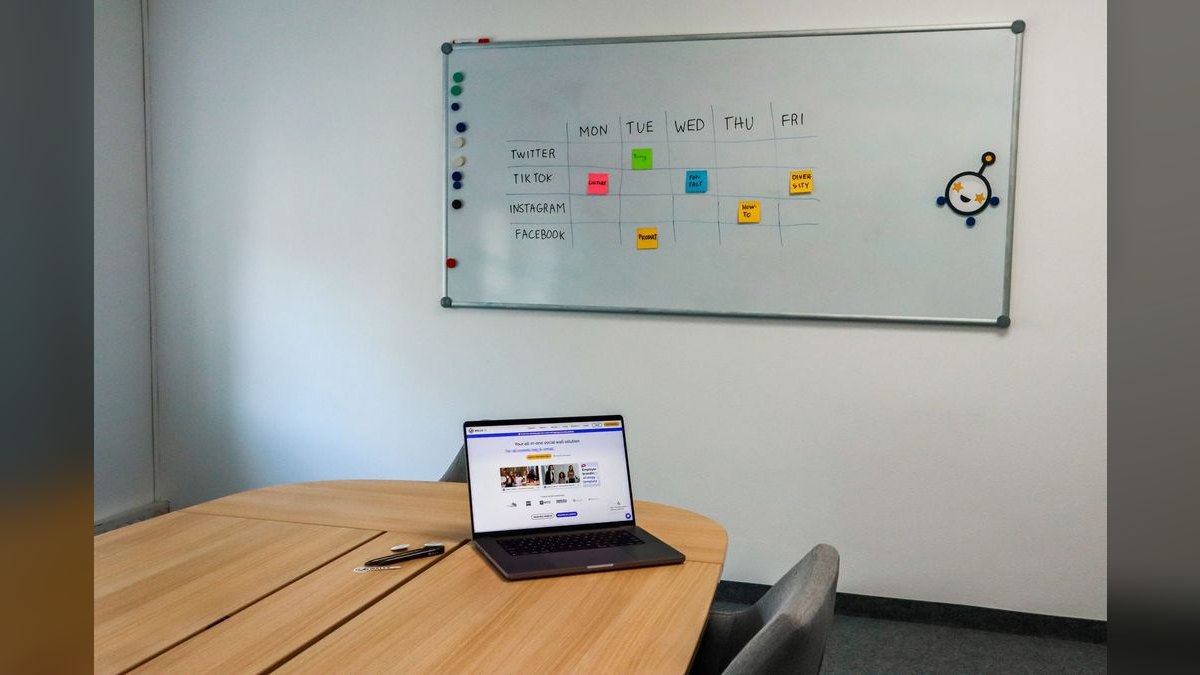
The second input is the per-salesperson target. This is a leadership decision, not a formula output, and it needs to be said out loud in front of the team so nobody thinks it was invented to punish them. The framing matters: "In our store, if you show up, fit an average number of customers, ring an average number of sales, and attach the socks, the wax, or the warranty, you produce no less than $280 a day in gross profit." That is the floor for average work, not a stretch goal. The people who want spiffs and promotion do not coast to $280 and lean on the counter — they hit $280 doing normal work by 3 p.m. and then attach accessories and step customers up to the better shoe for the next $280.
Now divide. Each day's average gross profit, divided by the target, is the headcount for that day. Wednesday at $1,120 over $280 is four people. Saturday at $2,800 over $280 is ten. Sunday at $1,680 is six. The schedule writes itself, and it writes itself without favoritism — no manager quietly parking their friends on the easy shifts, no legacy five-on-Saturday, no argument that survives the arithmetic.
The third step is placement, and it is where most operators stop too early. The division tells you how many; hourly receipt timing tells you when. Pull hourly sales for the same trailing period and find the actual demand curve. A sporting goods store almost never rings evenly across open hours. Weekend midday — roughly 11 a.m. to 3 p.m. — routinely carries a third to a half of a Saturday's gross profit. Weeknights between 5 and 8 p.m. catch the after-work and after-practice crowd, parents buying cleats the night before a game. Mornings on a weekday are frequently dead retail hours that exist mostly for freight, resets, and phone orders.
So you build the day in layers. A light open — one or two people to receive freight, reset the walls, and cover the trickle. Your strongest closers stacked into the midday and evening peaks. A tapered close so you are not paying four people to fold shirts at 8:40 p.m. Ten Saturday salespeople does not mean ten people from open to close. It means ten shift-bodies distributed so seven of them overlap during the four hours that produce most of the day's money.

That final loop back matters. The method is not a one-time calculation, it is a control system. Every four to six weeks you recompute with fresh trailing data, and seasonally you recompute hard — the week ski gives way to baseball, or when back-to-school cleats land, your day-of-week curve reshapes entirely.
Where this creates or leaks revenue
The financial argument for scheduling this way is not primarily about cutting labor. It is about the two-sided cost of getting the number wrong, and the two sides are not symmetrical.
Overstaffing leaks money in a way that is easy to see and easy to fix. If you run four people on a Wednesday that only supports three, you burn roughly one full shift of wages plus payroll taxes plus whatever spiff structure you run. At a $17 loaded hourly rate over an eight-hour shift, that is about $136 a day. Do it every Wednesday and Thursday and you have quietly signed up for roughly $14,000 a year in labor that produced nothing. Worse, it corrodes the culture — salespeople who spend shifts with nothing to do learn that standing around is normal, and that habit does not switch off when Saturday arrives.

Understaffing leaks money invisibly, which is why it is more dangerous. A customer who cannot get a shoe fitted during the Saturday midday rush does not file a complaint. They walk, and they either buy online that evening or buy from the competitor across town. You never see the transaction that did not happen, so it never shows up in a report you review. In a fitting-intensive category — running shoes, ski boots, baseball gloves, bike fit — the cost of understaffing compounds because those sales are the highest-margin, highest-attach transactions in the store. Lose a boot fitting and you lose the sock, the footbed, the warranty, and the customer who would have come back for the next pair.
The attach rate is where the gross-profit target quietly does its most important work. A salesperson who is not slammed has the bandwidth to ask about socks, wax, grip tape, a warranty, a second pair. A salesperson triaging four customers at once rings the shoe and moves on. Accessories and services carry your best margins — often 55 to 70 percent versus 35 to 45 percent on hardgoods — so an understaffed peak does not just cost you the walked customers, it deflates the margin on the sales you did make. That is why the target is stated in gross profit rather than revenue: it rewards exactly the behavior that protects your margin mix.
There is an adjacent RevOps lesson here that applies well beyond retail. Anyone who has staffed a B2B sales floor or an SDR team runs the identical calculation with different labels: capacity per rep, demand by time period, coverage against the demand curve. A field sales manager sizing territories divides pipeline by quota-carrying capacity. A support leader staffing a queue divides forecast ticket volume by handle rate. Same arithmetic, same failure mode when it is skipped — headcount set by precedent instead of by the number the business actually generates. The sporting goods floor is just the version where you can watch the failure happen in real time, because the understaffed customer is standing right in front of you looking for someone to grab a size 11.
Where the method also pays off is in negotiation and defense. When a strong salesperson asks why they got cut from a Tuesday, you have an answer that is not about them. When a district manager or a partner asks why labor was up in October, you can show the day-level math and the seasonal recalculation that drove it. Scheduling by feel gives you no defensible story; scheduling by division gives you one that survives scrutiny.
Concrete numbers and benchmarks to anchor your targets

The $280 figure is illustrative, not universal. Your target has to come out of your own store's economics, and the honest way to derive it is backward from what a salesperson costs and what the store needs to clear.
Start with loaded labor cost. Take an hourly rate — say $16 — and add payroll taxes, workers' comp, and any benefits, which typically lands you 15 to 25 percent above base. Call it $19 loaded. An eight-hour shift costs roughly $152. If you want salesperson gross profit to run at a healthy multiple of their direct labor cost, a common operating target in specialty retail is somewhere between 2x and 3x. At 2x, your floor is about $305 a day. At a leaner $14 base in a lower-cost market, the same 2x math points to roughly $265. That is how you land in the $250 to $350 band rather than picking a round number.
The second sanity check is store-level. If your store needs to produce, say, $42,000 in monthly gross profit to cover rent, utilities, insurance, management salary, and owner draw, and you run roughly 26 selling days, that is about $1,615 a day on average. Sum the headcounts your division produces across a week and multiply by the target — the two numbers should reconcile within a reasonable margin. If they do not, either your target is wrong or your store has a structural gap that no schedule will fix.
Typical shape for a single-location specialty sporting goods store, using $280 as the target:
- Monday: $840 in average gross profit → 3 salespeople
- Tuesday: $840 → 3
- Wednesday: $1,120 → 4
- Thursday: $1,120 → 4
- Friday: $1,680 → 6
- Saturday: $2,800 → 10
- Sunday: $1,680 → 6
That totals 36 shift-days a week. If your average part-timer works three shifts and your full-timers work five, that roster is roughly four full-timers plus five or six part-timers, which is a real, hireable team rather than an abstraction. This is the point where the math becomes a hiring plan, not just a schedule.

On the hourly placement side, useful reference points: weekend midday commonly carries 35 to 50 percent of that day's gross profit in a four-hour window; weeknight 5–8 p.m. often carries 40 to 55 percent of a weekday's; and the first hour after open on a weekday frequently produces under 5 percent. Measure yours rather than assuming these, but the shape is consistent enough across specialty retail that if your numbers look radically different, check your data before you trust it.
Seasonality changes everything, and in sporting goods it changes it violently. A ski shop's December Saturday and its June Saturday are not the same business. Recompute the day-of-week table for each distinct season using data from the equivalent period last year blended with the most recent trailing weeks. If back-to-school triples your Thursday gross profit for five weeks, your Thursday headcount triples for five weeks and then comes back down. Building that expectation into how you hire — a seasonal bench you re-activate rather than a panicked scramble every August — is what separates operators who ride the season from operators who get flattened by it.
Two guardrails worth hard-coding regardless of what division says. First, a floor of two people on the floor whenever the store is open, for coverage during breaks, bathroom runs, and basic loss prevention. If the math says one, you still schedule two. Second, a ceiling based on physical floor capacity — there is a headcount past which salespeople start tripping over each other and stealing each other's customers, and in most single-location stores that is somewhere around one person per 800 to 1,200 square feet of active selling floor. If Saturday's division says fourteen and your floor comfortably holds nine, the answer is not fourteen bodies; it is a look at whether your peak needs a different structure — a dedicated fitting bench, a second register, an appointment system.
Pitfalls and how to avoid them

Using revenue instead of gross profit. Already covered, but it is the single most common failure and it is worth restating: revenue-driven schedules systematically misallocate labor in any store with a mixed margin structure. Export gross profit even if it takes an extra step in your POS.
Averaging across a season boundary. A six-month trailing window that straddles your peak produces a blended average that is wrong for both halves — overstaffed in the trough, understaffed in the peak. If your business has hard seasonal turns, use a shorter window, or compute separate tables per season and switch between them on the calendar.
Treating the target as a quota with teeth on day one. Publish the number as a shared yardstick before you attach any consequences to it. Give the team a full cycle to see their own numbers, understand how gross profit is calculated on their transactions, and ask questions. A target introduced as a threat produces gaming — cherry-picking customers, ducking returns and service work, refusing to help on the floor when it does not credit to them. A target introduced as a shared measurement produces the behavior you actually want.
Ignoring non-selling work. Freight, resets, cycle counts, web order fulfillment, and repair-shop labor all consume hours that produce little or no direct gross profit. If those hours are inside your selling schedule, your effective per-person selling capacity is lower than the target assumes. Either carve them into separate non-selling shifts — a truck-day morning crew that is not counted against the selling headcount — or lower your target to reflect the reality. Do not pretend an eight-hour shift with three hours of freight is an eight-hour selling shift.

Scheduling headcount without scheduling skill. Ten salespeople on Saturday means nothing if the four strongest are all on Sunday. The division gives you a count; you still have to distribute experience across peaks. A useful practice is to score each salesperson on trailing gross profit per hour and make sure every peak window has at least one person from the top tier. A green hire scheduled into the Saturday midday rush without a strong partner is a leak, not coverage.
Forgetting overtime and break compliance. Stacking peaks can quietly push a full-timer past 40 hours, and in states with meal and rest break rules, a packed Saturday is exactly when breaks get skipped. Most scheduling tools flag both; whatever you use, check the projected weekly hours before you publish, not after payroll runs.
Never recomputing. The table goes stale. Set a recurring reminder — first Monday of every other month, plus a hard recompute at every seasonal turn — and treat it as a standing operating rhythm rather than something you do when labor cost surprises you.
Publishing late. The best math in the world does not help if the schedule drops Friday for a week that starts Sunday. Part-time retail staff juggle classes, practices, and second jobs; a schedule published two weeks out gets covered, and one published two days out gets called off. Some jurisdictions also have predictive-scheduling ordinances with real penalties for late changes — worth checking whether yours does.
Selection checklist for the tool that runs it
Once the method is settled, the tooling question is narrow: what actually publishes and enforces the schedule. Almost every tool in this category handles the logistics — availability, swaps, mobile clock-in, reminders. The dividing line is whether the tool also forecasts against sales data or expects you to bring the headcount number yourself.
Tools that expect you to bring the number are cheaper and simpler: they take your seven daily counts and turn them into a published grid on everybody's phone. That is genuinely most of the value, because the arithmetic is not hard — it is the distribution, the swap handling, and the reminders that eat a manager's week. If you have done the division and you trust it, a straightforward scheduler is enough.

Tools that connect to your POS and forecast demand are the closest off-the-shelf cousin to the method described here. They will project sales for an upcoming Saturday and suggest coverage, and they will alert you when a packed day is running labor over budget in real time. That is worth paying for if your volume swings hard by season and you want a system watching the ramp instead of a manager remembering to check. It is not worth paying for if you have one location and a stable curve you already understand.
Pricing structure matters more than headline price for a store with a long part-time roster. Per-user pricing punishes exactly the staffing model a sporting goods store runs — many part-timers, seasonal spikes. Per-location pricing is usually the better deal once your roster crosses roughly fifteen people, and several vendors offer a free single-location tier that is entirely adequate for a one-store operation. Do the arithmetic on your peak-season roster, not your February roster, or you will be surprised in November.
A few practical evaluation criteria beyond price: does it export or integrate with your payroll so hours do not get re-keyed; does it handle availability from the employee side so you are not fielding texts; does it flag overtime and break violations before publish; does it work well enough on a phone that a nineteen-year-old part-timer will actually use it; and can you copy a prior week forward, since most weeks are variations on a template rather than blank slates.
Whatever you land on, pilot it across one full seasonal cycle before you commit to an annual contract. A scheduling tool that feels great in a quiet February can fall apart in a peak-season week with forty shift changes, and that is the only test that matters.
Related questions
What if I have no historical gross profit data at all?

Start tracking today and use revenue as a stopgap, applying your blended margin percentage to estimate gross profit. Even four weeks of real day-of-week data beats memory. Recompute properly once you cross three months.
Does this work for a store with a service department?
Yes, but run repair, tune-up, and stringing labor as its own line with its own capacity target, since technician throughput is bounded by bench hours rather than customer count. Keep the selling floor on the gross-profit division.
How do I handle a manager who also sells?
Count them at a fraction — often 0.5 — since administrative work eats selling time. Measure their actual trailing gross profit per shift and use the real ratio rather than guessing after a couple of months of data.
Should part-timers have a lower target?
Prorate rather than lower it. A four-hour shift against an eight-hour $280 target is $140. Holding the same hourly rate of production keeps the yardstick honest across your whole roster.
Can the same math size a B2B sales team?
Structurally yes — divide forecast demand by per-rep capacity and cover the demand curve. The inputs change from gross profit per shift to pipeline per quarter, but the RevOps logic is identical.
FAQ
What if I don't know my average gross profit per day?
Pull the last three months of transactions from your POS and divide total gross profit for each weekday by the number of that weekday in the period. If your POS does not report gross profit directly, apply your blended margin to revenue as a temporary estimate and fix the reporting. A rough average beats a guess, and the estimate gets replaced within a quarter of proper tracking.

How do I set the daily gross-profit-per-salesperson target?
Work backward from loaded labor cost — base rate plus taxes and benefits — and target roughly two to three times that per shift. In most specialty stores that lands between $250 and $350 a day. Cross-check it against store-level gross profit needs, publish it openly, and revisit it quarterly as wages and margin mix shift.
What if weekday and weekend traffic look nothing alike?
That asymmetry is the entire reason you compute per day of week rather than setting one number for the whole week. A Monday may need three people while a Saturday needs ten, and both come from the same division. The formula does not care how lopsided the curve is.
Can I mix part-time and full-time staff under this method?
Yes. The target is per salesperson per shift, prorated by hours. A part-timer covering a four-hour peak carries a proportional share. Because peaks are where the money rings, part-time coverage aimed squarely at midday weekends and weeknight evenings is often more efficient than adding another full-time open-to-close body.
How often should I recompute when gross profit swings seasonally?
Every four to six weeks under normal conditions, and immediately at any seasonal turn — the week the sport flips, back-to-school, or the holiday ramp. Blend last year's equivalent period with your most recent trailing weeks so the table reflects both the seasonal shape and current-year trend.
Does this hold up in a very low-margin or very high-margin store?
Yes, because the division is on gross profit rather than revenue, so margin structure is already baked into both sides of the equation. A high-margin store supports a higher per-person target with fewer transactions; a low-margin store needs more volume per person. The headcount answer stays correct either way.
Sources
- U.S. Bureau of Labor Statistics, Occupational Employment and Wage Statistics — retail salespersons: https://www.bls.gov/oes/current/oes412031.htm
- U.S. Bureau of Labor Statistics, Employer Costs for Employee Compensation: https://www.bls.gov/news.release/ecec.nr0.htm
- U.S. Census Bureau, Monthly Retail Trade Survey (sporting goods store sales): https://www.census.gov/retail/index.html
- U.S. Small Business Administration, manage your finances guidance: https://www.sba.gov/business-guide/manage-your-business/manage-your-finances
- U.S. Department of Labor, Wage and Hour Division — overtime pay: https://www.dol.gov/agencies/whd/overtime
- IRS, Employment Taxes for Small Businesses: https://www.irs.gov/businesses/small-businesses-self-employed/employment-taxes
- National Retail Federation research and insights: https://nrf.com/research
- Harvard Business Review, "The Hidden Cost of Understaffing": https://hbr.org/2015/04/why-good-jobs-are-good-for-retailers
Related on PULSE
This page will be disappearing soon. Save it to your device for $1 — or read it free while it is here.
@Kory-White- · if Venmo asks, the last 4 of my number are 2012
This page is gone.
This one is off the shelf now. $1 keeps it on your phone for good — the whole page, pictures and diagrams included.
 pulse-toolsHow do I onboard a fractional CRO without disrupting my existing sales team's morale in 2027?
 pulse-toolsHow do I structure a fractional CRO contract to include performance-based compensation in 2027?
 pulse-toolsHow do I evaluate a fractional CRO's cultural fit with my leadership team in 2027?
 pulse-toolsHow do I calculate the ramp-up time before a fractional CRO starts moving pipeline metrics in 2027?
 pulse-toolsHow Many Technicians Should I Schedule Each Day at My Nail Salon in 2027?
 pulse-toolsHow Many Employees Should I Schedule Each Shift at My Deli in 2027?
 pulse-toolsHow Many Employees Should I Schedule Each Shift at My Frozen Yogurt Shop in 2027?
 pulse-toolsHow do I transition a fractional CRO's responsibilities to an internal sales leader once we're ready to hire full-time in 2027?
 pulse-toolsHow Many Tellers Should I Schedule Each Day at My Bank Branch in 2027?
 pulse-toolsHow Many Employees Should I Schedule Each Day at My Garden Center in 2027?