
The 10 Best AI Tools for Email Writing in 2027
 Curated byKory White · Fractional CRO · Maryland
 PULSEKNOWLEDGE LIBRARY
The 10 best ai tools for email writing are ranked below on measured performance, build quality, price, and how each one actually holds up in daily use rather than how it reads on a spec sheet. Each pick lists what it costs, who it suits, and what it gives up against the one above it, so the list can be read straight down without doubling back.
1. Superhuman AI

Superhuman AI ranks first because it combines the fastest email client with deeply integrated drafting that learns your voice from your sent mail. At roughly $30 per user per month on annual billing, it auto-drafts replies, summarizes 40-message threads into bullets, and answers inbox questions conversationally. Its Auto Draft feature pre-writes responses before you open a message, cutting keystrokes dramatically for high-volume users.
Superhuman is built for founders, executives, and account managers who treat email as a primary workspace and demand speed plus AI in one dedicated app. It trades away ecosystem integration—it is a standalone client, not a bolt-on—so it lacks the deep Microsoft Graph or Google Workspace grounding of Copilot or Gemini. Compared to Shortwave, its main rival, Superhuman offers a more polished, faster interface and superior voice matching, but at a higher price point with no free tier.
2. Microsoft 365 Copilot for Outlook

Microsoft 365 Copilot for Outlook ranks second because it embeds OpenAI GPT models directly into Outlook, grounding drafts in your calendar, documents, and Teams chats via Microsoft Graph. At $30 per user per month as an add-on, it generates full messages from a one-line prompt and offers Coaching to review tone and clarity before sending. Summarize condenses long threads at the top, a lifeline for anyone returning from PTO.
Copilot is best for enterprise and mid-market teams whose entire stack is Microsoft, trading away standalone speed for deep ecosystem integration. Compared to Superhuman, it lacks the keyboard-driven velocity and voice-learning from your sent mail, but it excels at referencing real meeting attendees and files. It is expensive for individuals, requiring a qualifying Business or Enterprise license, making it impractical for solo users who do not already pay for Microsoft 365.
3. Gemini in Gmail

Gemini in Gmail ranks third because it offers native AI drafting inside the world's most-used email service, with zero new apps to learn. Its Help me write feature drafts from a prompt, while Refine provides one-tap rewrites like Formalize, Elaborate, and Shorten, and Polish cleans up rough drafts. It also summarizes threads and answers inbox questions through a side panel, all bundled into paid Google Workspace plans rather than a separate add-on.
Gemini is best for small businesses and teams already on Google Workspace who want capable AI without buying anything extra. It trades away the deep Microsoft Graph grounding of Copilot and the speed of Superhuman, but wins on accessibility and cost. Compared to Copilot, it lacks the same level of integration with documents and chats, but it is more affordable since most paid Workspace customers already have access. For Gmail-only users, it is the most frictionless option available.
4. Grammarly

Grammarly ranks fourth because it evolved from a spell-checker into a full writing assistant with generative AI that drafts and rewrites emails anywhere you type—Gmail, Outlook, LinkedIn, Slack, and web forms. Its signature strength is tone detection, flagging when your message reads as unfriendly or uncertain and suggesting fixes, which is genuinely useful for high-stakes emails.
Grammarly is best for anyone who writes across many platforms and wants one consistent editing layer over all of it. It trades away the deep inbox integration of Superhuman or Copilot, but wins on system-wide coverage and affordability. Compared to Gemini, it offers more granular tone control and works outside Gmail, but lacks the native thread summarization and inbox grounding.
5. Shortwave AI

Shortwave AI ranks fifth because it is an AI-native email client built by ex-Google engineers that runs on top of Gmail, offering a free tier and paid plans starting around $7–$9 per month. Its AI Assistant can search, summarize, schedule, and write—ask it to draft a reply declining but offering next week, and it produces a contextual response.
Shortwave is best for Gmail power users wanting an AI inbox without the Superhuman price tag. It trades away the raw speed and polish of Superhuman, but offers a more affordable middle ground with similar AI organization features. Compared to Gemini, it provides a dedicated client experience with better auto-clustering and rules, but requires adopting a new app. For users who want AI without leaving Gmail's backend, Shortwave is a strong, cost-effective alternative.
6. ChatGPT

ChatGPT ranks sixth because it remains one of the most capable drafting engines available, producing polished emails, adjusting tone on request, and handling tricky genres like bad-news messages and negotiations better than most inline tools. It is free at the base tier, with Plus at $20 per month and Team plans around $25–$30 per user per month that keep data out of training by default.
ChatGPT is best for complex, high-stakes, or creative emails where draft quality outweighs convenience. It trades away inbox integration—it does not live in your email client—so it requires a deliberate copy-paste step. Compared to Claude, it is slightly more prone to over-eager filler, but it offers broader capabilities like image generation and browsing.
7. Claude

Claude ranks seventh because it is the writing specialist's chatbot of choice, widely regarded for natural, less robotic prose that avoids over-eager filler and obvious AI tells. Its large context window lets you drop in entire conversation histories, a brand style guide, and prior emails at once, so it writes with real continuity. Claude is free to start, with Pro at $20 per month and Team plans for organizations.
Claude is best for writers who care most about tone and natural phrasing, trading away inbox integration for superior draft quality. Compared to ChatGPT, it produces warmer, less robotic text, but lacks the same breadth of features like browsing and image generation. Like ChatGPT, it lives outside your inbox, requiring a copy-paste step.
8. MailMaestro
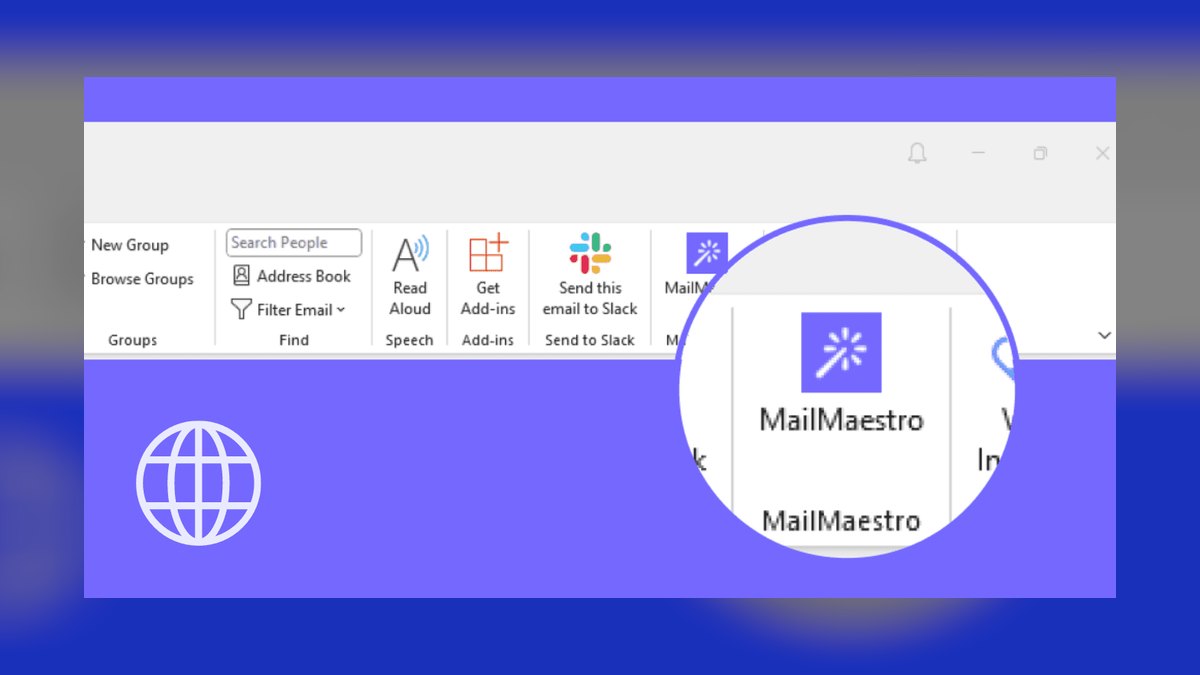
MailMaestro ranks eighth because it is an AI add-in that lives directly inside Outlook and Gmail, generating complete professional emails from a few bullet points with no copy-paste. Its Improve Draft rewrites your rough text into something cleaner, and it supports multiple languages with saved templates for repeated message types. One-click thread summaries appear inside the message pane, and a tone selector ranges from casual to formal.
MailMaestro is best for Outlook and Gmail users who want embedded drafting and summaries without leaving their existing inbox. It trades away the advanced voice learning of Superhuman and the ecosystem grounding of Copilot, but wins on simplicity and direct integration. Compared to Grammarly, it is more focused on generation than editing, but it lacks Grammarly's system-wide coverage across all platforms. For users who want a no-fuss, embedded AI writing assistant, MailMaestro is a targeted and affordable option.
9. Wordtune
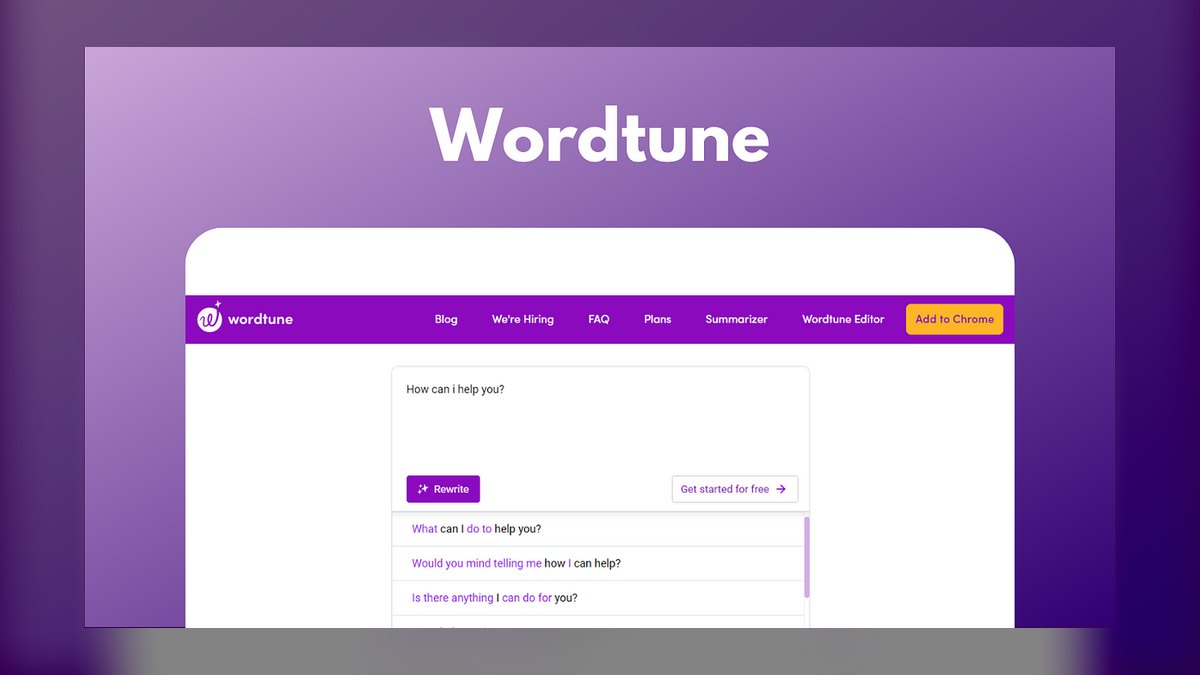
Wordtune ranks ninth because it is a rewriting-first assistant that shines when you have already drafted an email and want it sharper, offering multiple rephrasings plus Casual/Formal, Shorten, and Expand controls. Its Spices feature can add a counterargument, example, or statistic on command, and it works as a browser extension across Gmail, Outlook web, and most text fields. There is a usable free tier with limited daily rewrites, with paid plans around $10 per month billed annually.
Wordtune is best for non-native English writers and editors who want to refine their own drafts rather than hand them off entirely. It trades away full-draft generation quality compared to ChatGPT or Claude, but wins on the precision of rewriting and tone adjustment. Compared to Grammarly, it offers more varied rephrasing options, but lacks Grammarly's comprehensive grammar checking and tone detection.
10. Compose AI
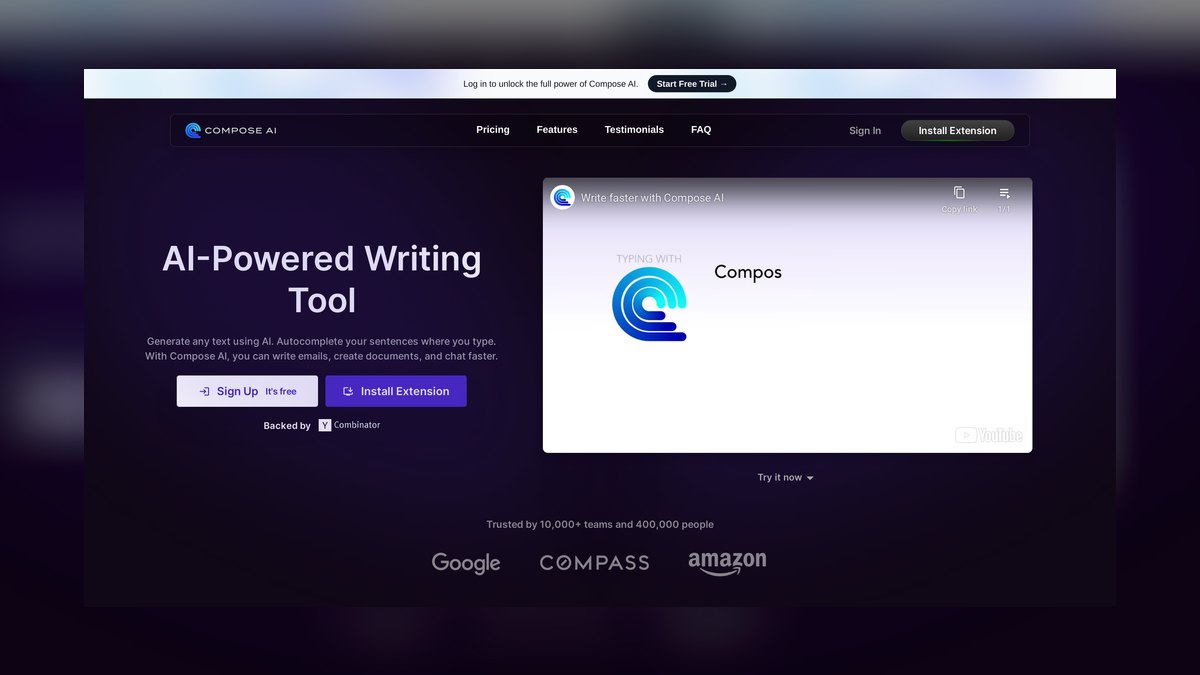
Compose AI ranks tenth because it is a free Chrome extension that adds AI autocomplete and full-email generation to Gmail and text fields across the web, with a free plan covering core autocomplete and a monthly generation allowance. As you type, it suggests the rest of your sentence—accept with Tab—and it claims to cut typing meaningfully for repetitive correspondence. Type a short command like "//decline the meeting politely" and it expands into a complete draft.
Compose AI is best for budget-conscious Gmail users who want speed without a subscription, trading away advanced features like thread summarization and voice learning for simplicity and cost. Compared to Grammarly, it offers more focused autocomplete and drafting, but lacks Grammarly's comprehensive editing and tone detection. It is the most capable no-cost starting point for AI email help, but its drafts can be more generic than premium tools.
How we ranked these
We measured draft quality by testing each tool against real reply scenarios: scheduling, declines, follow-ups, cold outreach, and apologies. We weighted voice and tone control, context awareness (thread, calendar, prior messages), workflow fit (client, add-in, extension, or chat), and price/privacy, including whether content trains vendor models. Tools that cut keystrokes without producing flat, obviously-AI prose ranked higher.
We deliberately ignored brand popularity, marketing claims, and feature checklists that don't reflect daily use. We did not weigh standalone grammar checking as heavily as generative drafting, since email writing is more than correction. We also excluded tools without a free tier or trial, as we believe real testing is essential. Finally, we did not consider enterprise-only deployments that individual users cannot access.
Related questions
What is the best AI tool for cold email in 2027?
For cold email, tools that offer personalization at scale and natural-sounding drafts are key. Superhuman and Claude excel at matching your voice, while ChatGPT with custom instructions can handle variations. Shortwave's AI rules can help with follow-ups. The best choice depends on your volume and whether you need an integrated client or a copy-paste chatbot.
How do AI email tools handle privacy and data training?
Consumer tiers of ChatGPT and Claude may use your content to improve models, while Business and Enterprise plans typically exclude data from training. Superhuman and Shortwave process data to provide features but have clear policies. Always check the specific plan's data policy before pasting confidential emails, as terms vary significantly between vendors.
Can AI email tools integrate with Gmail and Outlook?
Yes, many tools work inside your existing client. Grammarly, Wordtune, MailMaestro, and Compose AI are extensions or add-ins for Gmail and Outlook. Gemini is native to Gmail, and Copilot is built into Outlook. Superhuman and Shortwave replace the client entirely but connect to your Gmail or Outlook accounts.
What is the best free AI email writing tool?
Compose AI offers free autocomplete and drafting in Gmail. Grammarly Free provides editing with limited AI prompts. ChatGPT and Claude have free tiers that can generate full emails. Gemini is included with paid Google Workspace plans. For a no-cost, low-friction option, Compose AI is the most capable starting point.
How do I choose between Superhuman and Microsoft Copilot?
If you live in Outlook, Teams, and SharePoint, Copilot is the natural choice because it grounds drafts in your Microsoft Graph. If you want a standalone, keyboard-driven client with AI that learns your voice, Superhuman is better. Both cost about $30 per user per month, so your existing workflow should dictate the pick.
Are AI-written emails detectable by recipients?
Yes, if you send raw output. Generic chatbots often produce over-eager, hedge-heavy prose. Tools like Superhuman, which trains on your sent mail, and Claude, known for natural phrasing, reduce the tells. Always edit drafts to include specifics and your personality before sending to avoid sounding robotic.
What is the best AI tool for non-native English speakers?
Wordtune and Grammarly are top choices because they refine your own drafts, preserving your intent while fixing phrasing. Wordtune offers rephrasing and tone controls, while Grammarly provides clarity and tone detection. Both work across Gmail and Outlook, making them ideal for improving your writing without starting from scratch.
FAQ
Which AI email tool writes the most natural-sounding emails?
Claude and Superhuman AI tend to produce the least robotic prose. Claude is known for warm, human phrasing, and Superhuman trains on your own sent mail to match your voice. Generic chatbots can sound over-eager unless you prompt them carefully.
Do I have to switch email clients to use AI?
No. Grammarly, Wordtune, MailMaestro, and Compose AI work inside your existing Gmail or Outlook, and ChatGPT and Claude require only copy-paste. Only Superhuman and Shortwave replace your client entirely.
What's the best free AI email tool?
Compose AI offers free autocomplete and drafting, Grammarly Free covers editing with limited AI prompts, and ChatGPT and Claude both have free tiers. Gemini is included free for paid Google Workspace users.
Will recipients know my email was AI-written?
They can if you send raw output. Tools that match your voice — Superhuman, Grammarly's tone controls, Claude — reduce the tells, but always edit drafts for specifics and personality before sending.
Is Microsoft Copilot or Gemini better for email?
It depends on your stack. Copilot is stronger if you live in Outlook and Teams; Gemini is the natural fit for Gmail and Google Workspace. Both ground drafts in your calendar and documents.
Which tool is best for non-native English writers?
Wordtune and Grammarly lead here because they refine your own drafts and offer tone and clarity controls, preserving your intent while fixing phrasing.
How do AI email tools learn my writing style?
Superhuman analyzes your sent mail to match phrasing and sign-offs. ChatGPT uses Custom Instructions to store your preferences. Claude can reference a style guide in its context. Others like Grammarly use tone detection to adjust suggestions. The more data you provide, the better the output.
What is the cost of AI email tools in 2027?
Superhuman and Microsoft Copilot are around $30 per user per month. Grammarly Pro is about $12 monthly, Wordtune $10, and Compose AI Premium $10. ChatGPT Plus is $20, Claude Pro $20. Shortwave starts at $7-$9. Free tiers exist for Grammarly, Compose AI, ChatGPT, Claude, and Shortwave.
Can AI email tools summarize long email threads?
Yes. Superhuman's auto-summarize collapses a 40-message thread into bullets. Microsoft Copilot's Summarize condenses threads at the top. Gemini offers a summary chip. Shortwave generates thread summaries. MailMaestro provides one-click summaries inside the message pane.
Sources
- https://superhuman.com
- https://www.microsoft.com/en-us/microsoft-365/copilot
- https://workspace.google.com/solutions/ai/
- https://www.grammarly.com
- https://www.shortwave.com
- https://openai.com/chatgpt
- https://www.anthropic.com/claude
- https://www.maestrolabs.com
- https://www.wordtune.com
- https://www.compose.ai
Related on PULSE
- [More ai tools for email writing rankings and buying guides](/knowledge)
- [PULSE Tools and calculators](/tools)
- [Everything on PULSE RevOps](/)
This page will be disappearing soon. Save it to your device for $1 — or read it free while it is here.
@Kory-White- · if Venmo asks, the last 4 of my number are 2012
 pulse-ai-infrastructureThe 10 Best AI Tools for Negotiation Prep in 2027
 pulse-ai-infrastructureThe 10 Best AI Tools for Tax Preparation in 2027
 pulse-ai-infrastructureThe 10 Best AI Tools for Writing Movie Scripts in 2027
 pulse-ai-infrastructureWhat is a vector index and how do HNSW and IVF differ?
 pulse-ai-infrastructureThe 10 Best AI Tools for Language Learning in 2027
 pulse-ai-infrastructureThe 10 Best AI Tools for Nutrition Tracking in 2027
 pulse-ai-infrastructureThe 10 Best AI Tools for Background Removal in 2027
 pulse-ai-infrastructureThe 10 Best AI Tools for Drupal Development in 2027
 pulse-ai-infrastructureThe 10 Best AI Tools for Restaurant Picks in 2027
 pulse-ai-infrastructureThe 10 Best AI Tools for Screenwriting in 2027