
The 10 Best AI Tools for Translation in 2027
 Curated byKory White · Fractional CRO · Maryland
 PULSEKNOWLEDGE LIBRARY
The 10 best ai tools for translation are ranked below on measured performance, build quality, price, and how each one actually holds up in daily use rather than how it reads on a spec sheet. Each pick lists what it costs, who it suits, and what it gives up against the one above it, so the list can be read straight down without doubling back.
1. DeepL

DeepL ranks first because its neural output remains the quality benchmark for European and major Asian language pairs, consistently requiring less human post-editing than rivals. It covers 30+ languages across 650+ directional pairs, with Pro adding glossaries, formality control, and document translation for Word, PowerPoint, PDF, and HTML. The API offers a free tier of 500,000 characters monthly and Pro from about $5.49 per month plus usage.
DeepL is for content, legal, and marketing teams that publish translations directly, prioritizing fluency over sheer language count. It trades away breadth, lacking low-resource languages like Hausa or Amharic that Google covers. Compared to Google Cloud Translation AI below, DeepL wins on output polish but loses on scale and pay-as-you-go cost. Teams needing 100+ languages should pick Google, while those needing publishable prose should choose DeepL.
2. Google Cloud Translation AI
Google Cloud Translation AI ranks second for delivering unmatched value via pay-as-you-go pricing at roughly $20 per million characters, with the first 500,000 characters free monthly. It covers 100+ languages, the broadest on this list, and includes AutoML Translation for custom models, Translation Hub for document workflows, and Adaptive Translation for LLM-based fluency. This makes it the safest bet for emerging markets and long-tail language needs.
This tool is for engineering teams embedding translation into apps at scale, not non-technical users seeking a desktop app. It trades away out-of-the-box polish, requiring coding skills to fully leverage the raw API. Compared to DeepL above, Google offers superior language coverage and cost efficiency but slightly less natural output for high-resource pairs. For developers wiring translation into products, Google is the value crown; for publishable content, DeepL remains superior.
3. Smartling
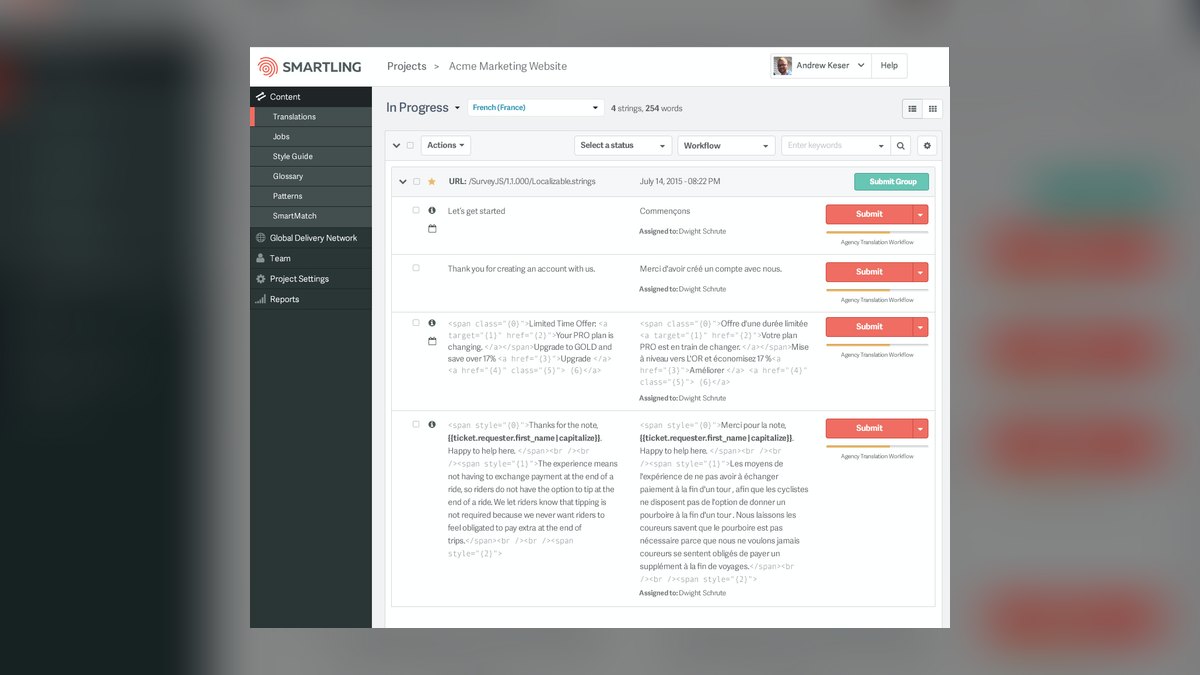
Smartling ranks third as an enterprise translation management system that orchestrates machine translation, human linguists, and quality checks, rather than being a single MT engine. Its AI features include an engine hub that auto-selects the best-performing engine per language pair, plus glossaries, style guides, and brand-voice controls for consistency. Translation memory reuse cuts costs on repetitive content, and the Global Delivery Network translates and serves localized web pages without engineering changes.
Smartling is for localization managers at large SaaS, e-commerce, and marketing organizations that need compliance and vendor coordination, not just raw translation. It trades away simplicity and affordability, being overkill for small teams or one-off projects. Compared to Phrase below, Smartling offers stronger enterprise governance and web delivery, while Phrase provides deeper developer integrations for continuous localization. For companies managing dozens of locales with compliance requirements, Smartling's workflow automation justifies the investment.
4. Phrase

Phrase ranks fourth as a strong all-in-one localization platform for software and product teams, featuring Phrase NextMT, a trainable MT engine, and MT Autoselect that picks the best engine per language based on quality scoring. It combines a TMS, CAT editor, and automated QA with machine translation quality estimation, flagging segments needing human review. Integrations cover GitHub, GitLab, Figma, and Contentful, making it a favorite for continuous localization pipelines.
Phrase is for engineering-led localization teams that want MT, human review, and developer integrations in one place. It trades away the enterprise governance and web delivery of Smartling above, instead offering more technical flexibility but less marketing-site support. Compared to Smartling, Phrase is more developer-centric and less suited to non-technical marketing workflows.
5. RWS Trados Studio

RWS Trados Studio ranks fifth as the long-standing standard CAT tool for professional translators, with translation memory and terminology management at its core. Its AI arrives through Language Weaver neural MT and Trados Copilot, a generative assistant for drafting and quality-checking inside the editor. Translators reuse approved sentences from memory, with AI filling gaps, keeping quality high and cost low on repetitive technical, legal, and financial content.
Trados is for freelance professionals, agencies, and in-house teams that treat translation as a craft and need auditable, reusable assets. It trades away ease of use and modern integration, being far heavier than casual users need. Compared to Phrase above, Trados offers superior translation memory reuse and desktop control, but Phrase provides better developer integrations and a more modern cloud interface. For those prioritizing translation-asset reuse over pipeline automation, Trados remains the trusted choice.
6. Lokalise
Lokalise ranks sixth as a developer-friendly localization platform with Lokalise AI for machine translation, automated quality checks, and context-aware suggestions. Its standout feature is design-and-code integration, with Figma and Sketch plugins pulling translations into mockups before code ships, and over-the-air updates pushing new strings to mobile apps without app-store releases. Lokalise AI translates and then runs on-brand tone adjustments and consistency checks across keys.
Lokalise is for product, engineering, and design teams that ship frequently and need to keep dozens of languages in sync with rapid release cycles. It trades away long-form document or marketing translation capability, where DeepL or a full TMS like Smartling fits better. Compared to Trados above, Lokalise offers superior code integration and a modern workflow, but lacks the deep translation memory assets of a CAT tool.
7. ModernMT
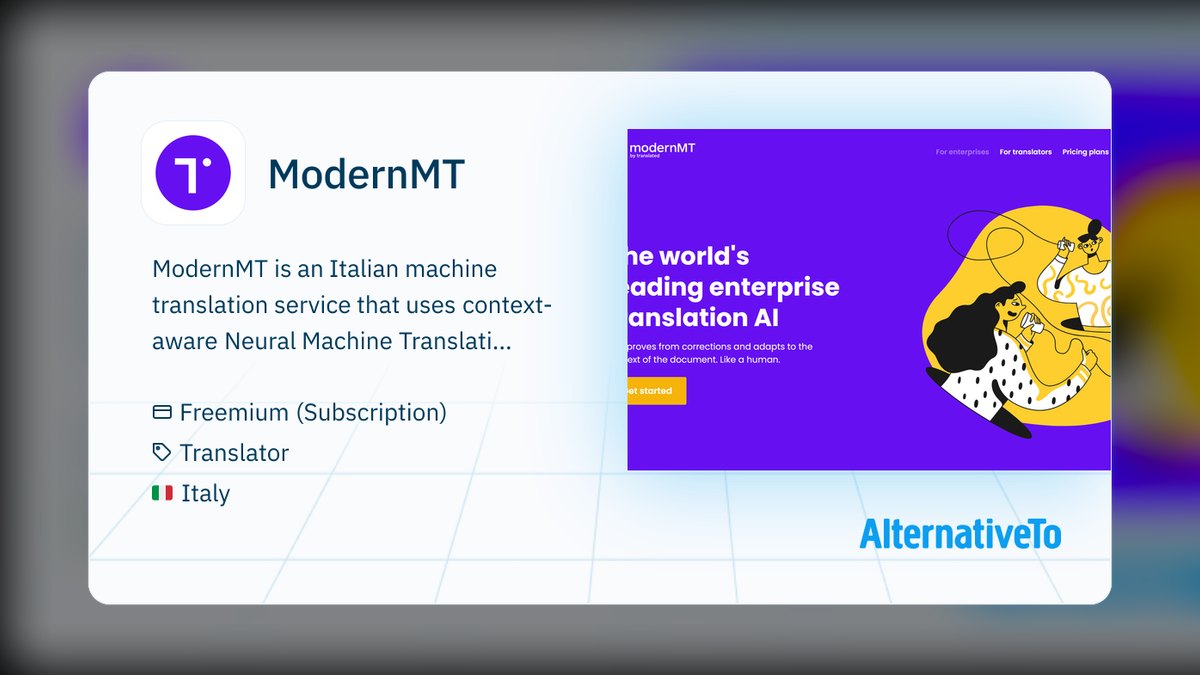
ModernMT ranks seventh as an adaptive machine translation engine that learns from corrections in real time, adjusting to a translator's edits and context within a session. Built by Translated, it introduced Lara in 2024, a translation-specialized LLM that reasons about tone and document-level meaning rather than sentence by sentence. It plugs into major CAT tools and offers an API with pay-as-you-go pricing that scales with volume, with no per-seat lock-in.
ModernMT is for agencies and freelance translators who want MT that improves with their feedback rather than a static engine. It trades away broad language coverage and polished UI, focusing instead on adaptive learning for long projects with consistent terminology. Compared to Lokalise above, ModernMT offers deeper learning from corrections but lacks the platform features for team coordination.
8. Crowdin
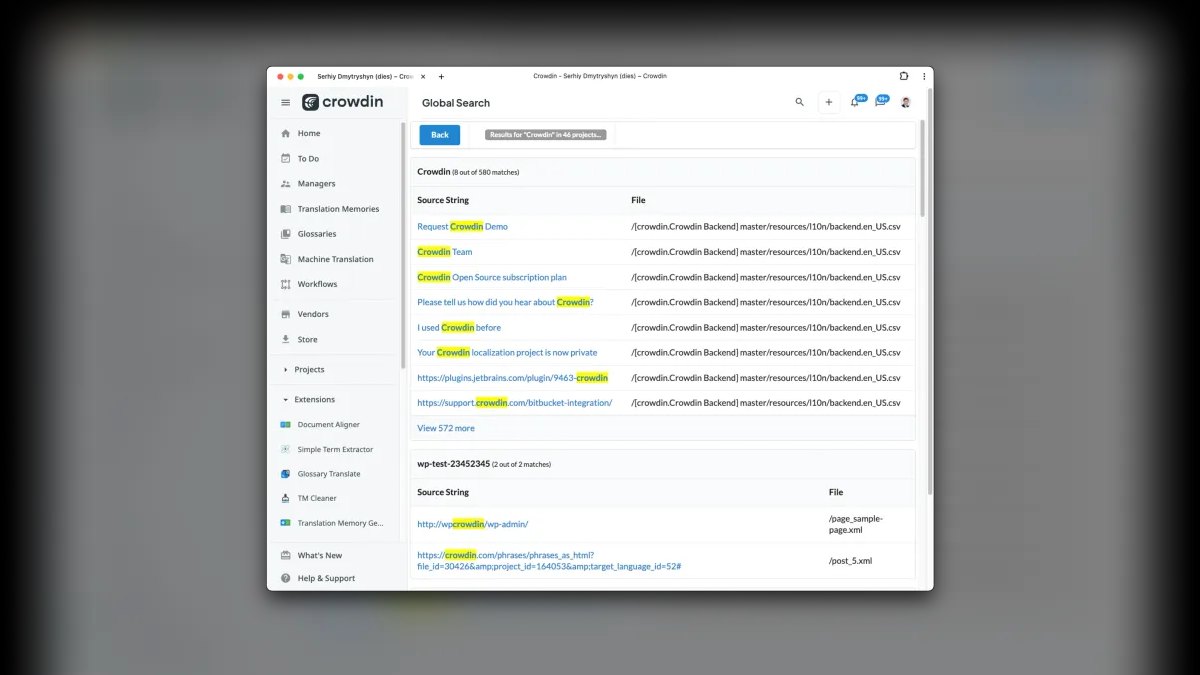
Crowdin ranks eighth as a localization management platform popular with open-source projects and app developers, aggregating multiple MT engines like DeepL, Google, and Microsoft for routing content to the best performer per language. Its strengths are workflow and community, with Crowdin Enterprise adding advanced security and team controls. GitHub, GitLab, and CI/CD integrations automatically sync source strings and push translations back into repos, and open-source projects can apply for free access.
Crowdin is for teams that want a managed pipeline without enterprise pricing complexity, acting as a coordination hub rather than a quality engine. It trades away built-in translation quality, depending entirely on which MT provider you connect. Compared to ModernMT above, Crowdin offers superior project management and community features but lacks adaptive learning.
9. Microsoft Azure AI Translator
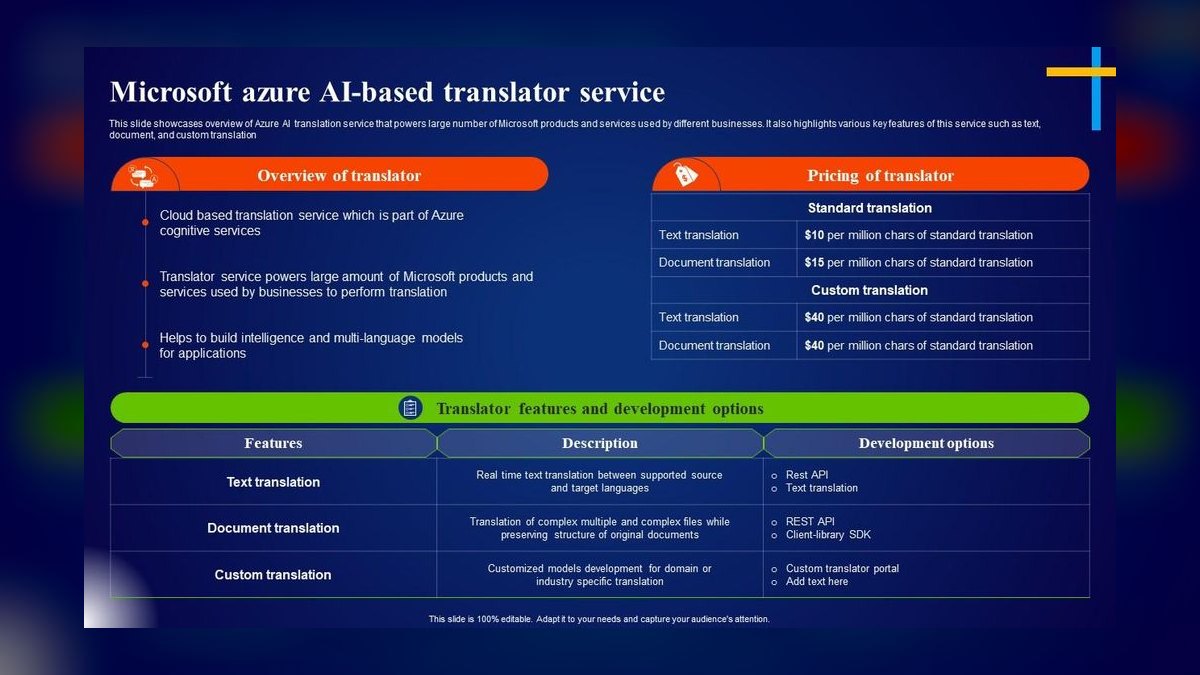
Microsoft Azure AI Translator ranks ninth as the enterprise-grade counterpart to Google, covering 100+ languages through neural MT with deep integration into the Microsoft ecosystem. Custom Translator builds models tuned to industry terminology, and Document Translation processes Word, PowerPoint, PDF, and Excel files while preserving layout. Real-time translation powers live features in Microsoft Teams and PowerPoint Live Captions for multilingual meetings. Pricing is volume-based and competitive with Google's per-character model.
Azure Translator is for enterprises standardized on Microsoft who want translation governed under the same security, compliance, and billing umbrella as the rest of their stack. It trades away the very best fluency on European pairs, where DeepL still has an edge, but offers strong breadth and ecosystem integration. Compared to Crowdin above, Azure provides enterprise-grade security and custom models, but lacks the community and multi-engine flexibility.
10. memoQ
memoQ ranks tenth as a respected CAT tool and TMS favored by translators and language service providers seeking an alternative to Trados. Its core is translation memory and terminology management, with collaborative server features for teams. In 2027, its AI story centers on AGT (Adaptive Generative Translation), which combines LLMs with your translation memories and termbases to produce drafts aligned to past approved work.
memoQ is for professional translators and agencies who prioritize translation-asset reuse and a flexible, less proprietary environment than Trados. It trades away the broad platform features of tools like Phrase, focusing instead on craft and asset management. Compared to Azure above, memoQ offers superior translation memory control but lacks cloud-scale enterprise integration.
How we ranked these
We measured five weighted factors: output quality (fluency, accuracy, and post-editing effort), language coverage (especially low-resource pairs), workflow features (translation memory, glossaries, formality control, document formats, CAT integration), customization (glossaries, adaptive learning, custom models), and price/data security (per-character cost, free tiers, SOC 2/GDPR, no-training guarantees). Quality carried the most weight, followed by coverage and workflow features.
We deliberately ignored pure consumer apps and marketing claims, focusing only on tools with public documentation and verifiable specs. We did not weight brand recognition or subjective “ease of use” for non-technical users, as the target audience is teams shipping localized content at volume. We also excluded tools without clear enterprise-grade security or data-handling policies.
What to look for
What actually matters is matching the tool to your workflow. For publishable content, DeepL’s output quality and glossary controls justify its narrower language coverage. For developers embedding translation at scale, Google Cloud’s pay-as-you-go pricing and 100+ languages win. For continuous localization, a TMS like Smartling or Phrase with MT orchestration and human review is essential. CAT tools like Trados or memoQ are best when translation memory reuse is your primary asset.
The biggest mistake buyers make is choosing based on raw quality alone, ignoring workflow integration and data privacy. A tool that produces great prose but can’t ingest your PowerPoint or respect your brand glossary is useless. Another common error is using free tiers for confidential content without checking if your text trains their models—always confirm no-training guarantees for sensitive material.
Related questions
What is the best AI translation tool for European languages in 2027?
DeepL is widely considered the best for European languages like German, French, and Spanish due to its natural-sounding output and formality controls. Translators report less post-editing needed compared to Google or Microsoft. However, for low-resource European languages like Basque or Welsh, Google’s broader coverage may be necessary.
How does Google Cloud Translation AI pricing work?
Google Cloud Translation AI charges roughly $20 per million characters for neural machine translation, with the first 500,000 characters free each month. This pay-as-you-go model is ideal for developers and high-volume applications. AutoML and Translation Hub have separate pricing, so check the official documentation for current rates.
What is the difference between a TMS and a CAT tool?
A Translation Management System (TMS) like Smartling or Phrase orchestrates the entire localization workflow, including machine translation, human review, and project management. A Computer-Assisted Translation (CAT) tool like Trados or memoQ focuses on the translator’s desktop environment, emphasizing translation memory and terminology reuse. Many modern platforms combine both.
Can AI translation tools handle low-resource languages like Swahili or Tagalog?
Google Cloud Translation AI and Microsoft Azure AI Translator support 100+ languages, including many low-resource ones, but output quality may be lower than for high-resource pairs. DeepL covers only 30+ languages, so it’s not suitable for long-tail languages. For such languages, consider using a TMS that can route to multiple engines and human reviewers.
What is adaptive machine translation and which tools use it?
Adaptive machine translation learns from your corrections in real time, improving output as you work. ModernMT and memoQ’s AGT (Adaptive Generative Translation) are prime examples. This is especially useful for long projects with consistent terminology, as the engine effectively trains itself on your edits, reducing future post-editing effort.
Which AI translation tool is best for translating documents while preserving formatting?
DeepL Pro supports Word, PowerPoint, PDF, and HTML with formatting preserved, making it the easiest for non-technical users. For high-volume document workflows, Google Translation Hub and Microsoft Azure Document Translation also preserve layout and scale better. Always test with your own files, as complex layouts may still require manual adjustments.
How do I ensure data privacy when using AI translation tools?
Use paid tiers or enterprise plans that offer no-training guarantees, such as DeepL Pro, Google Cloud’s enterprise agreements, or Microsoft Azure’s compliance offerings. Look for SOC 2 Type II certification and GDPR compliance. Free consumer tiers often reserve the right to use your text for model training, so read the terms carefully before submitting confidential content.
FAQ
Is DeepL really better than Google Translate?
For most European languages and major Asian pairs, yes—independent translators consistently report DeepL output needs less editing. But Google covers far more languages (100+ vs. 30+), so for low-resource languages Google or Microsoft is the safer choice.
Can AI translation replace human translators in 2027?
Not for high-stakes content. The strongest workflows use machine translation post-editing (MTPE): AI drafts, a human linguist reviews. AI handles volume and repetitive text; humans catch nuance, legal liability, and brand voice. Tools like Phrase and Smartling are built around exactly this hybrid.
What is the cheapest way to translate at scale?
Pay-as-you-go cloud APIs. Google Cloud Translation (~$20 per million characters) and Azure AI Translator charge only for what you process, with free monthly tiers. For repetitive content, a CAT tool with translation memory cuts cost further by reusing approved sentences.
Do these tools keep my data private?
It depends on the tier. DeepL Pro and enterprise plans from Google, Microsoft, and Smartling offer no-training guarantees and certifications like SOC 2 and GDPR compliance. Free consumer tiers often reserve the right to use your text, so read the retention terms.
Which tool is best for translating documents while keeping formatting?
DeepL (Word, PowerPoint, PDF), Azure Document Translation, and Google Translation Hub all preserve layout. DeepL is the easiest for non-technical users; the cloud options scale better for high volume.
What is adaptive machine translation?
It is MT that learns from your corrections in real time, like ModernMT and memoQ's AGT. Instead of static output, the engine adjusts to your edits and terminology within a project, so quality improves the more you use it.
What is the best tool for software localization?
Phrase and Lokalise are top choices for software teams. Phrase offers MT Autoselect and integrations with GitHub, GitLab, and Figma. Lokalise provides over-the-air updates and design tool plugins. Both support continuous localization pipelines with automated quality checks.
How do I choose between DeepL and Google Cloud Translation AI?
Choose DeepL if you need publishable, natural-sounding output for European or major Asian languages and value glossaries and formality control. Choose Google Cloud if you need broad language coverage, pay-as-you-go pricing, and developer-friendly APIs for embedding translation into apps at scale.
What is the role of translation memory in AI translation?
Translation memory (TM) stores previously approved sentences for reuse, ensuring consistency and reducing cost. Tools like Trados, memoQ, and Smartling combine TM with AI to fill gaps, so repetitive content is translated exactly as before, while new text benefits from neural MT.
Sources
- https://www.deepl.com/pro
- https://cloud.google.com/translate
- https://www.smartling.com/
- https://phrase.com/
- https://www.trados.com/products/trados-studio/
- https://lokalise.com/
- https://www.modernmt.com/
- https://crowdin.com/
- https://azure.microsoft.com/en-us/products/ai-services/ai-translator
- https://www.memoq.com/
Related on PULSE
- [The 10 Best AI Data Version Control Systems in 2027](/knowledge/ai0460)
- [The 10 Best AI Feature Stores for Production in 2027](/knowledge/ai0459)
- [The 10 Best AI Model Registries in 2027](/knowledge/ai0458)
- [The 10 Best AI Experiment Tracking Tools in 2027](/knowledge/ai0457)
This page will be disappearing soon. Save it to your device for $1 — or read it free while it is here.
@Kory-White- · if Venmo asks, the last 4 of my number are 2012
 pulse-ai-infrastructureThe 10 Best AI Tools for Restaurant Picks in 2027
 pulse-ai-infrastructureHow do you scale LLM inference to handle thousands of concurrent users?
 pulse-ai-infrastructureThe 10 Best AI Tools for UI Mockups in 2027
 pulse-ai-infrastructureWhat infrastructure do you need for fine-tuning versus RAG?
 pulse-ai-infrastructureThe 10 Best AI Tools for Reading Comprehension in 2027
 pulse-ai-infrastructureWhat is a feature store and do you still need one for LLM apps?
 pulse-ai-infrastructureThe 10 Best AI Tools for Shopping Cart Development in 2027
 pulse-ai-infrastructureThe 10 Best AI Inference Accelerators in 2027
 pulse-ai-infrastructureThe 10 Best AI Tools for Background Removal in 2027
 pulse-ai-infrastructureThe 10 Best AI Tools for Writing Job Descriptions in 2027