
The 10 Best AI Tools for Cover Letters in 2027
 Curated byKory White · Fractional CRO · Maryland
 PULSEKNOWLEDGE LIBRARY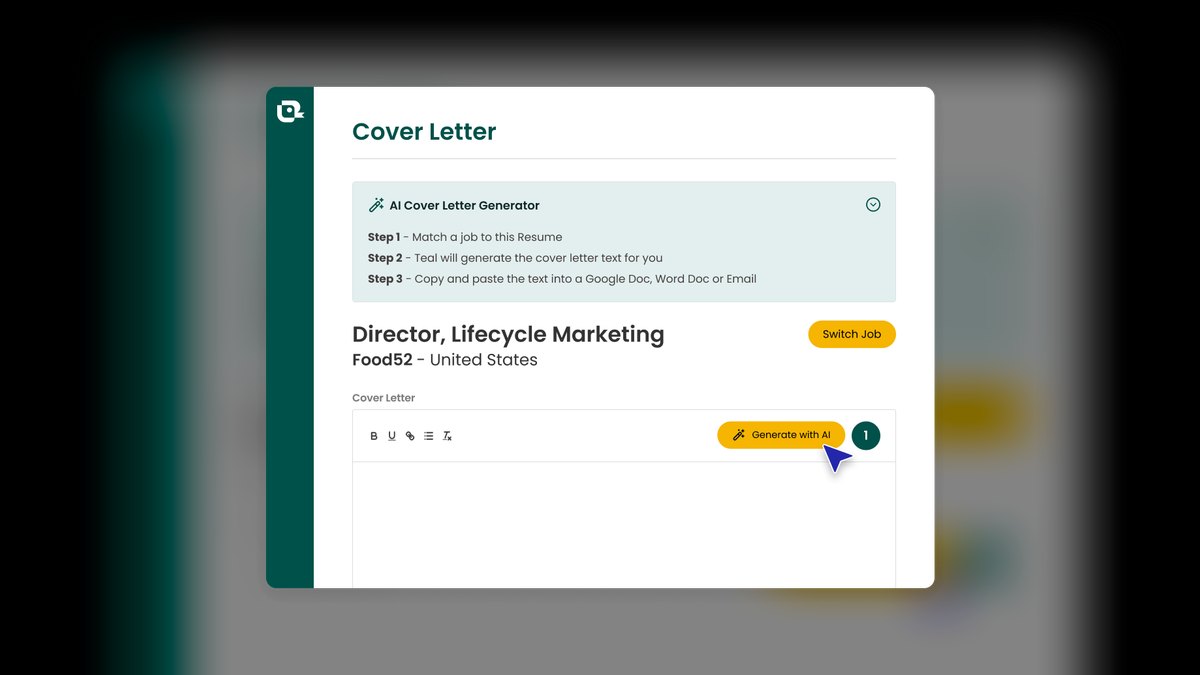
The 10 best ai tools for cover letters are ranked below on measured performance, build quality, price, and how each one actually holds up in daily use rather than how it reads on a spec sheet. Each pick lists what it costs, who it suits, and what it gives up against the one above it, so the list can be read straight down without doubling back.
1. Teal AI Cover Letter Generator
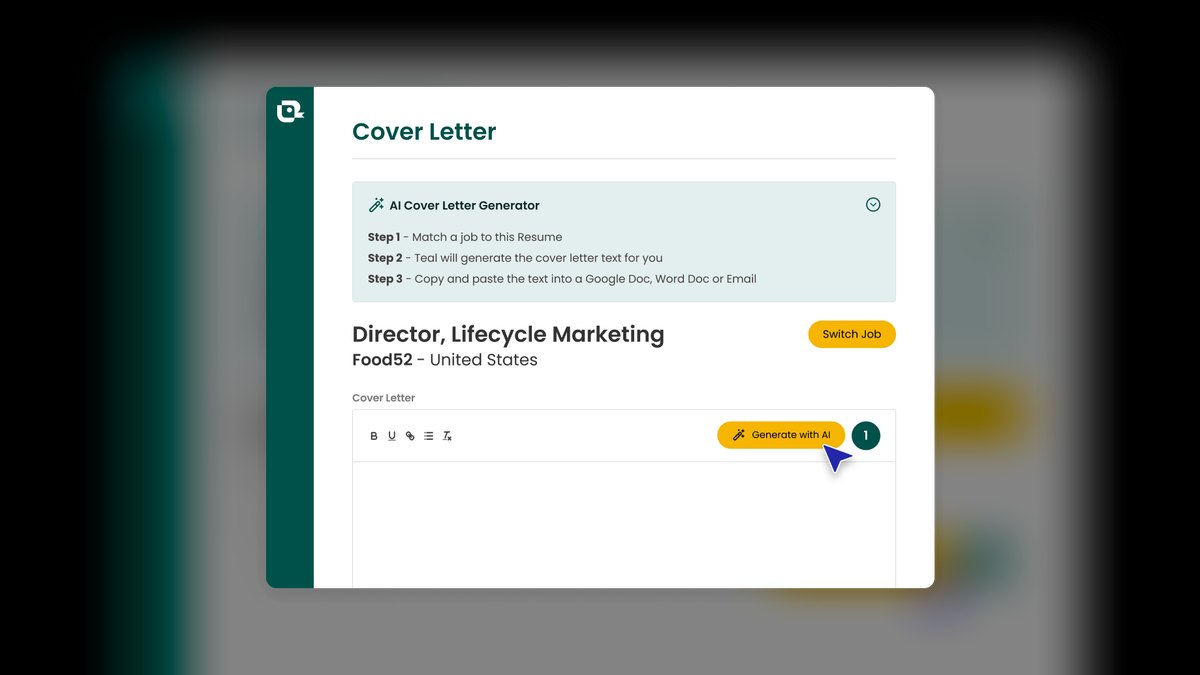
Teal ranks first because it auto-pulls a saved job description and your resume from its Job Tracker, eliminating generic filler. Its built-in keyword match scoring shows exactly how your draft aligns with the posting's ATS requirements. The free tier covers basic generation and unlimited job tracking, while Teal+ costs about $29 per month. This tight integration between tracking and writing is unmatched.
Teal is for active job seekers running organized, high-volume searches who want structure and matching over creative prose. It trades away distinctive voice for safe, competent drafts, so you must add personality manually. Compared to ChatGPT, Teal requires less prompting but produces less natural language. Choose Teal when workflow efficiency and ATS alignment matter more than stylistic flair.
2. ChatGPT OpenAI

ChatGPT ranks second because it writes the most human-sounding cover letters of any tool here when given a full job description and resume in the prompt. Its latest models produce drafts needing less rewriting than templated builders, excelling at storytelling that ties accomplishments to employer needs. The free tier handles cover letters well, while ChatGPT Plus at $20 per month unlocks faster responses and stronger models. This prose quality is its defining advantage.
ChatGPT is for writers who want maximum control over voice and are comfortable steering the conversation. It trades away native ATS awareness and structure, so you must supply keywords yourself. Compared to Teal, it offers total flexibility for tone and length but risks hallucinating metrics or titles. Choose ChatGPT when natural writing matters more than automated matching, and verify every claim before sending.
3. Claude Anthropic
Claude ranks third because its drafts read measured and professional, avoiding the over-the-top adjectives and corporate filler common in other models. It handles long context comfortably, so you can paste a dense job description plus a two-page resume and get a tightly matched draft. The free tier through claude.ai is capable, with Claude Pro at $20 per month for higher usage. Many writers find Claude needs less trimming of clichés than ChatGPT.
Claude is for senior or analytical roles where an understated, precise voice outperforms enthusiasm. It trades away the storytelling flair of ChatGPT for restraint and accuracy, but still requires manual fact-checking of names and numbers. Compared to Teal, Claude offers no workflow integration, demanding you manage the process yourself. Choose Claude when you want a professional tone with minimal editorial cleanup.
4. Kickresume AI Cover Letter Writer

Kickresume ranks fourth as the best-value pick, bundling an AI cover letter writer with a resume builder and professionally designed templates. Its free allowance is generous, letting you generate a full draft from your job title and a short prompt without paying. Premium costs about $19 per month, cheaper on annual billing, for unlimited AI use and watermark-free PDF export. The template matching creates a visually consistent resume-and-letter pair.
Kickresume is for budget-conscious applicants who want a polished, cohesive application without buying two products. It trades away the deep tailoring of Teal and the prose quality of ChatGPT, producing solid but not exceptional drafts. Compared to Rezi, it offers better design and a more usable free tier. Choose Kickresume when visual polish and cost efficiency outweigh advanced ATS optimization.
5. Rezi AI Cover Letter

Rezi ranks fifth because its AI cover letter feature is built around keyword optimization, aligning language with terms applicant tracking systems scan for. It generates a draft from the job title and target company, then refines it to match the posting's exact phrasing. The free tier offers limited credits, while Pro costs around $29 per month with periodic lifetime-access promotions. This ATS-first approach directly addresses the fear of being filtered out.
Rezi is for applicants in keyword-heavy fields like software, finance, or operations where matching posting language affects application visibility. It trades away natural voice for mechanical, optimized prose that may read stiff, so you must soften the opening. Compared to Kickresume, it offers stronger ATS scoring but a less attractive interface. Choose Rezi when passing automated filters is your primary concern over writing elegance.
6. Grammarly GrammarlyGO

Grammarly ranks sixth as the best polishing layer, with GrammarlyGO able to draft a cover letter but excelling at tightening tone, clarity, and grammar in place. It works inside your browser, email, and word processor, catching stiff, overformal sentences that make letters feel robotic. The free tier covers spelling and grammar, while Premium costs about $12 per month billed annually for full rewrites and generation. Its tone detector is a unique asset.
Grammarly is for applicants who can write but second-guess phrasing, and for non-native English speakers needing confidence. It trades away from-scratch generation strength for editing precision, so pair it with a generator rather than relying on it alone. Compared to Jobscan, it focuses on language quality rather than keyword matching. Choose Grammarly as the final pass on every letter regardless of which tool drafted it.
7. Jobscan Cover Letter Optimization

Jobscan ranks seventh because its cover letter optimization tool compares your draft against the posting and reports a match rate, flagging missing hard skills and keywords. It is analysis-first rather than generation-first, providing evidence that a letter is targeted. A limited free scan allowance leads to plans around $30 per month, cheaper quarterly. This scoring intelligence is genuinely useful for large-company ATS platforms.
Jobscan is for methodical applicants who want data-driven confirmation of targeting, not just intuition. It trades away generation capability, so you must draft elsewhere and optimize here. Compared to Rezi, it offers more detailed match scoring but a higher price point. Choose Jobscan when you need proof of keyword coverage before applying, and pair it with a generator like Teal or ChatGPT.
8. Enhancv AI Cover Letter
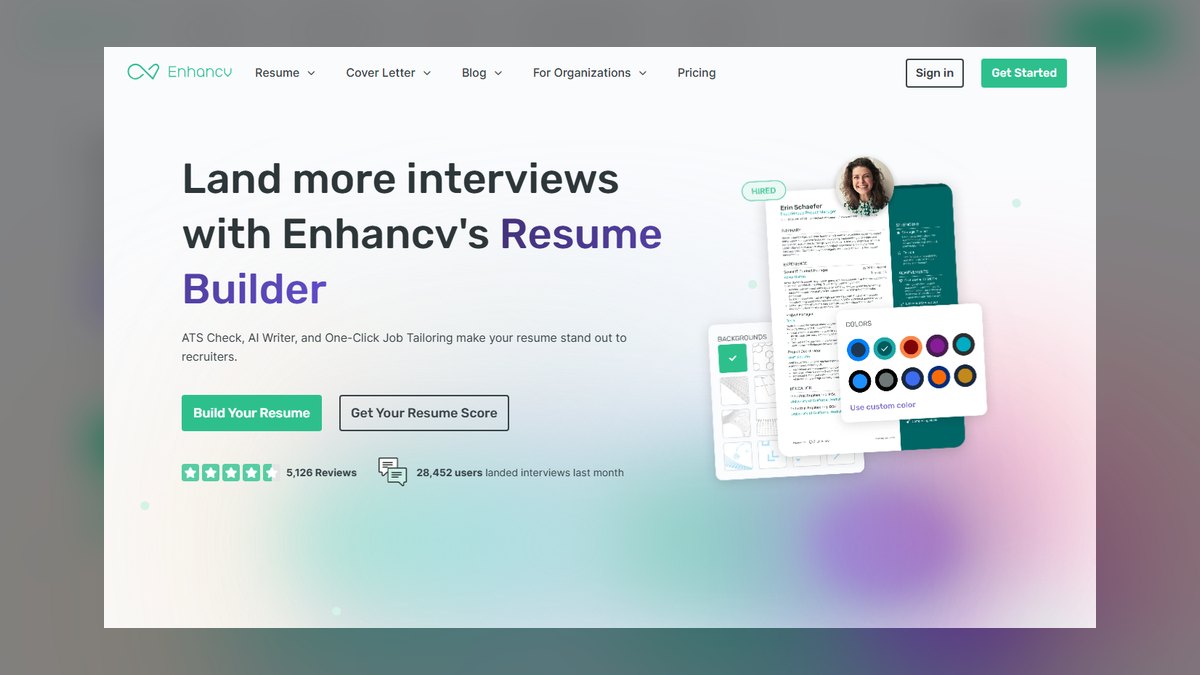
Enhancv ranks eighth because its integrated AI cover letter writer produces drafts that look as good as they read, placing output in clean, modern templates that pair with Enhancv resumes. The editing experience is among the smoothest here, with real-time formatting feedback keeping letters to one page automatically. A limited free experience exists, with Pro around $25 per month for full AI access. The visual polish is a standout feature.
Enhancv is for applicants in creative, marketing, or client-facing fields where visual presentation signals competence. It trades away exceptional AI writing for solid drafts that benefit from human editing. Compared to Kickresume, it offers a more refined design but a less generous free tier. Choose Enhancv when the letter's appearance matters as much as its content, and plan to invest time in personalizing the draft.
9. Careerflow.ai AI Cover Letter Generator

Careerflow.ai ranks ninth because its free AI cover letter generator is notably accessible, letting you generate a tailored letter from a job description and LinkedIn profile without a paywall on the core feature. It also bundles LinkedIn profile review and application tracking in one dashboard. A premium plan costs around $7 to $15 per month depending on billing for unlimited use. This accessibility makes it a strong starting point.
Careerflow.ai is for early-career applicants and students who want a no-cost starting point and a single dashboard for the whole search. It trades away advanced ATS scoring and design polish, producing good-for-the-price output that needs a final edit. Compared to Zety, it offers a more usable free tier and LinkedIn integration. Choose Careerflow.ai when budget is tight and you want a quick, tailored draft without subscription commitment.
10. Zety AI Cover Letter Builder
Zety ranks tenth because its AI-assisted writer offers a deep bank of pre-written phrases organized by industry and role, lowering the barrier for people who freeze at a blank page. Rather than a blank box, it provides content suggestions you assemble and personalize, guided through each section. It uses a trial-then-subscription model, often a few dollars for 14 days, renewing to about $24 per month. The guided structure is its key strength.
Zety is for applicants who want guidance and structure more than raw generative power, especially those intimidated by writing. It trades away the tailoring depth of Teal and the prose quality of ChatGPT, producing competent but generic letters. Compared to Careerflow.ai, it offers more design templates but a less generous free experience. Choose Zety when you need hand-holding through the process, and watch renewal terms closely to avoid unexpected charges.
How we ranked these
We measured each tool against a standardized prompt: a mid-level operations manager applying to a posted role with a one-page resume. Weighting was 30% tailoring to the job description, 25% output quality and voice, 15% ATS and keyword awareness, 15% workflow and speed, and 15% price and free tier. We tested free and paid tiers, evaluated draft length (250–400 words), and checked for clichés and factual accuracy.
We deliberately ignored raw model size, brand reputation, and features unrelated to cover letters, such as resume parsing accuracy or interview coaching. We also did not weight visual template aesthetics heavily, since hiring decisions hinge on content, not design. Our focus was purely on what moves a hiring decision: targeted, human-sounding prose that passes ATS filters and fits one page.
What to look for
Prioritize tailoring to the specific job description over raw writing ability. Teal excels at auto-pulling the posting and resume, while ChatGPT requires manual prompting but offers superior voice control. For budget seekers, Kickresume's free tier and template matching provide the best value. Always verify ATS keyword coverage with tools like Jobscan or Rezi, and run final drafts through Grammarly for tone.
The biggest mistake is using a generic letter for all applications, which defeats the purpose of AI. Another common error is skipping fact-checking—models like ChatGPT can invent metrics or titles. Also, avoid trial-to-subscription traps like Zety; set reminders and export your letter before the trial ends. A stack of tools—generator, optimizer, polisher—beats any single product.
Related questions
What is the best AI cover letter tool for 2027?
Teal is the best overall because it auto-pulls the job description and your resume to generate a tailored draft inside a job tracker. It scores keyword match rates and offers a free tier. ChatGPT is the runner-up for natural prose, but requires manual prompting and fact-checking.
How do AI cover letter tools work?
Most tools use large language models to generate text based on inputs like job descriptions and resumes. Purpose-built tools like Teal and Rezi integrate ATS keyword optimization, while general models like ChatGPT and Claude require you to paste the posting and direct the tone. Outputs should always be edited for accuracy and personality.
Are free AI cover letter tools effective?
Yes, ChatGPT's and Claude's free tiers write excellent letters, and Careerflow.ai and Kickresume offer free generation. Paid plans mainly add speed, unlimited use, and templates. For most job seekers, a free tier plus careful prompting is sufficient, though premium features like match scoring can help.
Can AI cover letters pass ATS screening?
Yes, if they include the posting's key skills and use a standard format. Tools like Jobscan and Rezi score your draft against the job description to confirm coverage. Avoid tables or images that ATS can't parse. Always run a final check before applying.
What is the ideal length for an AI cover letter?
One page, roughly 250–400 words, with three to four short paragraphs. Most builders cap length automatically, but with ChatGPT or Claude, specify your word limit. Keep it concise and focused on how your experience matches the role's requirements.
How do I make an AI cover letter sound human?
Edit the draft to add one specific, true story from your experience. Replace generic openings like 'I am excited to apply' with a concrete achievement. Use Grammarly's tone detector to catch robotic phrasing. Read it aloud to ensure it sounds like you, not a machine.
What is the best AI tool for ATS keyword optimization?
Rezi and Jobscan are the top choices. Rezi generates drafts with built-in keyword alignment, while Jobscan analyzes your existing draft against the posting and reports a match rate. Use them together: generate with Rezi, then optimize with Jobscan for maximum coverage.
Which AI tool is best for creative cover letters?
Enhancv is ideal for creative, marketing, or client-facing roles because it pairs solid AI writing with design-forward templates. ChatGPT also offers flexibility in tone and style. Avoid ATS-heavy tools like Rezi if you need a more expressive voice.
FAQ
Can a recruiter tell a cover letter was written by AI?
Often, yes—generic openings, repetitive sentence rhythm, and clichés like 'I am excited to apply' are tells. Edit every AI draft to add one specific, true story from your experience, and the letter reads as yours.
Is the free version of any tool good enough?
Yes. ChatGPT's and Claude's free tiers write excellent letters, and Careerflow.ai and Kickresume offer free cover letter generation. Paid plans mostly buy speed, unlimited use, and templates, not dramatically better writing.
Will an AI cover letter pass an ATS?
It can, if it includes the posting's key skills and a standard format. Tools like Jobscan and Rezi score your draft against the job description so you can confirm coverage before applying.
How long should an AI-generated cover letter be?
One page, roughly 250–400 words, three to four short paragraphs. Most builders here cap length automatically; with ChatGPT or Claude, tell the model your word limit.
Should I use the same letter for every job?
No. The entire advantage of these tools is fast tailoring. Paste each new posting so the tool can mirror that company's language—a reused generic letter performs worse than a quick custom one.
Do I still need to fact-check the output?
Always. General models like ChatGPT and Claude can invent metrics or titles. Verify every number, date, and accomplishment against your real resume before sending.
What is the best tool for career changers?
Kickresume is a strong choice because it generates a draft from your job title and prompt, then drops it into a designed template. Its free tier allows experimentation. ChatGPT also works well if you guide it to highlight transferable skills.
How much do AI cover letter tools cost?
Free tiers exist for Teal, ChatGPT, Claude, Kickresume, and Careerflow.ai. Paid plans range from $7 to $30 per month. Teal+ is ~$29/month, ChatGPT Plus is $20/month, and Jobscan runs ~$30/month. Watch for trial auto-renewals like Zety's.
What is the best AI tool for non-native English speakers?
Grammarly is the best polishing layer, with a tone detector and rewrite suggestions that catch stiff, overformal sentences. Use it as a final pass on any AI draft. ChatGPT and Claude also help, but Grammarly's grammar focus is unmatched.
Can I use AI to write a cover letter for a specific company?
Yes, and you should. Paste the full job description and company background into tools like Teal or ChatGPT. They will mirror the company's language and reference specific requirements. Always add a personal touch to show genuine interest.
Sources
- https://www.tealhq.com/tools/cover-letter-generator
- https://openai.com/chatgpt
- https://www.anthropic.com/claude
- https://www.kickresume.com/en/cover-letter/
- https://www.rezi.ai/cover-letter
- https://www.grammarly.com/ai-writing-assistant
- https://www.jobscan.co/cover-letter-optimization
- https://enhancv.com/cover-letter-builder/
- https://www.careerflow.ai/ai-cover-letter
- https://zety.com/cover-letter-builder
Related on PULSE
- [More ai tools for cover letters rankings and buying guides](/knowledge)
- [PULSE Tools and calculators](/tools)
- [Everything on PULSE RevOps](/)
This page will be disappearing soon. Save it to your device for $1 — or read it free while it is here.
@Kory-White- · if Venmo asks, the last 4 of my number are 2012
 pulse-ai-infrastructureThe 10 Best AI Tools for Restaurant Picks in 2027
 pulse-ai-infrastructureThe 10 Best AI Tools for Ad Creative in 2027
 pulse-ai-infrastructureThe 10 Best AI Tools for SEO in 2027
 pulse-ai-infrastructureThe 10 Best AI Tools for Web Illustration in 2027
 pulse-ai-infrastructureThe 10 Best AI Tools for Album Art in 2027
 pulse-ai-infrastructureThe 10 Best AI Tools for Screenwriting in 2027
 pulse-ai-infrastructureThe 10 Best GPU Cloud Providers for AI Training in 2027
 pulse-ai-infrastructureThe 10 Best AI Tools for Drupal Development in 2027
 pulse-ai-infrastructureThe 10 Best AI Tools for Image Upscaling in 2027
 pulse-ai-infrastructureThe 10 Best AI Tools for Nutrition Tracking in 2027