


The 10 Best AI Tools for Studying in 2027
Quality
Certified
The 10 best ai tools for studying are ranked below on measured performance, build quality, price, and how each one actually holds up in daily use rather than how it reads on a spec sheet. Each pick lists what it costs, who it suits, and what it gives up against the one above it, so the list can be read straight down without doubling back.
1ChatGPT

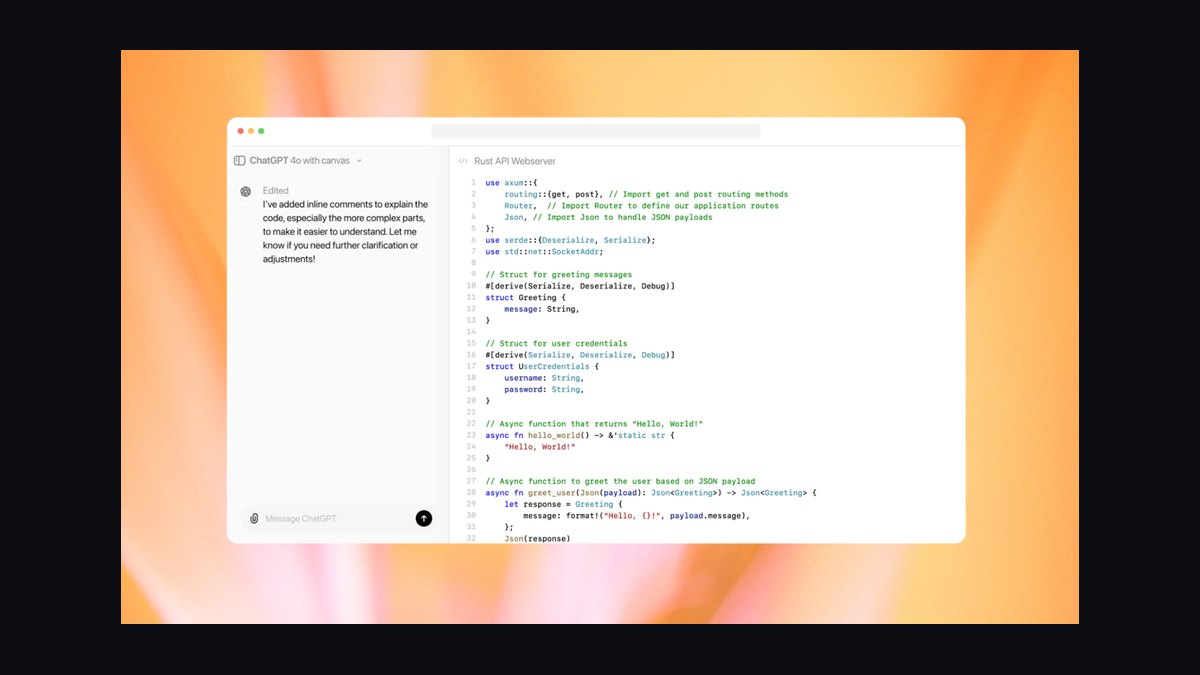
ChatGPT ranks first because its Study Mode actively tutors through Socratic questioning rather than simply supplying answers, which is the strongest pedagogy of any general assistant. It handles text, images, PDFs, and voice input, making it adaptable from algebra to MCAT prep. The free tier is genuinely usable for everyday studying, while Plus costs roughly $20 per month for higher limits. Its breadth across subjects and formats is unmatched by any single competitor.
This is for any student who wants one flexible tool that scales from homework help to deep concept review. It trades away the deep source-grounded accuracy of NotebookLM and the massive context window of Claude. Compared to Claude at rank 2, ChatGPT offers more explicit tutoring scaffolding and broader input options, though Claude remains superior for digesting entire textbooks at once.
2Claude

Claude secures second place because its large context window lets it load entire textbook chapters, semesters of lecture transcripts, or 100-page research papers and discuss them coherently, a capability no other tool matches. Its Projects feature creates persistent per-course workspaces grounded in your uploaded syllabus and readings. Artifacts render study guides and tables beside the chat for structured output. Pro costs about $20 per month with a capped free tier.
This is ideal for students who live in long, dense PDFs and need synthesis across hundreds of pages. It trades away ChatGPT's explicit Study Mode tutoring and step-by-step guidance. Compared to ChatGPT at rank 1, Claude offers superior long-document analysis and structured writing help, but its tutoring scaffolding is less deliberate, making it a specialist rather than an all-rounder.
3Google NotebookLM
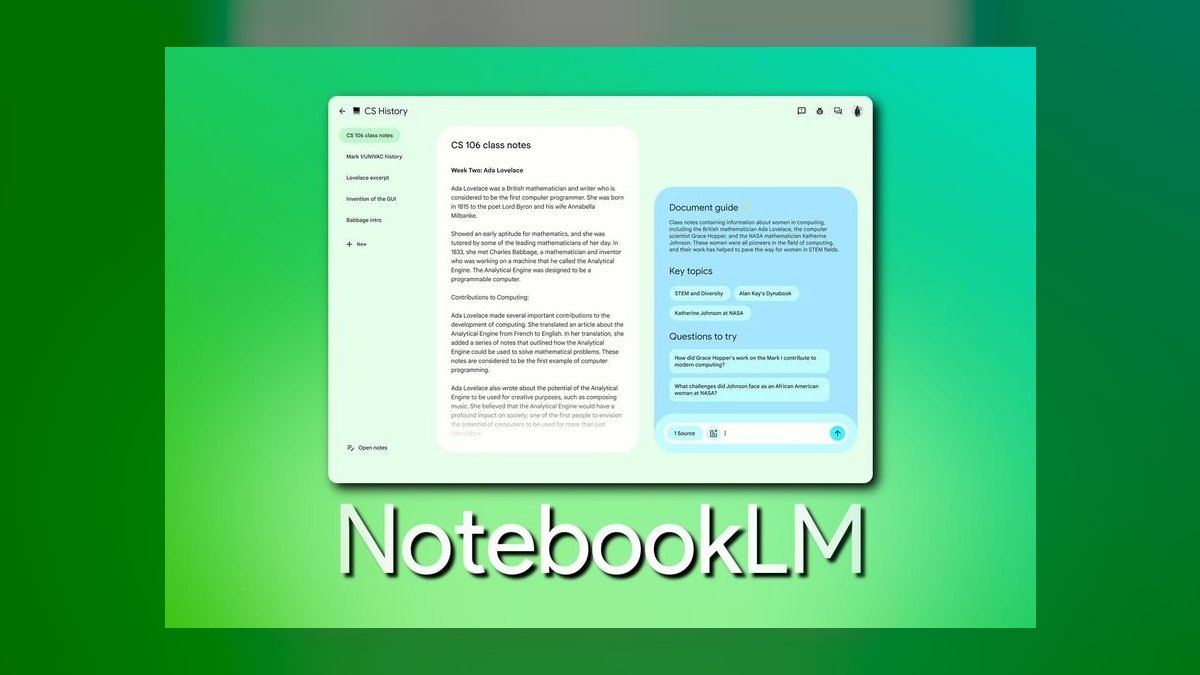
NotebookLM ranks third as the best free study tool because it is source-grounded, answering only from documents you upload with inline citations, which nearly eliminates hallucination for exam prep. Its Audio Overviews generate natural-sounding two-host podcast discussions of your material, perfect for review on the go. It automatically produces study guides, FAQs, timelines, and mind maps from your notes. The base product is free, with Plus bundled into Google's AI Premium subscription.
This is for students with a fixed reading list who want verified, citation-backed answers and audio review. It trades away general knowledge and tutoring breadth for strict grounding in your own materials. Compared to Claude at rank 2, NotebookLM offers zero cost and superior citation accuracy, but it lacks Claude's ability to reason across unrelated external sources and its flexible conversational depth.
4Perplexity

Perplexity earns fourth place because every response includes numbered source citations you can click to verify, making it far safer than raw chatbots for research-heavy, graded work. Pro Search runs multi-step queries, and Spaces organize research threads by class or topic. Focus modes restrict searches to academic sources, and PDF uploads allow cross-document questions. Pro costs about $20 per month, with a capable free tier and frequent free student offers.
This is for students doing literature reviews, current-events research, or any subject requiring real references. It trades away deep tutoring and long-context synthesis for fast, cited facts. Compared to NotebookLM at rank 3, Perplexity offers broader web-wide research with citations, but NotebookLM grounds strictly in your uploaded sources, making Perplexity better for discovering new material while NotebookLM is better for mastering assigned readings.
5Khanmigo

Khanmigo ranks fifth because it is the most education-first tool, built specifically around Socratic tutoring that never just gives the answer, instead nudging with hints and asking you to explain your reasoning. It maps directly onto Khan Academy's curriculum in math, science, and humanities, making its pedagogy best-in-class for K-12 and early college. Pricing is exceptional at roughly $4 per month or $44 per year, with free access for teachers.
This is for high schoolers and early-college students grinding algebra, geometry, or AP coursework within a structured curriculum. It trades away general-purpose assistance and breadth beyond Khan Academy's content. Compared to Perplexity at rank 4, Khanmigo offers far superior tutoring methodology and a fraction of the cost, but it cannot research current events or handle open-ended queries, making it a focused tutor rather than a research engine.
6Google Gemini

Gemini ranks sixth because its deep integration with Google Workspace lets it assist directly inside Docs, Keep, and Gmail without context switching, a workflow advantage no other tool matches. Deep Research autonomously browses and compiles cited reports, useful for term-paper groundwork. Guided Learning mode offers step-by-step tutoring similar in spirit to ChatGPT's Study Mode. Google AI Pro costs around $19.99 per month, often free for verified students for a year.
This is for students already embedded in the Google ecosystem who want AI help where they already work. It trades away the explicit tutoring polish of Khanmigo and the source-grounding of NotebookLM. Compared to Khanmigo at rank 5, Gemini offers far broader utility and research capabilities, but its tutoring is less pedagogically refined, making it a versatile assistant rather than a dedicated tutor.
7Quizlet
Quizlet ranks seventh because it remains the flashcard standard, with its AI layer transforming lecture notes and PDFs into flashcards, practice questions, and outlines via Magic Notes. Its Learn mode and Q-Chat adapt practice to your mistakes, while spaced-repetition scheduling is the proven, effective core. With hundreds of millions of existing study sets, decks for most textbooks already exist. Plus costs roughly $35.99 per year, with a functional free tier.
This is for students who need to memorize vocabulary, anatomy, legal terms, or foreign languages through recall practice. It trades away tutoring and explanation for pure memorization and retrieval. Compared to Gemini at rank 6, Quizlet offers purpose-built spaced repetition and a vast shared library, but Gemini provides conversational tutoring and research, making Quizlet the specialized memorization layer rather than a general assistant.
8Wolfram Alpha
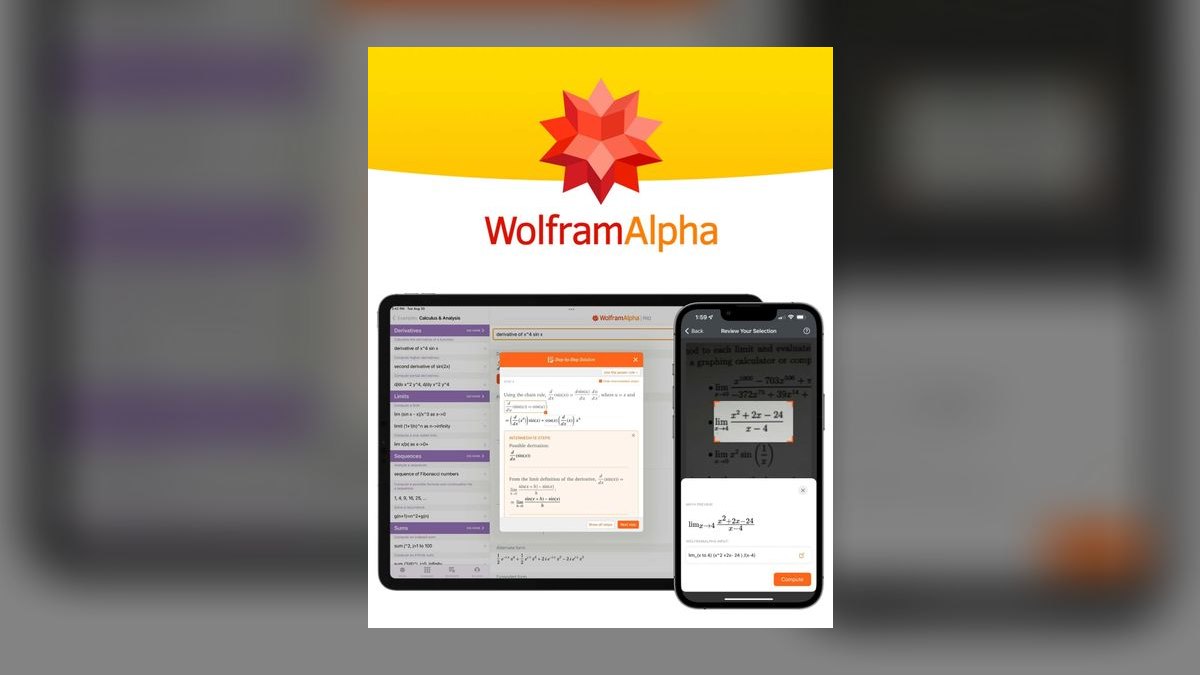
Wolfram Alpha ranks eighth because it computes rather than predicts, returning reliable step-by-step solutions for integrals, differential equations, chemistry problems, and statistics, making its numerical results trustworthy in a way generative chatbots are not. It covers calculus, linear algebra, physics, and data with curated, structured outputs and interactive plots. Pro costs about $5.49 per month for students, unlocking full step-by-step solutions and data uploads. Its computational accuracy is its defining strength.
This is for STEM students who need verified math and science answers, not conversational explanations. It trades away natural language tutoring and broad subject coverage for precision in computation. Compared to Quizlet at rank 7, Wolfram Alpha serves a completely different need, offering correctness for quantitative work rather than memorization, and it is the essential verification tool to pair with any generative chatbot for math-heavy coursework.
9Grammarly
Grammarly ranks ninth because it is the most polished writing-and-editing layer, catching grammar, spelling, and tone issues across Google Docs, email, and LMS platforms via its browser extension. Its generative drafting, rewriting, and paraphrasing tools go beyond basic correction, while citation and plagiarism checks flag passages needing sources before deadlines. Premium costs about $12 per month on the annual plan, with a capable free tier. It integrates almost everywhere you write.
This is for essay-heavy majors who need mechanical error correction and polish before submission. It trades away content generation and subject tutoring for writing refinement and editing. Compared to Wolfram Alpha at rank 8, Grammarly addresses a different domain, focusing on prose quality rather than computation, and it is the essential finishing tool for turning rough drafts into submittable papers while Wolfram verifies quantitative accuracy.
10Speechify
Speechify ranks tenth because it serves auditory learners and those with heavy reading loads through text-to-speech conversion of PDFs, textbooks, articles, and photographed pages via OCR. It produces natural-sounding audio that can be played at speeds well past normal reading pace, supporting dozens of languages and voices. It syncs across phone and desktop, allowing hands-free review at 2x or 3x speed. Premium costs around $139 per year, with a limited free tier.
This is for dyslexic students, commuters, and anyone who absorbs information better by listening than reading. It trades away all tutoring, research, and writing capabilities for a single, narrow accessibility function. Compared to Grammarly at rank 9, Speechify addresses a fundamentally different need, converting readings into audio rather than polishing writing, and it is the best tool for turning a mountain of assigned readings into something you can absorb hands-free.
How we ranked these
We scored each tool on six weighted factors: pedagogy (does it tutor or just answer), accuracy and grounding, source handling (PDFs, images, context length), price and free tier, subject fit, and workflow support (flashcards, spaced repetition). Tools with explicit study modes and verifiable citations ranked higher. We prioritized real student value, including free tiers and verified discounts.
We deliberately ignored marketing claims, subjective “vibe” preferences, and features that don't affect learning outcomes. We did not weigh brand popularity or ecosystem lock-in unless it directly improved study efficiency. We also excluded tools without publicly documented pricing or those that failed to demonstrate a clear pedagogical benefit, focusing instead on measurable utility for serious learners.
What to look for
When choosing, prioritize the tool that matches your specific study bottleneck. If you need step-by-step tutoring, ChatGPT's Study Mode is key. For long readings, Claude's context window wins. For source-grounded review, NotebookLM is unbeatable. Consider your subject: math needs Wolfram Alpha, memorization needs Quizlet, writing needs Grammarly. The right choice depends on your workflow, not on which tool is most popular.
The biggest mistake is buying a subscription before using the free tier. Most tools offer generous free versions that cover basic needs. Another error is using one tool for everything—a chatbot for math verification or a flashcard app for essay editing. The best approach is to combine tools: use ChatGPT for tutoring, NotebookLM for grounding, and Wolfram Alpha for math verification.
Related questions
What is the best AI tool for learning a new language in 2027?
For language learning, ChatGPT's Advanced Voice mode is excellent for conversation practice and pronunciation correction. Quizlet is ideal for vocabulary memorization with spaced repetition. Speechify can help with listening comprehension by reading texts aloud. The best choice depends on your focus: speaking, vocabulary, or listening. A combination often works best.
How can AI tools help with exam preparation?
AI tools can create personalized study guides, generate practice questions, and explain difficult concepts. NotebookLM is great for turning your notes into a podcast or FAQ. ChatGPT's Study Mode can tutor you step-by-step. Quizlet helps with memorization. The key is to use AI to actively engage with the material, not just to get answers.
Are AI study tools worth the subscription cost?
For many students, yes. The paid tiers offer higher usage limits, access to the latest models, and advanced features like deeper research or more audio overviews. However, the free tiers of ChatGPT, NotebookLM, and Perplexity are often sufficient for basic needs. Evaluate your usage and whether the paid features genuinely improve your learning before subscribing.
What are the limitations of using AI for studying?
AI can hallucinate facts, especially in math and citations. It can also encourage passive learning if you just ask for answers. The tools are not a replacement for understanding core concepts. Always verify information from AI with reliable sources, and use the tools to enhance your own thinking, not to replace it.
How do I choose between ChatGPT and Claude for studying?
Choose ChatGPT if you need a versatile tutor with a dedicated Study Mode that works across subjects and handles images and PDFs. Choose Claude if your main challenge is processing long, dense documents like textbooks or research papers, thanks to its large context window. For most students, ChatGPT is the safer all-around pick.
Can AI tools help with writing essays and research papers?
Yes. ChatGPT and Claude can help with outlining, drafting, and editing. Grammarly is essential for catching grammar and style issues. Perplexity is great for finding and citing sources. However, you must be careful about plagiarism and academic integrity. Use AI to improve your own work, not to generate it entirely.
What is the best AI tool for STEM students?
Wolfram Alpha is indispensable for reliable step-by-step math and science solutions. ChatGPT is excellent for explaining concepts and working through problems. NotebookLM can help organize and review lecture notes. For STEM, a combination of Wolfram Alpha for computation and a chatbot for conceptual understanding is most effective.
FAQ
Which AI study tool is best if I only want one?
ChatGPT is the safest single pick. Its Study Mode tutors you step-by-step, it handles images and PDFs, and the free tier is genuinely usable. Add Wolfram Alpha only if you're heavy in math. This combination covers tutoring, document analysis, and verification for most subjects.
What's the best free AI tool for studying?
Google NotebookLM is the best free tool for source-grounded review of your own materials. The ChatGPT free tier is also excellent for general tutoring. Both cost nothing and cover most needs. NotebookLM's Audio Overviews are a unique and powerful feature for review on the go.
Is it cheating to use AI to study?
Using AI to understand material—explanations, practice questions, flashcards—is legitimate at most schools. Submitting AI-generated work as your own usually violates academic-integrity policies. Check your institution's rules and keep AI in the learning loop, not the answer key. The goal is to learn, not to outsource your work.
Can these tools do my math homework correctly?
Wolfram Alpha computes reliable step-by-step solutions; general chatbots improve every year but still slip on arithmetic. Use a chatbot to explain the method and Wolfram to verify the number. Never trust a generative chatbot's raw math on graded work without verification.
Which tool is best for memorizing vocabulary or terms?
Quizlet is the best for memorization. Its spaced-repetition Learn mode plus AI-generated cards from your notes is purpose-built for recall. The huge existing library means your deck may already exist. It's not a tutor, but it's the most refined option for the memorization layer of studying.
Do students get discounts on these?
Yes. Perplexity Pro and Google AI Pro have run free student offers, Wolfram Alpha Pro has a student rate, and Khanmigo is free for teachers. Verify with your .edu email before paying full price. These discounts can make premium features much more accessible.
How does NotebookLM prevent AI hallucinations?
NotebookLM is source-grounded. You upload your own documents, and it answers only from those sources, with inline citations pointing back to the exact passage. This constraint kills hallucination for exam prep because the AI cannot invent facts outside your provided material.
What is ChatGPT's Study Mode?
Study Mode is a feature that deliberately refuses to spit out a final answer. Instead, it asks guiding questions, checks your reasoning, and breaks problems into steps. This turns a generic chatbot into something closer to a patient tutor, promoting active learning rather than passive answer-getting.
Is Speechify useful for non-dyslexic students?
Yes. Speechify is useful for any student with a heavy reading load. It converts PDFs and articles into audio, allowing you to 'read' while commuting or exercising. Speeding up the audio to 2x or 3x can help you skim material quickly, making it a valuable tool for auditory learners and busy schedules.
Sources
- https://openai.com/chatgpt/
- https://www.anthropic.com/claude
- https://notebooklm.google.com/
- https://www.perplexity.ai/
- https://www.khanmigo.ai/
- https://gemini.google.com/
- https://quizlet.com/
- https://www.wolframalpha.com/
- https://www.grammarly.com/
- https://speechify.com/
Related on PULSE
This page will be disappearing soon. Save it to your device for $1 — or read it free while it is here.
@Kory-White- · if Venmo asks, the last 4 of my number are 2012
This page is gone.
This one is off the shelf now. $1 keeps it on your phone for good — the whole page, pictures and diagrams included.
 pulse-ai-infrastructureThe 10 Best Data Annotation QA Tools in 2027
 pulse-ai-infrastructureThe 10 Best AI Tools for Writing Poetry in 2027
 pulse-ai-infrastructureWhat is a semantic cache and how much can it cut inference costs in 2027?
 pulse-ai-infrastructureThe 10 Best AI Tools for Docker for Web Apps in 2027
 pulse-ai-infrastructureThe 10 Best AI Tools for Essay Writing in 2027
 pulse-ai-infrastructureWhat infrastructure do you need for fine-tuning versus RAG in 2027?
 pulse-ai-infrastructureHow do you set up observability for a RAG application in 2027?
 pulse-ai-infrastructureThe 10 Best AI Tools for Writing Fiction in 2027
 pulse-ai-infrastructureThe 10 Best AI Tools for Content Repurposing in 2027
 pulse-ai-infrastructureThe 10 Best AI Tools for Cross-Browser Testing in 2027