


The 10 Best AI Tools for UX and UI Design in 2027
Quality
Certified
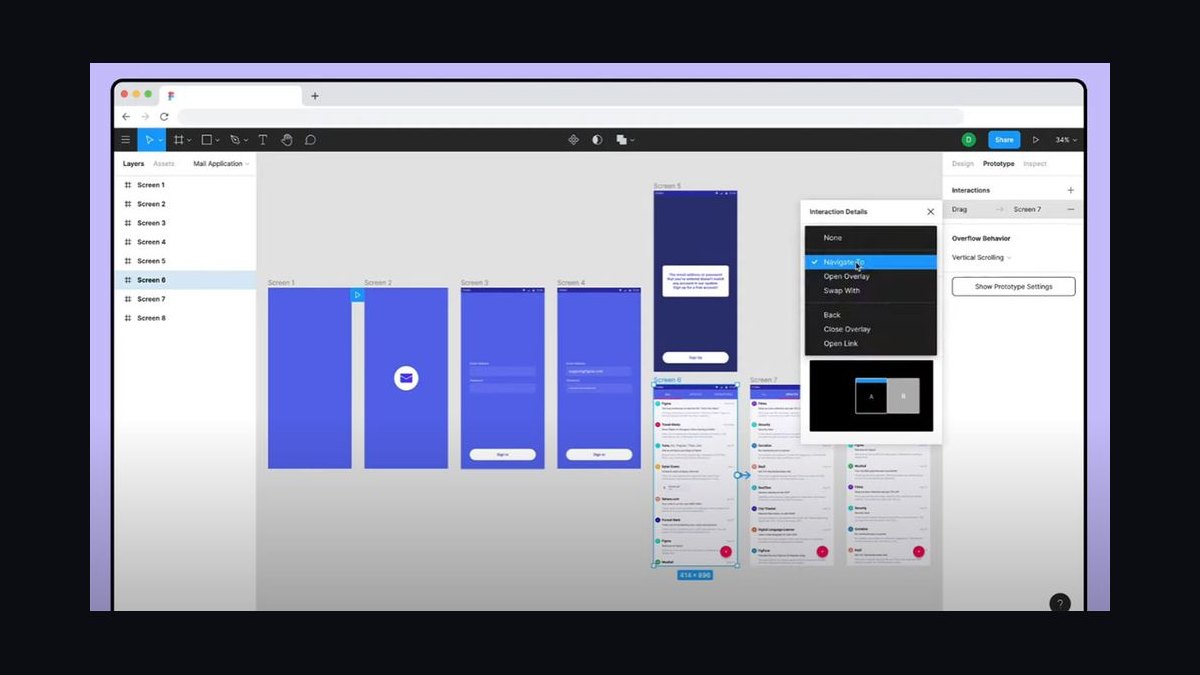
The 10 best ai tools for ux and ui design are ranked below on measured performance, build quality, price, and how each one actually holds up in daily use rather than how it reads on a spec sheet. Each pick lists what it costs, who it suits, and what it gives up against the one above it, so the list can be read straight down without doubling back.
1Figma
Figma ranks first because its AI features operate inside the file format where product teams already work, eliminating context switching. First Draft generates full editable layouts with real frames, auto-layout, and components, while Figma Make produces clickable prototypes from prompts. The output is native Figma objects, preserving variables, styles, and design systems. Dev Mode then carries designs into clean handoff with inspectable specs and code snippets.
Figma is for product teams that have standardized on its canvas and need AI as an additive layer rather than a new tool. It trades away standalone prompt-to-code speed for unmatched editability and workflow fit. Compared to v0 by Vercel, Figma produces design files, not production code, so teams shipping directly to React still need a separate code-generation step. It is the safest single bet for end-to-end product design in 2027.
2v0 by Vercel
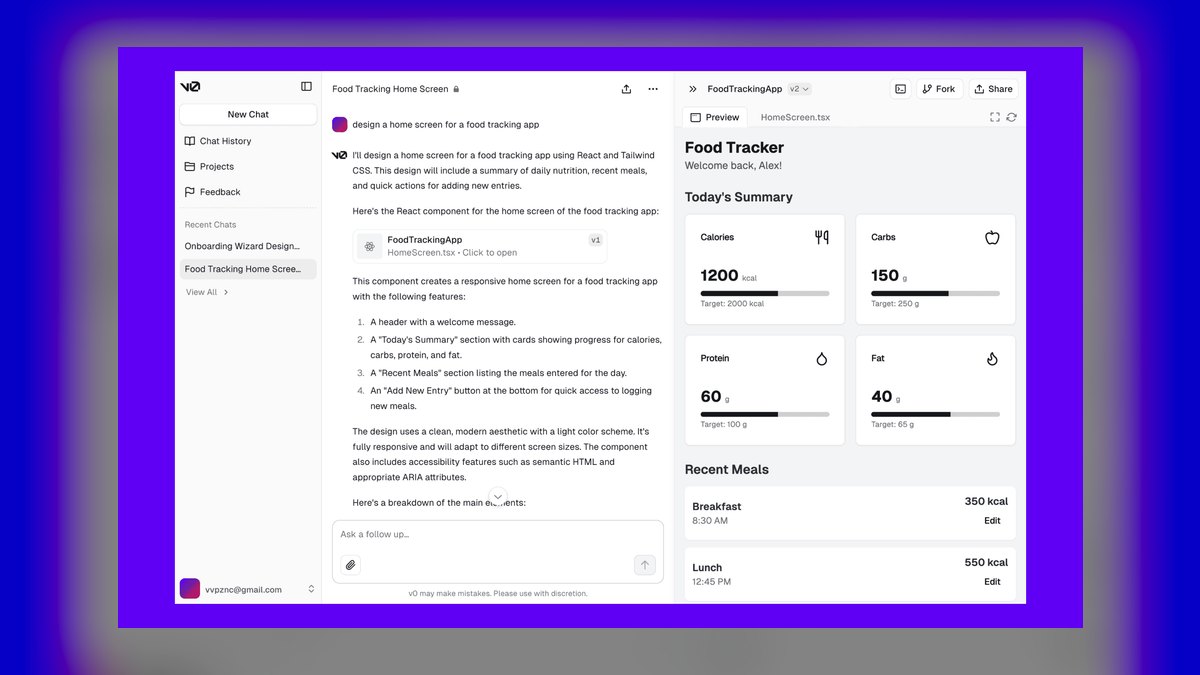
v0 by Vercel ranks second because it converts text prompts or screenshots into production-ready React components styled with Tailwind CSS and shadcn/ui, collapsing the gap between idea and deployable interface. Iterations happen through follow-up prompts, and every version is forkable. The output is structurally sound, accessible, and responsive, not a flat image. This makes it the fastest path from prompt to running UI for design-engineers.
v0 is for design-engineers and small teams without dedicated front-end resources who need shippable code, not mockups. It trades away design-file editability for code fidelity, and it leans heavily on the Vercel/React/Tailwind stack, so non-React shops face adaptation work. Compared to Figma, which anchors design and handoff, v0 excels at the final code deliverable. Its free tier with monthly credits plus a $20-per-month Premium plan makes it accessible for experimentation.
3Adobe Firefly

Adobe Firefly ranks third because its generative engine is commercially safe, trained on Adobe Stock and licensed content, making it the most trustworthy choice for client and enterprise imagery. Generative Fill and Generative Expand in Photoshop handle hero images and asset variations, while Illustrator's Generative Recolor and text-to-vector features cover iconography and brand graphics. It is bundled into Creative Cloud subscriptions with monthly generative credits, and a standalone plan exists for lighter users.
Firefly is for UX and UI teams that need a reliable asset and imagery layer, not a layout or prototyping tool. It trades away interface generation for production-grade visual assets, so it complements rather than replaces tools like Figma or v0. Compared to v0, which outputs code, Firefly outputs imagery that ships inside real products. It is the strongest option for commercially safe, high-quality visuals in a design stack.
4Framer

Framer ranks fourth because it combines design and website publishing in one tool, with Framer AI generating layout structure and copy from a prompt that can be refined and published to a custom domain without code. The breakpoint system, scroll and component interactions, and built-in CMS mean an AI-generated draft can become a maintained production site. It is best for marketing sites, landing pages, and portfolios where the design is the shipped artifact.
Framer is for designers who also own deployment and need an end-to-end AI-to-live pipeline. It trades away native app design and deep internal tooling for fast web publishing. Compared to Adobe Firefly, which supplies assets, Framer delivers complete, responsive sites. Its free plan for basic sites and paid tiers scaling by features and traffic make it a strong choice for web-focused teams.
5Uizard by Miro

Uizard by Miro ranks fifth because it offers the most genuinely useful AI at the friendliest price, making it the best value for early-stage and solo workflows. Autodesigner turns text prompts into multi-screen mockups, Screenshot Scanner converts any UI image into editable design, and Wireframe mode upgrades rough sketches into clean layouts. It runs a capable free plan with a Pro tier in the low-double-digits per editor monthly.
Uizard is for founders, product managers, and solo designers who need to communicate ideas fast without a heavy design system. It trades away pixel-level production design and deep component work for momentum and accessibility. Compared to Framer, which publishes live sites, Uizard produces mockups for early concepts. It is the clear best-value pick for teams prioritizing speed over polish.
6Google Stitch
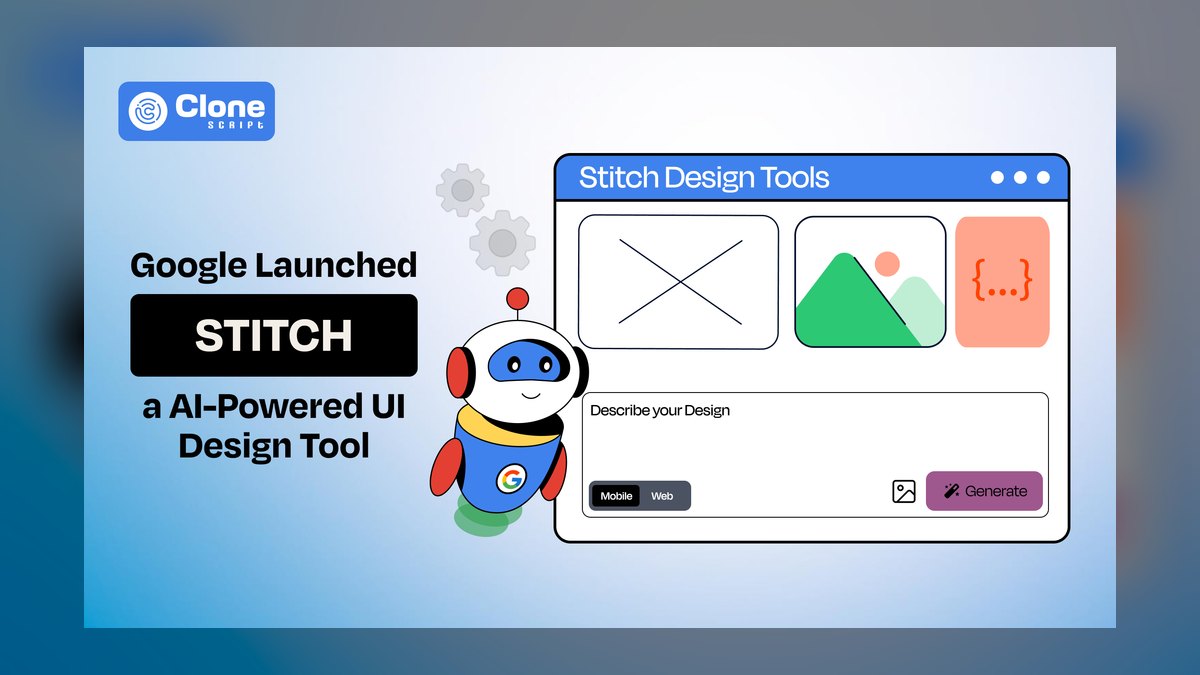
Google Stitch ranks sixth because it combines fast visual generation with direct export paths, backed by Google's frontier models for understanding messy natural prompts. You describe an app screen or paste a reference, and Stitch generates UI designs plus front-end code, with conversational iteration and export to Figma or markup. It is built on the team and technology from the Galileo AI acquisition, introduced through Google's developer channels.
Stitch is for rapid concepting and exploration rather than a system of record, as output still needs refinement in Figma or code before shipping. It trades away feature depth and production readiness for speed and free access. Compared to Uizard, which offers more mature mockup generation, Stitch provides code export alongside visuals. It is a strong addition to the stack for fast first drafts from text.
7Builder.io Visual Copilot
Builder.io Visual Copilot ranks seventh because it converts Figma designs into clean front-end code across React, Vue, Angular, and Svelte, targeting the exact friction point where polished designs stall in manual rebuild. It reads layers and auto-layout, produces responsive, component-structured code, and can map generated elements onto existing components rather than emitting one-off markup. The Builder.io platform also offers visual editing and a headless CMS for ongoing content.
Visual Copilot is for teams with strong design output and a design-to-code bottleneck, especially those using multiple frameworks. It trades away prompt-to-design generation for design-to-code fidelity, requiring a clean and systematic Figma file for best results. Compared to Google Stitch, which generates designs from prompts, Visual Copilot excels at converting existing designs. It is one of the most capable tools for shortening the handoff between design and development.
8Relume

Relume ranks eighth because it is the AI sitemap and wireframe builder aimed at web projects, especially for the Webflow and Figma crowd. Describe a business in a prompt and Relume generates a full sitemap, then expands it into wireframes assembled from a large library of responsive sections you can export straight into Webflow or Figma. It runs on a monthly subscription with a sizable component library included.
Relume is for agencies and freelancers producing marketing and brochure sites at volume, where structure and speed matter more than bespoke art direction. It trades away app UI and complex product flows for tight web and marketing-site structure. Compared to Builder.io Visual Copilot, which converts Figma designs to code, Relume generates the sitemap and wireframes from scratch. Its AI sitemap-to-wireframe pipeline is genuinely differentiated for web projects.
9Maze

Maze ranks ninth because it brings AI to the research side of UX, running unmoderated tests on prototypes, surveys, and live sites while its AI features draft study questions, summarize open-ended responses, and surface themes across hundreds of sessions automatically. You can wire a Figma prototype straight into a Maze test, recruit participants, and get usability metrics, heatmaps, and AI-synthesized qualitative findings. It is priced per seat with free and paid tiers.
Maze is for teams that need evidence behind design decisions without a full-time research org. It trades away interface generation for research validation, complementing rather than replacing design tools. Compared to Relume, which structures web projects, Maze closes the loop between what you designed and how real users behave. It is the strongest AI-assisted choice for user testing and research in this list.
10Attention Insight
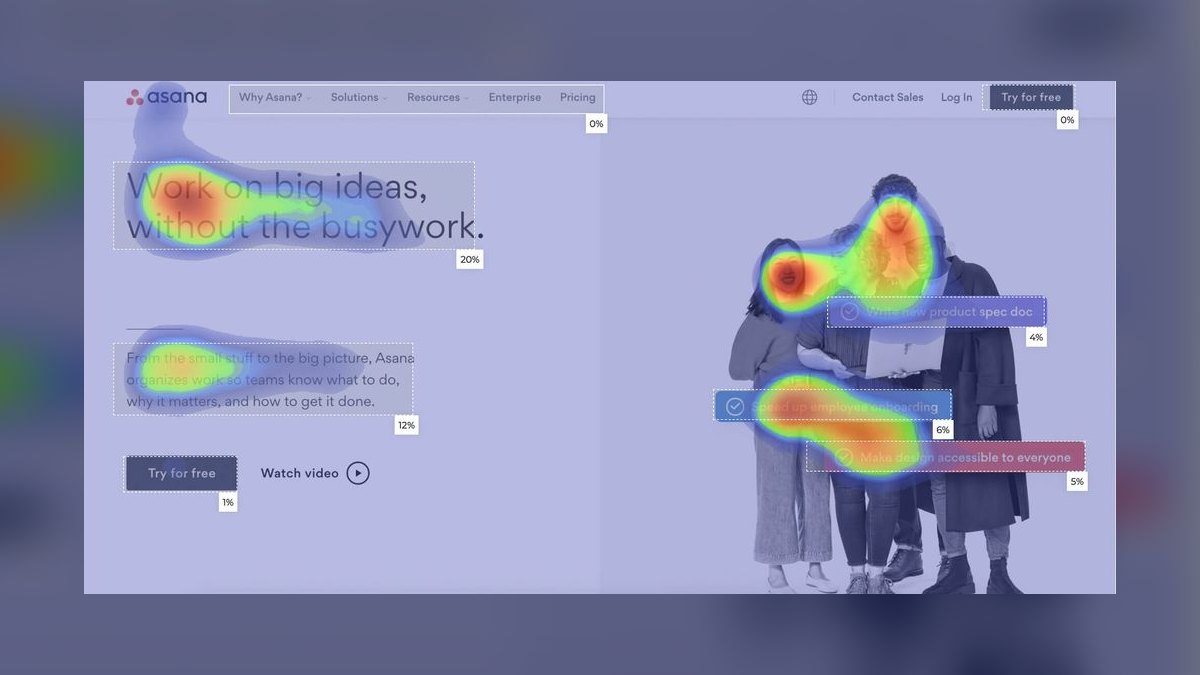
Attention Insight ranks tenth because it provides predictive eye-tracking heatmaps, uploading a design or screenshot and using AI to predict where users will look in the first seconds, generating an attention heatmap, clarity score, and percentage-of-attention breakdowns by area. The vendor reports validation of its model against real eye-tracking studies, which is the right question to ask of any predictive tool. It runs on a subscription with limited free analyses.
Attention Insight is for designers who need a quick, low-effort guardrail on visual hierarchy and CTA prominence before real user testing. It trades away real-user behavior for instant prediction, making it directional rather than decisive. Compared to Maze, which tests with actual users, Attention Insight catches obvious hierarchy mistakes in seconds. It is a useful, cheap complement to human testing, rounding out the list as a validation tool.
How we ranked these
We scored each tool on five weighted criteria: output quality, workflow fit, editability, handoff and code quality, and price and access. Output quality and workflow fit carried the most weight because they determine whether AI output is usable in real product work. Editability and handoff were weighted next, as they separate production tools from demo generators. Price and access were weighted least, since most tools offer free tiers for evaluation.
We deliberately ignored marketing claims, feature checklists, and tools that only generate static images with no path to a real interface. We also excluded tools without a clear pricing model or those that force a context switch away from the designer's primary workspace. Our focus was on tools that close the loop from prompt to editable design to working code, which we believe is the true measure of value for working professionals.
What to look for
When choosing between these tools, the decision hinges on your primary output: editable design files or shippable code. If your team lives in Figma, its AI features are the lowest-friction addition. If you need React components, v0 by Vercel is unmatched. For budget-conscious solo designers, Uizard by Miro offers the most capability per dollar. Always test with your real product brief in the free tier before committing.
The most common mistake is picking a tool based on a polished marketing demo rather than testing it on your actual workflow. Another error is assuming one tool can do everything—the best results come from stacking tools like Figma for design, v0 for code, and Maze for validation. Ignoring the learning curve and team adoption costs also leads to wasted licenses and abandoned tools.
Related questions
What is the best AI tool for UI mockups in 2027?
Figma is the best overall for UI mockups because its First Draft and Make features generate editable layouts inside the same canvas teams already use. Uizard by Miro is the best value for quick, low-fidelity mockups. For code-based mockups, v0 by Vercel produces React components directly from prompts.
How can AI help with UX microcopy?
Figma's AI can draft realistic placeholder copy instead of lorem ipsum, and tools like Maze can summarize open-ended user responses to inform microcopy. For generating multiple variations of button labels or error messages, v0 and other prompt-based tools can quickly produce options, though human review is essential for brand voice.
Which AI tools are best for favicon and icon design?
Adobe Firefly's text-to-vector features in Illustrator are strong for generating iconography with commercial safety. For favicons, you can use Firefly to create a base image and then resize it in Figma or a dedicated favicon generator. Framer also offers AI-assisted asset generation for web projects.
What are the top AI tools for landing page design?
Framer is the best for AI-generated landing pages that go live without code, offering layout generation and publishing tools. Relume excels at generating sitemaps and wireframes for marketing sites, especially for Webflow. v0 by Vercel is ideal for developers who want to build landing pages in React.
How do AI tools for product page design compare?
For e-commerce product pages, Figma's AI can generate layout variations within your design system, while Builder.io Visual Copilot converts those designs into code for any framework. Relume can structure the page hierarchy, and Attention Insight can predict which elements will draw the most attention.
Can AI tools design t-shirts and merch?
Adobe Firefly is the safest choice for commercial merch designs due to its licensed training data. Its text-to-vector and Generative Fill features in Illustrator allow for creating scalable artwork. Other image generators may work, but you must verify licensing terms before selling any AI-generated designs.
What is the best AI tool for UX research?
Maze is the leading AI-assisted UX research platform, enabling unmoderated testing on prototypes and live sites. Its AI features help draft study questions and summarize open-ended responses, making it easier to gather and analyze user feedback without a dedicated research team.
FAQ
Will AI design tools replace UX/UI designers in 2027?
No. Every tool here accelerates drafting, handoff, or research, but interface decisions still require judgment about users, accessibility, and brand. The fastest designers use these tools to skip the blank canvas and spend more time on the hard parts.
What's the single best AI tool for a product design team?
Figma, because its AI lives inside the file format teams already use for design, prototyping, and developer handoff. There's no new system of record to adopt—the AI is additive.
Which AI design tool is best if I need real, shippable code?
v0 by Vercel for React/Tailwind output from prompts, or Builder.io Visual Copilot when you're converting existing Figma designs into React, Vue, Angular, or Svelte.
Is there a strong free option?
Yes—Uizard by Miro, Figma (free viewer/starter access), Google Stitch, and v0 all have free tiers. Uizard offers the most generation capability at zero cost.
Are AI-generated images safe to use in a shipped product?
Adobe Firefly is the safest choice for commercial work because its base models are trained on Adobe Stock and licensed content. Always confirm the current licensing terms for your specific use.
How do I validate an AI-generated design before launch?
Use Maze for unmoderated testing with real users and Attention Insight for an instant predictive heatmap of visual hierarchy. Treat prediction as directional and real testing as decisive.
What is the best AI tool for generating wireframes?
Uizard by Miro excels at turning hand-drawn sketches into clean wireframes. Relume generates sitemaps and wireframes for web projects, and Figma's First Draft can produce wireframe-level layouts from text prompts.
Can AI tools help with design system management?
Figma's AI can help rename layers, swap content, and search files, which supports design system maintenance. Builder.io Visual Copilot can map generated code to your existing components, ensuring consistency. However, no tool fully automates design system governance.
How do these tools handle accessibility?
Most tools do not automatically ensure accessibility. Generated layouts can quietly ship inaccessible color contrast or missing focus states. Always run an accessibility and content pass before launch, using tools like Stark or axe.
Sources
- https://www.figma.com/ai/
- https://v0.dev/
- https://www.adobe.com/products/firefly.html
- https://www.framer.com/
- https://uizard.io/
- https://stitch.withgoogle.com/
- https://www.builder.io/m/figma-to-code
- https://www.relume.io/
- https://maze.co/
- https://attentioninsight.com/
Related on PULSE
This page will be disappearing soon. Save it to your device for $1 — or read it free while it is here.
@Kory-White- · if Venmo asks, the last 4 of my number are 2012
This page is gone.
This one is off the shelf now. $1 keeps it on your phone for good — the whole page, pictures and diagrams included.
 pulse-ai-infrastructureThe 10 Best Secrets Management Tools for LLM Applications in 2027
 pulse-ai-infrastructureWhat is model serving and how is it different from a REST API in 2027?
 pulse-ai-infrastructureThe 10 Best AI Tools for Account-Based Marketing in 2027
 aiThe 10 Best AI Tools for Color Contrast Checking in 2027
 pulse-ai-infrastructureThe 10 Best AI Tools for Writing Fiction in 2027
 pulse-ai-infrastructureThe 10 Best AI Tools for Favicon and Icon Design in 2027
 pulse-ai-infrastructureThe 10 Best AI Tools for CI/CD for Web Apps in 2027
 pulse-ai-infrastructureWhat is the difference between batch and real-time inference infrastructure in 2027?
 pulse-ai-infrastructureThe 10 Best AI Tools for Lead Capture Forms in 2027
 aiThe 10 Best AI Tools for Angular Development in 2027