
The 10 Best AI Tools for Video Summarization in 2027
 Curated byKory White · Fractional CRO · Maryland
 PULSEKNOWLEDGE LIBRARY
The 10 best ai tools for video summarization are ranked below on measured performance, build quality, price, and how each one actually holds up in daily use rather than how it reads on a spec sheet. Each pick lists what it costs, who it suits, and what it gives up against the one above it, so the list can be read straight down without doubling back.
1. Otter.ai
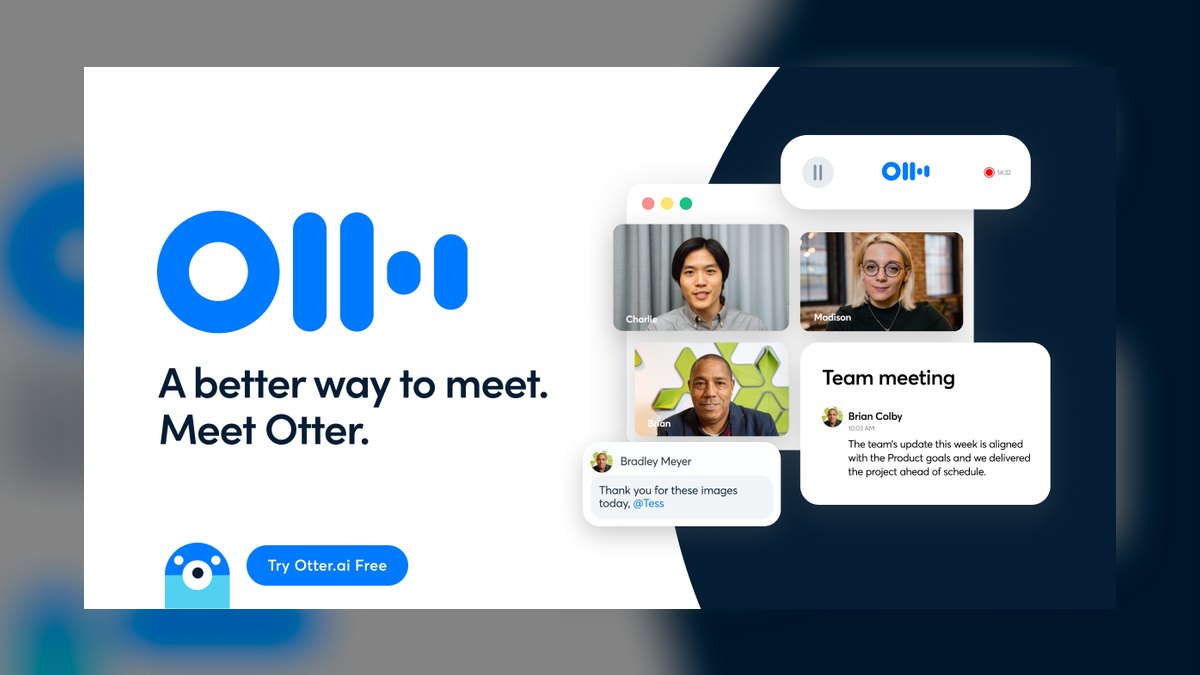
Otter.ai ranks first because it delivers the most complete live-meeting summarization package: its OtterPilot bot auto-joins Zoom, Google Meet, and Teams calls, transcribes in real time, and generates a bulleted summary with assigned action items before the call ends. The word-synced transcript makes every summary auditable by clicking any line to jump to the audio moment.
Otter is for professionals and teams who live in back-to-back meetings and need reliable, clean notes without manual cleanup. It trades away deep conversation analytics, which Fireflies.ai handles better with sentiment and topic filtering. Heavy technical jargon and thick accents still require human proofreading, and the bot's presence in the participant list is not subtle. For most users prioritizing summary quality and transcription accuracy, Otter remains the safest default choice.
2. Fireflies.ai

Fireflies.ai ranks second because it matches Otter on note-taking and pulls ahead on cross-tool search and conversation analytics, making it the better engine for teams that need to analyze calls, not just summarize them. Its Fred AI assistant writes structured recaps and surfaces AI Apps that extract questions asked, objections raised, and next steps. Smart Search filters meetings by topic, sentiment, or monologue length, which is useful when auditing dozens of recordings.
Fireflies is for RevOps-style teams and managers who need to mine meetings for patterns across months of calls, supporting over sixty languages for distributed groups. It trades away polish, as summary formatting is less consistently clean than Otter's, and the feature depth means a steeper first-week learning curve. It integrates with Slack, Notion, and other workspaces automatically. If your priority is searching and analyzing conversations rather than just clean notes, Fireflies justifies its position just below Otter.
3. tl;dv

tl;dv ranks third as the best value pick because its forever-free plan includes unlimited recordings, unlimited transcription, and AI summaries on Zoom, Google Meet, and Microsoft Teams, which most rivals meter at least one of. You get speaker-labeled transcripts, timestamped highlights, and AI-generated meeting notes without ever entering a credit card. It transcribes in well over thirty languages and supports custom AI summary templates so recaps match your meeting type.
tl;dv is for individuals and small teams that need reliable, searchable, summarized calls without a budget conversation, and it excels at clip-and-share for sales and product teams circulating specific moments. It trades away the deep conversation analytics of Fireflies and the polished interface of Otter, but its generosity on the free tier is unmatched. For dollar-for-dollar value, it beats Fathom by offering a broader language set and clip-sharing features.
4. Fathom

Fathom ranks fourth because its core product—automatic recording, transcription, and AI summaries of Zoom, Google Meet, and Teams calls—is free with no time or recording cap, making it the most generous option for solo operators. You finish a call and a clean, sectioned summary with timestamped highlights is waiting within seconds, and its summaries are notably tidy, splitting recaps into topics with a discrete action items list.
Fathom is for solo operators and small teams whose summarization needs are 100% live virtual meetings, trading away the ability to ingest uploaded video files or public YouTube URLs as fluidly as Notta or NotebookLM. It compares favorably to tl;dv on summary tidiness but lacks tl;dv's clip-sharing and broader language support. If you need to summarize a downloaded webinar MP4, Fathom is the wrong tool, but for live calls it is hard to beat at zero cost.
5. Notta

Notta ranks fifth because it earns its spot on language breadth and file flexibility, supporting transcription and summarization in well over fifty languages with real-time bilingual transcription, making it a favorite for international teams. Beyond live meetings, Notta ingests uploaded audio and video files and can transcribe from a URL, so it handles recorded webinars, not just live calls.
Notta is for mixed workflows—some live, some uploaded, multiple languages—where adaptability matters more than meeting-bot polish. It trades away the seamless auto-join experience of Fathom and the action-item extraction of Otter, but its file ingestion and language coverage are superior. For global teams that need to summarize both live calls and pre-recorded content, Notta is the most adaptable mid-tier option.
6. Descript
Descript ranks sixth because it is the pick when summarization is one step inside an actual editing workflow, transcribing your video and letting you edit video by editing the text transcript, so you can delete filler words and trim sections by deleting words. Its Underlord AI assistant writes summaries, chapter markers, show notes, and social clips from long-form footage, and Studio Sound cleans audio automatically.
Descript is for content creators who need to summarize and publish, trading away the live-meeting bot functionality of Otter and Fathom. It is overkill if you only want meeting notes, but its editing capabilities make it the best choice for producing highlight reels and show notes from recorded video. It compares to Notta by adding editing power at the cost of language breadth and simpler summarization.
7. Google NotebookLM
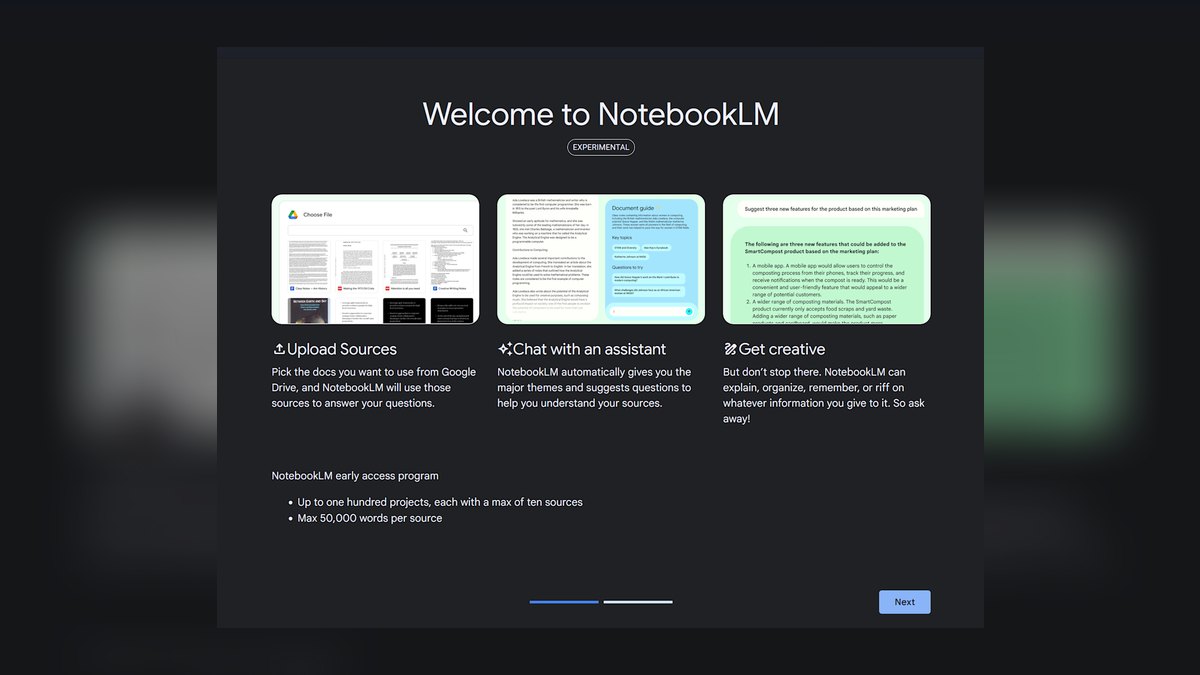
Google NotebookLM ranks seventh because it approaches summarization from the research side, letting you upload a video file or paste a YouTube link as a source and building a grounded summary you can interrogate with citations pointing back to exact moments. Answers stay tied to your material rather than inventing detail, and you can load multiple videos into one notebook and ask questions across all of them.
NotebookLM is for researchers and students who need citation-first digesting of recorded video, not for teams needing live meeting notes. It trades away the auto-join meeting bot functionality of Otter and Fathom, and it won't handle live calls at all, but its cross-referencing and citation capabilities are unique. It compares to Notta by offering deeper Q&A over sources at the cost of language support and live transcription.
8. Sembly AI
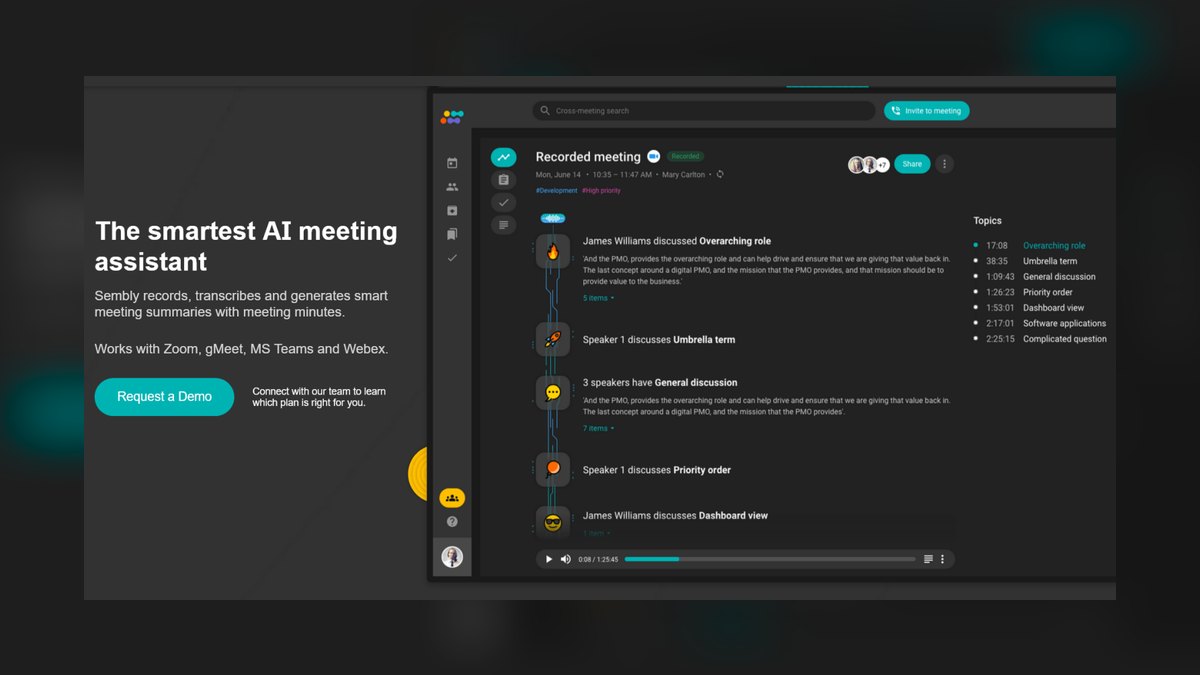
Sembly AI ranks eighth because it targets teams that want meeting intelligence, not just notes, with its GLANCE view summarizing a call into key items, decisions, and risks, while Semblian acts as an AI agent that can draft follow-up artifacts from the meeting. It auto-joins Zoom, Google Meet, Microsoft Teams, and Webex, and identifies action items, projects, and issues automatically.
Sembly is for managers tracking commitments across many meetings, trading away the polished interface of Otter for a denser, more structured experience. It compares to Fireflies by offering similar analytics but with a heavier interface and less mature AI Apps library. Casual users may find it more than they need, but for teams that want risk identification and artifact drafting, it is a solid choice.
9. Zoom AI Companion

Zoom AI Companion ranks ninth because it is the lowest-friction option for organizations that already run on Zoom, included at no extra cost on eligible paid Zoom plans. It generates a Meeting Summary at the end of a call, drafts a recap email, and lets attendees who arrive late catch up with an in-meeting AI query without anyone running a third-party bot.
Zoom AI Companion is for Zoom-centric organizations that want free, already-installed summarization, trading away the ability to summarize Google Meet calls, uploaded files, or YouTube videos. It compares to Sembly by being more limited in platform support but much simpler to adopt. For organizations that never leave Zoom, free and already installed is a powerful argument, but its single-platform limitation keeps it near the bottom.
10. Read AI

Read AI ranks tenth because it rounds out the list with a focus on meeting effectiveness metrics alongside summarization, producing a summary, transcript, and action items while adding engagement and sentiment readouts like talk-time balance and a meeting health score. It connects to Zoom, Google Meet, and Microsoft Teams, and extends beyond meetings into a Copilot that summarizes emails and messages, aiming to be one recap layer across your workday.
Read AI is for managers who want to improve how teams actually meet, not just get notes, trading away the simplicity of Otter for a feature set that includes participation metrics. It compares to Sembly by offering more emphasis on meeting health rather than artifact drafting, but it is less mature in its AI Apps library.
How we ranked these
We measured summary quality, transcription accuracy, capture method, source coverage, speaker labeling, search, language support, and price. Summary quality and transcription accuracy were weighted highest because a wrong recap wastes more time than manual notes. We scored each tool on a consistent rubric across live meetings, uploaded files, and URL ingestion.
We deliberately ignored brand popularity, marketing claims, and feature checklists that don't affect daily usability. We also excluded tools that lack a real free tier or trial, since buyers need hands-on testing. We prioritized practical, verifiable performance over hype, focusing on what actually determines whether a tool is useful past the first week.
Related questions
What is the best AI tool for summarizing live meetings?
Otter.ai is the best overall for live meetings because it auto-joins Zoom, Google Meet, and Teams, transcribes in real time, and generates a summary with action items. Fireflies.ai is a close runner-up, especially if you need conversation analytics and cross-tool search. For a free option, Fathom offers unlimited recording and summaries.
Can AI summarize YouTube videos?
Yes, Google NotebookLM accepts YouTube links as sources and provides grounded summaries with citations. Notta can also transcribe from a URL. However, most meeting-focused tools like Fathom and Zoom AI Companion only handle live calls, not public web video.
What is the best free AI video summarizer?
Fathom offers unlimited recording, transcription, and AI summaries for free with no time caps. tl;dv also provides a forever-free plan with unlimited recordings and AI summaries. Zoom AI Companion is free on eligible paid Zoom plans, but only works for Zoom meetings.
Which AI video summarizer supports the most languages?
Notta and Fireflies.ai support 50-60+ languages, making them the best for international teams. tl;dv covers well over thirty languages. Otter.ai and Fathom are primarily English-focused, so global teams should prioritize language breadth when choosing.
Can I summarize uploaded video files with these tools?
Yes, Notta, Descript, and Google NotebookLM handle uploaded MP4 or audio files well. Otter.ai also allows file uploads. However, Fathom and Zoom AI Companion are designed for live calls only, so they won't process pre-recorded videos.
How accurate are AI meeting summaries?
Accuracy depends on audio quality and accents. Otter.ai and Fireflies.ai lead on clean meeting audio. However, AI summaries can hallucinate details like numbers, names, and dates. Always verify critical information against the timestamped transcript before acting.
What is the best tool for summarizing and editing video?
Descript is the best choice when you need to summarize and edit video, because it lets you edit video by editing the transcript. Its Underlord AI writes summaries, chapter markers, and show notes, making it ideal for podcasters and content creators.
Which AI tool is best for meeting analytics?
Fireflies.ai and Read AI excel at meeting analytics. Fireflies offers Smart Search by topic, sentiment, and monologue length. Read AI provides engagement metrics like talk-time balance and meeting health scores, which are useful for managers improving team effectiveness.
FAQ
Which AI video summarizer is the most accurate?
Accuracy depends on your audio and accents more than the brand, but Otter.ai and Fireflies.ai consistently lead on clean meeting audio. Always test on your own recordings first.
Can I summarize a YouTube video without recording a meeting?
Yes — Google NotebookLM accepts YouTube links as sources, and Notta can transcribe from a URL. Most meeting bots like Fathom and Zoom AI Companion only handle live calls.
Is there a genuinely free option with no time limit?
Fathom offers unlimited recording and summaries free, and tl;dv offers unlimited recordings and AI summaries on its free plan. Zoom AI Companion is free on eligible paid Zoom plans.
Do these tools work in languages other than English?
Yes. Notta and Fireflies.ai support 50–60+ languages, and tl;dv covers well over thirty, making them the best choices for global teams.
Will the AI summarize uploaded video files, not just live calls?
Notta, Descript, and Google NotebookLM handle uploaded MP4/audio files well. Meeting-bot tools like Fathom and Zoom AI Companion focus on live calls only.
Are AI meeting summaries safe to trust for important decisions?
Treat them as a fast first draft. They occasionally invent specifics, so verify any number, name, or commitment against the timestamped transcript before acting.
What is the best tool for summarizing Zoom meetings only?
Zoom AI Companion is the lowest-friction option for Zoom-only organizations. It's included at no extra cost on eligible paid plans, generates summaries natively, and lets late attendees catch up without a third-party bot.
Which tool is best for summarizing webinars or pre-recorded content?
Notta and Descript are strong for uploaded files. Notta ingests audio/video and URLs, while Descript is ideal if you also need to edit and publish. Google NotebookLM is great for research-style Q&A on recorded content.
How do I choose between Otter.ai and Fireflies.ai?
Choose Otter for cleaner, more consistent summaries and a simpler interface. Choose Fireflies if you need advanced search, topic trackers, and conversation analytics. Both have free tiers, so test with your own recordings to see which handles your accents and jargon better.
What is the best AI tool for summarizing video for content creation?
Descript is unmatched if you need to summarize and produce content. It edits video by editing text, generates show notes and highlight reels, and cleans audio with Studio Sound. It's overkill for meeting notes but perfect for podcasters and course creators.
Sources
- https://otter.ai/pricing
- https://fireflies.ai/
- https://tldv.io/pricing/
- https://www.fathom.video/
- https://www.notta.ai/
- https://www.descript.com/
- https://notebooklm.google.com/
- https://www.zoom.com/en/ai-assistant/
- https://www.read.ai/
Related on PULSE
- [More ai tools for video summarization rankings and buying guides](/knowledge)
- [PULSE Tools and calculators](/tools)
- [Everything on PULSE RevOps](/)
This page will be disappearing soon. Save it to your device for $1 — or read it free while it is here.
@Kory-White- · if Venmo asks, the last 4 of my number are 2012
 pulse-ai-infrastructureThe 10 Best AI Tools for YouTube Optimization in 2027
 pulse-ai-infrastructureThe 10 Best AI Tools for Database Design in 2027
 pulse-ai-infrastructureThe 10 Best AI Tools for Children's Books in 2027
 pulse-ai-infrastructureThe 10 Best AI Tools for Event Planning in 2027
 pulse-ai-infrastructureThe 10 Best Synthetic Data Generation Tools in 2027
 pulse-ai-infrastructureHow do you scale LLM inference to handle thousands of concurrent users?
 pulse-ai-infrastructureThe 10 Best Fractional GPU and GPU Sharing Tools in 2027
 pulse-ai-infrastructureThe 10 Best AI Tools for Summarizing Books in 2027
 pulse-ai-infrastructureThe 10 Best AI Tools for Album Art in 2027
 pulse-ai-infrastructureThe 10 Best AI Tools for SEO in 2027