


The 10 Best AI Tools for Screen Recording in 2027
Quality
Certified
The 10 best ai tools for screen recording are ranked below on measured performance, build quality, price, and how each one actually holds up in daily use rather than how it reads on a spec sheet. Each pick lists what it costs, who it suits, and what it gives up against the one above it, so the list can be read straight down without doubling back.
1Loom
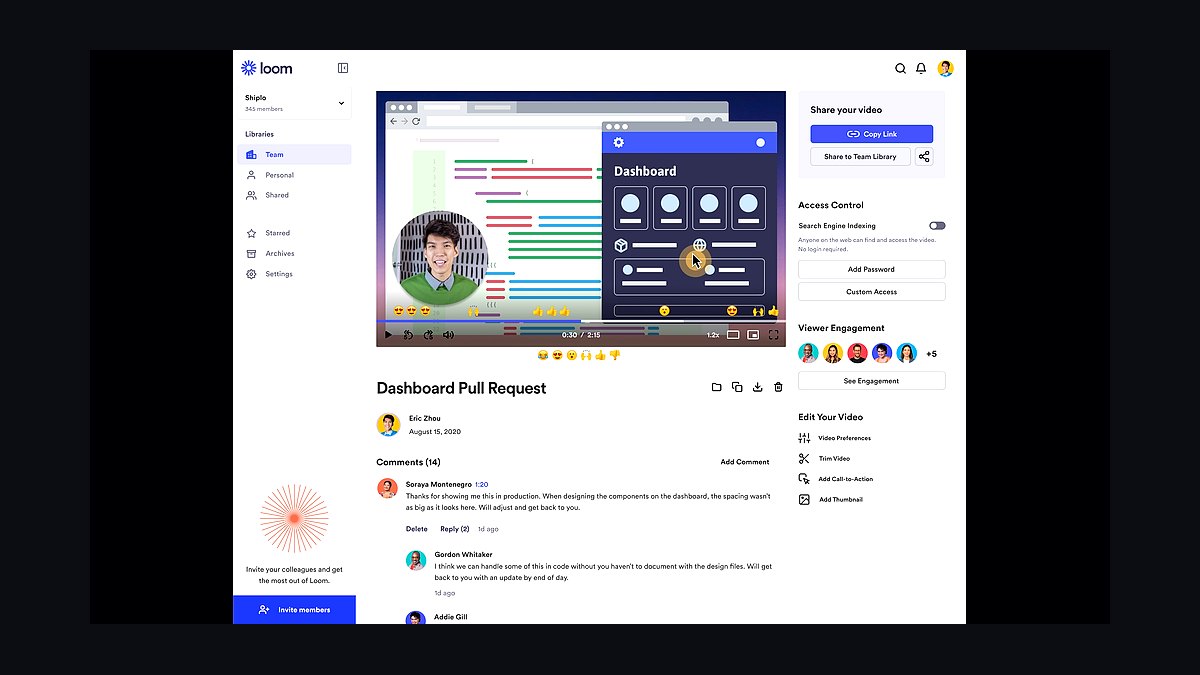
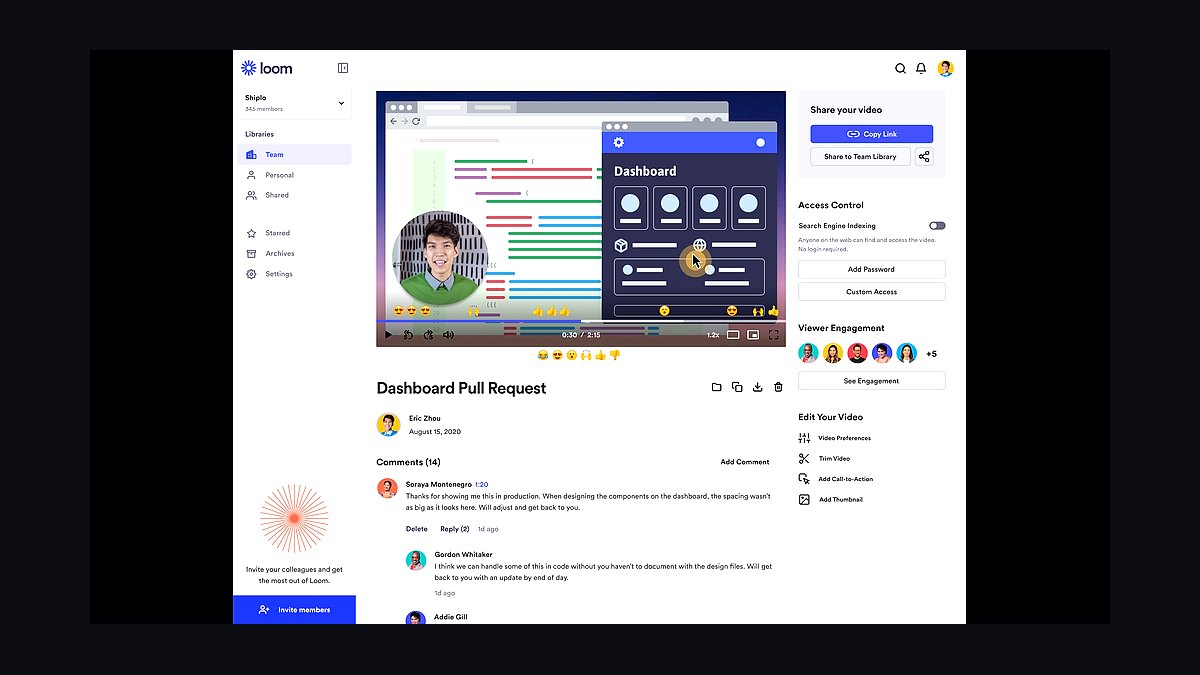
Loom ranks first because it combines one-click screen and webcam capture with an AI suite that auto-generates titles, summaries, chapters, and action items from the transcript. It also strips filler words and silences automatically, turning a raw take into a shareable asset without a separate edit pass. Owned by Atlassian, it integrates deeply with Jira, Slack, and Notion, and offers engagement analytics showing who watched and for how long.
Loom is for operators, support leads, and founders who send multiple async walkthroughs daily and need speed plus viewer tracking. It trades away deep editing control, which Descript provides, but it wins on the friction-free loop from recording to instant link. For teams standardizing on one tool with reliable analytics and enterprise integrations, Loom is the safest pick.
2Descript
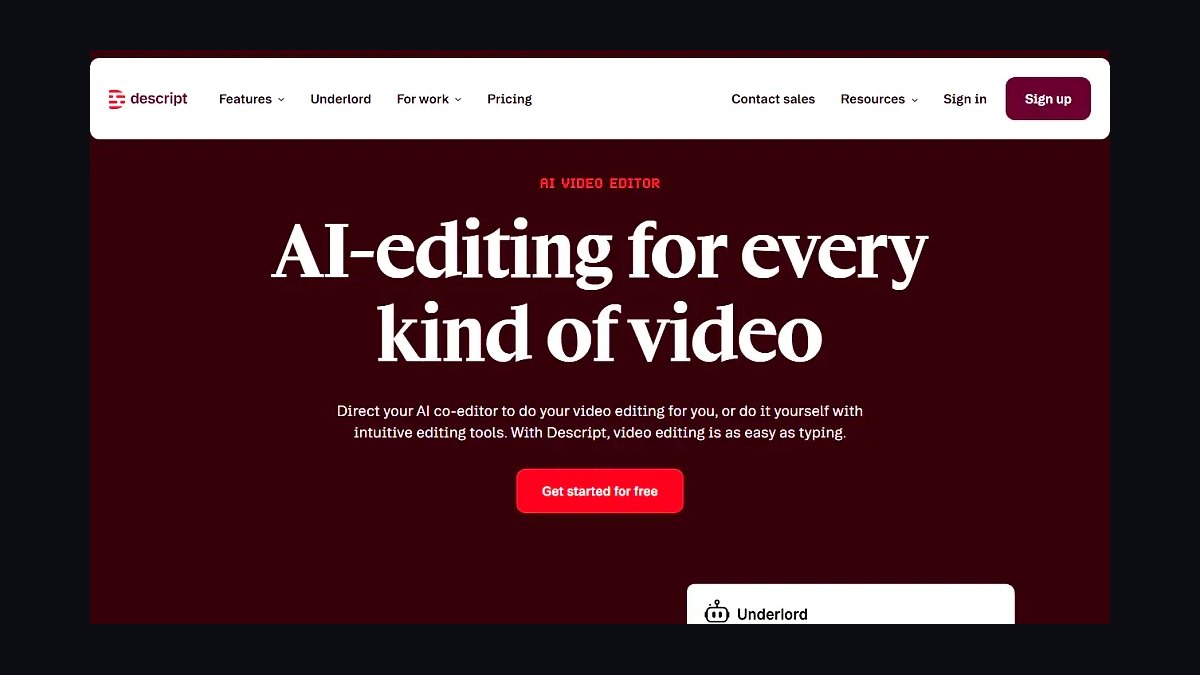
Descript ranks second because it treats your screen recording as an editable text document, letting you delete a sentence in the transcript to remove the corresponding footage. Its AI assistant Underlord removes filler words and gaps with one click, adds studio-quality noise removal, and generates chapters. It also offers Overdub AI voice cloning and Eye Contact correction, capturing at up to 4K. Free tier exists, with paid plans roughly $16–24 per month depending on transcription hours.
Descript is for editors and creators who want to genuinely shape a recording into a polished tutorial or podcast clip, not just fire-and-forget. It trades away Loom's instant sharing and analytics for far deeper post-production control. If your workflow demands fixing flubbed lines by typing and precise transcript-based edits, Descript outperforms the quick-capture tools above it.
3Screen Studio
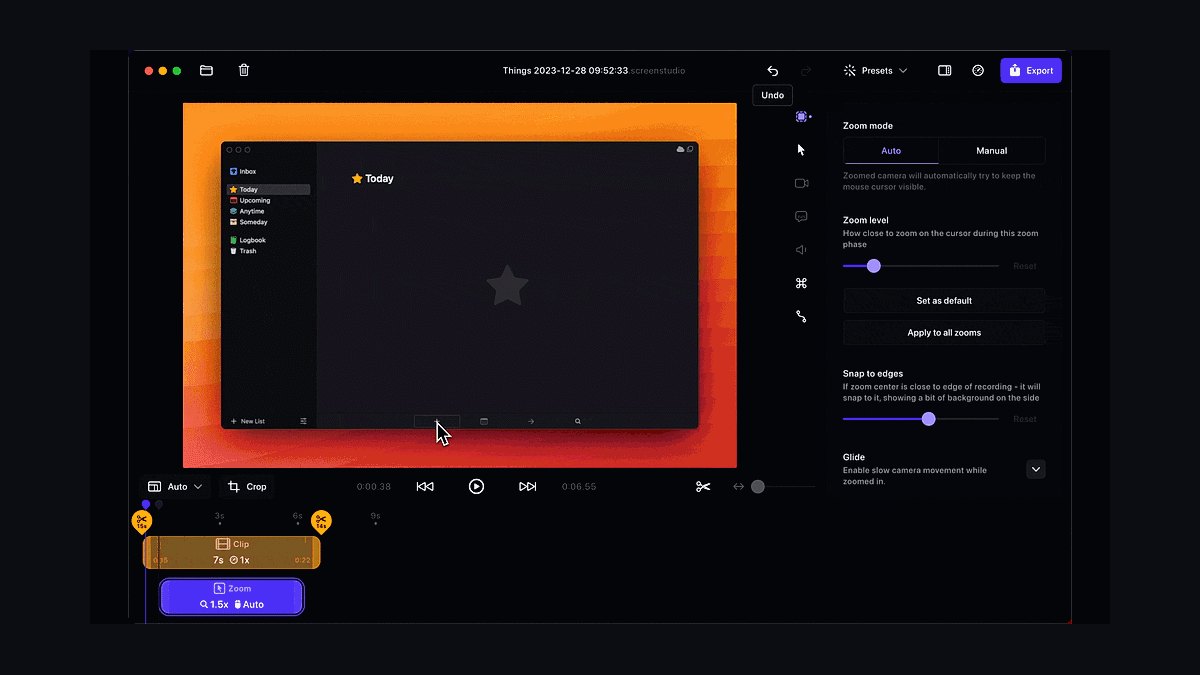
Screen Studio ranks third because it automatically creates polished, zoom-animated product demos on macOS, with the view smoothly zooming into your cursor on every click. This automatic motion design saves hours of manual keyframing in After Effects, and it exports at high resolution and frame rates suitable for landing pages. It offers customizable backgrounds, click highlights, and smooth cursor movement. Pricing is a paid license with a trial, no permanent free tier.
Screen Studio is for product marketers and founders who ship customer-facing demo videos weekly and need landing-page-quality polish. It trades away Loom's async sharing and team analytics, and its AI footprint is lighter than Descript's. For pure visual appeal in demos, it beats both, but it lacks the collaborative and editing features those tools provide.
4Guidde
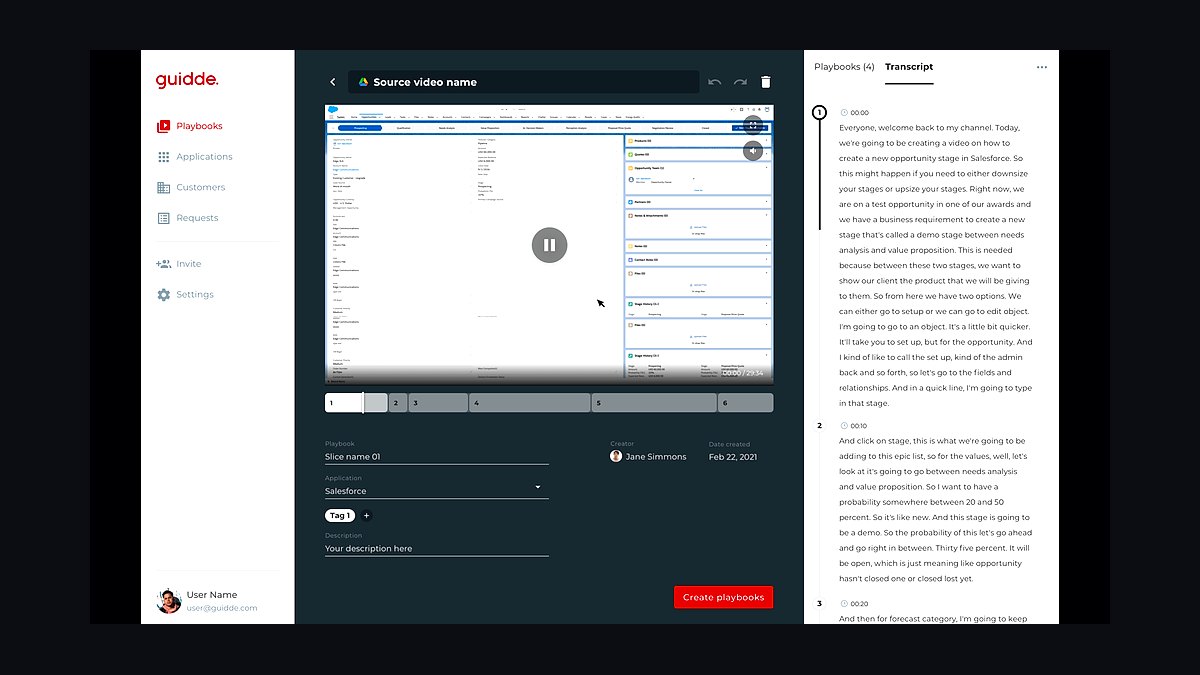
Guidde ranks fourth because it turns a single screen capture into a step-by-step how-to video with AI voiceover and auto-written narration. It segments your workflow into chapters, writes the script, and generates a magic-edited video with blurred sensitive fields and branded intros. Its AI documentation engine produces both a video and a written guide with annotated steps. It offers a free plan for individuals and paid team tiers, and embeds into Zendesk and knowledge bases.
Guidde is for support teams and onboarding specialists who need to create training material at scale without writing documentation manually. It trades away the general-purpose recording flexibility of Loom and Descript for a focused documentation workflow. For RevOps-adjacent enablement, it removes the worst part of creating how-to guides, making it more efficient than a general editor.
5Veed.io
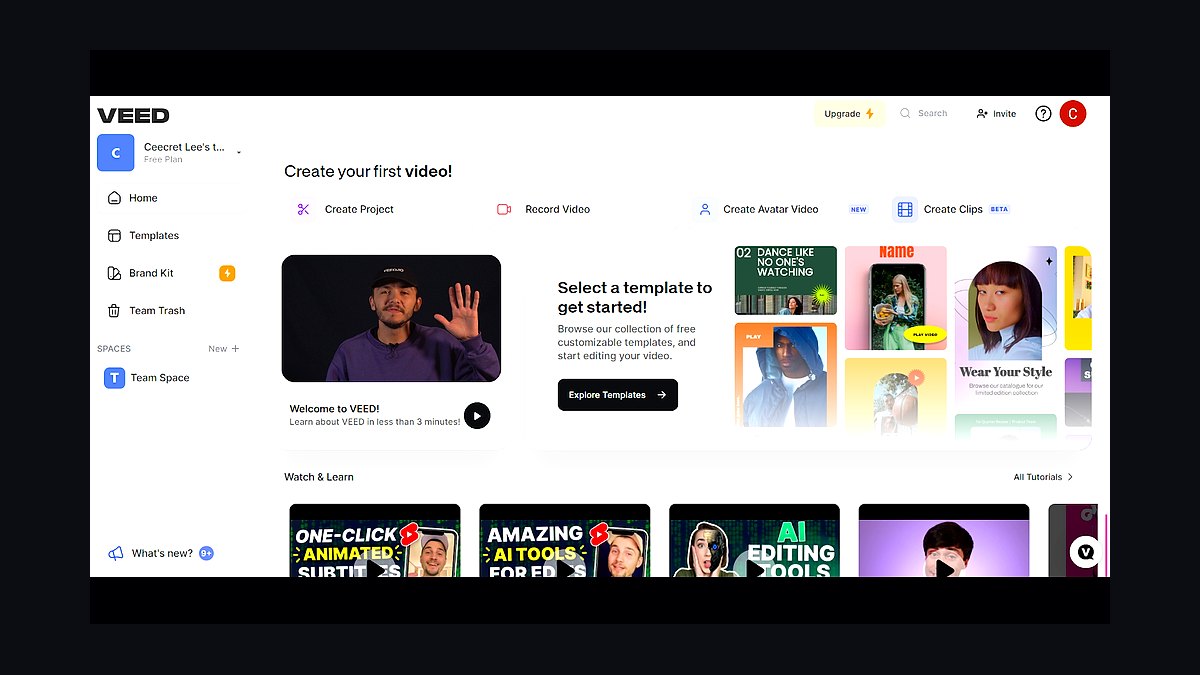
Veed.io ranks fifth because it bundles a browser-based screen recorder with a full AI video editor, so capture and post-production live in one tab. Its AI tools include auto-subtitles, background removal without a green screen, filler-word removal, eye-contact correction, and a clip-maker that finds shareable moments. Everything renders in the cloud, so a slow laptop is not a bottleneck. It keeps a free tier with watermarked exports and paid plans for higher resolution.
Veed.io is for marketers who repurpose screen recordings into TikToks, Reels, and YouTube shorts, saving them from juggling multiple apps. It trades away the dedicated recording polish of Screen Studio and the documentation focus of Guidde for a versatile editing suite. For social-first content creation, it outperforms the tools above it, but it is less ideal for internal async communication.
6Tella
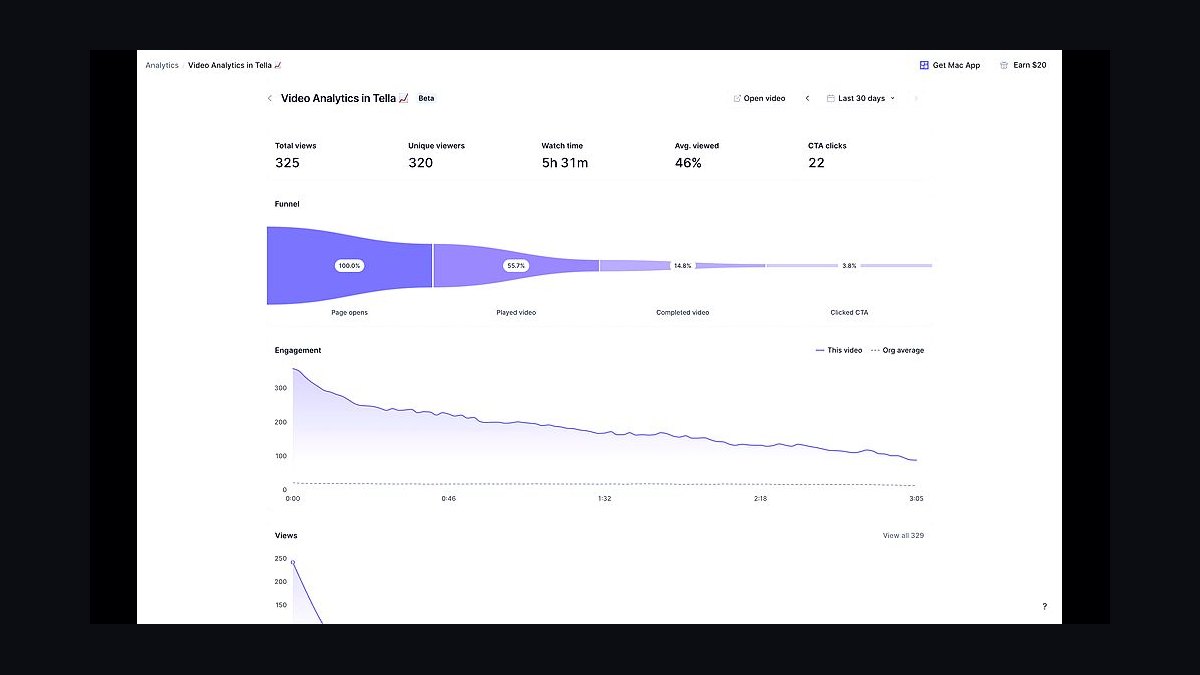
Tella ranks sixth because it is built for polished talking-head and screen content, with clean presets for webcam framing and backgrounds that look designed. Its recorder lets you switch layouts mid-take and trim by clicking, while AI-assisted transcription, captions, and filler-word trimming clean up the audio. Custom backgrounds, borders, and zoom give videos a branded look without a designer. It runs in the browser and on Mac with a free trial and subscription plans.
Tella is for creators and founders recording customer-facing explainers and course lessons that need a professional appearance. It trades away the deep editing of Veed.io and the documentation automation of Guidde for a streamlined, design-forward capture experience. It sits between Loom's speed and Screen Studio's polish, making it a strong middle-ground choice for branded content.
7Riverside
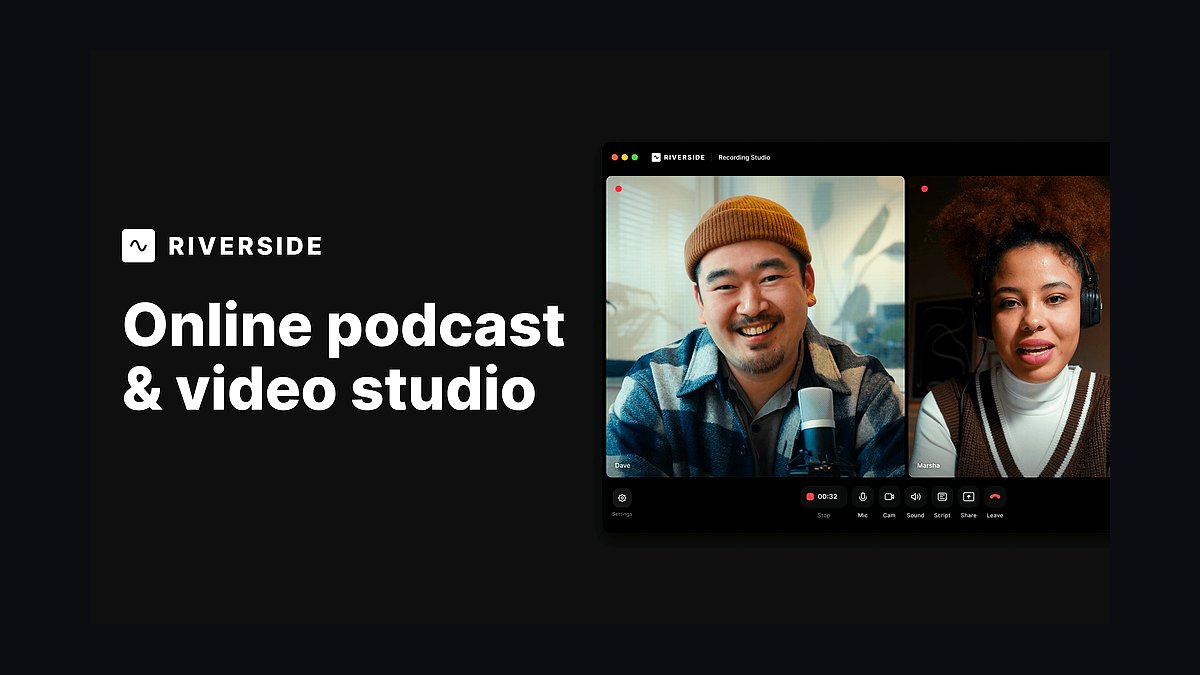
Riverside ranks seventh because it records screen shares and webcam at up to 4K with separate local tracks, ensuring a dropped connection never ruins a take. Its AI suite includes accurate transcription, AI Show Notes generation, Magic Clips that auto-extract highlight reels with captions, and AI noise reduction. It is best known for high-fidelity remote recording, making it a strong pick when audio quality matters as much as the screen.
Riverside is for webinars, recorded demos with guests, and product podcasts that include a screen share, where multi-participant quality is critical. It trades away the single-user speed of Loom and the editing depth of Descript for superior local recording fidelity. For produced video with multiple participants, it beats the tools above it, but it is overkill for quick solo walkthroughs.
8Scribe
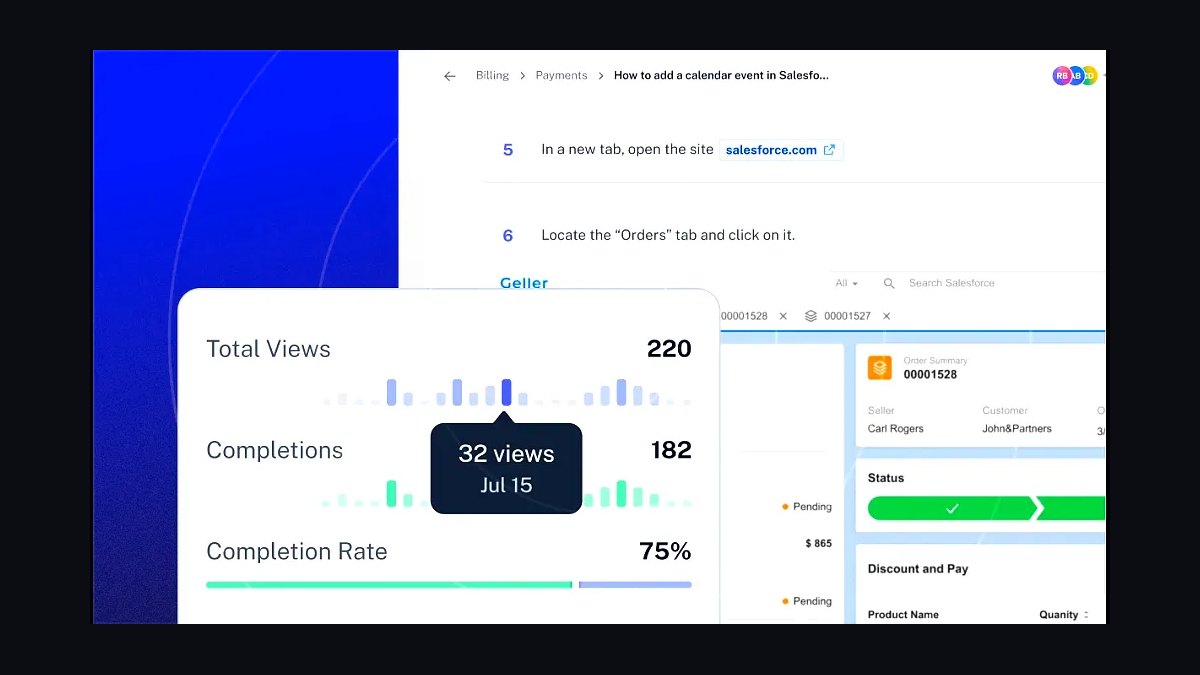
Scribe ranks eighth because it auto-generates step-by-step guides by watching you click through a process, then assembles annotated screenshots and text with AI-written instructions. It offers a video and GIF capture option, and its AI redacts sensitive data automatically while producing full process documents with intros and headers. It leans more toward screenshots than full-motion video, but its smart capture is genuinely AI-driven.
Scribe is for teams that need to document standard operating procedures as written guides with embedded clips, not hero videos. It trades away the cinematic polish of Screen Studio and the editing power of Veed.io for unmatched documentation speed. For SOP creation, it is more efficient than any general-purpose recorder, but it is not the right tool for customer-facing demo content.
9Vmaker
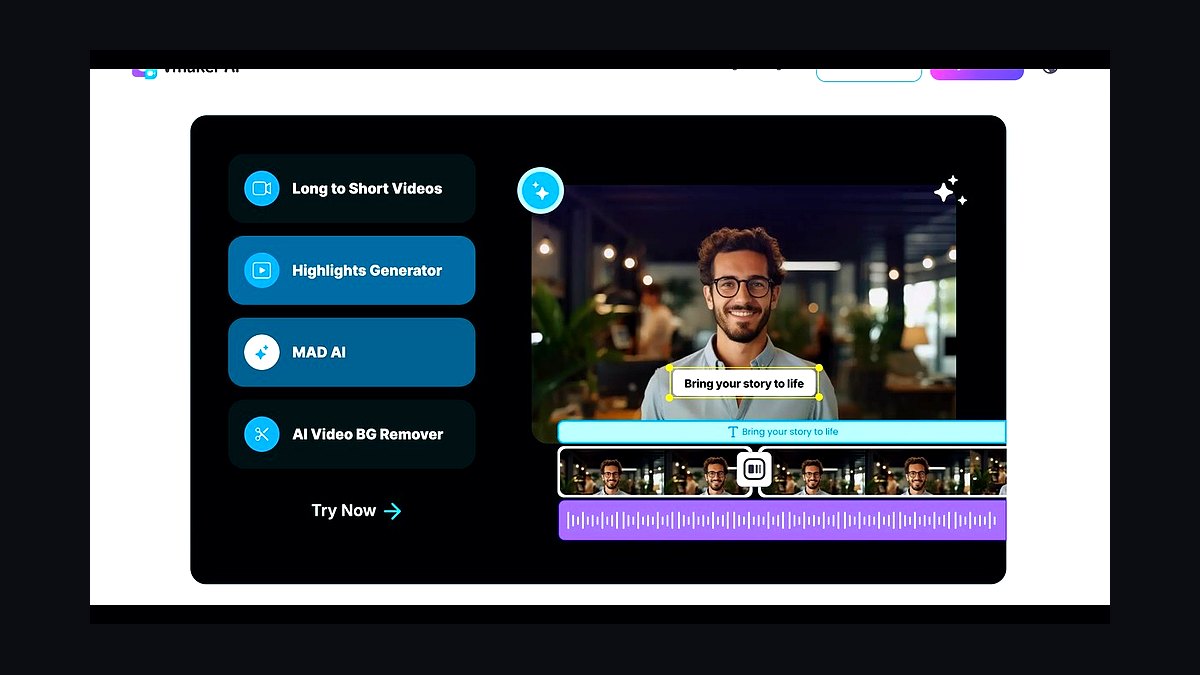
Vmaker ranks ninth because it delivers a credible AI screen recorder plus editor at a price that undercuts bigger names, making it the value pick. It records screen, webcam, and audio at up to 4K, and Vmaker AI adds auto-subtitles, filler-word and silence removal, AI title and summary generation, and background noise removal. It also offers AI voiceover in multiple languages.
Vmaker is for solo operators and small support teams on a tight budget who still want AI editing capabilities. It trades away the brand recognition and enterprise integrations of Loom and the editing depth of Descript for a lower cost. For cost-conscious teams, it offers the best feature-to-price ratio, but it lacks the polish and ecosystem of the higher-ranked tools.
10Trupeer.ai
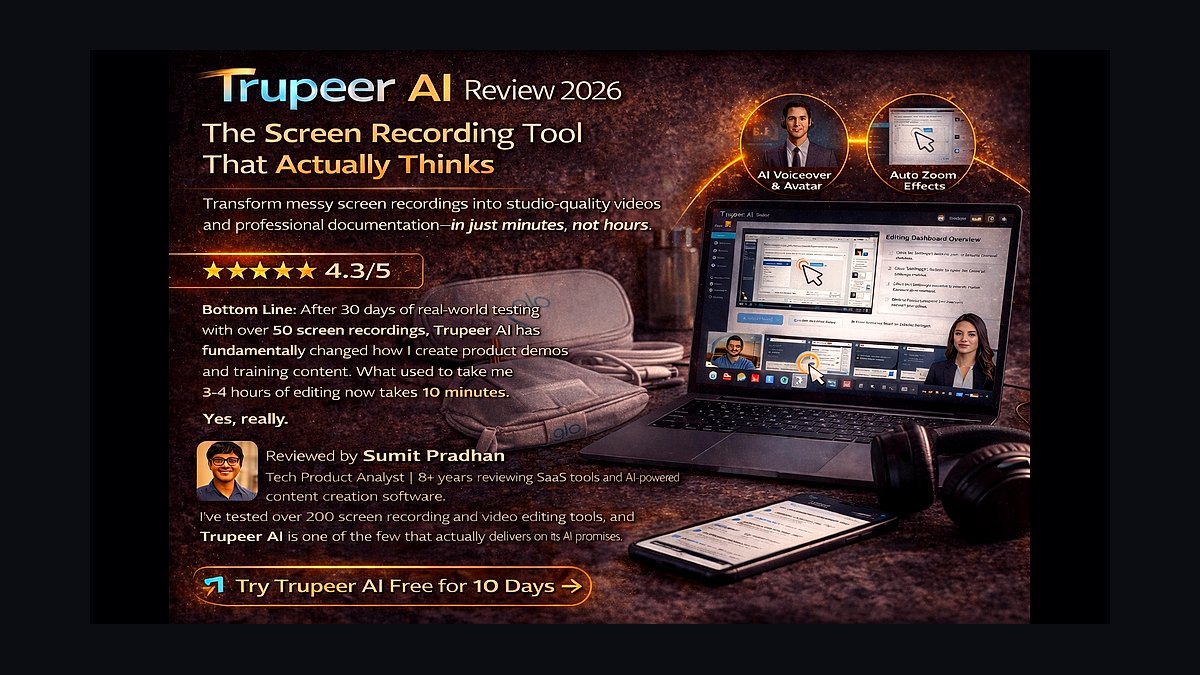
Trupeer.ai ranks tenth because it converts a rough screen recording into a studio-grade product video and written documentation using AI, with an AI voice that replaces shaky narration. It auto-adds zoom and motion to highlight action, and generates a step-by-step guide alongside the video in multiple languages. The pitch is record once and ship a polished tutorial and an article, which fits enablement and onboarding teams. It offers a free tier and paid plans.
Trupeer.ai is for teams that want maximum AI cleanup with minimum effort and do not mind a younger product. It trades away the maturity and reliability of Loom and Descript for an ambitious all-in-one automation approach. As a newer entrant, it is a bet on future capability, but it currently lacks the proven track record of the tools ranked above it.
How we ranked these
We weighted six factors: capture quality (resolution, frame rate, webcam/system audio, window capture), AI feature depth (transcription, summaries, chapters, filler-word removal, voiceover, noise suppression), editing speed, sharing and analytics, platform reach, and price-to-value. Each tool was scored on these criteria, with AI features and editing speed weighted most heavily for the 2027 operator workflow.
We deliberately ignored tools that are primarily screenshot generators with light video bolted on, and pure editors with no real recorder. We also excluded any product we could not confirm exists and ships AI features as of 2027. Marketing claims and demo videos were not considered; only verifiable features and pricing were used.
What to look for
What actually matters is matching the tool to your primary output. For fast async sharing with viewer analytics, Loom's friction-free loop and Atlassian integrations win. For deep editing without a timeline, Descript's transcript-based approach is unique. For polished customer-facing demos, Screen Studio's auto-zoom and Tella's branded layouts justify their cost. For documentation, Guidde and Scribe auto-write steps and redact data.
The mistake most buyers make is choosing on feature count alone without testing on their own voice and app. Free tiers often watermark exports and cap length or resolution, so confirm the paid plan's export quality before standardizing. Also, ignore marketing demos with clean audio; your hallway-noise reality is the real test.
Related questions
What is the best AI screen recorder for quick async video messages?
Loom is the best for quick async messages because it offers one-click capture, instant shareable links, and AI-generated titles, summaries, and chapters. Its free tier and Business plan around $15 per creator per month make it accessible. It also provides engagement analytics and integrates with Slack, Jira, and Notion, making it ideal for team communication.
How does Descript's AI editing work for screen recordings?
Descript transcribes your screen recording and lets you edit the video by editing the text. Deleting a sentence in the transcript removes the corresponding footage. Its AI assistant, Underlord, can remove filler words and gaps, add noise removal, generate chapters, and even create an AI voice clone to fix flubbed lines by typing.
Which AI screen recorder is best for creating polished product demos on a Mac?
Screen Studio is the best for polished product demos on Mac. It automatically zooms and pans based on your mouse and click activity, creating smooth, professional animations without manual keyframing. It exports at high resolution and frame rates, making it ideal for landing pages and social media. It's a paid license with a trial.
What is the best value AI screen recorder for small teams?
Vmaker is the best value pick for small teams. It offers a credible AI screen recorder and editor at a lower price than bigger names. Features include auto-subtitles, filler-word and silence removal, AI title and summary generation, background noise removal, and AI voiceover. It has a generous free tier and low-cost paid plans.
Can AI screen recorders automatically generate step-by-step documentation?
Yes, tools like Guidde and Scribe excel at this. Guidde turns a screen capture into a step-by-step how-to video with AI voiceover and auto-written narration. Scribe watches you click through a process and assembles annotated screenshots and text with AI-written instructions. Both can redact sensitive data and produce written guides.
Which AI screen recorder is best for recording with multiple participants?
Riverside is best for recording with multiple participants because it records separate local tracks at up to 4K, ensuring a dropped connection never ruins the take. Its AI suite includes transcription, AI Show Notes, Magic Clips for highlights, and noise reduction. It's ideal for webinars, recorded demos with guests, or product podcasts.
What AI features are most important in a screen recorder for marketers?
For marketers, key AI features include auto-subtitles, background removal, filler-word removal, eye-contact correction, and a clip-maker that finds shareable moments. Veed.io excels here, allowing you to record and then immediately add captions, B-roll, and music, and repurpose recordings into social clips for TikTok, Reels, and YouTube Shorts.
How do free tiers of AI screen recorders typically limit you?
Free tiers usually watermark exports and cap clip length or resolution. For example, Loom's free Starter tier has a capped clip count and length. Veed's free tier has watermarked exports. If you record customer-facing demos, you'll likely need a paid plan to remove watermarks and get higher resolution and longer recording times.
FAQ
Which AI screen recorder is best for a support or enablement team?
Guidde and Scribe lead for documentation because they auto-write step instructions, redact sensitive fields, and produce both video and text. Loom is better when you want quick async answers with viewer analytics. For support teams, the choice depends on whether the deliverable is a how-to doc or a quick video response.
Do these tools remove 'ums' and silences automatically?
Yes, Loom, Descript, Veed.io, Tella, and Vmaker all offer AI filler-word and silence removal. Descript's is the most precise because you can also fix it manually in the transcript. This feature is crucial for making one-take rambles sound deliberate and professional without manual editing.
Can I edit the video without learning a timeline editor?
Descript lets you edit by editing the transcript text, and Screen Studio and Trupeer auto-apply zoom and motion. None of these require traditional keyframe editing for a clean result. This is a major advantage for operators who hate scrubbing a timeline and want to save time.
Which one looks the most professional out of the box?
Screen Studio for its automatic cursor zoom and motion, and Tella for branded layouts. Both produce landing-page-quality video without a designer. Screen Studio is ideal for product demos, while Tella is great for talking-head and screen content with clean presets and custom backgrounds.
What's the most affordable solid option?
Vmaker is the value pick — a usable free recorder plus low-cost AI editing. Loom, Descript, Veed, Guidde, Riverside, Scribe, and Trupeer all keep meaningful free tiers too. However, for teams, the per-seat cost of paid plans varies, so compare features against your actual needs.
Do they support languages other than English?
Yes, Loom, Guidde, Veed, Vmaker, and Trupeer offer multilingual captions, transcription, or AI voiceover. This matters for global onboarding and localized help docs. For example, Guidde's AI voice comes in multiple languages and accents, allowing a single recording to become localized training material.
What is the main difference between Loom and Descript?
Loom is best for fast async sharing with auto-generated titles, summaries, and chapters, plus viewer analytics. Descript is best for deep editing, treating your recording as an editable text document so you can cut 'ums' and re-record sentences by editing words. Choose Loom for speed, Descript for control.
Is Screen Studio worth the cost for non-Mac users?
No, Screen Studio is macOS-native only. If you're on Windows or Linux, you'll need an alternative like Tella (browser-based) or Veed.io for polished output. Screen Studio's automatic zoom and pan is a standout feature, but it's only available to Mac users.
How does Trupeer.ai turn a rough recording into a studio-grade video?
Trupeer.ai uses AI to clean up your voice, add zoom and motion, and generate a step-by-step guide alongside the video in multiple languages. You record casually, and it produces a polished tutorial and an article. It's a newer entrant but offers maximum AI cleanup with minimum effort.
What should I test before standardizing on a screen recorder?
Run the same 3-minute walkthrough through two contenders and compare the AI summary, caption accuracy, and filler-word removal on your accent and your app's UI. Marketing demos use clean audio; your hallway-noise reality is the real test. Also, confirm the export quality and watermark policy on the plan you'll buy.
Sources
- https://www.loom.com/
- https://www.descript.com/
- https://screen.studio/
- https://www.guidde.com/
- https://www.veed.io/tools/screen-recorder
- https://www.tella.tv/
- https://riverside.fm/
- https://scribehow.com/
- https://www.vmaker.com/
- https://www.trupeer.ai/
Related on PULSE
This page will be disappearing soon. Save it to your device for $1 — or read it free while it is here.
@Kory-White- · if Venmo asks, the last 4 of my number are 2012
This page is gone.
This one is off the shelf now. $1 keeps it on your phone for good — the whole page, pictures and diagrams included.
 pulse-ai-infrastructureHow do you build a self-hosted LLM stack in 2027?
 pulse-ai-infrastructureIs AI Infra worth it in 2027?
 pulse-ai-infrastructureHow do you measure and improve GPU utilization in 2027?
 pulse-ai-infrastructureThe 10 Best LLM Fine-Tuning Platforms in 2027
 pulse-ai-infrastructureThe 10 Best AI Tools for Coloring Pages in 2027
 pulse-ai-infrastructureThe 10 Best AI Tools for Speech Writing in 2027
 pulse-ai-infrastructureWhat is model serving and how is it different from a REST API in 2027?
 pulse-ai-infrastructureWhat are the most common mistakes in AI Infra in 2027?
 pulse-ai-infrastructureWhat is the role of an embedding model in AI infrastructure in 2027?
 pulse-ai-infrastructureThe 10 Best Streaming Data Platforms for AI in 2027