
The 10 Best AI Tools for Mind Mapping in 2027
 Curated byKory White · Fractional CRO · Maryland
 PULSEKNOWLEDGE LIBRARY
The 10 best ai tools for mind mapping are ranked below on measured performance, build quality, price, and how each one actually holds up in daily use rather than how it reads on a spec sheet. Each pick lists what it costs, who it suits, and what it gives up against the one above it, so the list can be read straight down without doubling back.
1. Mapify by Xmind

Mapify ranks first because it is the only tool that turns a prompt, PDF, webpage, or YouTube video into a fully branched, editable map in roughly ten to twenty seconds. Its signature is document and video summarization with key-point branches, plus a Chat with Map mode that lets you interrogate the structure and watch new branches appear. Exports to Markdown, PDF, PNG, and the native Xmind format are first-class, thanks to its Xmind lineage.
Mapify is for solo researchers, students, and anyone whose job is compressing a source into a structured map. It trades away real-time multiplayer collaboration, which Miro AI handles better. Compared to Miro AI, Mapify is the stronger default for individual first-draft thinking and source ingestion, but it lacks the sticky-note clustering and workshop features that make Miro AI the pick for teams building one surface together.
2. Miro AI

Miro AI ranks second because it brings AI generation to a workspace already built for teams, spinning up maps, flows, or sticky-note clusters from a prompt. Its standout feature is automatic summarization and grouping of messy note walls into themes, saving the post-it sorting that used to eat half a workshop. Integrations with Jira, Confluence, Slack, and Figma mean a map does not die on the canvas.
Miro AI is for product teams, design sprints, and remote workshops that need polished enterprise diagramming with live cursors. It trades away the deep source ingestion of Mapify, which handles PDFs and videos better. Compared to Mapify, Miro AI is the collaborative canvas where mapping lives beside diagrams and sticky notes, but it is pricier per seat and less purpose-built for turning a single long document into a clean map.
3. Taskade

Taskade ranks third because it delivers the most capability per dollar, flipping the same content between map, outline, board, table, and calendar views while running AI agents against your map. Its free tier is unusually generous, including real AI maps, tasks, docs, and multiple views, which earns it Best Value. Pro runs roughly $8 per month for higher AI limits and more workspaces, making it the cheapest path to a complete setup.
Taskade is for budget-conscious individuals and small teams who need AI mapping plus task management in one place. It trades away the polished enterprise diagramming of Miro AI and the source ingestion of Mapify, focusing instead on workflow flexibility. Compared to Miro AI, Taskade is less collaborative in real-time but far cheaper and more versatile for turning a brainstorm into assigned tasks and docs, making it the best value pick for practical work.
4. Xmind AI

Xmind AI ranks fourth because its structure engine is the edge, offering fishbone diagrams, org charts, tree tables, matrices, and timelines, not just a radial map. It also includes an outline mode that flips any map into a nested list and a Pitch mode that turns it into a slideshow. As the cloud-native sibling of the long-standing desktop standard, it rewards the extra learning curve with deep structural control.
Xmind AI is for users who need manual structuring after AI drafts, such as fishbone diagrams, matrices, presentations, and outline mode. It trades away the generous free tier of Taskade and the collaborative canvas of Miro AI. Compared to Taskade, Xmind AI is more specialized for structured diagramming but less integrated with task management, so it suits those who prioritize map variety and presentation over workflow flexibility.
5. MindMeister

MindMeister ranks fifth because it is the veteran web-first collaborative mapper, now with AI generation and node expansion, tightly linked to MeisterTask so a brainstorm becomes an assigned project. Its free Basic plan allows up to three maps, with paid Personal, Pro, and Business tiers starting in the $5–$7 per month range. This integration closes the loop from brainstorming to task assignment, which is a unique advantage.
MindMeister is for teams that want a brainstorm-to-task workflow without leaving the mapping tool. It trades away the structural variety of Xmind AI and the source ingestion of Mapify, focusing instead on collaboration and project handoff. Compared to Xmind AI, MindMeister is less flexible in diagram types but more practical for converting ideas into assigned work, making it the pick for project-oriented teams rather than presentation-focused users.
6. Whimsical AI

Whimsical AI ranks sixth because it wins on aesthetics and speed, with clean defaults, keyboard-driven editing, and maps that look presentable with no fiddling. It sits on the same canvas as flowcharts and wireframes, making it a versatile tool for quick visual thinking. Paid plans land near $10 per editor per month for unlimited boards and AI usage, with free boards and items capped. Its AI generation is reliable for text prompts, producing clean, multi-level hierarchies quickly.
Whimsical AI is for designers and product folks who want fast, good-looking maps and move on, without deep source ingestion or complex structure options. It trades away the collaborative depth of Miro AI and the task integration of MindMeister. Compared to MindMeister, Whimsical is quicker to pick up and more aesthetically pleasing, but it lacks the project handoff features, making it better for rapid prototyping than for long-term project management.
7. EdrawMind
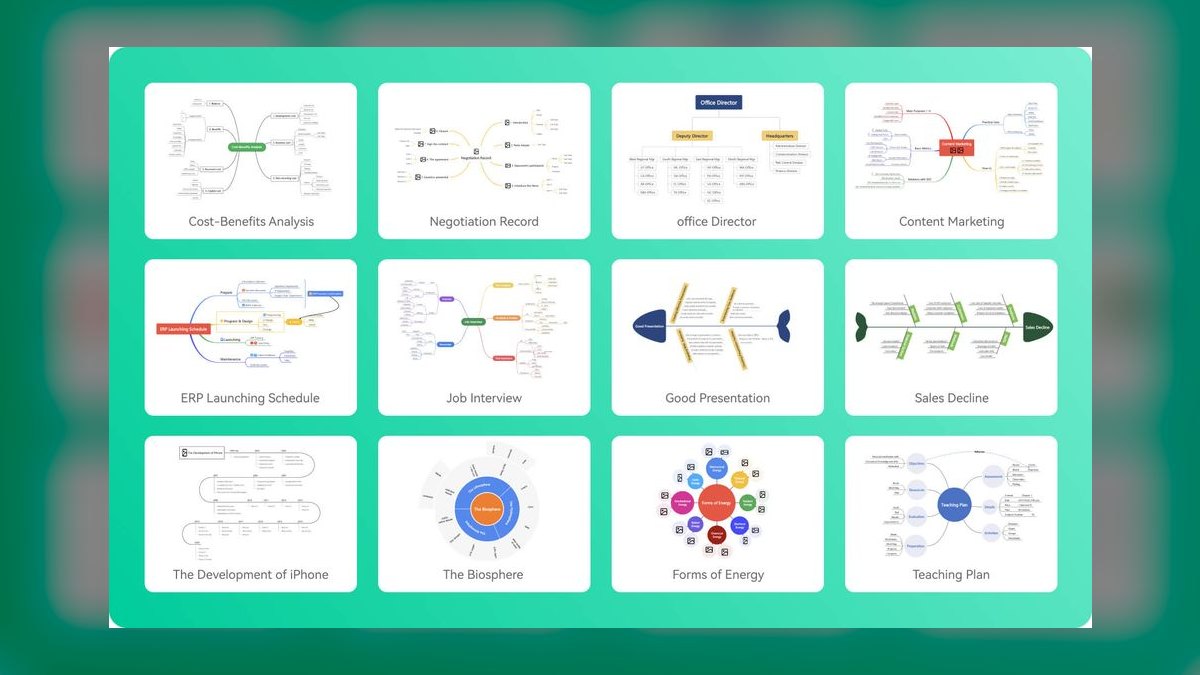
EdrawMind ranks seventh because it is feature-dense and cross-platform across Windows, macOS, Linux, iOS, Android, and web, with one of the largest template libraries and built-in slideshow and Gantt views. A subscription is often near $59 per year, sometimes with a perpetual license, and AI is metered by credits. This makes it a strong all-rounder for users who want a desktop-grade mapper with cloud sync.
EdrawMind is for users who need a cross-platform tool with extensive templates and presentation features, from students to professionals. It trades away the AI source ingestion of Mapify and the collaborative canvas of Miro AI, focusing on individual feature depth. Compared to Whimsical AI, EdrawMind is more powerful but less elegant, with a steeper learning curve and a larger feature set that includes Gantt charts, making it better for complex projects than for quick visual brainstorming.
8. GitMind
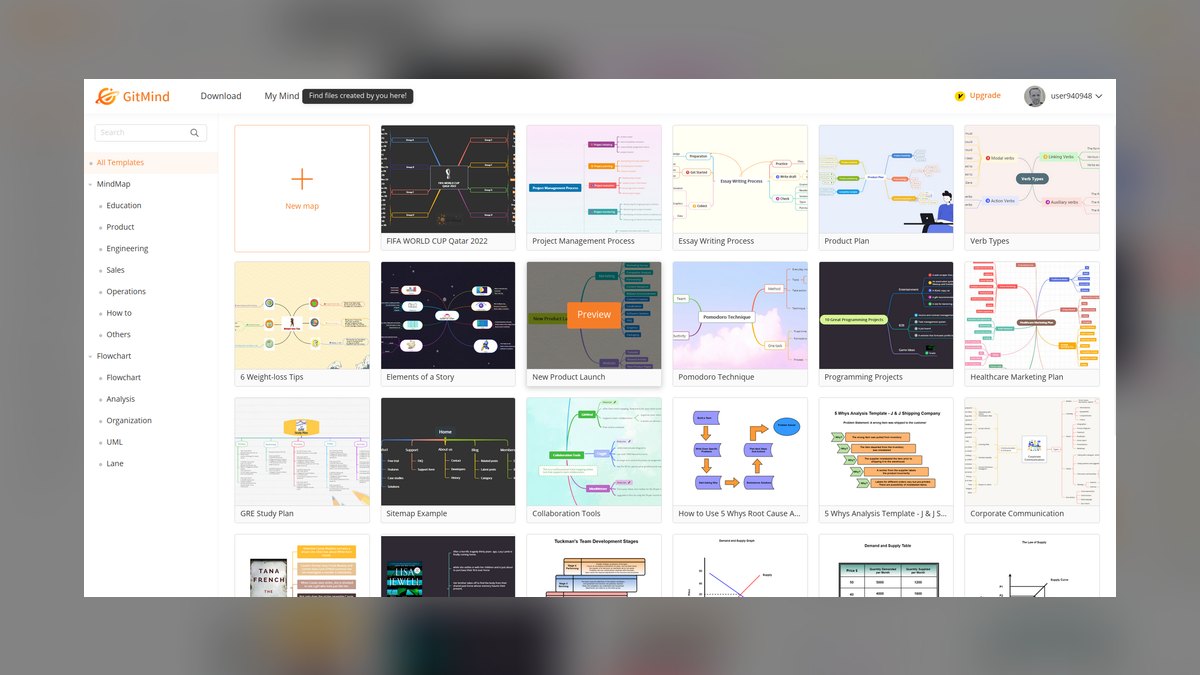
GitMind ranks eighth because it is a free-leaning cloud mapper that has leaned hard into AI while keeping prices low, with a genuinely usable free plan and Pro around $9 per month lifting AI and storage limits. It handles text prompts reliably, producing editable, multi-level maps with collapsible branches. Its cross-platform support and low cost make it an accessible entry point for AI mapping.
GitMind is for individuals and students who want a free, functional AI mapper without paying for premium features. It trades away the polish and speed of Whimsical AI and the collaboration features of MindMeister, focusing on affordability and simplicity. Compared to EdrawMind, GitMind is less feature-dense but cheaper and easier to start with, making it the best budget pick for casual users who need reliable AI maps without a subscription commitment.
9. Boardmix

Boardmix ranks ninth because it is a Miro-style whiteboard that bundles AI image generation, deck creation, and mapping into one platform, with a free tier plus paid plans that raise object limits and AI credits. It is a practical choice for teams that need a collaborative canvas without the cost of Miro AI. Its AI mapping handles text prompts and basic source ingestion, though not as deeply as Mapify.
Boardmix is for teams that want a free-to-start collaborative whiteboard with AI mapping, image generation, and deck creation in one place. It trades away the enterprise polish of Miro AI and the task integration of MindMeister, focusing on versatility and cost. Compared to GitMind, Boardmix is more collaborative and feature-rich but less focused on pure mapping, making it better for teams that need a multi-purpose canvas rather than a dedicated mapper.
10. MindManager
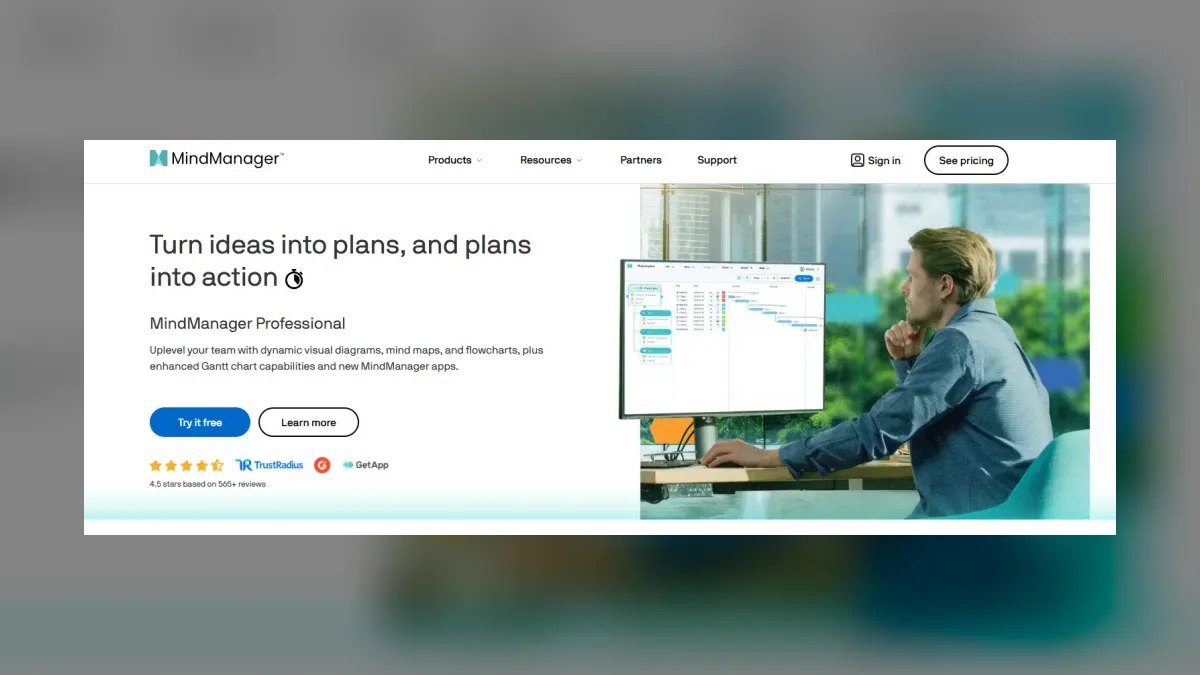
MindManager ranks tenth because it is the enterprise heavyweight, with priority maps, dependency lines, dashboards, and deep Microsoft 365 integration, making a map double as a control surface. It is the most expensive pick, a subscription typically $99–$179 per year depending on tier, and is overkill for casual brainstorming. Its AI features are present but secondary to its project-control capabilities, which is why it ranks last among AI-specific tools. It is the standard for heavyweight, structured corporate planning.
MindManager is for revenue-operations planners and enterprise teams that need a map to feed corporate projects with dependencies and Microsoft 365 reporting. It trades away the AI-first approach of Mapify and the collaborative ease of Miro AI, focusing on control and integration. Compared to Boardmix, MindManager is far more powerful for structured planning but less flexible for creative workshops, making it the pick for formal project management rather than agile brainstorming.
How we ranked these
We measured six weighted attributes: generation quality, source ingestion, editability, export interoperability, collaboration, and price/free tier. Generation quality and source ingestion carried the most weight because they separate true AI mappers from autocomplete canvases. Editability and export were next, as they determine whether a generated map survives real work. Collaboration and price were weighted lower but still decisive for team and budget buyers.
We deliberately ignored brand popularity, marketing claims, and feature checklists that don't affect output quality. We also excluded tools that only produce static images or flat lists, since they fail the core definition of a mind mapper. Aesthetic polish and template libraries were noted but not scored, because they don't predict whether the AI will generate a sensible hierarchy from unstructured input.
Related questions
Which tool turns a YouTube video into a mind map best?
Mapify leads decisively. It ingests YouTube links, PDFs, web URLs, and audio, and produces timestamped, branched maps with key-point nodes. Boardmix and others handle text prompts well, but source ingestion from long video transcripts is Mapify's signature strength in 2027.
Are AI-generated maps editable or just images?
On every tool ranked here they are fully editable — draggable nodes, collapsible branches, restyling, and per-branch re-generation. Avoid any product that outputs only a static PNG with no underlying structure; you cannot refine, export, or collaborate on a flat image.
What is the cheapest way to get AI mapping plus task management?
Taskade. Its free tier includes real AI maps, tasks, docs, and multiple views, and Pro at roughly $8 per month raises limits. MindMeister plus MeisterTask is the alternative when you need a dedicated task board after brainstorming.
Which tool is best for enterprise project control?
MindManager. Its priority maps, dependency lines, dashboards, and deep Microsoft 365 integration make a map double as a control surface. It is overkill for casual brainstorming and the most expensive pick, but the standard for heavyweight, structured corporate planning.
How do I test a tool before paying?
Run the same source through two or three free tiers. Generation quality varies wildly by input type. A tool that nails a clean text prompt may butcher a 40-minute video transcript, so test on material you already understand well enough to judge the output.
What is the biggest mistake buyers make?
Skipping the manual-refine step. Teams accept the raw AI draft, discover it is 80% right, and then re-generate three more times, burning credits, instead of dragging two nodes by hand. Refine manually and only re-generate a branch when a section is thin.
Which tool has the best free tier?
Taskade offers the most usable free tier — real AI mapping plus tasks, docs, and multiple views. GitMind and Boardmix also have genuinely usable free plans, and Mapify's free tier includes AI generation up to a monthly credit limit.
FAQ
What is the single best AI mind mapping tool in 2027?
Mapify is the best overall because it generates a complete, editable map from a prompt, document, webpage, or video faster and more accurately than the alternatives, and its Xmind lineage means clean exports to Markdown, PDF, PNG, and the native format.
Which AI mind mapping tool is best for free?
Taskade offers the most usable free tier — real AI mapping plus tasks, docs, and multiple views — which earns it Best Value. GitMind and Boardmix also have genuinely usable free plans, and Mapify's free tier includes AI generation up to a monthly credit limit.
Can these tools turn a PDF or webpage into a map?
Yes. Mapify leads on source ingestion, reading PDFs, web URLs, YouTube links, and audio to produce branched, timestamped maps. Most other tools handle text prompts reliably, but full source ingestion from documents and video is where Mapify separates from the pack.
Do I have to pay for the AI features?
Not always. Free tiers from Taskade, GitMind, Mapify, and Boardmix include AI generation up to a monthly credit cap. Heavy daily use — especially long PDFs or videos that burn several credits per run — generally pushes you to a Pro plan in the $8–$12 per month range.
Which tool is best for team collaboration?
Miro AI for polished enterprise workshops, MindMeister for brainstorm-to-task workflows, and Boardmix for a free-to-start collaborative whiteboard. All three offer real-time multiplayer editing, comments, and sharing, so a distributed team can build one map together.
How do I keep AI credits from running out mid-month?
Estimate generations per week, multiply by the credits a heavy input consumes, and match that to the plan's cap before buying. Refine drafts manually and re-generate a single branch instead of the whole map, which is the biggest credit saver in practice.
What is the difference between Mapify and Xmind AI?
Mapify is purpose-built for source-to-map summarization, excelling at PDFs, videos, and URLs. Xmind AI is the cloud-native sibling of the desktop standard, offering fishbone diagrams, org charts, matrices, and outline mode. Choose Mapify for research, Xmind AI for structured diagramming.
Is MindManager worth the high price?
For enterprise project control, yes. Its priority maps, dependency lines, dashboards, and Microsoft 365 integration make a map double as a control surface. For casual brainstorming, it is overkill — cheaper tools like Taskade or GitMind deliver more value per dollar.
Can I export my map to other apps?
Most tools export to Markdown, OPML, PNG, SVG, and PDF. Mapify and Xmind AI also export to native Xmind format. Miro integrates with Jira, Confluence, Slack, and Figma. Check export options before buying if you need a specific handoff.
Sources
- https://mapify.so/
- https://xmind.app/
- https://miro.com/
- https://www.mindmeister.com/
- https://whimsical.com/
- https://www.taskade.com/
- https://www.edrawmind.com/
- https://gitmind.com/
- https://boardmix.com/
- https://www.mindmanager.com/
Related on PULSE
- [More ai tools for mind mapping rankings and buying guides](/knowledge)
- [PULSE Tools and calculators](/tools)
- [Everything on PULSE RevOps](/)
This page will be disappearing soon. Save it to your device for $1 — or read it free while it is here.
@Kory-White- · if Venmo asks, the last 4 of my number are 2012
 pulse-ai-infrastructureWhat infrastructure do you need for fine-tuning versus RAG?
 pulse-ai-infrastructureThe 10 Best AI Tools for Account-Based Marketing in 2027
 pulse-ai-infrastructureThe 10 Best AI Tools for Tax Preparation in 2027
 pulse-ai-infrastructureThe 10 Best AI Tools for Public Speaking Practice in 2027
 pulse-ai-infrastructureThe 10 Best AI Tools for Web Illustration in 2027
 pulse-ai-infrastructureThe 10 Best AI Tools for Reading Comprehension in 2027
 pulse-ai-infrastructureThe 10 Best AI Tools for Vocal Removal in 2027
 pulse-ai-infrastructureThe 10 Best AI Tools for Stock Photos in 2027
 pulse-ai-infrastructureThe 10 Best AI Inference Accelerators in 2027
 pulse-ai-infrastructureThe 10 Best GPU Cloud Providers for AI Training in 2027