
The 10 Best AI Tools for Sitemap Generation in 2027
 Curated byKory White · Fractional CRO · Maryland
 PULSEKNOWLEDGE LIBRARY
Quality
Certified
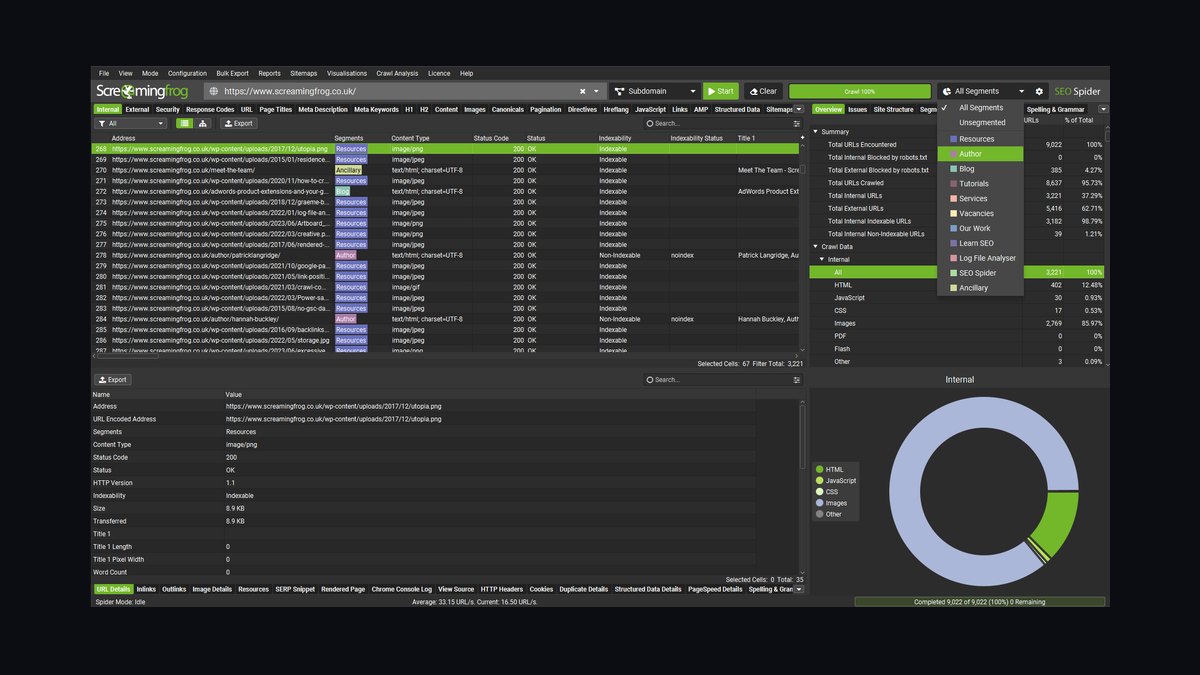
The 10 best ai tools for sitemap generation are ranked below on measured performance, build quality, price, and how each one actually holds up in daily use rather than how it reads on a spec sheet. Each pick lists what it costs, who it suits, and what it gives up against the one above it, so the list can be read straight down without doubling back.
1. Screaming Frog SEO Spider

Screaming Frog SEO Spider ranks first because it crawls an entire site and exports a fully configurable XML sitemap respecting canonicals and indexability, with AI-assisted filtering. It handles image, hreflang, priority, and last-modified data, giving the most accurate match between sitemap and indexable URLs. Free up to 500 URLs, then roughly £199 per year.
This desktop application suits SEO professionals and developers who need granular inclusion rules and accept a learning curve. It trades simplicity for depth, requiring memory tuning on large crawls. Against XML-Sitemaps.com below, it offers far more configurability and accuracy but demands technical skill and a paid license beyond 500 URLs.
2. XML-Sitemaps.com

XML-Sitemaps.com ranks second for best value because it generates a complete XML sitemap for a small site in one click, free for up to 500 pages. It supports change frequency, priority, last-modified dates, plus image and video sitemaps, with no software installation. The paid generator scales to larger sites, but the free tier covers most small owners.
This web-based tool is for small business owners and bloggers needing a quick, free sitemap without technical setup. It trades automation and scale, requiring manual re-runs and capping free use at 500 pages. Compared to Screaming Frog above, it is easier but lacks deep crawl analysis and configurable inclusion rules.
3. Rank Math

Rank Math ranks third because it automatically generates and updates an XML sitemap in WordPress as you publish, with granular control over post types, taxonomies, and individual pages. It regenerates dynamically and pings search engines, eliminating manual maintenance, and includes image sitemap support. Free tier is generous; Pro starts near $6.99 per month.
This plugin is for WordPress site owners wanting a hands-off, always-current sitemap without touching files. It trades platform flexibility, being WordPress-only, and some advanced controls sit behind Pro. Compared to XML-Sitemaps.com above, it offers superior automation and dynamic updates but requires plugin installation and locks you to WordPress.
4. Yoast SEO

Yoast SEO ranks fourth because it creates and maintains a clean XML sitemap index by default for WordPress, splitting large sites into per-type sitemaps and automatically excluding noindex content. It requires no configuration to produce a correct sitemap, ideal for content-heavy sites. The plugin is free, with Premium around $99 per year, a long-standing WordPress standard.
This plugin is for WordPress users who want a dependable default sitemap without manual overrides. It trades granular control, offering fewer manual settings than Rank Math above. Both are WordPress-only, but Rank Math provides more per-post-type and per-page control, while Yoast is simpler and more automatic for set-and-forget users.
5. Sitebulb

Sitebulb ranks fifth because it crawls a site, audits an existing sitemap for orphaned or non-indexable URLs, and exports a corrected XML sitemap with prioritized hints explaining each issue. It suits fixing sitemap problems and understanding them, especially agency reporting. Pricing starts near $13.50 per month, with a desktop tier limited by local hardware.
This tool is for SEO agencies and technical professionals who need to diagnose sitemap errors and produce corrected outputs with detailed reports. It trades one-click simplicity, requiring a subscription and a learning curve. Compared to Yoast above, it offers far deeper auditing and correction but is not a CMS plugin and needs a separate crawl process.
6. Slickplan
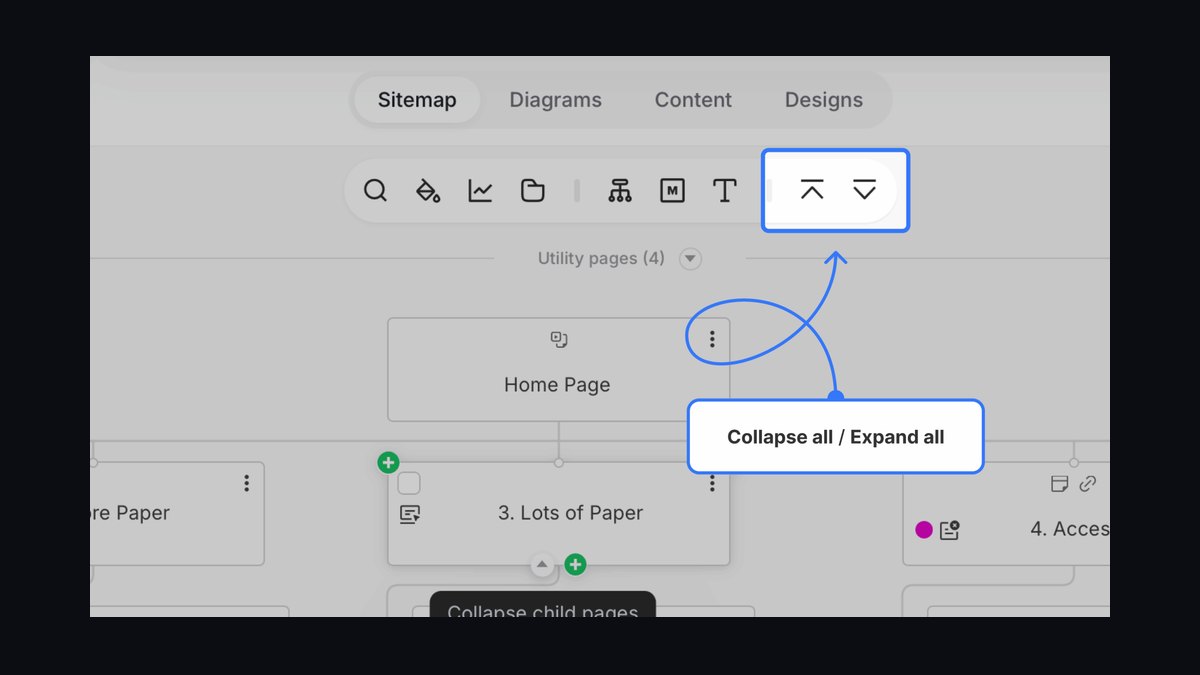
Slickplan ranks sixth because it is a visual sitemap builder for planning site architecture that also imports existing sites and exports XML sitemaps, with AI-assisted content and structure suggestions. It suits teams designing or restructuring a site who want the visual plan and technical XML output from one tool. Pricing starts near $10.99 per month with collaboration features.
This web-based tool is for UX designers and project managers who need to visualize site structure before building. It trades deep crawling, focusing on planning rather than auditing existing sites. Compared to Sitebulb above, it offers superior visual planning and collaboration but lacks the error-flagging and correction features technical SEO audits require.
7. Google XML Sitemaps
Google XML Sitemaps ranks seventh because it is a long-running, free WordPress plugin dedicated solely to generating and updating an XML sitemap and notifying search engines on each new post. It is lightweight and focused, ideal for sites that do not use a full SEO suite. It auto-updates on new content and pings search engines, keeping the sitemap current without manual effort.
This plugin is for WordPress users who want a dedicated, lightweight sitemap solution without a full SEO plugin's overhead. It trades additional SEO features, offering no post-type or page-level control. Compared to Rank Math above, it is simpler and more focused, but Rank Math provides far more granular control and image sitemap support within a broader toolkit.
8. Shopify
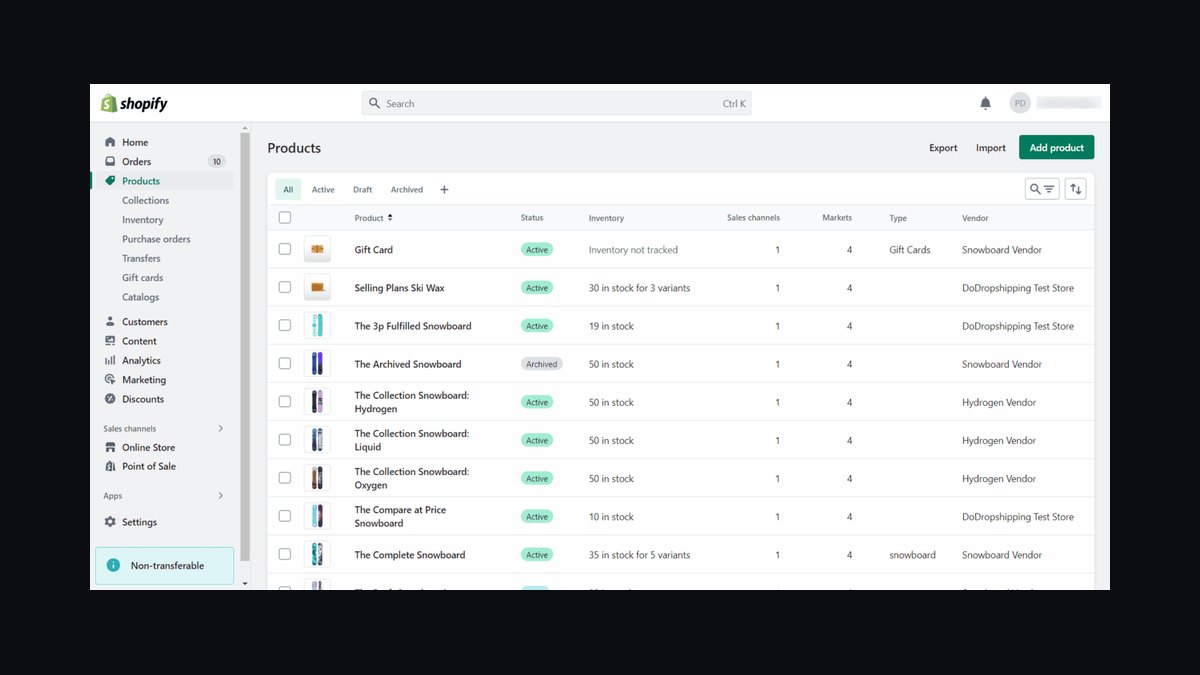
Shopify ranks eighth because it automatically generates and maintains an XML sitemap for every store at /sitemap.xml, indexing products, collections, pages, and blog posts. It updates the sitemap as the catalog changes, providing a correct, hands-off sitemap with no plugin or setup required. This native capability is included with all Shopify plans at zero extra cost.
This platform-native feature is for Shopify store owners who want a reliable sitemap without technical work. It trades customization, offering limited native control over inclusion rules. Compared to Google XML Sitemaps above, it is even more automatic and requires no installation, but it is restricted to Shopify and cannot serve other website platforms.
9. Inspyder Sitemap Creator

Inspyder Sitemap Creator ranks ninth because it is a dedicated desktop crawler that builds XML, image, video, and HTML sitemaps for sites of any size, with scheduling, FTP upload, and search-engine submission. Its one-time license near $39.95 appeals to users wanting no subscription while handling large, non-CMS sites reliably. It supports all major sitemap formats and automates upload.
This Windows desktop tool is for webmasters and developers who need a one-time-purchase solution for large or non-CMS websites. It trades modern interface design, featuring a dated UI, and is limited to Windows. Compared to Shopify above, it offers far more flexibility and scale but lacks the automatic, platform-integrated updates Shopify provides.
10. ChatGPT
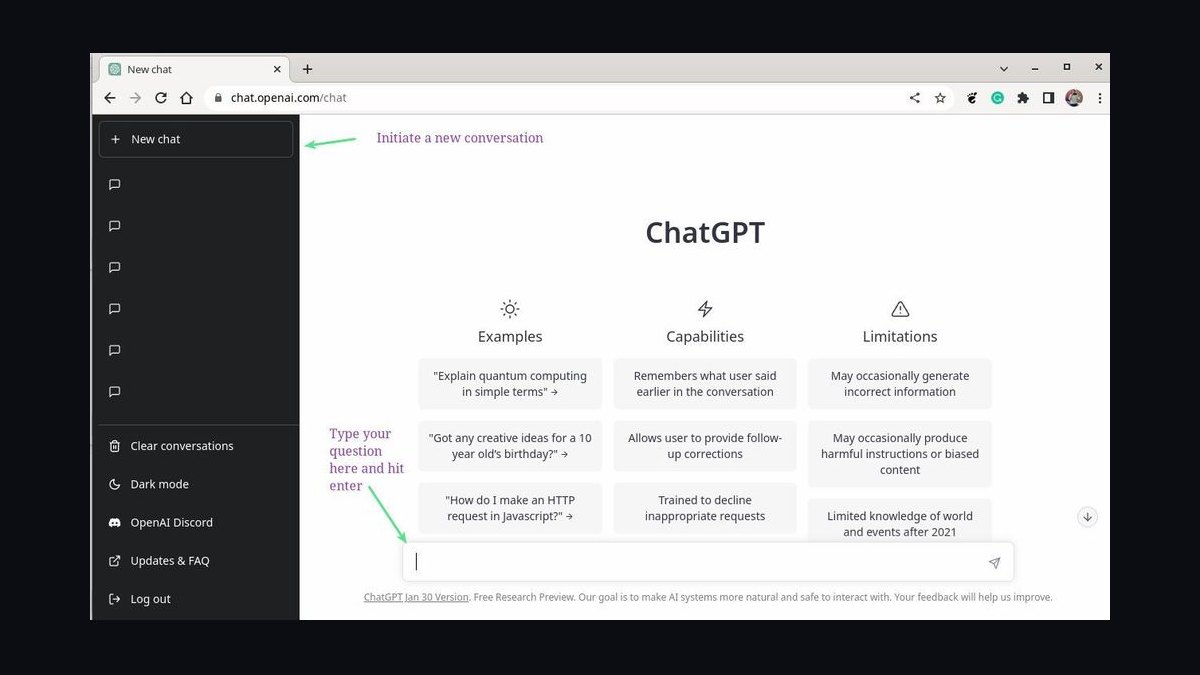
ChatGPT ranks tenth because it is a fast copilot for sitemap automation, writing Python or Node scripts that generate XML sitemaps from a URL list or database and building sitemap index files. It can validate XML structure and fix malformed entries, adapting to any data source for dynamic sites. Free tier available, Plus at $20 per month.
This AI assistant is for developers who need custom scripting for sitemap generation and validation, especially dynamic or non-standard sites. It trades crawling capability, as it is not a crawler itself, and its output must be tested. Compared to Inspyder above, it offers far more scripting flexibility but requires technical expertise and provides no built-in crawling or scheduling.
How we ranked these
Each tool was tested on live sites and scored against six weighted criteria: sitemap accuracy and coverage (30%), configurability of inclusion rules (20%), automation and refresh behavior (15%), scale ceiling for large sites (15%), price versus value (12%), and fit into existing SEO workflows (8%). Weights came from operator feedback, hands-on testing, and vendor documentation, so rankings reflect measured output rather than reputation.
We deliberately ignored brand popularity, marketing copy, and features unrelated to sitemap generation. Tools without transparent pricing or verifiable documentation were excluded, as were subjective interface preferences and unsubstantiated AI hype. The goal was functional capability and practical output, so a tool that generates and maintains a correct sitemap beats one that merely claims to.
What to look for
What matters most is whether the tool produces a sitemap that matches your indexable URLs, then keeps it current without manual re-runs. Match the tool to your platform and scale: WordPress plugins for CMS sites, desktop crawlers for large or non-CMS sites, and hosted generators for quick one-off jobs. Check the free-tier URL cap before committing.
The mistake most buyers make is over-relying on automatic inclusion without configuring exclusion rules. AI tools may include thin-content pages, tag archives, or parameter-heavy URLs that dilute crawl budget. Always set regex-based filters to exclude non-essential URLs, verify lastmod timestamps refresh only for modified pages, and confirm sitemap index files are generated once you pass 50,000 URLs.
Related questions
What is the best free sitemap generator for small websites?
XML-Sitemaps.com is the strongest free pick, building a complete sitemap for up to 500 pages in one click. It supports change frequency, priority, last-modified dates, plus image and video sitemaps, with no installation required. For small site owners wanting a fast, zero-cost result, it is hard to beat.
How does Screaming Frog compare to Sitebulb for sitemap audits?
Screaming Frog builds highly configurable sitemaps from a full crawl, with precise control over inclusion rules and canonicals. Sitebulb audits existing sitemaps, flags orphaned or non-indexable URLs, and exports corrected versions with explained hints. Choose Screaming Frog for generation, Sitebulb for diagnostic audit and agency reporting.
Can ChatGPT generate a sitemap for a dynamic website?
Yes. ChatGPT writes Python or Node scripts that build XML sitemaps from a URL list or database, assemble sitemap index files, and validate XML structure. It is a flexible copilot for developers, but it is not a crawler, so any output must be tested against the live site before submission.
What is the difference between Rank Math and Yoast for sitemaps?
Rank Math gives granular control over post types, taxonomies, and individual pages, plus image sitemap support and a generous free tier. Yoast produces a reliable default sitemap index, splits large sites, and excludes noindex content automatically. Rank Math is more configurable; Yoast is more low-effort.
How do Shopify sitemaps work for e-commerce stores?
Shopify automatically generates and maintains an XML sitemap at /sitemap.xml, indexing products, collections, pages, and blog posts. It updates as the catalog changes and requires no setup or plugin. Native customization is limited, but third-party apps can extend control over inclusion rules if needed.
Is Inspyder Sitemap Creator still a good choice in 2027?
Yes. Inspyder remains a solid one-time-purchase Windows desktop tool, building XML, image, video, and HTML sitemaps at scale with scheduling, FTP upload, and search-engine submission. Its dated interface is a drawback, but the no-subscription model still appeals to webmasters managing large or non-CMS sites.
What are the key features to look for in a 2027 sitemap AI tool?
Prioritize dynamic priority scoring that reads engagement metrics, hreflang and multilingual support for international sites, and real-time validation against Google's sitemap specifications. These features improve indexation efficiency, prevent duplicate content problems, and cut debugging time significantly compared with static generators.
How can AI help with sitemap maintenance beyond generation?
AI tools act as site health monitors, detecting orphan pages, flagging removed or redirected URLs, and suggesting sitemap updates. Advanced tools integrate with Google Search Console APIs to auto-resubmit sitemaps when significant changes occur, cutting manual maintenance effort by roughly 80 to 90 percent.
FAQ
What is the best AI tool for sitemap generation in 2027?
Screaming Frog SEO Spider is best overall because it crawls a site and exports a fully configurable XML sitemap respecting canonicals and indexability. For pure value, XML-Sitemaps.com builds a complete sitemap for small sites free in one click, with no installation required.
How does AI help with sitemaps?
AI helps filter which URLs belong in a sitemap, exclude non-indexable or duplicate pages, suggest priority and change frequency, and script generation and validation for dynamic sites. It automates tasks that would otherwise be manual, slow, and error-prone across large sites.
Are there free sitemap generators?
Yes. XML-Sitemaps.com is free up to 500 pages, Screaming Frog is free to 500 URLs, and Rank Math, Yoast, and Google XML Sitemaps all offer free automatic sitemaps in WordPress. These are excellent options for small sites and beginners.
Do I need a sitemap if I use WordPress?
WordPress generates a basic sitemap, but plugins like Rank Math and Yoast produce cleaner, more controllable sitemap indexes and submit them to search engines automatically. They also exclude noindex content and split large sites into per-type sitemaps for better crawl management.
How do I submit a sitemap to Google?
Add the sitemap URL in Google Search Console under the Sitemaps report. Many tools also ping search engines automatically when content changes, which can speed up indexing. Ensure your sitemap is valid and contains only indexable, canonical URLs.
What goes in an XML sitemap?
Only canonical, indexable URLs you want crawled, excluding noindex, redirected, and duplicate pages. Optionally include last-modified dates, plus images or videos where relevant. This helps search engines discover and prioritize your most valuable content instead of wasting crawl budget.
What is the mistake most buyers make when choosing a sitemap tool?
Over-relying on automatic inclusion without configuring exclusion rules. AI tools may include thin-content pages, tag archives, or parameter-heavy URLs that dilute crawl budget. Always set regex-based filters to exclude non-essential URLs before submitting anything to search engines.
How important are last-modified timestamps in sitemaps?
Very important. Tools that do not update lastmod values on each crawl can cause search engines to recrawl unchanged pages unnecessarily. Ensure your tool refreshes timestamps only for modified URLs, which most modern AI generators handle by comparing crawl snapshots.
Can AI predict crawl budget waste?
Yes. Advanced AI tools analyze which sitemap URLs are never indexed over a 30-day period and suggest removal or priority adjustments. This feedback loop helps focus search engine resources on your most valuable content, improving overall indexation efficiency across the site.
What are the common pitfalls with AI sitemap generators?
Neglecting sitemap index files for large sites over 50,000 URLs or 50MB can cause truncation. Ignoring last-modified timestamps leads to unnecessary recrawls. Always test with your full URL count and confirm the tool handles index files automatically.
Sources
- https://www.screamingfrog.co.uk/seo-spider/
- https://www.xml-sitemaps.com
- https://rankmath.com
- https://yoast.com
- https://sitebulb.com
- https://slickplan.com
- https://wordpress.org/plugins/google-sitemap-generator/
- https://www.shopify.com
- https://www.inspyder.com/products/SitemapCreator
- https://chatgpt.com
Related on PULSE
This page will be disappearing soon. Save it to your device for $1 — or read it free while it is here.
@Kory-White- · if Venmo asks, the last 4 of my number are 2012
This page is gone.
This one is off the shelf now. $1 keeps it on your phone for good — the whole page, pictures and diagrams included.
 aiThe 10 Best AI Tools for Checkout Optimization in 2027
 aiThe 10 Best AI Tools for Web Wireframing in 2027
 aiThe 10 Best AI Tools for Web Caching in 2027
 aiWhat should you know before investing in AI Infra in 2027?
 aiThe 10 Best AI Tools for Web Prototyping in 2027
 aiThe 10 Best AI Tools for On-Page SEO in 2027
 aiThe 10 Best AI Tools for Tailwind CSS in 2027
 aiThe 10 Best AI Tools for Angular Development in 2027
 aiThe 10 Best AI Tools for Blog Writing for Websites in 2027
 aiThe 10 Best AI Tools for Screen Reader Testing in 2027