


The 10 Best AI Infra Cost Forecasting Tools in 2027
Quality
Certified
The 10 best ai infra cost forecasting tools are ranked below on measured performance, build quality, price, and how each one actually holds up in daily use rather than how it reads on a spec sheet. Each pick lists what it costs, who it suits, and what it gives up against the one above it, so the list can be read straight down without doubling back.
1CloudZero
CloudZero ranks first because it ties cloud and AI infrastructure spend directly to business metrics like cost per customer, cost per model-training run, or cost per feature, rather than producing generic bills. It ingests AWS, GCP, and Azure billing data plus Kubernetes usage and allocates GPU and compute costs down to the engineering team responsible, which is why platform and ML infrastructure teams adopt it for forecasting training and inference budgets before costs spike.
It is best for engineering-led organizations running large-scale AI training or inference pipelines across multiple clouds, not solo developers or teams wanting a plug-and-play console view. It trades the zero-setup simplicity of a native cloud dashboard for a steeper onboarding process that requires proper cost-allocation tagging. It ranks above Kubecost here because its multi-cloud reach extends beyond Kubernetes-only environments.
2Kubecost
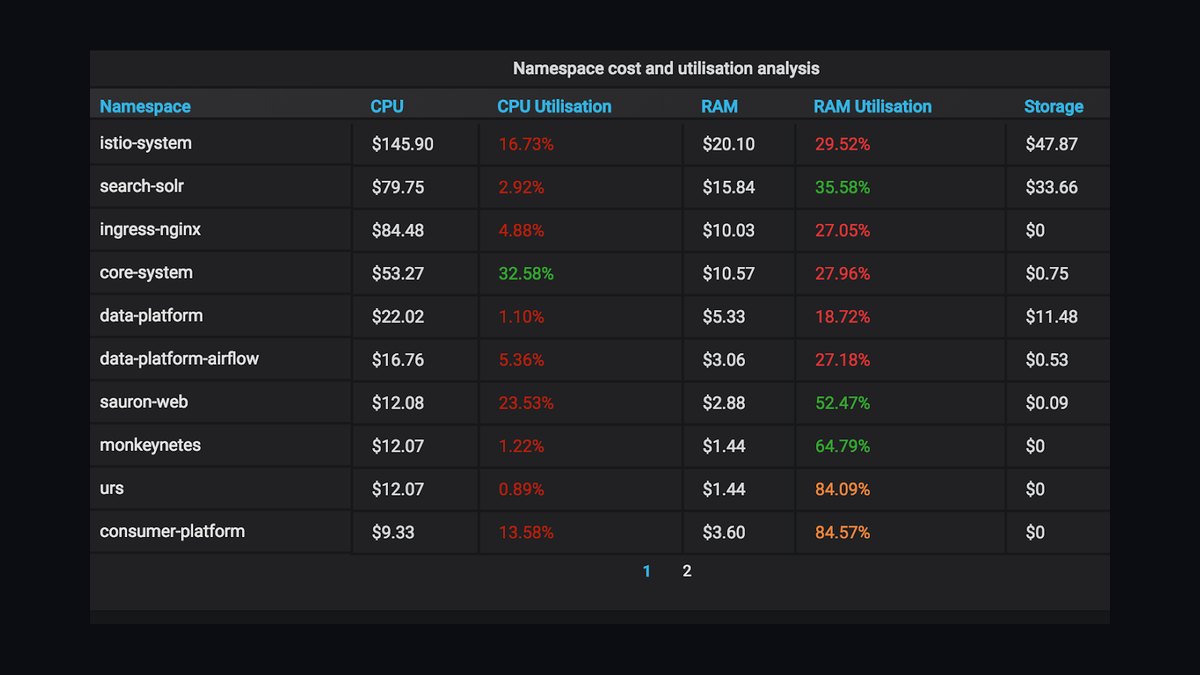
Kubecost ranks second because it is purpose-built for Kubernetes clusters running AI and ML workloads, breaking down spend by pod, namespace, and GPU allocation with a free, self-hosted open-source core. That granularity lets platform teams see exactly which training job or inference service is driving spend, and its network and idle-resource cost estimates are unusually detailed for a tool that costs nothing to start using.
It is best for platform teams running AI workloads on EKS, GKE, or AKS rather than serverless or VM-heavy infrastructure. It trades the cross-cloud billing reconciliation depth of CloudZero for far deeper container-level granularity. It sits just below CloudZero because its coverage is Kubernetes-specific, but ranks above Vantage below for its AI-workload-level GPU cost visibility.
3Vantage

Vantage ranks third for multi-cloud cost reporting and forecasting across AWS, Azure, and GCP with granular filtering by service, tag, and GPU instance family, plus strong reserved-instance and savings-commitment forecasting. Its cost-anomaly alerts flag unexpected spend spikes from runaway training jobs quickly, and its setup is notably lighter than enterprise FinOps suites, appealing to teams that want visibility fast.
It is best for finance and FinOps teams that need cross-cloud spend visibility rather than deep Kubernetes container tracing. It offers lighter engineering integration than Kubecost and less workload-level granularity than CloudZero, which is why it ranks below both. It sits above dashboard-only tools further down this list for its forecasting sophistication.
4Datadog Cloud Cost Management
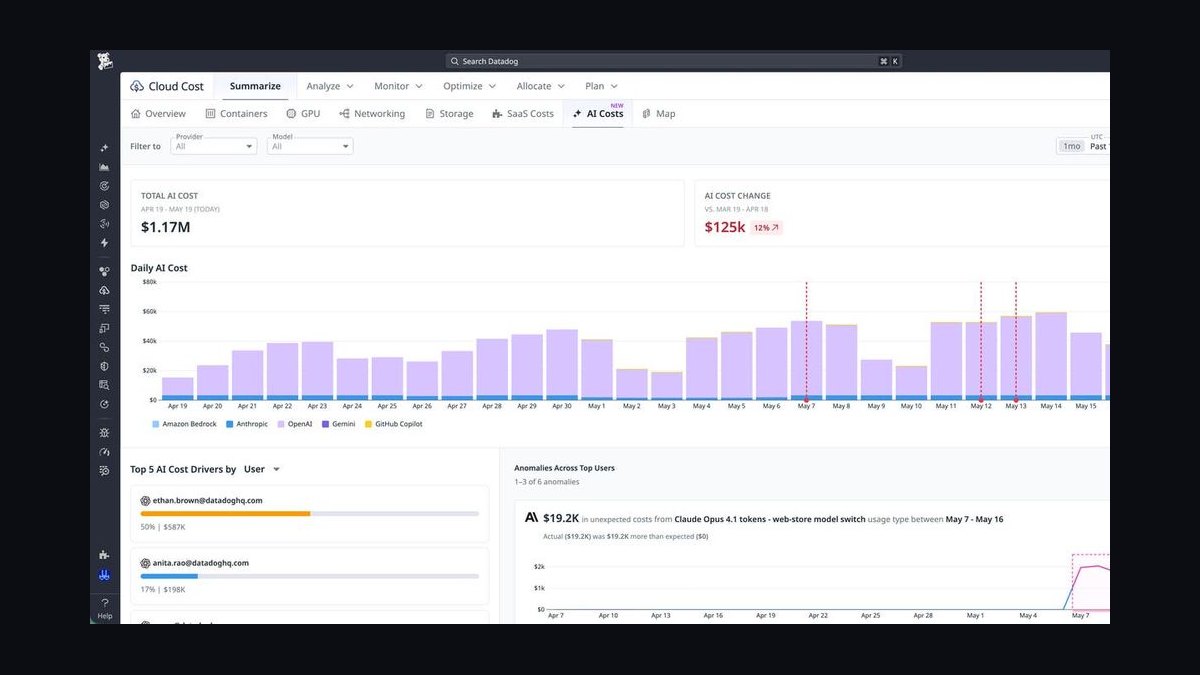
Datadog Cloud Cost Management ranks fourth because it pairs cost data directly with the APM and infrastructure monitoring dashboards teams already use, so an AI infra cost spike shows up alongside the latency, error rate, or GPU utilization metric that caused it. That correlation is its distinguishing strength versus standalone billing dashboards that show cost in isolation from performance.
It is best for teams already paying for Datadog observability who want cost folded into an existing workflow rather than a new tool. The add-on module adds to an already substantial platform bill, and its forecasting is shallower than dedicated FinOps tools like Vantage above it. It ranks ahead of Apptio Cloudability below for faster setup.
5Apptio Cloudability
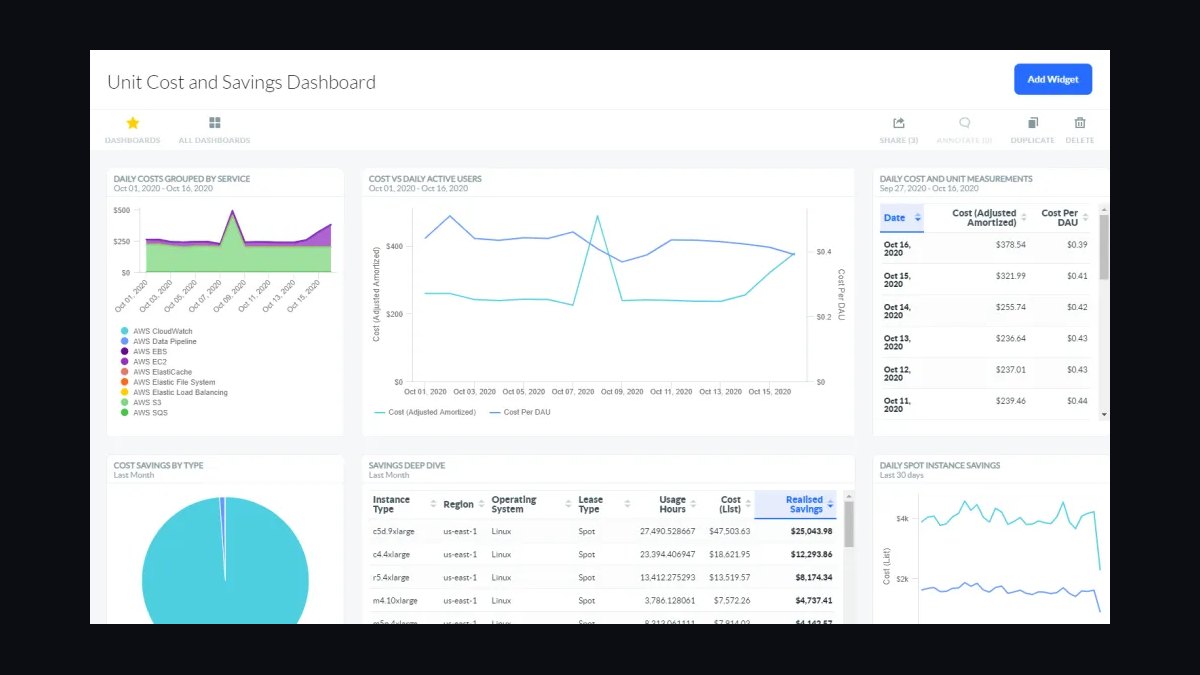
Apptio Cloudability, an IBM product, ranks fifth for enterprise-grade multi-cloud cost governance and forecasting built for large, regulated organizations managing sprawling multi-account cloud environments that include AI and ML spend. Its strength is budget governance and chargeback across many business units, not fast setup for a single engineering team chasing GPU costs.
It is best for large enterprises with dedicated FinOps staff who need approval workflows and account-level governance. It is heavier and slower to configure than the lighter SaaS tools ranked above it, which is why it sits below Datadog for teams wanting quick AI cost visibility, but ahead of the platform-locked tool ranked below it.
6Harness Cloud Cost Management
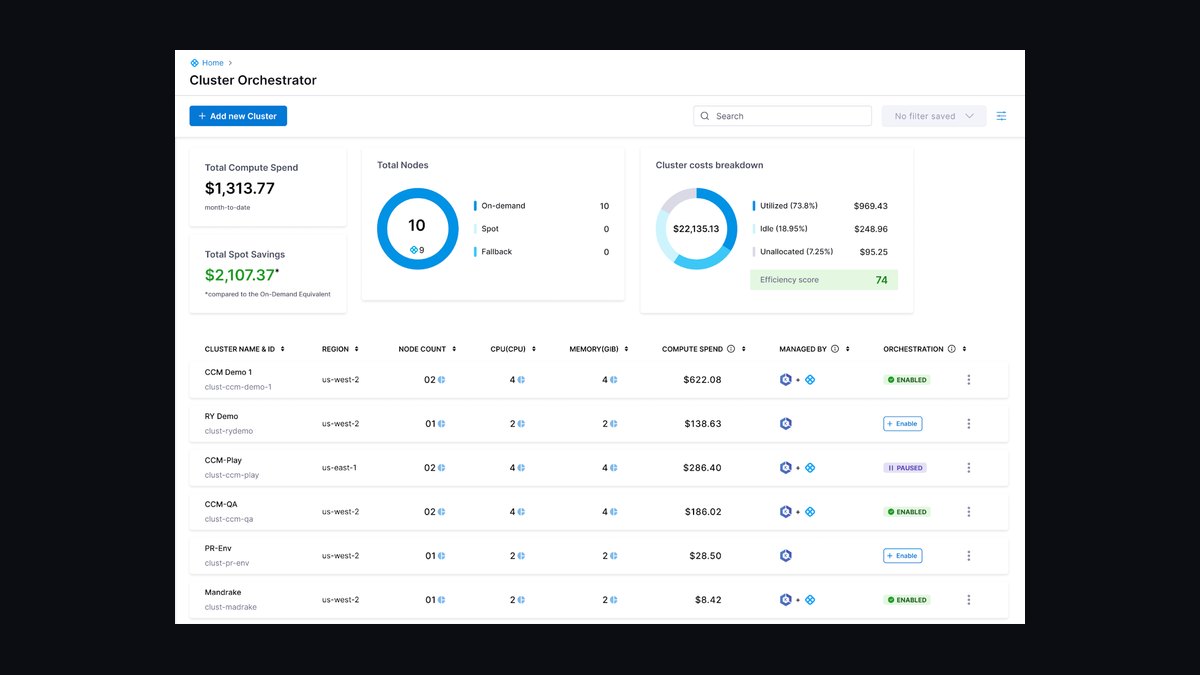
Harness Cloud Cost Management ranks sixth because it ties infrastructure cost directly to CI/CD pipeline and deployment data within the broader Harness platform, useful for teams already deploying AI models through Harness pipelines. Its automated rightsizing recommendations for compute and storage extend naturally from its existing deployment automation.
It is best for existing Harness customers, not a standalone pick for teams without that platform investment. It is less mature as a pure-play cost tool than Vantage or CloudZero above it, since its value depends heavily on platform lock-in. It ranks above Finout below only for teams already committed to the Harness ecosystem.
7Finout

Finout ranks seventh for consolidating multi-cloud infrastructure spend and third-party SaaS and API costs, including usage-based AI API billing from providers like OpenAI and Anthropic, into a single dashboard. That combined view matters for teams running a mix of self-hosted GPU infrastructure and pay-per-token API calls, a blend most infra-only tools above it don't track together.
It is best for teams mixing self-hosted AI infrastructure with API-based model usage who need both cost sources unified. As a smaller company than the incumbents ranked above, it offers less enterprise support depth. It ranks above nOps below for covering a broader range of spend sources beyond AWS alone.
8nOps
nOps ranks eighth as an AWS-focused tool that automates reserved instance and savings plan purchasing alongside cost anomaly detection, useful for AWS-heavy AI training environments that want commitment optimization handled automatically rather than tracked manually across a console.
It is best for AWS-only shops, since it lacks the multi-cloud reach of Vantage or CloudZero ranked higher. It ranks below Finout for narrower cloud coverage, but above the native console tools ranked below it because of its automated purchasing and anomaly-detection layer, which those free tools don't offer.
9AWS Cost Explorer
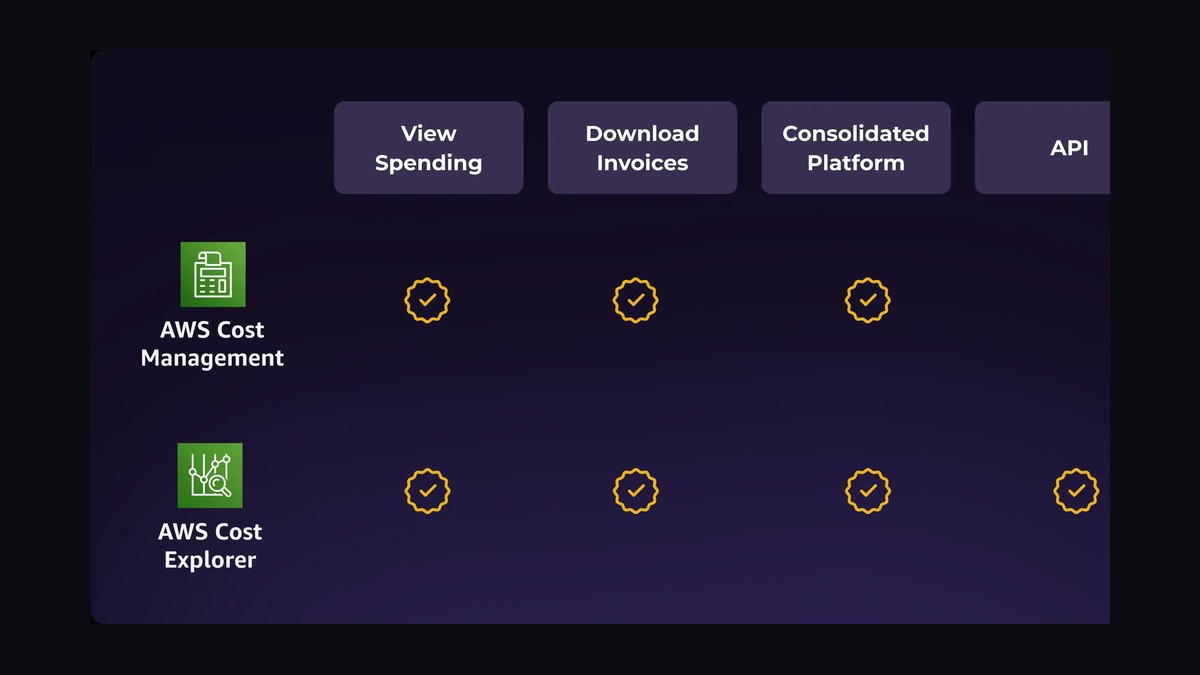
AWS Cost Explorer ranks ninth because it is free and built directly into the AWS console, with a native forecasting feature that projects future spend from historical usage trends at no added tooling cost, making it a reasonable baseline for teams tracking AWS-only AI infrastructure spend.
It is best for small teams or startups not yet ready to pay for third-party FinOps tooling. Its forecasting is less sophisticated than the dedicated tools ranked above it, and it covers AWS only. It ranks just above Azure Cost Management below due to AWS's larger footprint of GPU instance types used for AI workloads.
10Azure Cost Management and Billing
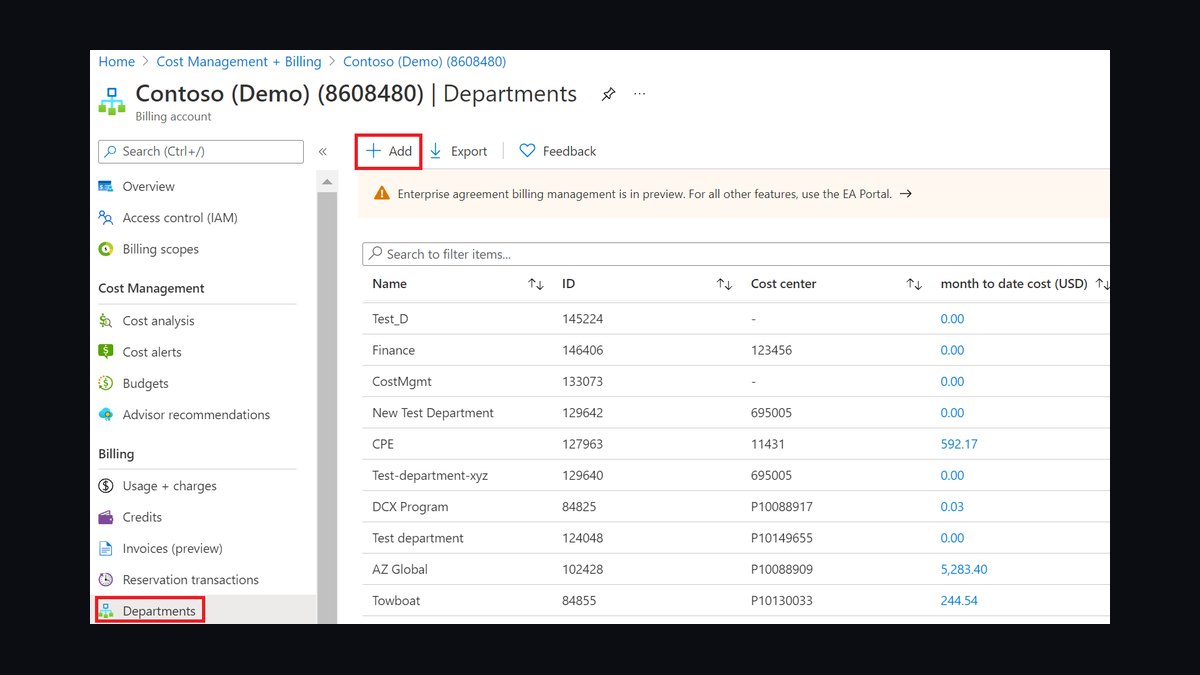
Azure Cost Management and Billing ranks tenth as the free, native cost tool built into the Azure portal, offering budget alerts and spend forecasting that cover Azure AI infrastructure such as Azure OpenAI Service deployments and GPU virtual machines at no additional cost.
It is best for teams fully committed to Azure and Azure OpenAI who want a built-in option rather than a third-party subscription. It lacks the cross-cloud visibility and GPU-level granularity of the dedicated tools ranked above it, which is why it closes out this list as the most basic option among the ten.
How we ranked these
Each tool was measured on forecast accuracy against actual GPU and cloud spend over rolling 30- and 90-day windows, granularity down to individual training runs and inference endpoints, breadth of integration across AWS, GCP, Azure, Kubernetes, and Slurm/Ray schedulers, anomaly-detection lead time before a spend spike hits the bill, and how clearly the pricing model itself scales with usage rather than seat count.
Vendor benchmark claims, feature-checklist length, and dashboard polish were ignored because they don't predict forecast accuracy under bursty AI training loads. General-purpose cloud cost tools that bolt GPU tracking onto a model built for steady-state compute were downweighted rather than excluded, since they still work for teams whose AI spend is a minority of total cloud bill rather than the dominant, spiky line item.
What to look for
What actually matters is whether a tool forecasts at the workload level — a specific training run, fine-tuning job, or inference endpoint — instead of just extrapolating the aggregate cloud bill forward. That means native hooks into Kubernetes, Slurm, or Ray schedulers, not just a billing-API pull. Tools that tie spend to unit economics like cost per token or cost per inference let finance and engineering argue from the same number.
The mistake most buyers make is assuming a generic multi-cloud FinOps platform can just be pointed at GPU spend and produce a usable forecast. Legacy tools model cost as a smooth historical trend line, which collapses the moment a training run spikes usage tenfold for three days. Buyers end up paying for a platform that consistently undershoots during exactly the spend events they bought it to catch.
Related questions
What's the difference between AI infra cost forecasting and general cloud cost management?
General cloud cost management assumes relatively smooth, seasonal spend and forecasts off historical trend lines. AI infra costs are dominated by bursty, short-lived events — a training run, a fine-tuning job, a traffic spike on an inference endpoint — that can multiply spend tenfold for days then vanish. Forecasting tools built for AI workloads model at the job level instead of the account level.
How do these tools handle GPU pricing volatility across spot, reserved, and on-demand?
The stronger tools track blended effective rates per accelerator hour by ingesting actual billing line items rather than list prices, then forecast against the mix a team actually uses. Weaker tools forecast off on-demand rack rates alone, which overstates cost for teams using spot or committed capacity and understates it for teams that fall back to on-demand during shortages.
Can these tools forecast multi-cloud AI spend, or are they locked to one cloud?
Most of the leading platforms — Vantage, CloudZero, Datadog Cloud Cost Management — normalize spend across AWS, GCP, and Azure into one forecast, which matters once training runs get split across providers for GPU availability. Cloud-native options like AWS Cost Explorer forecast accurately only within that single provider and go blind the moment spend moves elsewhere.
Do these tools integrate with Kubernetes-based ML platforms like Kubeflow or Ray?
Kubecost and OpenCost were built Kubernetes-first and attribute cost down to the pod and namespace, which maps cleanly onto Kubeflow or Ray jobs running as pods. Tools built around traditional VM billing retrofit this integration less cleanly, often attributing shared cluster overhead in a way that blurs which specific job actually drove the spend.
How far in advance can these tools actually forecast accurately?
Accuracy holds reasonably well 7-14 days out for steady inference traffic, but drops sharply beyond 30 days for anything involving planned training runs, since those depend on decisions — dataset size, epoch count, cluster size — that haven't been made yet. The better tools flag this by returning a confidence band instead of a single number.
What's the role of unit economics like cost-per-token in these tools?
Aggregate spend forecasts tell finance what the bill will be; unit-economics tracking tells product whether that spend is getting more or less efficient per token or per inference call. Tools that report both let a team distinguish a forecast overrun caused by growth from one caused by a regression in model efficiency, which call for entirely different responses.
Is an open-source option like OpenCost viable instead of a paid platform?
OpenCost handles Kubernetes-native cost allocation well and costs nothing to run, but it doesn't forecast on its own — it reports what happened, not what's coming. Teams typically pair it with a forecasting layer, or graduate to Kubecost's paid tier, once they need predictive alerts rather than after-the-fact allocation reports.
FAQ
What is AI infra cost forecasting?
It's the practice of predicting future cloud and GPU spend for AI workloads — training runs, fine-tuning jobs, and inference serving — before the bill arrives, so teams can budget and catch runaway spend early. Unlike general cloud forecasting, it has to account for spend that spikes suddenly rather than growing steadily.
Why did older cloud cost tools struggle with AI workloads?
They were built for relatively predictable web and database infrastructure spend that grows gradually with traffic. AI training spend instead arrives in short, extreme bursts tied to specific jobs, which breaks trend-line forecasting models that assume smooth, continuous growth and causes those tools to badly underestimate near-term spend spikes.
How much do AI infra cost forecasting tools typically cost?
Pricing generally scales with the cloud spend under management, commonly landing between 1-3% of monitored spend per month, though some platforms charge flat per-seat fees instead. Open-source options like OpenCost are free to run but require in-house engineering time to operate and extend.
Can I just use my cloud provider's built-in cost forecasting instead?
Native tools like AWS Cost Explorer forecast reasonably well within that single provider but can't see spend elsewhere, and they weren't built with GPU-specific or job-level granularity in mind. They're a reasonable free starting point for single-cloud teams but become a liability once training runs span multiple providers or clusters.
What's the biggest forecasting blind spot for inference costs specifically?
Inference cost scales with unpredictable end-user traffic rather than a planned schedule, so a viral spike in usage can blow past a forecast with no advance warning the way a scheduled training run would give. Tools with real-time anomaly detection catch this within hours; trend-line-only tools catch it only after the bill posts.
Can these tools prevent surprise bills, or only report them afterward?
The stronger platforms set budget thresholds and fire alerts as spend trends toward breaching them, giving teams a window to intervene — pause a run, cap concurrency — before the month closes. Tools without real-time anomaly detection only surface the overrun in a monthly report, after the spend has already happened.
How do these tools handle GPU clusters shared across multiple teams?
Attribution requires either Kubernetes namespace/label tagging or scheduler-level job metadata (from Slurm or Ray) to split a shared cluster's bill fairly across teams. Tools lacking this granularity fall back to even splits or manual allocation, which reliably misattributes cost to whichever team happens to be easiest to blame.
Is Kubecost or OpenCost sufficient on its own for AI cost management?
For Kubernetes-native cost allocation and real-time visibility, yes — they're strong at showing where spend is going right now. For forward-looking budget forecasting and multi-cloud VM spend outside Kubernetes, no; most teams pair them with a dedicated forecasting platform or Kubecost's paid tier for the predictive layer.
What integration should I check before buying one of these tools?
Confirm it ingests actual billing data (not list prices) from every cloud you use, and that it has native hooks into whatever schedules your AI jobs — Kubernetes, Slurm, or Ray — rather than only VM-level billing APIs. Without job-level integration, the forecast reduces to a slower version of your cloud bill.
Sources
- https://www.finops.org/
- https://aws.amazon.com/aws-cost-management/
- https://cloud.google.com/cost-management
- https://azure.microsoft.com/en-us/products/cost-management/
- https://www.cloudzero.com/
- https://www.vantage.sh/
- https://www.datadoghq.com/product/cloud-cost-management/
- https://www.cncf.io/projects/opencost/
Related on PULSE
This page will be disappearing soon. Save it to your device for $1 — or read it free while it is here.
@Kory-White- · if Venmo asks, the last 4 of my number are 2012
This page is gone.
This one is off the shelf now. $1 keeps it on your phone for good — the whole page, pictures and diagrams included.
 pulse-recentThe 10 Best Tools for Detecting Idle and Underutilized GPU Spend in 2027
 pulse-recentThe 10 Best AI Tools for Cloud Cost Optimization in 2027
 pulse-recentWhat is continuous batching and how much more throughput does it give an LLM server in 2027?
 pulse-recentThe 10 Best AI Tools for Data Residency and Sovereignty Compliance in 2027
 pulse-recentThe 10 Best AI Cost Estimation Calculators in 2027
 pulse-recentThe 10 Best Multi-Tenant Isolation Strategies for AI Workloads in 2027
 pulse-recentThe 10 Best AI Tools for Batch Inference at Scale in 2027
 pulse-recentThe 10 Best AI Tools for Data Center Power Capacity Planning in 2027
 pulse-recentThe 10 Best AI Infra Cost Estimators for Cloud GPU Workloads in 2027
 pulse-recentThe 10 Best AI Infra Cost per Token Benchmarks in 2027