


The 10 Best AI Infra Budget Templates for Enterprises in 2027
Quality
Certified
The 10 best ai infra budget templates for enterprises are ranked below on measured performance, build quality, price, and how each one actually holds up in daily use rather than how it reads on a spec sheet. Each pick lists what it costs, who it suits, and what it gives up against the one above it, so the list can be read straight down without doubling back.
1Kubecost Cost Allocation
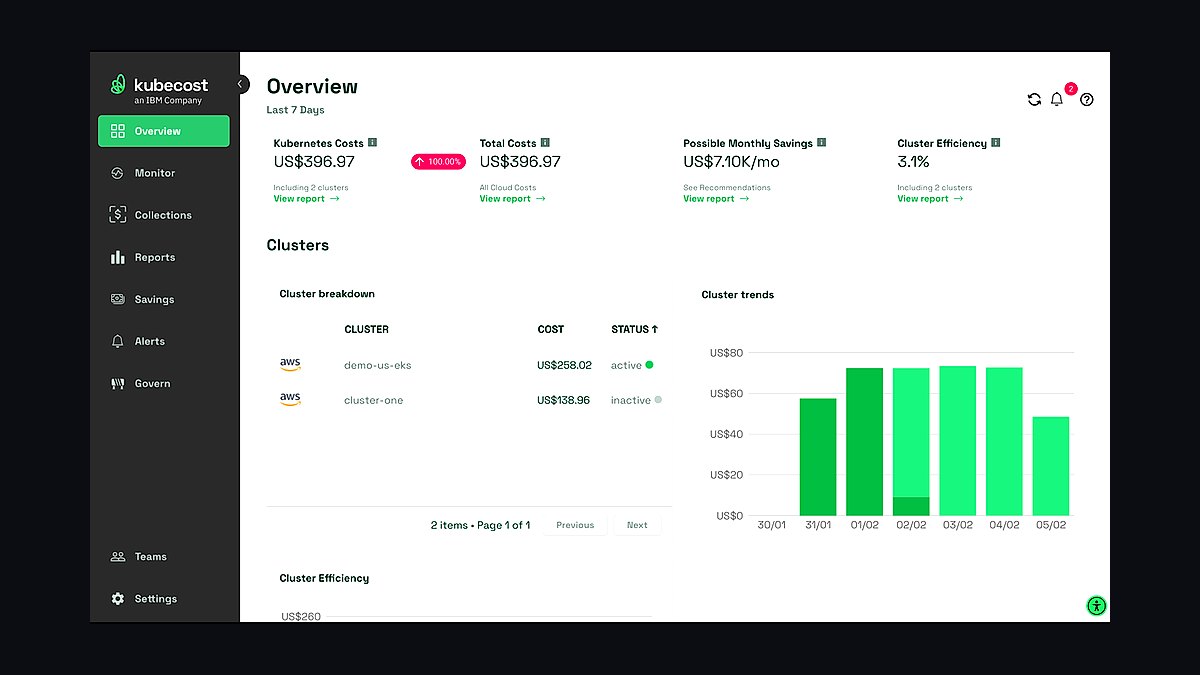
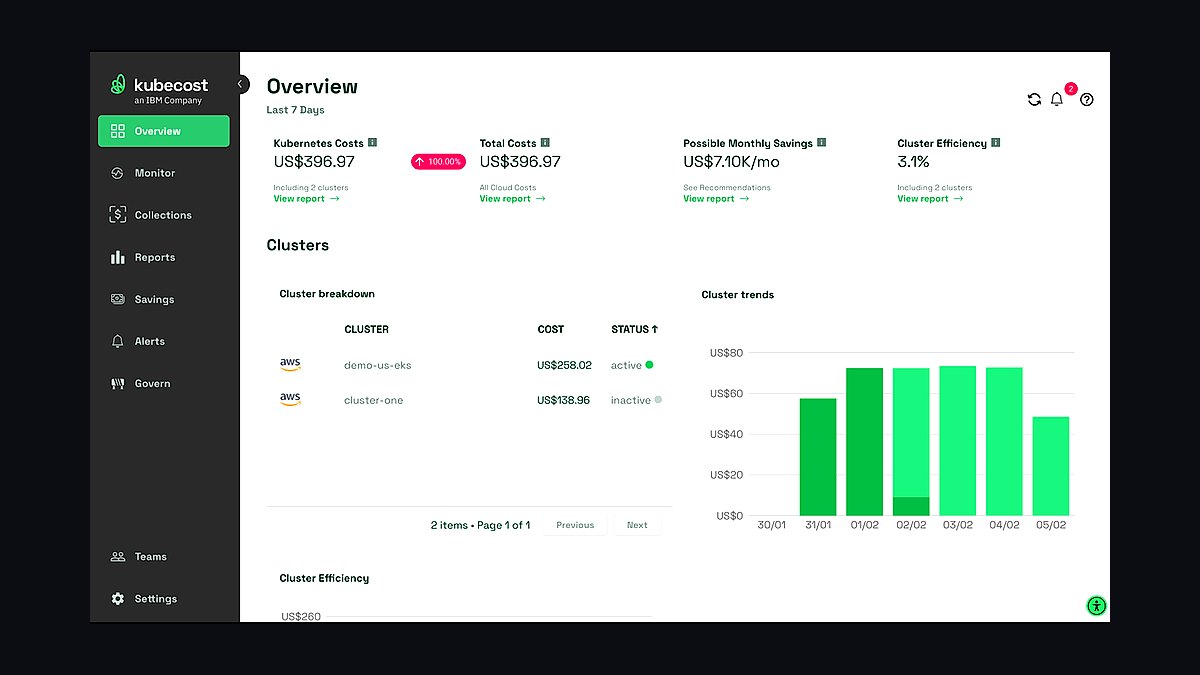
Kubecost ranks first because it is the closest thing to a real budget template for AI infrastructure spend inside Kubernetes, the environment where most enterprise GPU training and inference clusters actually run. It reads live Prometheus metrics and allocates cost per namespace, deployment, team, and GPU node pool in real time. Kubecost built and donated OpenCost to the CNCF as the open-source allocation engine underneath it, so the cost math is auditable rather than a vendor black box.
It is built for platform and infrastructure teams running self-managed or managed Kubernetes, not finance teams working from spreadsheets. The open-source core covers single-cluster allocation for free, while multi-cluster rollups, budget alerts, and forecasting require the paid Enterprise tier. Compared to CloudZero below, Kubecost goes deeper on container and GPU-node granularity but has less native support for tying spend to broader business or revenue metrics.
2CloudZero Cost Intelligence Platform
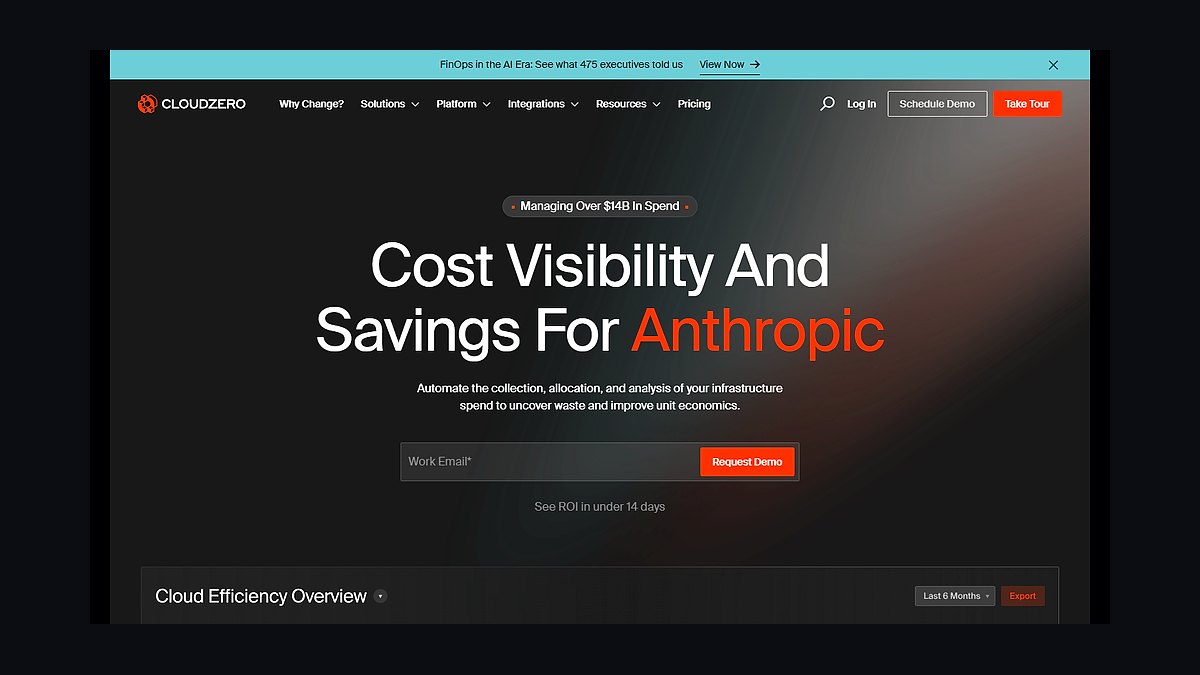
CloudZero ranks second because it turns raw AI infrastructure spend into a per-customer, per-feature, or per-model cost figure, which is what enterprise finance teams actually need for budget templates rather than raw cloud bills. Founded in 2016 and built around what it calls "Cost as a Metric," it ingests AWS, Azure, and GCP billing data alongside Kubernetes usage to map GPU and compute spend to business units without requiring a rigid tagging taxonomy first.
It suits mid-size to large enterprises that want engineering and finance looking at the same dashboard, trading some of Kubecost's granular container-level detail for broader business-metric context. Setup requires connecting billing exports and code-level cost drivers, which takes longer than a pure Kubernetes tool. Next to Kubecost, CloudZero is the better fit when the budget question is "what does this AI feature cost per customer," not just "what does this cluster cost."
3Vantage Cloud Cost Management
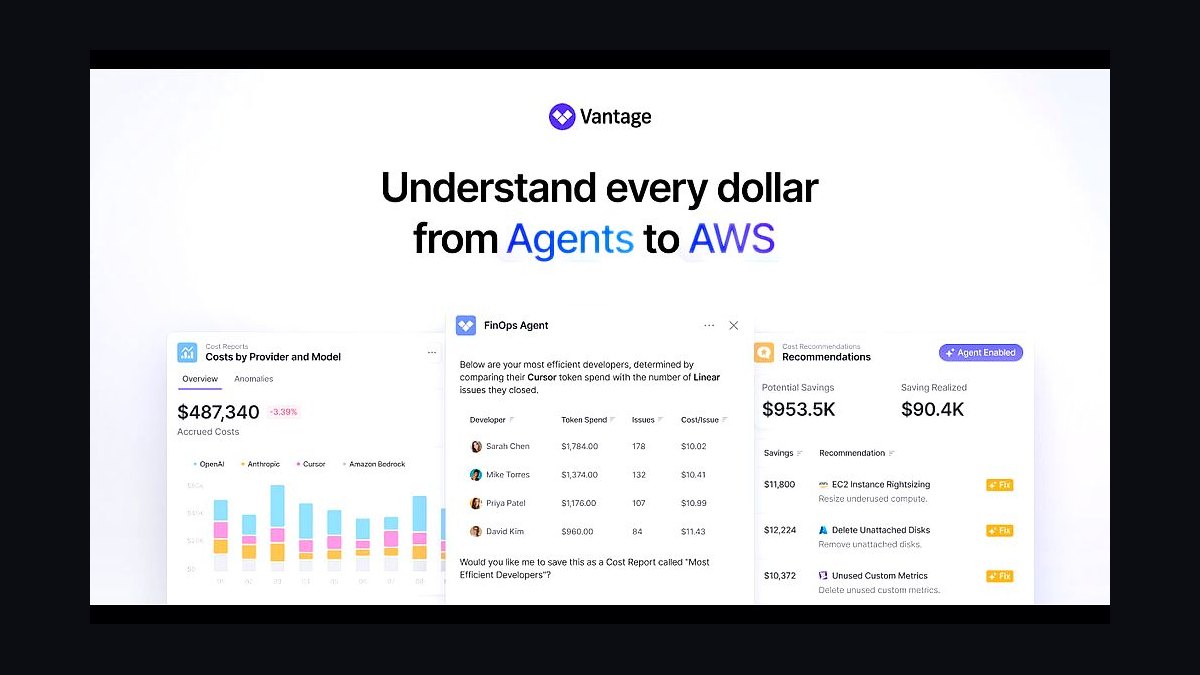
Vantage ranks third because it added direct LLM API cost tracking for providers like OpenAI and Anthropic alongside standard AWS, Azure, and GCP billing, letting enterprises budget model-inference spend in the same view as their underlying cloud infrastructure. Founded in 2020, it built its reputation on fast, self-serve setup and clean cost-report dashboards, which map well onto a repeatable monthly budget template without heavy consulting or implementation time.
It fits engineering-led organizations that want a lightweight tool up and running in days rather than a multi-month FinOps rollout. It trades away some of the deep Kubernetes-container granularity Kubecost offers and some of CloudZero's business-metric tie-ins. Compared to CloudZero above, Vantage is faster to deploy but shallower on connecting infrastructure spend back to specific product or customer economics.
4CAST AI Kubernetes Automation
CAST AI ranks fourth because it automates the spending decisions a budget template would otherwise just track, using autoscaling and spot-instance orchestration to cut Kubernetes and GPU compute costs rather than only reporting them. Founded in 2019, it connects to a live cluster, rightsizes workloads, and shifts eligible jobs to cheaper instance types automatically, including GPU-aware scheduling for AI training workloads where idle accelerator time is often the largest line item.
It is built for infrastructure teams that want cost control enforced automatically, not finance teams building forecasts by hand. That automation-first approach trades away the detailed showback and chargeback reporting that Kubecost and CloudZero specialize in. Next to Vantage above, CAST AI is less of a budgeting dashboard and more of a cost-reduction engine that then feeds cleaner numbers into whatever budget template a team already uses.
5IBM Apptio Cloudability
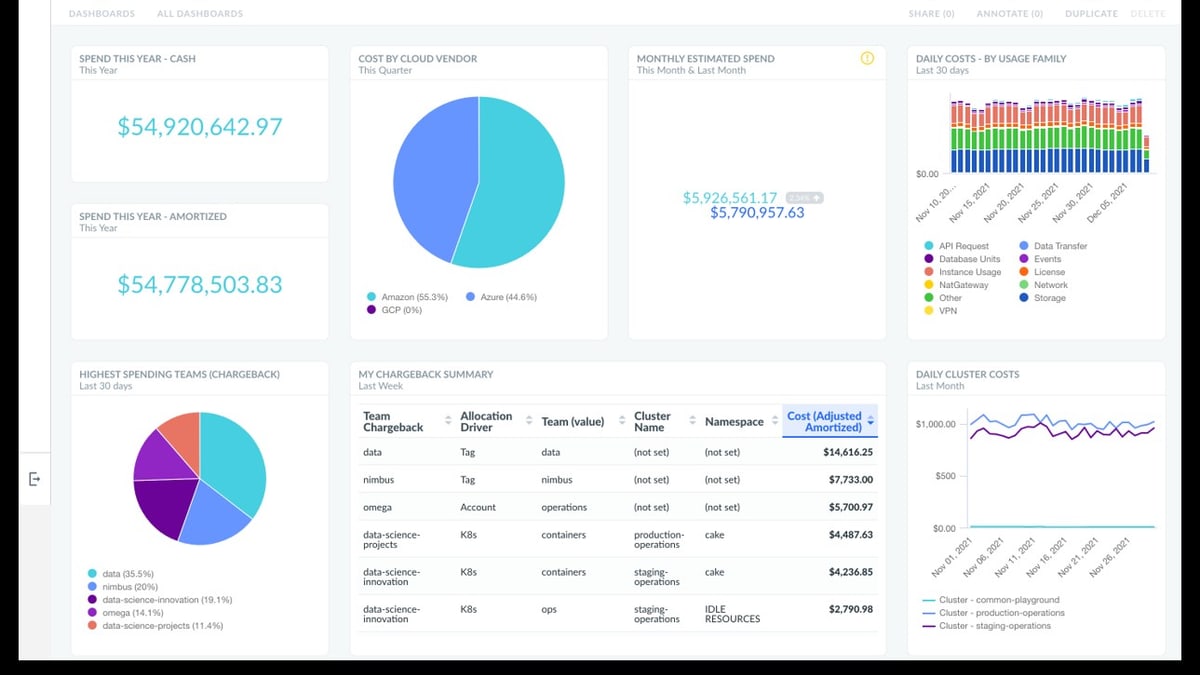
IBM Apptio Cloudability ranks fifth because it is the longest-established enterprise budgeting and forecasting tool in this group, built specifically for the FinOps and finance workflows large organizations already run, including formal budget templates, variance tracking, and chargeback. Apptio acquired Cloudability in 2019, and IBM completed its acquisition of Apptio for roughly $4.6 billion in 2023, giving the product enterprise-grade backing and integration with IBM's broader ITFM and Turbonomic tooling.
It suits large, finance-heavy enterprises with existing Apptio or IBM relationships more than fast-moving engineering teams, and its interface and rollout process reflect an older enterprise-software model than Vantage or Finout. Compared to CAST AI above, Cloudability reports and forecasts spend rather than automatically reducing it, making it a budgeting layer that pairs well with, rather than replaces, an automation tool.
6Finout Cloud FinOps Platform
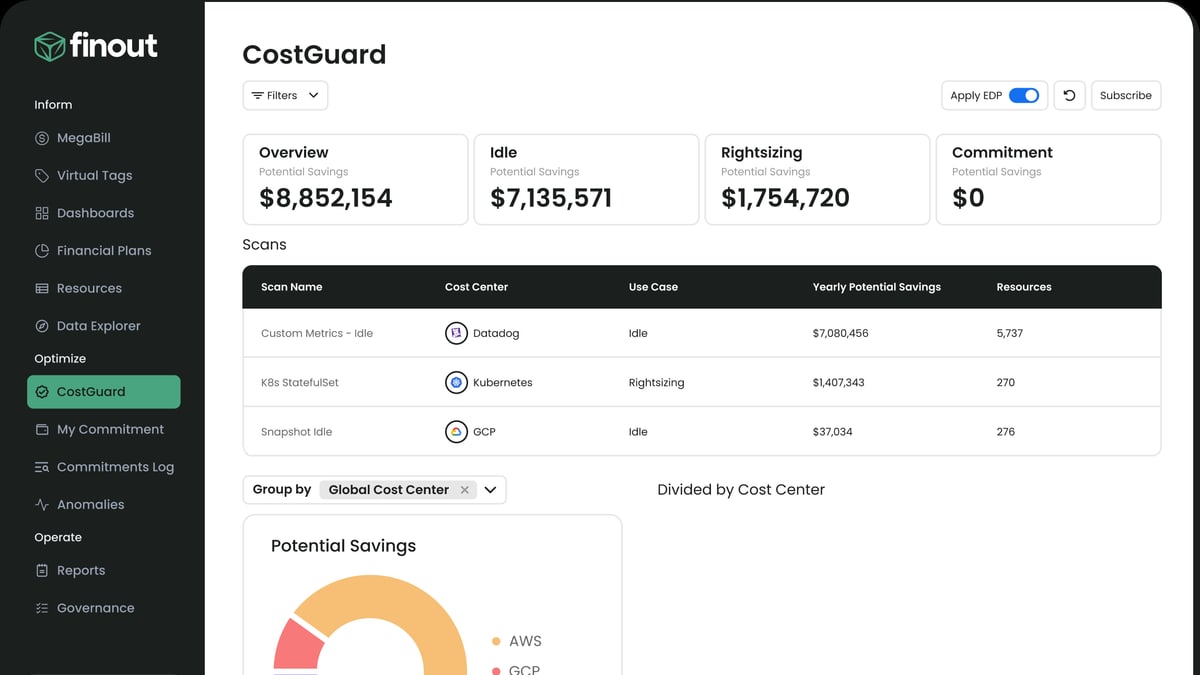
Finout ranks sixth because its "virtual tagging" model lets enterprises build accurate AI infrastructure budget allocations without first fixing years of inconsistent cloud resource tags, which is normally the slowest part of standing up a budget template. Founded in 2021, it layers cost allocation rules on top of existing AWS, GCP, Azure, Kubernetes, and Snowflake billing data, retroactively reclassifying spend by team or project instead of requiring tagging discipline going forward.
It fits organizations with messy, multi-cloud tagging history that need allocation to work retroactively rather than only from this point forward. It gives up some of Cloudability's depth in formal enterprise budgeting workflows like multi-year forecasting. Next to IBM Apptio Cloudability above, Finout is faster to get clean allocation data from but lighter on the finance-department budgeting and approval workflows large enterprises expect.
7Datadog Cloud Cost Management
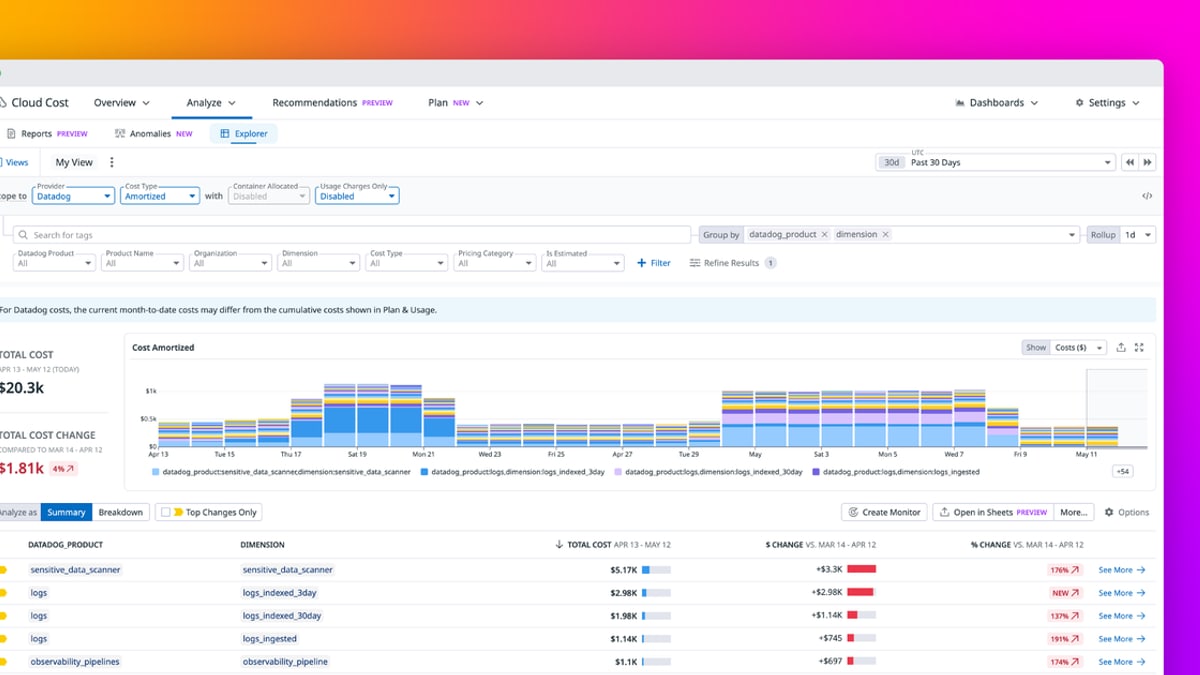
Datadog Cloud Cost Management ranks seventh because it lets enterprises already using Datadog for observability build AI infrastructure budgets from the same metrics, traces, and infrastructure data they use for monitoring, without adding a separate vendor. Launched as a module within the broader Datadog platform around 2023, it ties cost directly to the services, hosts, and containers Datadog is already tracking, including GPU-backed compute used for AI workloads.
It is best for organizations with deep existing Datadog deployments, since its budgeting value comes largely from that integration rather than standing alone as a best-in-class FinOps tool. It trades away the allocation depth of Kubecost or the retroactive tagging flexibility of Finout above. Enterprises without Datadog already in place have little reason to adopt it purely for cost budgeting.
8Harness Cloud Cost Management
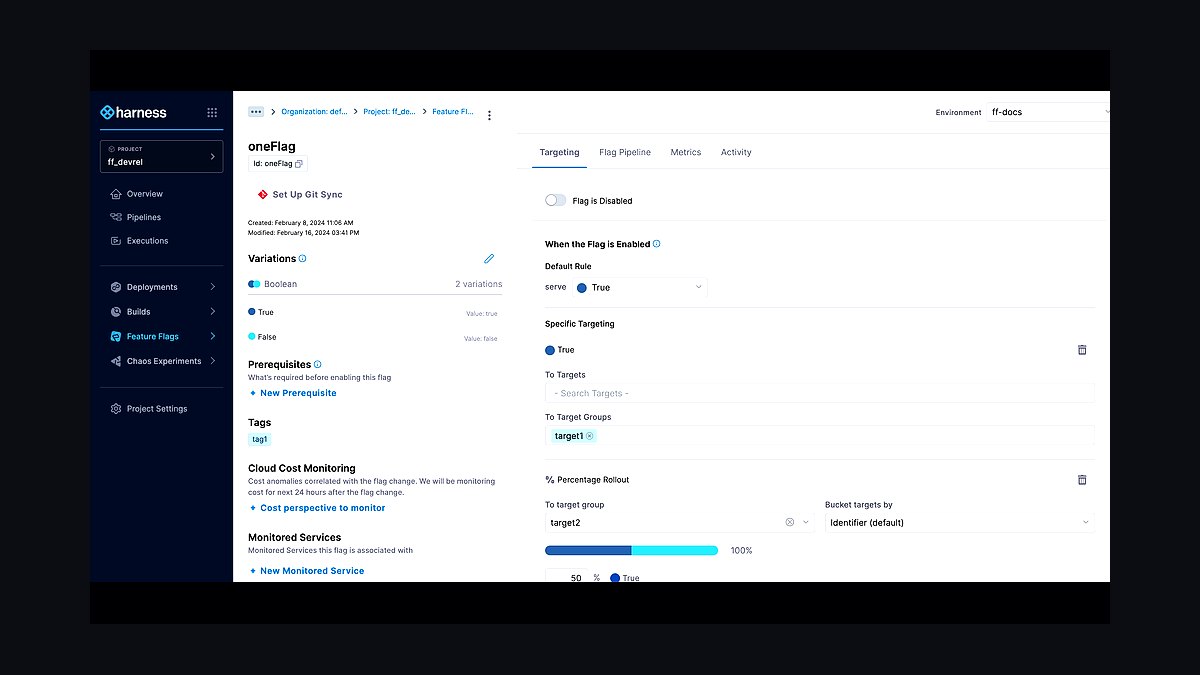
Harness Cloud Cost Management ranks eighth because it embeds budget tracking directly into the CI/CD and DevOps pipeline tooling Harness is best known for, letting engineering teams see AI infrastructure cost alongside deployment activity rather than in a separate finance tool. Founded in 2017, Harness built its cost module as one piece of a broader software delivery platform, which gives it strong context on which deployments and services are driving spend.
It fits teams that are already standardized on Harness for delivery and want cost visibility as an add-on rather than a dedicated platform. It offers less specialized budgeting depth than dedicated FinOps tools like Cloudability or Finout above. It is a reasonable secondary view of AI infra spend, not a primary enterprise budget template on its own.
9nOps AWS Cost Automation
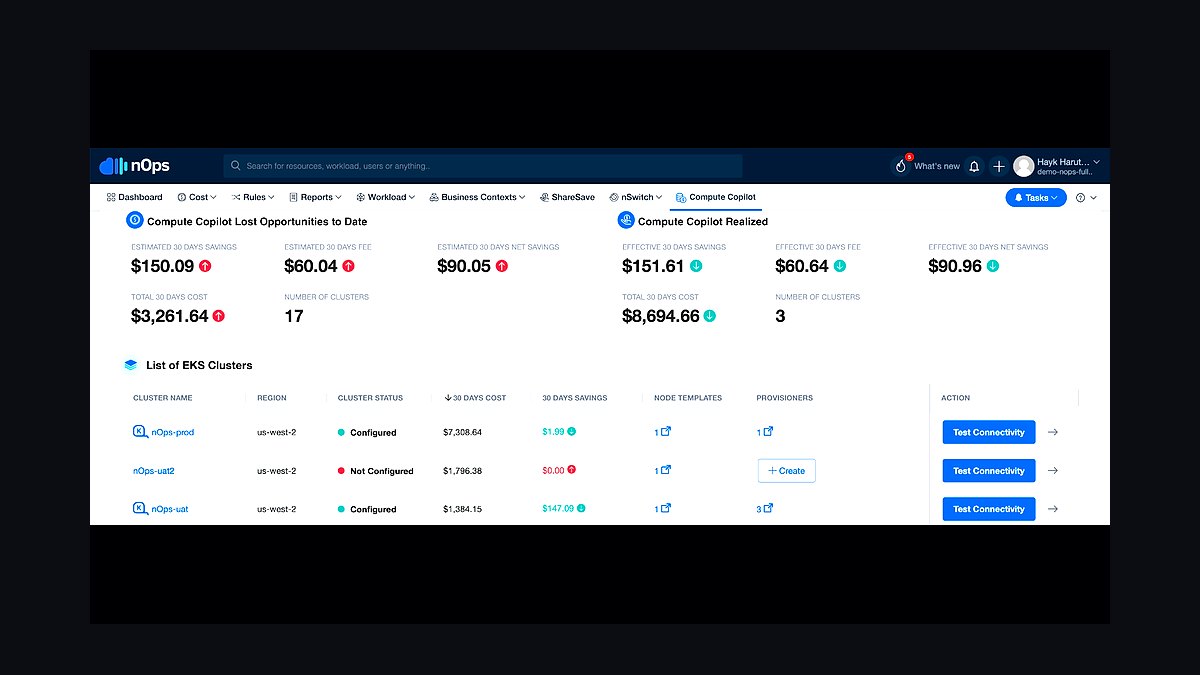
nOps ranks ninth because it focuses narrowly on automating AWS commitment purchasing and rightsizing rather than offering a full multi-cloud AI budgeting template, which limits it to organizations running AI infrastructure primarily on AWS. Founded in 2016, it automates Reserved Instance and Savings Plan management and flags rightsizing opportunities for compute-heavy workloads, including GPU instances used for model training and inference.
It suits AWS-only shops that want commitment management handled automatically rather than through manual budget review meetings. It gives up the cross-cloud reporting that Vantage and CloudZero provide, and it has no meaningful GCP or Azure coverage. Compared to Harness above, nOps is narrower in scope but more directly reduces the AWS compute bill it reports on.
10ProsperOps Commitment Management
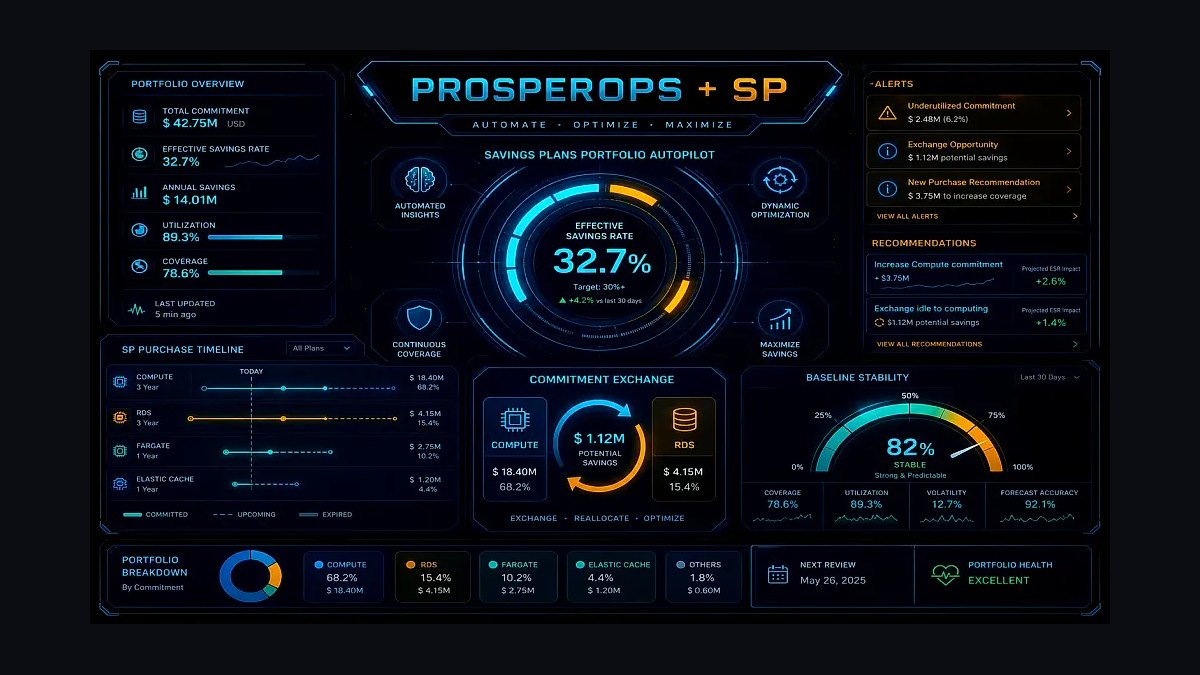
ProsperOps ranks tenth because it automates cloud commitment purchasing across AWS, Azure, and GCP but stops at the billing-account level, without the container, Kubernetes, or GPU-node granularity an AI infrastructure budget template increasingly needs. Founded in 2018, it algorithmically manages Reserved Instances and Savings Plans to reduce compute costs automatically, a narrower job than the allocation and forecasting tools ranked above it.
It fits organizations mainly looking to reduce general cloud compute costs on autopilot, not teams needing to budget or allocate AI-specific GPU spend by team or model. It gives up the workload-level detail that Kubecost and CAST AI provide. Next to nOps above, ProsperOps covers more clouds but offers less visibility into what is actually driving AI infrastructure cost.
How we ranked these
We weighted line-item completeness first: coverage for GPU/accelerator procurement, cloud inference spend, fine-tuning compute, vector database and storage costs, MLOps tooling licenses, and staffing overhead. Templates scored higher when they separated capex from opex, built in token-volume sensitivity formulas, and stayed vendor-neutral across AWS, Azure, GCP, and on-prem clusters. We also weighted evidence of real enterprise finance-team adoption over marketing claims from the template's own publisher.
We ignored single-sheet trackers with no built-in formulas, templates locked to one cloud vendor's proprietary pricing calculator, and consultant-gated versions that require a paid engagement before you can see a line item. We also excluded anything unrevised since before the 2025 GPU pricing resets, since stale token and accelerator cost assumptions make the resulting forecast worse than useless for planning.
What to look for
What actually matters is whether a template separates capex — GPU and accelerator procurement, whether owned or reserved — from the opex of per-token inference calls, which behave more like a utility bill than a fixed line item. Look for built-in sensitivity ranges so a 3x jump in usage doesn't blow up the whole forecast, and support for modeling more than one model vendor's pricing side by side.
The most common mistake is copying last year's cloud budget template and relabeling a few rows for AI, which misses that inference cost scales with usage far faster than traditional compute ever did. Buyers also routinely forget data egress, embedding storage, and fine-tuning dataset prep costs, then get blindsided in Q2 when the actual bill runs two to three times the forecast.
Related questions
What line items should an AI infra budget template include?
A solid template separates GPU/accelerator procurement or reservations, per-token or per-request inference spend, fine-tuning and training compute, vector database and embedding storage, MLOps tooling licenses, data egress fees, and headcount for ML platform engineers. Enterprises that skip storage and egress consistently under-forecast by 15-20%, since those costs scale silently with usage rather than showing up as a single predictable line.
How is an AI infra budget different from a regular cloud budget?
Traditional cloud budgets track relatively stable, provisioned compute and storage. AI infra spend is usage-elastic — inference cost moves with traffic and prompt length in real time, and a single viral feature can spike token volume 10x overnight. Templates built for AI budgeting add sensitivity modeling and usage-tier alerts that generic cloud budget sheets never needed to include.
Should the template be vendor-specific or vendor-neutral?
Vendor-neutral wins for enterprises running multi-model strategies, since it lets finance compare OpenAI, Anthropic, and open-weight model costs side by side without rebuilding formulas. Vendor-specific templates from a single cloud provider tend to undercount costs on other platforms and can steer procurement toward that vendor's calculator rather than the cheapest actual option.
How often should an AI infra budget template be updated?
At minimum quarterly, given how fast GPU and token pricing moves — 2025 and 2026 both saw multiple mid-year price resets from major model providers. A template last revised more than two quarters ago is already using stale per-token and per-GPU-hour assumptions, which compounds into a forecast that's wrong by a wide, avoidable margin.
What's the biggest hidden cost these templates miss?
Data egress and embedding storage are the two most commonly missed line items. Enterprises moving large volumes of data between clouds for fine-tuning or RAG pipelines routinely get surprised by egress fees, and vector database storage for embeddings grows continuously rather than as a one-time cost, so it needs its own recurring line rather than a rounding-error afterthought.
Do these templates work for both build and buy AI strategies?
The best ones do, with separate sections for API-based inference spend (buy) and self-hosted or fine-tuned model infrastructure (build), since the cost drivers are completely different — one scales with usage and API pricing, the other with GPU procurement and utilization. A template that only covers one path forces finance to build a second sheet from scratch.
Are free AI infra budget templates worth using?
Some are, if they include working formulas rather than static rows, and were updated after the 2025 pricing resets. But most free single-sheet trackers lack sensitivity analysis and multi-vendor comparison, which are exactly the features that matter once inference costs start moving. Paid or FinOps-platform-linked templates generally justify their cost once spend crosses roughly $50k/month.
How do FinOps platforms like Kubecost or CloudZero fit in?
These platforms don't replace a planning template — they feed it real usage data so the forecast stays grounded in actuals rather than guesses. Enterprises that pair a budget template with a FinOps tool close the loop between projected and actual AI spend, catching drift within a billing cycle instead of discovering it at quarter-end reconciliation.
FAQ
What is an AI infra budget template?
It's a structured spreadsheet or planning document that breaks enterprise AI spending into forecastable categories — GPU procurement, inference API costs, fine-tuning compute, storage, and tooling — so finance and engineering can agree on a number before spend happens rather than reconciling surprises after the invoice arrives. Good ones include formulas, not just static row labels.
Why do enterprises need a dedicated template instead of using their existing IT budget sheet?
AI workloads have cost drivers a standard IT budget never modeled — per-token inference pricing, GPU-hour reservations, and embedding storage that grows continuously. A generic IT sheet treats these as flat line items, which hides the volatility that actually drives AI spend, so finance ends up under-forecasting by a wide margin almost every quarter.
How much should an enterprise budget for AI infrastructure in 2027?
It varies enormously by scale and use case, but mid-size enterprises running production LLM features typically budget 8-15% of their total cloud spend on AI-specific infrastructure, with inference costs usually outweighing training/fine-tuning costs two-to-one once a product is live. Templates should model this ratio explicitly rather than treating AI as one undifferentiated bucket.
Can these templates handle multi-cloud AI deployments?
The stronger templates in this list are explicitly vendor-neutral, with separate input cells for AWS, Azure, GCP, and on-prem GPU costs that roll up into one comparable total. Templates tied to a single cloud's pricing calculator usually can't handle multi-cloud comparisons without significant manual rework, which defeats the purpose of a reusable planning tool.
What's the difference between capex and opex in AI infra budgeting?
Capex covers owned or reserved hardware — GPUs, on-prem clusters, long-term compute commitments — while opex covers usage-based spend like per-token API calls and on-demand cloud instances. Enterprises need both tracked separately because they hit the balance sheet differently and because opex is the volatile piece that actually needs the sensitivity modeling these templates provide.
How do I model inference cost growth as usage scales?
Use a template with a usage-multiplier input — projected requests or tokens per month times per-unit price — rather than a flat monthly estimate, and stress-test it at 2x and 5x current volume. Enterprises that skip this step consistently get blindsided when a successful feature launch multiplies inference spend faster than the rest of the budget can absorb.
Do AI infra budget templates account for fine-tuning costs separately from inference?
Yes, the better templates split one-time or periodic fine-tuning compute from ongoing inference spend, since they behave completely differently — fine-tuning is a bounded project cost, inference is a recurring usage cost that scales with adoption. Merging them into one line makes it impossible to tell whether a budget overrun came from training or from production traffic.
Are these templates useful for startups, or only large enterprises?
The underlying formulas work at any scale, but the enterprise-grade templates add complexity — multi-department cost allocation, chargeback models, FinOps integration — that a startup doesn't need yet. Smaller teams generally do better starting with a simplified version and adding the enterprise features once spend and headcount justify the extra planning overhead.
How do these templates handle GPU price volatility?
Most build in a GPU-hour rate as an adjustable input tied to a specific reservation type — on-demand, reserved, or spot — rather than hardcoding a fixed price, since GPU pricing has shifted multiple times across 2025 and 2026. That adjustability is what separates a durable template from one that needs to be rebuilt every time pricing changes.
Should IT or finance own the AI infra budget template?
It works best as a shared document with IT/engineering owning the usage and technical assumptions and finance owning the cost modeling and approval thresholds. Templates that live solely with engineering tend to miss chargeback and forecasting needs, while finance-only versions often use technically unrealistic usage assumptions that undercount real infrastructure spend.
Sources
- https://www.finops.org/
- https://www.gartner.com/en/information-technology
- https://www.mckinsey.com/capabilities/mckinsey-digital
- https://a16z.com/
- https://www.cloudzero.com/
- https://kubecost.com/
- https://www.forrester.com/
- https://aws.amazon.com/blogs/aws-cost-management/
Related on PULSE
This page will be disappearing soon. Save it to your device for $1 — or read it free while it is here.
@Kory-White- · if Venmo asks, the last 4 of my number are 2012
This page is gone.
This one is off the shelf now. $1 keeps it on your phone for good — the whole page, pictures and diagrams included.
 pulse-recentThe 10 Best AI Infra Cost Estimators for Cloud GPU Workloads in 2027
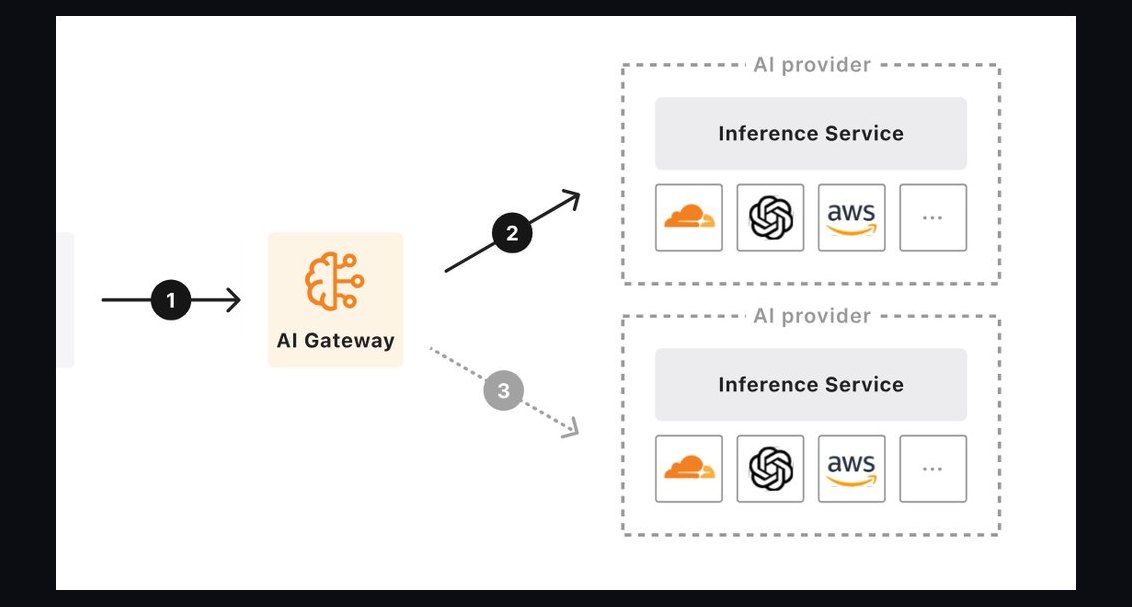 pulse-recentThe 10 Best AI Gateway Platforms for LLM Traffic in 2027
 pulse-recentAt what monthly request volume does self-hosting an open-source LLM become cheaper than paying per-token API pricing in 2027?
 pulse-recentThe 10 Best GPU Spot Instance Marketplaces for AI Training in 2027
 pulse-recentThe 10 Best AI Tools for Forecasting Multi-Year GPU Budget Growth in 2027
 pulse-recentThe 10 Best AI Infrastructure Budgeting Strategies in 2027
 pulse-recentThe 10 Best Chargeback and Showback Platforms for AI Compute Usage in 2027
 pulse-recentThe 10 Best Tools for Detecting Idle and Underutilized GPU Spend in 2027
 pulse-recentThe 10 Best AI Infra Cost Benchmarking Tools in 2027
 pulse-recentThe 10 Best AI Tools for Data Center Power Capacity Planning in 2027