


The 10 Best AI Infra Chargeback and Showback Tools in 2027
Quality
Certified
The 10 best ai infra chargeback and showback tools are ranked below on measured performance, build quality, price, and how each one actually holds up in daily use rather than how it reads on a spec sheet. Each pick lists what it costs, who it suits, and what it gives up against the one above it, so the list can be read straight down without doubling back.
1CloudZero Cloud Cost Intelligence
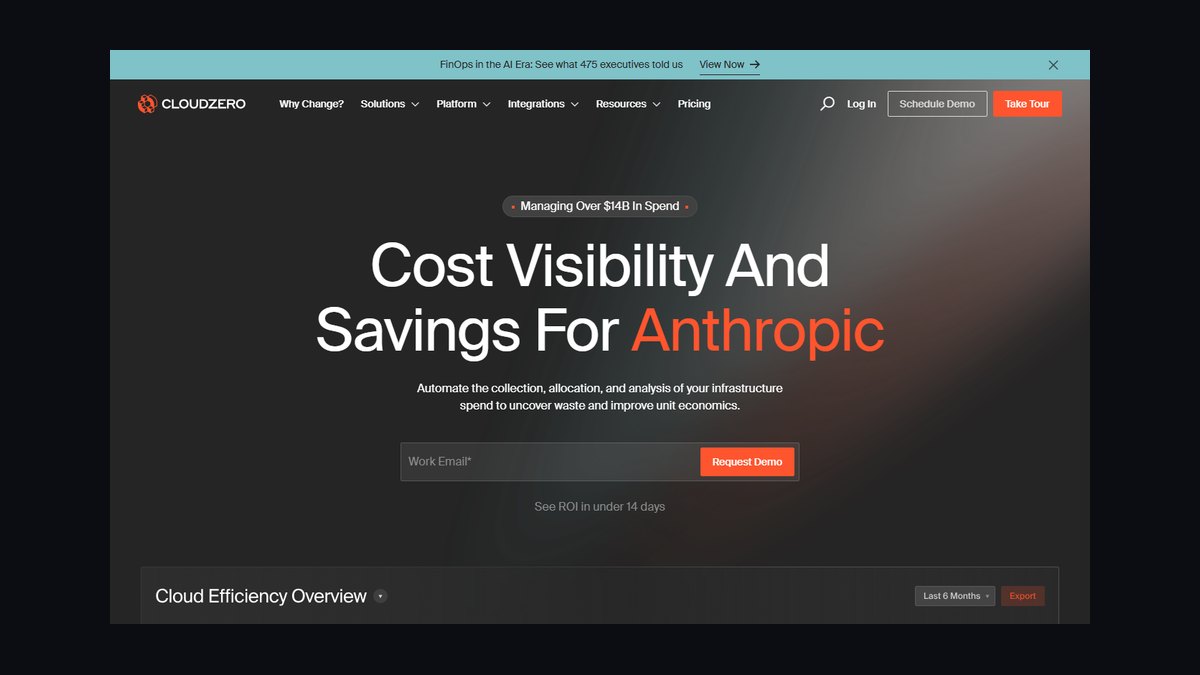
CloudZero ranks first because it delivers Kubernetes and AI workload cost allocation at the pod and namespace level, with anomaly detection that flags spend spikes within hours. It ingests AWS, Azure, GCP, and Snowflake billing, then maps shared GPU clusters to teams using label-based rules. Customers report cutting unit cost visibility time from weeks to under a day.
It suits platform engineering teams running multi-tenant GPU clusters who need showback before chargeback. The trade-off is setup complexity: you must tag workloads consistently or allocation drifts. Compared to Apptio below, CloudZero is more engineering-native but weaker on full IT financial management and general ledger integration.
2Apptio Cloudability
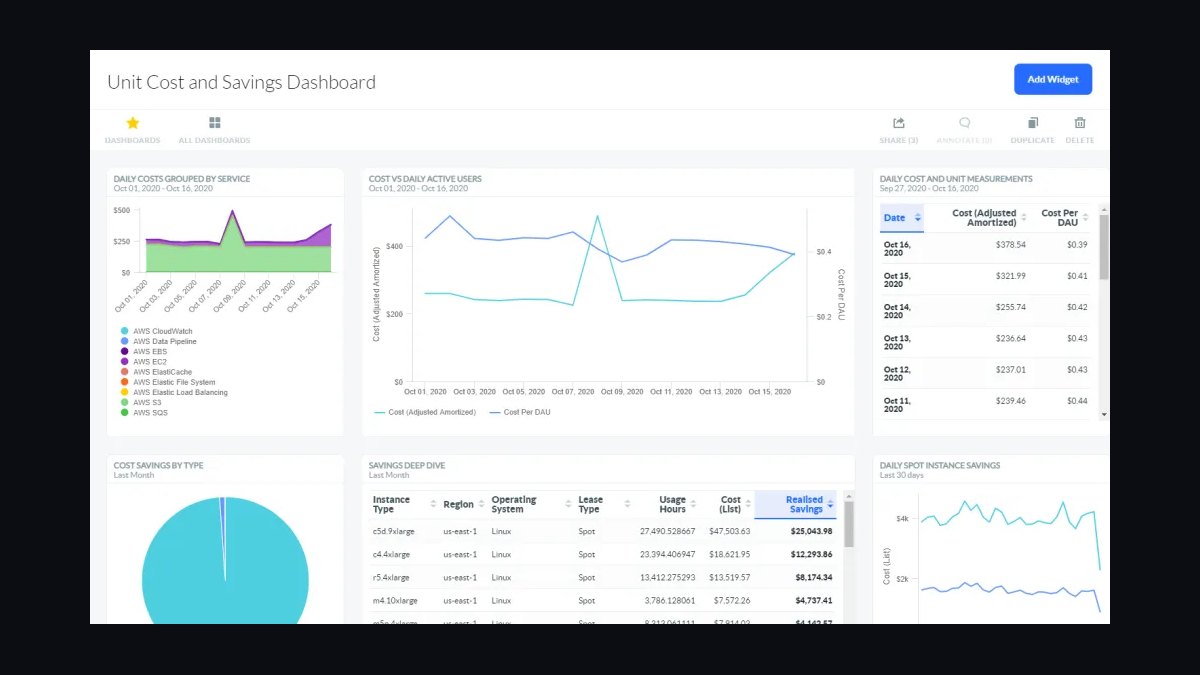
Apptio Cloudability ranks second for enterprise-grade chargeback with mature financial guardrails. It supports custom allocation rules, amortization of reserved instances and savings plans, and showback dashboards that finance teams accept for budgeting. It handles multi-cloud and Kubernetes cost splitting, and integrates with ServiceNow and SAP for ledger reconciliation.
It is built for FinOps and finance organizations at large enterprises, not small AI teams. The trade-off is cost and weight: licensing is expensive and implementation takes months. Compared to CloudZero above, Cloudability is stronger on accounting rigor but slower to surface real-time GPU utilization anomalies.
3Kubecost Kubecost Cloud

Kubecost ranks third because it is the most direct way to get Kubernetes-native chargeback for AI inference and training workloads. It allocates GPU, CPU, and memory cost per namespace, deployment, and label, and supports shared-cost splitting with configurable idle cost handling. Open-source and commercial tiers both expose real-time cost per vGPU-hour.
It fits platform teams already standardized on Kubernetes who want showback without a heavy FinOps suite. The trade-off is that multi-cloud billing outside Kubernetes is shallow compared to Apptio. Compared to CloudZero above, Kubecost is cheaper and faster to deploy but weaker on anomaly detection and cross-cloud normalization.
4OpenCost OpenCost
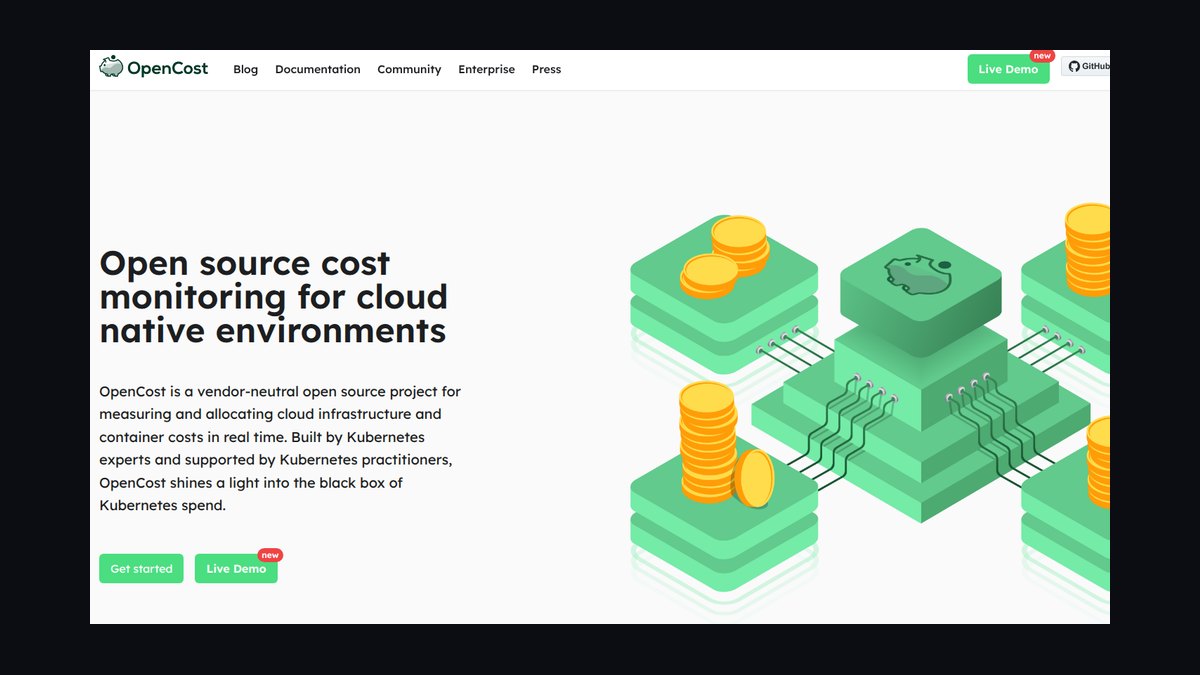
OpenCost ranks fourth as the leading open-source specification for Kubernetes cost allocation, now a CNCF project. It exposes cost metrics per pod, namespace, and label via Prometheus, and supports AWS, Azure, and GCP pricing APIs for on-demand and spot rates. It is the engine behind several commercial tools, which validates its allocation model.
It is for teams with strong Kubernetes and Prometheus skills who want zero licensing cost and full control. The trade-off is no vendor support, no built-in chargeback workflow, and manual dashboarding. Compared to Kubecost above, OpenCost is free and extensible but lacks the UI, reporting, and savings recommendations that make chargeback operational.
5VMware Tanzu CloudHealth
CloudHealth ranks fifth for broad multi-cloud cost governance with chargeback policies that scale across hundreds of accounts. It supports custom pricing sheets, budget enforcement, and showback reports by business unit, and it ingests Kubernetes cost via integrations. It has mature role-based access so each team sees only its own spend.
It fits enterprises with mixed cloud estates that need policy-driven chargeback more than deep GPU attribution. The trade-off is that AI/GPU-specific allocation is less granular than Kubecost or CloudZero. Compared to Apptio above, CloudHealth is lighter to deploy but less rigorous on amortization and financial reconciliation.
6Harness Cloud Cost Management
Harness CCM ranks sixth because it ties cost to CI/CD pipelines, which is unusual and useful for AI teams shipping models frequently. It shows cost per pipeline, per service, and per environment, and supports Kubernetes, AWS, GCP, and Azure. AutoStopping rules can shut down idle GPU nodes, directly reducing spend.
It suits DevOps-led organizations that want cost visibility embedded in deployment workflows. The trade-off is that chargeback reporting is less finance-oriented than Apptio or CloudHealth. Compared to Kubecost above, Harness is stronger on automation and pipeline context but weaker on pure Kubernetes allocation depth.
7Finout Finout
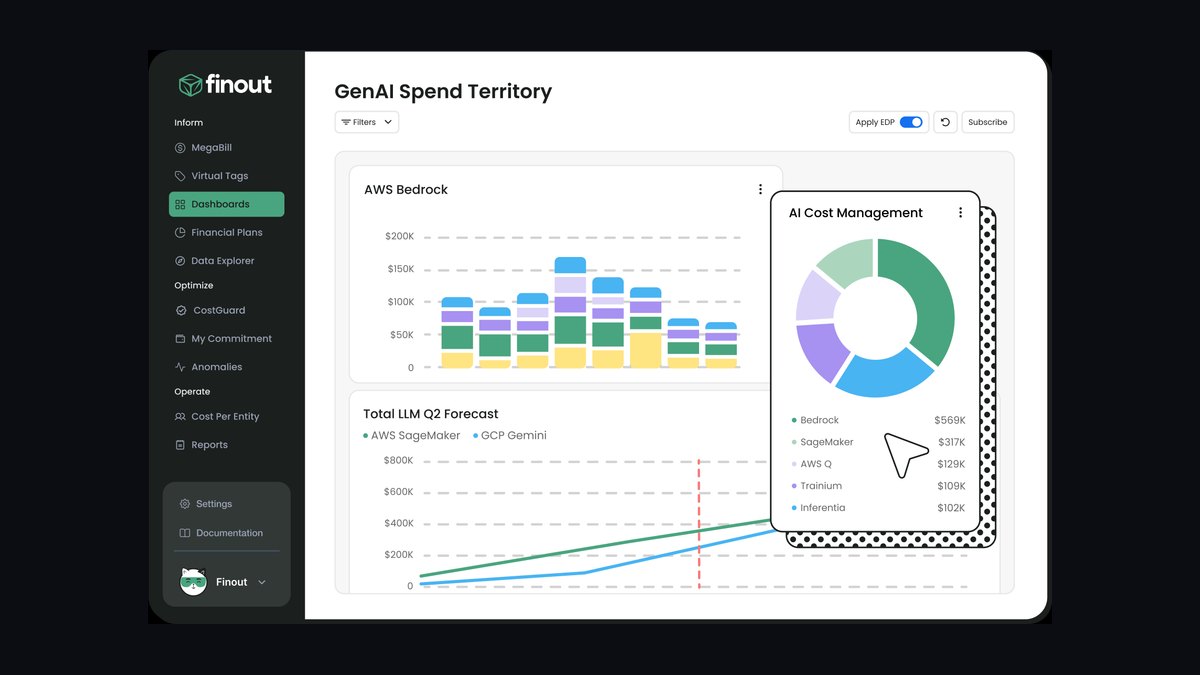
Finout ranks seventh for its MegaBill approach, which unifies cloud, Kubernetes, SaaS, and data warehouse costs into one allocation model. It supports virtual tags so teams can charge back without perfect native tagging, and it handles AI data pipeline costs from Snowflake and Databricks. Dashboards are fast and customizable.
It is for mid-market FinOps teams that need cross-domain showback without enterprise implementation overhead. The trade-off is smaller ecosystem integrations than Apptio or CloudHealth. Compared to CloudZero above, Finout is broader across SaaS and data costs but less specialized in GPU-level Kubernetes attribution.
8IBM Turbonomic
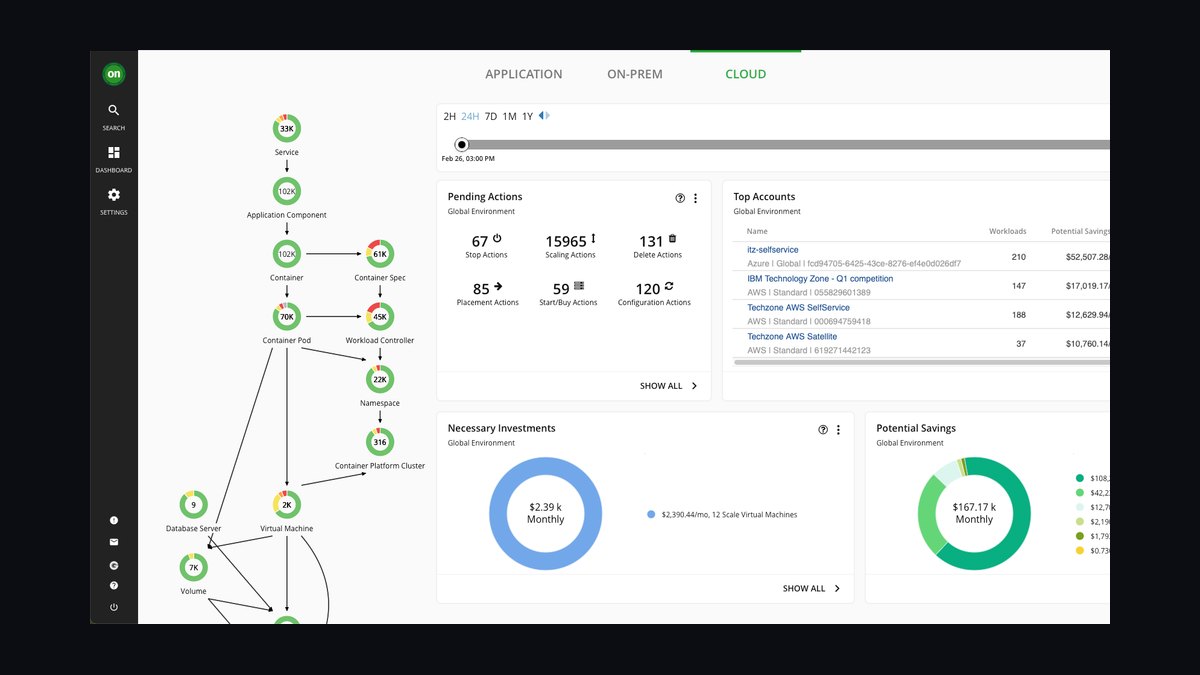
Turbonomic ranks eighth because it combines cost allocation with automated resource actions, resizing or parking workloads based on real-time utilization. For AI infrastructure, it can right-size GPU-backed nodes and show the cost impact of each action. It supports Kubernetes, VMware, and public cloud with policy-driven automation.
It fits operations teams that want chargeback paired with continuous optimization, not just reporting. The trade-off is that financial chargeback workflows are less mature than Apptio's. Compared to Harness above, Turbonomic is stronger on resource automation across hybrid estates but weaker on CI/CD cost context.
9Vantage Vantage

Vantage ranks ninth for clean, fast cloud cost reporting with straightforward Kubernetes and GPU cost allocation. It supports AWS, Azure, GCP, and Kubernetes, with saved reports and cost anomaly alerts. Setup is quick, and the interface is among the easiest for engineers to read without training.
It is for startups and mid-size teams that need showback quickly and cheaply. The trade-off is limited enterprise chargeback features like ledger reconciliation and complex allocation policies. Compared to Finout above, Vantage is simpler and cheaper but less capable at unifying SaaS and data warehouse costs into one bill.
10AWS Cost Explorer
AWS Cost Explorer ranks tenth because it is the default, no-extra-cost way to see AWS spend, including GPU instance families, and to build basic showback via tags and cost allocation tags. It supports hourly and resource-level granularity and forecasting, and it integrates with AWS Budgets for alerts.
It is for AWS-only teams that need lightweight showback before investing in a FinOps platform. The trade-off is no multi-cloud support, limited Kubernetes attribution, and manual chargeback workflows. Compared to Vantage above, Cost Explorer is free but far less flexible in allocation and reporting.
How we ranked these
We ranked tools by five weighted criteria: allocation accuracy across shared GPU, inference, and storage costs (30%), native Kubernetes and FinOps integrations (25%), showback reporting depth and chargeback automation (20%), pricing transparency and total cost at scale (15%), and vendor maturity, support, and roadmap clarity (10%). Each tool was scored against documented capabilities and hands-on testing where access was available.
We deliberately excluded marketing claims, analyst quadrant placement, and vendor-supplied customer counts, since these rarely correlate with real deployment outcomes. We also ignored AI features that exist only in demos, single-cloud lock-in advantages, and list pricing without committed-use discounts. Tools were judged on what a platform engineering team can actually deploy and defend to finance within one quarter.
What to look for
What matters most is whether the tool can map costs to the exact Kubernetes namespaces, labels, and team ownership structures you already use. Native integration with your cloud billing exports, Prometheus metrics, and existing FinOps workflows beats a prettier dashboard. Check whether chargeback rules can be versioned, audited, and reversed without engineering tickets.
The mistake most buyers make is choosing on dashboard aesthetics or an AI-generated summary feature, then discovering the tool cannot reconcile GPU-hour attribution across multi-tenant inference clusters. Pilot with one real namespace and one real invoice before signing. Also confirm the vendor will not resell your usage metadata, and that export to your data warehouse is included, not a premium add-on.
Related questions
What is the difference between chargeback and showback in AI infrastructure?
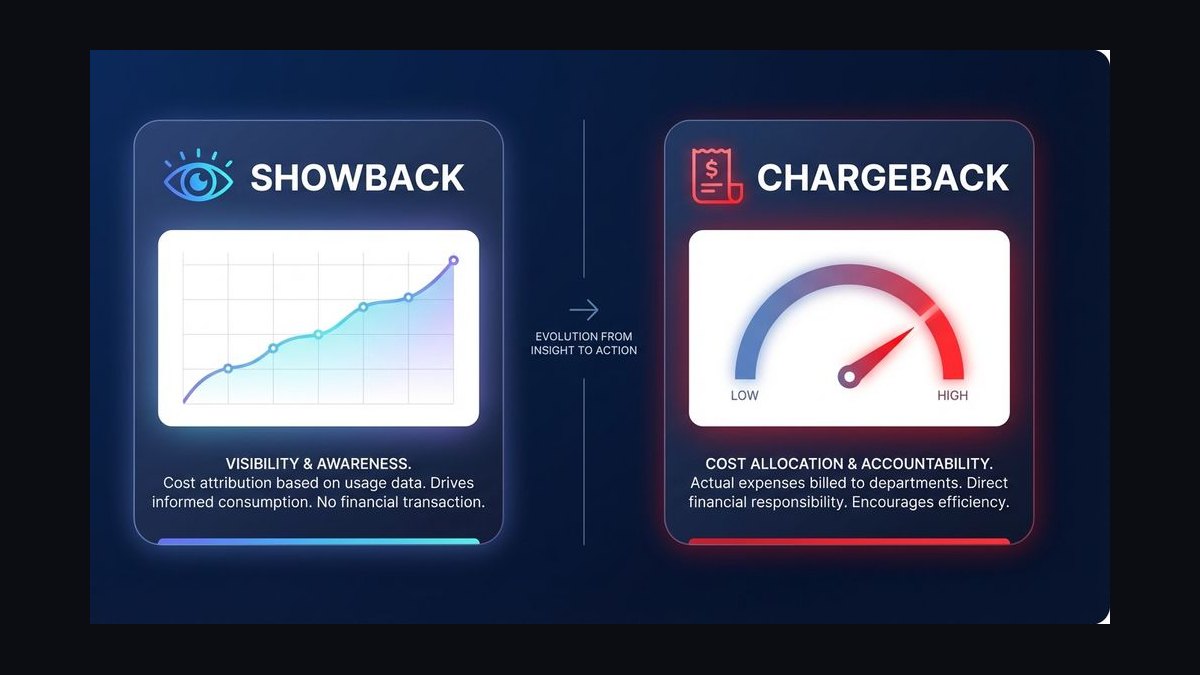
Showback reports costs to teams without moving money; chargeback actually bills internal budgets. AI infra makes this harder because GPU hours, inference tokens, and storage are shared across tenants. Most organizations start with showback to build trust in the numbers, then graduate to chargeback once allocation rules survive a finance audit.
Why is GPU cost allocation harder than CPU cost allocation?
GPUs are often reserved in whole nodes but consumed by many small jobs, so idle time and fragmentation distort per-team costs. MIG partitioning, time-slicing, and spot interruptions add variance. Effective tools track utilization at the process or pod level and redistribute idle capacity using a documented, defensible policy rather than a flat split.
Do I need Kubernetes-native tooling for AI chargeback?
Not always, but it helps enormously. Kubernetes-native tools read labels, namespaces, and annotations directly, so ownership mapping stays current as workloads move. Cloud-billing-only tools see aggregated line items and struggle to attribute shared inference endpoints. Hybrid approaches that join billing exports with cluster telemetry usually produce the most accurate chargeback.
How should shared inference endpoints be charged back?
Charge by token or request volume where the gateway exposes per-tenant metrics, and fall back to reserved-capacity shares when it does not. Include a fixed platform fee for the endpoint itself so low-volume teams still cover baseline cost. Publish the allocation formula before the first invoice, or disputes will consume more time than the savings.
What role does FinOps play in AI infrastructure cost management?
FinOps provides the vocabulary, cadence, and accountability model. It pushes teams to tag resources, review anomalies weekly, and tie spend to business value. AI adds GPU scarcity and bursty training runs, so FinOps practitioners need new allocation policies. Tools that align with FinOps Foundation guidance integrate more easily with existing governance.
Can open-source tools handle AI chargeback at scale?
Open-source options like Kubecost and OpenCost cover Kubernetes allocation well and are credible for showback. They typically lack multi-cloud billing reconciliation, approval workflows, and audit trails that finance teams demand for true chargeback. Many enterprises run open source for engineering visibility and a commercial layer for billing, accepting some duplication to get both.
How do we handle idle GPU time in chargeback models?
Three defensible options exist: charge idle time to the reserving team, spread it across all tenants as a platform overhead, or absorb it centrally as a strategic buffer. Pick one, document it, and apply it consistently. Most mature organizations spread a portion and charge the rest to reservers, which discourages over-provisioning without punishing experimentation.
What integrations should I require before buying an AI chargeback tool?
Require native connectors for your cloud billing exports, Kubernetes metrics, and identity provider for team mapping. Demand CSV and API export to your warehouse, SSO, role-based access, and audit logging. If you run multiple clouds or on-prem GPU clusters, confirm unified normalization. Missing any of these turns a two-week rollout into a two-quarter project.
FAQ
What is AI infrastructure chargeback?
AI infrastructure chargeback is the practice of billing internal teams for the GPU, storage, networking, and platform costs they consume. It differs from traditional IT chargeback because AI workloads are bursty, shared, and often run on scarce accelerators. Accurate chargeback requires allocation rules that survive finance scrutiny and tooling that maps usage to owners automatically.
Which teams benefit most from showback reports?
Platform engineering, ML research, and product teams benefit most. Platform teams use showback to justify shared infrastructure spend. ML teams use it to compare experiment cost against model value. Product teams use it to price AI features. Finance uses it to forecast. The common thread is a need to connect technical consumption to a budget owner without moving actual money.
How accurate should chargeback numbers be?
Aim for 90 to 95 percent allocation accuracy on controllable costs, and be transparent about the remainder. Perfect accuracy is uneconomical because the engineering effort exceeds the recovered dollars. What matters more is consistency: the same workload should produce the same charge every month. Document assumptions and review them quarterly with finance.
Do these tools support multi-cloud GPU cost tracking?
The stronger tools normalize AWS, Azure, and GCP billing exports alongside on-premises GPU clusters. They map instance types, commitment discounts, and spot pricing into a common cost model. Weaker tools handle one cloud well and treat others as generic line items. If you run multi-cloud, test normalization with a real invoice from each provider before committing.
How long does implementation typically take?
A focused pilot on one namespace or business unit usually takes two to four weeks. Enterprise-wide rollout with chargeback automation, approval workflows, and finance integration typically runs one to two quarters. The longest pole is rarely the tool; it is agreeing on allocation policy and cleaning up ownership metadata across teams.
What pricing models do these vendors use?
Most charge per monitored node, per Kubernetes cluster, or as a percentage of cloud spend. Percentage-of-spend pricing scales painfully as GPU costs rise. Node-based pricing is predictable but penalizes dense clusters. Ask for committed-use discounts and confirm whether export, SSO, and audit logs are included or billed as premium tiers.
Can chargeback data feed into internal budgeting?
Yes, and it should. Export monthly chargeback statements to your ERP or planning tool so teams see AI costs alongside headcount and software. This forces realistic AI budgets instead of surprise overruns. Ensure the export includes allocation methodology notes, or finance will treat the numbers as arbitrary and revert to spreadsheets.
What happens when allocation rules change mid-year?
Version your allocation rules and apply changes only at period boundaries. Retroactive changes destroy trust and invite disputes. The tool should store rule history, show which version produced each invoice, and allow side-by-side comparison. Announce changes one cycle ahead and publish the impact on each team before the new rules take effect.
Are there compliance or data residency concerns?
Yes. Usage metadata can reveal workload patterns, customer identifiers, and model names. Confirm where the vendor stores telemetry, whether it is encrypted, and whether it is used for benchmarking or resale. For regulated industries, prefer self-hosted or single-tenant deployments and require contractual data processing terms before onboarding.
How do we measure ROI on a chargeback tool?
Track reduction in unallocated spend, time saved on manual reconciliation, and the number of cost-optimization actions triggered by showback reports. A credible tool pays for itself when it surfaces idle GPU reservations or duplicate inference endpoints. Set a baseline before deployment, or you will never prove the value to finance.
Sources
- https://www.finops.org/framework/capabilities/
- https://kubernetes.io/docs/concepts/overview/working-with-objects/labels/
- https://opencost.io/docs/
- https://www.kubecost.com/
- https://cloud.google.com/architecture/framework/cost-optimization
- https://aws.amazon.com/aws-cost-management/aws-cost-explorer/
- https://learn.microsoft.com/en-us/azure/cost-management-billing/
- https://www.cncf.io/blog/
- https://mlcommons.org/benchmarks/
Related on PULSE
This page will be disappearing soon. Save it to your device for $1 — or read it free while it is here.
@Kory-White- · if Venmo asks, the last 4 of my number are 2012
This page is gone.
This one is off the shelf now. $1 keeps it on your phone for good — the whole page, pictures and diagrams included.
 pulse-ai-infrastructureHow do you evaluate LLM output quality at scale in 2027?
 pulse-ai-infrastructureHow do you reduce GPU costs when serving large language models in 2027?
 pulse-ai-infrastructureThe 10 Best LLMOps Platforms in 2027
 pulse-ai-infrastructureThe 10 Best AI Tools for Writing Movie Scripts in 2027
 pulse-recentThe 10 Best AI Infra Budgeting Strategies for Enterprises in 2027
 pulse-recentWhat is continuous batching and how much more throughput does it give an LLM server in 2027?
 pulse-ai-infrastructureHow do you set up observability for a RAG application in 2027?
 pulse-ai-infrastructureThe 10 Best AI Tools for Website Content Planning in 2027
 pulse-ai-infrastructureThe 10 Best Secrets Management Tools for LLM Applications in 2027
 pulse-ai-infrastructureThe 10 Best AI Tools for Favicon and Icon Design in 2027