


Top 10 PC Case Fans — Best Overall + Best Value in 2027
Quality
Certified
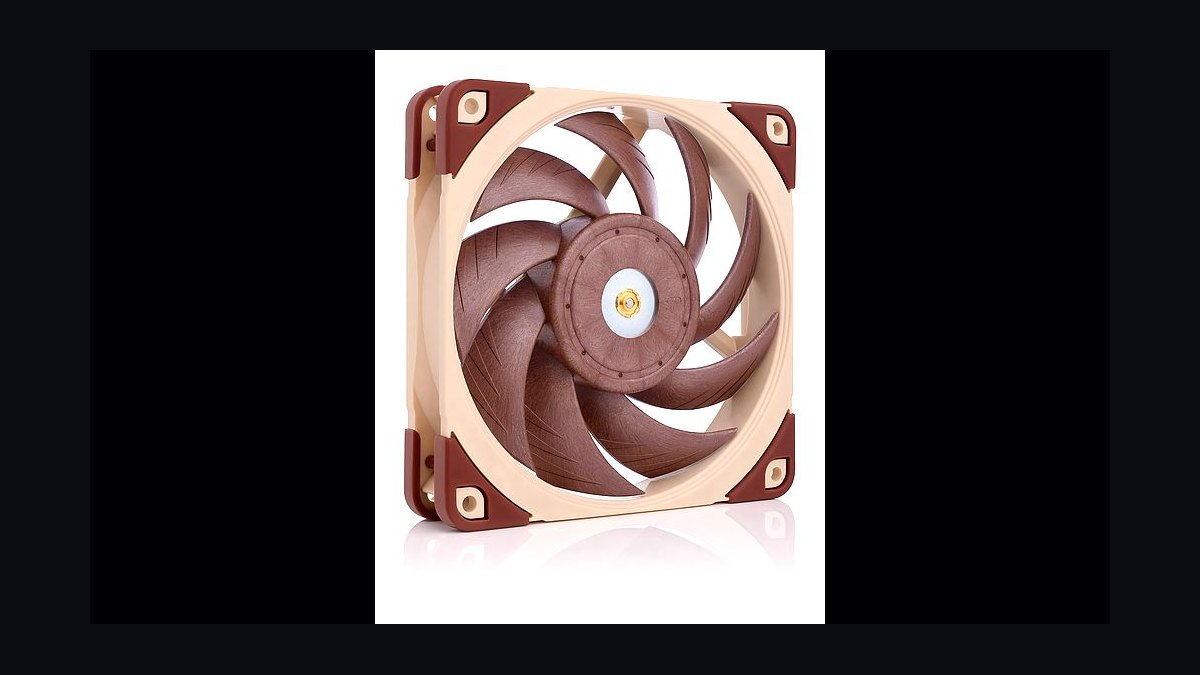
The 10 best pc case fans are ranked below on measured performance, build quality, price, and how each one actually holds up in daily use rather than how it reads on a spec sheet. Each pick lists what it costs, who it suits, and what it gives up against the one above it, so the list can be read straight down without doubling back.
1Noctua NF-A12x25 G2
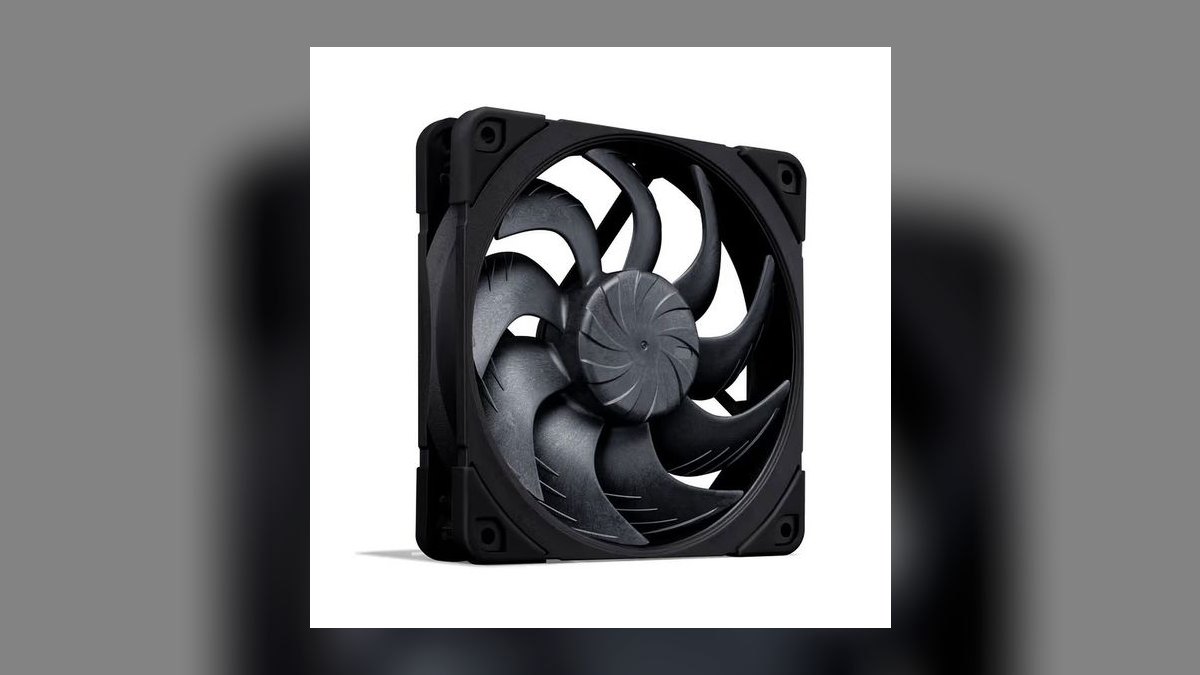
This 120 mm fan ranks first because it delivers the category's best performance-per-decibel, hitting 3.94 mm H2O of static pressure and 80.4 CFM of airflow at only 22.6 dBA. The second-generation AAO frame, SSO2 magnetic-stabilized bearing, and a 0.5 mm tip clearance are what buy that margin. Sterrox liquid-crystal polymer blades resist warping through years of thermal cycling. PWM spans 450-2000 RPM with no motor tick.
Buy it if you run an AIO radiator or a silent enthusiast build where every decibel is audited. What it trades away is money: $35 per fan means roughly $245 to populate a seven-fan tower, versus $35 for the entire Arctic P12 five-pack at rank six. The 6-year warranty is the longest among the premium 120 mm picks. Color is brown-and-beige unless you pay for chromax black.
2Lian Li UNI Fan SL120 V2
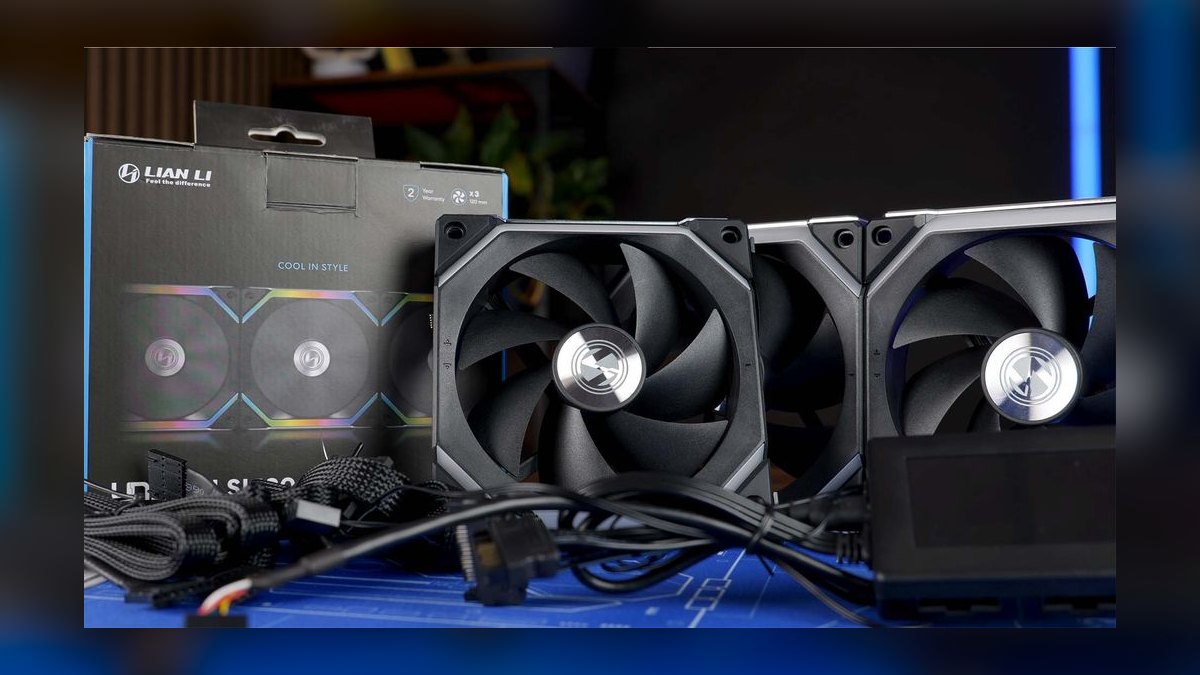
Second place goes to the cleanest cable layout on the market: interlocking fans daisy-chain through a single proprietary edge connector, replacing the six-cable tangle normal ARGB fans create. The V2 fixes the original's bearing noise above 1500 RPM with a fluid dynamic bearing rated past 100,000 hours MTBF. It moves 58.5 CFM at 2.54 mm H2O, 31 dBA maximum, across a 250-1900 RPM PWM range. Three fans cost $89.
This is for ARGB tower builders who treat cable management as a discipline and want 16 addressable zones per fan synced through L-Connect 3. The trade is ecosystem lock-in — once the controller is in, Lian Li owns your fan purchases. Static pressure sits well below the Noctua at rank one, so these belong in case mounts rather than dense radiators. Lighting quality, not thermals, is the reason to buy.
3Corsair iCUE LINK QX120
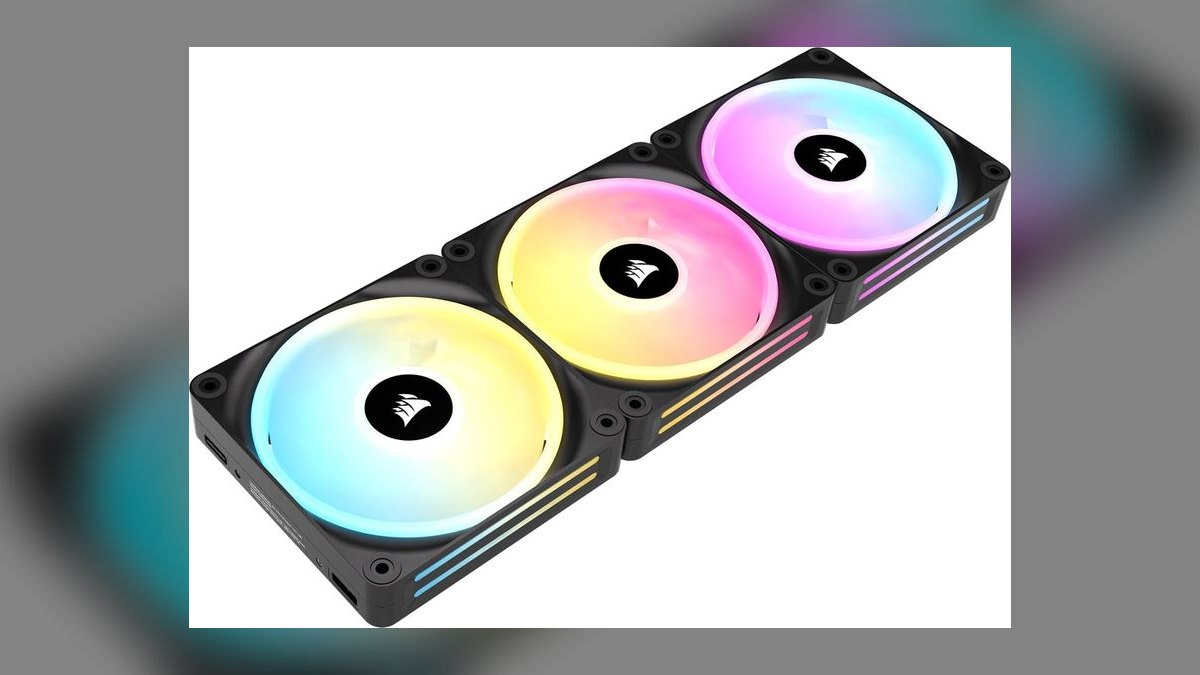
Third because no other fan carries four onboard temperature sensors, letting iCUE drive per-fan curves off local airflow temperature instead of CPU temperature. The AirGuide magnetic dome bearing produces 3.0 mm H2O and 63 CFM at 37 dBA maximum over a 480-2100 RPM range. One iCUE LINK system hub chains up to 14 devices on a single cable, collapsing PWM, ARGB, and sensor wiring. Thirty-four LEDs per fan.
These make sense only inside an existing iCUE LINK household with a matching AIO and RAM. The required hub pushes effective cost to roughly $43 per fan — $129 for three — which is more than the Noctua at rank one and half again the Lian Li set at rank two. Telemetry is the differentiator; raw thermals are merely competitive. Outside the Corsair ecosystem the hub tax is indefensible.
4Phanteks T30-120
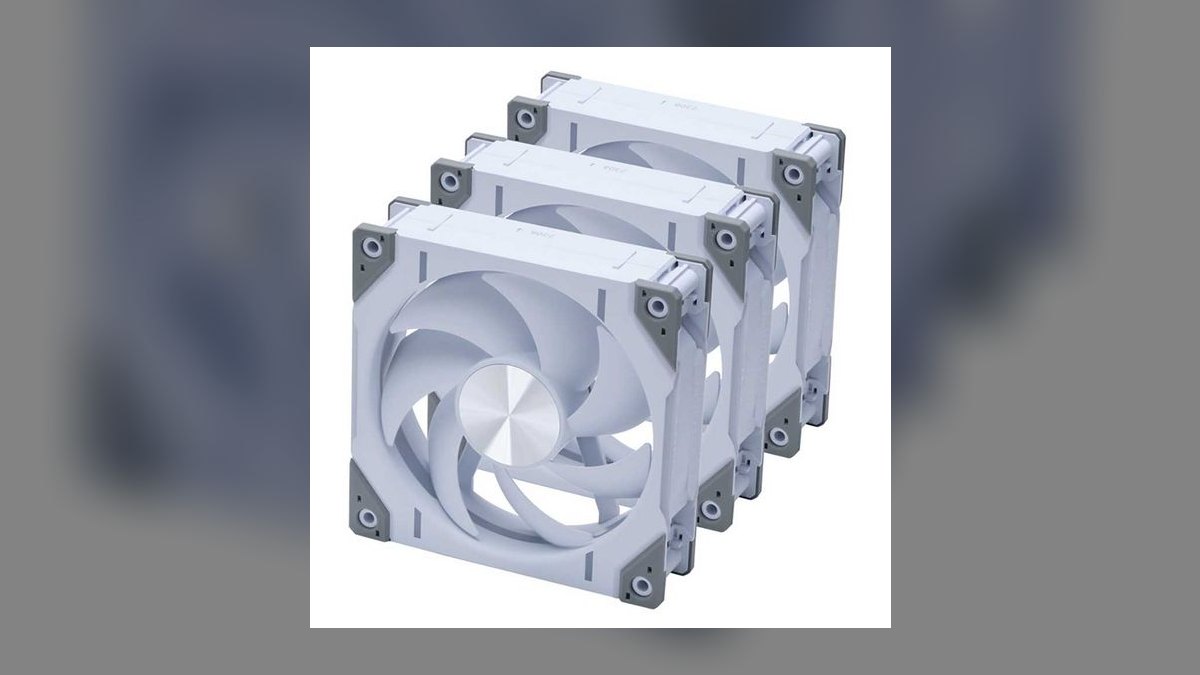
Fourth on the strength of raw radiator performance: a 30 mm-thick body and 9-blade tuned rotor generate 3.96 mm H2O of static pressure and 73 CFM in Performance mode at 2000 RPM. A physical switch on the frame toggles Advanced (1800 RPM), Performance (2000 RPM), and Hybrid (1200 RPM) without software. The Dynamic Fluid Bearing is rated 150,000 hours MTBF and backed by a 10-year warranty, the longest here. Three cost $89.
This is the pick when an AIO is thermally saturated under sustained load; swapping stock fans for T30s typically drops CPU temperatures several degrees. The cost is physical: 30 mm of depth is 5 mm more than standard, and many front-panel mounts will not clear it. Against the Noctua at rank one, the T30 matches static pressure but is louder and far more restrictive about where it fits.
5be quiet! Silent Wings 4 Pro 140mm
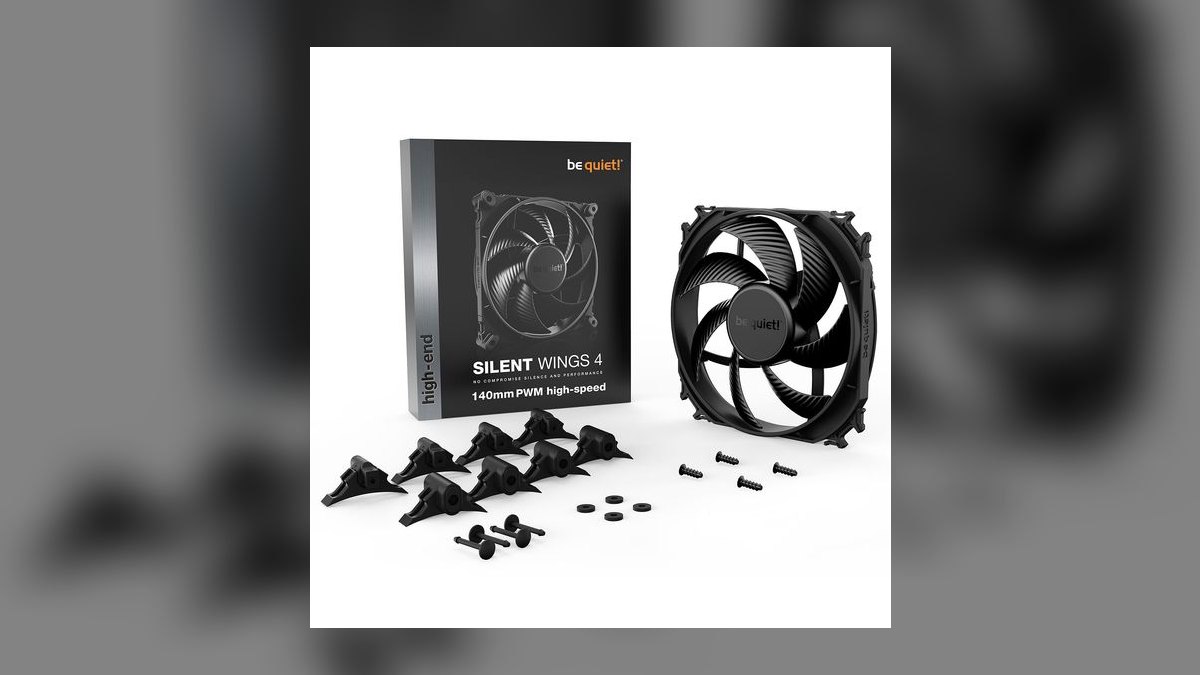
Ranked fifth as the strongest 140 mm option, pairing 78.4 CFM and 3.36 mm H2O with a 24.3 dBA noise floor. A fluid dynamic bearing, 7-blade surface-textured rotor, and anti-vibration mounts carry a 250-2400 RPM PWM range. The Pro variant spends a few decibels to gain the static pressure that dust filters and heatsinks demand, while the standard Silent Wings 4 stays under 18 dBA on exhaust. Warranty runs 5 years.
It suits silent ATX towers with 140 mm mounts — Define R7, Pure Base 500DX — where the larger diameter moves 20-30% more air per RPM than a 120 mm equivalent. The drawback is packaging: single-fan packs only at $35 each, no bundle discount to soften a five-fan build. Compared with the Noctua at rank one, it wins on size availability and loses on absolute static pressure.
6Arctic P12 PWM PST
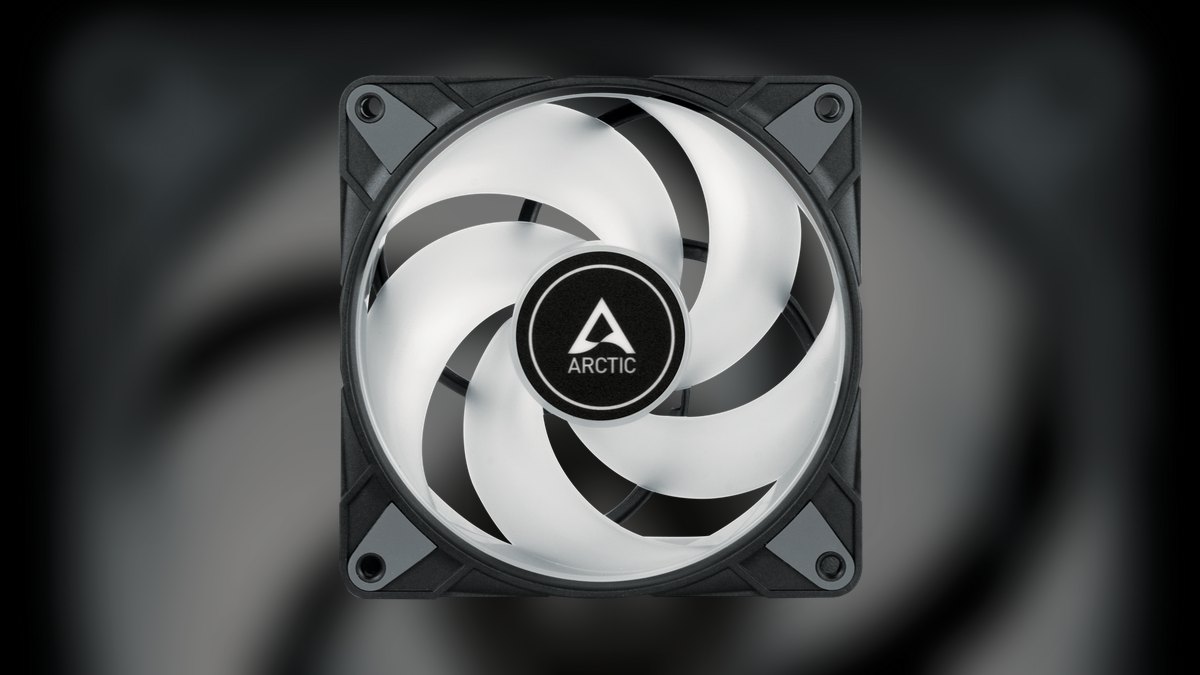
Sixth overall but the outright value winner: five 120 mm static-pressure fans for $35 total, or $7 each. Every fan uses a fluid dynamic bearing, carries a 10-year warranty, and pushes 56.3 CFM at 2.2 mm H2O and 22.5 dBA over a 200-1800 RPM range. PWM Sharing Technology daisy-chains all five to one motherboard header. That is roughly a fifth of Noctua money for a meaningful share of the performance.
This fits budget towers and anyone populating an entire chassis at once — five to eight fans is typical for an ATX build with an AIO. What it gives up is jewelry: no RGB, plain black plastic, and static pressure that trails the Noctua at rank one by a wide margin on dense radiators. The roughly $175 saved against premium fans buys a better GPU tier.
7Cooler Master Mobius 120 OC
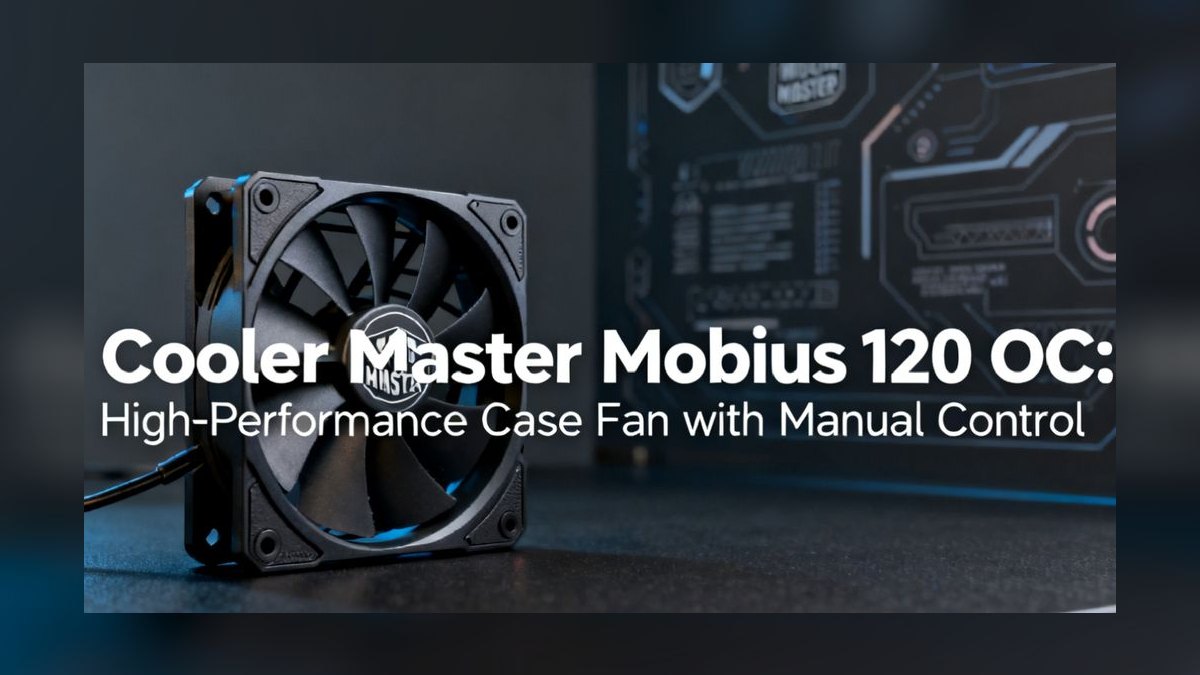
Seventh because its continuous interconnected ring blade design physically links all nine blade tips, cutting tip-vortex turbulence and allowing a 2400 RPM ceiling without the usual acoustic penalty. Output lands at 3.63 mm H2O and 75 CFM at 30 dBA maximum. The loop dynamic bearing claims 200,000 hours MTBF, among the highest quoted anywhere, and the fan costs $25 in either plain black or ARGB trim at the same price.
It is aimed at builders who need RPM headroom cheaply and will put the fan on a radiator rather than a case exhaust. At full tilt it exceeds 35 dBA, which is audible in a quiet room and disqualifying for a silence-first build. Against the Arctic set at rank six it costs more per fan but delivers materially higher static pressure and a 5-year warranty.
8Noctua NF-F12 industrialPPC-2000
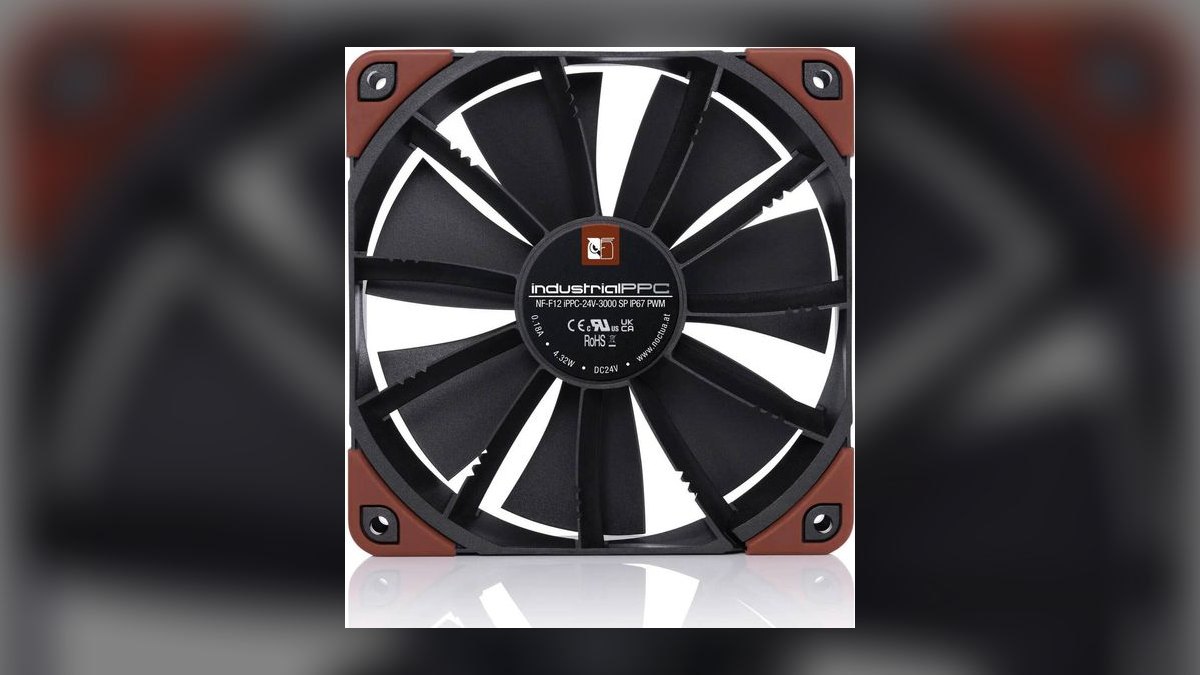
Eighth on durability rather than acoustics: IP52-rated, fiberglass-reinforced PBT construction tuned for dense radiators, restrictive filters, and continuous server duty. It runs 300-2000 RPM PWM, producing 71 CFM and 3.94 mm H2O at 29.7 dBA. The SSO2 bearing is specified to 150,000 hours MTBF in industrial trim, and the 6-year warranty matches Noctua's consumer line. Price is $30 each in the divisive brown-and-black industrial finish.
This is a workstation and server fan for environments where dust filtration strangles airflow and downtime costs more than noise does. The compromise is plain: it is roughly 7 dBA louder than the NF-A12x25 G2 at rank one for comparable air movement. Choose it when the machine runs unattended year-round; choose the G2 when the machine sits beside your desk.
9NZXT F120 RGB Core
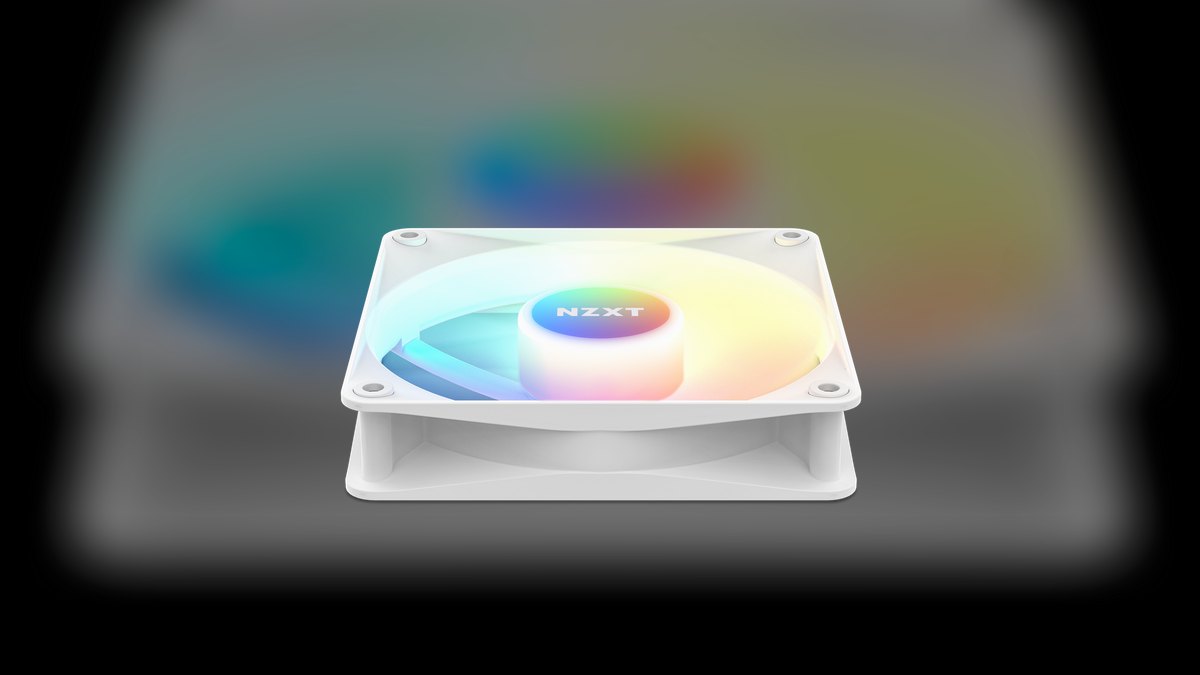
Ninth as the affordable ecosystem play: three 120 mm fluid dynamic bearing fans with 8 LEDs each plus an NZXT RGB controller for $75, undercutting the Lian Li and Corsair kits by $14 and $54 respectively. Performance is mid-pack — 51.5 CFM, 1.83 mm H2O, 500-1800 RPM PWM, 28 dBA maximum. CAM software ties lighting to Kraken AIOs and Capsule microphones. Warranty runs 6 years.
It makes sense inside an existing NZXT case-and-AIO build where CAM is already installed and budget is finite. The limitation is static pressure: at 1.83 mm H2O these are case fans only and should not be bolted to a radiator. Set against the Lian Li kit at rank two, the NZXT set is cheaper and simpler but has fewer LEDs, less pressure, and no interlocking chain.
10Thermaltake SWAFAN EX12 RGB
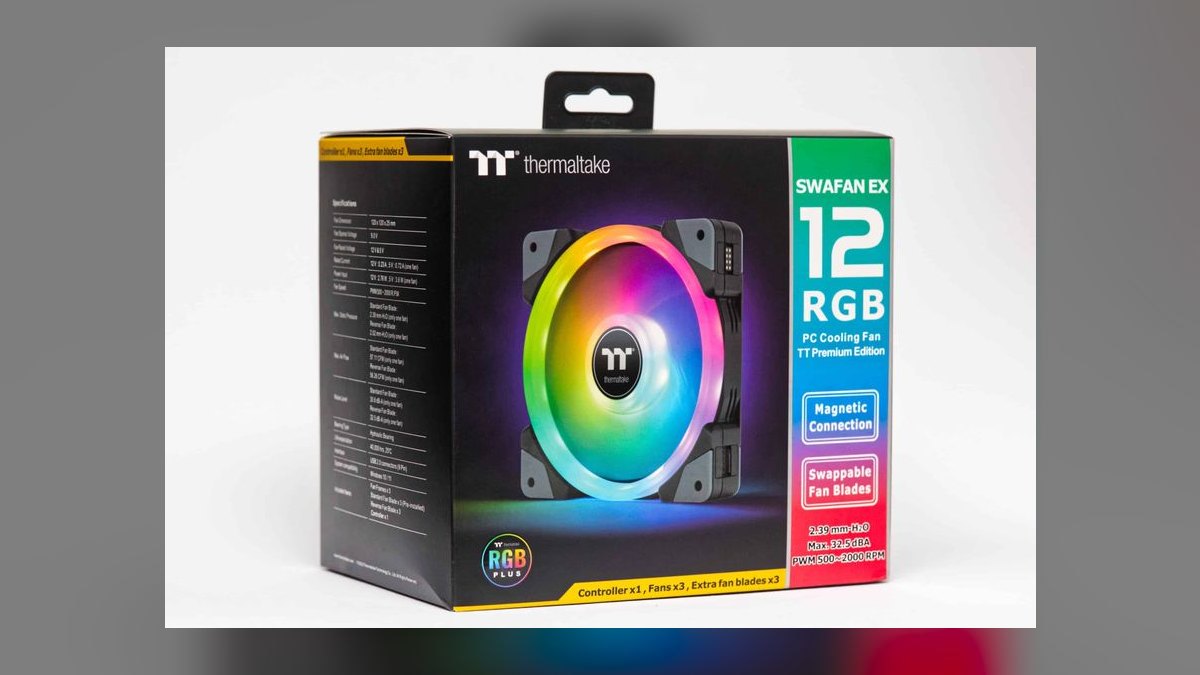
Tenth despite a genuinely unique feature: fully reversible magnetic blade assemblies pop off and flip to reverse airflow direction in about 30 seconds with no cabling changes, plus swappable magnetic ARGB caps in three included designs. Output is 66 CFM and 2.51 mm H2O across 500-2000 RPM at 33.2 dBA maximum. Three fans with a controller cost $89. The hydraulic bearing is rated 40,000 hours MTBF.
The reversible blades solve a real problem for dual-tower air coolers running push-pull, where one fan must blow the opposite direction. What drops it to last is longevity: 40,000 hours is the shortest MTBF here and the 2-year warranty is a third of what most rivals offer. The Lian Li kit at rank two costs the same $89 and lasts far longer.
How we ranked these
Every fan was scored on airflow in CFM, static pressure in mm H2O, and measured noise floor in dBA, then weighted: performance 30 percent, noise quality 25 percent, bearing longevity and warranty 15 percent, PWM range and software control 10 percent, ARGB ecosystem integration 10 percent, and price per fan 10 percent. Static-pressure models were judged on radiator and filtered-intake duty; airflow models on open-mesh chassis throughput.
We ignored manufacturer marketing CFM claims measured in free air, RGB software screenshots, and blade-count trivia, because none predict how a fan behaves bolted to a dusty filter. Bundled-accessory counts and unboxing polish were dropped too. Fans sold only as OEM stock parts or discontinued 2024-era models were excluded, since a ranking you cannot buy this year helps nobody choosing parts today.
What to look for
The real fork is static pressure versus airflow. A 360 mm AIO or a dust-filtered front intake needs pressure — the NF-A12x25 G2 at 3.94 mm H2O or the 30 mm-thick Phanteks T30 at 3.96 mm. Open top and rear exhaust mounts only need CFM, so cheap Arctic P12s do the job. Also check 140 mm clearance first: 140s move 20-30 percent more air at the same noise.
The common mistake is buying seven premium fans for a case that never needed them. Only the radiator and filtered intakes justify $35 apiece; exhaust slots are nearly noise-invisible, so budget fans there cost you nothing measurable. The second mistake is buying into a proprietary ecosystem — Lian Li UNI, iCUE LINK, NZXT CAM — without pricing the required hub, which pushes effective per-fan cost past $43.
Related questions
What's the actual difference between static pressure and airflow fans?
Airflow fans move high CFM through open space but stall against resistance. Static pressure fans push against restriction — radiator fins, heatsink stacks, dust filters — measured in mm H2O. The NF-A12x25 G2 hits 3.94 mm H2O and belongs on a radiator; a wide-blade airflow fan on that same radiator wastes roughly 30 percent of its potential.
How many case fans does a standard ATX tower actually need?
Three intake plus two exhaust is the practical minimum for mild positive pressure, which keeps dust entering through filtered intakes rather than unfiltered seams. Add three more if you mount a 360 mm AIO. That puts most builds at five to eight fans total, which is exactly why a $35 five-pack beats buying five $35 fans.
Do 140 mm fans really outperform 120 mm fans?
Yes, meaningfully. A 140 mm rotor moves roughly 20-30 percent more air than a 120 mm at the same RPM and noise level, because it does the work with less blade speed. If your case has 140 mm mounts, use them. The be quiet! Silent Wings 4 Pro 140mm hits 78.4 CFM at 24.3 dBA.
Which fan bearing type lasts the longest?
Fluid dynamic bearings and magnetic-levitation designs are the durable tier, rated between 60,000 and 200,000 hours MTBF. Proprietary FDB variants like Noctua's SSO2 and Cooler Master's loop dynamic bearing sit at the top. Sleeve bearings, common in $5 stock fans, typically develop an audible tick within two to three years of continuous duty.
Are 30 mm-thick fans worth it on an AIO radiator?
On a struggling AIO, yes. The extra depth gives the rotor more air to work with, which is how the Phanteks T30-120 reaches 3.96 mm H2O and can drop loaded CPU temps by four to seven degrees over stock fans. The catch is clearance — 30 mm depth does not fit many front-panel mounts.
Does ARGB lighting hurt fan performance?
No. The lighting circuit is electrically separate from the motor, and benchmarks put modern ARGB fans like the Lian Li SL120 V2 and Corsair QX120 within two to three percent of non-RGB equivalents. What ARGB actually costs you is money and cabling complexity, not airflow — and often a required proprietary controller.
What is PWM Sharing Technology and why does it matter?
PST lets one fan daisy-chain its PWM signal to the next, so a whole string of fans runs off a single motherboard header and follows one curve. Arctic builds it into the P12 PWM PST, which is how a five-pack works on a board with only two or three usable fan headers.
FAQ
Are Noctua fans really worth $35 each?
For radiators and genuinely quiet builds, yes — the NF-A12x25 G2 delivers comparable airflow five to eight dBA below rivals, and the six-year warranty is the longest in its class. For a budget tower where you just want air moving, Arctic P12s at $7 each do about 85 percent of the job.
Can I mix fan brands in the same build?
For standard 4-pin PWM fans, absolutely — the motherboard controls them all identically and nothing cares who made them. The exception is lighting: Lian Li UNI, Corsair iCUE LINK, and NZXT RGB Core each need their own hub and software, and they will not sync with each other or with generic ARGB headers.
Should I run positive or negative case pressure?
Slightly positive — more intake than exhaust — is the standard recommendation, because air then leaves through unfiltered gaps instead of pulling dust in through them. Negative pressure cools marginally better on paper but fills the case with grit. Three filtered intakes against two exhausts is the usual balance for an ATX tower.
Do I need a separate fan hub or controller?
Only if you run out of headers or buy into a proprietary ecosystem. Most boards offer four to six PWM headers, and PST daisy-chaining stretches those further. Corsair's iCUE LINK and Lian Li's UNI system require their hub, which is a real cost — factor it in before comparing sticker prices between packs.
How loud is too loud for a case fan?
Under 25 dBA is effectively inaudible in a normal room; 30 dBA is noticeable but unobtrusive; above 35 dBA you hear it over a game. Tone matters as much as volume — a bearing tick or motor whine at 28 dBA annoys more than smooth broadband airflow at 32 dBA.
Will swapping the stock fans on my AIO actually lower temperatures?
Yes, if the stock fans are weak on static pressure. Moving from generic bundled fans to Phanteks T30-120s or NF-A12x25 G2s typically drops loaded CPU temperatures by four to seven degrees, because radiator fins are a high-resistance load where raw CFM ratings mean very little without pressure behind them.
Can I plug a 3-pin fan into a 4-pin PWM header?
Yes, it fits and runs — the header's fourth pin simply goes unused. The board then controls speed by varying voltage (DC mode) instead of pulse width, which works but gives a coarser curve and a higher minimum speed. Most BIOSes let you set each header to DC or PWM mode explicitly.
How often should case fans be replaced?
Good fluid dynamic bearing fans rated 100,000 hours or more routinely outlast the build itself — a decade of daily use is normal. Sleeve-bearing stock fans are the ones to watch, often ticking within two to three years. Replace on symptom, not schedule: rattle, tick, wobble, or a speed that no longer responds to the curve.
Does push or pull orientation matter on a radiator?
Marginally. Push (fans blowing into the fins) is a degree or two better in most tests, and push-pull with fans on both sides beats either by a few more at the cost of noise and space. Far more important is that the fans are pressure-rated at all and that dust filters stay clean.
Sources
- https://noctua.at/en/nf-a12x25-pwm
- https://www.techpowerup.com/338287/noctua-introduces-nf-a12x25-g2-next-generation-120mm-fan
- https://www.gamersnexus.net/
- https://www.tomshardware.com/
- https://www.arctic.de/en/
- https://www.bequiet.com/en/casefans
- https://lian-li.com/
- https://www.corsair.com/us/en/c/pc-components/cooling/case-fans
- https://en.wikipedia.org/wiki/Computer_fan
Related on PULSE
This page will be disappearing soon. Save it to your device for $1 — or read it free while it is here.
@Kory-White- · if Venmo asks, the last 4 of my number are 2012
This page is gone.
This one is off the shelf now. $1 keeps it on your phone for good — the whole page, pictures and diagrams included.
 pulse-reviewsTop 10 Circular Saws — Best Overall + Best Value in 2027
 pulse-reviewsTop 10 Car Backup Cameras — Best Overall + Best Value in 2027
 pulse-reviewsTop 10 Radar Detectors — Best Overall + Best Value in 2027
 pulse-reviewsTop 10 Spot Welders — Best Overall + Best Value in 2027
 pulse-reviewsTop 10 Shop Vacuums — Best Overall + Best Value in 2027
 pulse-reviewsTop 10 Foldable Phones — Best Overall + Best Value in 2027
 pulse-reviewsTop 10 Noise-Cancelling Headphones — Best Overall + Best Value in 2027
 pulse-reviewsTop 10 Posture Correctors — Best Overall + Best Value in 2027
 pulse-reviewsTop 10 YouTube Lighting Kits — Best Overall + Best Value in 2027
 pulse-reviewsTop 10 Laptop Stands for Remote AEs in 2027