


Top 10 Keyboard Trays for Sales Desks in 2027
Quality
Certified
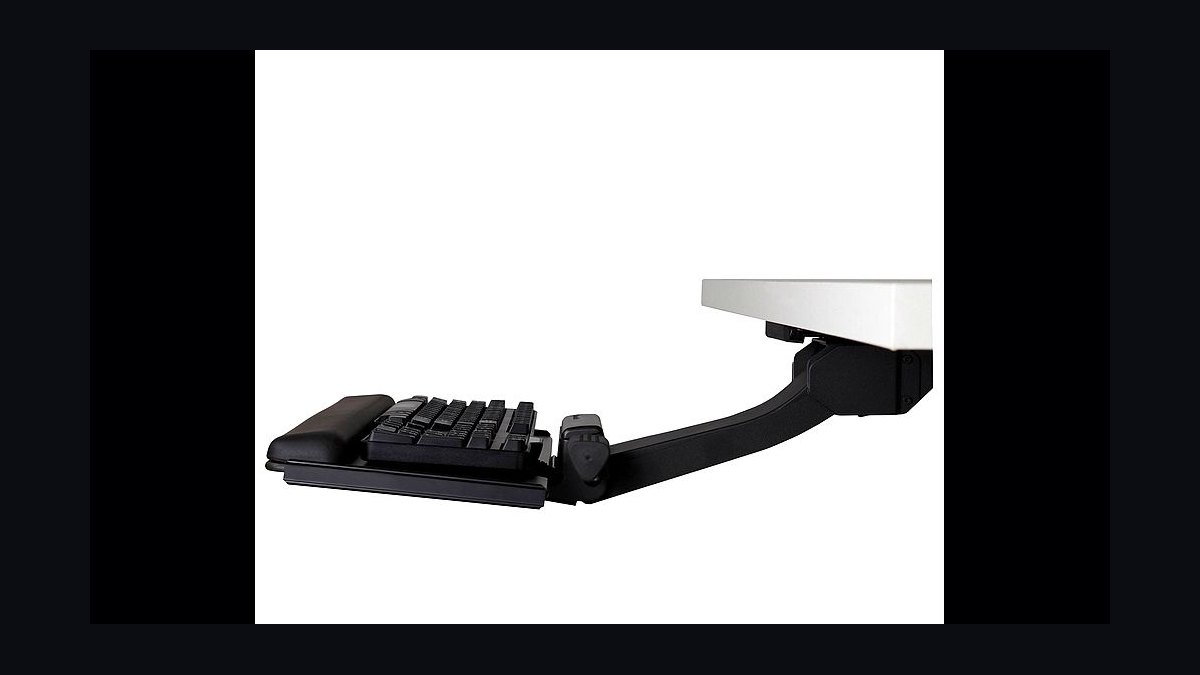
The 10 best keyboard trays for sales desks are ranked below on measured performance, build quality, price, and how each one actually holds up in daily use rather than how it reads on a spec sheet. Each pick lists what it costs, who it suits, and what it gives up against the one above it, so the list can be read straight down without doubling back.
1Humanscale 6G
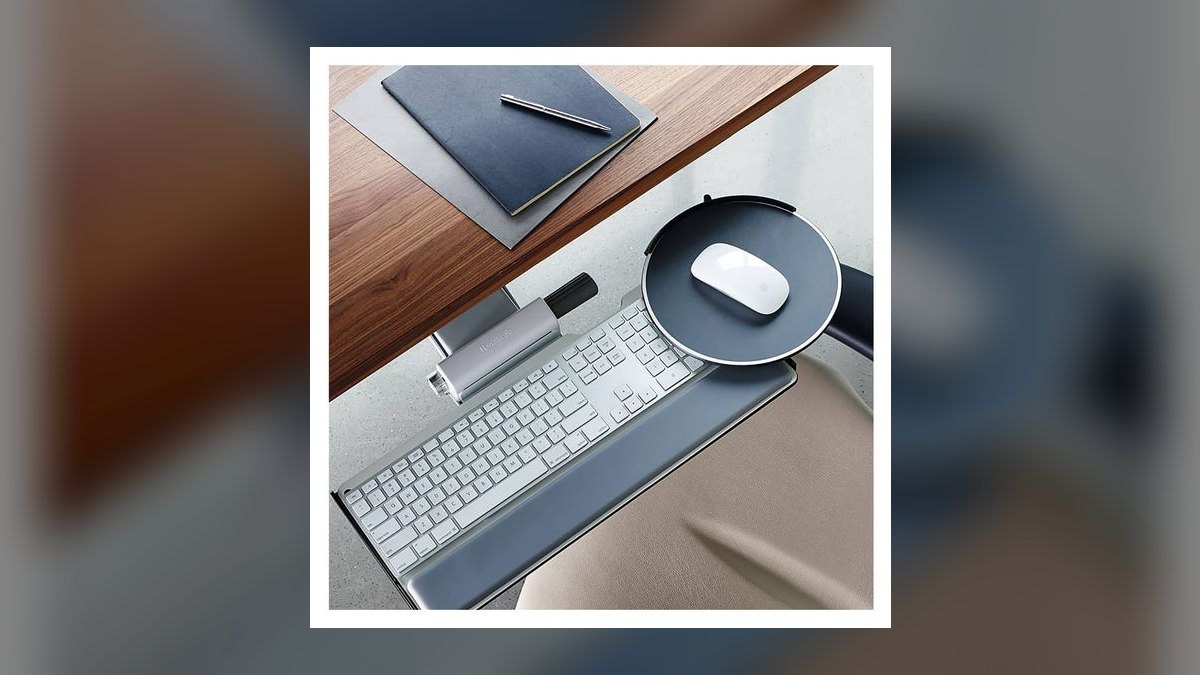
The Humanscale 6G ranks first because it pairs single-touch height and tilt adjustment with the longest real-world service record on this list, having equipped trading floors and Fortune 500 sales desks for over a decade. It moves -7 to +3.5 inches relative to the desk and tilts -15 to +15 degrees. The 19 x 11-inch tray carries 25 lb and ships with a 10-year warranty at $349.
This is for senior AEs, sales directors, and corporate ergonomic fleets amortizing a tray across ten years. It trades away affordability and easy setup: $349 is the highest price here, installation means drilling pilot holes, and the track needs 22 inches of free under-desk space. The Workrite Pinnacle 2 below matches the single-touch mechanism for $50 less, but the 6G's mouse platform pivots independently for either hand.
2Fully Klipper
The Fully Klipper ranks second because it delivers roughly 80% of the Humanscale 6G's function at 57% of its price. Knob-adjust height covers -5 to +2.5 inches with -10 to +10 degrees of tilt, on a 19 x 11-inch tray rated for 22 lb. Fully, now owned by Herman Miller, designed it as a partner accessory for the Jarvis desk, and it carries a 5-year warranty at $199.
This suits AEs on a Jarvis or any standard 30-inch desk who want genuine ergonomic adjustment without executive pricing. The tradeoffs are real: knob adjustment is slower than the 6G's single touch, the warranty is half as long, and installation still requires drilling. Against the Humanscale above it, you give up speed of adjustment and five years of coverage to save $150.
3Uplift Large Keyboard Tray
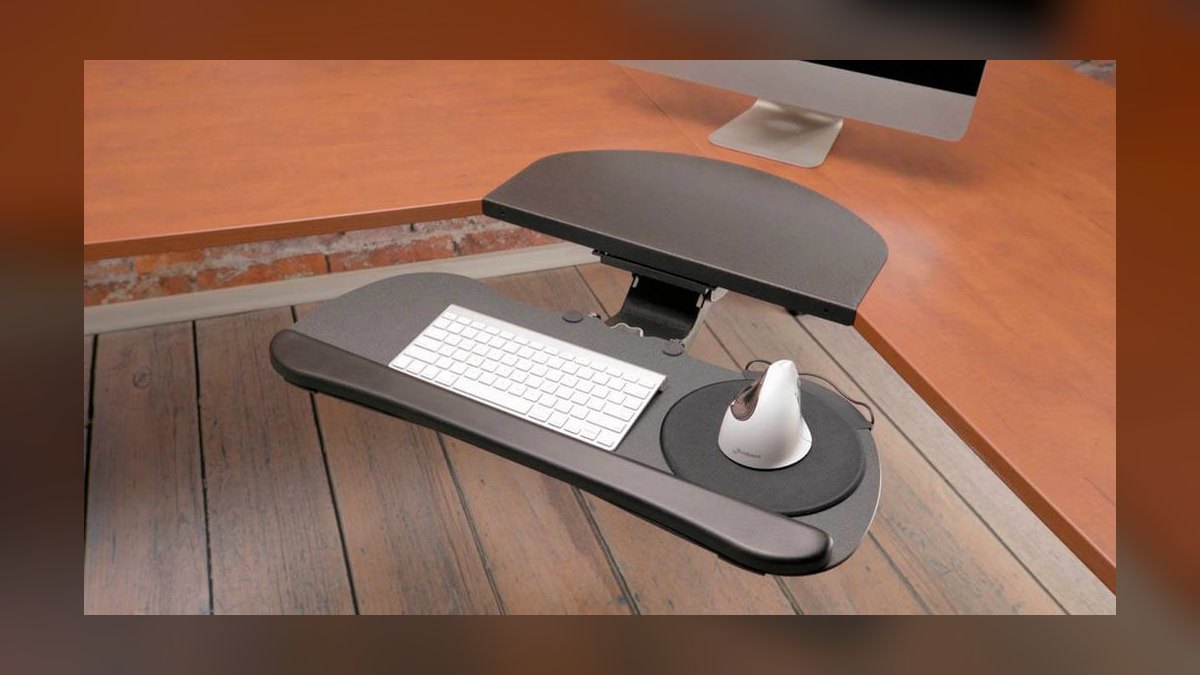
The Uplift Large Keyboard Tray ranks third on tray real estate and standing-desk integration. Its 27 x 11-inch surface fits a full-size keyboard plus a genuinely wide mouse area, tilts -15 to +15 degrees, holds 20 lb, and carries a 7-year warranty at $169. It attaches to the Uplift V2 so the tray rises and falls with the desk rather than fighting it.
This is for AEs already running an Uplift V2 who switch between sitting and standing through the day. It gives up independent height adjustment entirely — the desk does that work — which makes it less useful on a fixed-height desk, and the wide tray demands 30 inches of clear underside. The Fully Klipper above adjusts height on its own; the Uplift assumes your desk already does.
43M Easy Adjust AKT100LE
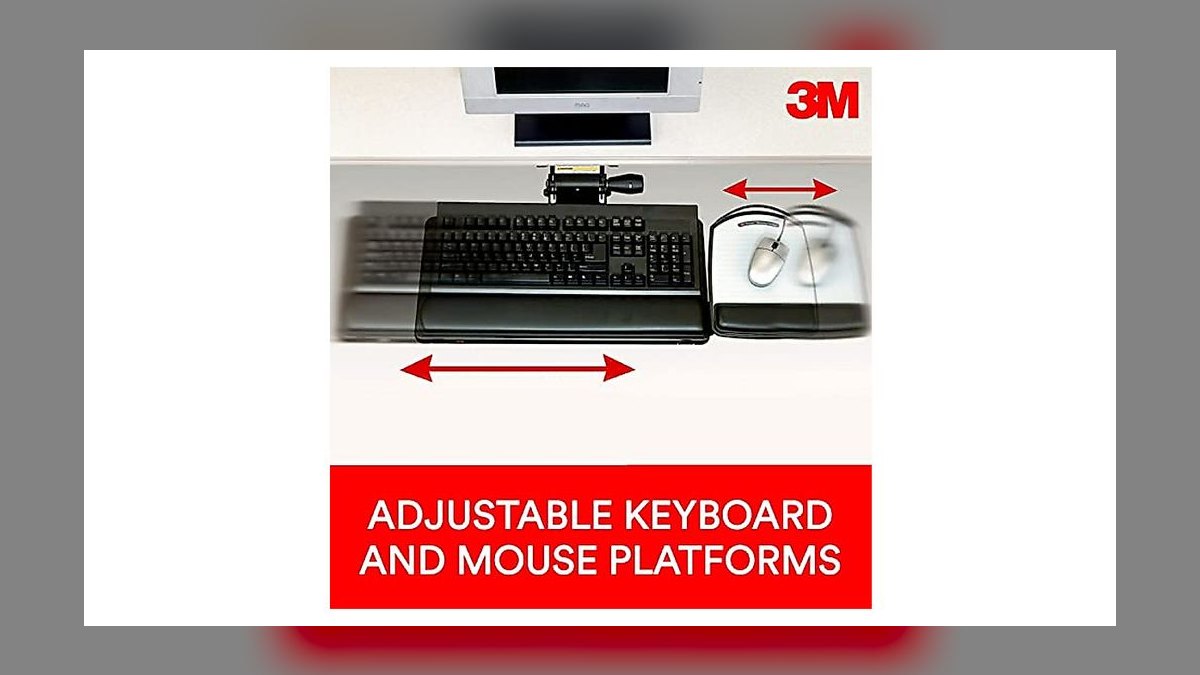
The 3M Easy Adjust Sit-Stand AKT100LE ranks fourth as the only tray here that travels above the desk surface. Its swing-arm vertical lift spans -2 to +9 inches with single-touch height control, tilts -15 to +15 degrees, and carries a 24 x 12-inch tray rated for 18 lb. It includes a wrist rest and mouse platform, and lists at $229.
This is for AEs stuck with a fixed-height desk who want sit-to-stand capability without buying new furniture. It trades away warranty coverage — one year, the shortest among the premium picks — and needs 20-plus inches of swing clearance while weighing 9 lb. Where the Uplift above depends on a standing desk you already own, the 3M creates standing capability on a desk that has none.
5VIVO Universal Drawer
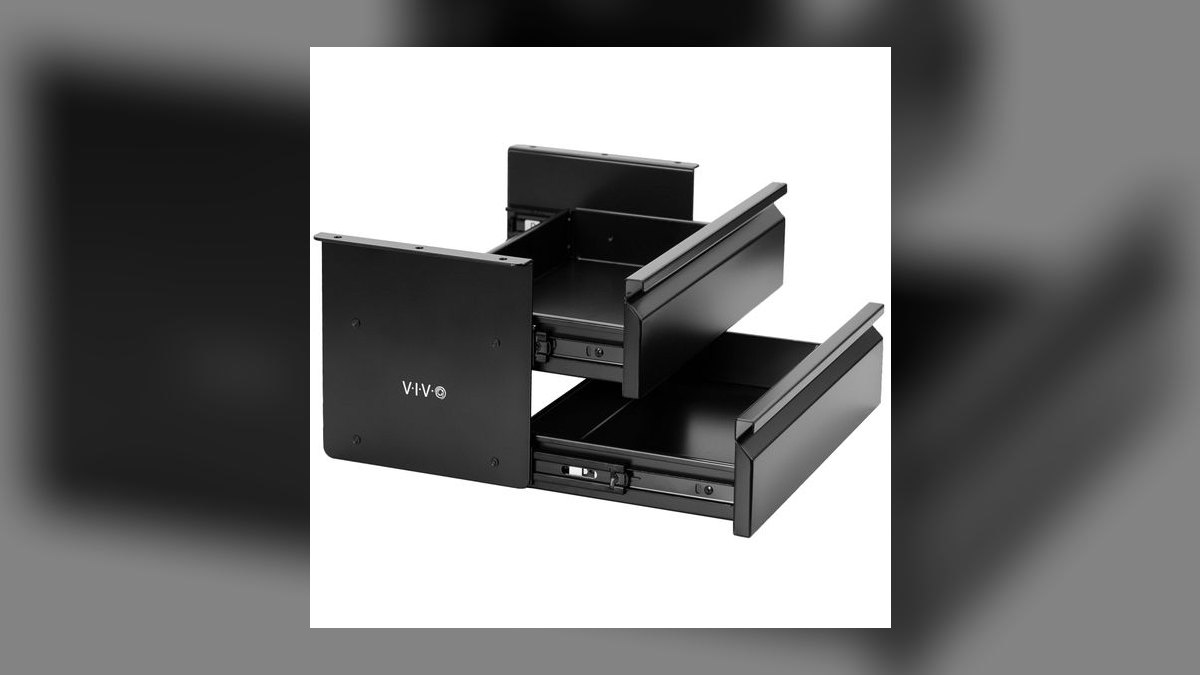
The VIVO Universal Under-Desk Drawer ranks fifth as the cheapest tray here that still functions as real equipment rather than a novelty. At $59 it drops the keyboard a fixed 4 inches below the desk, spans 25 x 9 inches with a mouse area, holds 22 lb, and carries a 3-year warranty. Two screws into the desk underside complete the install, and the drawer locks at full extension.
This is for SDR floors and AE desks where ergonomics matter but per-seat budget rules the decision. It surrenders all adjustability: no height, no tilt, and the mouse area sits on the right only, so left-handed reps are out. The rails loosen after roughly three years of daily use, where the 3M above adjusts in two axes and the Fully Klipper holds its settings for five years.
6Mount-It MI-7137

The Mount-It MI-7137 ranks sixth because it delivers both height and tilt adjustment without a single drilled hole. The C-clamp mount sets up in about 10 minutes, covering -3 to +3 inches of height and -10 to +10 degrees of tilt on a 23 x 12-inch tray rated for 22 lb. At $129 with a 5-year warranty, dual-axis adjustment at this price is uncommon.
This is for AEs in rental apartments, hot-desking offices, or anyone working on a glass desk where drilling is impossible. It gives up rigidity — tray flex is visible under heavy typing, and the clamp is less stable than a drilled mount — and it requires accessible desk-edge overhang, ruling out built-in surfaces. The VIVO below costs $70 less but offers no adjustment at all.
7Workrite Pinnacle 2
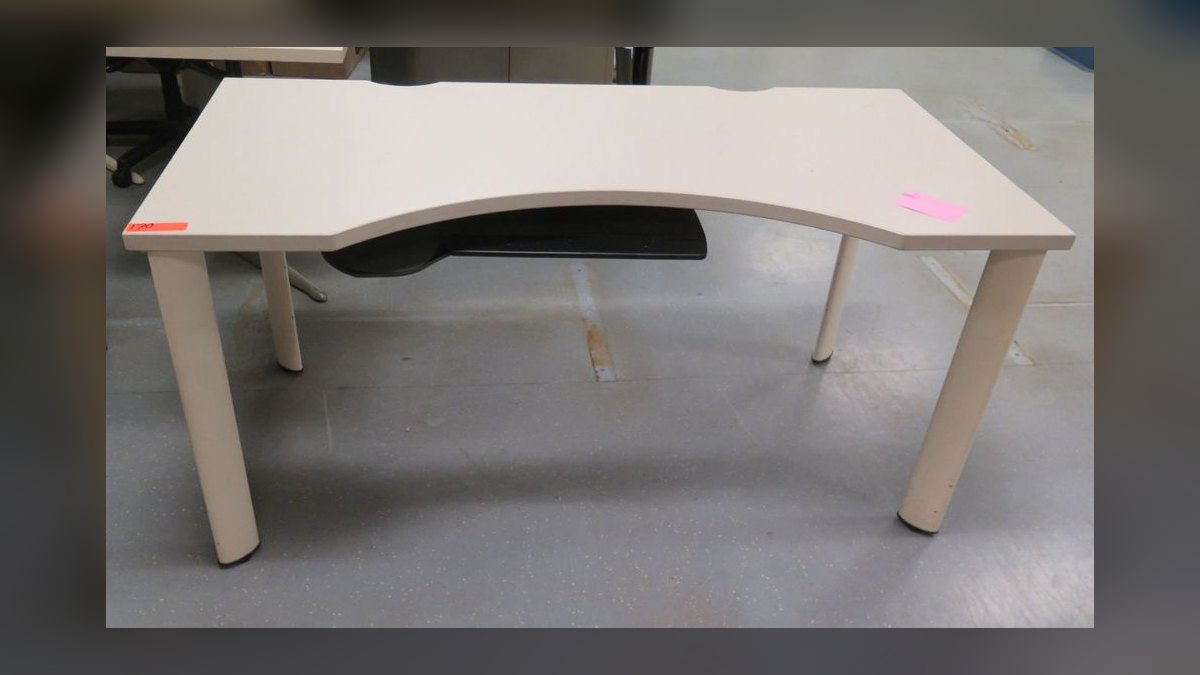
The Workrite Pinnacle 2 ranks seventh on this consumer-oriented list despite carrying the longest warranty of any tray here at 12 years. Single-touch height covers -7 to +3 inches, tilt runs -15 to +15 degrees, and the 19.5 x 10.5-inch tray with mouse platform holds 25 lb. It is made in the US, sells for $299, and moves primarily through commercial office-supply distributors.
This is for corporate procurement teams outfitting 50 or more AE desks, particularly when Humanscale lead times stretch. It trades away consumer brand recognition and a slight edge in perceived finish, and installation requires drilling. Against the Humanscale 6G at the top, you save $50 and gain two years of warranty while giving up the more refined feel and the wider reseller network.
8HUANUO Slide-Out Tray
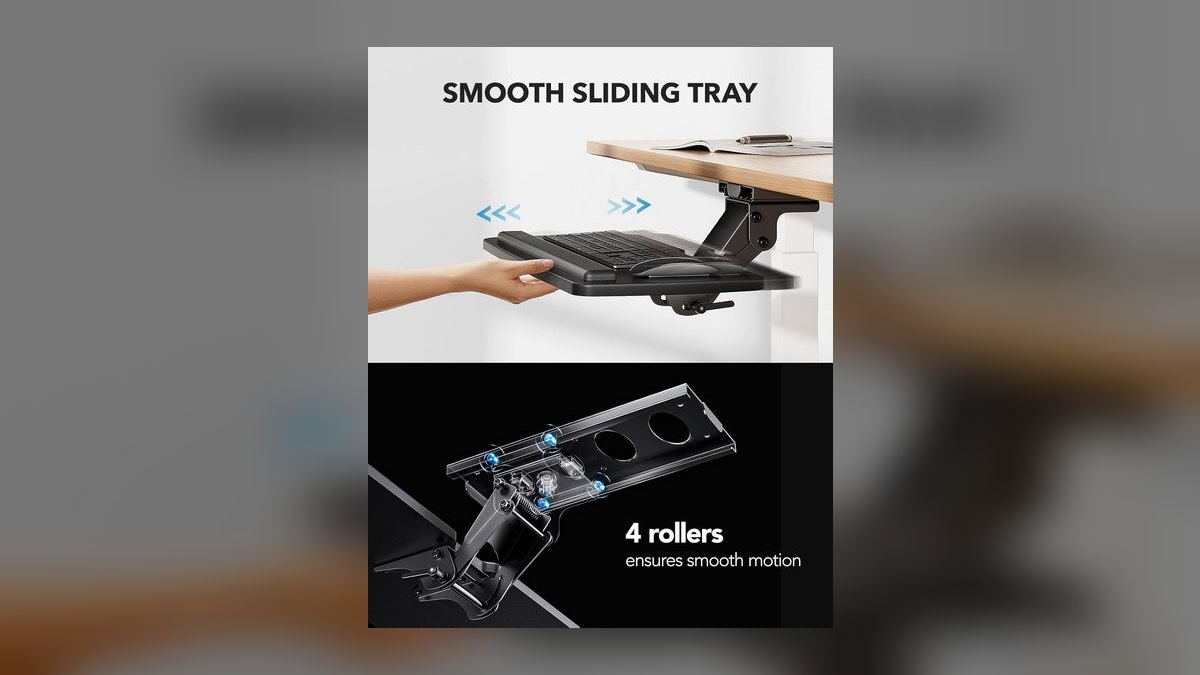
The HUANUO Slide-Out Under-Desk Tray ranks eighth because at $45 it is the lowest price here that still buys functional hardware. The drawer drops the keyboard a fixed 3 inches below the desk on a 25 x 11-inch surface rated for 22 lb, installs with two screws, and includes desk-protective rubber pads. Amazon ships it next-day, and it carries a 2-year warranty.
This is for SDRs and entry-level AEs in short-term living situations who need a real tray under $50. It gives up tilt and height adjustment entirely, and its drawer rails are thinner than the VIVO equivalent, so longevity under 8-hour daily use is the weak point. Spending $14 more on the VIVO buys sturdier rails and an extra year of warranty coverage.
9Knape & Vogt SD-7050
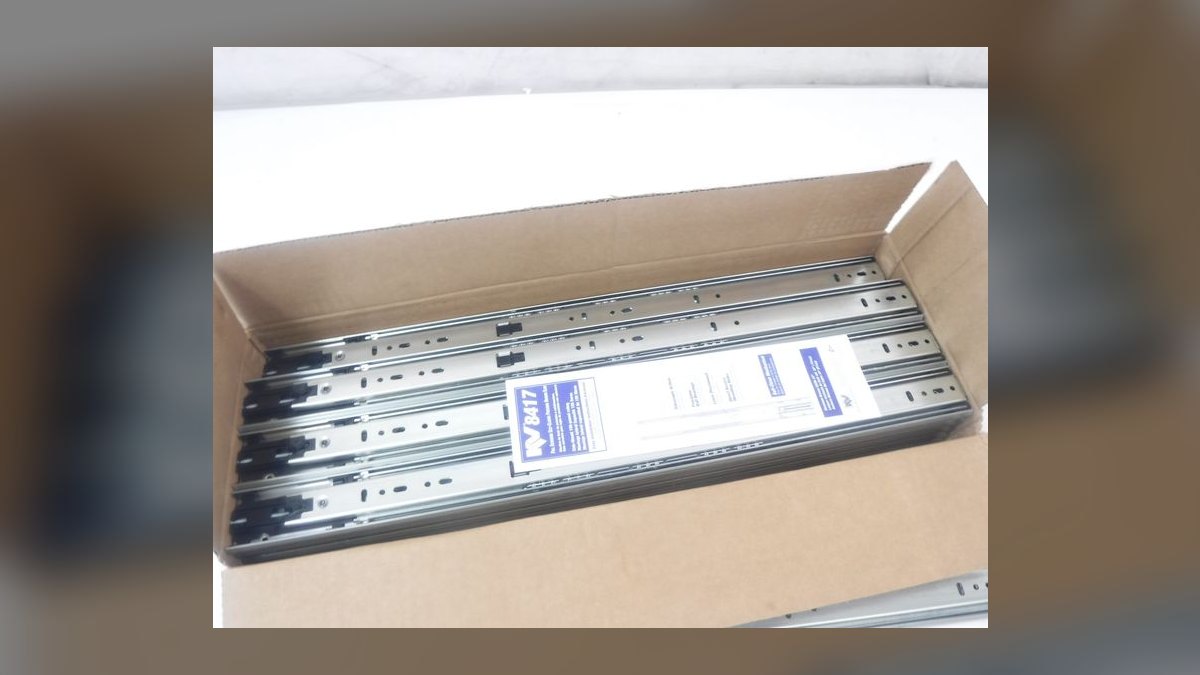
The Knape & Vogt SD-7050 ranks ninth because its value is narrow rather than weak — the articulating arm exists to solve L-shaped and corner desk geometry. Single-touch height covers -4 to +3 inches, tilt runs -10 to +10 degrees, and the 22 x 10.5-inch tray with integrated mouse platform holds 20 lb. It sells for $259 with a 7-year warranty.
This is for AEs on corner desks who need the tray to swing left or right around the desk's angle. It trades away general-purpose value: on a rectangular desk, $259 buys less capability than the $199 Fully Klipper. The arm also needs 28-plus inches of clearance and installation is more involved than any slide-out drawer here, including the Eureka below.
10Eureka Ergonomic Wide Tray
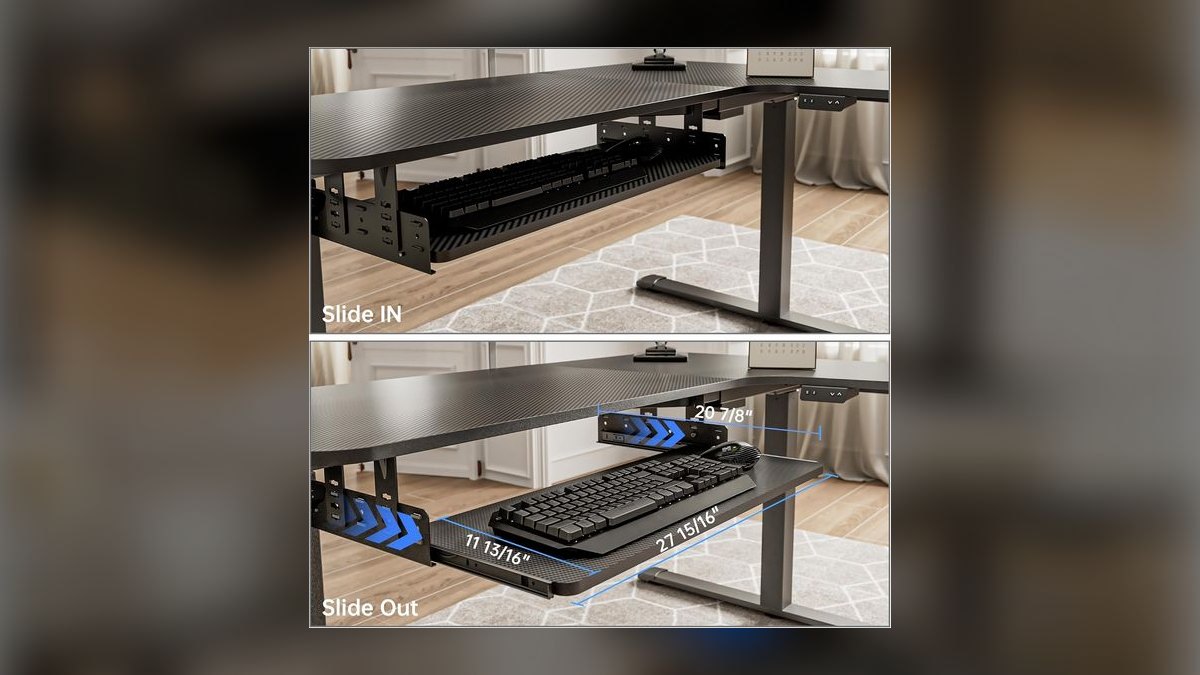
The Eureka Ergonomic Wide Keyboard Tray ranks tenth as a specialist pick built around surface area. Its 31 x 12-inch tray is the widest here, holds 24 lb, drops a fixed 4 inches below the desk, and adds knob-adjustable tilt from -15 to +5 degrees — rare on a $89 slide-out drawer. The warranty runs 3 years.
This is for reps running vertical mice like the Logitech MX Vertical, trackballs, or oversized gaming mice that crowd a standard tray. It gives up height adjustment entirely and demands 32-plus inches of clear desk underside, which rules out many compact workstations. Against the Knape & Vogt above, it costs $170 less and adds tilt, but cannot articulate around a corner desk or move vertically.
How we ranked these
We measured six things and weighted them in this order: adjustment range (does it actually drop the keyboard 3-7 inches below a 30-inch desk), mechanism quality (single-touch beats knob beats fixed), tray width against a full keyboard plus mouse, weight capacity, warranty length, and required under-desk clearance. Prices came from manufacturer storefronts, Amazon, and B&H as of June 2026. Install difficulty was scored as a real cost, not a footnote.
We deliberately ignored aesthetics, brand prestige, and color options — nobody sees the underside of your desk. We ignored bundled wrist rests, which are cheap to replace and often worse than a $15 aftermarket pad. We ignored Amazon star ratings, which conflate shipping damage with product quality on furniture. We ignored anything without a published height or tilt spec, since an unspecified range is not a range.
What to look for
Two numbers decide this: your desk height and your under-desk clearance. A 30-inch desk needs a tray that drops at least 4 inches, which rules out every fixed-height drawer for tall users. Clearance decides mechanism — articulating arms (Humanscale, Workrite, Knape & Vogt) need 22-28 inches of unobstructed depth. Measure from the front lip to the first support beam before you read another spec sheet.
The common mistake is buying tray width instead of tray height. A 31-inch tray feels generous in photos and does nothing for your wrists if it sits at desk level. The second mistake is drilling before checking the desk material — particleboard under a laminate skin strips out under an articulating arm's load, and a C-clamp mount would have been the correct call.
Related questions
What desk height makes a keyboard tray unnecessary?
Roughly 26 to 27 inches, which is close to true keyboard height. Standard desks are 29-30 inches, built for writing, not typing. If you have a height-adjustable desk you can lower it to 26 inches and skip the tray entirely — though most people then find the monitor too low and need a riser, which trades one problem for another.
Why does negative tilt matter more than height?
Height sets your elbow angle; tilt sets your wrist angle. You can get elbows right and still hold your wrists in extension all day if the tray is flat or sloped toward you. Negative tilt of 5 to 10 degrees keeps the wrist neutral. A tray with height adjust but no tilt solves half the problem.
Do keyboard trays work on hot-desk sales floors?
Only the C-clamp models. Shared desks rarely permit drilling, and a fixed tray assigned to a rotating seat gets adjusted wrong by every user anyway. The Mount-It MI-7137 installs in ten minutes and removes just as fast, which is why it shows up on floors that reassign seats quarterly.
How does a tray change monitor placement?
Dropping the keyboard 4 inches usually means you sit slightly closer and lower, so the monitor should come down about the same amount to keep the top of the screen at eye level. Most people forget this step and end up craning upward — the tray fixes their wrists and breaks their neck posture.
Is the weight capacity spec ever the limiting factor?
Almost never for keyboards. A full mechanical board with an aluminum case runs 3 to 5 pounds, and a mouse adds under half a pound. The 18-25 pound ratings on this list exist because people rest forearms on the tray edge, which is the load that actually matters and the reason cheap rails sag.
What breaks first on a budget slide-out tray?
The rails. Ball-bearing drawer slides on $45-$59 trays develop lateral play after two to three years of daily extension cycles, and the tray starts to rock under typing. Nothing catastrophic fails — it just stops feeling solid. Articulating arms fail differently, usually losing gas-strut tension in the height mechanism.
Does a split keyboard need a split tray?
Not strictly. A 25-inch or wider flat tray holds both halves of a Moonlander or Kinesis Advantage fine. The split-tray variants add independent tenting and separation angle, which is the actual reason to pay the extra $50-$100 — not clearance. If you run your halves shoulder-width apart, you want the variant.
Are keyboard trays worth it for a two-monitor call setup?
Yes, and more than for single-monitor work. Two monitors mean more head turning and a wider reach envelope, which pulls your shoulders forward. Getting the keyboard lower and closer keeps your elbows at your sides, which is what stops the shoulder rounding that heavy phone-and-CRM users develop after a couple of years.
FAQ
Do keyboard trays void a desk warranty?
Drilling into the underside can, depending on the manufacturer. Uplift and Fully explicitly permit accessory mounting on their own desks and sell trays for them. IKEA and most budget desks say nothing, which functionally means you are on your own. C-clamp mounts never void anything because they add no permanent holes.
Can you use a keyboard tray with a laptop only?
Not well. A laptop on a tray 4 inches below desk level puts the screen far too low, and you will hunch. The tray only makes sense with an external keyboard and the laptop either closed in a dock or raised on a stand at eye level. Otherwise skip the tray.
What tools do you need for installation?
A drill with a small pilot bit, a Phillips screwdriver, and a tape measure covers the drilled-mount trays. Most kits ship the screws. C-clamp models need nothing. The step people skip is drilling pilot holes, and driving screws straight into particleboard is how you end up with a stripped mount and a loose tray.
Will a tray fit a desk with a center support beam?
Often not. Center beams and modesty panels are the most common install blocker, especially on cheaper desks and older office furniture. Articulating arms need the track mounted flat and centered. If the beam sits within 22 inches of the front lip, you are limited to a narrow slide-out drawer or nothing.
How much does professional installation cost?
Expect $50 to $80 through TaskRabbit or a similar service for a single tray, more if the desk needs disassembly. For a fleet install across an office, most commercial ergonomic vendors bundle installation into the per-unit price. It is worth paying for articulating arms if you have never drilled into furniture.
Do these trays fit under a standing desk at full height?
Yes — the constraint is the opposite. At standing height there is plenty of clearance. The problem is the seated position: a tray that drops 7 inches below a desk already at 29 inches can land on your thighs. Check the tray's lowest position against your seated knee height before ordering.
Is a keyboard tray or a better chair the bigger upgrade?
Chair first if your current one has no adjustable armrests or lumbar support. Once the chair puts your feet flat and your elbows at 90 degrees, the tray becomes the constraint, because a fixed 30-inch desk forces your wrists up regardless of how good the chair is. They solve different joints.
Can two people share one tray on a shift-swap desk?
Physically yes, ergonomically no. Height and tilt should be set to one person's forearm length, and a tray readjusted twice a day drifts out of spec fast. On 24-hour sales floors, single-touch mechanisms (Humanscale, Workrite) handle repeated adjustment far better than knob-based ones, which loosen over hundreds of cycles.
Does a tray help with wrist pain that already exists?
It removes one common cause, but existing pain needs a clinician, not a purchase. Keyboard trays address wrist extension from typing above elbow height. If your pain comes from mouse grip, tendon inflammation, or a nerve issue, a tray changes nothing. Get the diagnosis first, then buy the right piece of equipment.
Are drawer-style trays quiet enough for a call floor?
Mostly. Ball-bearing slides on the VIVO and HUANUO run quiet when extended slowly, but the end stops make an audible clack. On an open outbound floor with headsets, nobody notices. If you are on video calls with a sensitive mic, extend the tray before the call rather than mid-sentence.
Sources
- https://www.osha.gov/etools/computer-workstations/components/keyboards
- https://www.cdc.gov/niosh/ergonomics/about/index.html
- https://www.mayoclinic.org/healthy-lifestyle/adult-health/in-depth/office-ergonomics/art-20046169
- https://www.humanscale.com/products/keyboard-systems
- https://www.upliftdesk.com/keyboard-trays/
- https://www.workriteergo.com/
- https://www.cornell.edu/video/ergonomics-workstation-setup
- https://www.hhs.gov/about/agencies/asa/foh/ergonomics/index.html
- https://www.nhs.uk/live-well/healthy-body/how-to-sit-correctly/
Related on PULSE
This page will be disappearing soon. Save it to your device for $1 — or read it free while it is here.
@Kory-White- · if Venmo asks, the last 4 of my number are 2012
This page is gone.
This one is off the shelf now. $1 keeps it on your phone for good — the whole page, pictures and diagrams included.
 pulse-reviewsTop 10 Electric Spice Grinders — Best Overall + Best Value in 2027
 pulse-reviewsTop 10 USB-C Hubs for Sales Travel in 2027
 pulse-reviewsTop 10 TDS Water Testers — Best Overall + Best Value in 2027
 pulse-reviewsTop 10 Posture Correctors — Best Overall + Best Value in 2027
 pulse-reviewsTop 10 Electric Hot Pots — Best Overall + Best Value in 2027
 pulse-reviewsTop 10 LG TVs — Best Overall + Best Value in 2027
 pulse-reviewsTop 10 Clothes Steamers — Best Overall + Best Value in 2027
 pulse-reviewsTop 10 Tire Inflators — Best Overall + Best Value in 2027
 pulse-reviewsTop 10 Cable Management Boxes for Sales Home Office in 2027
 pulse-reviewsTop 10 Battery Chainsaws — Best Overall + Best Value in 2027