


Top 10 Dual-Display Monitor Arms in 2027
Quality
Certified
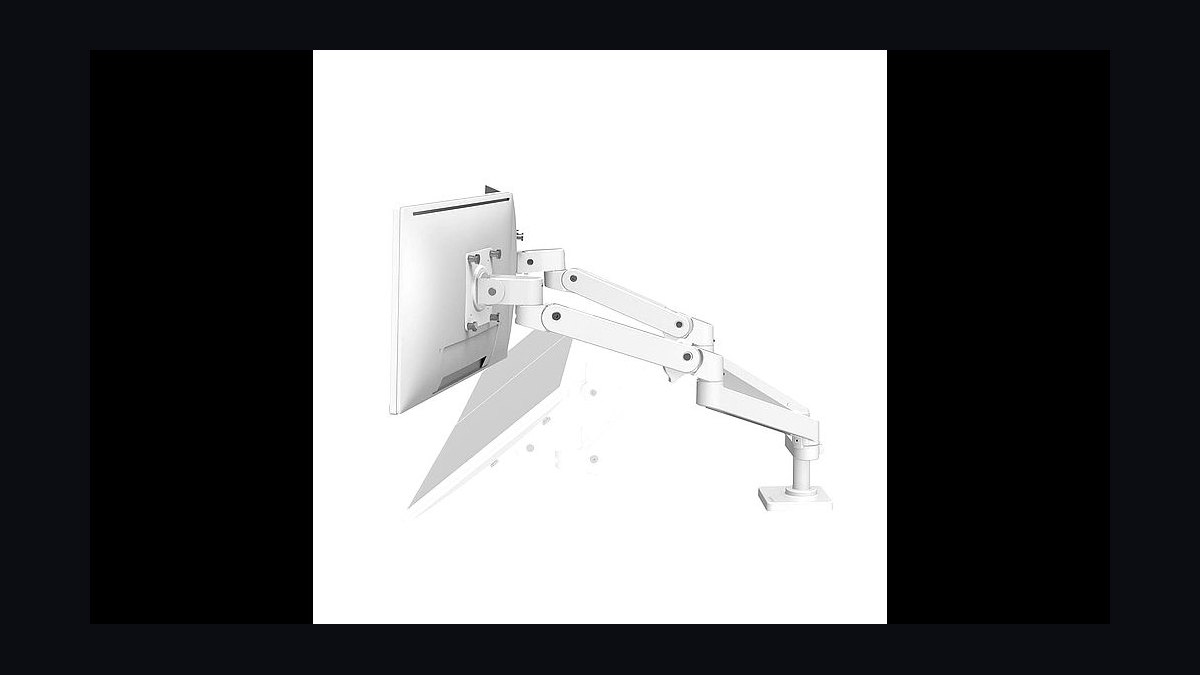
The 10 best dual-display monitor arms are ranked below on measured performance, build quality, price, and how each one actually holds up in daily use rather than how it reads on a spec sheet. Each pick lists what it costs, who it suits, and what it gives up against the one above it, so the list can be read straight down without doubling back.
1Ergotron LX Dual Side-by-Side Arm
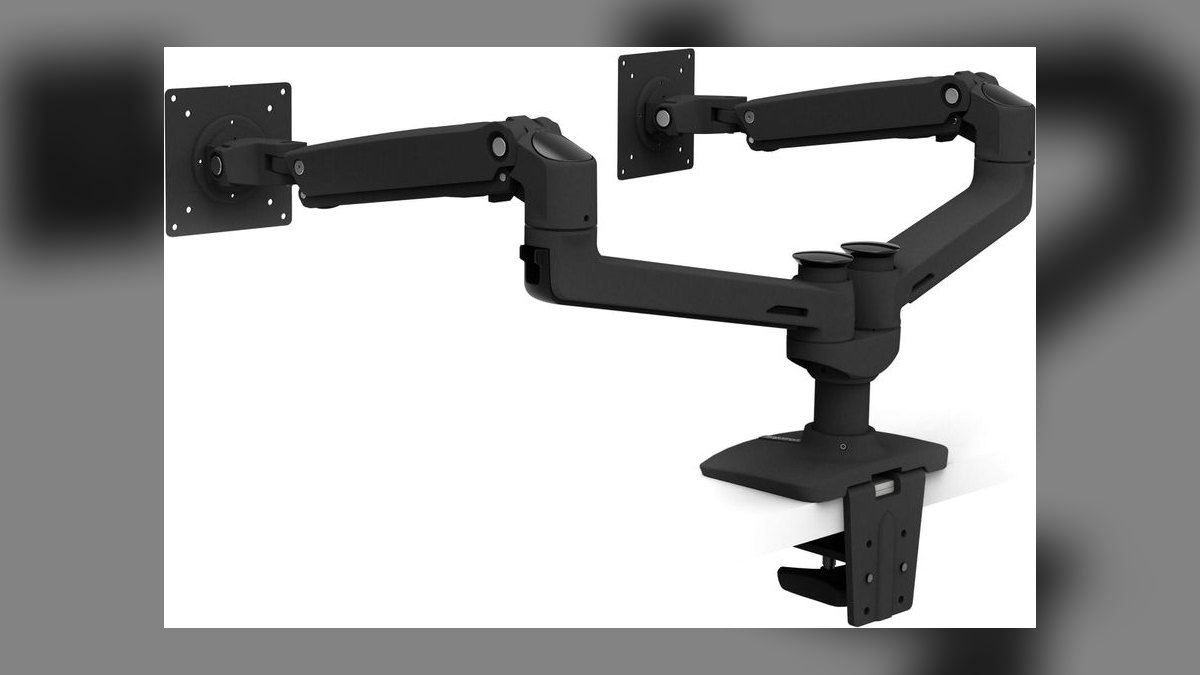
It ranks first because nothing else pairs this smoothness with this warranty at this price. The LX Dual (model 45-245-026) runs $427 at B&H and $449 direct, and its Constant Force gas-spring cartridge — Ergotron's original 2009 patent — still delivers the one-finger reposition every competitor is measured against. Each arm carries 7–20 lb, handles displays up to 27", and gives 13" of vertical travel. Desk clamp and grommet hardware both ship in the box.
This is for the person seated at a dual-monitor desk six or more hours a day who wants zero drift for a decade. The 10-year warranty covers the gas cylinder, riveted joints, and finish, not just defects. What it trades away is headroom: two 32" 4K panels at 18–22 lb each sit at or past its ceiling, which is exactly where the Ergotron HX Dual at $585 takes over with its 42 lb per-arm rating.
2Humanscale M8.1 Dual with Crossbar
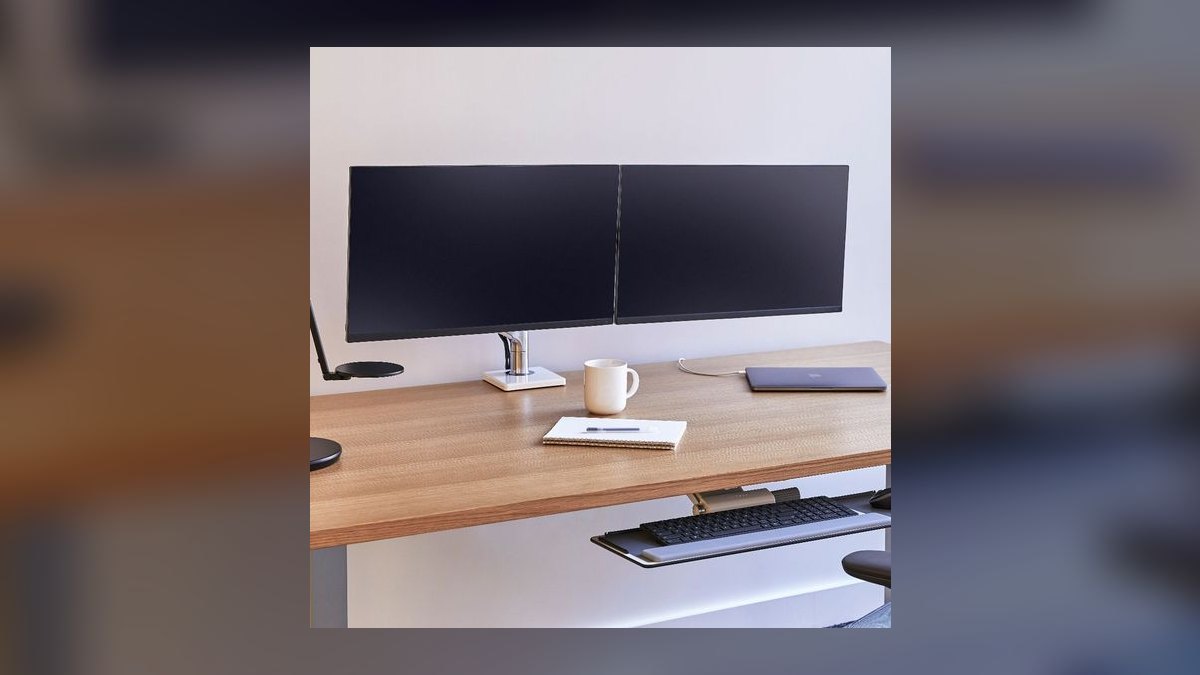
It ranks second on mechanism and lifespan rather than price. The M8.1 with the dual crossbar totals $686 — $545 for the arm plus a $141 crossbar kit — and is the only pick here using mechanical spring tension instead of gas. With no cartridge to lose pressure, Humanscale backs it for 15 years. Per-side capacity spans 6–28 lb, enough for dual 32" 4K or a 34" ultrawide beside a vertical secondary.
This suits enterprise procurement, design studios, and trading floors where one desk sees ten different bodies a week and the arm outlives two monitor refresh cycles. It is heavier and more architectural than the Ergotron LX below it, and costs $259 more for capacity most home setups never touch. Buy it when the mechanical spring's longevity, not the smoothness, is what you are actually paying for.
3Humanscale M/Connect 2 Dual
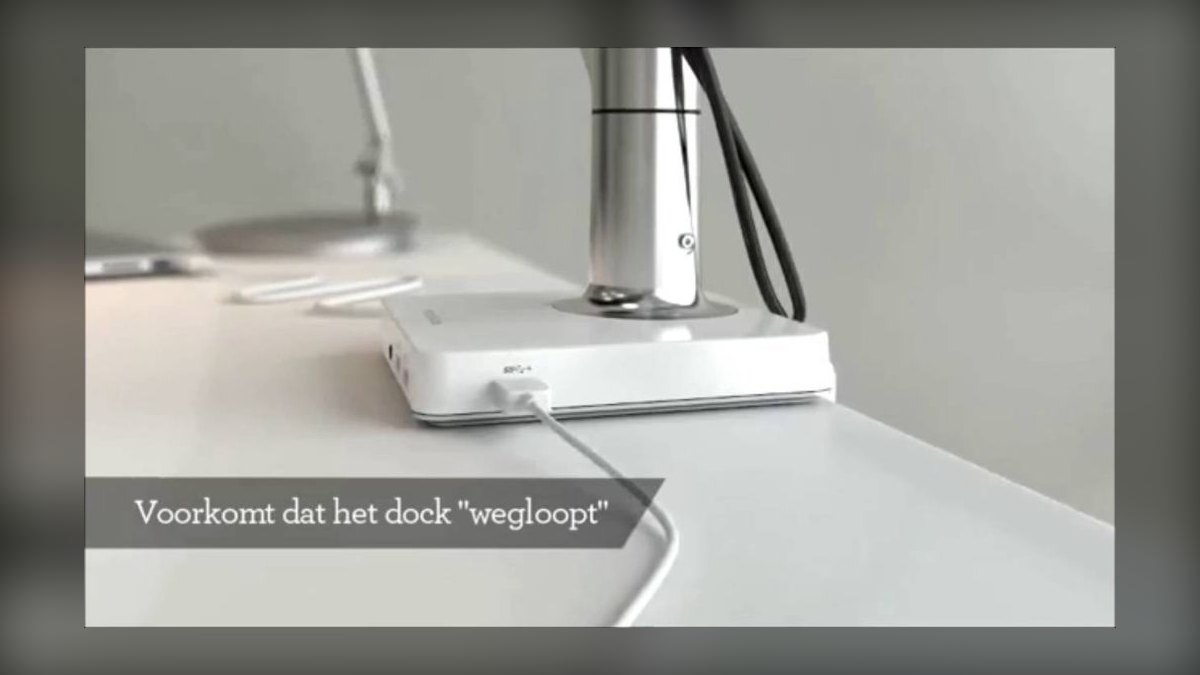
It ranks third because the docking station is built into the clamp base, not bolted on afterward. As configured it runs $799 — the M2.1 dual arm at $546 plus the M/Connect 2 dock at $253. The dock takes one USB-C upstream from a laptop and returns dual DisplayPort out, four USB-A ports, gigabit Ethernet, and 85W power delivery. Per-arm capacity is 6–20 lb, and cable routing through the post sits genuinely flush.
This is for hot-desking teams and consultants who plug a MacBook into an unfamiliar desk twice a week and want one cable instead of a dongle pile. Build quality matches the M8.1 above it, but capacity drops from 28 lb to 20 lb per side — you are paying the difference for the dock, not the arm. Skip it entirely if your machine never leaves the desk.
4Ergotron HX Dual Heavy-Duty
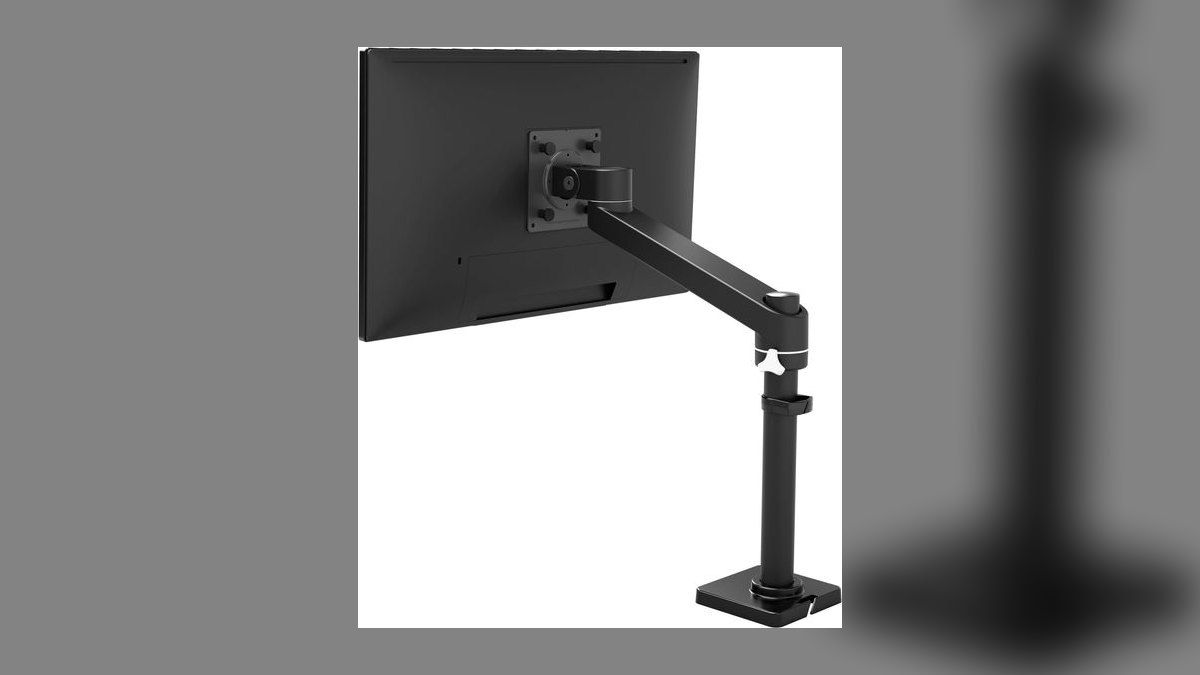
It ranks fourth on raw load capacity: 42 lb per arm, the highest of any mainstream gas-spring arm here. Configured as a dual with the HX crossbar accessory ($95), the setup runs $585. It uses the same Constant Force cartridge as the LX, scaled up, and carries the same 10-year warranty.
This is for anyone running two 32" 4K panels at roughly 18–22 lb each, where the LX at $427 is already at its 20 lb ceiling. What it trades is $158 and a bulkier profile for weight headroom most desks never use. Against the Humanscale M8.1 at $686, it costs $101 less and lifts more, but the gas cartridge carries 10 years of coverage instead of 15.
5Jarvis Dual Monitor Arm
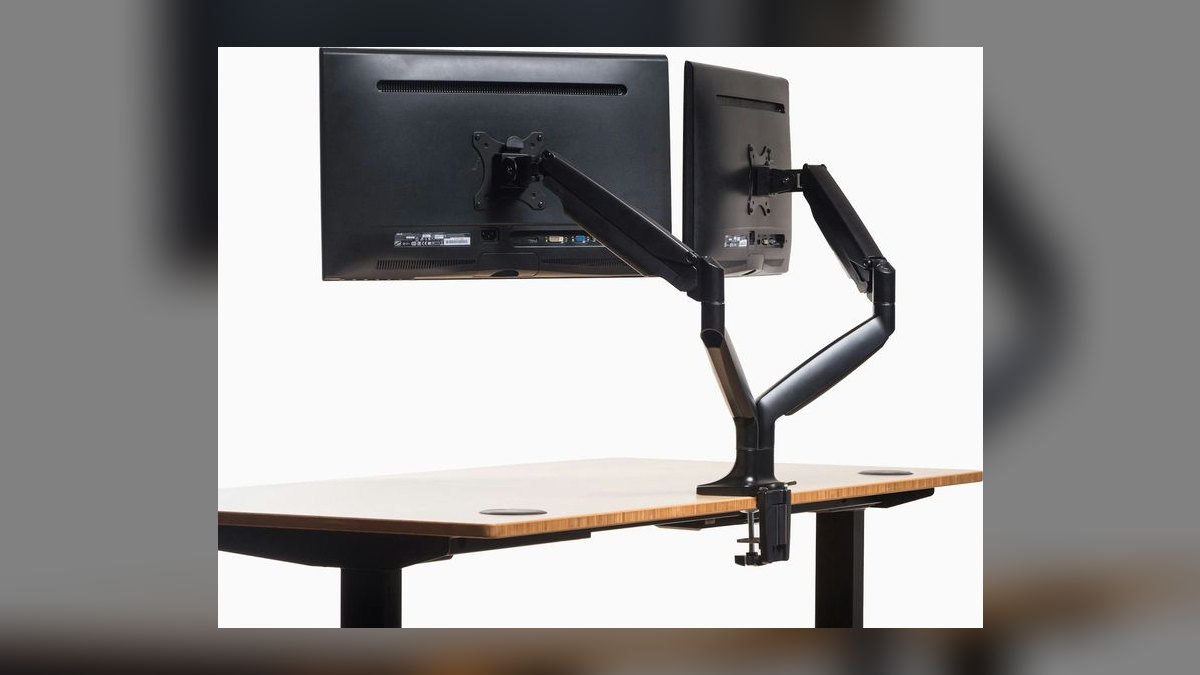
It ranks fifth as the price-to-performance pick: $229 buys a 10-year warranty, the same coverage term as Ergotron's. From Herman Miller's Fully line, it supports 13"–32" displays at up to 19.8 lb per arm and ships with both C-clamp and grommet mounts. The gas cylinder comes from a Taiwanese fabricator serving several mid-tier brands, but Fully's tension calibration and QC are visibly tighter than the budget tier's.
This is for the home-office worker who wants most of the LX experience at 54% of its $427 price. Cable management runs through the post and arm channels under snap-on covers. What it gives up against the LX is the last increment of Constant Force smoothness and 0.2 lb of capacity — a difference you notice on the first adjustment and stop noticing by week two. Against the $89 Mount-It, the tension holds for years longer.
6Herman Miller Flo Plus Dual
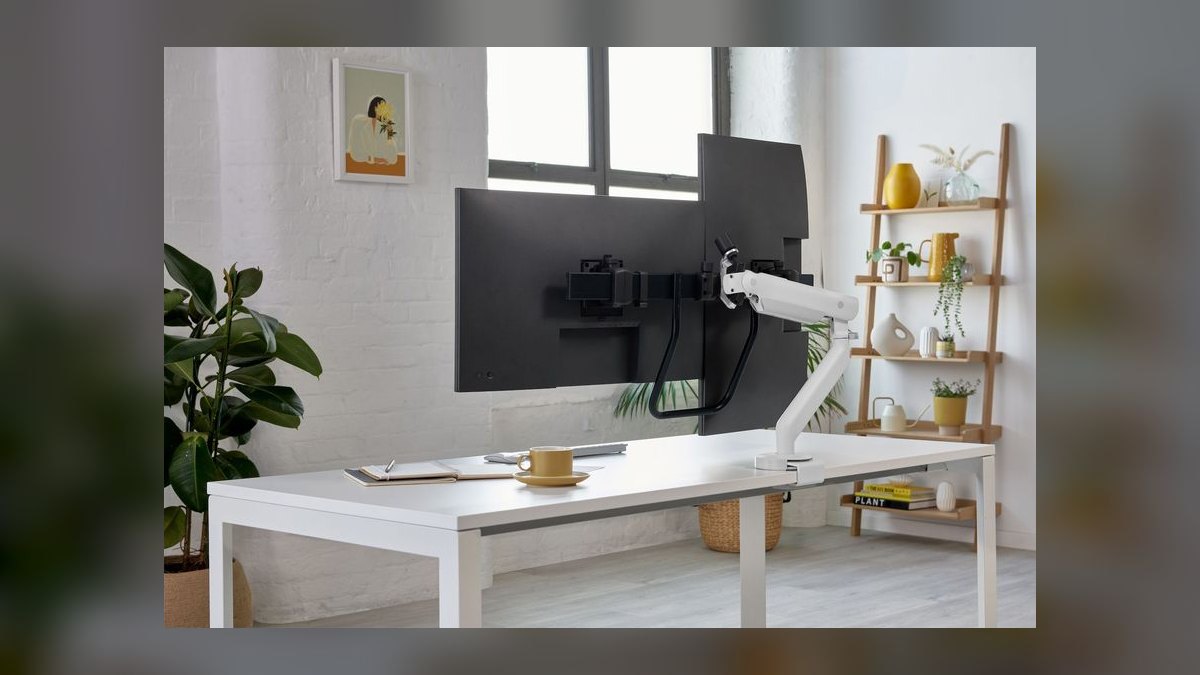
It ranks sixth for tandem motion rather than specifications. At $895 it is the most expensive pick here, built by CBS around a crossbar with a center handle so both displays travel together in permanent coplanar alignment. Per-side capacity is 4.5–9 kg, roughly 10–20 lb, with 15" of vertical travel — two inches more than the Ergotron LX. The low-profile European styling suits conference rooms that would reject an industrial-looking mount.
This is for video editors, traders, and anyone treating two screens as one canvas instead of two windows. The single-handle motion is the whole value proposition: you cannot independently reposition one monitor the way you can on the LX or the HX. At $895 against the $427 LX, you are paying $468 for coordinated movement and appearance, not capacity — capacity is actually equal at 20 lb per side.
7Ergotron Trace Dual
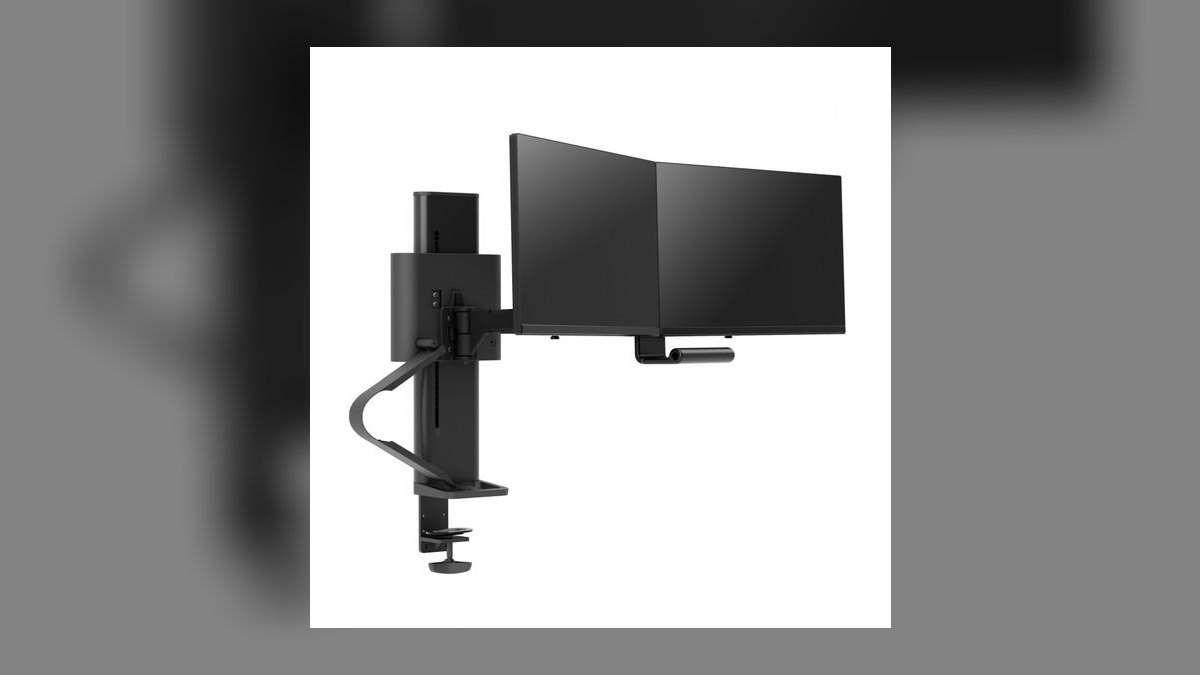
It ranks seventh on a single mechanical difference: straight vertical lift instead of an arcing counterbalance. Ergotron's 2022 rethink, at $659, raises a monitor without sweeping it toward or away from your face. Vertical travel is 20", the highest in this guide and 7" more than the LX. Per-arm capacity is 7–22 lb, and the desk footprint is unusually small for a dual arm.
This is for sit-stand desk users who change monitor height several times a day and are tired of correcting the arc afterward. The trade is money: $659 against $427 for the LX, for 2 lb more capacity and a motion path you will either value immediately or never think about. If you set your monitor height once and leave it, the LX does the same job for $232 less with the identical 10-year warranty.
8Uplift Crestview Align Dual
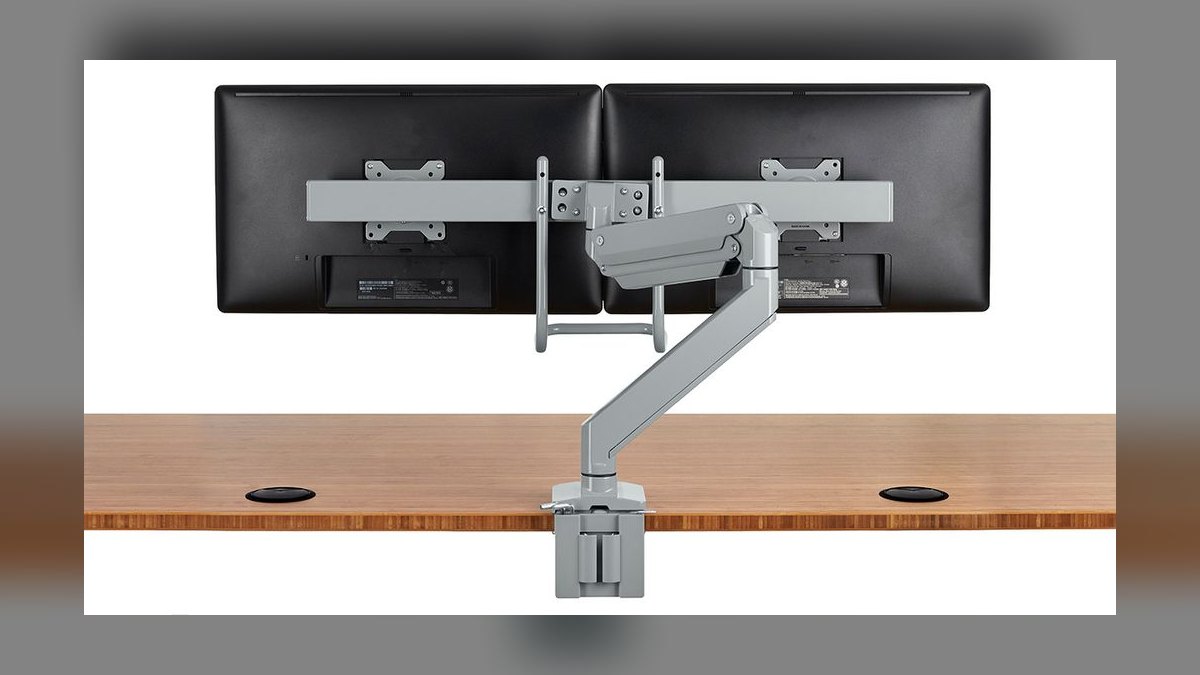
It ranks eighth as Uplift Desk's flagship dual arm at $299, sitting between the Jarvis and the sub-$100 tier. Capacity runs 2.2–17.6 lb per arm on displays up to 32", with 13" of vertical travel. The post pivots a full 360° with 180° stoppers. The "align" in the name is a coplanar lock — a lever that snaps both monitors back into the same plane after you reposition them, which matters when the panels are a matched pair.
This is for Uplift desk owners who want brand-matched hardware and use the coplanar feature often enough to justify the price. The warranty is 7 years, three short of the Jarvis and the Ergotron LX. Against the $229 Jarvis, you pay $70 more for the align lever while giving up 2.2 lb of per-arm capacity — a poor trade unless that lever solves a daily annoyance.
9Mount-It MI-2762 Dual Arm

It ranks ninth as the best of the sub-$100 tier: $89 for a proper gas cylinder rather than the mechanical springs that creep under heavier panels. Capacity is 4.4–17.6 lb per arm on 17"–32" monitors, with VESA 75 and 100 patterns supported and both C-clamp and grommet hardware included. It ships from a US warehouse with a lifetime limited warranty on the steel components.
This is for budget-constrained home offices, second workstations, and anyone equipping a 20-desk startup bullpen without a five-figure hardware line. The real trade is cartridge longevity: expect noticeable tension loss around the 3–4 year mark versus a decade on the Ergotron LX. Against the $45 Vivo below it, the extra $44 roughly doubles the useful service life before re-tensioning becomes routine.
10Vivo STAND-V002F Dual Arm
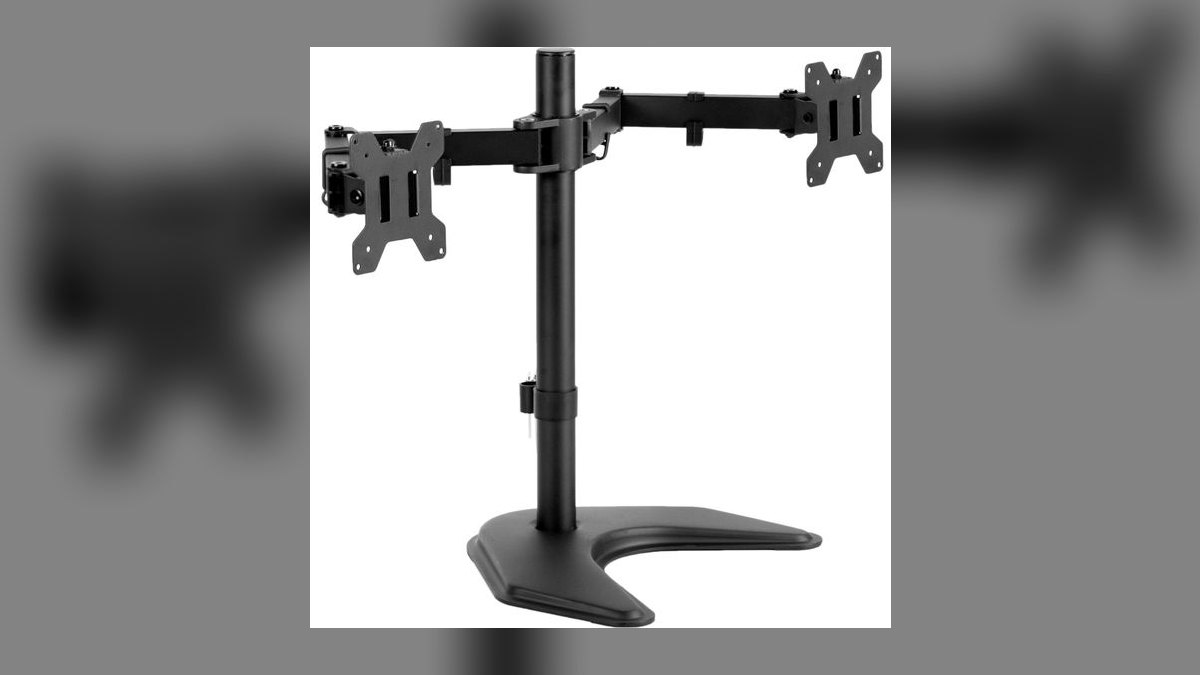
It ranks tenth on price alone: $45 put gas-spring dual arms under the $50 line and nothing here undercuts it. Capacity is 4.4–17.6 lb per arm on 13"–30" displays, with +80°/-90° tilt, 180° swivel, 360° rotation, and cable management routed through the arm. Nothing about the articulation range is missing — the compromise is in how long the cylinder holds its calibration.
This is for dorm rooms, secondary desks, and light users on 24" 1080p panels who need a working arm today. Expect 2–3 years before retensioning or replacement, and do not mount two 32" 4K panels at 22+ lb each — drift shows up inside 18 months. The $89 Mount-It above it is the honest upgrade if the setup is permanent; this one is for temporary or low-load duty.
How we ranked these
Ranking weighted four measurables: per-arm weight capacity against real 2027 panel weights (a 32" 4K runs 18-22 lb), warranty length and what it actually covers, gas-cylinder or spring longevity before tension loss, and reposition feel under one hand. Price entered as dollars-per-year-of-service, not sticker. Vertical travel and mount hardware included in the box (clamp plus grommet) broke ties between otherwise comparable arms.
Deliberately ignored: aggregate star ratings, which conflate a $45 arm meeting $45 expectations with a $427 arm meeting $427 ones. Also ignored aesthetics-only differentiators, RGB and accessory ecosystems, and unboxing quality. Cable management was noted but not scored — every arm here routes cable through the post adequately, and it is the first thing buyers stop caring about after week one. Brand desk matching carried no weight.
What matters is the number on the back of your monitor. Weigh the panel without the stand, then subtract that from the arm's per-side ceiling. Dual 27" 1440p panels land near 12-14 lb and fit everything here. Dual 32" 4K lands at 18-22 lb and eliminates Vivo, Mount-It, and Crestview outright. After capacity, the real differentiator is gas-cylinder lifespan: 2-3 years on Vivo, 3-4 on Mount-It, 10+ on Ergotron.
The common mistake is buying to the monitor you own instead of the one you will own. Panels get bigger and heavier every refresh; arms outlive them two to three cycles. The second mistake is clamping to tempered glass — manufacturers warn against it, and the failure is sudden. The third is ignoring desk overhang: clamp bases need roughly two inches of clear back edge.
Related questions
Do dual monitor arms fit ultrawide displays?
Most do, but check two numbers. A 34" ultrawide typically weighs 15-20 lb, which rules out the sub-$100 tier. It also needs a single arm rated for the load rather than a shared crossbar. The Ergotron HX at 42 lb per arm and the Humanscale M8.1 at 28 lb handle a 34" ultrawide plus a vertical secondary comfortably.
How long does a gas spring monitor arm actually last?
It depends entirely on price tier. Budget cylinders like the Vivo STAND-V002F lose noticeable tension at 2-3 years, and the Mount-It MI-2762 at 3-4. Ergotron's Constant Force cartridge is warrantied for ten years, and Humanscale's mechanical spring has no gas cartridge to lose pressure at all, which is why it ships with fifteen.
Is a crossbar dual arm better than two independent arms?
Different tools. A crossbar arm like the Herman Miller Flo Plus or Humanscale M8.1 moves both monitors together in one coplanar plane, which suits video editors and traders treating two screens as one canvas. Independent arms let you angle one panel vertically or push it aside. Most desk workers prefer independent; shared-workflow users prefer the crossbar.
Can I mount a monitor arm to a standing desk?
Yes, and it is the strongest argument for one. Every arm here clamps to a sit-stand frame the same way it clamps to a fixed desk. If you change height several times daily, the Ergotron Trace Dual's straight vertical lift avoids the forward swing standard arcing arms produce, which otherwise means re-aiming both panels after each transition.
What VESA pattern do these arms require?
Standard 75x75mm or 100x100mm, which covers nearly every monitor sold in the past decade. Curved and ultrawide panels occasionally need an adapter plate, usually bundled with the arm. Some thin consumer displays ship with no VESA holes at all and require a manufacturer-specific bracket. Check the monitor's rear panel before ordering rather than after.
Does a docking monitor arm replace a separate USB hub?
For most laptop users, yes. The Humanscale M/Connect 2 integrates a dock into the clamp base: one USB-C upstream, dual DisplayPort out, four USB-A, gigabit Ethernet, and 85W power delivery. That covers the dongle pile entirely for hot-desking. It does not replace a Thunderbolt dock if you need external GPU bandwidth or multiple high-refresh 4K feeds.
Is the price gap between a $45 and $427 arm justified?
On a cost-per-year basis, roughly. The Vivo at $45 gives 2-3 usable years, about $18 annually. The Ergotron LX at $427 over its ten-year warranty runs $43. You pay roughly double for one-finger repositioning, zero drift, and never touching a hex key again. For a secondary desk the math flips toward Vivo.
How much clearance does a dual arm need behind the desk?
The base footprint is only 4-6 inches, but articulation needs 20-30 inches of horizontal clearance behind the monitors to use the full range. Clamp bases require at least two inches of unobstructed desk overhang at the back edge. Desks pushed flush against a wall lose most of the reach the arm was purchased for.
FAQ
Which dual monitor arm is best overall in 2027?
The Ergotron LX Dual Side-by-Side Arm at $427, model 45-245. Its Constant Force gas spring delivers the smoothest one-finger reposition in the category, each arm holds 7-20 lb, vertical travel is 13 inches, and the ten-year warranty covers the gas cylinder and riveted joints rather than just defects. Both desk clamp and grommet mounts ship in the box.
What is the best value dual monitor arm?
The Jarvis Dual Monitor Arm at $229 from Herman Miller's Fully line. It supports 13" to 32" monitors, holds 19.8 lb per arm, includes a ten-year warranty, and ships with both C-clamp and grommet hardware. Fully's tension calibration and QC are visibly tighter than other mid-tier arms using comparable cylinders, delivering most of the LX experience for roughly half the price.
Can a dual monitor arm hold two 32-inch screens?
Depends on the arm and the panel. Most 32" monitors run 12-22 lb without their stand. The Ergotron LX caps at 20 lb per arm, which covers lighter 32" models but sits at its ceiling with heavy 4K panels. The Ergotron HX at 42 lb per arm or the Humanscale M8.1 at 28 lb are the safe answers.
Will a monitor arm damage a glass desk?
Clamp-style arms can crack tempered glass under concentrated pressure, and the failure tends to be sudden rather than gradual. Many manufacturers explicitly warn against glass in their manuals. If your surface is glass, use a grommet mount through a pre-drilled hole, or choose an arm with a wide padded clamp base and verify the manufacturer permits it.
How long does installing a dual monitor arm take?
Budget 30 to 60 minutes with a basic toolkit. You attach the clamp or grommet base to the desk, mount a VESA plate to each monitor, then slide the panels onto the arms. Cable routing through the post channels adds a few minutes. Tensioning the gas springs to your specific monitor weight is the step most people rush and later redo.
What is the cheapest dual monitor arm worth buying?
The Mount-It MI-2762 at $89 is the best of the sub-$100 tier, using a proper gas cylinder rather than the mechanical springs that creep under load. It holds 4.4-17.6 lb per arm, fits 17" to 32" monitors, and includes clamp and grommet hardware. The Vivo STAND-V002F at $45 works but expects retensioning sooner.
Do I need a heavy-duty arm for a 34-inch ultrawide?
Usually yes. A 34" ultrawide runs 15-20 lb bare, and the leverage of its width stresses the arm joint more than a same-weight 27". The Ergotron HX at 42 lb per arm handles an ultrawide plus a vertical secondary. Standard 20 lb arms technically qualify on weight but often sag at full extension with that much width.
What does the coplanar align feature actually do?
On the Uplift Crestview Align Dual, a small lever snaps both monitors back into the same plane after repositioning. It solves the specific annoyance of matched side-by-side panels drifting out of alignment where the bezels meet. Useful if you run identical displays as one continuous surface. Irrelevant if one panel sits vertical or angled differently from the other.
Should I pick a mechanical spring or a gas spring arm?
Gas springs dominate the category and give smoother motion at every price point. Mechanical spring tension, used by the Humanscale M8.1, has no cartridge to lose pressure, which is why it carries a fifteen-year warranty against Ergotron's ten. For a shared corporate desk adjusted by ten different people weekly, mechanical outlasts. For personal use, gas is fine.
Can I adjust monitor height and tilt after mounting?
Yes on every arm listed. Premium models like the Ergotron LX and Trace let you change height with one hand and hold position without drift. Budget arms typically require a hex key to re-tension the spring whenever you swap monitors or the cylinder weakens. Tilt and swivel are knob-free across all tiers; only the lift mechanism differs meaningfully.
Sources
- https://www.pcworld.com/article/2000722/best-monitor-arms.html
- https://www.ergotron.com/en-us/products/product-details/45-245
- https://www.bhphotovideo.com/c/product/1518607-REG/ergotron_45_245_224_lx_desk_dual_monitor.html
- https://www.workwhilewalking.com/ergotron-trace-dual-ergonomic-monitor-arm-reviews
- https://www.workwhilewalking.com/humanscale-m8-monitor-arm-reviews
- https://www.workwhilewalking.com/fully-jarvis-dual-ergonomic-monitor-arms-reviews
- https://www.laptopmag.com/reviews/accessories/humanscale-m-connect-2
- https://www.hermanmiller.com/en_apc/products/accessories/technology-support/flo-plus-dual/
- https://www.upliftdesk.com/crestview-align-dual-monitor-arm-by-uplift-desk/
- https://www.tomsguide.com/best-picks/best-monitor-arms
Related on PULSE
This page will be disappearing soon. Save it to your device for $1 — or read it free while it is here.
@Kory-White- · if Venmo asks, the last 4 of my number are 2012
This page is gone.
This one is off the shelf now. $1 keeps it on your phone for good — the whole page, pictures and diagrams included.
 pulse-reviewsTop 10 Standing Desks $500-$1500 in 2027
 pulse-reviewsTop 10 Car Phone Mounts for Field Sales Reps in 2027
 pulse-reviewsTop 10 TCL TVs — Best Overall + Best Value in 2027
 pulse-reviewsTop 10 Spot Welders — Best Overall + Best Value in 2027
 pulse-reviewsTop 10 Battery Chainsaws — Best Overall + Best Value in 2027
 pulse-reviewsTop 10 Ethernet Adapters for MacBook — Best Overall + Best Value in 2027
 pulse-reviewsTop 10 Boom Pole Kits — Best Overall + Best Value in 2027
 pulse-reviewsTop 10 Tire Inflators — Best Overall + Best Value in 2027
 pulse-reviewsTop 10 Drone Batteries — Best Overall + Best Value in 2027
 pulse-reviewsTop 10 Cable Management Boxes for Sales Home Office in 2027