


Top 10 Smart Pens with OCR for Sales Notes in 2027
Quality
Certified
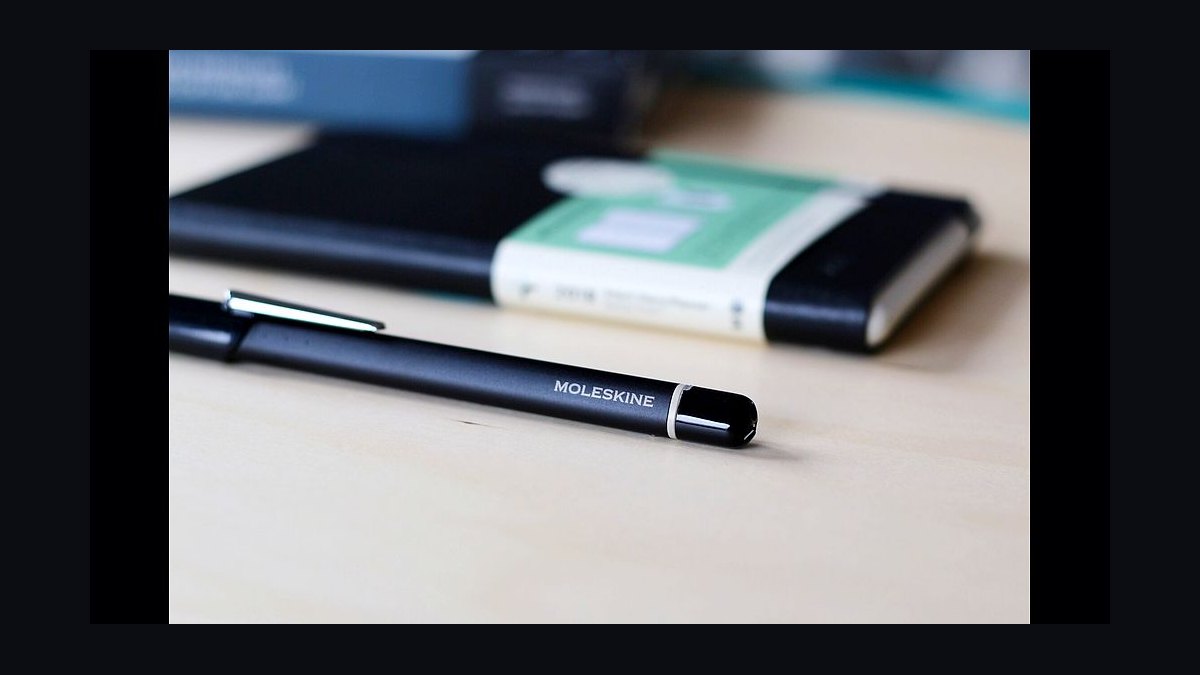
The 10 best smart pens with ocr for sales notes are ranked below on measured performance, build quality, price, and how each one actually holds up in daily use rather than how it reads on a spec sheet. Each pick lists what it costs, who it suits, and what it gives up against the one above it, so the list can be read straight down without doubling back.
1Moleskine Pen+ Ellipse
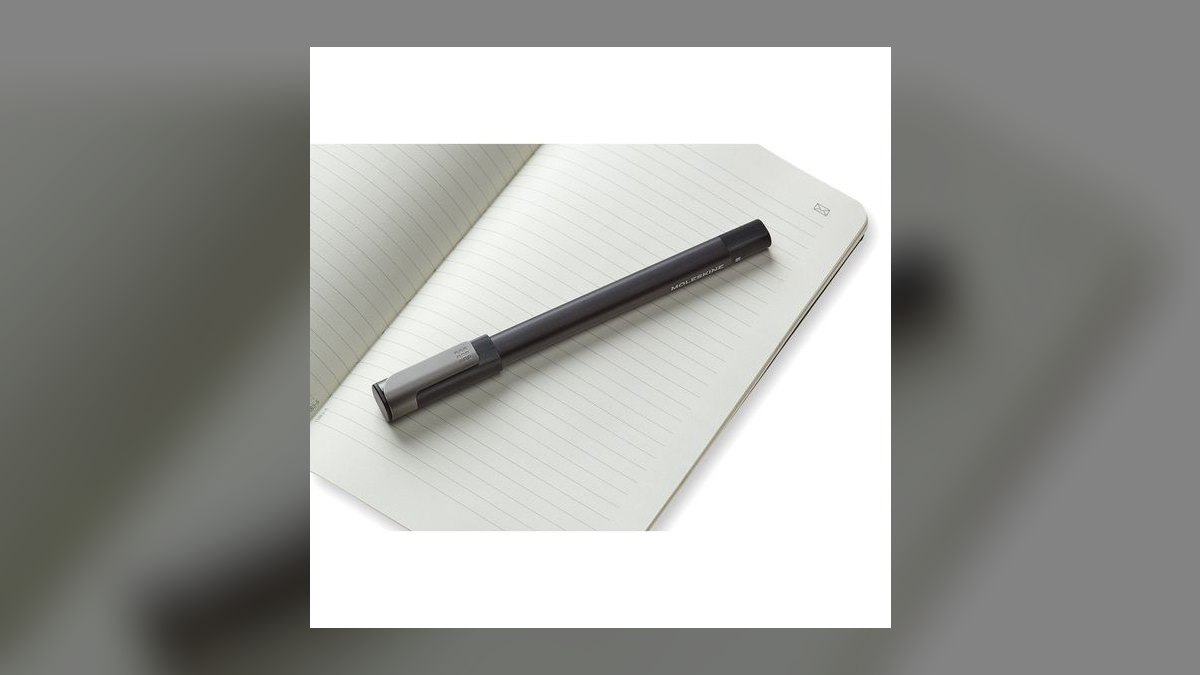
The Moleskine Pen+ Ellipse ranks first because its MyScript-powered OCR handles cursive and mixed-print call notes more reliably than anything else here. The full Smart Writing Set runs $199, or $179 for the pen alone, and holds about 1,500 pages offline before syncing over Bluetooth LE. Battery covers roughly 8 hours of active writing. Transcription is strongest in English, Spanish, French, German, and Portuguese.
Built for enterprise AEs and fractional CROs who carry a notebook into every QBR and want editable text afterward. The trade is proprietary Ncoded paper at $32 per notebook, a recurring cost the Rocketbook Fusion below avoids entirely. Gesture tagging routes a starred page to a designated folder automatically. Sync targets include Evernote, Google Drive, OneNote, and Adobe Creative Cloud, so notes land where the CRM workflow already lives.
2Livescribe Symphony Smartpen
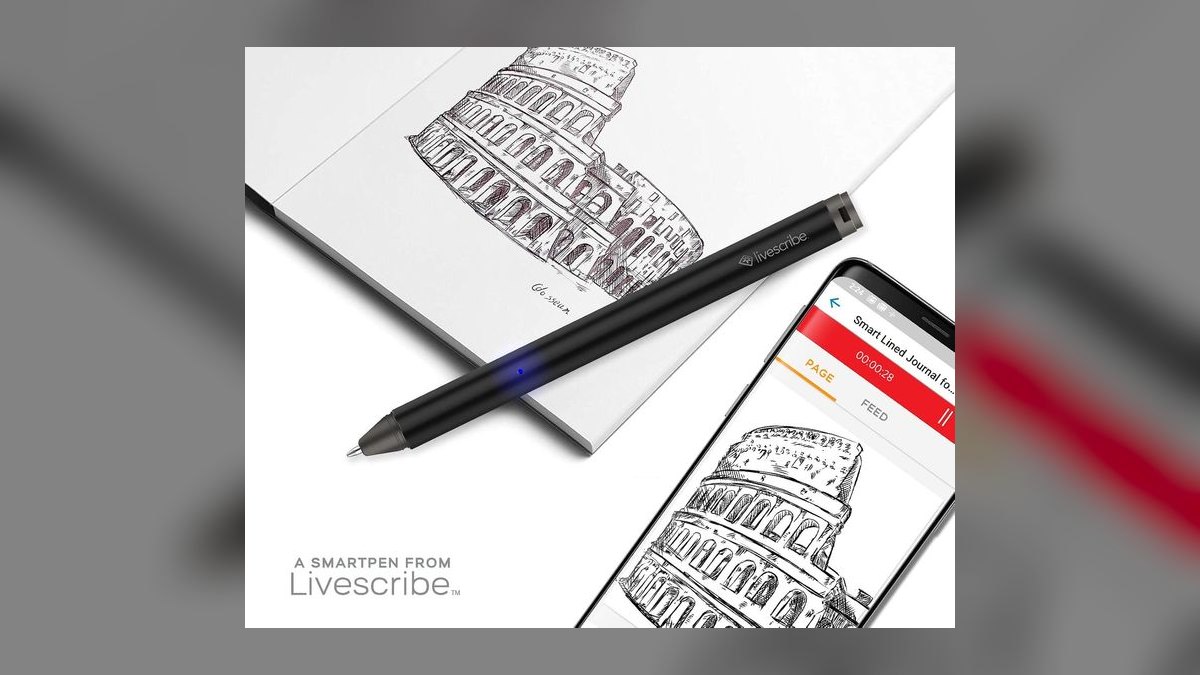
The Livescribe Symphony takes second on audio sync alone: every stroke is time-stamped to recorded audio, so tapping a handwritten word in the Livescribe+ app replays exactly what the prospect said. It runs about $129.95 through refurb and secondary channels, delivers 10 hours of writing or 8 with audio, and uses dual far-field mics that reach across a conference table. In-app OCR is strong on print, moderate on cursive.
This is the pen for discovery-heavy sellers who mine call playback for objection analysis and coaching reviews. The costs are real: Livescribe sunsetted new production and stopped pushing firmware after 2024, so iOS 19 compatibility depends on community workarounds. Proprietary dot paper runs $25 per 100-page A5. Cursive accuracy trails the Moleskine Pen+ Ellipse, but no other pen matches the word-level audio scrub.
3reMarkable Paper Pro
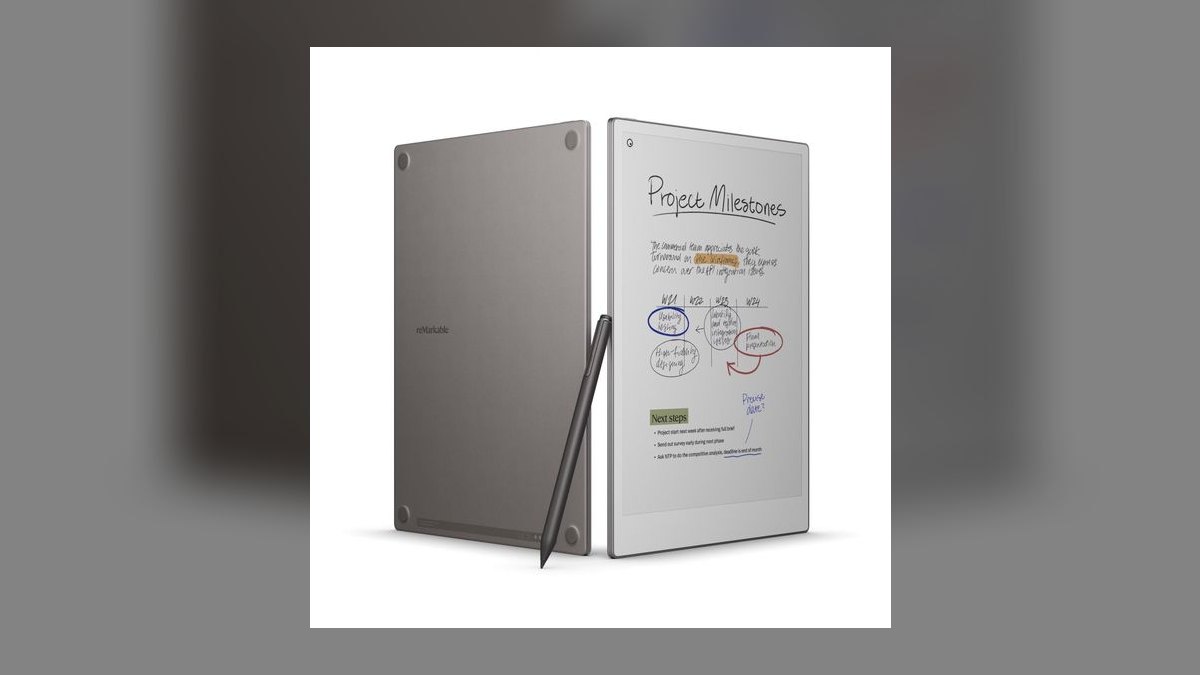
The reMarkable Paper Pro earns third as the most powerful handwriting-digitizing device a quota carrier can buy, at $629 plus $129 for the Marker Plus. The 11.8-inch CANVAS color e-paper display has a built-in reading light, runs roughly two weeks on standby or 10-12 hours of active writing, and converts handwriting in 33 languages on device. Exports go to Google Drive, Dropbox, and the reMarkable web client.
Senior sellers, enterprise CROs, and consultants who want to retire the paper notebook entirely are the fit. It trades away real ink on real paper, and full handwriting search across all notes sits behind reMarkable Connect at $7.99 monthly, with a $2.99 basic tier. Against the Livescribe Symphony above, it offers no audio sync — but searchable handwritten keywords reshape territory planning.
4Rocketbook Fusion
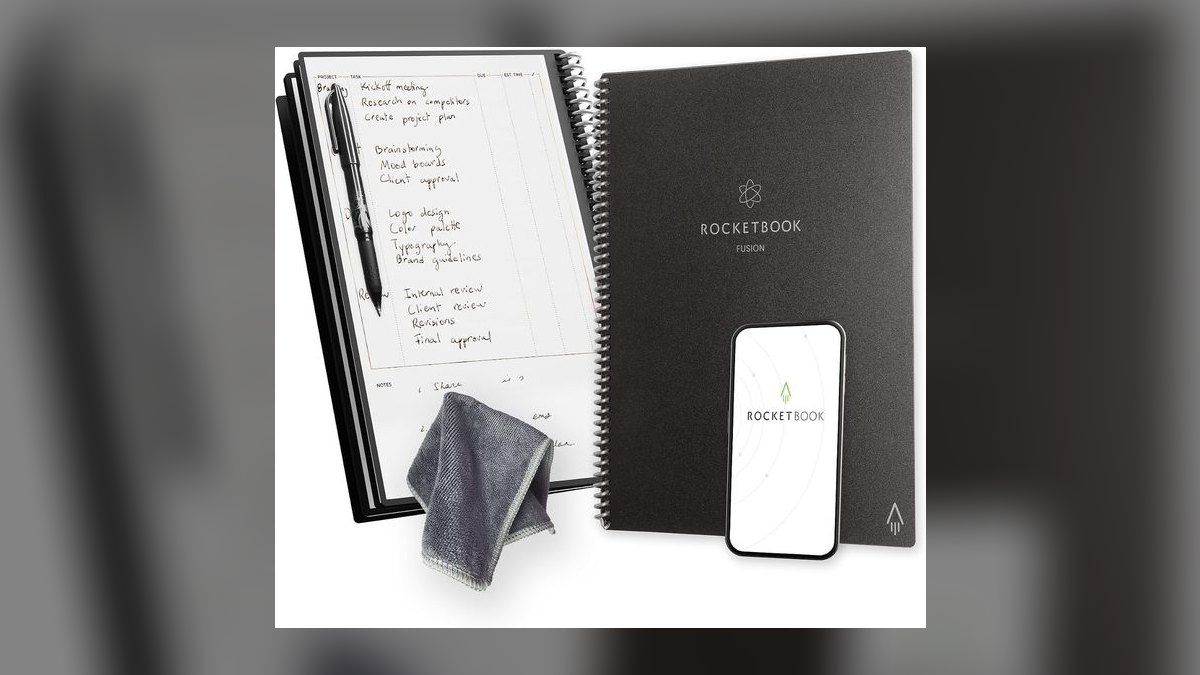
The Rocketbook Fusion ranks fourth as the best value in the category, at $34.99 with a Pilot FriXion pen included. You photograph each page with the free app, which runs handwriting OCR on Microsoft Computer Vision, then wipe the synthetic page clean with a damp cloth. The notebook carries 42 reusable pages across seven templates, and seven icons at the page bottom act as smart tags for automatic folder routing.
BDRs, startup full-cycle reps, and field teams deploying 50 people for under $2,000 total are the target. There are no electronics inside, so battery anxiety is zero and offline capture is never an issue. OCR covers roughly 15 languages with English strongest, and accuracy on aggressive cursive falls behind both the Moleskine Pen+ Ellipse and the Livescribe Symphony.
5Neo SmartPen N2
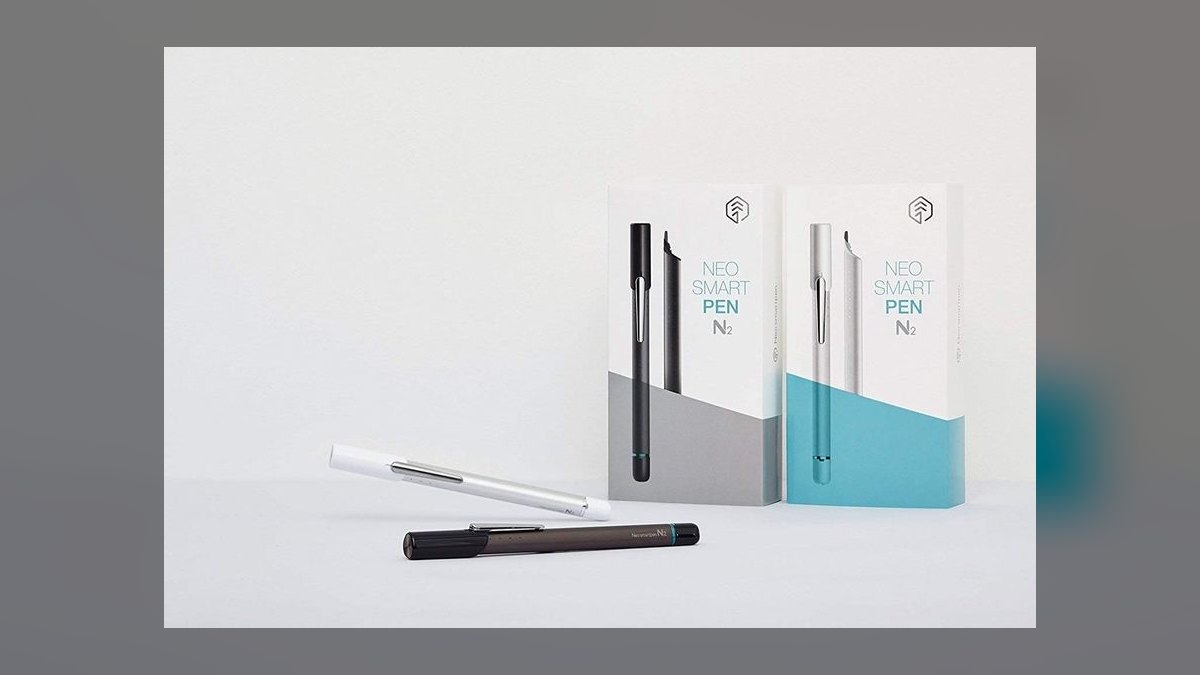
The Neo SmartPen N2 places fifth on build quality and language range: an aluminum and stainless-steel triangular body weighing 22 grams, USB-C charging in 90 minutes for one to two weeks of mixed use, and MyScript transcription across 88 languages. It sells for $169 direct or $159 on Amazon, captures 1,024 pressure levels, and stores 1,000 pages offline before syncing to the Neo Studio desktop app.
Sales engineers, technical AEs, and solutions consultants who diagram architectures during discovery get the most from it. The Microsoft Word plugin streams handwriting into a Word document as live text, which no other pen here does. Ncoded paper costs $14-22 per notebook, the same lock-in the Moleskine imposes, though at lower per-book cost. There is no audio recording, unlike the Livescribe options.
6Wacom Bamboo Slate
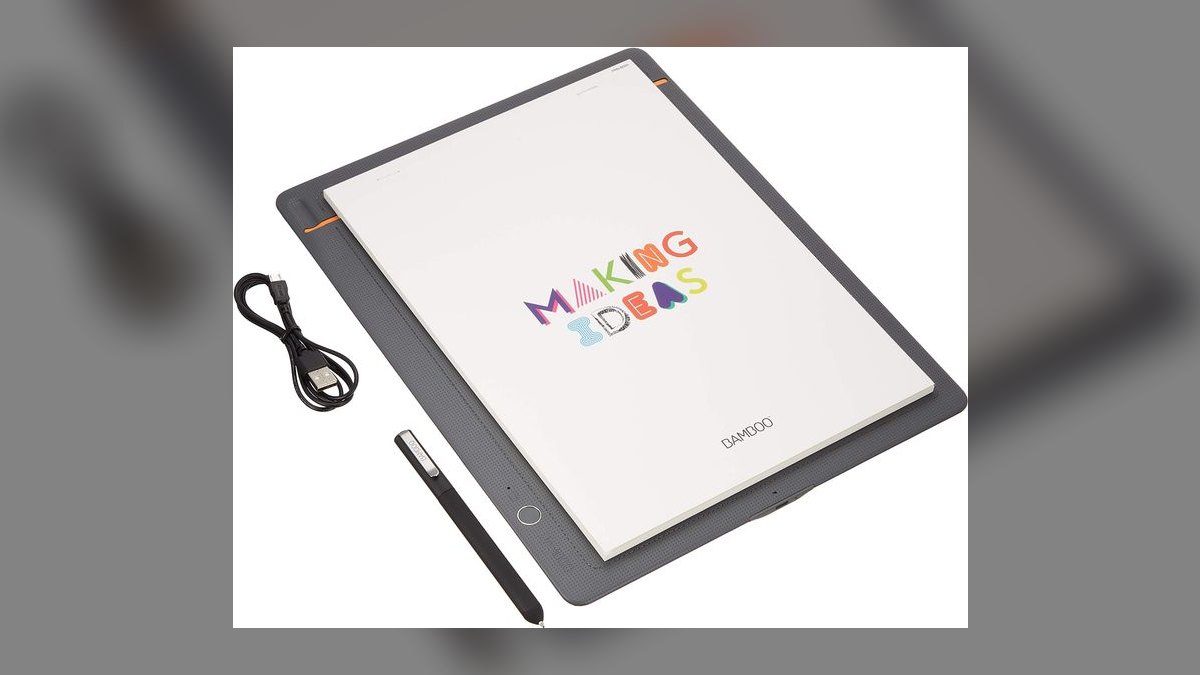
The Wacom Bamboo Slate ranks sixth because it eliminates proprietary paper entirely: clip any notepad to the slate, write with the included ballpoint on real paper, and electromagnetic resonance captures the strokes. It costs $129.95 in A5 or $179.95 in A4, runs about 8 hours active, and stores 100 pages offline. The Inkspace app converts handwriting and exports to WILL, SVG, PNG, JPG, or PDF. Refills are $5 per three-pack.
Reps who refuse to abandon a Field Notes or Leuchtturm habit are the audience. The compromise is age: no hardware refresh since 2018, so iOS 19 and Android 16 users must sideload the legacy Inkspace build from Wacom's archive. Workable, not enterprise-clean. Offline storage is a tenth of what the Neo SmartPen N2 above holds.
7NEWYES SyncPen 4
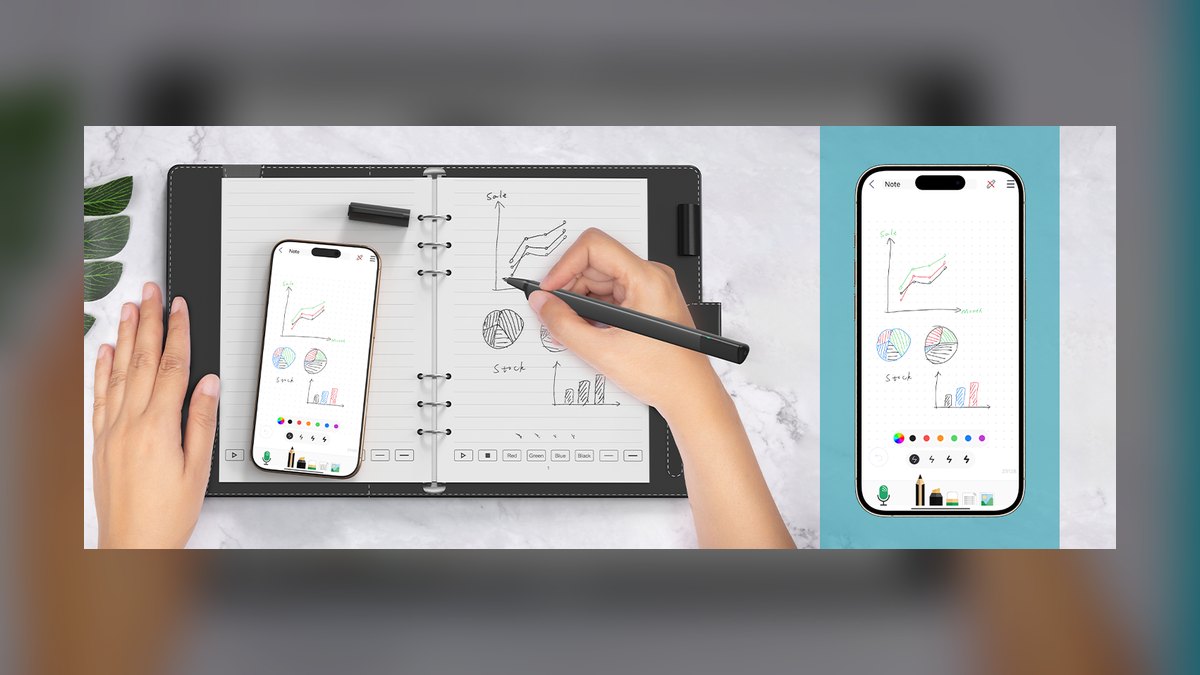
The NEWYES SyncPen 4 lands seventh as the erasable option: you write in real ink, erase mechanically, and reuse the page, all for $129 including the pen, reusable notebook, and microfiber wipe. The companion app runs MyScript and transcribes 73 languages including math notation. Battery covers 8 hours active with 30-day standby, and 100MB of onboard storage holds roughly 1,000 pages before sync.
Cost-conscious inside sales teams and consulting fellows who want Moleskine-class digitization under $150 are the fit. Exports reach Evernote, OneNote, Google Drive, and email. Field reports cite Bluetooth dropouts once the phone sits more than 10 feet away, so keep the device on the desk during calls — a reliability gap the Wacom Bamboo Slate above does not have.
8Livescribe Echo 2
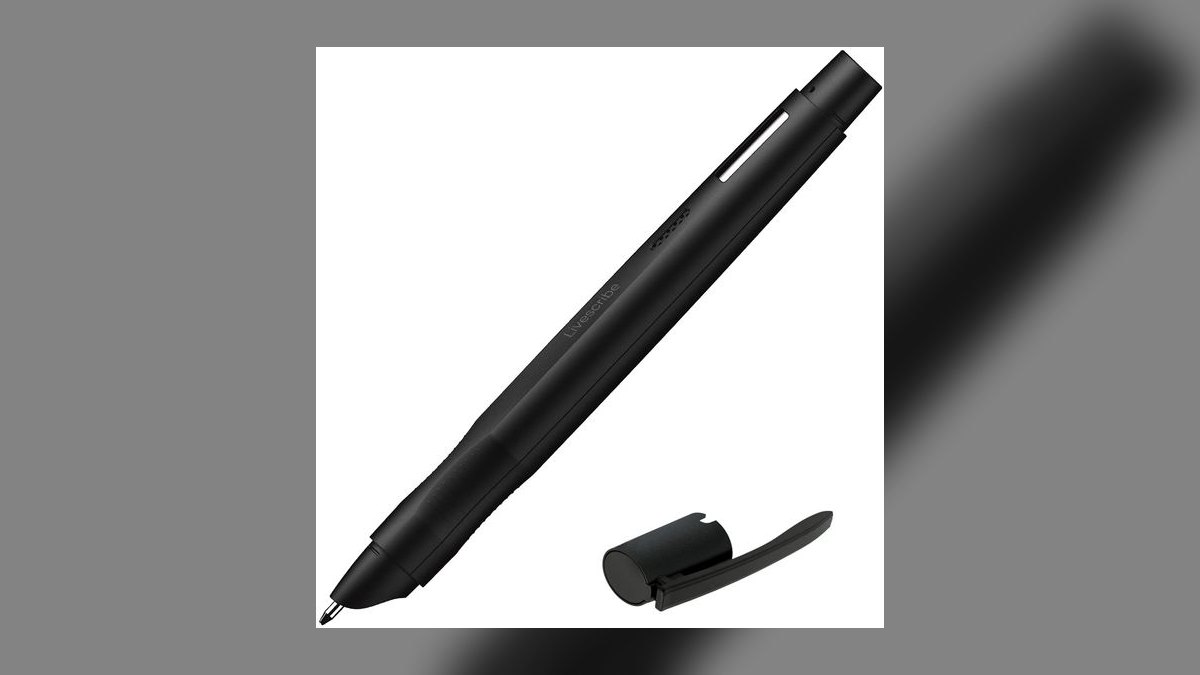
The Livescribe Echo 2 places eighth on storage and compliance fit: $179.95 buys 16GB onboard, roughly 800 hours of audio plus handwriting, dual omnidirectional mics, and 12 hours of active battery. MyScript OCR runs on the pen itself rather than requiring a hub app, and it is the only pick here with on-pen playback through a built-in speaker for replaying a customer quote without a phone.
Outside sales teams in medtech and financial services, where call recording is governed and local storage simplifies compliance, are the audience. Dot paper costs $22 per A5 notebook. It duplicates the Livescribe Symphony's time-synced audio-to-handwriting at $50 more, which is why it sits lower — pay the premium only for the onboard capacity and speaker.
9Apple Pencil Pro
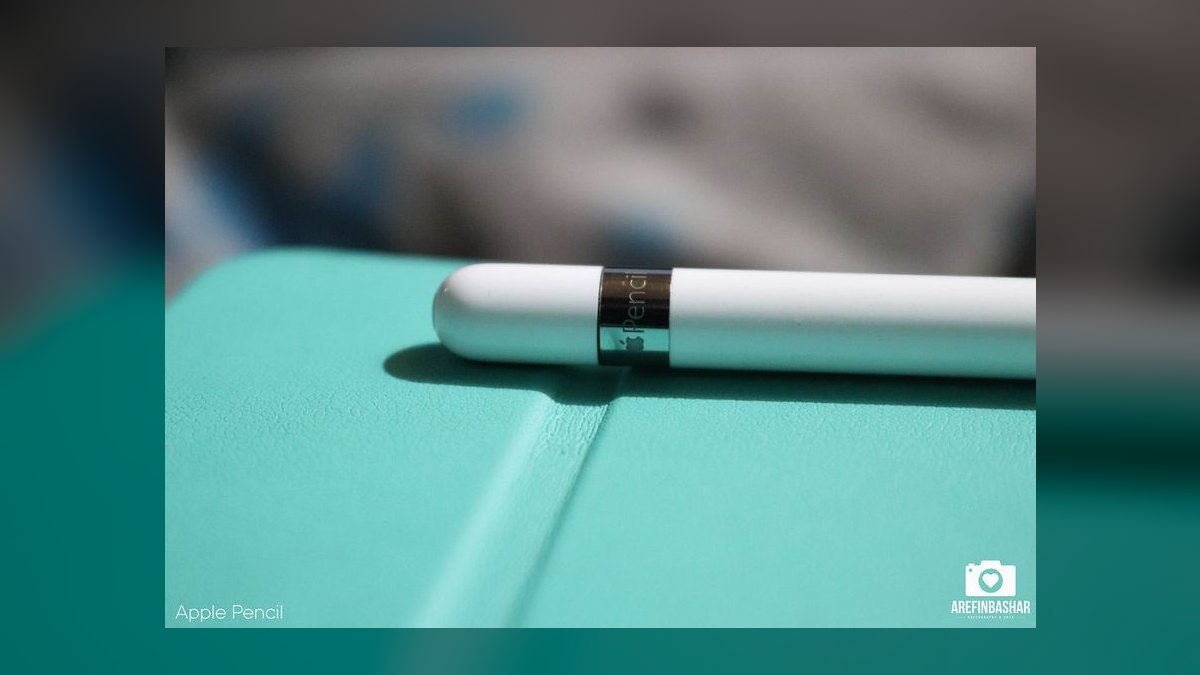
The Apple Pencil Pro ranks ninth because the $129 stylus needs an iPad Pro M5 at $999 to function, making it the most expensive entry point here. What that buys is roughly 9ms latency, full tilt with squeeze gesture, barrel roll, and haptic feedback, plus on-device Apple Intelligence transcription that never leaves the hardware. Scribble handwriting recognition works across Apple Notes, GoodNotes 7, Notability, OneNote, and Evernote.
Field AEs selling into security-conscious accounts are the real fit, since data residency requirements only clear when transcription runs locally. It is not a pen-on-paper experience at all. For Mac shops whose reps already carry iPads for demos, the marginal cost is just the stylus — cheaper in practice than the reMarkable Paper Pro's $629 plus subscription.
10Wacom Bamboo Sketch
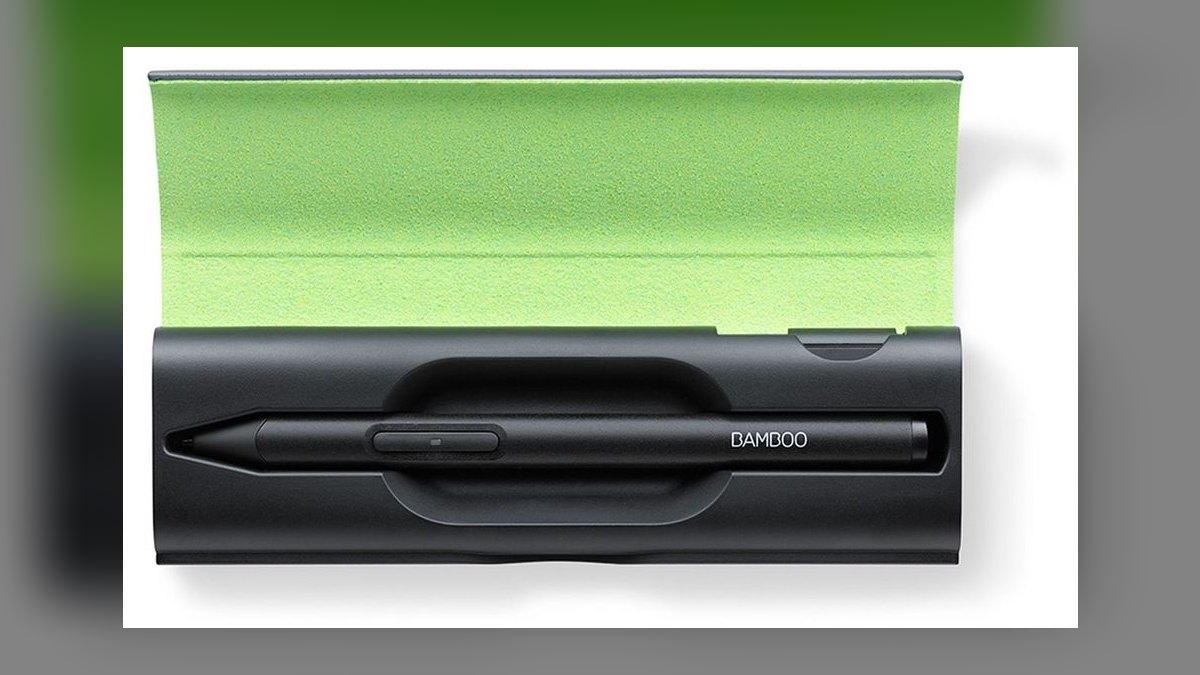
The Wacom Bamboo Sketch closes the list at $79.95, the lowest-cost stylus here, pairing with the free Bamboo Paper app on iOS and Android. It captures 2,048 pressure levels, runs 15 hours active on a USB-C charge, and handles OCR through the app's built-in handwriting recognition. It also works with Concepts and Autodesk Sketchbook for freehand diagramming during a live call.
Pre-sales SEs and product marketers who sketch org charts and ROI math mid-demo, then share a PNG plus extracted text, are the audience. It is the least feature-rich pick: no audio, no paper capture, no CRM routing beyond app export. Against the Apple Pencil Pro above it gives up latency and transcription quality, but costs a fraction and runs on hardware teams already own.
How we ranked these
Ranking weighted four things: OCR accuracy on real sales handwriting (print and cursive, scored separately), total first-year cost including proprietary paper and subscriptions, sync depth into CRM-adjacent destinations (Salesforce, Slack, OneNote, Drive), and battery under a full day of meetings. Audio-to-stroke time-sync counted heavily for discovery-heavy roles. Firmware support status through 2027 was scored as a durability signal, not a footnote.
Deliberately ignored: pressure-level counts above 1,024, stylus tilt and barrel-roll gestures, and drawing-app compatibility — none of that changes whether a call note becomes searchable CRM text. Also ignored aggregate star ratings, which conflate students and artists with quota-carriers, and marketing claims about language counts beyond the five languages most sellers actually write territory notes in.
Related questions
What is the cheapest way to get handwritten sales notes into a CRM?
The Rocketbook Fusion at roughly $34.99. You write with the included Pilot FriXion pen, photograph the page in the free app, and symbol routing sends the scan plus extracted text to Drive, Dropbox, Slack, or email. Fifty reps deploy for under $2,000 with no electronics, no charging, and no proprietary notebook reorders.
Which smart pen handles cursive best?
The Moleskine Pen+ Ellipse, running MyScript inside the Moleskine Notes app. It transcribes mixed cursive and print discovery notes more reliably than the Rocketbook or Livescribe engines, which are strong on print and only moderate on aggressive cursive. Coverage spans English, Spanish, French, German, and Portuguese — relevant if you carry LATAM or EMEA territory.
Do any smart pens work with a notebook I already own?
The Wacom Bamboo Slate does. You clip any normal paper pad to the slate at $129.95 for A5 or $179.95 for A4, write with the included ballpoint, and electromagnetic resonance captures the strokes. No dot-pattern paper, no lock-in. The catch is no hardware refresh since 2018 and legacy Inkspace sideloading on current mobile OSes.
Why would a rep pay for audio sync?
Because tapping a handwritten word replays exactly what the prospect said at that moment. The Livescribe Symphony and Echo 2 time-stamp every stroke to recorded audio, which turns objection analysis and coaching reviews into a two-second lookup instead of scrubbing a recording. Symphony sits near $129.95 refurbished; Echo 2 lists at $179.95 with 16GB onboard.
What does proprietary paper actually cost over a year?
Moleskine Ncoded notebooks run about $32 each, Livescribe dot paper $22-25 per A5 pad, and Neo Ncoded notebooks $14-22. A rep filling one notebook monthly spends $170-380 annually on paper alone — often more than the pen. Rocketbook and Wacom avoid this entirely, which is why the cheap options stay cheap.
Is a tablet better than a pen on paper?
For search and storage, yes. The reMarkable Paper Pro at $629 plus a $129 Marker Plus converts handwriting in 33 languages and adds handwritten-keyword search across every note — genuinely useful for territory planning. But you lose real ink on real paper, and the full search tier costs $7.99 monthly on top.
Which option passes an enterprise security review most easily?
Apple Pencil Pro with an iPad Pro M5. Apple Intelligence transcription runs on-device, so handwritten account notes never leave the hardware — the data-residency question answers itself. Cost is the problem: $129 for the pencil plus $999 for the tablet. It only pencils out if your reps already carry iPads for demos.
Do smart pens work without any connection?
Yes. Every pen here buffers offline — the Moleskine holds 1,500 pages, Neo N2 holds 1,000, NEWYES about 1,000, and the Wacom Slate 100. Write through a full client visit with your phone in your bag, then sync when Bluetooth reconnects. The Livescribe Echo 2 goes furthest with 16GB and roughly 800 hours of audio.
FAQ
Can a smart pen really read messy sales handwriting?
Expect roughly 85-95% accuracy on neat print and 70-85% on fast cursive across the 2027 engines. That is good enough for searchable notes and bad enough that you should proofread anything going into a forecast field. The Moleskine and Neo pens, both running MyScript, hold up best when your handwriting degrades late in a call.
Do I need a special notebook?
It depends on the pen. Moleskine, Neo, and Livescribe all require dot-pattern paper the pen optically tracks. Rocketbook requires its own reusable synthetic pages. The Wacom Bamboo Slate is the exception — clip any pad you like to it. Budget for paper reorders before you compare hardware prices, because that recurring cost changes the ranking.
How does the OCR text reach Salesforce or HubSpot?
Almost always indirectly. The pen syncs over Bluetooth to a companion app, the app exports to Drive, Dropbox, OneNote, Evernote, or Slack, and Zapier or email-to-record forwarding carries it into the CRM. Rocketbook's symbol routing is the slickest version — a checkmark at the page bottom sends that scan to a designated deal-notes destination automatically.
How long does the battery last across a full selling day?
Roughly 8 to 12 hours of active writing. The Moleskine, Wacom Slate, and NEWYES land near 8 hours; Livescribe Symphony reaches 10 writing or 8 with audio; the Echo 2 gets 12. Only the reMarkable measures in weeks of standby. Charge nightly and no model on this list will die during a meeting.
Are there subscription costs after purchase?
Mostly no, with one loud exception. reMarkable Connect runs $2.99 monthly for basic and $7.99 for handwriting search across all notes. Moleskine, Neo, Wacom, NEWYES, and Rocketbook include their OCR at no recurring cost. Livescribe's apps are free too. Read the tier chart before buying — the search feature is often the reason people buy in.
Is Livescribe still a safe purchase in 2027?
With caveats. New production has been sunsetted and firmware updates stopped after 2024, so current iOS releases can require community workarounds. Refurbished and secondary-market inventory remains healthy, and nothing else matches the audio-to-stroke sync. Buy it for the workflow, accept that you are buying a frozen platform, and avoid it if you run iOS betas.
Which pen suits a sales engineer who diagrams during discovery?
The Neo SmartPen N2 at $169. Its aluminum triangular body, 1,024 pressure levels, and 88-language MyScript transcription render architecture sketches as both searchable text and vector output. The Microsoft Word plugin streams handwriting into a document as typed text live — you can annotate during a demo and have it appear in the deck behind you.
Can one pen cover a whole distributed sales team?
Usually not one model. Field teams that need volume and durability do best on Rocketbook Fusion at $34.99 per rep. Enterprise AEs sitting in QBRs justify the $199 Moleskine set. Discovery-heavy SDRs want Livescribe audio sync. Standardize on the sync destination — a shared Drive folder structure — rather than forcing one device on everyone.
What is the real difference between the Livescribe Symphony and Echo 2?
Storage, playback, and where OCR runs. The Echo 2 carries 16GB onboard, runs MyScript on the pen itself rather than through a hub app, and includes a built-in speaker for replaying a customer quote without a phone. The Symphony is cheaper at around $129.95 and lighter on features. Regulated industries generally prefer the Echo 2's on-pen storage.
Should I skip smart pens and just type notes?
If you type comfortably during calls, yes — nothing beats going straight into the CRM. Smart pens exist for reps who think better on paper and lose retention when a laptop screen sits between them and the buyer. The device only pays for itself if handwriting is genuinely how you process a conversation, not a habit you would drop.
Sources
- https://www.nytimes.com/wirecutter/reviews/best-smart-pen/
- https://www.techradar.com/reviews/livescribe-symphony-review
- https://www.gearpatrol.com/home/a429229/moleskine-pen-plus-ellipse-review/
- https://www.slashgear.com/791726/rocketbook-fusion-review-adding-structure-to-the-hybrid-notebook/
- https://www.techgearlab.com/topics/electronics/best-smart-pen
- https://www.moleskine.com/en-us/shop/moleskine-smart/smart-writing-system/
- https://9to5mac.com/2020/07/03/livescribe-symphony-review/
- https://www.laptopmag.com/reviews/accessories/wacom-bamboo-folio-and-slate
- https://us.livescribe.com/products/echo-2%E2%84%A2-smartpen
- https://www.apple.com/newsroom/2025/10/apple-introduces-the-powerful-new-ipad-pro-with-the-m5-chip/
Related on PULSE
This page will be disappearing soon. Save it to your device for $1 — or read it free while it is here.
@Kory-White- · if Venmo asks, the last 4 of my number are 2012
This page is gone.
This one is off the shelf now. $1 keeps it on your phone for good — the whole page, pictures and diagrams included.
 pulse-reviewsTop 10 TDS Water Testers — Best Overall + Best Value in 2027
 pulse-reviewsTop 10 Multimeters — Best Overall + Best Value in 2027
 pulse-reviewsTop 10 YouTube Lighting Kits — Best Overall + Best Value in 2027
 pulse-reviewsTop 10 Electric Back Massagers — Best Overall + Best Value in 2027
 pulse-reviewsTop 10 LG TVs — Best Overall + Best Value in 2027
 pulse-reviewsTop 10 Drone Batteries — Best Overall + Best Value in 2027
 pulse-reviewsHow do I reduce echo in a home office for sales calls in 2027?
 pulse-reviewsTop 10 Neck and Shoulder Massagers — Best Overall + Best Value in 2027
 pulse-reviewsTop 10 Noise-Cancelling Headphones for Sales Reps on Phone Calls in 2027
 pulse-reviewsTop 10 VR Headsets — Best Overall + Best Value in 2027