


What is the total cost of a gaming setup for a beginner in 2027?
Quality
Certified
A complete beginner gaming setup in 2027 costs roughly $700–$1,500 total. Console-based setups land near $650–$900 including a monitor, headset, and second controller. Entry gaming PC setups run $1,100–$1,500 including the machine, a high-refresh display, keyboard, mouse, headset, and basic furniture. Budget 60–65% for the device, 15–20% for the display, and the rest for peripherals, furniture, and contingency.
What a beginner gaming setup actually includes and why the total matters
The single biggest mistake a first-time buyer makes is treating the price of the console or the PC as the price of the setup. It is not — it is roughly two-thirds of it. A complete gaming setup is a bundle of six line items, and every one of them has a floor price you cannot design around.
The six items are: the gaming device itself (console or PC), the display, the input devices (keyboard and mouse, or a second controller), audio (headset or speakers), the furniture (desk and chair), and the recurring costs (online subscriptions, internet capacity, and the games themselves). A beginner routinely budgets for item one, borrows item five from wherever they already sit, and then discovers items two through four as unbudgeted surprises in the first month.
Here is what the floors look like in practice. A current-generation console sits in the $400–$550 range at standard retail, with disc-drive-equipped versions carrying a premium of roughly $80–$100 over digital-only editions. A handheld gaming PC occupies a similar band. A self-built entry gaming PC that can hold 60fps at 1080p on modern titles is difficult to assemble below $700–$800 in parts, and prebuilt versions of the same specification typically carry a $150–$300 assembly and warranty premium. A 1080p monitor with a refresh rate of 144Hz or better starts around $130–$180; a 1440p high-refresh panel starts closer to $250–$300. A usable mechanical keyboard and a decent optical mouse together run $70–$120. A wired headset with a working microphone starts around $50 and a good one is $100. A desk and chair that will not wreck your back over three-hour sessions cost $200–$400 together, and this is the line item people most often defer and most often regret.
Add the floors and you get the honest number. Console path: $450 console + $150 monitor or existing TV + $70 second controller + $60 headset + $250 furniture ≈ $700–$900. PC path: $900 machine + $180 monitor + $100 keyboard and mouse + $80 headset + $250 furniture ≈ $1,150–$1,500. Those are the two clusters, and almost every real beginner purchase lands in one of them.
The reason the total matters more than any individual price is that the constraint is your wallet, not your component list. If you have $1,000, the question is not "what is the best GPU under $1,000" — it is "how do I allocate $1,000 across six categories so that nothing in the chain is so weak that it ruins the other five." A $900 PC feeding a $60 60Hz office monitor delivers a worse experience than a $700 PC feeding a $200 144Hz panel, because the display is the thing you actually look at. Allocation beats maximization.
One more structural point about 2027 specifically: the used and refurbished market has matured to the point that it is a legitimate first stop rather than a last resort for a beginner. Previous-generation consoles, off-lease business PCs with a GPU added, and last-cycle graphics cards all trade at meaningful discounts against new retail. A beginner willing to buy one or two components used can reasonably subtract $200–$350 from either cluster above without accepting a worse day-to-day experience. That is the single largest lever available to someone building their first setup on a fixed budget.
The step-by-step process for pricing your own setup
Do not start by shopping. Start by pricing. The sequence below takes about ninety minutes and produces a number you can actually commit to, rather than a wish list that grows every time you open a new tab.
Step one — fix the total first. Write down one number: the absolute maximum you will spend, all-in, including tax and shipping. Not the machine budget. The total. Every subsequent decision is a subtraction from this number. If you skip this step you will spend the machine budget on the machine and then find another 40% for the rest, which is how a "$800 setup" becomes $1,300.
Step two — reserve the non-negotiables off the top. Before you allocate a dollar to the gaming device, subtract the display, input, and audio floors: roughly $150 for a serviceable 1080p high-refresh monitor, $70 for keyboard and mouse, and $50 for a headset. That is $270 gone from a total you have not touched yet. If your total is $800, your machine budget is $530, not $800. Confronting this early is the entire point of the exercise.
Step three — choose your path from the remainder, not your preference. With the remainder in hand, the choice makes itself. Under roughly $550 remaining, the console path is the only one that delivers a good experience — an entry PC in that range will be compromised in a way you feel in every session. Between $550 and $900 remaining, both paths work and the decision becomes about what you want to do besides play games. Above $900 remaining, the PC path opens up properly.
Step four — price the exact bill of materials, with tax. List every part by name with its actual current price from a real retailer, and add your local sales tax. The tax line is the most commonly omitted item in beginner budgets and it is 6–10% of the total, which on a $1,200 build is $70–$120 — an entire headset.

Step five — subtract what you already own, honestly. A TV you already have is a legitimate display for the console path. A desk you already sit at is a legitimate desk. Headphones you already own are legitimate audio if they have a microphone. Be honest, though: a 60Hz TV is fine for a console and genuinely limiting for a PC, and earbuds with no mic will frustrate you the first time you play something cooperative.
Step six — hold back a 10% contingency. On a $1,200 setup, that is $120 reserved for the cable you did not know you needed, the adapter, the surge protector, the mousepad, the second monitor arm, or the game itself. This buffer is not optional. Setups that come in over budget almost always do so through a dozen $15 items, not through one big miss.
Step seven — buy in a sale window if you can wait. The late-November period and the mid-summer storefront sales are the two reliable windows. A beginner with a flexible timeline who buys then typically pays 10–20% less for the same setup.
Costs, timelines, and typical ranges by tier
Beginner setups cluster into three recognizable tiers. Knowing which one you are in prevents both overspending and the more common failure of underspending into a setup you replace within a year.
The entry tier: roughly $600–$850 total. This is the console path or a used-parts PC. A current-generation digital-edition console at $400–$450, paired with a TV you already own or a $130 1080p monitor, a $60 headset, a spare controller at $70, and either existing furniture or a $150 desk-and-chair combination. The strength of this tier is that it is complete and it works on day one with no assembly, no driver troubleshooting, and no compatibility research. Its limitation is that you are locked to that platform's library and to a fixed performance level for the life of the box. Total realistic spend: $650–$850 with a monitor, $500–$600 if you genuinely already have a good TV.

The middle tier: roughly $1,000–$1,500 total. This is the standard entry gaming PC. Expect $800–$1,000 for a machine capable of 1080p at high settings and 60fps-plus in most current titles, $180–$250 for a 1440p or high-refresh 1080p monitor, $100 for keyboard and mouse, $80 for a headset, and $250 for furniture. This tier gives you the upgrade path — you can replace the GPU in two years and keep everything else — plus access to storefront sales, emulation, mods, and general computing. Its cost is complexity: you own the troubleshooting.
The comfortable tier: roughly $1,600–$2,200 total. A machine in the $1,200–$1,500 range comfortably handling 1440p, a $300 high-refresh 1440p panel, $200 of quality peripherals, and $400 of furniture that will last a decade. This is above what most beginners need, and it is worth stating plainly: the jump from the middle tier to this one buys resolution and future headroom, not fun. A beginner does not need it.
Timelines matter as much as prices. If you are buying new at full retail on the day you decide to buy, you will pay the top of every range above. If you can wait for a seasonal sale window, the same setup typically costs 10–20% less. On a $1,200 build that is $120–$240, which is the difference between the entry and middle tiers on the monitor line. Patience is worth real money here, and a beginner with a flexible timeline should exploit it.

Recurring costs are the line beginners forget entirely. Console online multiplayer subscriptions run roughly $60–$130 per year depending on tier. Game-catalog subscriptions on either platform run $10–$18 per month. Individual new releases at full retail are $60–$70, though the same titles are routinely 50–70% off within twelve to eighteen months. A realistic first-year software and subscription budget is $200–$400 on top of the hardware, and that number should sit in your plan from the beginning rather than arriving as a monthly surprise.
A note on where the money does not go as far as you think. The gap in real-world experience between a $600 machine and a $900 machine is large and obvious. The gap between a $900 machine and a $1,300 machine is real but much smaller at 1080p, because at that resolution you begin hitting limits that more graphics power does not fix. For a beginner, the $900–$1,000 band is the efficiency sweet spot, and dollars above it are better spent on the monitor, the chair, and the game library than on more machine.
Where beginners get the budget wrong
Spending the entire total on the machine. This is the dominant failure. It produces a powerful box connected to a borrowed 60Hz office monitor, using bundled earbuds, at a kitchen table. Every one of those three compromises is felt more often than the extra GPU performance is. If your total is fixed, cap the machine at 60–65% of it.
Ignoring the display entirely. A high-refresh monitor is the single most noticeable upgrade a beginner can make, and it is cheap relative to its effect. Going from 60Hz to 144Hz changes how the setup feels in every game, every session. It typically costs $60–$80 more than the equivalent 60Hz panel. Skipping it to afford a marginally better graphics card is a bad trade, and it is the trade most beginners make.
Forgetting tax, shipping, and the accessory tail. A cable you need, a mousepad, a surge protector, an adapter, a second controller, extra storage — individually trivial, collectively $100–$200. Budget for them explicitly or they will come out of the money you meant to spend on games.

Buying a prebuilt without checking what was cut. Prebuilts are a legitimate choice, especially for a beginner who does not want to assemble anything, but the assembly premium is sometimes recovered by the seller through a weak power supply, minimal RAM, or a small single drive. Check the power supply wattage and rating, the RAM amount and whether it is in two sticks rather than one, and the storage capacity. Those three lines are where cost gets quietly removed.
Underbuying storage. Modern game installs are large — individual titles routinely occupy 60–150GB. A 500GB drive holds a handful of them. A 1TB drive is close to a minimum for a setup you will not immediately be managing around, and 2TB is the comfortable answer. The upgrade costs $40–$70 at build time and considerably more in frustration later.
Treating the chair as optional. A cheap chair is a real cost paid in your back over months of three-hour sessions. It does not need to be a branded gaming chair — a solid ergonomic office chair, often available used from office liquidations at a fraction of retail, is usually the better purchase at the same price.
Not accounting for the internet connection. Modern game downloads are enormous, and multiplayer needs stable low latency more than raw bandwidth. If your connection is marginal, a wired ethernet run or a powerline adapter for $30–$60 will improve your experience more than another $200 of hardware.
Assuming every part must be new. Monitors, cases, power supplies, desks, and chairs age slowly and trade at steep discounts used. Buying two or three of those secondhand routinely frees $150–$300 for the machine without any experiential downside.
Decision framework: console, prebuilt PC, or self-build

The three paths differ less in total cost than beginners expect and more in what you get for the same dollar. Use the decision tree below, then read the trade-offs beneath it.
Choose the console path when your total is under about $800, or when you value the setup working without your involvement. You get a fixed, known experience, no compatibility questions, and no maintenance. You give up storefront price competition, mods, backward flexibility, and the ability to upgrade one piece at a time. The subscription for online play is a genuine recurring cost you should count.
Choose a prebuilt PC when your total is $1,100 or more and you would rather not assemble anything. You pay $150–$300 over parts cost for assembly, a single warranty covering the whole machine, and someone to call when it does not boot. For a beginner with no technical support network, that warranty is often worth its price. The trade-off is that you must verify the parts that get quietly cut: power supply, memory configuration, and drive capacity.
Choose a self-build when your total is $1,000 or more and you actually want to learn the machine. You save the assembly premium, you choose every component, and you gain the knowledge to upgrade and repair it yourself. Modern assembly is genuinely approachable — a few hours with a screwdriver and a written guide. The real cost is that troubleshooting is yours, and diagnosing a machine that will not post is a frustrating first experience if you have no fallback.

A fourth path worth naming: buy used, on either side. A previous-generation console or an off-lease desktop with a modest graphics card added can produce a working setup for $400–$600 total. The experience is genuinely a step down from current hardware, but it is a real setup that plays real games, and it is the correct answer for anyone whose total budget is under $600. There is no shame in it and it is far better than an underspecified new machine at the same price.
The allocation rule that holds across all four paths: cap the gaming device at 60–65% of your total, give the display 15–20%, give input and audio 10–12%, and reserve the last 10% for furniture and contingency. A beginner who follows that split will end up with a balanced setup at any budget level, and balance — not peak specification — is what makes a first setup feel good.
Related questions
Is a console or a PC cheaper for a first setup?
A console is cheaper up front — roughly $650–$850 complete versus $1,100–$1,500 for a comparable PC setup. Over three to four years the gap narrows because PC game prices are more competitive and there is no mandatory online subscription, but the console wins the initial purchase decisively.
How much should a beginner spend on the monitor?
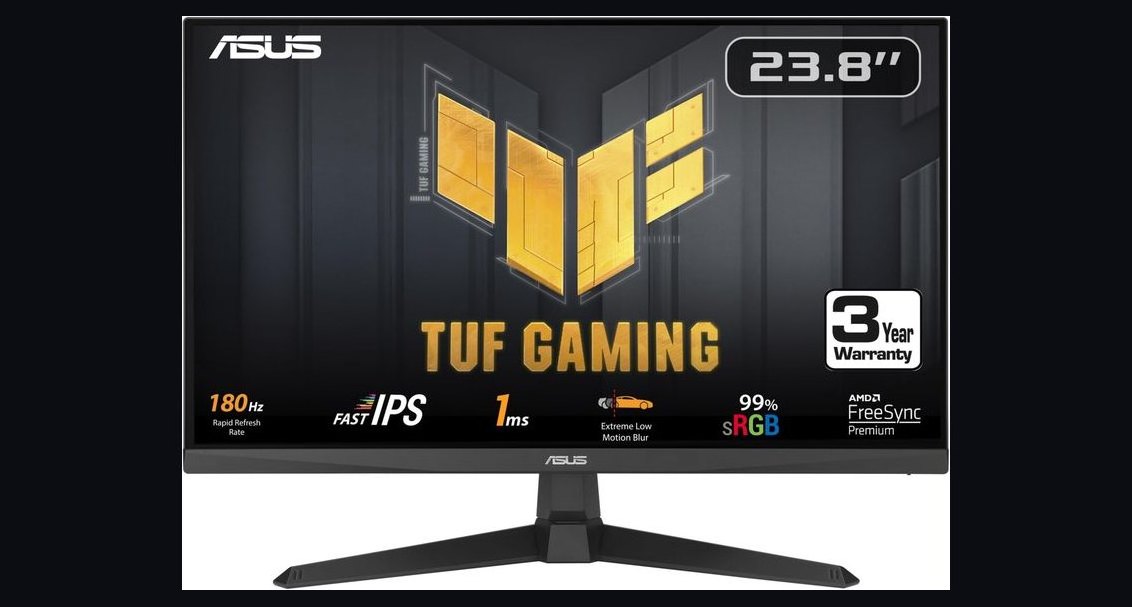
About 15–20% of the total, which is $130–$250 for most beginner budgets. Prioritize a refresh rate of 144Hz or higher at 1080p over jumping to 1440p at 60Hz. Refresh rate is more noticeable than resolution at typical desk viewing distances.
Can you build a decent gaming PC for under $700?
With all-new parts it is very difficult in 2027 and the result will be compromised. Using a used graphics card or an off-lease desktop as the base makes $600–$700 achievable for a machine that handles 1080p adequately. Under $700, the console path is usually the stronger choice.
What is the cheapest complete setup that is still genuinely good?
Roughly $700: a digital-edition console at $400–$450, a $130 144Hz 1080p monitor, a $60 wired headset with a microphone, and existing or secondhand furniture. Every element is adequate, nothing is a bottleneck, and it plays current titles well.
How much do the first-year running costs add?
Plan $200–$400 for year one. That covers an online subscription at $60–$130 annually or a game catalog at $10–$18 monthly, plus a handful of games. Buying titles twelve to eighteen months after release cuts software spending by 50–70%.
FAQ
What is the realistic total cost of a beginner gaming setup in 2027?
Between $700 and $1,500 all-in for a complete setup. The console cluster lands at $650–$900 including a monitor, a headset, and a second controller. The entry PC cluster lands at $1,100–$1,500 including the machine, a high-refresh monitor, keyboard and mouse, a headset, and basic furniture. Both figures assume new hardware at standard retail; buying two or three components used typically subtracts $200–$350 from either.
How should I split the budget across components?
Cap the gaming device at 60–65% of your total, allocate 15–20% to the display, 10–12% to keyboard, mouse, and headset, and reserve the final 10% for furniture, cables, tax, and contingency. This split holds at every budget level. The reason it works is that the weakest link in the chain determines the experience, and a balanced setup at $900 feels better than an unbalanced one at $1,200.

Do I really need a gaming monitor, or will any screen do?
Any screen will display the game, but a 144Hz-or-higher panel is the most noticeable upgrade available at its price — typically only $60–$80 above the equivalent 60Hz model. For the console path, a TV you already own is genuinely fine. For a PC, the high-refresh panel is worth prioritizing over a marginally faster graphics card.
Is a prebuilt PC worth the premium over building it myself?
The premium is $150–$300, which buys assembly, a single warranty covering the whole machine, and a support line when it will not boot. For a beginner with no technical fallback, that is often good value. If you buy one, check the power supply wattage and rating, whether the RAM is in two sticks, and the drive capacity — those are where cost is most often removed quietly.
What hidden costs catch first-time buyers?
Sales tax at 6–10%, storage that fills within months, cables and adapters, a mousepad, a surge protector, a second controller, and the game library itself. Individually small, collectively $150–$300. Recurring costs are the other blind spot: online subscriptions and game purchases add $200–$400 in the first year on top of the hardware.
Should I buy used components?
Yes, selectively. Monitors, cases, power supplies, desks, and chairs age slowly and trade at steep discounts secondhand, and previous-generation consoles are excellent value. Buying two or three of these used frees $150–$300 with no meaningful experiential downside. Be more cautious with heavily used storage drives, and always test a used machine before completing the purchase.
Sources
- https://www.rtings.com/monitor
- https://www.tomshardware.com/best-picks
- https://www.pcgamer.com/hardware/
- https://www.anandtech.com/
- https://www.techspot.com/
- https://www.ign.com/
- https://arstechnica.com/gaming/
- https://www.eurogamer.net/digitalfoundry
- https://www.theverge.com/gaming
- https://www.bls.gov/cpi/
Related on PULSE
- How much does a 1440p gaming monitor cost in 2027?
- Prebuilt vs. self-built gaming PC: which is cheaper over four years?
- What are the real first-year running costs of console gaming?
- How much storage does a modern gaming PC actually need?
- Is a used graphics card a safe buy for a first gaming PC?
This page will be disappearing soon. Save it to your device for $1 — or read it free while it is here.
@Kory-White- · if Venmo asks, the last 4 of my number are 2012
This page is gone.
This one is off the shelf now. $1 keeps it on your phone for good — the whole page, pictures and diagrams included.
 pulse-recentThe 10 Best Budget Gaming Consoles Under $300 in 2027
 pulse-recentTop 10 Best-Selling Atari 2600 Games of All Time in 2027
 pulse-recentTop 10 Most Expensive Limited Edition PlayStation 5 Consoles in 2027
 pulse-recentWhat's the fastest way to become a professional esports commentator in 2027?
 pulse-recentTop 10 Gaming Chairs Under $100 in 2027
 pulse-recentTop 10 Most Expensive Big Box PC Games to Buy in 2027
 pulse-recentTop 10 Most Expensive Limited Edition Nintendo Switch Consoles in 2027
 pulse-recentHow many hours does it take to beat the longest open-world games in 2027?
 pulse-recentThe 10 Best Fighting Games for Competitive Play in 2027
 pulse-recentThe 10 Best Budget Gaming Monitors Under $250 in 2027