


What is the average annual cost of gaming accessories and peripherals in 2027?
Quality
Certified
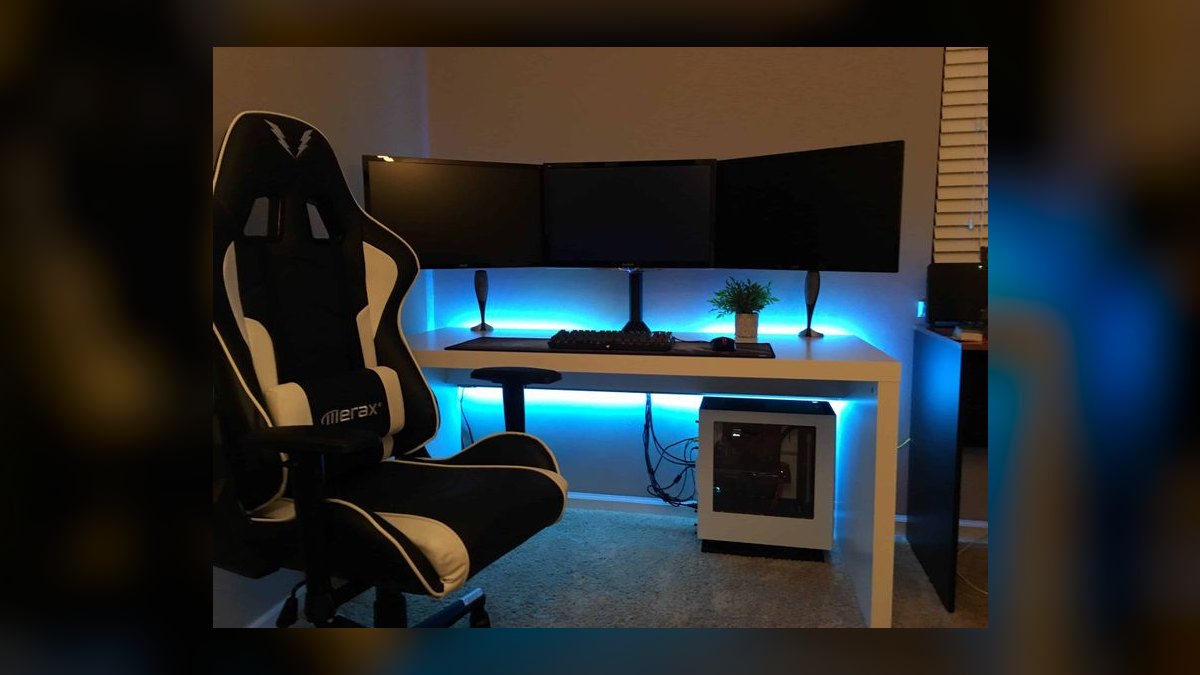
Most active gamers spend roughly $150 to $400 per year on gaming accessories and peripherals, with the average annual figure for a typical PC or console player landing near $250 in 2027. Casual players often spend under $100, while competitive and enthusiast users routinely exceed $600 through frequent upgrades and replacements.
What "average annual accessory spend" actually measures
The phrase "average annual cost of gaming accessories and peripherals" hides three different questions, and confusing them is why published figures range from $60 to over $1,000. Getting a usable number means deciding which of the three you care about before you look at any data.
The first question is replacement cost: what does a player spend in a given year to keep a working setup running? This is the smallest number. A mouse, keyboard, headset, and controller that all still function generate zero spend in a maintenance year. The only outlays are consumables and failures — a worn mousepad, a controller with stick drift, an earpad set that has crumbled. For a player with a stable setup, replacement-only spend is frequently $0 to $60 in a quiet year.
The second question is amortized cost of ownership: what is the yearly share of everything currently on the desk? This is the number that behaves most like a real "average." If a player owns a $70 mouse expected to last three years, a $110 keyboard expected to last five, a $130 headset expected to last three, a $65 controller expected to last two, a $25 mousepad expected to last two, and a $60 webcam or microphone expected to last four, the annualized total is roughly $23 + $22 + $43 + $33 + $13 + $15, or about $149 per year. That figure is stable, defensible, and useful for budgeting — and it is well below what most players believe they spend.
The third question is observed cash outlay: what actually left the bank account in the last twelve months? This is the number that spikes. It is lumpy because peripheral purchases cluster — a new console or GPU triggers a controller, headset, and sometimes a monitor purchase in the same month. Observed outlay in an upgrade year can be three to six times the amortized figure, then near zero for two years afterward.

The scope boundary matters as much as the method. Most reasonable definitions of "accessories and peripherals" include the mouse, keyboard, headset or headphones, microphone, controller or gamepad, mousepad, controller charging dock, capture card, webcam, racing wheel, flight stick, fight stick, cables, USB hubs, and desk-mount arms. Most definitions exclude the monitor or TV, the chair, the desk, the PC or console itself, and any software or subscription. Monitors are the single biggest classification swing: including a $300 to $700 display can double a household's stated annual accessory spend on its own. When comparing your number to any published figure, check whether displays are in or out before concluding you overspend.
There is also a household-versus-player distinction. A two-gamer household shares a TV and often a router but not controllers or headsets. Per-household accessory spend in multi-gamer homes typically runs 1.5x to 1.8x the single-player figure, not 2x, because some items are shared and hand-me-downs flow between users.
Why this cost line keeps rising and where it stabilizes
Accessory spend behaves differently from game spend. Games are a recurring content cost; peripherals are a durable-goods cost with a replacement cycle. Three forces have been pushing the annual figure upward.

Category expansion. A 2010-era setup was a mouse, keyboard, and maybe a headset. A 2027-era setup for the same player commonly adds a dedicated microphone, a webcam or capture device for streaming, a controller for the games that play better on one, a second controller for couch co-op, a charging dock, and often a stream deck-style macro pad. The per-item price has not necessarily risen much in real terms, but the item count has roughly doubled. Category expansion, not inflation, is the main driver of a higher average.
Wireless everywhere. Wireless mice, keyboards, and headsets carry a $20 to $60 premium over wired equivalents at similar build quality, and they introduce a battery-driven end of life. A wired headset can last eight years; a wireless one is often functionally dead at four to five when the internal cell no longer holds a session's charge and is not user-replaceable. Wireless raises both the purchase price and the replacement frequency, which compounds in the annual figure.
Cross-platform duplication. Players who own both a console and a PC frequently maintain two headsets, two controllers, and sometimes two mice, because wireless dongles and platform-specific pairing make sharing awkward. Duplication adds an easy $100 to $200 per year of amortized cost that a single-platform player never incurs.
Against those, two forces push the number down. Used and refurbished markets for peripherals have matured — a two-year-old flagship mouse often sells for 40 to 50 percent of launch price, and buying at that tier meaningfully lowers amortized cost without lowering quality. And durability at the mid tier has genuinely improved: optical and hall-effect switches have made "the mouse click double-fires" and "the stick drifts" less inevitable than they were, extending replacement cycles for people who buy into those technologies.

The practical stabilization point is this: once a player has bought into a category (they own a headset, a mouse, a keyboard, a controller), their annual cost converges toward the amortized replacement rate of that basket, not the purchase price. Someone who has finished building their setup and buys mid-tier durable gear settles around $120 to $200 per year indefinitely. Someone who upgrades on release cycles never stabilizes, because they are buying replacement before the previous item's useful life ends — which is a preference, not a defect, but it should be budgeted as a hobby line rather than a maintenance line.
The step-by-step process for calculating your own number
The published average is only useful as a benchmark. Your number is calculable in about twenty minutes and is far more actionable. Here is the process.
Step one: inventory everything on and around the desk. Write down each item, not each category. Two controllers are two lines. Include cables and the mousepad — they are small individually and add up to $40 to $80 annually in aggregate.
Step two: record what each item actually cost you, not its list price. If you bought a $130 headset on sale for $85, use $85. If it was a gift or a hand-me-down, use $0 for cash-outlay purposes but use market value if you want a true cost-of-ownership figure. Be explicit about which of the two you are computing — mixing them produces a meaningless total.
Step three: assign each item an expected life in years. Reasonable defaults, absent evidence from your own history: wired mouse 4 years, wireless mouse 3, mechanical keyboard 6, membrane keyboard 3, wired headset 4, wireless headset 3, controller 2 to 3 under heavy use, mousepad 2, microphone 6, webcam 4, cables 3. Adjust down if you play many hours daily or have a history of killing controllers; adjust up if your gear historically outlives these.
Step four: divide cost by expected life for each item and sum. That sum is your amortized annual accessory and peripheral cost. For most people it lands between $110 and $280.
Step five: reconcile against last year's actual card statements. Search transaction history for the twelve-month window and total every peripheral purchase. If actual outlay came in far above the amortized figure, you had an upgrade year and should expect the next two to run low. If it came in far below, you are living on a setup that is aging and should expect a catch-up year.
Step six: add a failure reserve. Peripherals fail unpredictably. A reserve of 15 to 20 percent above the amortized figure covers the year a headset dies in February and a controller dies in September. Without it, every failure feels like an unbudgeted shock even though failures are statistically routine.
Run this once and it stays accurate for years, because the only inputs that change are prices paid and items added.
Costs, timelines, and typical ranges by player profile
Concrete ranges are more useful than a single average, because the variance across player types is enormous. The following are typical amortized annual figures for a single player, displays excluded.
The casual console player. Owns one controller, uses the TV's speakers or a $40 headset, no keyboard or mouse for gaming. Basket cost: roughly $65 controller plus $40 headset plus a $20 charging cable. Amortized across a 3-year controller life and 4-year headset life, this comes to roughly $40 to $75 per year. The dominant risk is controller drift, which can turn a $40 year into a $105 year with one failure.
The mainstream PC player. Mid-tier wired or entry-wireless mouse, mechanical keyboard, wired headset, mousepad, one controller for platformers and racing games. Total basket roughly $340 to $450, replaced on a 3-to-5-year rhythm. Amortized: $100 to $160 per year. This is the most common profile and sits closest to the population average.

The multi-platform player. PC plus at least one console. Two headsets, two to three controllers, a mouse and keyboard, a charging dock, extra cables. Basket roughly $600 to $850. Controllers dominate the replacement cycle. Amortized: $200 to $300 per year.
The competitive or high-hours player. Frequently upgrades to chase specific specs — low click latency, high polling rate, low weight. Owns backups because a failure mid-season is unacceptable. Replaces mouse and mousepad on a 1-to-2-year rhythm regardless of function. Amortized: $350 to $600 per year, and observed outlay in any given year can exceed $800.
The streaming or content-creating player. Adds a dedicated microphone with an arm and interface, a webcam or camera, a capture card, lighting, and a macro pad. These items are durable — a good microphone lasts a decade — but the entry cost is high. Basket adds $400 to $900 on top of the gaming basket. Amortized incremental: $80 to $180 per year, declining sharply after the first two years because audio and capture gear ages slowly.
The sim enthusiast. Racing wheels, pedal sets, flight sticks, throttle quadrants, and rigs occupy a category of their own, with entry setups starting around $250 and serious ones running past $1,500. Amortized annual cost for a committed sim player commonly runs $200 to $500, but the replacement cycle is long — force feedback wheels routinely last six to eight years — so the cost is heavily front-loaded and then very low.
On timelines: the highest-spend year in a player's life is almost always the year they change platforms or build a new PC, because peripherals get replaced alongside. The second highest is the year they take up a new adjacent hobby — streaming or sim racing. Between those events, spend decays toward the maintenance floor.
Where people get the estimate wrong

Comparing an upgrade year to an average. The single most common error is measuring the last twelve months during a rebuild and concluding that is the annual rate. It is not; it is the peak of a multi-year cycle. Average across at least three years, or use amortization, before drawing any conclusion about whether spend is high.
Including or excluding the display inconsistently. As noted, monitors swing the total more than any other single item. If you include yours, say so, and compare only to figures that also include displays. A $500 monitor on a 6-year life adds $83 per year on its own — more than the entire controller line for most players.
Ignoring the wireless battery cliff. People budget wireless peripherals against the replacement cycle of wired ones. A wireless headset with a non-replaceable cell has a hard end of life that has nothing to do with whether the drivers still sound good. Budget wireless gear on a 3-year life, not the 5-to-8 you might get from a wired equivalent, or the annual figure will be systematically understated.
Underestimating controller replacement. Controllers are the highest-turnover item in most setups and the one people most consistently forget when building a budget. A household with two heavy players can go through three to four controllers across a few years. At $60 to $75 each, this is often the largest single line in the accessory budget — larger than the mouse and keyboard combined.
Treating sale prices as the baseline. Buying on sale is smart, but building a budget that assumes every purchase happens at 35 percent off means the year a critical item dies at full price blows the budget. Budget at typical price, and treat sale savings as a surplus rather than an assumption.

Forgetting the small-item tail. Cables, adapters, USB hubs, replacement earpads, keycaps, screws for a mount arm, and mousepad replacements are each trivial and collectively material. In most inventories the tail is $50 to $110 per year and is entirely invisible until you total it. It is also the easiest line to reduce — buying one good hub instead of three cheap ones has a real payback.
Counting gifts as zero when planning. Gifted peripherals reduce cash outlay but not cost of ownership or replacement obligation. When the gifted headset dies, the replacement is on you. Plan the replacement cycle on all owned items, not only the ones you paid for.
Decision framework: when to spend and when to hold
Not every peripheral purchase is equal. The useful question is not "can I afford it" but "does this purchase buy durability, capability, or comfort" — and the answer changes the right amount to spend.
Spend on durability when the item has failed on you before. If you have replaced two controllers to drift, the next purchase should prioritize hall-effect sticks even at a $20 to $30 premium, because you have direct evidence that the cheap path costs more over three years. Durability spending is justified by your own failure history, not by reviews.
Spend on comfort when hours are high. Anything touching your body for four hours a day — headset clamp, mouse shape, keyboard height — has a comfort payback that a spec sheet does not capture. This is the one category where trying before buying, or buying from a retailer with a real return window, is worth paying slightly more for.

Hold on capability upgrades unless you can name the constraint. Higher polling rates, lower weights, and faster switches are real, but they matter at the margin of competitive play. If you cannot state which specific thing your current gear is preventing you from doing, the upgrade is a preference purchase. That is a legitimate way to spend money on a hobby — it just should not be budgeted as a necessity.
Buy the previous generation when the current one is new. The largest reliable discount in peripherals is the last flagship after a refresh, typically 30 to 50 percent off within a few months. For most categories the generational difference is small relative to that discount.
Buy new, not used, for anything with a battery or a wear surface. Used mechanical keyboards and microphones are excellent value. Used wireless headsets, wireless mice, and controllers are not, because the battery and stick modules are the failure points and their remaining life is unknowable.
The framework's real value is that it separates the maintenance budget from the hobby budget. Maintenance is non-negotiable and predictable — around $100 to $200 per year for most people. Hobby spend is discretionary and should be capped deliberately rather than absorbed silently into "gaming costs."
Related questions
Does the annual cost differ between PC and console players?
Yes, and usually in favor of console. Console players need fewer categories — no gaming mouse, keyboard, or mousepad — but controllers turn over faster and headsets are often platform-specific. Net, console-only players typically run 30 to 50 percent below comparable PC players on amortized annual accessory cost.
Should a monitor count as a gaming peripheral?
Convention usually excludes it, treating displays as part of the core system alongside the PC or console. If you include yours, disclose it, since a mid-range display can add $60 to $100 per year in amortized cost and roughly double a typical accessory figure on its own.
How much should a first-time setup budget for accessories?

A functional entry PC basket — mouse, keyboard, headset, mousepad — runs about $130 to $200 new. Adding a controller pushes it to roughly $200 to $270. Buying previous-generation or refurbished can cut that by a third without a meaningful drop in usable quality.
What single item has the biggest impact on annual cost?
Controllers, for most households, because they have the shortest replacement cycle and are often owned in multiples. A heavy-use household replacing controllers every two years can spend more on them annually than on the mouse, keyboard, and mousepad combined.
Do subscriptions or games count in this figure?
No. Accessories and peripherals are physical hardware. Game purchases, online service subscriptions, in-game currency, and cloud gaming fees belong in a separate content budget, and mixing them produces figures that cannot be compared to any published hardware estimate.
FAQ
Is $250 a year a reasonable planning number for one gamer?
For a mainstream single-platform player, $250 is comfortable and slightly conservative — most land between $110 and $200 amortized. For a multi-platform or high-hours player, $250 is roughly the floor. Start at $250, track for a year, and adjust toward whatever your own inventory math produces.
Why do published estimates vary so widely?

Because they measure different things. Some report observed twelve-month outlay among people who bought something, which excludes the many players who bought nothing that year and inflates the average. Others include monitors, chairs, or desks. Always check the scope and the population before comparing.
How much can careful buying actually reduce the annual figure?
Realistically 25 to 40 percent, achieved through buying previous-generation gear on discount, choosing wired over wireless where it does not matter, buying used for battery-free items, and replacing on failure rather than on release schedule. Below that, you start trading comfort and durability for savings that reverse over three years.
Do accessory costs scale with hours played?
Partly. Wear-driven items — controllers, mousepads, earpads, keyboard switches — scale roughly with hours. Purchase-driven items do not: a player logging forty hours a week does not need two microphones. Above roughly twenty hours weekly, expect replacement cycles to shorten by about a third.
What is the cheapest sustainable annual accessory budget?
Around $50 to $70 per year for a single console or PC player who buys durable wired gear, replaces only on failure, and skips the streaming and sim categories entirely. That is a genuinely functional setup — it just has no headroom for a bad year with two simultaneous failures.
Should I build a sinking fund for peripherals?
Yes, and it is the single highest-return budgeting habit here. Setting aside your amortized monthly figure — typically $10 to $20 — converts unpredictable failures into a non-event. It also makes the true cost visible, which tends to make upgrade decisions more deliberate.
Sources
- https://www.bls.gov/cex/ — U.S. Bureau of Labor Statistics Consumer Expenditure Surveys, the standard reference for household spending categories including entertainment hardware.
- https://www.theesa.com/ — Entertainment Software Association, publisher of annual industry and player-demographic reports.
- https://www.census.gov/retail/index.html — U.S. Census Bureau Monthly Retail Trade, including electronics and appliance store sales data.
- https://www.consumerreports.org/ — Consumer Reports, independent product durability and reliability testing.
- https://www.rtings.com/ — RTINGS, standardized lab testing of headsets, mice, keyboards, and monitors with measured build-quality data.
- https://www.ifixit.com/ — iFixit, teardown and repairability scoring, useful for judging whether a peripheral's battery or switches can be serviced.
- https://www.statista.com/markets/417/topic/480/gaming/ — Statista gaming market data, including hardware and accessory segment figures.
- https://www.newzoo.com/ — Newzoo, games market research covering player counts and spending behavior.
- https://www.ftc.gov/business-guidance/resources/businesspersons-guide-federal-warranty-law — FTC guidance on warranty coverage, relevant to peripheral replacement rights.
Related on PULSE
- How much do gamers spend on games versus hardware each year
- What is the real total cost of ownership of a gaming PC
- How long do gaming controllers and headsets actually last
- Wired versus wireless gaming peripherals: cost over five years
- How to budget for a streaming setup without overbuying
- When is it worth upgrading a gaming monitor
This page will be disappearing soon. Save it to your device for $1 — or read it free while it is here.
@Kory-White- · if Venmo asks, the last 4 of my number are 2012
This page is gone.
This one is off the shelf now. $1 keeps it on your phone for good — the whole page, pictures and diagrams included.
 pulse-recentHow many gaming subscriptions does the average gamer have in 2027?
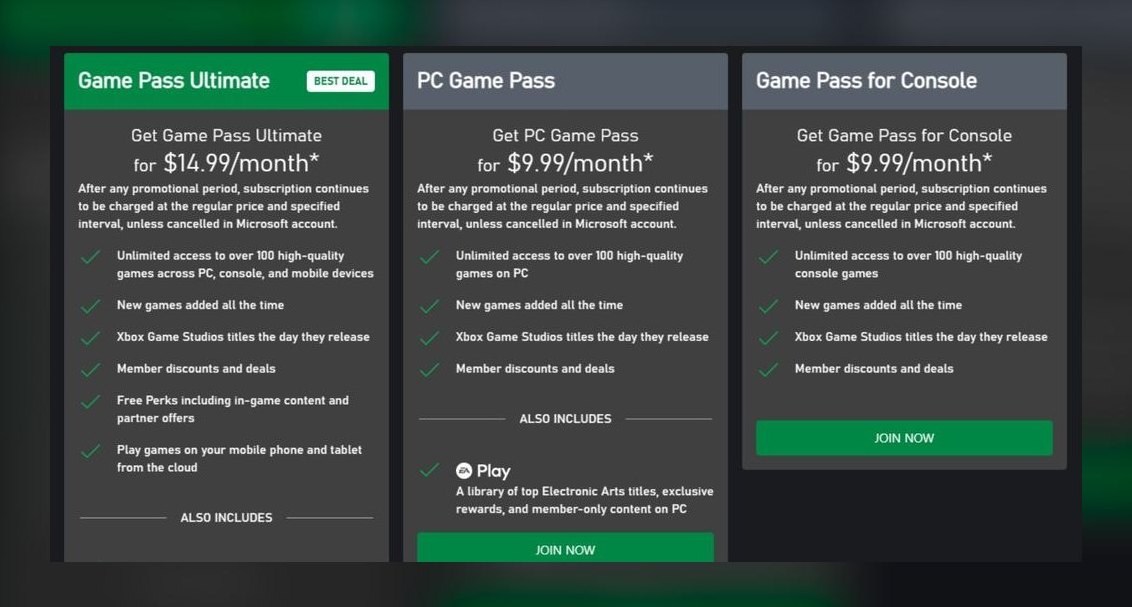 pulse-recentThe 10 Best Gaming Subscriptions for Their Price in 2027
 pulse-recentHow many hours does it take to beat the longest open-world games in 2027?
 pulse-recentTop 10 Most Expensive Big Box PC Games to Buy in 2027
 pulse-recentThe 10 Best Open-World Games with the Highest Player Engagement in 2027
 pulse-recentTop 10 Most Expensive Limited Edition Nintendo Switch Consoles in 2027
 pulse-recentTop 10 Most Expensive Factory-Sealed Sega Saturn Games in 2027
 pulse-recentTop 10 Most Expensive Funko Pop Video Game Figures to Buy in 2027
 pulse-recentTop 10 Best-Selling Nintendo Switch Games of All Time in 2027
 pulse-recentWhat are the most common mistakes new players make in competitive shooters in 2027?