


Launch / Growth Rocket Icon — Icon / Clip Art
Quality
Certified

A Launch/Growth Rocket icon is a stylized vector graphic depicting a rocket in upward motion, often with flames or an arrow, used to symbolize startup acceleration, product launches, and revenue growth. Clip art versions are widely available in free and premium icon sets across SVG, PNG, and EPS formats, with individual icon prices ranging from free to approximately $5 and curated packs costing $10–$50 or more depending on licensing scope.
The Two Main Options Compared: Free vs. Premium Rocket Icons
When sourcing a Launch/Growth Rocket icon for RevOps materials, you generally choose between free clip art and premium licensed assets. Free options from platforms like Flaticon or Freepik offer immediate access with no upfront cost but typically require attribution in your slide footer or website credits. These free icons are usually flat vector SVGs with basic color schemes, limited to one or two style variants, and often restrict commercial use to internal presentations rather than customer-facing assets. Premium icons from marketplaces such as The Noun Project, Iconfinder, or Adobe Stock cost $2–$15 per individual icon or $10–$50 for curated sets of 10–30 icons. The key differences extend beyond price: premium sets include multiple style variants (line art, filled, gradient, isometric, 3D), higher resolution PNG exports at 2x–3x scale (up to 2048x2048px), and extended licensing for trademark registration or merchandise. For a startup building a brand identity around a Growth narrative, a premium icon with an extended license ($50–$200) ensures you can trademark the mark without legal risk. For internal QBR decks or one-off social media graphics, a free icon with proper attribution is adequate. The trade-off is control versus cost: free icons lock you into the creator's color palette and style constraints, while premium assets give you editable vector layers, multiple color swatches, and often a matching icon family for consistent visual language across your entire Growth deck, pipeline dashboard, and revenue reporting templates. File format availability also diverges significantly: free icons often provide only SVG and PNG at 512x512px, whereas premium sets include EPS for print production, ICO for favicons, and multi-resolution PNGs suitable for retina displays. Licensing terms for free icons typically permit internal use with attribution but prohibit modification, resale, or trademark filing—restrictions that can derail a RevOps team building a branded analytics portal. Premium standard licenses grant broader rights for web, print, and digital advertising, while extended licenses cover unlimited print runs, merchandise, and logo use. The decision ultimately shapes not just your immediate graphic but your entire asset pipeline: free icons sourced ad-hoc from different creators result in mismatched stroke weights, proportions, and visual tone across your slide deck, whereas a premium icon set provides a cohesive visual language that reinforces brand recognition across every touchpoint from sales proposals to executive dashboards.

How to Decide Between Free and Premium Rocket Icons
The decision hinges on three factors: usage context, budget, and long-term scalability. For a one-time product launch slide deck used internally with fewer than 50 viewers, a free rocket icon from Flaticon (with attribution in the footer) is a practical choice—you spend zero dollars and get a clean vector in under two minutes. However, if that same icon will appear in a customer-facing SaaS dashboard, a mobile app icon, or a trademarked logo, the calculus changes. Premium icons offer legal indemnification, multiple file formats (SVG, EPS, PNG, ICO), and a broader color palette that can be recolored to match your brand's exact hex codes. Budget also plays a role: a single premium icon at $5–$15 is negligible for a funded startup but may be a barrier for a freelancer or side project. The scalability factor is critical—if you anticipate needing a family of icons (growth chart, revenue gauge, sales funnel, pipeline stages), a premium icon set at $30–$50 provides consistent styling across all assets, whereas mixing free icons from different creators often results in mismatched stroke weights, proportions, and visual tone. For most B2B RevOps teams, the sweet spot is a paid icon subscription ($10–$20/month) that gives access to thousands of icons, including rocket and growth symbols, with a standard commercial license that covers internal and external use. Another consideration is the time cost of adapting free icons: recoloring a free SVG in Figma to match your brand palette takes 10–20 minutes, converting formats adds another 5–10 minutes, and testing contrast on light and dark backgrounds may require additional iterations. At a blended designer rate of $50–$100 per hour, these adaptation costs effectively add $12.50–$50 to the "free" icon's true cost—often exceeding the price of a premium icon outright. For teams without dedicated design resources, purchasing a premium icon from a marketplace with built-in color customization tools (like The Noun Project's color editor or Iconfinder's style filters) reduces adaptation time to near zero. The decision framework also includes legal risk assessment: if your Growth metric dashboard will be shared externally with prospects or investors, a free icon without proper attribution could trigger a copyright claim that damages professional credibility. Premium licenses typically include indemnification clauses that protect you against such claims, making them the safer choice for any asset that crosses the boundary from internal to external use.
Concrete Numbers Behind Each Option
Understanding the real costs and technical specifications helps you budget accurately for your Launch/Growth Rocket icon needs. Free icons from platforms like Freepik or Flaticon come with a standard attribution requirement—if you fail to credit the creator, you risk a takedown notice or, in rare cases, a copyright claim. Premium standard licenses for a single rocket icon typically cost $2.99 on Iconfinder, $3.50 on The Noun Project, or $12.99 for a curated set of 10–20 icons on Creative Market. Extended licenses, which allow trademark registration and unlimited print runs, range from $49 to $199 per icon depending on the marketplace and the creator's pricing tier. Subscription services offer better per-icon economics: Envato Elements ($16.50/month) provides unlimited downloads of icons, graphics, and templates, including thousands of rocket and Growth-themed vectors. Flaticon's premium plan ($9.99/month) unlocks all icons without attribution and includes SVG editing capabilities. For a RevOps team producing 5–10 decks per quarter, a subscription saves significant money compared to individual purchases—at $16.50/month for Envato Elements, your annual cost is $198, which is less than purchasing 10 individual premium icons at $3.50 each ($35 total for 10 icons, but with limited variety and no flexibility for future needs). The subscription model also gives you access to complementary icons (growth charts, revenue gauges, pipeline funnels) that maintain consistent visual styling across your entire deck. File format availability also varies: free icons are often limited to SVG and PNG at 512x512px, while premium sets include EPS for print, ICO for favicons, and multi-resolution PNGs up to 2048x2048px. The technical cost of upgrading a free icon to a usable state—recoloring in Figma, converting formats, or adding missing stroke weights—can take 15–30 minutes of designer time, which at a blended rate of $50–$100/hour effectively adds $12.50–$50 to the "free" icon's true cost. For a team without dedicated design resources, purchasing a premium icon outright is often cheaper than the labor required to adapt a free one. Resolution requirements also drive cost considerations: if your rocket icon will appear in a printed brochure at 300 DPI, you need a vector format (SVG or EPS) that scales without pixelation. Free icons in PNG format at 512x512px will appear blurry when printed at full-page size, requiring you to either purchase a higher-resolution version or recreate the icon from scratch. Premium icon sets typically include print-ready EPS files with CMYK color profiles, eliminating this conversion step entirely. For web use, consider the impact on page load speed: an optimized SVG rocket icon weighs 2–8 KB, while a PNG at 2x resolution can weigh 50–150 KB. Free icons often lack SVG optimization, resulting in larger file sizes that slow down your Growth dashboard or landing page. Premium marketplaces like Iconfinder and The Noun Project provide minified SVGs with clean code, reducing file size by 30–50% compared to free alternatives. These technical details translate directly to real costs in development time, hosting bandwidth, and user experience—factors that a simple price comparison overlooks.

Implementation Details and Sequencing
Deploying a Launch/Growth Rocket icon effectively requires a structured workflow from selection to final placement. Begin by choosing the appropriate file format based on your output medium: SVG for web and UI, EPS for print, and PNG at 2x resolution for presentations. If you downloaded a free icon with attribution, add the credit line to your slide footer, website credits page, or documentation—typical formats include "Icon by [Creator Name] from [Platform Name]" or a hyperlink. For premium icons, no attribution is needed, but you should retain the purchase receipt as proof of license in case of audit. Next, recolor the icon to match your brand palette. In Figma or Adobe Illustrator, open the SVG, select the rocket body and flame elements, and apply your brand's primary and secondary hex codes. For gradient icons (like the Pulse accent gradient using #0066FF to #7C3AED), ensure the color stops align with your style guide. Export the final asset at multiple sizes: 24x24px for UI buttons, 48x48px for dashboard widgets, 128x128px for app icons, and 800x800px for hero sections. Test the icon against dark and light backgrounds—if it uses a transparent background, verify that the rocket's outline remains visible on both white (#FFFFFF) and dark (#1a1a2e) surfaces. For animated implementations (web or video), create a CSS keyframe animation with a subtle upward float of 5–10px over 2–3 seconds, or a gentle scale pulse from 1.0 to 1.05. Avoid complex particle effects or rapid motion that could trigger vestibular disorders. Finally, document the icon's file path, color values, and license type in your team's asset library or design system so all stakeholders use the correct version and understand usage rights. For PowerPoint presentations specifically, insert the SVG via Insert > Pictures > Picture from File, then use the Graphics Format tab to recolor directly within PowerPoint—this preserves vector quality and allows real-time color adjustments without leaving the application. For Google Slides, upload the SVG as an image and use the Format Options panel to adjust transparency and drop shadows. For web dashboards built with React or Vue, import the SVG as a component and pass color props for dynamic theming—this approach enables the rocket icon to adapt to dark mode or brand-specific color schemes without duplicating assets. For email marketing, use PNG at 2x resolution (e.g., 96x96px for a 48x48px display) to ensure sharp rendering on retina screens, and include alt text like "Growth Rocket Icon - Revenue Acceleration" for accessibility and deliverability. For print materials, convert the SVG to EPS with CMYK color space and embed all fonts or convert text to outlines to prevent rendering issues across different printers. Always include a 4px padding around the icon in layout grids to prevent clipping in responsive designs or crop marks in print. For team collaboration, store the master SVG in a shared design system repository (Figma Community, Adobe Creative Cloud Libraries, or a GitHub repo) with version control and clear naming conventions like "icon-rocket-growth-v2.svg" to avoid confusion with older iterations. Document the license key or purchase order number in the asset metadata so any team member can verify usage rights during audits or legal reviews. This implementation sequence ensures consistency across all touchpoints—from the first product launch slide to the hundredth revenue dashboard—while minimizing rework and legal exposure.
Related questions
What is the best file format for a rocket icon in PowerPoint?
SVG is best because it scales without quality loss and can be recolored directly in PowerPoint. Export your rocket icon as an SVG file, then insert it via Insert > Pictures > Picture from File. PNG at 300 DPI is a fallback if SVG rendering causes issues.
Can I use a free rocket icon in my company logo?
Only if you purchase an extended license. Free icons with attribution or standard licenses explicitly prohibit use in logos or trademarks. Using a free icon in a logo exposes your company to legal risk if the creator enforces their copyright.
How do I animate a rocket icon for a website?
Use CSS keyframes with a translateY property to create a floating effect. Add @keyframes float { 0% { transform: translateY(0px); } 50% { transform: translateY(-8px); } 100% { transform: translateY(0px); } } and apply it to the icon with a 3-second duration and ease-in-out timing.
What size should a rocket icon be in a dashboard?
Use 16–24px for inline metrics and 32–48px for section headers. Larger sizes (64px+) are reserved for empty states or onboarding screens. Maintain a 4px padding around the icon to prevent clipping in responsive layouts.
Are there accessibility concerns with rocket icons?
Yes. Ensure the icon has a text label or aria-label for screen readers. Avoid using the icon alone to convey meaning—pair it with text like "Growth Rate" or "Revenue Increase." Also verify color contrast against the background using WCAG 2.1 AA standards.
FAQ
What does this Launch/Growth Rocket icon represent? This vector illustration shows a rocket launching upward with an arrow, symbolizing business growth, startup acceleration, or rapid progress. It is commonly used in presentations, marketing materials, or website designs to convey momentum and success in revenue generation.
Can I use this icon for commercial projects? Yes, the icon is available as clip art and can typically be used in commercial work, but you should check the specific license terms from the source. Most free-tier licenses require attribution, while premium ones may not. Always verify the license covers your specific use case.
Is this icon suitable for a website or app interface? Absolutely—it works well as a visual metaphor for growth-focused sections like "Our Mission," "Product Launch," or "Results." Its clean, modern style fits both web and mobile designs without overwhelming the layout. Use SVG format for responsive scaling across devices.
What file format is this icon available in? The icon is typically offered as a vector file (SVG, EPS, or AI) and as a raster PNG. Vector formats allow you to resize it without losing quality, making it ideal for everything from small buttons to large banners. Premium sets often include multiple format options.
How do I customize the colors of this rocket icon? If you download the vector version (e.g., SVG or AI), you can easily change the colors using design software like Adobe Illustrator, Figma, or Inkscape. Raster versions (PNG) are harder to recolor without losing quality. Premium marketplaces often include built-in color editors.
Is this icon free to download, or do I need a subscription? On Freepik, basic access is free with attribution, but high-resolution or ad-free downloads may require a premium subscription. Prices for premium plans typically range from around $10 to $20 per month, depending on the tier. Individual premium icons cost $2–$15.
Sources
- The Noun Project — extensive library of icons and clip art, including rocket and launch symbols: https://thenounproject.com
- Flaticon — large collection of vector icons and stickers, with searchable rocket and growth-related designs: https://www.flaticon.com
- Iconfinder — marketplace for icons and clip art, featuring various rocket and launch-themed graphics: https://www.iconfinder.com
- Adobe Stock — stock asset platform offering professional icons, clip art, and illustrations: https://stock.adobe.com
- Shutterstock — stock photography and vector art repository with a wide range of rocket and growth icons: https://www.shutterstock.com
- Freepik — resource for free and premium vector graphics, including clip art and icon sets: https://www.freepik.com
- Creative Market — curated marketplace for design assets, including icon packs and clip art bundles: https://creativemarket.com
- Envato Elements — subscription service for unlimited downloads of icons, graphics, and templates: https://elements.envato.com
Related on PULSE
This page will be disappearing soon. Save it to your device for $1 — or read it free while it is here.
@Kory-White- · if Venmo asks, the last 4 of my number are 2012
This page is gone.
This one is off the shelf now. $1 keeps it on your phone for good — the whole page, pictures and diagrams included.
 graphicGTM Strategy Compass Icon — Icon / Clip Art
 graphicClosed-Won Check Icon — Icon / Clip Art
 graphicRevenue Trend Icon — Icon / Clip Art
 graphicRetention / Trust Shield Icon — Icon / Clip Art
 graphicGrowth Bar Chart Icon — Icon / Clip Art
 graphicSales Email Icon — Icon / Clip Art
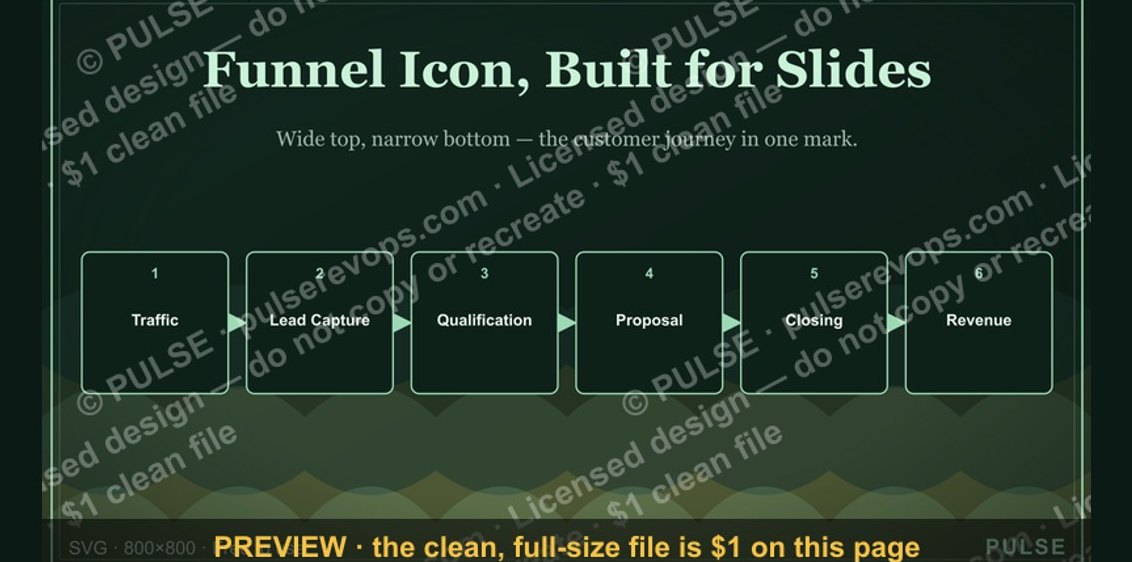 graphicSales Funnel — Icon / Clip Art
 graphicBooked Meeting Icon — Icon / Clip Art
 graphicMilestone / Goal Flag Icon — Icon / Clip Art
 graphicOutreach / Announce Icon — Icon / Clip Art