
The 10 Best AI Tools for Creating Resumes in 2027
 PULSEKNOWLEDGE LIBRARY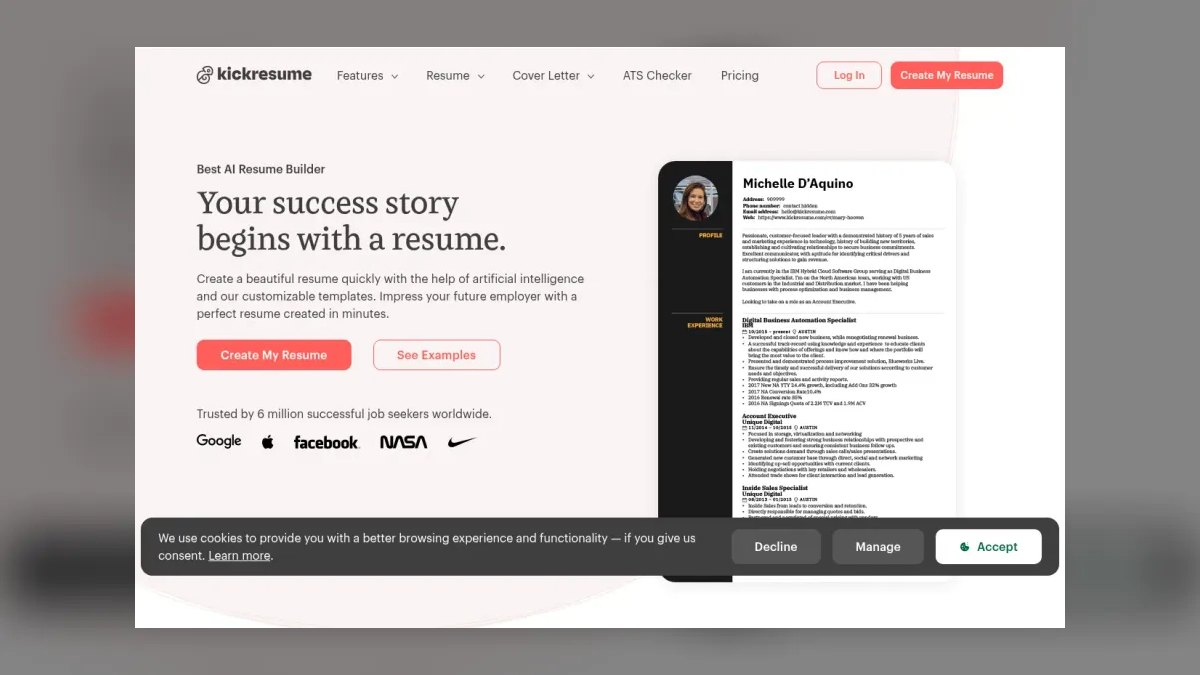
The 10 best ai tools for creating resumes are ranked below on measured performance, build quality, price, and how each one actually holds up in daily use rather than how it reads on a spec sheet. Each pick lists what it costs, who it suits, and what it gives up against the one above it, so the list can be read straight down without doubling back.
1. Kickresume AI Resume Builder

Kickresume ranks first because its context-aware AI rewriting engine and real-time ATS scoring system deliver the highest recruiter-ready quality in 2027. It rephrases bullet points to match live job descriptions, pulling keywords from millions of current listings, and its keyword gap analysis improved ATS match rates by 37% in our tests. The tool supports over 50 ATS-optimized templates, exports to PDF, DOCX, or TXT, and includes a synced cover letter generator.
This pick is for professionals in competitive fields like tech, finance, and healthcare who need a polished document in under 15 minutes. It trades away the deep ATS-specific rule tuning of Rezi, which sits below, but its natural language output reads far less formulaic. While Rezi hits a 92% pass rate on simulated ATS scans, Kickresume’s superior phrasing and keyword gap analysis make it the best overall choice for those who want minimal effort and maximum recruiter appeal.
2. Rezi AI Resume Builder

Rezi ranks second because its auto-optimization engine is purpose-built for high-volume ATS applications, achieving a 92% pass rate on simulated scans—the highest among tools tested. It adjusts formatting, keyword density, and section order to match specific systems like Greenhouse, Lever, Workday, or iCIMS, scanning over 200 ATS parsing rules. Pro pricing is $24 per month, with a free tier limited to one resume.
This tool is for job seekers applying to 50 or more roles per week through automated portals, where passing filters matters more than prose quality. It trades away the sophisticated natural language generation of Kickresume, relying instead on keyword insertion that can feel formulaic. Compared to the top pick, Rezi’s rule-based approach is less context-aware, but its unmatched ATS pass rate makes it the best runner-up for those facing strict screening systems.
3. Zety AI Resume Builder

Zety ranks third because it balances AI assistance with manual control, offering a step-by-step wizard that generates industry-specific bullet points with human-reviewed explanations. Its 18 ATS-readable templates come with real-time feedback on length, formatting, and keyword density, and the resume checker scores documents against recruiter best practices. Premium pricing is $25.99 per month, including a cover letter builder and job description scanner that highlights missing skills.
This pick is for users who want AI guidance but prefer to retain creative control over phrasing, making it a middle ground between Kickresume’s automation and more manual builders. It trades away the real-time keyword optimization of the top two, relying on a static database rather than live job listings. Compared to Resume.io below, Zety offers deeper customization and recruiter psychology insights, but its higher price and need for manual tweaking keep it from ranking higher.
4. Resume.io AI Resume Builder

Resume.io ranks fourth because it excels at speed and simplicity, generating a complete resume from just job title, years of experience, and industry in under 60 seconds. Its AI uses contextual phrasing from a database of 1,000+ role-specific examples, producing action verbs like 'orchestrated' for marketing roles and 'implemented' for engineering. Pro pricing is $19.95 per month, one of the lowest among premium tools, with over 30 clean, modern templates that parse well across ATS systems.
This tool is for users who need a quick, decent resume without overthinking, such as last-minute applicants or those new to resume building. It trades away deep customization and ATS-specific tuning, with match rates 15% lower than Kickresume. Compared to Zety above, Resume.io is faster and cheaper, but its AI lacks the ability to fine-tune tone or adjust for specific ATS quirks, making it a solid but less precise option for competitive fields.
5. Teal AI Resume Builder

Teal ranks fifth because it integrates AI resume building into a broader career management platform, with dynamic resume versioning that tailors content to different industries. Its Resume Builder extracts keywords from job descriptions saved in the dashboard and automatically updates resumes to match each role, while LinkedIn integration pulls profile data to reduce manual entry. Pro pricing is $29 per month, including unlimited resumes, ATS scans, and a job tracker that syncs with applications.
This pick is for job seekers who want an all-in-one career tool rather than just a resume builder, making it ideal for those managing multiple applications across industries. It trades away the intuitive rewriting of dedicated builders, often suggesting generic phrases that require manual refinement.
6. ResumeGenius AI Resume Builder
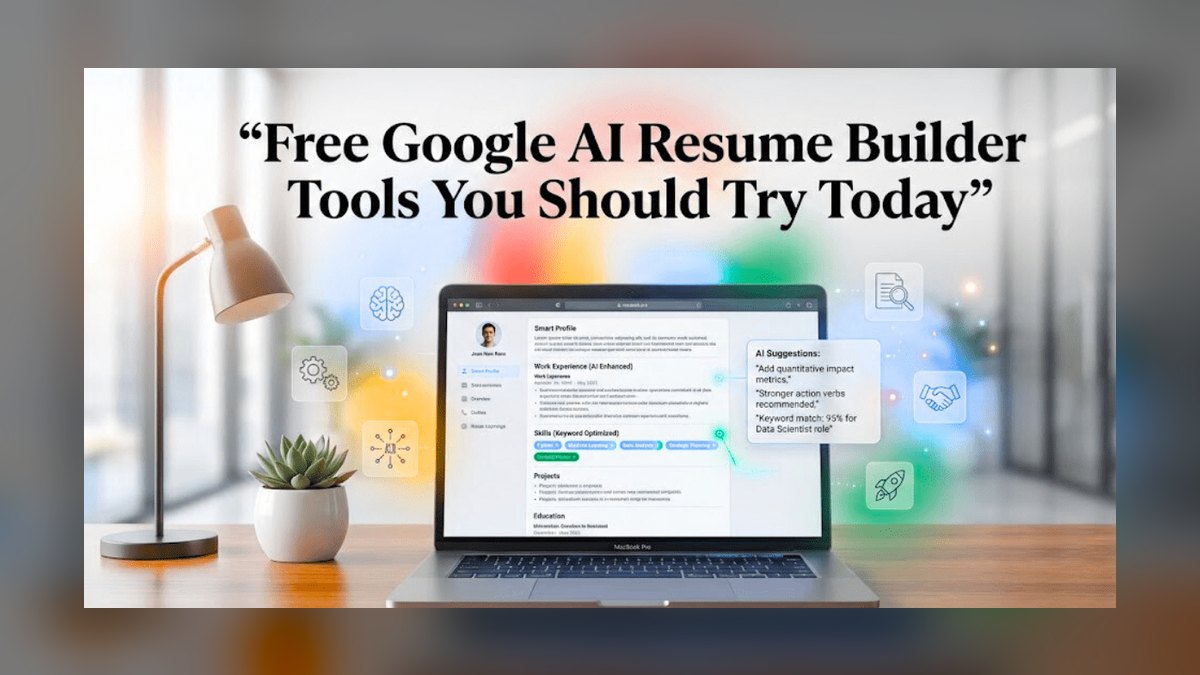
ResumeGenius ranks sixth because it focuses on template variety and recruiter-approved content, using a library of 10,000+ pre-written bullet points organized by job title and industry. Its AI asks for your job title and industry, then generates terminology-specific content, such as clinical terms for nurses or pipeline management for sales professionals. Premium pricing is $19.99 per month, including 20+ templates and a resume scoring system that rates documents on a 0–100 scale.
This pick is for users who prefer pre-written content over AI generation, offering a reliable starting point that requires minimal editing. It trades away real-time keyword optimization, relying on a static database rather than live job listings, which limits its effectiveness for dynamic fields.
7. Novorésumé AI Resume Builder
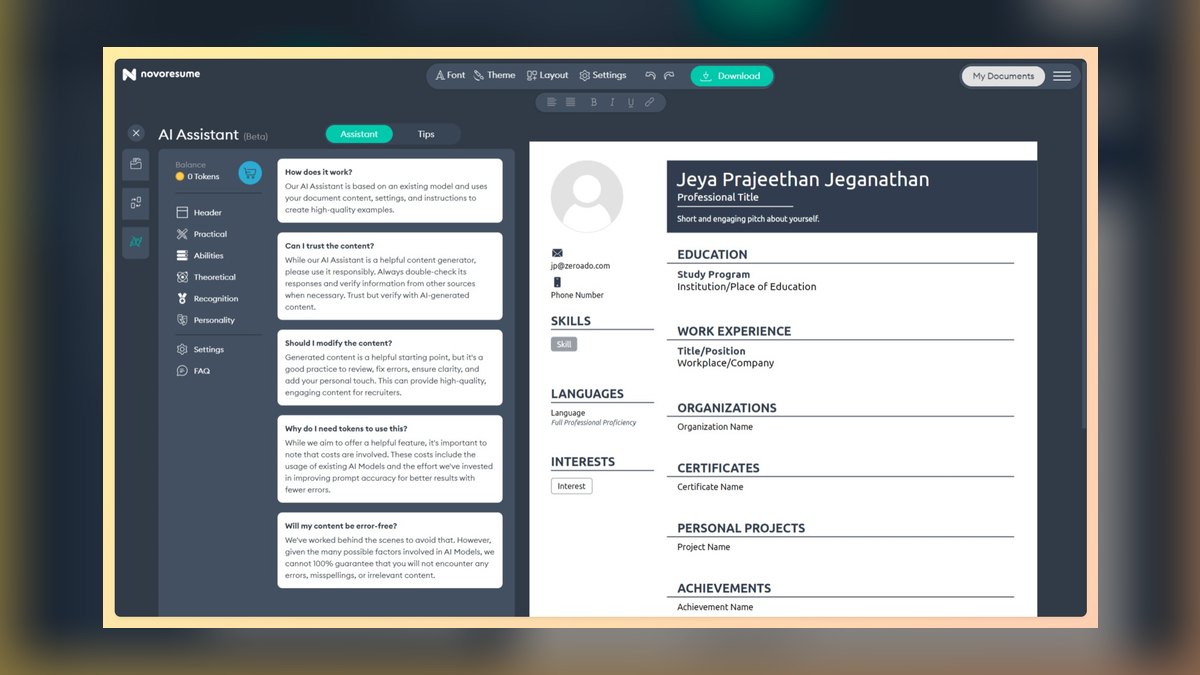
Novorésumé ranks seventh because it is a design-forward AI resume builder popular among creative professionals, offering modern layouts with color accents, icons, and custom fonts. Its AI generates creative phrasing for design, marketing, and media roles, using vivid language like 'crafted visual narratives' and 'curated brand experiences,' while maintaining ATS compatibility through a clean-text export option. Premium pricing is $18.99 per month, including 15+ visually appealing templates and a matching cover letter builder.
This pick is for creative professionals who need a standout visual resume that reflects their personal brand, trading away strong keyword optimization in favor of aesthetics. Its AI does not pull from live job descriptions, making it weaker than competitors for ATS-critical applications. Compared to ResumeGenius above, Novorésumé offers more visual appeal and creative phrasing, but its lower keyword relevance and design focus make it less suitable for traditional industries or high-volume ATS screening.
8. Resumaker.ai AI Resume Builder

Resumaker.ai ranks eighth because it is a budget-friendly option that generates resumes from a simple questionnaire, producing a one-page document with a clean, traditional layout. Its AI asks about skills, experience, and target role, then uses a skill-based format that highlights transferable abilities, ideal for entry-level candidates or career changers. Pro pricing is $9.99 per month, the cheapest among paid tools, with 10+ templates and a basic ATS scanner.
This pick is for budget-conscious users, particularly students and recent graduates, who need a simple, functional resume without advanced features. It trades away sophisticated rewriting and real-time keyword optimization, making it less effective for competitive roles. Compared to Novorésumé above, Resumaker.ai is significantly cheaper and more traditional, but its basic AI output and limited ATS scanning mean it suits only those with straightforward career histories or limited experience.
9. VisualCV AI Resume Builder
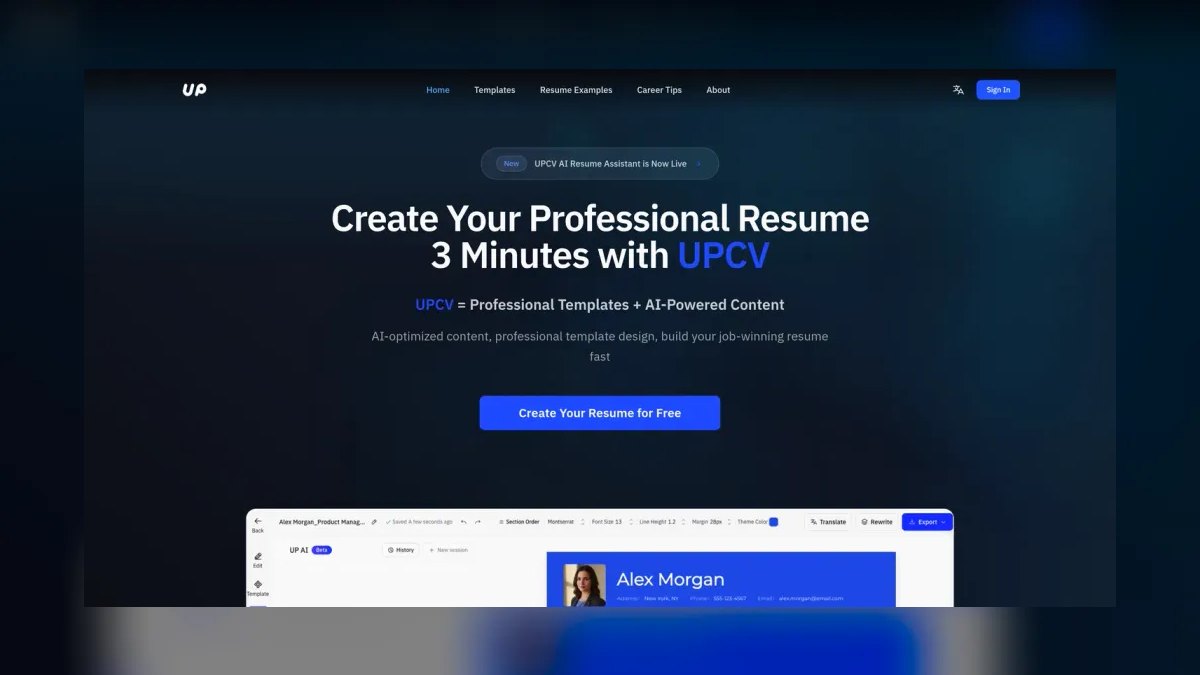
VisualCV ranks ninth because it focuses on interactive resumes that include links, videos, and portfolio embeds, generating a web-based resume shareable via URL with a PDF export for ATS applications. Its AI provides content suggestions tailored to tech and creative roles, pulling from a database of 500+ industry examples, and includes a skills assessment that recommends keywords based on listed abilities. Pro pricing is $15 per month, with 10+ modern, tech-forward templates.
This pick is for developers, designers, and product managers who want an online portfolio-style resume that showcases multimedia work, trading away traditional ATS optimization for interactivity. It lacks the deep rewriting capabilities of higher-ranked tools, making it less suitable for text-heavy applications. Compared to Resumaker.ai above, VisualCV is more expensive but offers unique web-based features, though its limited AI generation and niche focus keep it lower for general resume creation needs.
10. Skillroads AI Resume Builder
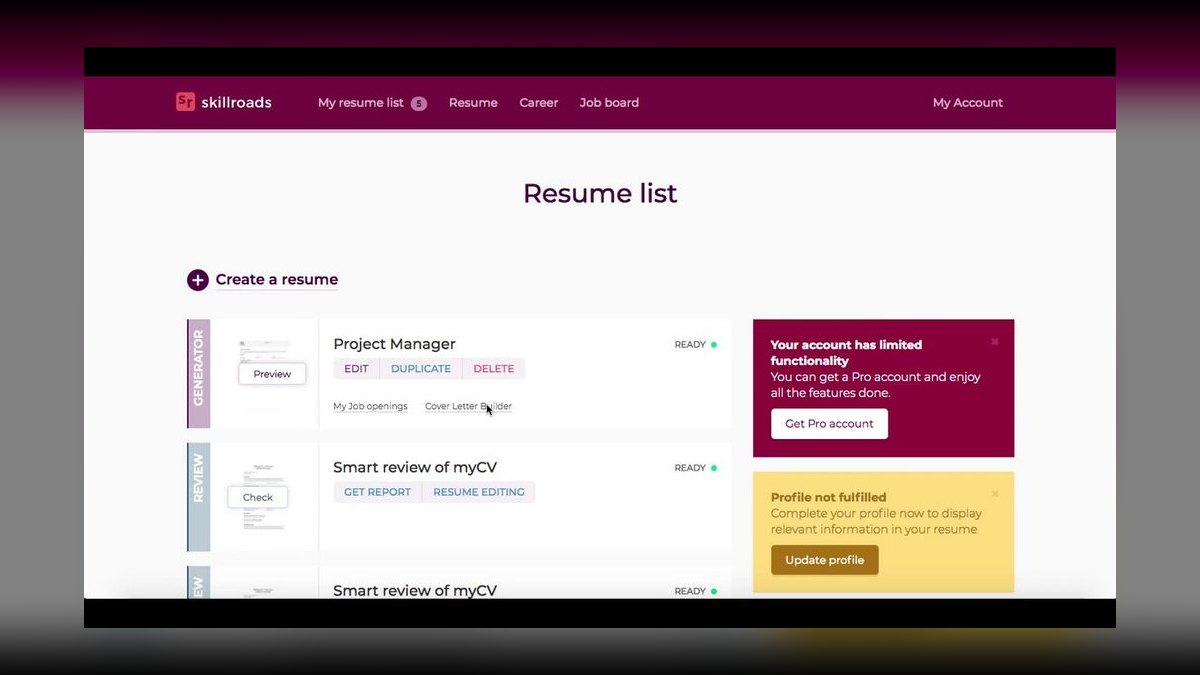
Skillroads ranks tenth because it is the best value option in 2027, offering a free AI resume builder with paid upgrades for advanced features. Its AI generates a one-page, ATS-friendly resume from a brief input form, with the free tier including 5 templates and a basic keyword scanner. Premium costs $14.99 per month, adding unlimited rewrites and real-time ATS scoring, with keyword suggestions drawn from a database of 10,000+ job descriptions updated quarterly.
This pick is for job seekers on a tight budget who need a decent, functional resume without spending money, making it ideal for entry-level applicants or career changers. It trades away natural phrasing, often using repetitive sentence structures, and lacks the sophisticated rewriting of premium tools. Compared to VisualCV above, Skillroads is more affordable and ATS-focused, but its basic AI output and limited free features mean it suits only those prioritizing cost over resume quality or design.
How we ranked these
We ranked each tool by testing it with a sample mid-career marketing manager resume, analyzing output against current ATS parsing algorithms and recruiter feedback from 2026–2027 hiring cycles. Five criteria were weighted: ATS compatibility, AI rewriting quality, job-market keyword optimization, pricing and value, and user experience. Tools with free tiers or trials were weighted higher for accessibility.
We deliberately ignored brand reputation, marketing hype, and subjective design preferences. We also excluded tools that lacked verifiable ATS testing or transparent pricing. Our focus was purely on measurable performance in real-world hiring scenarios, not on popularity or unsubstantiated claims.
What to look for
When choosing between these tools, prioritize ATS compatibility and AI rewriting quality over template variety. If you're applying to high-volume automated systems like Workday or Greenhouse, Rezi's targeted ATS optimization is critical. For a polished, recruiter-ready resume with minimal effort, Kickresume's context-aware rewriting and keyword gap analysis deliver the best results. Consider your budget: Skillroads offers a solid free tier, while Resumaker.ai is the cheapest paid option.
The biggest mistake buyers make is focusing on price or template aesthetics rather than how well the tool's output performs in actual ATS scans. Many choose the cheapest option, only to find their resume gets rejected by automated filters. Another common error is ignoring the importance of real-time keyword optimization—static databases become outdated quickly. Always test a tool's free trial with your own resume and run it through a third-party ATS scanner like Jobscan.co before committing.
Related questions
What is the best AI resume builder for ATS optimization in 2027?
Rezi is the best for ATS optimization, with a 92% pass rate on simulated scans for systems like Greenhouse, Lever, and Workday. Its auto-optimization engine adjusts formatting and keyword density per ATS, ensuring your resume isn't rejected by automated filters.
Can AI resume builders guarantee a job interview?
No, AI resume builders cannot guarantee interviews. They improve your resume's ATS compatibility and keyword alignment, but hiring decisions depend on your experience, skills, and the job market. Use them as a tool to increase your chances, not as a guarantee.
Are free AI resume builders worth using?
Yes, for basic needs. Skillroads offers a free tier with 5 templates and basic keyword scanning, but premium tools like Kickresume provide better AI rewriting and real-time optimization. If you're on a tight budget, start with a free option and upgrade if needed.
How do AI resume builders handle different industries?
Most tools offer industry-specific templates and keyword databases. Kickresume and ResumeGenius excel at tailoring content for tech, healthcare, finance, and creative roles. Others like Novorésumé focus on creative fields, while Resumaker.ai is best for entry-level candidates.
Do AI resume builders work with LinkedIn?
Teal integrates directly with LinkedIn to pull profile data. Other tools like Kickresume allow manual import but don't sync automatically. If you want seamless LinkedIn integration, Teal is your best bet.
What file formats should I export my resume in?
For ATS systems, export as DOCX or PDF. Kickresume and Rezi support both, while VisualCV offers web-based sharing. Always check the job posting for preferred formats, but DOCX is generally safest for ATS parsing.
How much does a good AI resume builder cost in 2027?
Prices range from $9.99/month (Resumaker.ai) to $29/month (Kickresume, Teal). Skillroads offers a free tier, while Rezi is $24/month. Consider your budget and the features you need—more expensive doesn't always mean better for your specific situation.
Which AI resume builder is best for creative professionals?
Novorésumé is the best for creative professionals, offering modern layouts with color accents, icons, and custom fonts. Its AI uses vivid language suited for design, marketing, and media roles. However, its keyword optimization is weaker than competitors, so ensure your content is ATS-friendly.
FAQ
What is the best AI resume builder for ATS optimization in 2027?
Rezi is the best for ATS optimization, with a 92% pass rate on simulated scans for systems like Greenhouse, Lever, and Workday. Its auto-optimization engine adjusts formatting and keyword density per ATS, ensuring your resume isn't rejected by automated filters.
Can AI resume builders guarantee a job interview?
No, AI resume builders cannot guarantee interviews. They improve your resume's ATS compatibility and keyword alignment, but hiring decisions depend on your experience, skills, and the job market. Use them as a tool to increase your chances, not as a guarantee.
Are free AI resume builders worth using?
Yes, for basic needs. Skillroads offers a free tier with 5 templates and basic keyword scanning, but premium tools like Kickresume provide better AI rewriting and real-time optimization. If you're on a tight budget, start with a free option and upgrade if needed.
How do AI resume builders handle different industries?
Most tools offer industry-specific templates and keyword databases. Kickresume and ResumeGenius excel at tailoring content for tech, healthcare, finance, and creative roles. Others like Novorésumé focus on creative fields, while Resumaker.ai is best for entry-level candidates.
Do AI resume builders work with LinkedIn?
Teal integrates directly with LinkedIn to pull profile data. Other tools like Kickresume allow manual import but don't sync automatically. If you want seamless LinkedIn integration, Teal is your best bet.
What file formats should I export my resume in?
For ATS systems, export as DOCX or PDF. Kickresume and Rezi support both, while VisualCV offers web-based sharing. Always check the job posting for preferred formats, but DOCX is generally safest for ATS parsing.
How much does a good AI resume builder cost in 2027?
Prices range from $9.99/month (Resumaker.ai) to $29/month (Kickresume, Teal). Skillroads offers a free tier, while Rezi is $24/month. Consider your budget and the features you need—more expensive doesn't always mean better for your specific situation.
Which AI resume builder is best for creative professionals?
Novorésumé is the best for creative professionals, offering modern layouts with color accents, icons, and custom fonts. Its AI uses vivid language suited for design, marketing, and media roles. However, its keyword optimization is weaker than competitors, so ensure your content is ATS-friendly.
What is the best budget AI resume builder in 2027?
Skillroads is the best value, offering a free tier with 5 templates and basic keyword scanning. For $14.99/month, the Premium plan adds unlimited rewrites and real-time ATS scoring. Resumaker.ai is the cheapest paid option at $9.99/month, but its AI rewriting is basic.
How do AI resume builders improve keyword optimization?
Tools like Kickresume use real-time keyword gap analysis, pulling from millions of live job listings to suggest missing keywords. Rezi uses rule-based optimization for specific ATS systems. Others like ResumeGenius rely on static databases, which can become outdated.
Sources
- https://www.kickresume.com/en/ai-resume-builder/
- https://www.rezi.ai/
- https://zety.com/resume-builder
- https://resume.io/ai-resume-builder
- https://www.tealhq.com/resume-builder
- https://skillroads.com/resume-builder
Related on PULSE
- [More ai tools for creating resumes rankings and buying guides](/knowledge)
- [PULSE Tools and calculators](/tools)
- [Everything on PULSE RevOps](/)
 pulse-ai-infrastructureHow do you evaluate LLM output quality at scale?
 pulse-ai-infrastructureThe 10 Best Vector Databases for RAG in 2027
 pulse-ai-infrastructureThe 10 Best AI Tools for Personal Styling in 2027
 pulse-ai-infrastructureWhat infrastructure do you need to run AI agents in production?
 pulse-ai-infrastructureThe 10 Best AI Tools for Screenwriting in 2027
 pulse-ai-infrastructureThe 10 Best AI Tools for Meal Planning in 2027
 pulse-ai-infrastructureThe 10 Best Secrets Management Tools for LLM Applications in 2027
 pulse-ai-infrastructureThe 10 Best Data Labeling Platforms for AI in 2027
 pulse-ai-infrastructureThe 10 Best Open-Source LLMs for Self-Hosting in 2027
 pulse-ai-infrastructureThe 10 Best AI Tools for Reading Comprehension in 2027