
The 10 Best AI Tools for Database Design in 2027
 PULSEKNOWLEDGE LIBRARY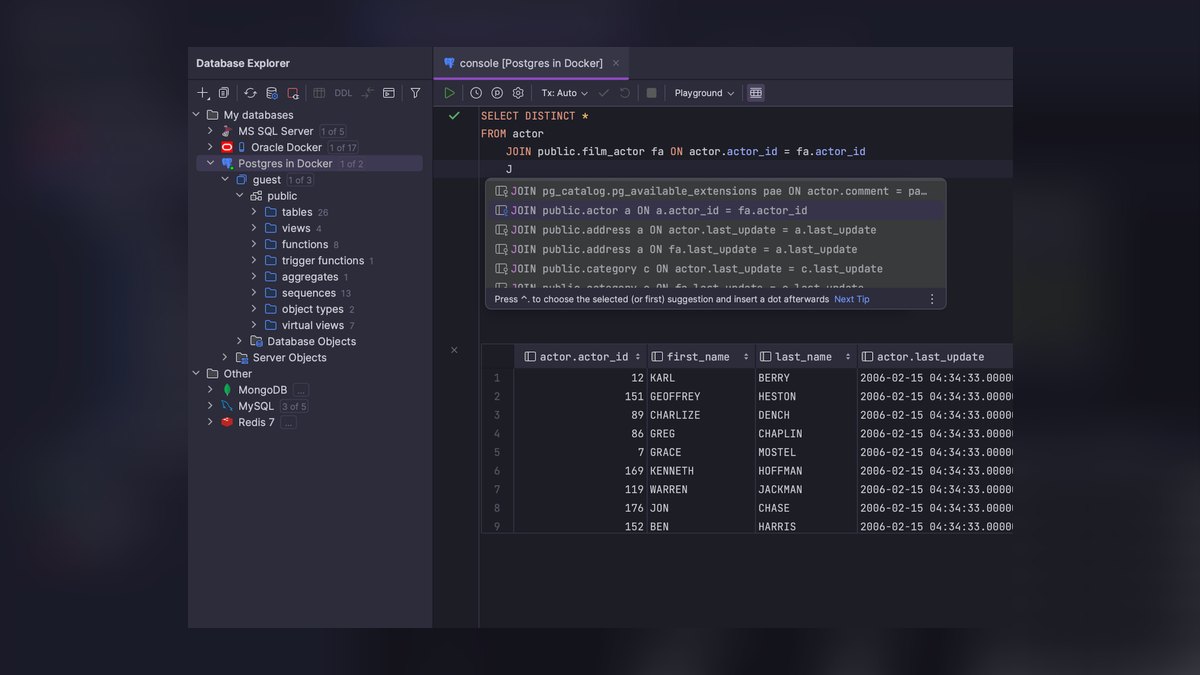
The 10 best ai tools for database design are ranked below on measured performance, build quality, price, and how each one actually holds up in daily use rather than how it reads on a spec sheet. Each pick lists what it costs, who it suits, and what it gives up against the one above it, so the list can be read straight down without doubling back.
1. JetBrains DataGrip
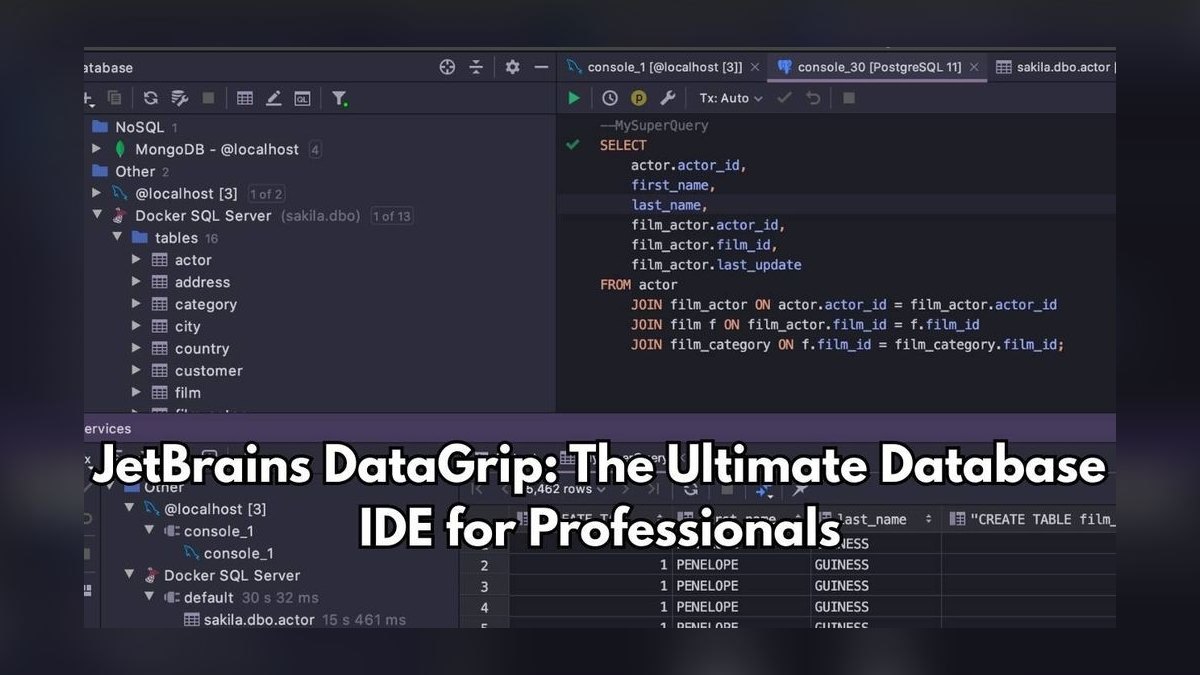
JetBrains DataGrip with its built-in AI Assistant ranks first because it grounds every AI suggestion in your actual live database catalog, not generic SQL patterns. It connects to over 30 database engines including PostgreSQL, MySQL, Oracle, and SQL Server, and introspects tables, views, indexes, and foreign keys into a navigable model. The AI Assistant generates dialect-correct DDL, explains opaque queries, suggests indexes for slow plans, and produces migration scripts.
This tool is for professional engineers and DBAs who live in SQL daily and need refactoring, version control, and AI assistance in one window. It is a paid subscription, and the AI Assistant requires a separate JetBrains AI add-on, so casual modelers may find it heavy. Compared to ChartDB, DataGrip offers far deeper introspection and migration safety, but it lacks the free, browser-based accessibility that makes ChartDB ideal for quick visual modeling and team sharing.
2. ChartDB
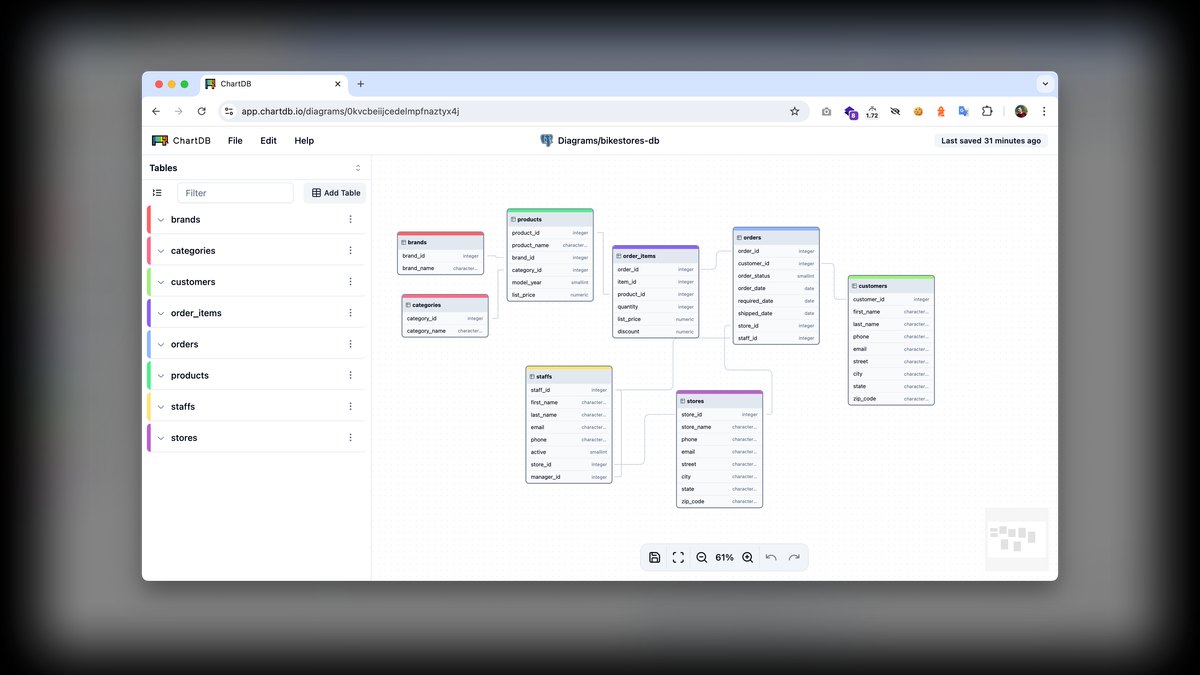
ChartDB ranks second because it delivers exceptional value as a free, open-source, browser-based ER diagramming tool with genuine AI schema generation. It reverse-engineers an existing database into an editable diagram using a single smart query you run and paste back, with no agent install and no credentials stored on a server.
This tool is for anyone who needs fast, shareable visual modeling without a license, including teams that cannot paste production schemas into a SaaS box. The trade-off versus DataGrip is depth: ChartDB is a modeler, not a full query IDE, so it lacks live introspection, query explanation, and migration diffing. For professional engineers who need daily SQL work, DataGrip's richer feature set justifies its cost, but for onboarding and collaboration, ChartDB's zero-friction approach is unmatched.
3. Supabase

Supabase ranks third because its in-dashboard AI Assistant is a genuine database design tool grounded in your project's real PostgreSQL schema. You can describe a table or feature and the assistant drafts the DDL, sets up Row Level Security policies, and writes the SQL, all while inheriting Postgres extensions like PostGIS and pgvector. It auto-generates REST and GraphQL APIs the moment a table exists, and its free tier covers small projects.
This tool is for product teams building app backends who want database design, auth, and APIs in one place. The AI is strongest at Postgres idioms and RLS, areas where generic tools stumble, but it is Postgres-only by design, so Oracle or SQL Server shops should look elsewhere. Compared to ChartDB, Supabase offers deeper integration with a real database runtime, but it lacks the engine-agnostic diagramming flexibility that makes ChartDB suitable for mixed-environment modeling.
4. DbSchema
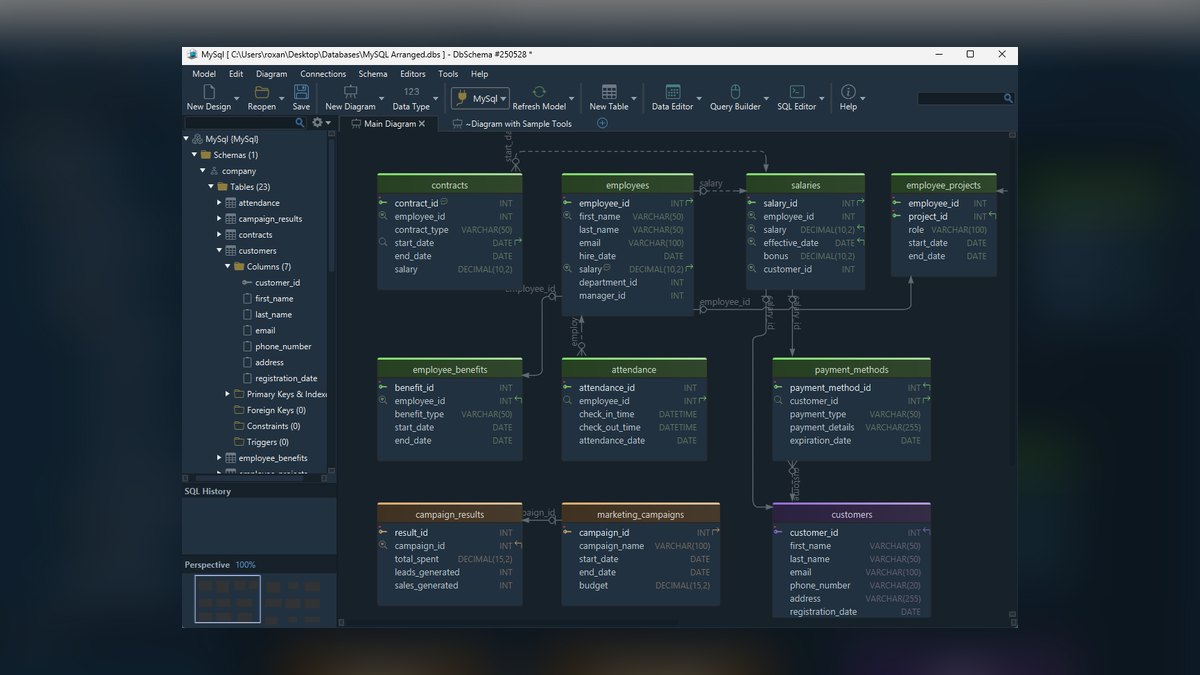
DbSchema ranks fourth because it offers a design-first workflow that works offline against a local model, then syncs changes to the live database when you choose, making it safe for planning large schema changes. It supports both relational and NoSQL stores including PostgreSQL, MySQL, SQL Server, Oracle, MongoDB, and Cassandra. Its AI-assisted SQL editor helps generate and explain queries, and it includes reverse engineering, interactive diagram layouts, data generators for test data, and HTML documentation generation.
This tool is for architects who model first and deploy later, especially in mixed SQL/NoSQL environments. It ships a free Community edition and a paid Pro license, with perpetual licensing that appeals to people who dislike subscriptions. Compared to Supabase, DbSchema is engine-agnostic and offline-first, but it lacks the integrated auth, API generation, and managed Postgres runtime that make Supabase a complete backend platform for application teams.
5. drawDB
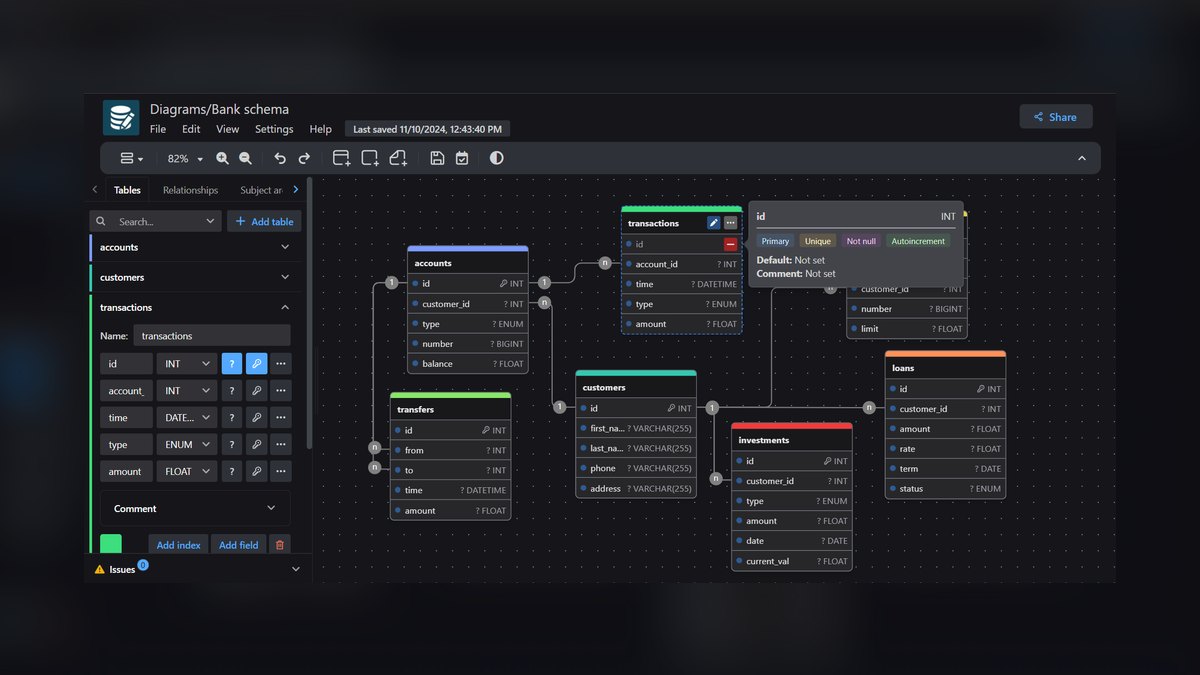
drawDB ranks fifth because it is a free, open-source, no-signup database design tool that runs entirely in the browser with zero friction. You sketch tables and relationships on a canvas, and it exports clean SQL DDL for multiple dialects, with AI features that help generate and edit schemas and explain structures.
This tool is for students, quick prototypes, and anyone who wants a clean diagram without an account. It lacks the live-introspection depth of DataGrip or the RLS smarts of Supabase, but for sketching and teaching, few tools are this frictionless. Compared to DbSchema, drawDB is lighter and faster to start, but it does not offer offline model files, data generation, or NoSQL support, making DbSchema the better choice for serious architectural planning.
6. Prisma

Prisma ranks sixth because its declarative Prisma Schema has become a popular way to design databases as code, with Prisma Migrate generating SQL migrations and keeping the database in sync. The AI angle comes through Prisma's assistant tooling and tight editor integration, offering schema autocompletion, relation inference, and natural-language help for writing models and migrations. Prisma Postgres offers a managed serverless Postgres with a generous free tier, so you can design and deploy without provisioning infrastructure.
This tool is for application developers who want schema-as-code with type-safe client generation. The design surface is the schema file rather than a visual canvas, which suits engineers and frustrates pure visual modelers. Compared to drawDB, Prisma offers a real database runtime and migration management, but it is limited to Postgres and MySQL, whereas drawDB is engine-agnostic and purely visual, making it better for quick sketches and documentation.
7. Microsoft SSMS 21 with GitHub Copilot
Microsoft SSMS 21 with GitHub Copilot ranks seventh because it brings AI directly into the tool DBAs already use for SQL Server and Azure SQL. Copilot can generate T-SQL, explain execution plans, suggest indexes, and help draft schema objects with awareness of your connected database context. Paired with Azure Data Studio, you get Copilot in the query editor plus design tooling for tables, keys, and relationships.
This tool is for enterprises standardized on Microsoft SQL Server who want AI without leaving their certified tooling. It is the safest path for regulated teams that cannot adopt third-party SaaS designers, since it stays inside the Microsoft trust boundary.
8. Amazon Q Developer

Amazon Q Developer ranks eighth because it is a strong design aid for teams building on Amazon RDS, Aurora, and Redshift, generating SQL and DDL from natural language. It explains schemas and helps author migrations, with the AWS Schema Conversion Tool handling heterogeneous migrations like Oracle to Aurora PostgreSQL.
This tool is for AWS-native teams who want database design grounded in the same platform that runs their workloads, especially during engine migrations where the schema-conversion tooling saves weeks of manual rewriting. Compared to SSMS, Amazon Q is cloud-agnostic across AWS engines but lacks the deep SQL Server-specific execution plan analysis that SSMS offers. For teams not on AWS, the tool's value drops sharply, making SSMS or DataGrip better general-purpose choices.
9. Bytebase
Bytebase ranks ninth because it is a database DevOps and schema migration platform that manages schema change review, version control, drift detection, and rollout across environments. Its SQL editor includes AI assistance for writing and explaining queries, and it supports MySQL, PostgreSQL, SQL Server, Oracle, Snowflake, and ClickHouse. It enforces schema review policies so risky DDL gets flagged before it ships, and its GitOps workflow ties migrations to pull requests, giving teams an audit trail.
This tool is for teams who treat the database as production infrastructure and need governance — review gates, approvals, and history — around every design change. It is less a diagramming tool and more the disciplined pipeline that carries your designs safely into production. Compared to Amazon Q, Bytebase is engine-agnostic and focuses on governance, whereas Amazon Q is tied to AWS and emphasizes design and migration assistance, making Bytebase the better choice for regulated multi-engine environments.
10. dbdiagram.io
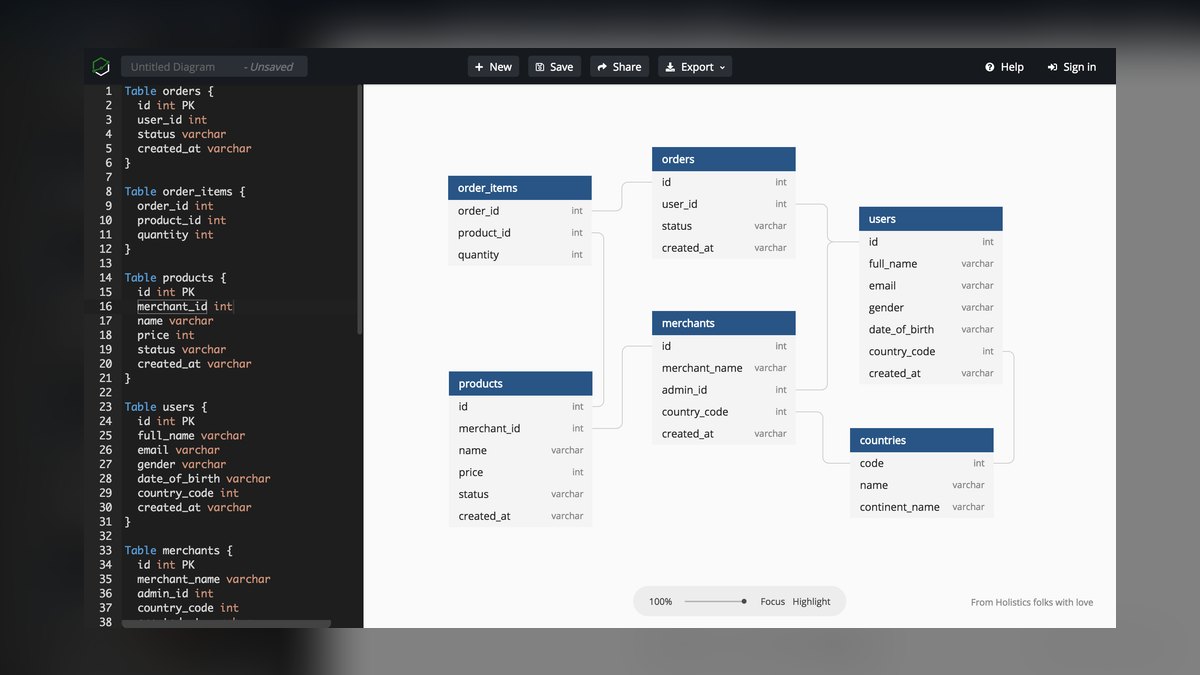
dbdiagram.io ranks tenth because it designs schemas using DBML, a clean code-first syntax where you type table and relationship definitions and get an instant diagram. It is a favorite for documentation and quick modeling, and DBML itself has become a small standard with importers and exporters across the ecosystem. You can import an existing SQL schema to bootstrap a diagram, then export to PostgreSQL, MySQL, or SQL Server DDL.
This tool is for engineers who prefer writing structure as text rather than dragging boxes, and for embedding living schema docs in a project. The code-first approach version-controls beautifully, as your data model is just a DBML file in the repo. Compared to Bytebase, dbdiagram.io is a design and documentation tool, not a migration governance platform, so it lacks review gates and rollout management, making Bytebase the better choice for teams shipping changes to production.
How we ranked these
We measured schema intelligence, engine coverage, round-trip safety, collaboration, and cost/lock-in. Schema intelligence weighed whether AI reads actual tables, keys, and constraints versus emitting generic SQL. Engine coverage counted supported databases like Postgres, MySQL, SQL Server, Oracle, SQLite, ClickHouse. Round-trip safety evaluated safe migration generation and application. Collaboration considered diagram sharing, version control, review workflows. Cost/lock-in favored free/open-source options and bring-your-own-key models.
We deliberately ignored pure text-to-SQL toys that cannot see your schema, as they lack grounding in real metadata. We also excluded tools without migration management or diagramming capabilities, as they fail the full design workflow. Marketing hype and subjective aesthetics were disregarded. We focused on practical utility for professional engineers and DBAs, not casual users. This ensures rankings reflect real-world effectiveness, not just popularity or flashy features.
What to look for
When choosing, prioritize schema intelligence and round-trip safety over flashy AI demos. A tool that reads your live catalog and generates dialect-correct DDL is invaluable. For teams, collaboration features like diagram sharing and version control matter. Cost is secondary; free tools like ChartDB suffice for modeling, but paid tiers of DataGrip or Bytebase earn their keep for production governance. Match the tool to your engine and workflow.
The biggest mistake buyers make is choosing a tool based on generic text-to-SQL capabilities without testing against a real database. AI grounding quality only shows when reasoning over actual foreign keys, composite indexes, and naming conventions. Another error is ignoring migration safety—letting AI apply DDL directly to production can trigger table rewrites and lockouts. Always route changes through a review step, like Bytebase's schema policies or DataGrip's diff preview.
Related questions
How do you choose a vector database for a production RAG system in 2027?
Evaluate vector databases on scalability, latency, filtering, and integration with your AI stack. Consider managed services like Pinecone or pgvector on Supabase. Test with your actual embedding dimensions and query patterns. Prioritize operational simplicity and cost per query. For production, ensure backup, monitoring, and security features are robust.
What are the best AI tools for favicon and icon design in 2027?
Top tools include Looka, Iconify, and Figma's AI plugins. They generate icons from text prompts, offer style customization, and export in multiple formats. For database design, icons are minor, but for UI projects, these tools save time. Looka provides brand kits, while Figma integrates with design workflows.
How do AI tools for landing page design compare to database design tools?
Landing page tools like Framer AI and Wix ADI focus on visual layout, copy, and conversion optimization. Database design tools prioritize schema accuracy, migration safety, and engine support. Both use AI but serve different domains. Landing page tools are for marketers; database tools are for engineers. Choose based on your project's primary need.
What are the top AI tools for product page design in 2027?
Tools like Shogun, PageFly, and AI-powered Shopify themes help create product pages. They offer drag-and-drop editing, AI-generated copy, and A/B testing. For database design, these are irrelevant, but for e-commerce, they streamline page creation. Focus on conversion metrics and user experience when selecting.
Which AI tools are best for t-shirt and merch design in 2027?
Popular options include Printful's design maker, Canva, and Midjourney for custom art. They generate graphics, mockups, and handle print-on-demand. Database design tools are unrelated, but for merch, prioritize design quality and print compatibility. Test designs on actual products before mass production.
How do AI tattoo design tools work in 2027?
AI tattoo tools like BlackInk and Tattoodo use generative models to create custom designs from descriptions. They offer style filters and placement previews. For database design, these are irrelevant, but for tattoo artists, they speed up ideation. Always consult a professional artist for final designs.
What is the difference between ER diagramming and schema migration tools?
ER diagramming tools like ChartDB and drawDB focus on visual modeling and DDL export. Migration tools like Bytebase and Prisma Migrate manage schema changes with version control and review gates. Both are essential; diagramming for design, migration for safe deployment. Use them together for a complete workflow.
Can AI tools handle database normalization automatically?
Most AI tools suggest structures but miss normalization tradeoffs. They can identify obvious redundancies but struggle with complex dependencies. Tools like DataGrip assist with refactoring, but human judgment is needed for optimal normalization. Always review AI-generated schemas for third normal form and beyond.
FAQ
Can AI tools design a database schema from plain English?
Yes — ChartDB, drawDB, Supabase, and DataGrip's AI Assistant all turn natural-language descriptions into DDL. Treat the output as a first draft: AI is good at structure but routinely misses normalization, the right index strategy, and edge-case constraints.
Which tool is best if I can't send my schema to a third party?
Self-host ChartDB or Bytebase, or use SSMS 21 with Copilot inside the Microsoft boundary. ChartDB and drawDB also run client-side in the browser, so the schema needn't leave your machine. This ensures data privacy and compliance.
Do these tools handle migrations, or just diagrams?
It splits. Bytebase, Prisma Migrate, and DataGrip generate and manage real migrations with version history. dbdiagram.io and drawDB are primarily design and export tools — you apply the DDL yourself. Choose based on your need for automated migration management.
What about NoSQL like MongoDB?
DbSchema models MongoDB and Cassandra alongside relational engines. Most of the others are SQL-first, though Supabase's Postgres supports JSON/JSONB for semi-structured data. For pure NoSQL, consider dedicated tools like MongoDB Compass with AI features.
Is the free tier enough for real work?
For modeling and documentation, ChartDB and drawDB (both free, open source) genuinely suffice. For live introspection, refactoring, and team migration governance, the paid tiers of DataGrip, Bytebase, or Supabase earn their cost. Evaluate your team's scale and needs.
Will AI replace database architects?
No. AI accelerates the mechanical parts — DDL syntax, diagram layout, boilerplate migrations — but normalization tradeoffs, capacity planning, and indexing under real query patterns still need human judgment. Architects will focus on higher-level design decisions.
How do I test an AI database tool before committing?
Connect it to a copy of a real database, not a toy schema. AI grounding quality only shows when the model has to reason over actual foreign keys, composite indexes, and naming conventions. A tool that nails a blank canvas can still hallucinate against your messy production catalog.
What are the risks of using AI for database design?
AI may generate incorrect DDL, miss constraints, or suggest unsafe migrations. A single AI-suggested column type change can trigger a full table rewrite and lock your database. Always route DDL through a review step, like Bytebase's schema policies or DataGrip's diff preview.
Which AI tool is best for SQL Server shops?
SSMS 21 with GitHub Copilot is the safest path for enterprises standardized on Microsoft SQL Server. It brings AI directly into the tool DBAs already use, with awareness of your connected database context. It stays inside the Microsoft trust boundary, ideal for regulated teams.
How does Supabase's AI assistant help with database design?
Supabase's AI Assistant drafts DDL, sets up Row Level Security policies, and writes SQL, all grounded in your project's existing schema. It's strongest at Postgres idioms and RLS, areas where generic tools stumble. It's best for product teams building app backends on Postgres.
Sources
- https://www.jetbrains.com/datagrip/
- https://chartdb.io/
- https://supabase.com/
- https://dbschema.com/
- https://drawdb.app/
- https://www.prisma.io/
- https://learn.microsoft.com/en-us/ssms/
- https://aws.amazon.com/q/developer/
- https://www.bytebase.com/
- https://dbdiagram.io/
Related on PULSE
- [More ai tools for database design rankings and buying guides](/knowledge)
- [PULSE Tools and calculators](/tools)
- [Everything on PULSE RevOps](/)
 pulse-ai-infrastructureThe 10 Best LLMOps Platforms in 2027
 pulse-ai-infrastructureWhat is a semantic cache and how much can it cut inference costs?
 pulse-ai-infrastructureHow do you monitor LLMs in production for drift and hallucinations?
 pulse-ai-infrastructureThe 10 Best AI Tools for Cybersecurity in 2027
 pulse-ai-infrastructureThe 10 Best AI Tools for Storyboarding in 2027
 pulse-ai-infrastructureThe 10 Best AI Tools for Microservices Development in 2027
 pulse-ai-infrastructureThe 10 Best AI Tools for Recipe Generation in 2027
 pulse-ai-infrastructureHow do you secure an LLM application’s infrastructure?
 pulse-ai-infrastructureThe 10 Best AI Tools for Call Coaching in 2027
 pulse-ai-infrastructureThe 10 Best AI Tools for Real Estate Listings in 2027