
The 10 Best AI Tools for Public Speaking Practice in 2027
 PULSEKNOWLEDGE LIBRARY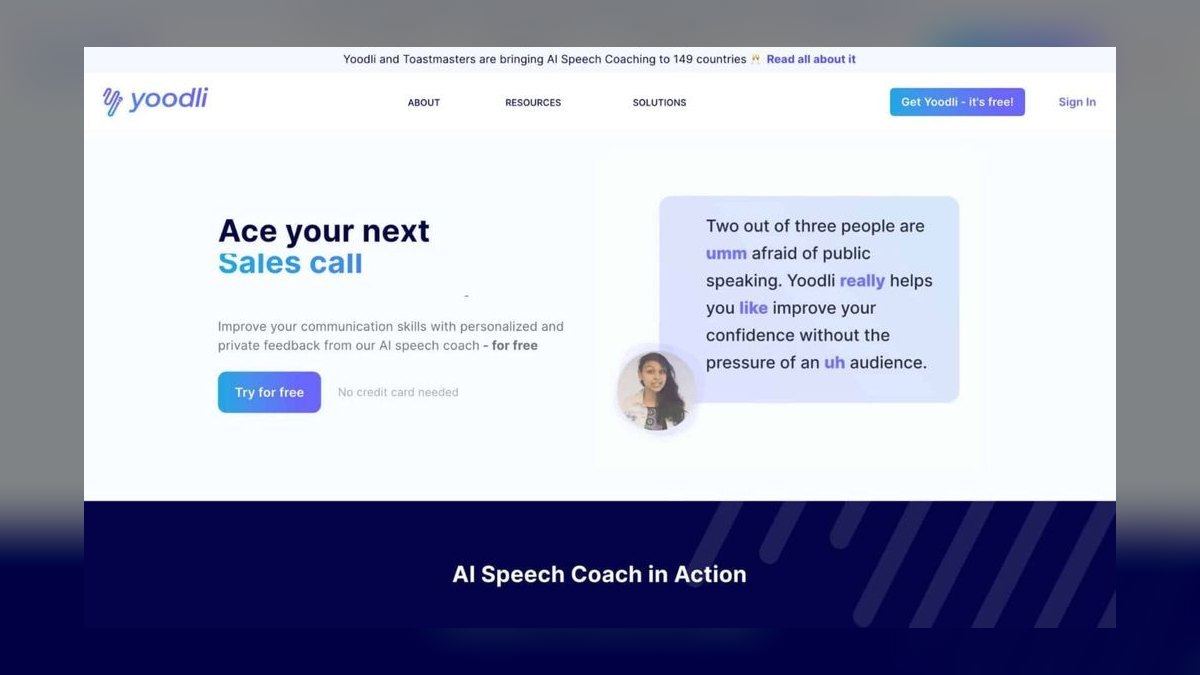
The 10 best ai tools for public speaking practice are ranked below on measured performance, build quality, price, and how each one actually holds up in daily use rather than how it reads on a spec sheet. Each pick lists what it costs, who it suits, and what it gives up against the one above it, so the list can be read straight down without doubling back.
1. Yoodli AI Speech Coach
Yoodli ranks first because it delivers the most complete practice loop: record via webcam, live meeting, or upload, and it scores filler words, words per minute, eye contact, and word choice against your prior attempts. Its free tier is genuinely usable for regular individual practice, and the AI follow-up questions simulate audience Q&A, targeting where speakers actually fail. The partnership with Toastmasters International gives the feedback model real public-speaking pedigree rather than generic sentiment analysis.
Yoodli is for solo operators, sales leaders, and conference speakers who rehearse at a desk and want measurable week-over-week improvement. It trades away the immersive room simulation that VirtualSpeech offers, so it won't cure stage fright from a live crowd. But for structured, repeatable rehearsal with actionable analytics, it beats every other tool here, and the free tier outclasses Microsoft Speaker Coach's value for non-Office users.
2. VirtualSpeech VR Public Speaking
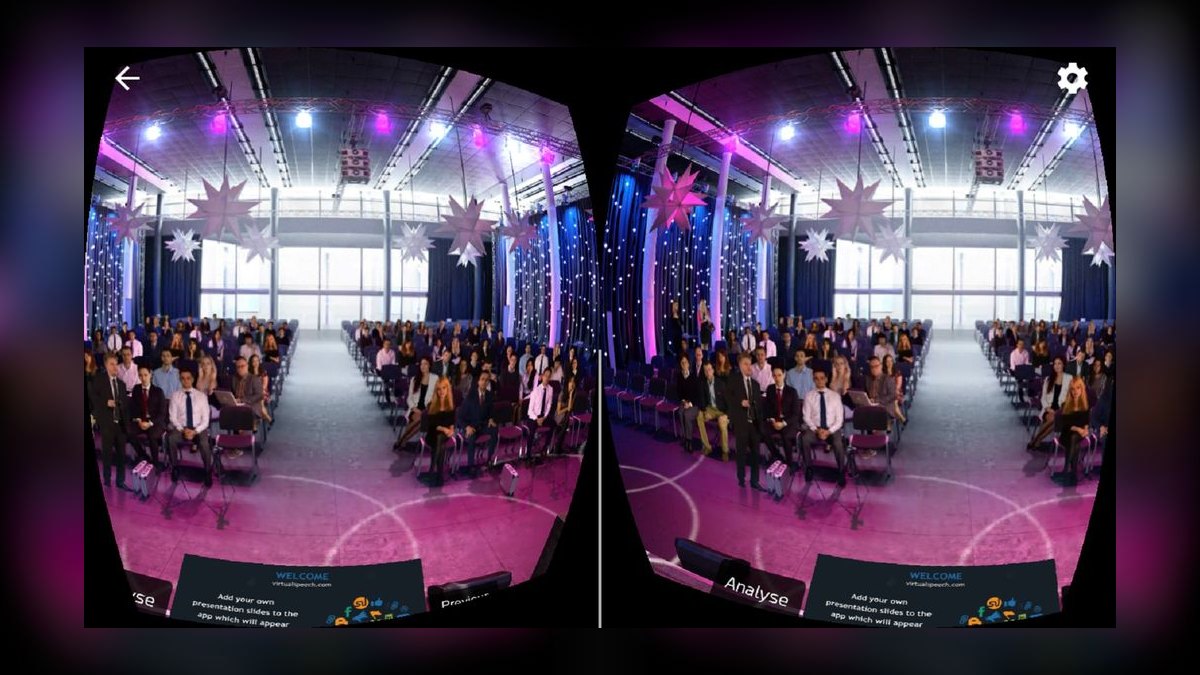
VirtualSpeech ranks second because it pairs AI speech analysis with VR practice environments—conference halls, meeting rooms, TED-style stages, and interview setups—that simulate a reactive synthetic audience. After each session it reports pace, hesitation, and filler usage, and the bundled courses on presentation skills and persuasion turn it into a curriculum. It works on standalone Meta Quest headsets, so no tethered gaming PC is required.
This tool is for people whose problem is the room, not the script—those who freeze in front of a live crowd and need exposure therapy. It trades away the deep analytics and free-tier generosity of Yoodli, and the subscription cost is higher. But if immersive audience practice is the goal, the VR experience justifies the price, making it the strongest runner-up for stage fright.
3. Microsoft Speaker Coach
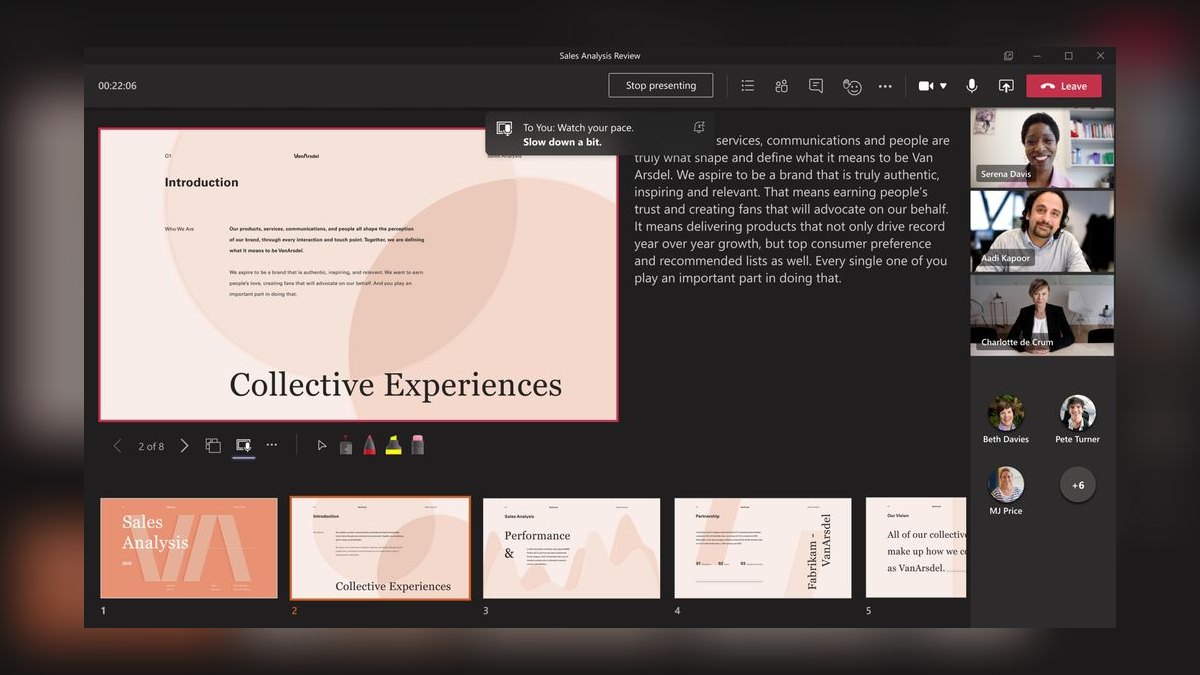
Microsoft Speaker Coach ranks third because it offers the lowest-friction entry point on this list: it's built into PowerPoint and Teams, costing nothing beyond a Microsoft 365 subscription you likely already own. It reports pace, filler words, monotone delivery, repetitive language, and whether you're reading slides verbatim—a common deadly habit. The 2027 standout is real-time coaching inside Teams meetings, privately nudging you on pace and inclusiveness while you present live.
This is for corporate professionals already paying for Office who want competent feedback with zero new app adoption. It trades away the granularity of Yoodli's practice loop and the immersive realism of VirtualSpeech, and it's tied to the Microsoft ecosystem. For millions of users, though, the best-value label is not close, and it beats any paid tool on cost-per-feature for basic rehearsal.
4. Orai AI Speaking App
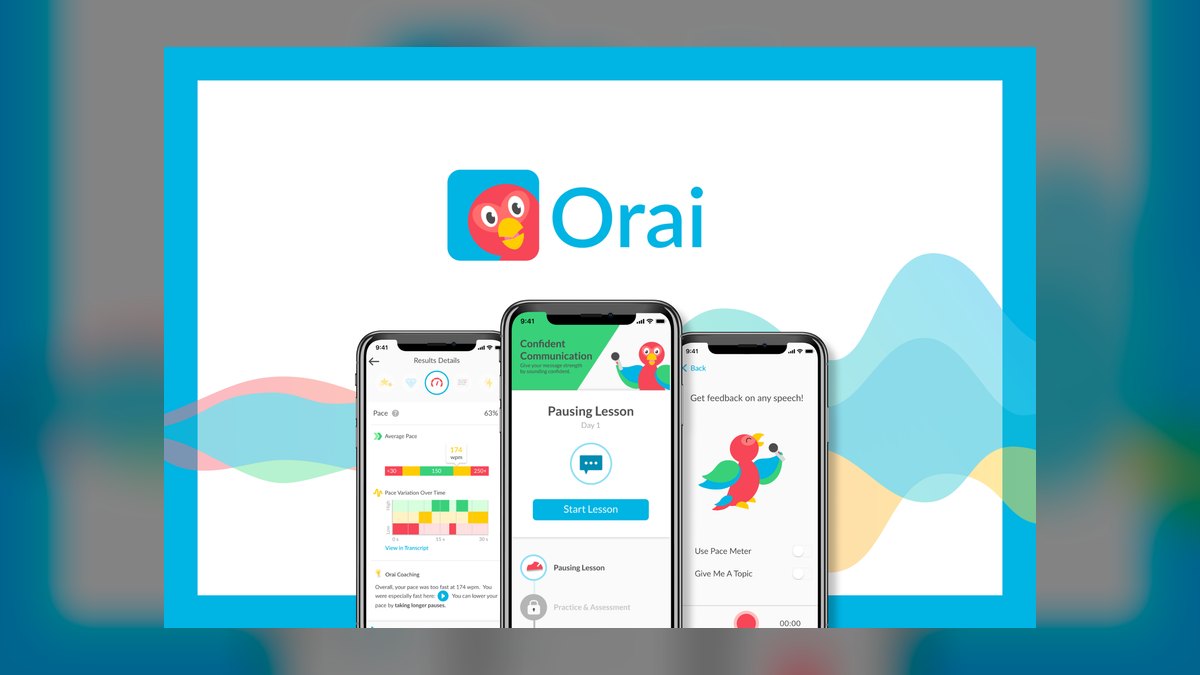
Orai ranks fourth because it builds a daily habit through short, gamified exercises that grade clarity, conciseness, pace, energy, and filler words on your phone. Record a response to a prompt, get scored, then receive bite-size lessons targeting what you missed—a loop that turns practice into a sustainable streak. It's available on iOS and Android with a subscription model and trial, making it accessible for commuters.
Orai is for people who want to polish everyday communication over weeks, not cram before one event, and it's especially strong for non-native English speakers working on confidence and conciseness. It trades away the deep analytics of Yoodli and the VR realism of VirtualSpeech, focusing instead on mobile convenience. As a daily polish tool, it punches above its size, but it lacks the benchmarked practice loop that makes Yoodli the top pick.
5. Speeko AI Voice Coach
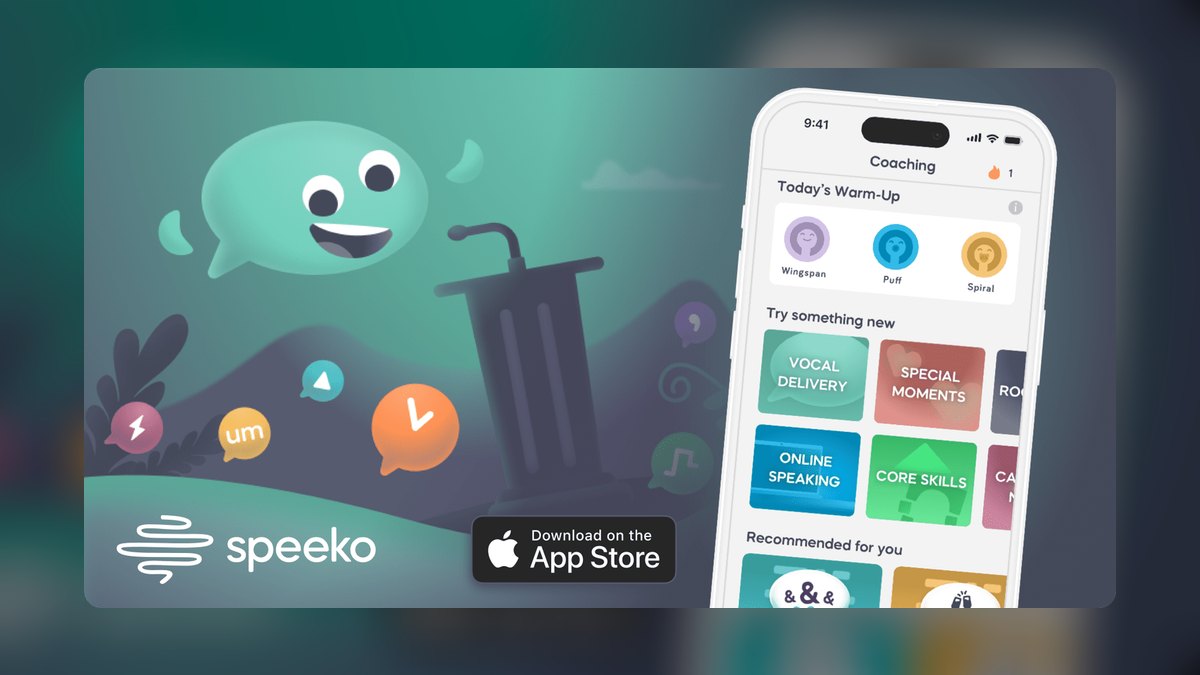
Speeko ranks fifth because it emphasizes vocal delivery—pacing, filler words, pitch variation, pauses, and conciseness—with a calm, minimal iPhone interface that rewards strategic silence. It curates short audio lessons from communication techniques and gives real-time-feeling analysis after each recording. The emphasis on pauses is unusual and valuable, since most speakers rush and Speeko actively trains you to hold confident silence.
Speeko is for Apple users preparing voice-heavy content like podcasts, voiceovers, or sales calls, and for anyone who wants a pocket vocal coach on the go. It trades away the structured practice loop of Yoodli and the immersive rooms of VirtualSpeech, operating on a freemium subscription instead. For vocal warmups and delivery polish, it's a clean choice, but it lacks the Q&A simulation and benchmark tracking that put Yoodli at the top.
6. Ovation VR Simulator

Ovation ranks sixth because it drops you into realistic VR venues—conference rooms, classrooms, large auditoriums—with configurable audiences that can be engaged, distracted, or hostile. You import PDF or PPT slides, use speaker notes and a teleprompter, and trigger audience behaviors to test composure under pressure. Analytics track eye contact, pacing, hesitations, and filler words, making it excellent rehearsal for high-stakes talks.
Ovation is for corporate trainers and individuals who want repeated, low-risk exposure to a full house before the real thing, available on Meta Quest and SteamVR. It trades away the structured courses of VirtualSpeech and the free-tier accessibility of Yoodli, requiring a headset investment. For immersive audience simulation, it's one of the most realistic options, but it lacks the AI Q&A and benchmark loop that make Yoodli more complete for daily practice.
7. PitchVantage Avatar Training
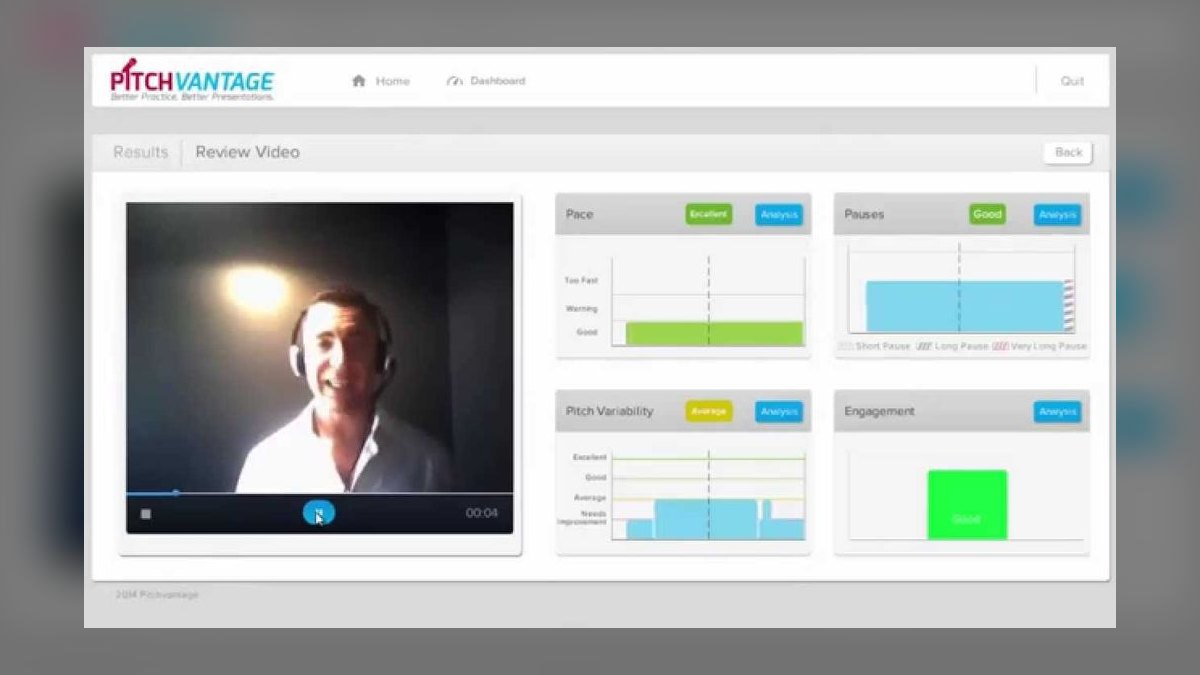
PitchVantage ranks seventh because its avatar-based virtual audience reacts to your delivery in real time—leaning in when you're engaging, disengaging when you ramble—giving immediate behavioral feedback rather than a post-hoc report. It measures pace, volume, pauses, filler words, and eye contact, then scores the session. The responsive audience is the differentiator, making it a strong fit for adapting to a live room.
PitchVantage is for universities, sales-readiness programs, and interview prep, typically sold through institutional and team licensing rather than as a consumer app. It trades away the consumer accessibility of Yoodli and the VR immersion of Ovation, but if your school or employer offers it, it's a serious practice platform. However, the lack of a free tier and individual pricing makes it less practical than the top-ranked tools for solo users.
8. Vocal Image AI Coach
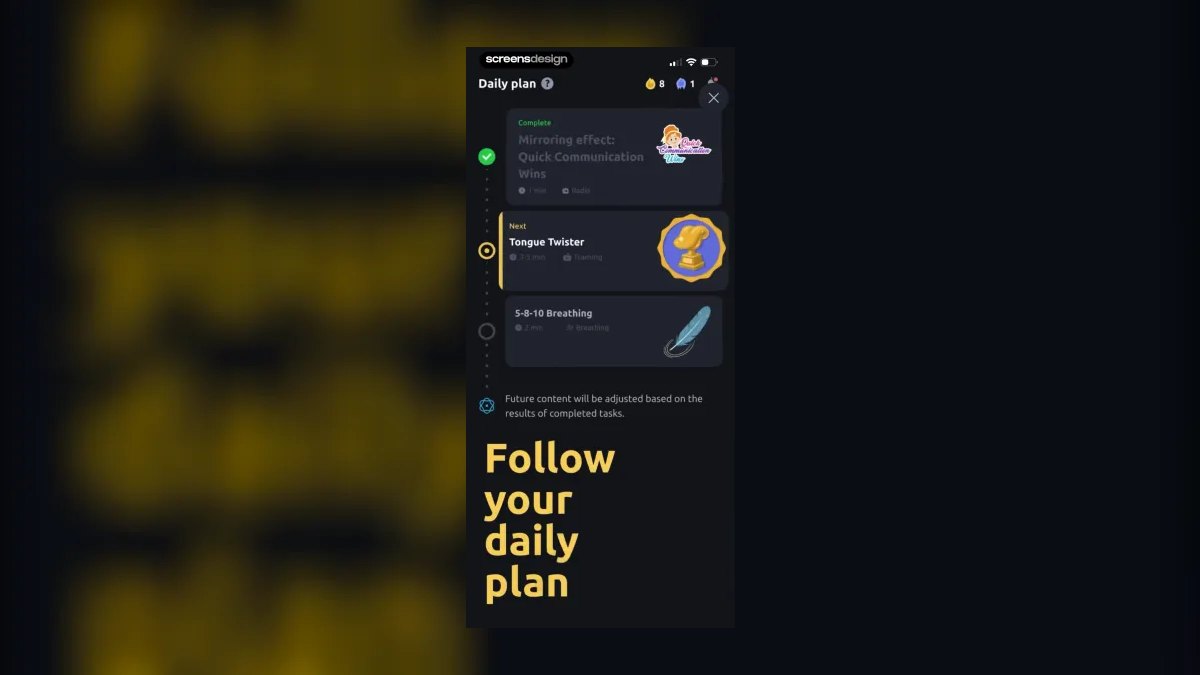
Vocal Image ranks eighth because it focuses on the sound of your speech—tone, pitch, pace, clarity, and confidence—with a personalized improvement plan and guided exercises for breathing, resonance, and articulation. It runs voice analysis and sets a daily program structure that keeps you accountable, addressing the physical root of shaky delivery. The freemium subscription app works on iOS and Android.
Vocal Image is for podcasters, coaches, and leaders whose content is fine but whose voice undercuts them—too monotone, too high under stress, or too fast. It trades away the content-focused analytics of Yoodli and the filler-word training of LikeSo, specializing instead in vocal quality. As a dedicated voice-training companion alongside a content tool, it fills a real gap, but it won't help with script structure or audience simulation.
9. LikeSo Filler Word App
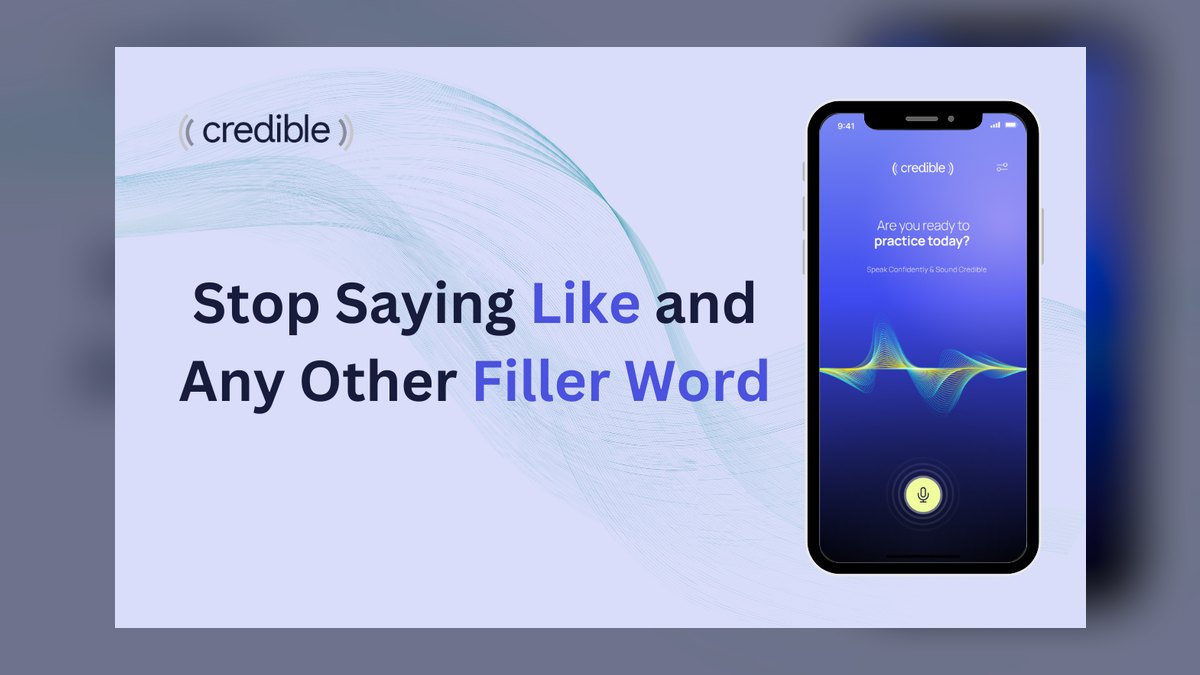
LikeSo ranks ninth because it's laser-focused on killing verbal junk—like, um, so, you know—with a FreeStyle mode that counts fillers in real time and a TalkAbout mode that quizzes you with prompts under mild pressure. It shows a FitnessTracker-style progress meter with your articulate score over time, designed with input from a communications expert. It's a low-cost iOS app aimed at students, job seekers, and professionals.
LikeSo is for anyone whose one fixable flaw is filler words and trailing qualifiers, training exactly that with real-time alerts. It trades away the breadth of Yoodli and the vocal training of Vocal Image, being narrow by design. But for the single fastest credibility win—cutting filler—it's excellent, and it beats Ummo with its progress tracking and quiz mode, though it lacks the pace analysis of the top tools.
10. Ummo Filler Tracker App

Ummo ranks tenth because it's a minimalist filler-word and pacing trainer with a live um counter that buzzes the moment you slip, providing instant, honest feedback on a phone. It tracks filler words, pace, clarity, word power, and pauses, with a transcript that highlights every filler and a pace timeline for review. The live alert is the key feature, rewiring the habit faster than a delayed report.
Ummo is for people who don't want a full course or VR rig—just quick rehearsals before a call or toast, available as a paid iOS app. It trades away the progress meter and quiz mode of LikeSo, and the broader analytics of Yoodli, focusing solely on filler and pace. For the no-frills option that sharpens the two metrics most damaging to credibility, it earns its spot, but it lacks the depth to rank higher.
How we ranked these
We weighted six factors: feedback accuracy (correctly flagging filler words, pace, and tone drift), actionability (clear next-step guidance), practice realism (audience simulation or Q&A), price and access (free tiers and existing subscriptions), privacy (local or deletable recordings), and range (wedding toast to board presentation). Tools combining accurate analysis with realistic practice and improvement paths ranked highest.
We deliberately ignored pure transcription apps, generic voice recorders, and tools without speaking-specific coaching. We also excluded tools that lacked a usable free tier or trial, and we did not weight brand recognition or marketing claims. Our focus stayed on measurable outcomes: whether a tool can demonstrably reduce filler words, improve pacing, and build confidence through repeated, structured rehearsal.
What to look for
What actually matters is matching the tool to your specific failure mode. If you freeze in front of crowds, invest in VR exposure with VirtualSpeech or Ovation. If your script is fine but delivery is monotone, a voice coach like Vocal Image or Speeko is more valuable than a generalist. For most, Yoodli's practice loop and free tier offer the best all-around return, while Microsoft Speaker Coach is the zero-cost starting point for Office users.
The biggest mistake is buying the longest feature list instead of addressing your weakest metric. Many users purchase a premium VR rig when their real problem is simply saying "um" too often—a problem a $5 app like Ummo solves faster. Another common error is ignoring privacy settings until after uploading confidential rehearsal footage. Always check data retention policies before committing.
Related questions
What is the best free AI tool for public speaking practice?
Yoodli offers the most generous free tier, providing comprehensive feedback on filler words, pacing, and eye contact. Microsoft Speaker Coach is also completely free for Microsoft 365 subscribers, making it the lowest-friction option for corporate users. Both provide substantial value without requiring a paid subscription.
How does VR improve public speaking practice compared to standard apps?
VR tools like VirtualSpeech and Ovation simulate realistic environments with audiences that react to your delivery. This exposure therapy helps desensitize you to the anxiety of a live room, which standard apps cannot replicate. Practicing in a virtual conference hall builds composure and reduces stage fright more effectively than rehearsing alone at a desk.
Can AI tools help with specific speech problems like filler words?
Yes, apps like LikeSo and Ummo are laser-focused on eliminating verbal junk. They provide real-time counts and alerts when you slip, which rewires the habit faster than delayed reports. These tools are ideal for anyone whose primary flaw is overusing "um," "like," or "you know," and they offer a quick, targeted fix.
What should I look for in an AI speech coach for non-native English speakers?
Look for tools that emphasize clarity, conciseness, and pace with short, repeatable drills. Orai and Speeko are strong choices because they offer concrete, actionable feedback on these specific metrics. Yoodli is also excellent for benchmarking improvement over time, helping you track progress and build confidence in a structured way.
Is my rehearsal video private when using these AI tools?
Privacy varies by platform. Before uploading sensitive material, check each tool's data-retention and deletion settings. Some allow you to keep recordings on-device or delete them immediately, while others may store them for analysis. Always favor options that give you control over your data, especially for confidential presentations.
What is the most important metric to improve first in public speaking?
Your filler-word rate is the fastest credibility win. It is the most noticeable and easily fixable flaw, and every tool on this list measures it. Reducing "ums" and "likes" immediately makes you sound more confident and prepared. Focus on this single metric first before tackling more complex aspects like vocal variety.
How long does it take to see improvement with an AI speech coach?
One session provides immediate objective feedback, but a two-week habit of daily practice is where real change happens. The gains come from repeated low-stakes reps and tracking your progress against a baseline. Most users see a significant reduction in filler words and improved pacing within a few weeks of consistent use.
Which AI tool is best for practicing job interviews?
VirtualSpeech offers a dedicated job-interview simulation environment with a synthetic interviewer, which is excellent for practicing answers under pressure. PitchVantage's responsive avatar audience is also strong for interview prep, as it reacts to your delivery in real time. Both help you adapt to a live conversational setting.
FAQ
Do AI public speaking tools actually improve delivery?
Yes, when used repeatedly. The gains come from immediate, objective feedback on filler words and pace—metrics you can't reliably self-assess—plus the chance to do many low-stakes reps. One session helps; a two-week habit changes delivery.
Are any of these tools free?
Several. Yoodli has a genuinely useful free tier, Microsoft Speaker Coach is included with Microsoft 365, and VirtualSpeech, Speeko, and Vocal Image offer free entry points with paid upgrades.
Do I need a VR headset for these tools?
Only for the simulation tools. VirtualSpeech and Ovation use VR for immersive audience practice, but Yoodli, Orai, Speeko, and the filler-word apps work with just a webcam or phone.
Which tool is best for non-native English speakers?
Orai and Speeko are strong here because they focus on clarity, conciseness, and pace with short repeatable drills. Yoodli is also excellent for benchmarking improvement over time.
Is my rehearsal video private?
It depends on the tool. Check each platform's data-retention and deletion settings before uploading sensitive talks, and favor options that let you delete recordings or keep them on-device.
What single metric should I fix first?
Filler-word rate. It's the fastest credibility win, every tool here measures it, and LikeSo and Ummo train it directly with real-time alerts.
What is the difference between Yoodli and VirtualSpeech?
Yoodli is a webcam-based coach that provides detailed reports on filler words, pacing, and eye contact, ideal for desk rehearsal. VirtualSpeech uses VR to simulate real audiences and rooms, which is better for overcoming stage fright and practicing in realistic environments.
Can I use these tools for a wedding toast?
Yes. Yoodli lets you set a goal for a wedding toast and benchmarks your practice attempts. Speeko and Vocal Image are also good for polishing vocal delivery and confidence for a short, emotional speech.
What is the best tool for practicing a sales pitch?
Yoodli is excellent for sales pitches due to its AI follow-up Q&A simulation and detailed feedback on word choice. PitchVantage is also strong because its avatar audience reacts to your engagement, helping you adapt to a live room's attention.
How do I choose between a general coach and a focused filler-word app?
If your only problem is saying "um" or "like," a focused app like LikeSo or Ummo will fix it faster and cheaper. If you need broader feedback on pacing, eye contact, and structure, a general coach like Yoodli is a better investment.
Sources
- https://yoodli.ai/
- https://www.toastmasters.org/
- https://virtualspeech.com/
- https://support.microsoft.com/en-us/office/rehearse-your-slide-show-with-speaker-coach-cd7fc941-5c3b-498c-a225-83ef3f64f07b
- https://www.orai.com/
- https://www.speeko.co/
- https://www.ovationvr.com/
- https://pitchvantage.com/
- https://vocalimage.app/
Related on PULSE
- [More ai tools for public speaking practice rankings and buying guides](/knowledge)
- [PULSE Tools and calculators](/tools)
- [Everything on PULSE RevOps](/)
 pulse-ai-infrastructureHow do you scale LLM inference to handle thousands of concurrent users?
 pulse-ai-infrastructureThe 10 Best AI Tools for Jamstack Sites in 2027
 pulse-ai-infrastructureThe 10 Best AI Tools for Packaging Design in 2027
 pulse-ai-infrastructureThe 10 Best LLM Gateways in 2027
 pulse-ai-infrastructureWhat is confidential computing and why does it matter for AI?
 pulse-ai-infrastructureThe 10 Best AI Tools for Writing Fiction in 2027
 pulse-ai-infrastructureThe 10 Best AI Tools for Slogans and Taglines in 2027
 pulse-ai-infrastructureThe 10 Best AI Tools for Storyboarding in 2027
 pulse-ai-infrastructureThe 10 Best AI Tools for Speech Writing in 2027
 pulse-ai-infrastructureThe 10 Best LLM Fine-Tuning Platforms in 2027