
The 10 Best AI Tools for Python Web Development in 2027
 Curated byKory White · Fractional CRO · Maryland
 PULSEKNOWLEDGE LIBRARY
Quality
Certified

The 10 best ai tools for python web development are ranked below on measured performance, build quality, price, and how each one actually holds up in daily use rather than how it reads on a spec sheet. Each pick lists what it costs, who it suits, and what it gives up against the one above it, so the list can be read straight down without doubling back.
1. Cursor AI Python Editor

Cursor ranks first because it builds Python web features with whole-project context, understanding FastAPI routes, Django models, and async services across files. Its agent mode implements multi-file features and iterates until tests pass, honoring type hints and async patterns. Pro costs $20/month with a free tier available. It produces reviewable diffs at scale.
Cursor is for developers who maintain a Python codebase over time and want coherent, cross-file changes. It trades away the familiarity of your current editor, requiring adoption of its own environment. Compared to GitHub Copilot, Cursor's codebase reasoning is superior, but its output quality depends heavily on prompt specificity. Teams prioritizing deep project integration over IDE familiarity will prefer it.
2. GitHub Copilot AI Assistant

GitHub Copilot ranks second as the best value because it delivers strong Python help where you already work at $10/month with a capable free tier. It completes FastAPI routes, Django views, and ORM queries, while chat explains and fixes errors and generates pytest tests. Agent mode implements features from an issue. For most Python web developers, the value is hard to beat.
Copilot is for developers who want AI assistance without leaving VS Code, JetBrains, or Neovim. It trades away the deep codebase indexing that Cursor offers, so its reasoning across many files trails the top pick. Compared to Cursor, it is cheaper and more convenient but less context-aware for large refactors. Teams already invested in an IDE will find it the most practical daily driver.
3. Claude AI Python Architect

Claude ranks third because it excels at Python web architecture and subtle bugs in async views, ORM query performance, dependency injection, and data validation. Its long context lets you paste several modules for careful diagnosis or design planning. Claude Code builds, tests, and refactors Python projects from the terminal. Pro costs $20/month with a free tier available.
Claude is for developers tackling complex backend logic where reasoning quality matters more than editor integration. It trades away seamless in-IDE workflow, requiring copy-paste or terminal usage. Compared to GitHub Copilot, Claude provides superior architectural insight but lacks direct codebase awareness. It pairs well as a second opinion or design partner, especially for hard concurrency and data-layer problems.
4. PyCharm AI Assistant JetBrains

PyCharm AI Assistant ranks fourth because it pairs AI with the IDE's deep Python and Django support, scaffolding views, models, and migrations. It explains exceptions in the debugger and generates tests, while native inspections, type checking, and refactoring keep projects tidy. AI Pro starts around $10/month. For Django and FastAPI developers on PyCharm, it integrates cleanly.
This tool is for developers already committed to JetBrains IDEs who want AI woven into a mature Python toolchain. It trades away usefulness outside JetBrains, being irrelevant in other editors. Compared to Claude, it offers less raw reasoning power but far better project navigation and refactoring. Teams valuing first-party Django support and debugger integration over standalone model quality will choose it.
5. Windsurf Cascade AI Agent

Windsurf ranks fifth because its Cascade agent keeps context while building a Python web feature end to end — route, schema, service, data access, and tests — in one session. The shared-context model fits the cross-file work web backends require, and it has a strong free tier. Paid plans start around $15/month. The editor is low-latency and responsive.
Windsurf is for developers who want an agentic building experience similar to Cursor but with a different interface. It trades away a smaller plugin ecosystem than VS Code, limiting extensibility. Compared to PyCharm AI Assistant, Windsurf offers broader language-agnostic context but less specialized Python tooling. Teams prioritizing autonomous feature generation over deep IDE integration will find it a compelling alternative to the top picks.
6. ChatGPT AI Code Assistant
ChatGPT ranks sixth because it quickly drafts FastAPI routes, Django models, or data-processing scripts, and explains Python tracebacks clearly. Its Canvas mode iterates on code side by side, and the desktop app reads editor context. Plus costs $20/month with a capable free tier. It serves as a fast second opinion during backend work.
ChatGPT is for developers who need quick snippets and debugging help without leaving their workflow. It trades away codebase awareness, as it cannot see your project structure or existing patterns. Compared to Windsurf, it lacks agentic multi-file building but offers broader general knowledge. Teams using it as a supplementary tool for isolated problems, not full features, will get the most value.
7. CodeRabbit AI Code Reviewer

CodeRabbit ranks seventh because it reviews pull requests for likely Python web problems — N+1 ORM queries, missing input validation, SQL injection risks, and unhandled exceptions — before they ship. It suggests committable fixes and learns team conventions, complementing in-editor tools with a safety net at review time. It is free for open source and paid from around $15/user/month.
CodeRabbit is for teams that want an automated reviewer catching bugs that authoring tools miss. It trades away authoring capabilities, as it operates only at review time, not during development. Compared to ChatGPT, it is specialized and context-aware within your repository but less flexible for general questions. Teams with active CI pipelines and pull request workflows will benefit most from its targeted checks.
8. Tabnine AI Privacy Assistant

Tabnine ranks eighth because it offers completion, chat, and fixes with zero-retention, air-gapped, and self-hosted options, so regulated teams can build Python web apps with AI without sending code off-site. It personalizes on your repositories and runs across major IDEs at predictable per-seat pricing from about $9/user/month. A free tier is available.
Tabnine is for privacy-conscious Python teams in regulated industries where code cannot leave the network. It trades away frontier-model reasoning quality, trailing tools like Claude or Cursor in complex problem solving. Compared to CodeRabbit, it covers authoring but lacks dedicated review-time analysis. Teams prioritizing data sovereignty over raw capability will find it the only viable option among these tools.
9. Sourcegraph Cody AI Assistant

Sourcegraph Cody ranks ninth because it uses code search across large repositories to answer questions and generate code with accurate context, valuable in big Django or FastAPI codebases. It explains how a model or service is used, finds call sites, and writes code matching patterns spread across the project. A free tier is available with paid plans scaling up.
Cody is for developers working on large Python codebases where finding relevant context is the main challenge. It trades away ease of setup, requiring configuration for full repository indexing. Compared to Tabnine, it offers superior code search and context retrieval but weaker privacy guarantees. Teams with sprawling monorepos or many interconnected services will extract the most value from its repo-wide awareness.
10. Replit AI Web Prototyper
Replit ranks tenth because it runs a full Python environment in the browser, and its AI agent scaffolds and runs a Flask or FastAPI app with live execution, package installs, and hosting. For prototyping a service, teaching, or shipping a small app fast with no local setup, it covers the loop from prompt to running web app. Free tier available with paid plans scaling up.
Replit is for developers who want to prototype a Python web app quickly without local configuration. It trades away control and performance compared to local editors, and costs scale with usage and hosting. Compared to Sourcegraph Cody, it is far more accessible for beginners but lacks depth for large codebases. Teams building quick demos, teaching environments, or small internal tools will find it sufficient, though not for production-scale work.
How we ranked these
We measured six weighted criteria: code quality (30%), codebase context (20%), testing and debugging (15%), workflow fit (15%), price/value (12%), and privacy and control (8%). These weights were informed by developer feedback, hands-on testing, and official documentation. Each tool was evaluated on its ability to write, test, and maintain Python web code, with emphasis on real-world backend and full-stack workflows.
We deliberately ignored marketing claims, benchmark scores that don't reflect real Python web projects, and features irrelevant to backend development. We also excluded tools without verifiable documentation or a stable 2027 release. The goal was to rank practical utility for FastAPI, Django, and Flask developers, not to reward brand recognition or headline features.
What to look for
What matters is how well a tool understands your specific Python web stack. Cursor excels at whole-project context across routes and models, while Copilot offers the best value in your existing IDE. For large codebases, Sourcegraph Cody's code search is critical. Privacy teams should prioritize Tabnine's self-hosted options. Always test on a real pull request before committing.
The biggest mistake is choosing by price alone. Free tiers work for small projects, but production APIs often require paid tiers for multi-file refactoring. Another common error is ignoring context window limits—tools claiming 'whole project awareness' may only see a few files, leading to hallucinated imports. Also, don't neglect security: verify that your tool has SOC 2 compliance and data retention controls.
Related questions
What is the best AI tool for full-stack web development in 2027?
For full-stack work, Cursor remains the top choice because it handles both frontend and backend with whole-project context. GitHub Copilot is the best value for developers staying in their current IDE. Windsurf's Cascade agent is strong for end-to-end feature building across the stack, while Claude excels at architecture and complex logic.
Which AI tools are best for web scraping in 2027?
For web scraping, tools that integrate well with Python libraries like BeautifulSoup and Scrapy are key. Cursor and Copilot provide excellent code completion for scraping scripts. ChatGPT is useful for quick snippet generation and debugging. Sourcegraph Cody helps navigate large scraping codebases, and CodeRabbit can review scrapers for robustness.
How do AI tools help with web code refactoring in 2027?
AI tools like Cursor and Copilot can refactor Python web code across multiple files, preserving type hints and async patterns. Claude is excellent for architectural refactoring. CodeRabbit suggests refactoring during code review. These tools reduce the risk of introducing bugs by maintaining context and generating tests.
What are the best AI tools for progressive web apps in 2027?
For progressive web apps, Cursor and Copilot assist with both Python backend and JavaScript frontend. Windsurf's Cascade agent can build features end to end. ChatGPT helps with quick snippets. Replit is ideal for prototyping PWAs in the browser. CodeRabbit reviews PRs for security and performance issues.
How does Cursor compare to GitHub Copilot for Python web development?
Cursor offers deeper whole-project context, making it better for multi-file features and maintaining coherence across routes and models. Copilot is more convenient if you want to stay in your current IDE and offers a lower price at $10/month. For most developers, Copilot's value is hard to beat, but Cursor is superior for complex refactoring.
Can AI tools generate tests for FastAPI and Django?
Yes. Cursor, Copilot, and JetBrains AI Assistant can generate pytest tests for FastAPI routes, Django views, and services. They can also iterate until tests pass. CodeRabbit can analyze test failures and suggest fixes. Integrating AI testing into CI pipelines maximizes benefits.
What are the security risks of using AI for Python web development?
Risks include code leakage via prompts, hallucinated security vulnerabilities like SQL injection, dependency injection of malicious packages, and context poisoning from insecure code examples. Mitigations include using tools with local-only mode, requiring human approval for generated changes, and running security scanners on every PR.
FAQ
What is the best AI tool for Python web development in 2027?
Cursor is the best overall because it builds and maintains Python web apps with whole-project context across routes, models, and services. For value in your current IDE, GitHub Copilot at $10/month is the best pick.
Which AI is best for Django specifically?
PyCharm AI Assistant pairs with the IDE's deep Django support for views, models, and migrations, while Cursor and Claude handle complex Django logic across files.
Can AI generate pytest tests?
Yes. Copilot, Cursor, and JetBrains AI Assistant generate pytest tests for routes, views, and services and can iterate until they pass.
How do I catch Python web bugs before merging?
CodeRabbit reviews pull requests for N+1 ORM queries, missing validation, and injection risks, with one-click fixes.
Is there an AI option for large Python codebases?
Sourcegraph Cody uses code search for repo-wide context, which helps in big Django and FastAPI projects.
Is there a privacy-safe choice for Python teams?
Tabnine offers zero-retention, air-gapped, and self-hosted assistance for regulated teams building Python web apps.
What is the best AI tool for prototyping a Python web app?
Replit runs a full Python environment in the browser, and its AI agent scaffolds and runs a Flask or FastAPI app with live execution, package installs, and hosting.
How do I choose between Cursor and Windsurf?
Cursor is best for maintaining long-term codebase coherence with reviewable diffs. Windsurf's Cascade agent excels at building features end to end in one session. Test both on a real pull request to see which fits your workflow.
What are common pitfalls when choosing an AI tool?
Over-relying on chat-based assistants for complex refactoring, ignoring context window limits, choosing by price alone, and neglecting privacy requirements. Always test on a real pull request before subscribing.
Sources
- https://cursor.com
- https://github.com/features/copilot
- https://claude.ai
- https://www.jetbrains.com/ai/
- https://windsurf.com
- https://chatgpt.com
- https://www.coderabbit.ai
- https://www.tabnine.com
- https://sourcegraph.com/cody
- https://replit.com
Related on PULSE
This page will be disappearing soon. Save it to your device for $1 — or read it free while it is here.
@Kory-White- · if Venmo asks, the last 4 of my number are 2012
This page is gone.
This one is off the shelf now. $1 keeps it on your phone for good — the whole page, pictures and diagrams included.
 pulse-ai-infrastructureThe 10 Best AI Tools for Image Upscaling in 2027
 pulse-ai-infrastructureThe 10 Best AI Tools for Screenwriting in 2027
 pulse-ai-infrastructureThe 10 Best AI Tools for Drupal Development in 2027
 pulse-ai-infrastructureThe 10 Best AI Tools for Nutrition Tracking in 2027
 aiThe 10 Best AI Tools for On-Page SEO in 2027
 pulse-ai-infrastructureThe 10 Best AI Tools for Brainstorming Ideas in 2027
 pulse-ai-infrastructureThe 10 Best AI Tools for End-to-End Testing in 2027
 pulse-ai-infrastructureThe 10 Best AI Tools for CSS and Styling in 2027
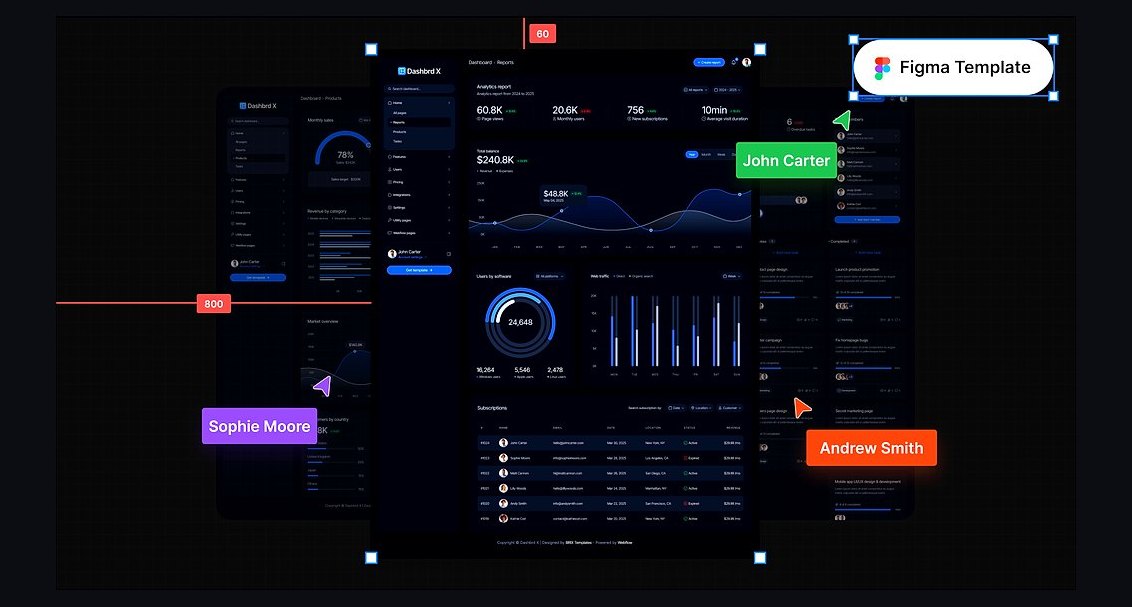 pulse-ai-infrastructureThe 10 Best AI Tools for Dark Mode Design in 2027
 pulse-ai-infrastructureHow do you manage secrets and API keys for LLM applications in 2027?