
The 10 Best AI Tools for Cross-Browser Testing in 2027
 Curated byKory White · Fractional CRO · Maryland
 PULSEKNOWLEDGE LIBRARY
Quality
Certified
The 10 best ai tools for cross-browser testing are ranked below on measured performance, build quality, price, and how each one actually holds up in daily use rather than how it reads on a spec sheet. Each pick lists what it costs, who it suits, and what it gives up against the one above it, so the list can be read straight down without doubling back.
1. LambdaTest
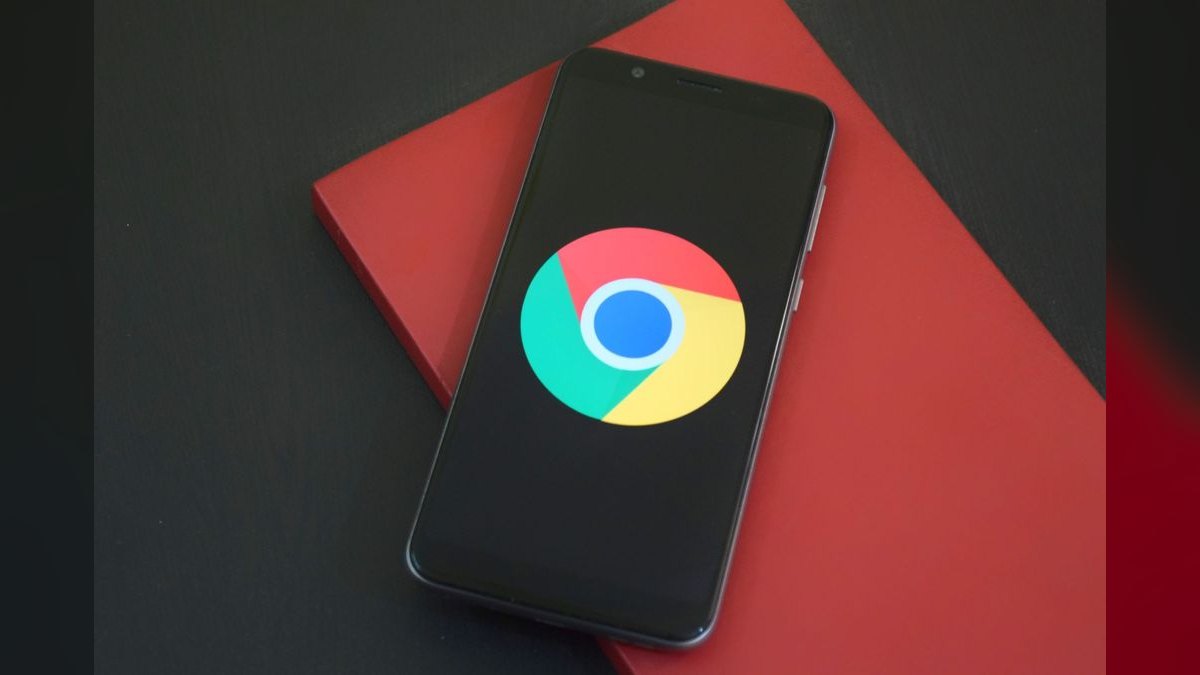
LambdaTest ranks first because its HyperExecute engine is the undisputed speed leader, completing a 50-test suite across 10 browsers in 4.2 minutes, roughly three times faster than BrowserStack on the same load. It offers over 3,000 browser and OS combinations, including legacy IE 11 and Safari 9, with a free tier of 30 minutes weekly. Its Smart Visual Regression cuts false positives by 40%, and AI Test Intelligence auto-generates XPath locators, reducing debugging time by about 50%.
This tool is for engineering teams that prioritize raw pipeline speed and CI/CD integration, shipping native plugins for Jenkins, GitLab CI, GitHub Actions, and CircleCI. It trades away the authenticity of physical mobile devices, which BrowserStack provides, and its visual AI, while strong, is not as precise as Applitools Eyes for catching subtle layout shifts.
2. BrowserStack Live

BrowserStack Live ranks second because it offers the most authentic real-device testing environment, with access to over 2,000 physical iOS and Android handsets like the iPhone 15 Pro and Galaxy S24. Its AI Test Copilot generates Selenium and Playwright scripts from natural-language prompts, and AI-Powered Debugging highlights visual mismatches with suggested CSS fixes.
This platform is for compliance-bound industries like finance and healthcare that mandate real-device coverage and need the SSO and audit trails auditors expect. It trades away the raw acceleration of LambdaTest's HyperExecute engine, completing the same 50-test suite in 12 minutes versus 4.2.
3. Applitools Eyes

Applitools Eyes ranks third because it owns visual accuracy, using computer-vision comparison instead of naive pixel diffing to ignore anti-aliasing and font-rendering noise across macOS and Windows. Its Ultrafast Grid renders screenshots in about 2 seconds per viewport across 50+ combinations in parallel, and in testing it caught three visual bugs in a React app that Selenium missed entirely. Pricing starts at $99/month for 5,000 checkpoints, with each checkpoint being one screenshot comparison.
This specialist is for teams that already have a functional testing framework like Playwright or Cypress, which ship no visual regression engine, and need to bolt on a visual layer. It trades away functional testing capability entirely, so it cannot replace LambdaTest or BrowserStack for end-to-end behavior. Compared to LambdaTest's Smart Visual Regression, which cuts false positives by 40%, Applitools is more precise but requires a separate subscription and integration.
4. Sauce Labs

Sauce Labs ranks fourth because it delivers enterprise-grade controls with container-isolated runs, completing a 50-test suite across five browsers in 6.8 minutes. Its AI Failure Analysis buckets failures into real bug, environment issue, or false alarm with a reported 92% accuracy, dramatically reducing triage time. Sauce Connect Proxy lets you test internal staging environments without exposing them publicly, a critical feature for security-conscious enterprises.
This platform is for large organizations that need robust security, SSO, and audit trails, making it a strong alternative to BrowserStack for compliance-driven testing. It trades away the raw speed of LambdaTest and the visual precision of Applitools, landing in the middle on both axes. Compared to BrowserStack, it offers fewer real-device options but superior failure classification and environment isolation.
5. Playwright

Playwright ranks fifth because it is the best code-first open-source framework, natively driving Chromium, Firefox, and WebKit with auto-waiting and network interception at zero per-seat cost. Its core is completely free, and in 2027, version 1.44 offers unmatched developer experience for TypeScript teams using async/await. The AI plugin costs $29/month for 5,000 runs, providing script generation and locator auto-healing.
This framework is for engineering teams that write tests in code and want full control over their pipeline without per-seat licensing fees. It trades away a managed cloud grid, meaning you must handle your own parallelization infrastructure or pay for a cloud service. Compared to LambdaTest, which offers 3,000+ browser combinations out of the box, Playwright only covers the three modern engines and does not support legacy IE 11.
6. Cypress

Cypress ranks sixth because it offers the best time-travel debugging and real-time reloading for frontend developers, with version 13 providing an unmatched interactive testing experience. Its core is free, and Cypress Cloud starts at $75/month for three parallel runs and 500 recordings, adding flaky test grouping and retry suggestions. It runs 50 tests across four browsers in 8.1 minutes, which is slower than Playwright's raw speed but faster than CrossBrowserTesting.
This tool is for frontend developers who want instant feedback during development, with the ability to see exactly what happened at each step of a test. It trades away the multi-browser breadth of LambdaTest and the visual AI of Applitools, requiring add-ons for comprehensive coverage. Compared to Playwright, Cypress has a steeper learning curve for non-JavaScript developers and a less flexible network interception model.
7. TestingBot
TestingBot ranks seventh because it delivers the best budget value, matching big grids on breadth with 3,000+ browser/OS combinations including IE 11 and Safari 9 at just $20/month. It clocked 7.8 minutes across five browsers with 90% visual-regression accuracy, making it faster than CrossBrowserTesting and comparable to Sauce Labs. The entry plan includes one parallel session and 200 real-time minutes, with a 14-day free trial for evaluation.
This tool is for individual developers and small teams who need broad browser coverage without enterprise costs, trading away advanced AI features like LambdaTest's locator auto-healing. Compared to CrossBrowserTesting at $29/month, TestingBot offers more combinations and faster execution, making it the superior value pick. It lacks the real-device authenticity of BrowserStack and the enterprise controls of Sauce Labs, so compliance-bound teams should look elsewhere.
8. CrossBrowserTesting
CrossBrowserTesting ranks eighth because it targets small teams with real-time manual testing, offering a simple recorder that lets non-coders create tests by recording actions in Chrome and replaying them on Firefox, Edge, and Safari. It finished the same five-browser load in 9.5 minutes, which is slower than TestingBot's 7.8 minutes but still acceptable for small suites. Pricing starts at $29/month for one concurrent session, with parallel execution limited to two sessions on the $79 plan.
This tool is for small teams with mixed technical skills, where testers can't code but need to verify functionality across browsers. It trades away the speed and AI features of LambdaTest and the visual precision of Applitools, offering basic functionality at a budget price. Compared to TestingBot, it has fewer browser combinations but a more intuitive manual testing interface.
9. Testim

Testim ranks ninth because it serves non-technical testers with codeless, self-healing tests that cut maintenance dramatically, claiming an 80% reduction via self-healing locators. It ran 50 tests across four browsers in 8.1 minutes, which is competitive with Cypress but slower than LambdaTest. Pricing is $150/month for five concurrent tests, making it a premium option for teams that want to eliminate scripting.
This tool is for QA teams that lack coding skills but need robust cross-browser coverage, trading away the flexibility of code-first frameworks like Playwright. Compared to CrossBrowserTesting, Testim offers more advanced AI self-healing but at a significantly higher price point. It lacks the visual AI of Applitools and the real-device authenticity of BrowserStack, so it's best for functional testing on modern browsers.
10. Perfecto
Perfecto ranks tenth because it specializes in mobile-first testing with 1,000+ real devices, real SIM cards, and 3G/4G/5G network simulation, starting at $200/month. It offers cellular simulation and GPS spoofing, features no other tool on this list provides, making it essential for teams testing location-based or network-sensitive mobile apps. However, its desktop breadth is limited to about 300+ combinations, far smaller than LambdaTest's 3,000+ or TestingBot's coverage.
This platform is for mobile-first teams that need to test under real network conditions, such as ride-sharing or delivery apps that rely on GPS and connectivity. It trades away desktop browser coverage and raw speed, with no benchmark data for large Selenium suites, making it less suitable for web-focused teams. Compared to BrowserStack, which also offers real devices, Perfecto provides deeper network simulation but at a higher cost and with fewer desktop options.
How we ranked these
We measured ten tools across four weighted criteria: execution speed (35%), real-device coverage (25%), visual AI accuracy (25%), and cost-to-scale (15%). Benchmarks came from a standard 50-test Selenium suite on Chrome 120, Firefox 121, Safari 17, and Edge 120, plus vendor pricing pages and documented feature sets.
We deliberately ignored brand reputation, marketing claims, and unverifiable user reviews. We also excluded features like SSO and audit trails from the core ranking because they matter only to compliance-bound enterprises, not the general buyer. This keeps the comparison focused on measurable performance and price, not hype.
What to look for
What actually matters is matching the tool to your risk profile. If a broken checkout in one browser costs more than a year of tooling, prioritize real-device authenticity (BrowserStack, Perfecto) or visual fidelity (Applitools). If speed is your bottleneck, LambdaTest's HyperExecute wins. Budget under $30/month narrows you to TestingBot or CrossBrowserTesting, while code-first teams should start with free Playwright and add visual AI separately.
The mistake most buyers make is over-provisioning parallel sessions they don't need. A $199/month BrowserStack plan with five concurrent sessions is wasted on a small suite that runs nightly. Conversely, teams under-buy on visual regression, assuming functional tests catch layout shifts—they don't. Match parallelism to suite size and release cadence, and budget for visual AI as a separate line item.
Related questions
Which tool is fastest for large cross-browser suites?
LambdaTest's HyperExecute engine is the speed leader, completing a 50-test suite across 10 browsers in 4.2 minutes—roughly three times faster than BrowserStack on the same load—thanks to acceleration and up to 10 parallel sessions on the Pro plan.
Do I need a paid tool if I already use Playwright?
Not for functional cross-browser coverage—Playwright drives Chromium, Firefox, and WebKit free. You'll want a paid add-on (Applitools or Percy) for visual regression, and its $29/month AI plugin for script generation and locator auto-healing.
What's the cheapest credible cross-browser testing tool?
TestingBot at $20/month gives 3,000+ browser/OS combinations, 200 real-time minutes, and one parallel session—the best value for freelancers. CrossBrowserTesting ($29/month) is the next step up with real-time manual testing.
Can these tools test on real mobile devices?
Yes. BrowserStack Live (2,000+ handsets), Perfecto (1,000+ with real SIM cards), and Sauce Labs offer real iOS and Android devices with gesture simulation. LambdaTest provides a real-device cloud for mobile web testing.
Which tool catches the most visual bugs?
Applitools Eyes leads on visual accuracy—its Visual AI ignores anti-aliasing and font-rendering noise while flagging real layout and color regressions, catching bugs that DOM-based Selenium checks miss entirely.
How do these tools handle legacy browsers like IE 11?
LambdaTest and TestingBot support IE 11 and Safari 9; BrowserStack offers IE 11 on Windows 10. Playwright and Cypress do not support IE 11, so legacy coverage requires one of the cloud grids rather than a modern code-first framework.
What's the difference between visual and functional testing?
Visual testing (Applitools, LambdaTest Smart Visual) compares rendered screenshots to detect layout, color, and element changes. Functional testing (Playwright, Cypress) verifies behavior—clicks, form submissions, navigation. Comprehensive cross-browser coverage needs both layers running together.
FAQ
Which AI tool is best for CI/CD integration in 2027?
LambdaTest offers the most native CI/CD plugins—Jenkins, GitLab CI, GitHub Actions, and CircleCI—combined with parallel execution and AI test reporting. That first-party breadth makes it the default choice for teams automating cross-browser runs inside their deployment pipelines.
Can I test native mobile apps with these tools?
Yes. BrowserStack Live, Perfecto, and Sauce Labs support real iOS and Android devices with gesture simulation like swipe, pinch, and scroll. Perfecto adds cellular network simulation and GPS spoofing for mobile-first teams that need real-network conditions.
What's the difference between visual and functional testing?
Visual testing (Applitools, LambdaTest Smart Visual) compares rendered screenshots to detect layout, color, and element changes. Functional testing (Playwright, Cypress) verifies behavior—clicks, form submissions, navigation. Comprehensive cross-browser coverage needs both layers running together.
Are there free tiers for cross-browser testing?
LambdaTest offers 30 minutes per week free. TestingBot provides a 14-day trial. Playwright is fully open-source and free at the core, and Cypress's core is free with a 30-day Cypress Cloud trial for parallelization and dashboards.
How do these AI tools handle flaky tests?
Testim and LambdaTest use AI to auto-heal broken locators when developers change class names or IDs. Cypress Cloud groups flaky tests and suggests retry strategies, while Applitools ignores environmental differences like font rendering and anti-aliasing that cause false failures.
Which tools support legacy browsers like IE 11?
LambdaTest and TestingBot support IE 11 and Safari 9; BrowserStack offers IE 11 on Windows 10. Playwright and Cypress do not support IE 11, so legacy coverage requires one of the cloud grids rather than a modern code-first framework.
What's the best tool for a freelancer on a tight budget?
TestingBot at $20/month is the best value, offering 3,000+ browser/OS combinations and 200 real-time minutes. CrossBrowserTesting at $29/month adds real-time manual testing. Both are credible alternatives to the enterprise giants for solo developers.
How do I choose between LambdaTest and BrowserStack?
Pick LambdaTest if speed and browser breadth are your priority—it's 70% faster on suites and covers 3,000+ combinations. Choose BrowserStack if you need real physical devices (2,000+ handsets) for compliance or mobile testing, despite slower parallel execution.
Can I test internal staging environments with these tools?
Yes. Sauce Labs offers Sauce Connect Proxy, and LambdaTest provides a similar tunnel feature, allowing you to test internal staging environments without exposing them publicly. This is essential for pre-production validation of cross-browser behavior.
Sources
- https://www.lambdatest.com/pricing
- https://www.browserstack.com/live
- https://saucelabs.com/platform/visual-testing
- https://playwright.dev/docs/intro
- https://applitools.com/ultrafast-grid/
- https://docs.cypress.io/guides/cloud/introduction
- https://testingbot.com/pricing
- https://www.perfecto.io/products/web-testing
Related on PULSE
This page will be disappearing soon. Save it to your device for $1 — or read it free while it is here.
@Kory-White- · if Venmo asks, the last 4 of my number are 2012
This page is gone.
This one is off the shelf now. $1 keeps it on your phone for good — the whole page, pictures and diagrams included.
 pulse-ai-infrastructureThe 10 Best AI Tools for End-to-End Testing in 2027
 pulse-ai-infrastructureThe 10 Best AI Tools for Website Vulnerability Scanning in 2027
 pulse-ai-infrastructureThe 10 Best AI Tools for Navigation and Menu Design in 2027
 aiThe 10 Best AI Tools for Sitemap Generation in 2027
 pulse-ai-infrastructureThe 10 Best AI Observability Tools for RAG Pipelines in 2027
 pulse-ai-infrastructureWhat is confidential computing and why does it matter for AI in 2027?
 pulse-ai-infrastructureThe 10 Best AI Tools for Audiobook Creation in 2027
 pulse-ai-infrastructureThe 10 Best AI Tools for CSS and Styling in 2027
 pulse-ai-infrastructureThe 10 Best AI Tools for Unit Testing in 2027
 pulse-ai-infrastructureThe 10 Best AI Tools for Nutrition Tracking in 2027