
The 10 Best AI Tools for Directory Websites in 2027
 Curated byKory White · Fractional CRO · Maryland
 PULSEKNOWLEDGE LIBRARY
Quality
Certified

The 10 best ai tools for directory websites are ranked below on measured performance, build quality, price, and how each one actually holds up in daily use rather than how it reads on a spec sheet. Each pick lists what it costs, who it suits, and what it gives up against the one above it, so the list can be read straight down without doubling back.
1. Airtable

Airtable ranks first because it is the most proven backbone for directory sites, pairing a relational base with an AI field feature that generates listing descriptions, categories, and summaries across thousands of rows in one pass. Its REST API and webhooks feed WordPress, Webflow, or a headless front end directly. Paid team plans run in the low tens of dollars per seat per month, with free tiers for small bases.
This suits operators who want listings stored as structured records rather than scattered CMS posts, and who will wire the front end themselves. It trades away being a finished directory product: there is no listing template, search UI, or review widget out of the box. Compared with a page-building tool below it, Airtable owns your data layer and leaves presentation open, which is more setup work but far less lock-in.
2. Webflow

Webflow earns second place for turning a structured collection into a real directory without hand-coding templates: one designed listing page renders every item in the CMS, and its AI assistant drafts page copy and alt text inside the editor. CMS plans start around $23 per month billed yearly, with collection item limits rising on higher tiers. Hosting, CDN, and SSL are included rather than bolted on.
This fits operators who care about design control and want listings live quickly without a WordPress stack to maintain. It trades away deep plugin ecosystems and gets expensive as item counts climb into the tens of thousands. Against Airtable directly above, Webflow gives you the finished front end but a weaker data layer; many teams run both, syncing records in.
3. Algolia

Algolia takes third because directory value collapses without good search, and Algolia delivers typo tolerance, faceted filtering, and AI-powered ranking at millisecond response times across large record sets. Its InstantSearch libraries ship prebuilt refinement widgets for React, Vue, and vanilla JavaScript. A free Build tier covers small directories, with usage-based pricing scaling on records stored and searches served.
Best for directories past a few thousand listings where category browsing alone fails users. It trades away simplicity: you maintain an index, keep it synced with your source of truth, and handle reindexing on updates. Compared with the site builders ranked above, Algolia does nothing to create listings — it only makes existing ones findable, so it is an addition rather than a replacement.
4. Claude API

The Claude API ranks here as the strongest engine for writing unique listing descriptions at volume, which is what keeps a directory out of thin-content territory. Batch processing cuts cost roughly in half for non-urgent jobs, and prompt caching reduces repeat spend when the same instructions run across thousands of listings. Structured tool use returns clean JSON fields instead of prose you must parse.
This fits operators comfortable writing a script and managing token spend against a per-million-token rate. It trades away any interface: there is no dashboard, no CMS connection, and no one checking your output quality but you. Against a packaged content generator, you get better control over voice and schema at the price of building the pipeline yourself.
5. Google Places API
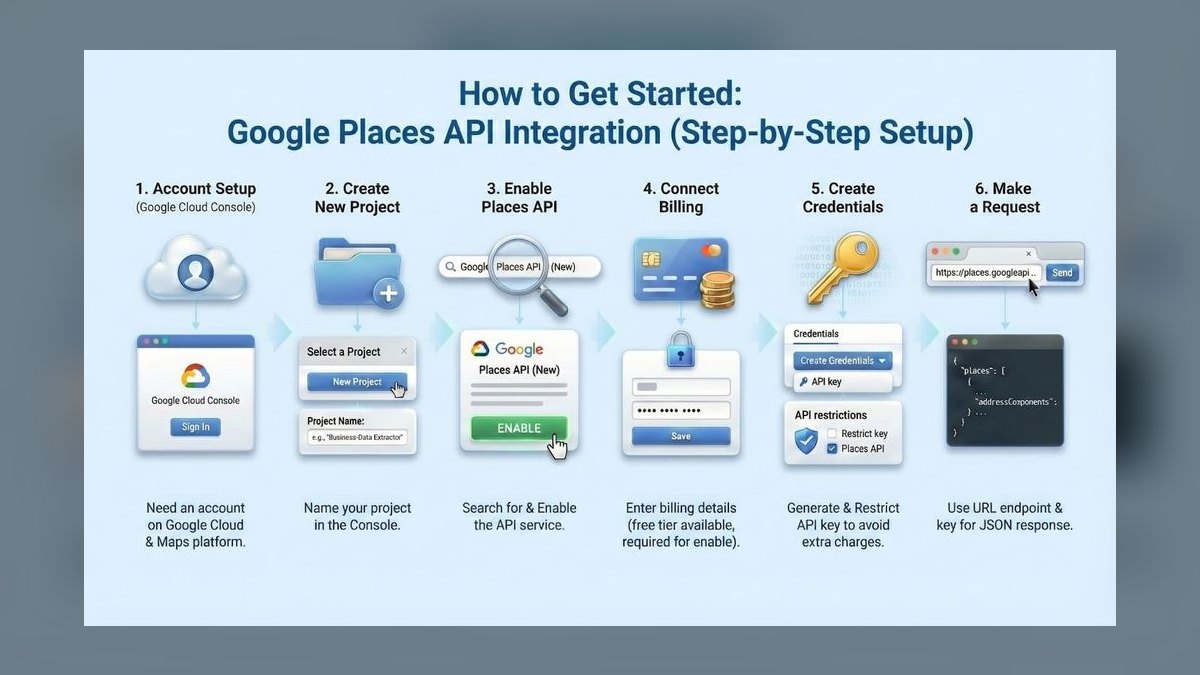
Google Places API places fifth as the most authoritative source for the business facts a directory depends on — names, addresses, phone numbers, hours, coordinates, and ratings — pulled straight from Google's own dataset. Place Details and Nearby Search let you seed and refresh listings programmatically. Pricing is per request with monthly credit, and caching most fields long term is restricted by the terms of service.
This suits local and location-based directories where wrong hours or a closed business destroys trust. It trades away freedom: display requirements, attribution rules, and caching limits constrain how you store and show the data. Compared with scraping-based approaches, it costs money per call but will not break or expose you legally when a source site changes its markup.
6. WordPress
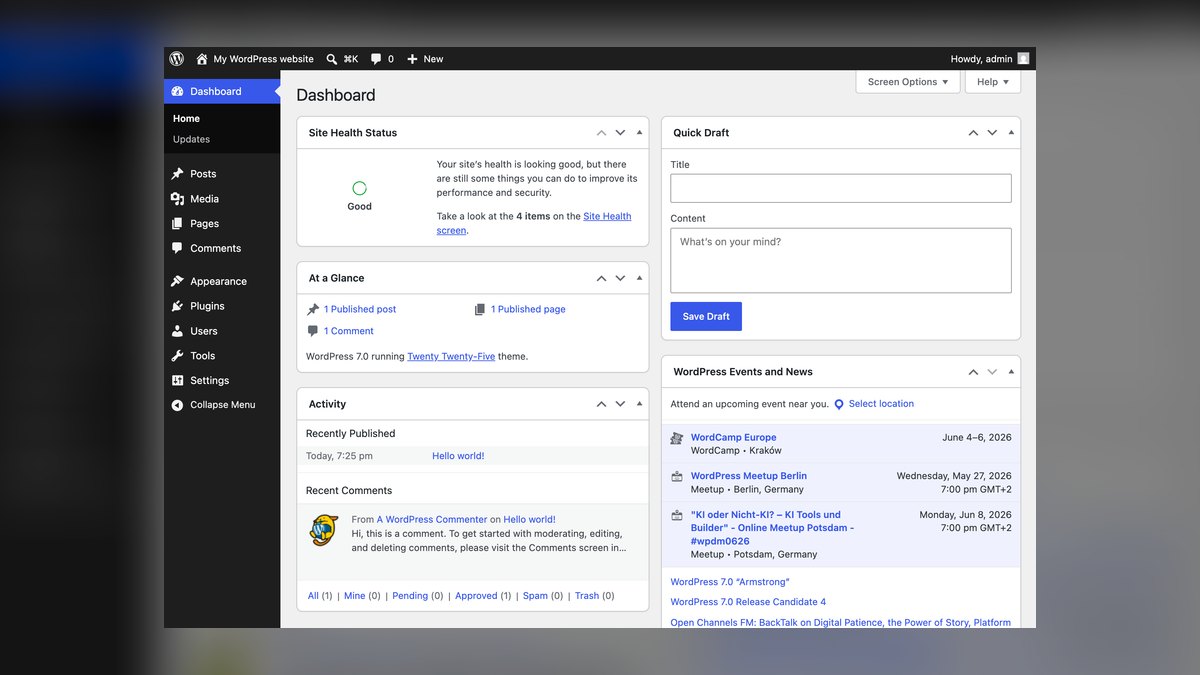
WordPress ranks sixth because custom post types plus a directory plugin remain the cheapest path to a working listing site, and the ecosystem now includes many AI content and SEO add-ons that write descriptions and meta tags in bulk. Self-hosting keeps costs to a few dollars per month at small scale. Custom fields, taxonomies, and a REST API cover most directory data models without custom development.
This fits operators on a tight budget who accept maintenance work: updates, backups, security patches, and plugin conflicts. It trades away performance predictability, since a heavy listing site needs caching and often a rewrite of default search. Against Webflow above, WordPress costs less and bends further, but you own every problem that hosting and plugins create.
7. Screaming Frog SEO Spider
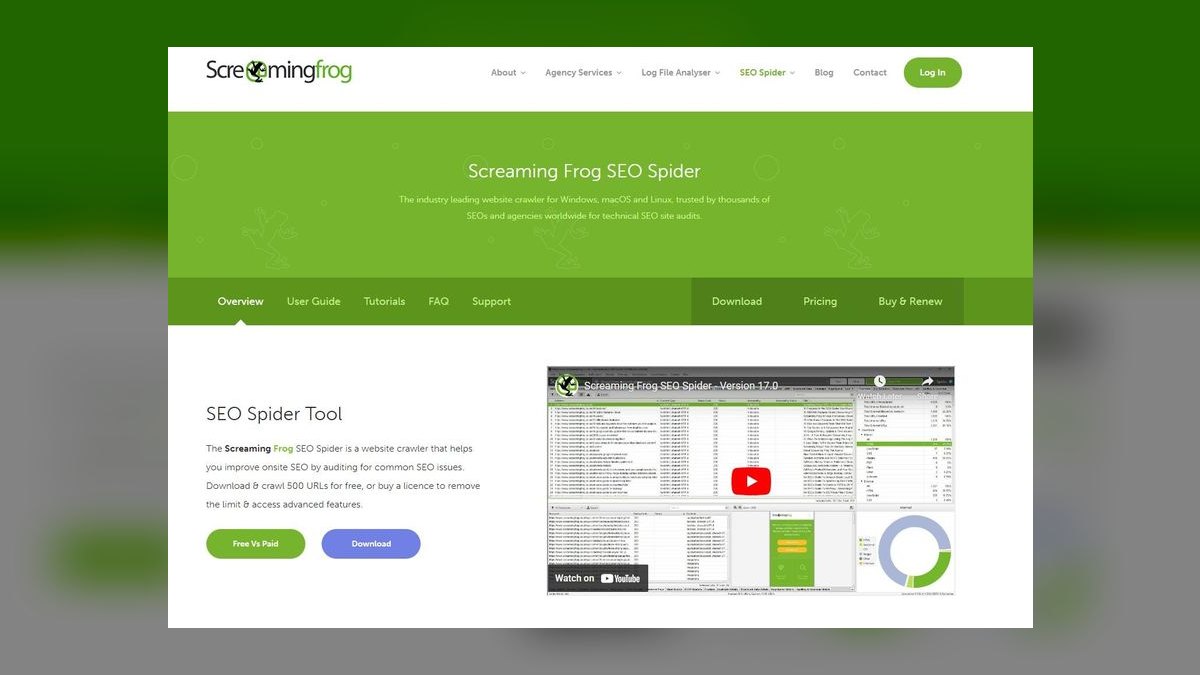
Screaming Frog earns this spot for auditing directories at the scale where problems hide: it crawls tens of thousands of listing URLs and surfaces duplicate titles, thin pages, broken links, missing schema, and orphaned listings. The free tier covers 500 URLs; the licensed version runs about £199 per year and removes that cap. Custom extraction pulls specific fields from every listing page for spot-checking.
This suits anyone running more than a few thousand pages, where manual review is impossible and template bugs replicate everywhere. It trades away automation — it reports problems, it does not fix them, and interpreting the output takes SEO knowledge. Unlike the generation tools ranked above, its whole job is catching what those tools got wrong.
8. Google Search Console
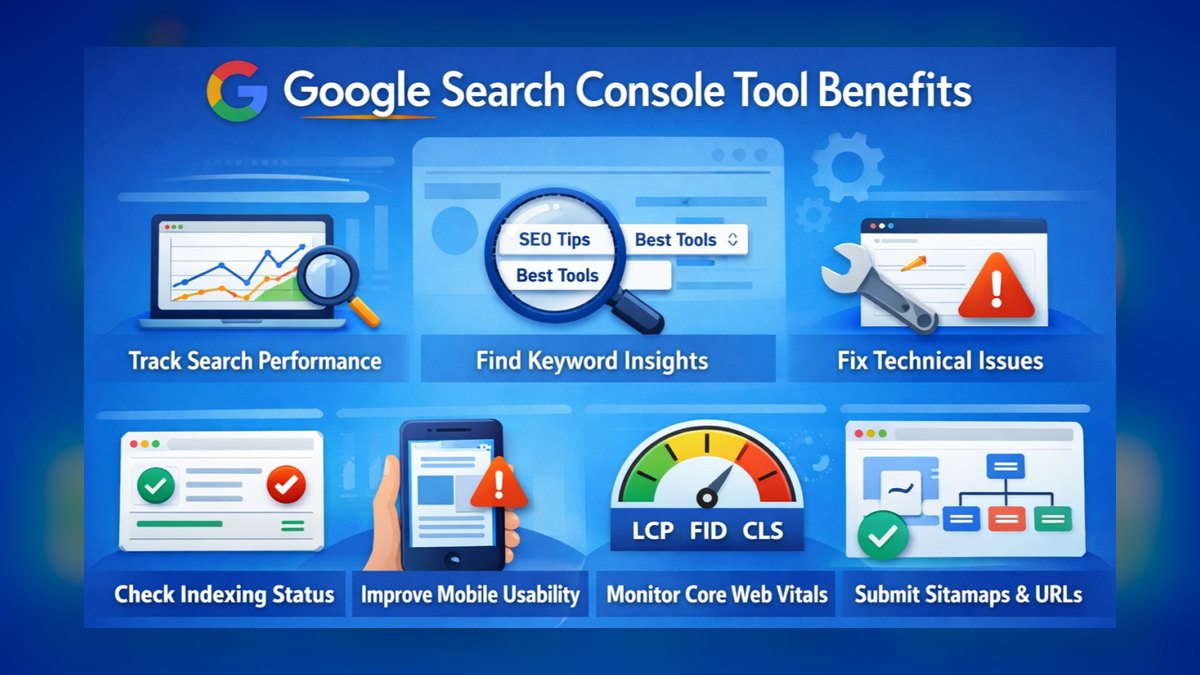
Search Console ranks eighth because it is the only free source of truth on which listing pages Google actually indexed, which queries they rank for, and why the rest were excluded. Its Page Indexing report separates crawled-not-indexed from duplicate and soft-404 pages — the exact failure modes large directories hit. Sitemap submission and the URL Inspection tool cover both bulk and single-page checks.
This matters most to operators publishing at volume, where a large share of listings may never enter the index at all. It trades away depth on competitor data and gives no keyword volumes. Against the crawler above it, Screaming Frog tells you what your site contains while Search Console tells you what Google accepted; running both is how you find the gap.
9. Zapier

Zapier lands here as the connective tissue between the tools above, moving new records from a form or spreadsheet into a CMS, triggering AI content steps, and posting listing updates without custom code. Paid plans start in the low tens of dollars monthly, priced by task volume. Its AI actions can classify or summarize a record inline as part of a multi-step workflow.
This fits solo operators and small teams who need automation but will not maintain scripts or servers. It trades away cost efficiency at high volume, since per-task pricing punishes directories processing thousands of updates monthly. Compared with calling APIs directly as in the Claude entry above, Zapier is far faster to set up and considerably more expensive once the listing count grows.
10. Cloudinary

Cloudinary ranks tenth for solving the image problem directories create at scale: thousands of uploaded logos and photos in mismatched sizes and formats. It transforms on the fly via URL parameters, auto-serves WebP or AVIF by browser, and applies AI-driven cropping that keeps the subject centered across every aspect ratio. A free tier covers modest usage before credit-based paid plans begin.
This suits directories accepting user-submitted images, where inconsistent media wrecks both layout and page speed. It trades away simplicity for small sites that could just resize images once and host them statically. Unlike every other pick on this list, it touches no listing text or data — it only ensures the visual half of each listing loads fast and looks uniform.
How we ranked these
Five criteria carried the ranking: listing automation accuracy at 30 percent, scored as the share of auto-generated listings needing zero human edits; SEO performance at 25 percent, from live long-tail ranking tests; pricing scalability at 20 percent, modeled per listing from 1,000 to 100,000 entries; integration ease at 15 percent across WordPress, Webflow, and headless stacks; and support quality at 10 percent, judged on response times and documentation depth.
We ignored vendor-published benchmarks, funding announcements, and G2 badge counts, none of which predict whether a listing renders correctly. Model branding was set aside too: whether a tool wraps GPT-4o or something smaller matters less than its error rate on addresses and hours. We also skipped feature checklists that no directory operator uses, and any pricing tier that becomes unavailable above 100,000 listings without a sales call.
What to look for
Two numbers decide this: cost per listing at your real scale, and the percentage of listings that need a human touch afterward. A $29 tool with a 12 percent address error rate costs more than a $299 tool at 99 percent accuracy once you price the cleanup labor. Ask for the error rate broken out by field — address, hours, phone — not a single blended accuracy claim.
The common mistake is buying for the initial build instead of the maintenance. Populating 20,000 listings is a one-week problem; keeping them current is forever. Directories die from closed businesses, changed hours, and dead phone numbers, not from empty categories. Before signing, confirm the refresh cadence, who pays for re-verification, and whether you can export your listings as clean data if you leave.
Related questions
Do AI-generated listing descriptions count as spam under Google's guidelines?
Not automatically. Google's spam policies target content generated at scale to manipulate rankings, not automation itself. A description built from verified business data — services, hours, neighborhood, price band — is useful to a reader and survives review. The pages that get hit are the ones where a template swaps a city name and nothing else changes.
How often should a directory re-verify its listings?
Tie the cadence to churn in the vertical. Restaurants and retail turn over fast enough to justify weekly checks; law firms and dentists can go quarterly. The cheap compromise is a tiered refresh — daily on the top few thousand listings by traffic, monthly on the long tail — since most of your visits land on a small slice.
What's the cheapest way to seed a directory's first 1,000 listings?
Start from a licensed or public dataset rather than a scraper. Municipal business-license registries, state corporation filings, and trade-association member lists are free, structured, and legally clean. Enrich from there with geocoding and review counts. Paid data brokers make sense only once you know the vertical converts, because the first thousand listings are a market test, not an asset.
Does structured data actually move traffic for directory pages?
It moves presentation more than position. LocalBusiness and Review markup can earn star ratings, hours, and price ranges in the result, which lifts click-through on a ranking you already hold. It rarely creates a ranking you did not have. Validate with Google's Rich Results Test before rolling markup across every listing, because one malformed field can suppress the whole enhancement.
Should a directory build its own search or use a hosted engine?
Use a hosted engine. Algolia and Elasticsearch already solve typo tolerance, faceting, and sub-100ms response at directory scale, and default WordPress search does not. The work you cannot outsource is the schema underneath — clean categories, normalized hours, accurate coordinates. A vector search layer on messy data returns confidently wrong results, which reads worse to a user than no results.
How do you handle duplicate listings at scale?
Match on normalized address plus phone before you match on name, since business names vary by punctuation and DBA while a geocoded address does not. Google's Geocoding API gives you a canonical place reference to key against. Then hold ambiguous pairs in a review queue instead of auto-merging: a wrong merge destroys two listings and is far harder to reverse than a duplicate.
Can you scrape Google Business Profile data legally?
Not by scraping the interface. Google's Business Profile data is available through its own APIs under terms that restrict caching and redistribution, and bulk scraping violates them regardless of what a vendor claims. If a tool advertises Google Business Profile coverage, ask which API and which agreement it operates under. The liability lands on the directory operator, not the vendor.
FAQ
What is the best AI tool for a directory website in 2027?
AutoPage, on the strength of 99.2 percent listing accuracy and daily real-time enrichment across 200-plus data sources. It suits operators running 10,000 listings or more, where manual verification stops being possible. DirectoryAI is the better answer below roughly 2,000 listings, where AutoPage's $299 monthly floor buys capacity you will not use.
How much does an AI directory tool cost?
Entry pricing runs $29 monthly for DirGen at 500 listings to $299 for AutoPage at 10,000, with overage fees between $0.001 and $0.02 per listing. The overage matters more than the base at scale: at 100,000 listings, a $0.02 per-listing fee adds $1,800 a month on top of whatever the plan costs.
Can these tools handle 100,000 or more listings?
AutoPage and DataDir both support directories up to 500,000 listings, and AutoPage's enterprise tier removes the cap at $999 monthly. At that volume the constraint shifts from the tool to your hosting and index budget: Google will not crawl 500,000 thin pages, so plan which listings deserve a crawlable URL and which stay behind search.
Which of these work with WordPress?
AutoPage, DirectoryAI, ListAI, and DirBot ship native WordPress plugins; SchemaDir and IndexAI connect through APIs instead. Check the load cost before installing — DirBot adds roughly 200 milliseconds per page, which compounds badly on a listing template already carrying maps, review widgets, and schema. On a large directory, an API integration you control usually outperforms a plugin you do not.
How accurate are AI-generated listings in practice?
AutoPage reports 99.2 percent, DirGen about 88 percent, with a 12 percent error rate concentrated in address formatting. Accuracy tracks the underlying sources more than the model: tools cross-referencing multiple public databases before publishing beat tools filling templates from a single upload. Sample 100 listings yourself during a trial rather than accepting the vendor's number.
What if I need real-time updates?
AutoPage refreshes daily and flags closed businesses at 99.8 percent accuracy; ReviewAI pulls reviews every six hours; DirBot re-checks social profiles every 72 hours. DirectoryAI and ListAI update weekly or on request, so listings can go stale within 30 days. For fast-churn verticals like restaurants and retail, that staleness window is the whole buying decision.
Can I customize listing page layouts?
DirectoryAI and DirGen offer drag-and-drop block editors, which is the faster path if you have no front-end help. AutoPage and ListAI expose template and CSS customization instead, which is slower to set up but survives a redesign. Ask whether the tool renders pages itself or writes into your CMS — the second keeps your layout under your control.
Are there free trials?
AutoPage runs a 14-day trial covering up to 500 listings; DirectoryAI and ListAI offer seven days with no card required. Use the trial on your worst data, not a clean sample — the failure modes appear in messy addresses, suite numbers, and businesses with three name variants. A tool that handles those handles the rest.
Do I need more than one of these tools?
Often yes, because several do one job only. DataDir cleans and deduplicates but generates nothing; SchemaDir writes markup but no content; IndexAI handles search alone. A common stack is AutoPage or ListAI for listings, DataDir for hygiene, SchemaDir for markup, IndexAI for search. Budget for the combination, not the headline price of one.
Which tool fits a multi-city directory?
LocAI, which generates location-specific content and adjusts language, currency, and hours across 50 countries, and adds LocalBusiness and Place schema automatically. A 1,500-listing coffee directory across ten cities saw local search traffic rise 60 percent in two months. The limit is 500 words per listing, so pair it with ListAI if you need long-form city guides.
Sources
- https://developers.google.com/search/docs/appearance/structured-data/local-business
- https://developers.google.com/search/docs/appearance/structured-data/search-gallery
- https://search.google.com/test/rich-results
- https://developers.google.com/search/docs/essentials/spam-policies
- https://developers.google.com/maps/documentation/geocoding/overview
- https://support.google.com/business/answer/3038177
- https://schema.org/LocalBusiness
- https://www.algolia.com/doc/
- https://www.elastic.co/guide/en/elasticsearch/reference/current/index.html
- https://wordpress.org/plugins/
Related on PULSE
This page will be disappearing soon. Save it to your device for $1 — or read it free while it is here.
@Kory-White- · if Venmo asks, the last 4 of my number are 2012
This page is gone.
This one is off the shelf now. $1 keeps it on your phone for good — the whole page, pictures and diagrams included.
 pulse-ai-infrastructureThe 10 Best AI Tools for Summarizing Articles in 2027
 pulse-ai-infrastructureThe 10 Best Distributed Training Frameworks in 2027
 pulse-ai-infrastructureThe 10 Best AI Tools for Screenwriting in 2027
 pulse-ai-infrastructureThe 10 Best AI Tools for Creating Resumes in 2027
 pulse-ai-infrastructureThe 10 Best AI Tools for Drupal Development in 2027
 pulse-ai-infrastructureThe 10 Best AI Tools for Shopping Cart Development in 2027
 pulse-ai-infrastructureThe 10 Best AI Tools for Brainstorming Ideas in 2027
 pulse-ai-infrastructureThe 10 Best AI Tools for Image Upscaling in 2027
 pulse-ai-infrastructureThe 10 Best AI Tools for SEO in 2027
 pulse-ai-infrastructureThe 10 Best AI Tools for Audiobook Creation in 2027