
How Many Staff Should I Schedule Each Shift at My BBQ Restaurant in 2026?
 Curated byKory White · Fractional CRO · Maryland
 PULSEKNOWLEDGE LIBRARY
Quality
Certified
Schedule staff by dividing each shift's average gross profit by a per-person target — roughly $250–$300 for a BBQ restaurant. A $900 Tuesday lunch supports three people; a $3,300 Saturday dinner supports eleven. Split that count between counter and pit by your actual service ratio, then stagger arrivals around the rush.
Two ways to set the number: fixed crew templates versus gross-profit division
Almost every BBQ restaurant lands in one of two camps, and the camp you're in explains most of your labor percentage.
The first is the fixed crew template. You built a schedule once — probably in your opening month, probably on a legal pad — and it has calcified. Six on Saturday. Four on Friday. Three on Tuesday. The numbers came from a mix of gut feel, what the last place you worked did, and how many people happened to be available that first summer. Nobody has revisited them since. The template's virtue is real: it's predictable. Your crew knows their days, your managers can build next week in eleven minutes, and part-timers can plan a second job around it. Predictability is not nothing — turnover in food service runs punishing, and a stable schedule is one of the cheapest retention tools you have.
The template's flaw is that it's blind. It doesn't know that your Tuesday lunch has softened 18% since the office park across the street went hybrid. It doesn't know that your Thursday dinner has quietly become your third-best shift because of the trivia night at the bar two doors down. A fixed template locks in whatever was true the day you wrote it, and then it drifts — silently, for years — while you look at a monthly P&L and wonder why labor keeps creeping.

The second camp is gross-profit division, and it's the method this page recommends. You agree on one number with your leadership team: the gross profit a single staffer should produce on an average shift doing an average job. Then you pull trailing gross profit by day and daypart and divide. That's the entire mechanic. If a shift generates $2,100 in gross profit and your target is $300, you staff seven. Not six because that's what you've always run, not eight because a manager wants to give his cousin hours. Seven, because that's what the shift can carry.
The trade-off between the two isn't purely accuracy. Gross-profit division demands data hygiene you may not have yet: clean daypart splits in your POS, a food cost you actually trust, and someone willing to pull a report every week or two. It also produces a schedule that moves — and a schedule that moves is a schedule your crew has to re-learn. The honest answer for most single-unit BBQ joints is a hybrid: run gross-profit division to set the *headcount* for each shift, then hold that headcount stable for a quarter so your people get the predictability. Recalculate seasonally, not weekly. You get the accuracy of the math without whipsawing your roster.
There's a third option worth naming so you can dismiss it properly: percentage-of-sales staffing, where you target a flat labor percentage — say 28% — and back into headcount. It sounds equivalent to gross-profit division and it isn't. Percentage-of-sales ignores product mix. A shift that sells $2,000 of brisket and ribs at a 42% food cost is a fundamentally different shift from one that sells $2,000 of sides, sweet tea, and banana pudding at a 22% food cost, even though the top line is identical. The second shift can carry more labor and should. Gross profit sees that difference; a sales-percentage target does not. In a BBQ restaurant — where the spread between your best-margin item and your worst is enormous — that blindness costs you real money in both directions.

How to decide which method fits your operation
The decision hinges on three inputs: how much your volume actually swings, how good your data is, and how much scheduling labor you can afford to spend.
Start with volume variance. Pull twelve weeks of sales by shift and calculate the coefficient of variation for each daypart — standard deviation divided by the mean. If your Saturday dinners land between $4,100 and $4,400 week after week, variance is low and a fixed template costs you almost nothing; the math would produce the same number every time anyway. If your Saturdays swing from $2,800 to $5,600 depending on weather, a home game, or a festival downtown, a fixed template is guaranteeing you're wrong nearly every week — overstaffed on the low weeks, buried on the high ones.
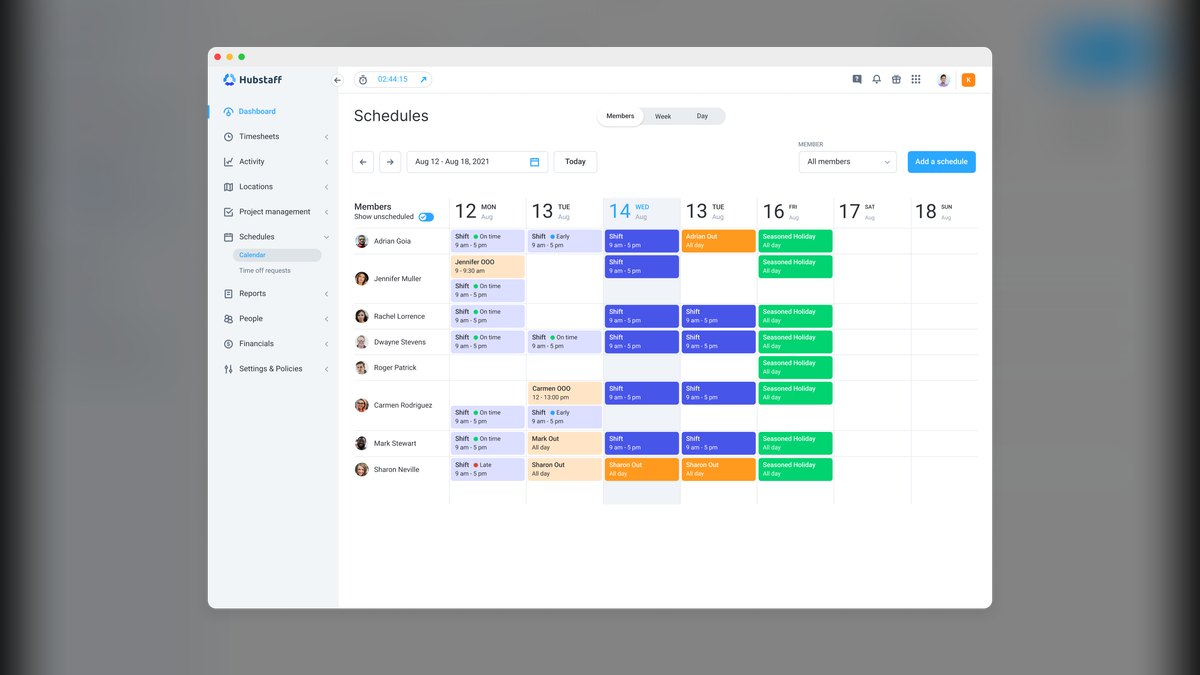
Second, data quality. Gross-profit division needs three things: sales broken out by daypart, a food cost percentage you believe within a couple of points, and enough trailing history that a single anomalous week doesn't distort the average. Three to six months of history is the working minimum. If your POS lumps all of Saturday into one number, fix that before anything else — daypart splits are usually a configuration setting, not a purchase.
Third, management bandwidth. Gross-profit division is maybe thirty minutes of work per quarter once the spreadsheet exists. But somebody has to own it. If your scheduling manager is already drowning, the honest move is to run the calculation yourself once per quarter, hand them the headcount targets, and let them fill the slots.
One more decision input that owners skip: who's on the roster right now. The math gives you a headcount, not a competence level. Six trained people and six warm bodies are not the same shift. If half your crew is under ninety days, add one to whatever the formula says and treat the extra as a training cost with a defined end date — not a permanent line in the schedule. Write the date down. The single most common way a temporary add becomes permanent is that nobody wrote down when it should end.
The concrete numbers behind each approach
Let's put real figures on both methods so the gap is visible.
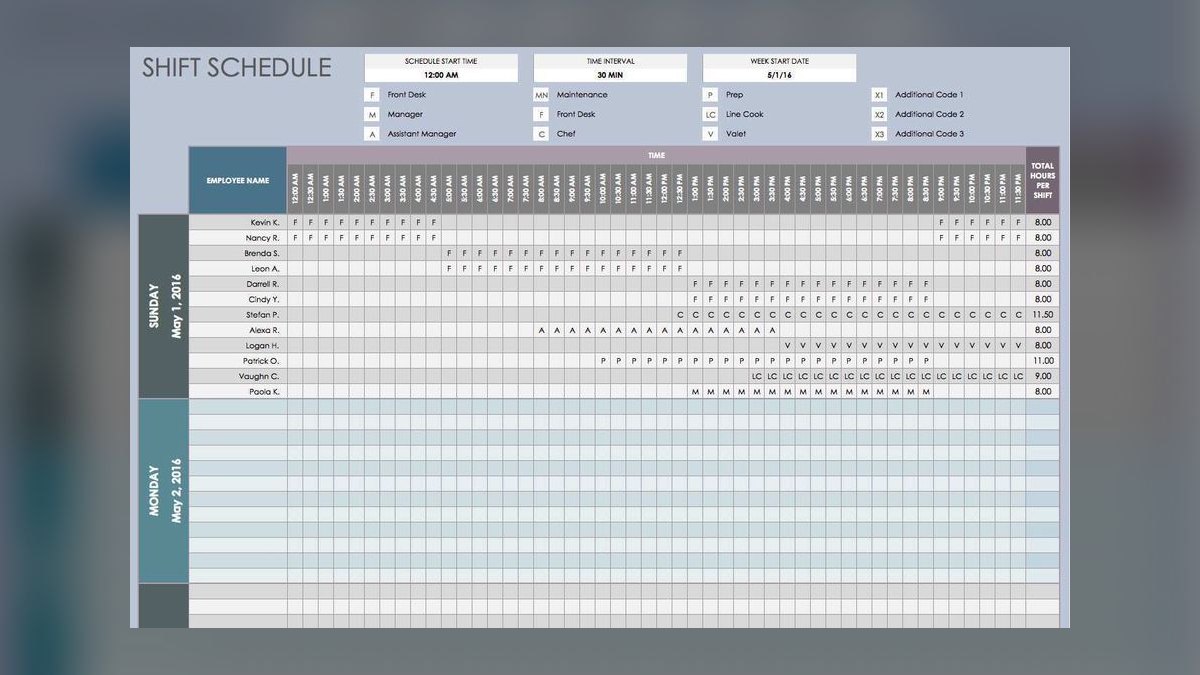
Setting the per-staffer target. For a counter-service BBQ restaurant with average checks in the $16–$22 range, a target of $250 per staffer per shift is a reasonable starting floor. For a full-service smokehouse with $28–$35 checks, alcohol, and table turns, $300 is defensible and some operations push to $350. Do not pick this number from a blog — including this one. Derive it: take a shift you know ran well, where service was tight and nobody stood around, and divide that shift's gross profit by the number of people who worked it. That's your empirical target. If your best-run Friday dinner produced $3,000 in gross profit with ten people, your target is $300 and you have proof, not a guess.
Worked example, single unit. Assume a 70-seat BBQ restaurant, food cost at 33%, so gross profit runs 67% of sales.
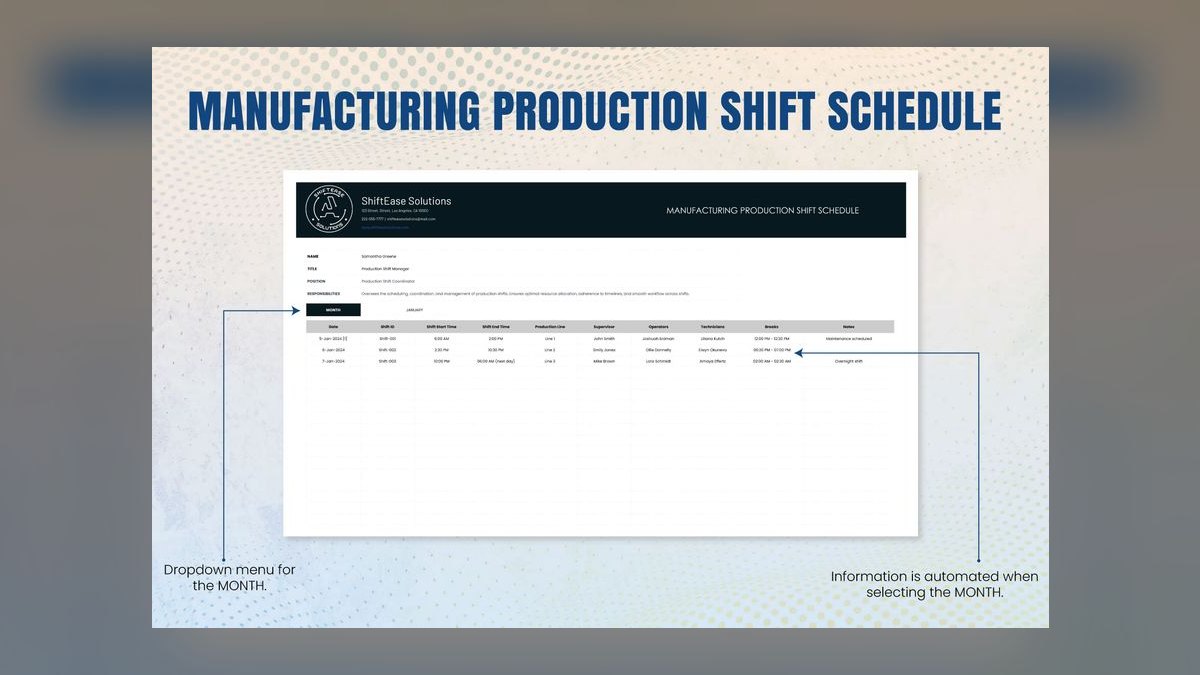
- Tuesday lunch: $1,350 in sales → $905 gross profit → at $300, that's 3 staff
- Wednesday dinner: $2,400 → $1,608 → 5 staff
- Thursday dinner: $3,100 → $2,077 → 7 staff
- Friday dinner: $4,200 → $2,814 → 9 staff
- Saturday lunch: $3,600 → $2,412 → 8 staff
- Saturday dinner: $4,900 → $3,283 → 11 staff
- Sunday lunch: $3,900 → $2,613 → 9 staff
Now compare that to the fixed template the same restaurant was probably running: four every lunch, six every dinner, eight on Saturday. Tuesday lunch was overstaffed by one. Saturday lunch was understaffed by two. Saturday dinner was understaffed by three — which is why your Saturday reviews mention the wait and your Tuesday P&L looks fine but your Saturday tips are mysteriously flat. Add up one overstaffed body at roughly six hours and $17 fully loaded and you're burning about $100 a week on Tuesdays alone, or $5,200 a year, to be simultaneously *worse* on your highest-volume shift.
The front-of-house / back-of-house split. The total headcount is one number; the split is another. For counter-service BBQ, the ratio typically runs 40% front, 60% back — the pit and the line are doing the work, and you need fewer cashiers and runners than a table-service place needs servers. For full-service, it inverts toward 55/45 front-heavy. Take your eleven-person Saturday dinner: counter-service splits to roughly four front, seven back; full-service splits to six front, five back. Run your own ratio from a shift that worked, same as the target number.
What to exclude from the math. The overnight pit tender is not a staffed service shift. Somebody wraps the brisket at 2 a.m. and manages fire, and that person's labor belongs in your food cost, not your service labor line. If you fold them into the gross-profit division you'll systematically understaff your service shifts, because you're charging a production cost against service capacity. Same logic applies to a dedicated prep cook who comes in at 6 a.m. to trim and rub — production, not service. Pull both out and calculate service labor separately.
Labor percentage ranges to sanity-check against. After you build the schedule, verify the result lands in a believable band. Counter-service BBQ lunch typically runs 25–30% labor; dinner 20–25%; weekend brunch, if you do it, 30–35% because turns are slower and the check average is lower. If your math produces a shift at 38% labor, either your gross-profit target is too low or the shift genuinely shouldn't be open. That second possibility deserves more consideration than most owners give it — a Monday lunch that can't clear a viable labor percentage is a shift you're subsidizing out of Saturday's profit, and closing it is a legitimate answer.
Adjacent margins worth knowing. BBQ restaurants tend to run net margins in the high single digits to low teens. A two-point improvement in labor percentage is therefore a meaningful fraction of your total profit — this is not a rounding-error optimization. It's also why the same operators who agonize over a thirty-cent increase in brisket cost will cheerfully overstaff a Tuesday by two people and never notice. Protein cost is visible on an invoice. Labor drift isn't visible anywhere except a schedule nobody re-reads.
Rolling it out: sequencing, staggering, and the BBQ-specific wrinkles
Getting the headcount right is half the job. Placing those bodies against the actual shape of demand is the other half, and BBQ has a demand shape unlike most restaurant categories.
BBQ service is front-loaded. Unlike a pizza place where tickets trickle across the evening, BBQ arrives in waves. Lunch hits at 11:30 sharp and is largely done by 1:15. Dinner builds hard from 5:45. And you have a hard constraint no other category shares: when the brisket runs out, service ends. That's a genuine operational feature — it's why "sold out by 2 p.m." is a badge in this business — but it means your staffing curve should be steeper at the front and cut faster at the back than a general-restaurant scheduling tool will suggest.
Practically: if the math says eight for Saturday lunch, schedule ten for the first ninety minutes and cut to six once the line breaks. You've spent the same total labor hours but distributed them where the covers actually are. The mechanism for this is the swing shift — one person who starts at 11:00, works the rush, and leaves at 2:30. That single position covers your busiest 3.5 hours without costing a full eight-hour shift, and it's the highest-leverage schedule change most BBQ operators can make.

Yield variance changes the back-of-house number. A 15-pound packer might trim to 12 pounds of cookable meat, then lose another 30% to rendering and evaporation. If yesterday's cook came in light, you're slicing under pressure and you need an extra pair of hands regardless of what the formula says. Build a documented override: the pitmaster can add one back-of-house body when yield lands below a defined threshold, no approval needed. Rules that require a phone call at 9 a.m. don't get followed.
Build a call-in bench instead of insurance staffing. Owners overstaff because of the bus-tour fear. Do the math on the fear: a forty-person bus adds maybe $800 in revenue, which at a $300 target is under three extra staffers — and it happens what, six times a year? You don't schedule for it. You keep a text chain with three part-timers who can be on the floor in thirty minutes, and you pay a small guaranteed minimum for being reachable. That's insurance at a fraction of the price of a standing extra shift.
Cross-training is what makes lean crews survivable. A cashier who can run food, a server who can bus, a line cook who can work the pit — each cross-trained person functionally adds fractional headcount to every shift they work. Track it formally: a simple matrix of person against station, with a date next to each competency. Then when you cut a shift from seven to six, you're cutting from a crew that can absorb it.
Sequence the rollout over about eight weeks. Don't flip the whole schedule at once — you'll break service and blame the method.
Pilot on an overstaffed *slow* shift, never a busy one. The downside of getting a Tuesday lunch wrong is a slightly stressed crew; the downside of getting Saturday dinner wrong is a one-star review and a table that waited fifty minutes. Roll to weekend peaks last, once the crew trusts the method.
Watch the right signals during rollout. Track four things per shift: ticket time from order to expo, labor as a percentage of gross profit, waste, and voluntary overtime. If ticket times stretch more than about 20% over baseline, you cut too deep — add the body back and log why. If waste climbs, you may have cut prep rather than service. Overtime creeping upward means you cut headcount without cutting hours, which achieves nothing.
The adjacent lesson from other categories. This method isn't BBQ-specific in its bones — it's the same gross-profit-per-head logic sales organizations use for territory coverage and that retail uses for floor staffing. What changes by category is the demand shape and the constraint. A sushi restaurant staffs around a fixed-capacity sushi bar. A Korean BBQ place staffs around table turns, because the grill is at the table and service is intermittent rather than front-loaded. A brewery taproom staffs around dwell time, not covers. The division stays the same; the placement changes. If you ever run a second concept, port the formula and re-derive the demand curve — don't port the schedule.
Finally, write down what you decided and why. The reason fixed templates calcify isn't that owners are lazy; it's that the reasoning behind a schedule lives in one person's head and evaporates when they leave. Keep a one-page document: target per staffer, the shift it was derived from, the front/back ratio, the exclusions, and the date. When your labor percentage drifts in eighteen months, you'll have something to check against instead of starting over.
Related questions
What if I can't get clean daypart data out of my POS?
Approximate it by hand for four weeks: log sales at three cutoffs — end of lunch, 5 p.m., and close. It's tedious but it gives you enough to derive targets. Fix the POS configuration in parallel; it's usually a settings change, not a purchase.
Should the pitmaster count against the staffing number?
Only for the hours they're actively working service. Overnight fire-tending and early-morning trimming are production costs that belong in food cost. Folding them into service labor systematically understaffs your dinner shifts.
How do I handle a shift the math says should have two people?
Two-person shifts are fragile — one call-out closes you. If a daypart only supports two, seriously evaluate whether it should be open at all, or whether you can shift those hours into a stronger adjacent daypart.
Does this work for catering and off-premise?
The division works, but catering gross profit is lumpier and labor is event-shaped rather than shift-shaped. Calculate catering separately with its own per-person target, and never let a catering job silently pull bodies off a scheduled service shift.
How much does cross-training actually change the headcount?
Meaningfully but not dramatically. A crew where most people cover two stations can typically run one person leaner on mid-volume shifts without service degradation. On peak shifts the benefit is resilience against a call-out rather than a lower headcount.
FAQ
What is a realistic gross-profit-per-staffer target for a BBQ restaurant?
For most BBQ joints the target lands between $250 and $300 per person per shift, depending on check average, service model, and location. A full-service smokehouse with $30-plus checks can support $300 or more; a counter-service place with $16 checks sits closer to $250. Derive yours from a shift that genuinely ran well rather than adopting a number from anywhere else.
How do I calculate average gross profit for a shift?
Take the shift's total sales and subtract cost of goods sold — food, beverage, and paper. If Saturday dinner brings $4,900 at a 33% food cost, gross profit is about $3,283. Divide by your per-staffer target to get headcount, or divide by scheduled headcount to see what each person actually produced.
Should weekday and weekend shifts be scheduled differently?
Yes, and by more than most owners assume. A weekday lunch producing $900 in gross profit supports three people; a Saturday dinner producing $3,300 supports eleven. Applying one blanket number across the week is the single most common source of simultaneous overstaffing and understaffing in the same restaurant.
My labor percentage is still too high after applying this. What now?
Check the target first — if it's set too low, the formula will faithfully overstaff every shift. Then examine whether the problem is headcount or hours: a correctly sized crew scheduled for eight hours on a five-hour demand curve produces high labor without anyone standing around obviously idle. Staggered starts usually fix that.
How often should I recalculate?
Quarterly, plus after any menu price change, new daypart, or seasonal shift. BBQ demand moves with weather and holidays in ways most categories don't — a patio-heavy operation's summer numbers won't hold in February. Recalculating weekly is counterproductive; it destroys the schedule predictability your crew depends on.
Can one target cover both front-of-house and back-of-house?
Use one total headcount, then split it by your observed service ratio rather than running two separate targets. Counter-service BBQ typically runs about 40% front and 60% back; full-service inverts toward front-heavy. Two independent targets tend to drift apart and stop reconciling to the shift's actual gross profit.
Sources
- https://restaurant.org/ — National Restaurant Association industry research and operations benchmarks
- https://www.bls.gov/iag/tgs/iag722.htm — U.S. Bureau of Labor Statistics, food services and drinking places employment and wage data
- https://pos.toasttab.com/blog — Toast restaurant operations blog, scheduling and labor management guides
- https://www.qsrmagazine.com/ — QSR Magazine, quick-service and fast-casual staffing coverage
- https://www.restaurantowner.com/ — RestaurantOwner.com, labor management and scheduling resources
- https://sha.cornell.edu/faculty-research/centers-institutes/chr/ — Cornell Center for Hospitality Research, workforce and scheduling studies
- https://www.nrn.com/ — Nation's Restaurant News, industry operations and labor reporting
- https://www.dol.gov/agencies/whd/flsa — U.S. Department of Labor, Fair Labor Standards Act guidance on hours and overtime
Related on PULSE
- [How Many Employees Should I Schedule Each Shift at My Korean BBQ Restaurant?](/knowledge/ed0524)
- [How Many Staff Should I Schedule Each Shift at My Sushi Restaurant?](/knowledge/ed0881)
- [How Do I Score My Restaurant Staff on Upsells and Attachment?](/knowledge/ed0793)
- [How Many Employees Should I Schedule Each Shift at My Mediterranean Restaurant?](/knowledge/ed0521)
- [How Many Employees Should I Schedule Each Shift at My Thai Restaurant?](/knowledge/ed0522)
- [How Many Employees Should I Schedule Each Shift at My Vegan Restaurant?](/knowledge/ed0520)
This page will be disappearing soon. Save it to your device for $1 — or read it free while it is here.
@Kory-White- · if Venmo asks, the last 4 of my number are 2012
This page is gone.
This one is off the shelf now. $1 keeps it on your phone for good — the whole page, pictures and diagrams included.
 pulse-qWhat Service Fees Should a Plumbing Company Charge in 2026?
 pulse-qHow Do I Increase My Average Ticket Without Selling Anything Extra in 2026?
 pulse-qHow Many Sales Reps Do I Need to Hire for My SaaS Company to Hit Next Year''s Goal in 2026?
 pulse-qHow Many Sales Reps Do I Need to Hire for My Dental Equipment Company in 2026?
 pulse-qHow Do I Get My Jewelry Staff to Offer Financing on Every Sale in 2026?
 pulse-qHow Many Baristas Should I Schedule Each Shift at My Coffee Drive-Thru in 2026?
 pulse-qHow Many Salespeople Should I Schedule Each Day on My Furniture Store Floor in 2026?
 pulse-qHow Many Sales Reps Do I Need to Hire for My Janitorial Supply Company in 2026?
 pulse-qWhat Service Fees Should a Gym or Fitness Studio Charge in 2026?
 pulse-qHow Many Employees Should I Schedule Each Day at My Bookstore in 2026?