
“We’re hiring closers.” — LinkedIn Banner
 Curated byKory White · Fractional CRO · Maryland
 PULSEKNOWLEDGE LIBRARY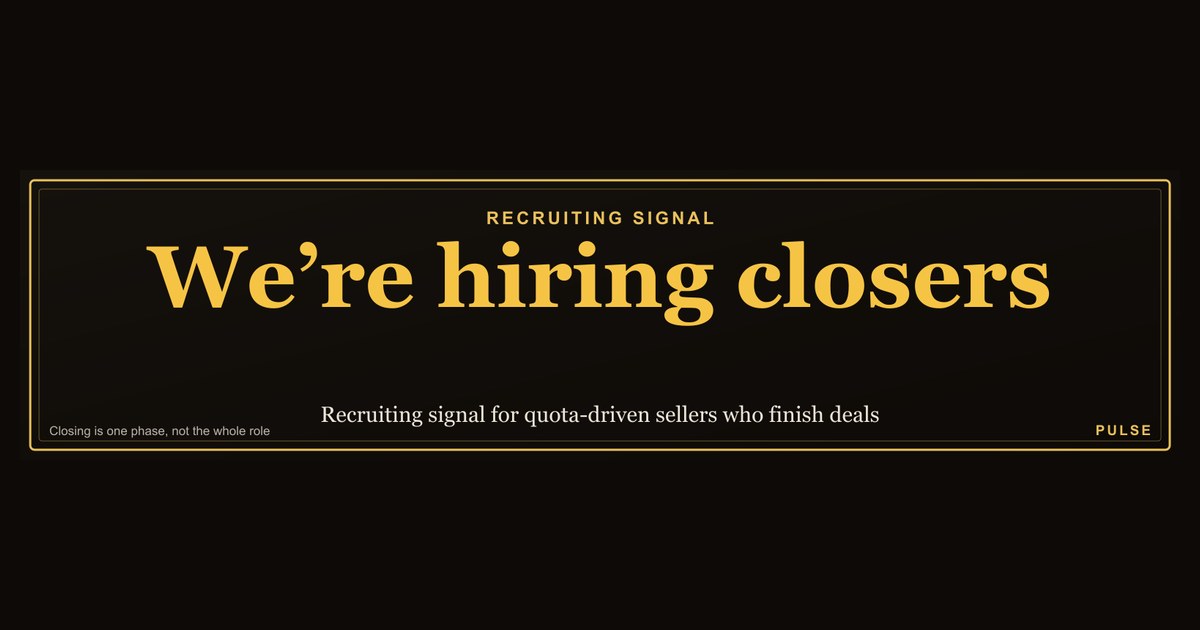
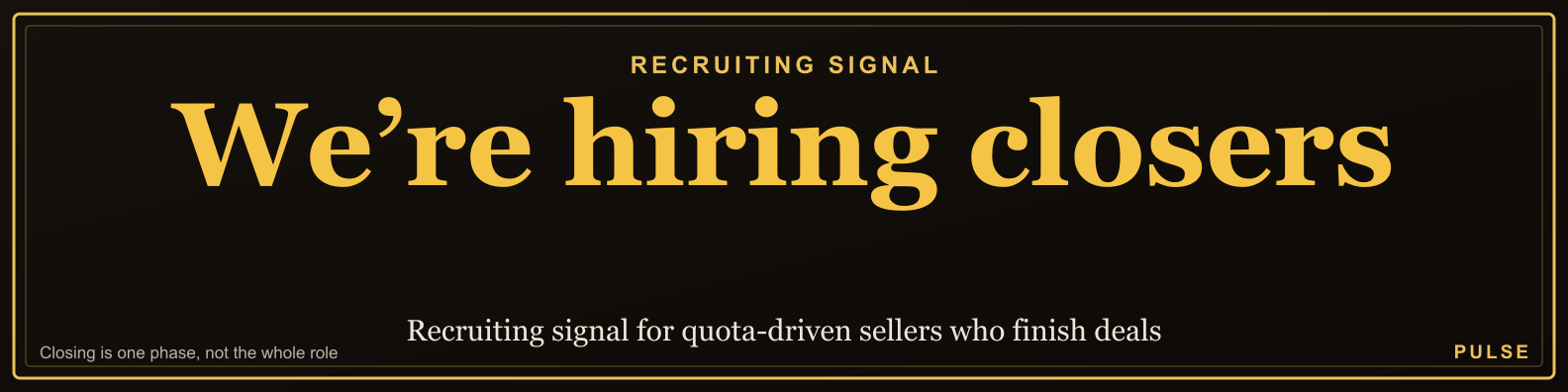
This is a LinkedIn profile banner sized 1584x396 px that reads “We’re hiring closers.” in bold type on a dark background. Download it as a PNG and set it as your LinkedIn cover image to signal open sales roles to recruiters and candidates who land on your profile.
What it is and why it matters
This LinkedIn profile banner is a ready-made cover image for a sales leader, founder, or recruiting manager who wants to announce open closing roles without writing a text post. The artwork is 1584x396 px — the exact pixel dimensions LinkedIn uses for profile cover images on desktop — and it carries the short headline “We’re hiring closers.” in high-contrast type on a dark field. Because the message is short and the contrast is high, it stays legible when LinkedIn crops or compresses the image on mobile, where the cover is displayed at a smaller scale and partially obscured by the circular profile photo on the left side.
The reason this matters is that LinkedIn profile banners are one of the few pieces of real estate on the platform that every visitor sees. Unlike a post, which only reaches a fraction of your connections, a cover image sits at the top of your profile permanently until you change it. For a hiring manager or a founder doing their own recruiting, that means every inbound profile view — from candidates, from referral sources, from peers — becomes a passive job ad. It is the cheapest recurring impression available on the platform.
There is also a signaling effect. A banner that says “We’re hiring closers.” tells the market that the team is in growth mode and that leadership is personally involved in recruiting. Candidates read that as a sign the role is real and the hiring manager is reachable, which raises response rates on outbound messages. Recruiters read it as a sign the team is scaling and may route candidates your way. The banner does not replace a job posting, but it primes everyone who sees your profile before they ever open the posting.
The banner also solves a specific problem: sales roles are hard to fill because the best closers are usually employed and not browsing job boards. Passive candidates evaluate opportunities by looking at the people they would work for. When a candidate gets a LinkedIn message from you and clicks your profile, the first thing they see is the banner. If it says “We’re hiring closers.”, the message and the profile reinforce each other. If the banner is a generic stock photo, the message has to do all the work alone.
Finally, this banner is a low-commitment asset. You can swap it in for a week, run a hiring sprint, and swap it back. You can test different wording — “We’re hiring closers.” versus “Hiring: 3 enterprise closers” — and see which produces more qualified inbound. Because it is a static PNG, there is no design tool required and no ongoing cost. That makes it useful for teams that hire in bursts rather than continuously.
The step-by-step process
Using this LinkedIn profile banner correctly is a short sequence, but each step has details that determine whether it works. The process below covers downloading the asset, preparing your profile to receive it, uploading it, and measuring whether it produced anything.
The first step is to download the PNG from this page. The file is already sized at 1584x396 px, which is the recommended desktop cover size for LinkedIn. Do not resize it before uploading unless you are intentionally customizing it. If you do resize, keep the 4:1 aspect ratio; LinkedIn will crop anything that does not match, and it crops from the center, which can cut off the “We’re hiring closers.” text if the image is too tall.
The second step is to prepare the profile around the banner. The banner is a signpost, not a destination. Before you upload it, make sure your headline mentions the role or the team — for example, “VP Sales | Hiring enterprise closers” — and that your “About” section has a short paragraph describing the role and a link to the job posting. If the banner says “We’re hiring closers.” but the headline says nothing about hiring and the About section is empty, the candidate has nowhere to go next. The banner creates the question; the rest of the profile has to answer it.
The third step is to upload the image. On desktop, go to your profile, click the pencil icon on the cover image, and upload the PNG. On mobile, the same option is under the cover photo menu. LinkedIn will show a preview; check that the text is not obscured by your profile photo, which sits in the lower-left area of the cover on desktop and overlaps more heavily on mobile. If the text is centered, it usually stays clear of the photo. If you have customized the banner to put text on the far left, move it toward the center.
The fourth step is to decide how long to leave it up. A hiring banner is a campaign asset, not a permanent fixture. Leaving it up for months trains your network to ignore it. A common pattern is to run it for two to four weeks during an active hiring push, then swap back to a standard cover. If the role is hard to fill, run it longer but refresh the wording — for example, change “We’re hiring closers.” to “Hiring: 2 enterprise closers, remote.” Refreshing the text signals that the search is still active and gives returning visitors a reason to look again.

The fifth step is to measure. LinkedIn shows profile viewers in the “Who viewed your profile” section, and you can see whether views increased after the banner went up. You can also track inbound messages and connection requests that mention the banner. A simple measure: count how many candidate conversations started in the two weeks before the banner and in the two weeks after. If the banner is working, the second number should be higher, and the conversations should be more relevant.
A sixth step, often skipped, is to align the banner with your outbound recruiting messages. If you are sending LinkedIn messages to passive closers, the banner should be up before you send them. The candidate will click your profile within minutes of reading the message. If the banner appears a day later, the reinforcement is lost. Put the banner up first, then start the outreach sequence.
A seventh step is to coordinate with your team. If three sales managers all put up the same banner, the message becomes noise. Decide who owns the hiring message — usually the hiring manager or the founder — and let that person carry the banner. Other team members can mention the opening in their headline or in a post, but the banner should be concentrated on one or two profiles so it reads as a deliberate signal rather than a company-wide template.

Costs, timelines, and typical ranges
The direct cost of this LinkedIn profile banner is zero. It is a free download, and LinkedIn does not charge for uploading a cover image. The real costs are time and opportunity cost, and those are worth estimating before you start.
Time cost: downloading and uploading the banner takes about five minutes. Updating your headline and About section to support it takes fifteen to thirty minutes if you write the copy from scratch. Checking the mobile crop takes two minutes. Total setup is under an hour for a single profile. If you are coordinating across a team of five managers, budget two to three hours for alignment and copy review.
Timeline for results: profile views typically shift within three to seven days of uploading a new cover image, because LinkedIn surfaces profile updates to your network. Candidate messages from inbound viewers usually follow within one to two weeks. If you are running outbound outreach alongside the banner, expect replies within two to five days for warm contacts and one to two weeks for cold contacts. A hiring sprint with the banner up for four weeks is a realistic window to fill one to three closing roles, assuming the role is well-defined and the compensation is competitive.

Opportunity cost: the banner occupies the cover slot, which means you are not using it for a product launch, a conference, or a company brand image. For most sales leaders, the hiring message is the highest-value use of that slot during an active search. But if you are also launching a product, consider whether the hiring message or the launch message deserves the space. You cannot run both on the same profile at the same time without splitting attention.
Cost per hire comparison: a retained recruiting firm for a mid-level sales role often charges a percentage of first-year compensation, which for a closing role can run into five figures. A job board posting can cost several hundred dollars for a thirty-day listing. This banner costs nothing and reaches everyone who views your profile, which is a smaller but more targeted audience than a job board. The trade-off is reach: a job board reaches active seekers, while the banner reaches passive viewers who may not be looking. For closing roles, where the best candidates are often passive, the banner’s audience is often higher quality even though it is smaller.
Range of outcomes: in a typical four-week run, a sales leader with 2,000 to 5,000 LinkedIn connections might see profile views increase by 20 to 50 percent, and might receive 5 to 20 candidate inquiries depending on the role’s seniority and the clarity of the headline. A very senior enterprise closing role might produce fewer inquiries but higher quality. A high-volume SDR-to-closer role might produce more inquiries with wider variance in quality. These are directional ranges, not guarantees, and they depend heavily on the profile’s existing reach and the specificity of the role.

Hidden cost: screening. If the banner works, you will get inbound messages from candidates who are not qualified. Budget time to triage. A simple filter — ask for the candidate’s current quota attainment and average deal size in the first reply — cuts the screening load significantly. Without a filter, a successful banner can consume several hours a week in unqualified conversations.
Where teams get it wrong
The most common mistake is treating the banner as a complete job posting. The banner says “We’re hiring closers.” but it does not say what the role is, where it is based, what the compensation looks like, or how to apply. Candidates who are interested have to guess. The fix is to make the banner the headline and the profile the details: headline mentions the role, About section describes it, and a link goes to the full posting. The banner is the hook, not the whole story.
A second mistake is leaving the banner up indefinitely. A banner that says “We’re hiring closers.” for six months stops being a signal and starts being background noise. Viewers assume the search is stale or that the team cannot close candidates. Refresh the wording every few weeks, or take it down when the role is filled. If you forget to take it down after filling the role, you will keep receiving applications for a job that no longer exists, which wastes your time and damages the candidate experience.
A third mistake is ignoring the mobile crop. LinkedIn displays the cover image differently on mobile, and the profile photo overlaps a larger portion of the left side. If the “We’re hiring closers.” text is positioned on the far left, it may be partially hidden on mobile, where a large share of viewers will see it. Center the text or keep it in the right two-thirds of the image. Test by viewing your own profile on a phone before you commit.
A fourth mistake is using the banner without a clear role definition. “Closers” is a broad term. It can mean SDRs, account executives, enterprise sellers, or inside sales reps. If the banner says “closers” but the actual role is an SDR position, candidates will self-select incorrectly. Be specific in the headline and About section: “Hiring: enterprise account executives, $1M+ quota” or “Hiring: inside sales closers, SMB.” The banner can stay short, but the surrounding profile must disambiguate.
A fifth mistake is failing to route interested candidates to a next step. If a candidate reads the banner, checks your headline, and finds no link and no instruction, they may send a connection request with no context, or they may do nothing. Add a clear call to action in the About section: “Message me ‘CLOSER’ and I’ll send the role brief.” A specific instruction increases response rates and makes the inbound messages easier to triage.

A sixth mistake is running the banner while the role is not actually open. This happens when a team posts the banner to build a pipeline for a future role, but candidates who apply are told the role is not available yet. That damages trust. If you are pipelining, say so explicitly: “Always interested in meeting enterprise closers.” Do not say “We’re hiring” if you are not.
A seventh mistake is not tracking whether the banner produced anything. Without a before-and-after comparison, you cannot tell whether the banner worked or whether the inbound came from something else. Track profile views and candidate messages for two weeks before and two weeks after. If the banner did not move either number, the problem is likely the headline or the role definition, not the banner itself.
Decision framework: when to choose what
This LinkedIn profile banner is one option among several for announcing a sales hiring push. The decision framework below helps you choose when to use the banner, when to use a different format, and when to combine them.
Use the banner when the role is open, the hiring manager is active on LinkedIn, and the goal is to reach passive candidates who view the profile. The banner works best for roles where the hiring manager’s personal network and reputation are an asset — enterprise sales, senior closing roles, and roles where trust in leadership matters. It also works well for founders who are personally recruiting and want their profile to carry the message.

Use a LinkedIn post instead when you want to reach your whole network at once and you have a specific story to tell — for example, a new territory, a new product, or a change in compensation. A post can include a link, a description, and a call to action, and it can be shared by your team. The banner and the post are complementary: the post creates the spike, the banner maintains the signal.
Use a job board when you need active candidates and you want applications to flow into an applicant tracking system. Job boards reach people who are actively looking, which is a different audience from the banner’s passive viewers. For high-volume roles, job boards may produce more applications; for senior roles, the banner’s targeted reach may produce better candidates.
Use a recruiter when the role is confidential, when the market is very tight, or when you do not have the time to screen inbound. A recruiter brings a pipeline and handles screening, but costs more. The banner can run alongside a recruiter search without conflict, because it reaches a different audience.

Do not use the banner when the role is not approved, when the compensation is not defined, or when you cannot respond to candidates within a few days. A banner that generates interest you cannot handle is worse than no banner at all. It burns candidate goodwill and makes future outreach harder.
Combine the banner with a headline change and an About section update for the strongest effect. The banner alone is a signpost; the headline and About section are the directions. If you only have time for one change, change the headline first — it appears in search results and in connection requests, so it reaches more people than the banner alone.
A practical rule: if you can describe the role in one sentence and you are willing to answer candidate messages personally, the banner is a good fit. If you cannot describe the role in one sentence, fix that first — no banner will compensate for a vague role definition.
Related questions
How do I upload this banner to LinkedIn?
Download the PNG, go to your LinkedIn profile, click the pencil icon on the cover image, and upload the file. Check the preview on both desktop and mobile before saving, and confirm the text is not hidden by your profile photo.
What size is the banner?
It is 1584x396 px, the standard LinkedIn cover image size. Keep the 4:1 aspect ratio if you resize it, and keep the text centered so it survives LinkedIn’s mobile crop.
Can I change the wording?
Yes. If you customize the PNG, keep the same dimensions and contrast. You can change “closers” to a specific role, add a location, or add a call to action like “Message me.” Keep it short so it stays legible.
Does the banner replace a job posting?
No. The banner is a signpost that drives profile viewers to the role. You still need a job posting or a role brief to send to interested candidates, and you should link to it from your About section.
How long should I leave it up?
Two to four weeks for an active hiring sprint, then refresh the wording or swap it out. Leaving it up for months makes it background noise and can signal a stale search.
FAQ
Will this banner work if I have a small LinkedIn network? Yes, but the reach is smaller. The banner works on profile viewers, so a network of a few hundred connections will produce fewer impressions than a network of several thousand. For small networks, combine the banner with outbound messages to specific candidates, and consider a job board to supplement reach.
Should I use this banner if I am hiring for an SDR role, not a closer? The banner says “closers,” which usually implies a closing role with quota ownership. If you are hiring SDRs, change the wording to “SDRs” or “sales development reps” so candidates self-select correctly. Using “closers” for an SDR role creates mismatched expectations on both sides.
Can I use this banner on a company page instead of a personal profile? LinkedIn company pages have a different cover image size and different display rules. This banner is sized for a personal profile at 1584x396 px. You can adapt the design for a company page, but check the current company cover dimensions before uploading, because they differ from the personal profile size.
What should I put in my headline if I use this banner? Put the role and the hiring signal in the headline, for example “VP Sales | Hiring enterprise closers.” The headline appears in search results and connection requests, so it extends the banner’s reach beyond profile viewers. Keep it under the character limit and avoid vague phrases like “sales leader.”
How do I screen the candidates who respond to the banner? Ask two questions in your first reply: current quota attainment and average deal size. That filters for candidates who have actually closed deals at the relevant level. For senior roles, add a question about the largest deal they have closed and the sales cycle length. This keeps the screening conversation short and comparable across candidates.
Does the banner help with outbound recruiting messages? Yes, if it is up before you send the messages. Candidates who receive a message will click your profile, and the banner reinforces the message. Put the banner up first, then send outreach. If the banner appears after the message, the reinforcement is lost, and the candidate may not return to your profile.
Sources
- LinkedIn Help: Profile cover image guidelines — https://www.linkedin.com/help/linkedin/answer/a541981
- LinkedIn Help: Edit your profile — https://www.linkedin.com/help/linkedin/answer/a546357
- LinkedIn Talent Blog — https://www.linkedin.com/business/talent/blog
- LinkedIn Sales Blog — https://www.linkedin.com/business/sales/blog
- Harvard Business Review: Hiring — https://hbr.org/topic/hiring
- Society for Human Resource Management: Talent acquisition — https://www.shrm.org/topics-tools/topics/talent-acquisition
- U.S. Bureau of Labor Statistics: Sales occupations — https://www.bls.gov/ooh/sales/home.htm
Related on PULSE
- LinkedIn banner sizes and safe zones for profile covers
- How to write a sales headline that attracts closers
- Recruiting passive sales candidates on LinkedIn
- Job posting vs. profile banner: which drives better applicants
- Screening sales candidates: quota attainment questions that work
- Sales hiring sprint checklist for small teams
Read it free — or make it yours for $1.
@Kory-White- · if Venmo asks, the last 4 of my number are 2012
 graphicRight deal, right time. — LinkedIn Wallpaper
 graphicSales Coach — LinkedIn Banner
 graphic“The next call is the most important one.” — LinkedIn Banner
 graphicAI Translation Engineer — LinkedIn Banner
 graphicRight market, right motion. — LinkedIn Wallpaper
 graphic“Seeking enablement leadership.” — LinkedIn Banner
 graphicChannel Account Manager — LinkedIn Banner
 graphic“It’s not a no. It’s a not yet.” — LinkedIn Banner
 graphicSell the future. — LinkedIn Wallpaper
 graphicSales Ops Analyst — LinkedIn Banner