
How much does a gaming monitor with 240Hz refresh rate cost in 2027?
 PULSEKNOWLEDGE LIBRARY
In 2027, expect a 240Hz gaming monitor to cost roughly $200 to $450 for a mainstream 1080p or 1440p IPS panel, $450 to $900 for a high-end 1440p or 4K LCD, and $700 to $1,300 for OLED. Budget 24-inch 1080p 240Hz models frequently dip under $200 during sales.
The build you are actually pricing
A practitioner-realistic scenario: you have a $1,600 total budget for a display upgrade and you want a 240Hz gaming monitor that will still feel current in 2030. You already own a GPU roughly in the mid-tier bracket — something that pushes 1440p at high settings and hits triple-digit frame rates in competitive titles but struggles at native 4K. The question "how much does a 240Hz monitor cost" collapses instantly the moment you attach those two constraints, because 240Hz is not a price tier. It is a single specification that appears across a range spanning roughly six hundred dollars of spread, and the refresh rate itself is the cheapest part of that spread.
Here is what that scenario looks like when priced out concretely. If you buy a 24-inch or 25-inch 1080p 240Hz IPS panel — the classic esports form factor — you are shopping in a category where 240Hz has been commodity hardware since roughly 2020 and where new-model pricing has compressed year over year. That category in 2027 sits in the low-to-mid two hundreds at list, and falls below two hundred during Black Friday, Prime Day, and back-to-school windows. If you step up to a 27-inch 1440p 240Hz IPS — the current mainstream sweet spot — you are in a band that starts around three hundred and runs to roughly five hundred depending on panel bin, local-dimming zones, and brand tier. If you want 27-inch 1440p QD-OLED or WOLED at 240Hz, you jump to a band that starts near seven hundred and reaches into four figures for the models that pair 240Hz with high peak brightness and a strong burn-in warranty.
The single most useful reframe: you are not paying for 240Hz. You are paying for the panel technology, the size, the resolution, and the color/HDR capability that happens to ship *alongside* 240Hz. In 2027, driving a panel at 240Hz costs a manufacturer very little incremental BOM on a TN or fast-IPS LCD, because the driver ICs, scaler silicon, and DisplayPort bandwidth to do it are mature and cheap. What costs money is OLED emitter material, quantum-dot layers, mini-LED backlight zone counts, factory color calibration, and the higher-bandwidth video interface needed when you combine 240Hz with 4K.
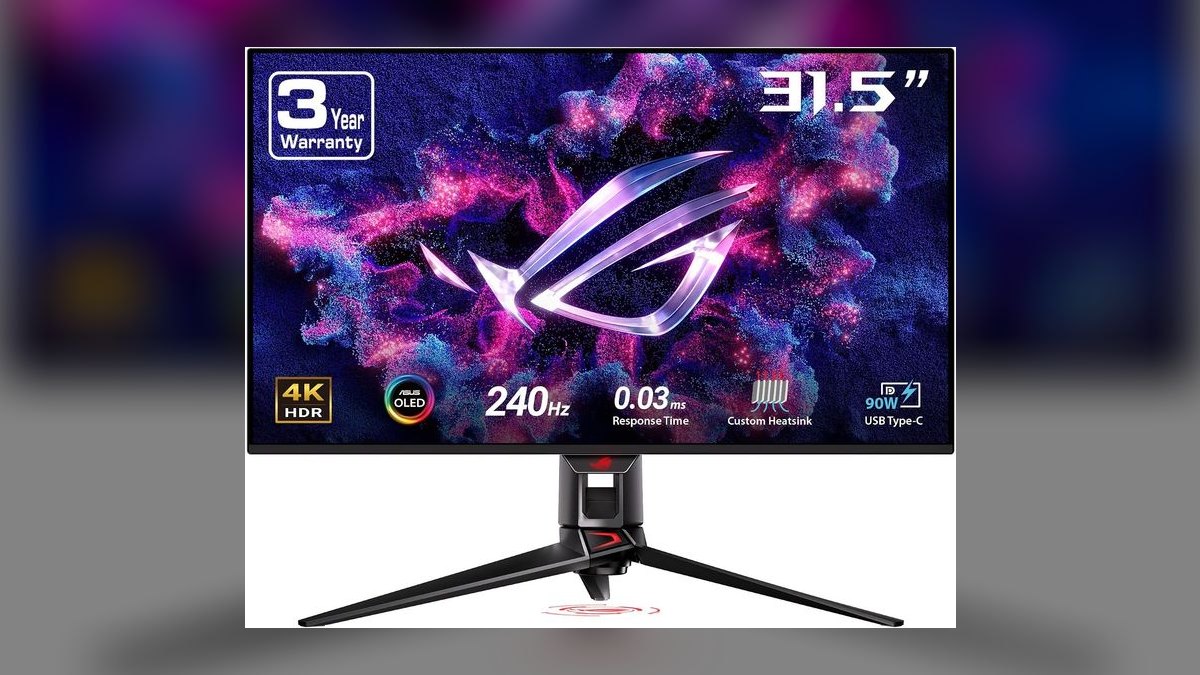
That is why the honest answer to a budget question is a decision tree rather than a number. Someone playing competitive shooters at 1080p who wants the lowest possible motion blur and does not care about HDR can genuinely be done for under $250. Someone who wants 240Hz to be their only monitor — work, media, single-player games with heavy HDR — is realistically looking at $700 to $1,200 for OLED, and should also budget for the GPU headroom to actually feed those frames. A 240Hz gaming monitor that your GPU can only push to 90fps in the titles you play is an expensive way to buy a 90Hz experience, though variable refresh rate does soften that penalty considerably.
One more scenario-level cost that people forget: the cable and the port. Running 1440p at 240Hz with 10-bit color and no display stream compression pushes past the practical ceiling of older DisplayPort revisions. Running 4K at 240Hz absolutely requires either DisplayPort 2.1 with UHBR bandwidth or HDMI 2.1 with DSC. If your GPU or laptop only exposes older outputs, the monitor will still work — it will just negotiate down to a lower refresh, a lower color depth, or a compressed signal. That is a zero-dollar line item if your hardware is current and a several-hundred-dollar line item if it forces a GPU upgrade.
How the refresh rate actually reaches your eyes
Understanding what you are paying for requires understanding the chain a frame travels through, because the price differences map almost perfectly onto the expensive links in that chain.
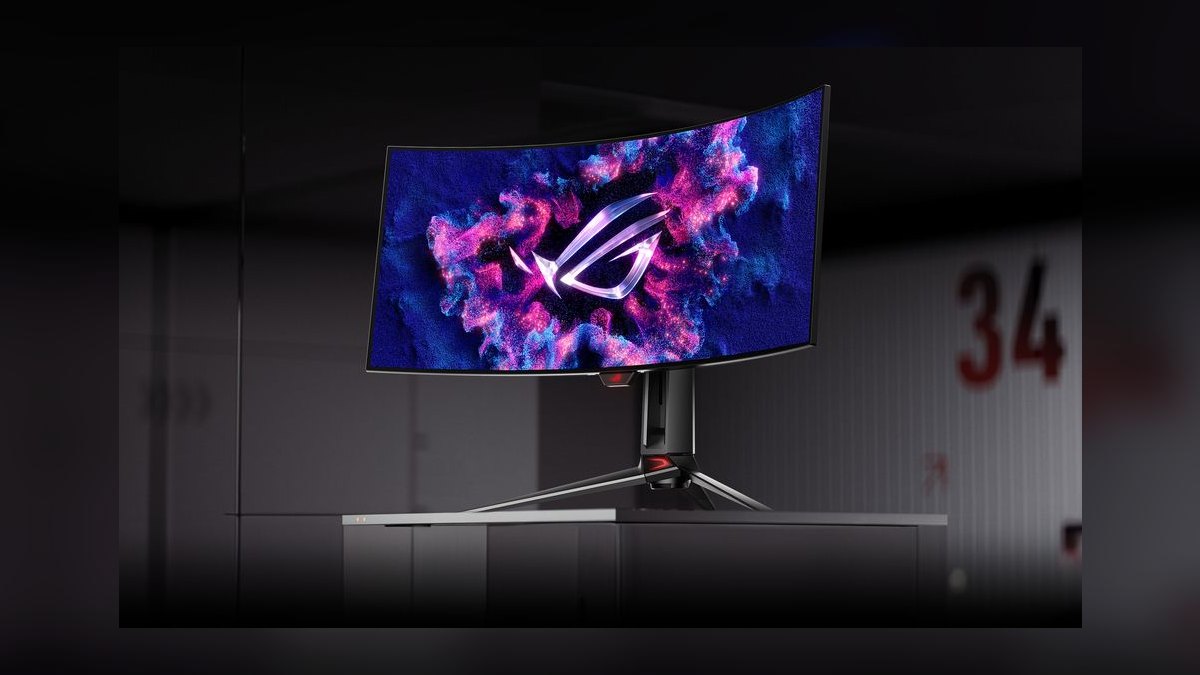
A 240Hz refresh rate means the monitor redraws its image 240 times per second — one refresh every 4.17 milliseconds. Compare that to 60Hz at 16.67ms and 144Hz at 6.94ms. The perceptual gains from 60 to 144 are dramatic and obvious to nearly everyone. The gains from 144 to 240 are real but smaller and more specific: they show up as reduced motion blur when tracking a moving target, faster time-to-first-photon on a newly rendered frame, and a modest reduction in the input-to-display latency chain. This is the core reason 240Hz sits at a price premium over 144Hz but not an enormous one — the market has correctly priced it as a meaningful but diminishing return.
The bandwidth math is where cost enters. Uncompressed video bandwidth scales with horizontal pixels times vertical pixels times refresh rate times bits per pixel, plus blanking overhead. At 1080p and 240Hz with 8-bit color, the requirement is modest enough that a single DisplayPort 1.4 link handles it comfortably with headroom. At 1440p and 240Hz with 10-bit color, you are near or past the uncompressed ceiling of DisplayPort 1.4's four-lane HBR3 link, which is why most 1440p 240Hz monitors use Display Stream Compression — a visually lossless compression standard — to fit. At 4K and 240Hz with 10-bit color, uncompressed is far out of reach for anything short of DisplayPort 2.1 UHBR20, so DSC is effectively mandatory. Every step up that ladder means a more capable scaler chip, more validation work, and more expensive certification. That is real BOM and real engineering cost, and it lands in the retail price.
Panel technology is the other expensive link. Fast IPS LCDs achieve the gray-to-gray transitions needed for 240Hz through overdrive — deliberately overshooting the target voltage to move liquid crystals faster — which is a tuning problem, not a materials problem, so it is cheap. OLED achieves near-instantaneous pixel transitions because each subpixel emits its own light and switches in well under a millisecond, but the emitter materials, the deposition process, the compensation circuitry that manages differential aging, and the panel yields are all expensive. That is the entire explanation for why an OLED 240Hz monitor costs two to three times an IPS 240Hz monitor of the same size and resolution.

The practical consequence of that chain for your wallet: if any link is weaker than 240Hz demands, you paid for a spec you cannot use. A 240Hz panel fed by a GPU producing 110fps delivers a 110Hz experience with VRR smoothing. A 240Hz panel connected over an insufficient cable negotiates down. A 240Hz OLED viewed by someone who plays slow, cinematic single-player games delivers gorgeous contrast but very little of the motion benefit the refresh rate was purchased for. Match the whole chain or buy down the ladder and spend the savings on the GPU.
What the money actually buys at each tier
Here are the practical price bands for 240Hz gaming monitors in 2027, expressed as ranges rather than exact figures, because street pricing moves constantly and promotional cycles routinely cut 15 to 30 percent off list for a weekend.
Entry esports tier — roughly $180 to $260. This is a 24-inch or 25-inch 1080p fast-IPS or TN panel at 240Hz. You get adaptive sync, a 1ms-class gray-to-gray claim, a basic tilt-only or height-adjustable stand, and no meaningful HDR. Color coverage typically lands around full sRGB with limited wider-gamut coverage. This tier is where 240Hz has fully commoditized — the same specification that cost $400 in 2019 is a value product now. If your goal is competitive shooters and nothing else, this tier is not a compromise; it is arguably the correct purchase, because the smaller screen keeps the whole playfield inside your central vision.

Mainstream 1440p tier — roughly $280 to $480. A 27-inch 1440p fast IPS at 240Hz. This is the largest-volume category in 2027 and where most buyers should land. Expect genuinely good color coverage, a usable but unimpressive HDR implementation with edge-lit or zone-limited backlighting, a proper ergonomic stand, and DisplayPort 1.4 with DSC. The step from the entry tier costs you roughly $100 to $200 and buys you 78 percent more pixels and a screen size that works for desktop productivity too.
Premium LCD tier — roughly $500 to $900. This band contains two different products. The first is a 27-inch 1440p mini-LED with a few hundred to over a thousand local dimming zones, which delivers real HDR highlight punch without OLED's burn-in question. The second is 4K at 240Hz on LCD — either 27-inch or 32-inch — which requires the high-bandwidth interface discussed above and typically implements dual-mode operation, letting you toggle between 4K at a lower refresh and 1080p at the full 240Hz or higher.
OLED tier — roughly $650 to $1,300. 27-inch 1440p QD-OLED or WOLED at 240Hz sits at the lower end of this band and has been falling steadily as panel fabs scale monitor-sized production. 32-inch 4K OLED at 240Hz sits at the upper end. What the money buys: per-pixel contrast with true blacks, sub-millisecond response times that eliminate the smear that even good IPS overdrive leaves behind, and wide color gamut coverage. What it costs you beyond dollars: burn-in risk on static UI elements, aggressive automatic brightness limiting on large bright scenes, and a lower full-field brightness than a good mini-LED.

Ultrawide and specialty — roughly $700 to $1,500. 34-inch and 39-inch curved ultrawide OLEDs reaching 240Hz occupy this band, as do the dual-mode and very-high-refresh halo products. These are premium-positioned and rarely discounted deeply.
On the trajectory itself: the durable pattern in display pricing is that a given specification gets cheaper as it ages out of the halo tier, while the halo tier moves to a new specification. 240Hz was halo in 2019, mainstream by 2023, and by 2027 it is the default expectation in the gaming category rather than a premium feature. The premium has migrated upward to 360Hz, 480Hz, and 500Hz-plus panels, and to the combination of very high refresh with 4K resolution and OLED emitters. That is exactly why a 1080p 240Hz monitor is now a sub-$250 product while a 4K 240Hz OLED is a four-figure one — the refresh rate is identical and the price differs by a factor of five.

For sanity-checking any specific quote: if a 240Hz monitor is priced above $500, look immediately for what else is in the box — OLED, mini-LED zones, 4K, ultrawide, or a factory calibration report. If none of those are present, you are likely paying a brand premium. If a 240Hz monitor is priced below $180, check the panel size, whether the 240Hz figure is native or an overclock, and whether the response time claim comes with visible overshoot artifacts at the recommended overdrive setting.
Where the money is better spent instead
Every purchase at this price level competes with alternatives, and several of them beat a 240Hz upgrade for specific players.
More refresh versus more resolution. A 27-inch 1440p 240Hz IPS and a 27-inch 4K 144Hz IPS often sit within a hundred dollars of each other. The 1440p 240Hz option wins for competitive play; the 4K 144Hz option wins for single-player visual fidelity, media, and text sharpness at desk distance. Neither is objectively better — they are different purchases and the price similarity is a coincidence of where each specification sits on its own cost curve.

More refresh versus better pixels. A 1440p 165Hz OLED and a 1440p 240Hz IPS can land in overlapping price territory. The OLED's per-pixel response makes 165Hz look cleaner in motion than the IPS at 240Hz in many scenes, because IPS motion clarity is limited by transition time, not refresh rate. If you cannot consistently exceed 165fps in your games anyway, the OLED is frequently the better buy despite the lower number on the box.
Monitor versus GPU. If your GPU delivers 110fps at your target settings, spending $400 to go from 144Hz to 240Hz buys you essentially nothing that VRR was not already delivering. The same $400 into a GPU tier upgrade might take you to 180fps, which is a real and felt improvement on your existing panel. Order of operations matters: get the frame rate first, then buy the panel to display it.
New versus refurbished or last-generation. Manufacturer-refurbished and open-box 240Hz monitors typically run 15 to 30 percent below new pricing with a shortened warranty. Because the failure modes in monitors are mostly infant-mortality — dead pixels, backlight bleed, panel lottery — a refurbished unit that has already survived a return-and-test cycle is not an unreasonable risk on an LCD. On OLED it is a different calculation, since cumulative panel-on hours directly consume the burn-in budget and the warranty term is a substantial part of the value.

Bigger versus faster. A 32-inch 1440p 240Hz costs modestly more than 27-inch and gives a more immersive picture, but at typical desk distance the lower pixel density is visible in text. A 27-inch 1440p and a 32-inch 4K have similar density; a 32-inch 1440p is noticeably coarser. If the monitor doubles as a work display, density matters more than the extra inches.
Mistakes that cost real money
Buying 240Hz on a GPU that cannot feed it. The most common and most expensive error. If your average frame rate in the games you actually play sits near 100 to 130, the refresh headroom is idle capacity. Check frame rates in your specific titles at your specific settings before deciding the refresh tier.
Assuming the response time claim matches the refresh rate. A monitor can accept 240Hz input and still smear, if the panel's real-world gray-to-gray transitions exceed the 4.17ms refresh window. Marketing "1ms" figures are usually best-case transitions at an aggressive overdrive setting that introduces visible overshoot — bright halos trailing moving objects. Look for independent measurements of response time at multiple overdrive settings, not the number on the box.

Overlooking the video interface. Confirm your GPU output, your cable, and the monitor input all support the bandwidth for your target resolution, refresh, and color depth. A certified cable of the right revision costs $15 to $30. Using an old or uncertified cable is the single cheapest way to silently lose the refresh rate you paid for. Also verify the refresh rate is actually set in your OS display settings after connecting — many systems default to 60Hz.
Confusing native and overclocked refresh. Some panels advertise 240Hz as an overclock from a lower native rate. Overclocked modes can produce frame skipping, where the panel accepts the signal but does not fully draw every frame. Test with a frame-skipping pattern after purchase and return the unit if it skips.
Paying for HDR that does not exist. A 240Hz monitor with a low entry-level HDR certification, edge-lit backlighting, and no local dimming does not deliver HDR in any meaningful sense. It accepts the signal and tone-maps it into an SDR-grade backlight. Real HDR on LCD requires substantial local dimming zone counts and high sustained brightness; on OLED it comes from per-pixel emission. If HDR matters, that is where the money goes and it is not cheap.

Ignoring the panel lottery and the return window. Backlight bleed, IPS glow, and dead pixels vary unit to unit even within a model. Buy from a retailer with a straightforward return policy, test within the first week, and do not accept a unit you are unhappy with.
Buying an OLED for a static-content workload. If the monitor spends most of its hours displaying a fixed taskbar, spreadsheet grid, or IDE chrome, the burn-in budget gets consumed by work rather than gaming. Check the warranty's burn-in coverage term explicitly — it is one of the most valuable line items in an OLED purchase and it varies meaningfully between manufacturers.
Timing the purchase badly. Display pricing is strongly seasonal. Major sale events routinely cut 15 to 30 percent off street pricing, and the arrival of a newer model reliably discounts the outgoing one. If your current monitor works, waiting for a sale window on a specific target model is close to free money.
Related questions
Is 240Hz worth it over 144Hz?
For competitive shooters and fast-tracking games, yes — the motion blur reduction and lower latency are measurable and perceptible. For slower single-player games, the upgrade from 144Hz is subtle. The price gap is small enough in 2027 that 240Hz is a reasonable default if your GPU can feed it.
Do I need a high-end GPU for a 240Hz monitor?
To saturate 240Hz at 1440p in modern titles, yes. But competitive esports games run at very high frame rates on mid-tier hardware, and variable refresh rate makes sub-240fps output smooth rather than stuttery. Match the GPU to your actual game library, not to the monitor's maximum.
Why do some 240Hz monitors cost three times others?
Panel technology, resolution, and HDR capability — not the refresh rate. OLED emitters, quantum-dot layers, mini-LED zone counts, and 4K-at-240Hz bandwidth are the expensive components. Driving 240Hz on a 1080p LCD is nearly free at this point in the technology's maturity.
Will 240Hz monitors get cheaper after 2027?
The established pattern says yes for LCD, where 240Hz is already commodity and prices compress slowly toward a floor. OLED at 240Hz has more room to fall as monitor-sized panel production scales, though the decline is gradual rather than sudden.
Can a console use a 240Hz monitor?
Current consoles cap below 240Hz output, so the monitor runs at whatever rate the console supports. The panel still works, and its low latency and adaptive sync are useful, but you are not using the headroom you paid for.
FAQ
What is the cheapest 240Hz gaming monitor worth buying in 2027?
The realistic floor for a 240Hz gaming monitor you will be happy with is around $180 to $200, and that gets you a 24-inch or 25-inch 1080p fast-IPS panel with adaptive sync. Below that price, be skeptical: check whether 240Hz is native or an overclock, whether the panel skips frames at its maximum rate, and whether the response-time claim holds up at a usable overdrive setting.
How much more does 1440p cost than 1080p at 240Hz?
Roughly $100 to $200 in 2027 for the same panel technology and comparable build quality. That premium buys 78 percent more pixels, a larger 27-inch screen, and a display that is genuinely usable for desktop work. For most buyers who are not exclusively competitive players, it is the best-value step on the entire ladder.
Is an OLED 240Hz monitor worth double the price of an IPS one?
It depends entirely on what you display. OLED's per-pixel contrast and sub-millisecond response deliver a visibly cleaner image in motion and dramatically better contrast in dark scenes. If you play varied games, watch a lot of media, and can manage burn-in risk with sensible habits, the premium is defensible. If you run static work interfaces for eight hours a day and play competitive shooters, an IPS at half the price is the smarter allocation.
Does 4K at 240Hz require a special cable or GPU?
Yes. That combination needs either DisplayPort 2.1 with high-bandwidth UHBR link rates or HDMI 2.1 with Display Stream Compression, plus a GPU that exposes those outputs. Verify all three links — GPU output, cable revision, and monitor input — before buying, or the display will silently negotiate to a lower refresh rate or color depth.
When is the best time of year to buy a 240Hz monitor?
Major seasonal sale events and the period immediately after a manufacturer announces a successor model. Discounts of 15 to 30 percent off street pricing are common in those windows. If your current monitor is functional, deliberately waiting for one of those windows on a specific target model is one of the easiest ways to reduce the effective cost.
Should I buy a 240Hz monitor if my GPU only hits 120fps?
Probably not as a first purchase. Spend on the GPU first. Variable refresh rate will keep a 120fps output smooth on a 240Hz panel, so it is not wasted, but you are paying for headroom you cannot use. Get the frame rate, then buy the panel that displays it.
Sources
- https://www.rtings.com/monitor
- https://www.blurbusters.com/
- https://www.tftcentral.co.uk/
- https://www.vesa.org/featured-technologies/displayport/
- https://www.hdmi.org/spec/hdmi2_1
- https://www.tomshardware.com/monitors
- https://www.anandtech.com/tag/displays
- https://www.pcgamer.com/hardware/monitors/
- https://www.displayninja.com/
Related on PULSE
- How much does a high-end gaming PC cost in 2027?
- Is 1440p or 4K better for competitive gaming?
- How much does an OLED monitor cost in 2027?
- What GPU do you need to hit 240fps at 1440p?
- Is 144Hz still good enough for gaming in 2027?
- How much does an ultrawide gaming monitor cost in 2027?
 pulse-recentThe 10 Best Budget Gaming Setups for Students in 2027
 pulse-recentHow many gaming subscriptions does the average gamer have in 2027?
 pulse-recentWhat is the average lifespan of a gaming laptop before it needs replacing in 2027?
 pulse-recentWhat is the average annual cost of maintaining a gaming PC in 2027?
 pulse-recentWhat is the total cost of a gaming setup for a beginner in 2027?
 pulse-recentWhat is the average repair cost for a next-gen gaming console in 2027?
 pulse-recentWhat is the true cost of a gaming laptop over three years in 2027?
 pulse-recentThe 10 Best Budget Capture Cards Under $100 in 2027
 pulse-recentThe 10 Best Budget Gaming Mouse Pads Under $20 in 2027
 pulse-recentWhat is the average annual cost of digital game purchases for a casual gamer in 2027?