


How does Zapier compare to Make (Integromat) for workflow automation in 2027?
Quality
Certified
Zapier wins on speed, connector reliability, and instant webhook triggers for CRM-centric workflow automation, while Make (formerly Integromat) wins on visual multi-branch logic, native JSON handling, and cost per operation. Choose Zapier when non-technical operators own the build; choose Make when data transformation and volume dominate. Most mature RevOps teams run both.
The Monday morning that forces the decision
A twelve-person RevOps team at a Series B software company hits the same wall most teams hit around 400 opportunities a quarter. Their Salesforce instance is the system of record, HubSpot still owns marketing email, Gong records every call, and a spreadsheet nobody admits to maintaining reconciles the three at month-end. Someone builds a Zap: when an opportunity moves to Negotiation, post to a Slack channel and create a task in the sequencer. It takes eleven minutes and works immediately. Three weeks later the ask changes — route to different channels by segment, skip the alert if the account already has an open task, enrich the account with firmographic fields before posting, and log a compact summary rather than the raw field dump. The eleven-minute Zap becomes four Zaps, a lookup step, a filter, and a Code step that nobody on the team can maintain.
That is the exact inflection point where the Zapier-versus-Make question stops being academic. Up to that line, the two products are close enough that the choice barely matters and Zapier's faster setup wins by default. Past that line, the architectures diverge hard, and the wrong pick costs you a rebuild six months in.
The distinction that actually predicts which tool fits is not "simple versus complex." It is whether your workflow needs to reason about collections of records or only about one record at a time. Zapier's mental model is a single item flowing down a chain: one new row, one updated deal, one form submission, each traveling through a linear sequence of steps. Make's mental model is a bundle of data that can be split, filtered, aggregated, and recombined — the flow can fan out to five records, transform each, then collapse back into one summary payload. Any workflow that says "for each contact on this account" or "combine these results into one message" is asking for the second model.
The second predictor is who maintains it. A RevOps analyst who has never written a line of code can be productive in Zapier in an afternoon; the interface is a form, and the form fills itself in with sensible defaults. Make's canvas asks you to understand modules, routes, filters, iterators, and aggregators before you can build the same thing. That learning curve is real and it is measured in days, not hours. If the person who owns automation is also the person who owns forecasting, quota, and territory design, the tool that costs the fewest hours to maintain frequently beats the tool that is technically more capable.
The third predictor is latency tolerance. Some workflows are decorative — a Slack notification that arrives four minutes late is fine. Others are load-bearing — a lead that must reach an SDR before a competitor's does, or a deal-desk approval that gates a quote. Trigger architecture, covered below, is where the two products differ most concretely, and it is the single most common reason a team that started on one tool ends up moving a subset of scenarios to the other.
Everything else in this comparison is downstream of those three questions. Get them answered honestly for your top ten workflows and the tool selection mostly makes itself.
How each engine actually executes a run
Zapier executes a Zap as an ordered list of steps. A trigger fires, produces one item of data, and each subsequent action receives the output of the steps before it. Branching exists through Filters (stop the run unless a condition is true) and Paths (up to a limited number of conditional branches, each with its own step list). Looping is the constrained part: Zapier's looping utility iterates a list, but each iteration consumes tasks and the pattern gets awkward once you need to loop and then aggregate the loop's results. When Zapier can't express something natively, the escape hatch is the Code by Zapier step, which runs JavaScript or Python inline. That works, and it is genuinely useful, but it relocates the logic from a visual surface everyone can read into a script only the author understands.
Make executes a scenario as a graph of modules connected by routes. The trigger module produces one or more bundles. Each bundle travels through the connected modules independently — this is the crucial difference. If a search module returns eight matching contacts, the eight downstream operations happen automatically, no loop construct required. A Router splits the flow into parallel branches, each with its own filter, and branches execute in order top to bottom. An Iterator explodes an array into separate bundles; an Aggregator does the inverse, collapsing many bundles into one — for example turning eight contact records into a single formatted Slack message or one CSV attachment. Data stores persist values between runs, which is how you build deduplication, rate limiting, or state machines without an external database.
The practical consequence: a workflow like "find every open opportunity on this account, summarize them into one message, and post it once" is a natural three-module Make scenario and an genuinely annoying Zapier build requiring a Code step to do the aggregation.
Trigger architecture differs in a way that shows up daily. Zapier supports instant triggers on apps that expose webhooks — the source system calls Zapier the moment the event happens, and the Zap starts within seconds. Where an app has no webhook, Zapier falls back to polling, checking on an interval that depends on your plan tier; lower tiers poll less often, higher tiers poll more often. Make similarly supports both instant (webhook) triggers and scheduled/polling triggers, with schedules you configure per scenario down to short intervals on paid plans. The nuance is per-connector: some apps have instant triggers on one platform and only polling on the other. Before committing a latency-sensitive workflow, check the specific connector's trigger type in the specific product — do not assume parity, and do not assume the marketing page answers it.
Error semantics also differ. In Zapier, a failed step halts that run; the run appears in your history as an error, autoreplay retries certain failures automatically on eligible plans, and you can replay manually. In Make, you attach error handlers directly to a module — Resume, Rollback, Commit, Ignore, or Break — so you can define, per module, what happens when the API returns a 429 or a 500. Break moves the failed bundle into an incomplete-executions queue you can inspect and retry later without rerunning the whole scenario. For a workflow that touches a rate-limited CRM API a few thousand times a day, that difference is the difference between an inbox full of failure emails and a queue you drain on Friday.
What the meters actually count, and why the bills differ
The most expensive mistake in this comparison is assuming a Zapier "task" and a Make "operation" are the same unit. They are not, and the gap is where budget forecasts go wrong.
Zapier bills a task for each action step that successfully completes. The trigger itself is free. Filters that stop a run are free. So a Zap with a trigger, a filter, and three actions costs three tasks per successful run, and zero tasks when the filter blocks it. That last part matters more than teams expect — a well-filtered Zap that only fires on ten percent of events costs a tenth of what the naive version costs.
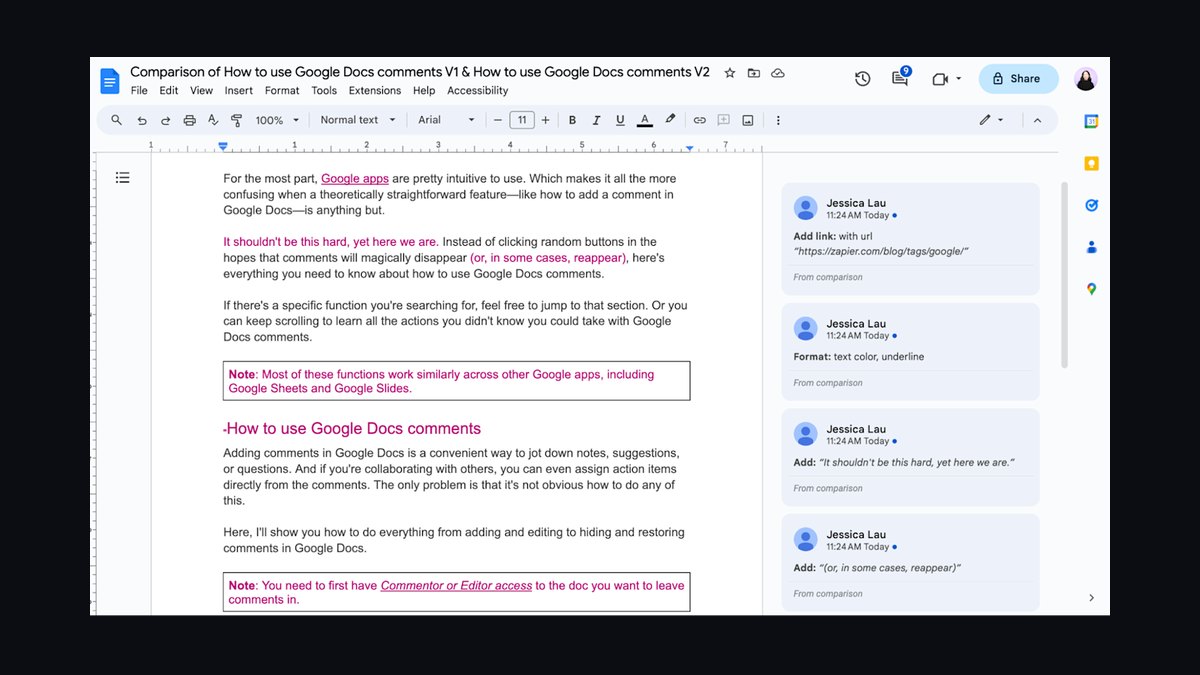
Make bills an operation for essentially every module execution, including the trigger and including many modules that Zapier would give you free. A search module that returns eight bundles generally consumes operations proportional to what it processes downstream. So the same logical workflow can consume noticeably more operations in Make than it consumes tasks in Zapier — while each operation costs far less.
That is why per-unit price comparisons are misleading in both directions. The honest framing: Make's included volume per dollar is substantially higher, but Make's meter counts more events. Published pricing on both vendors' sites moves often enough that any number quoted in an article ages badly; the durable method is to measure rather than estimate.
Run this before you commit:
- Pick your three highest-volume workflows and count real monthly trigger events from the source system — not your guess, the actual count from CRM history or webhook logs.
- Build one workflow in each tool. Not a toy version; the real one with the real filters.
- Run it against a week of production-shaped volume on a free or entry tier.
- Read the actual task count and the actual operation count from each platform's usage view.
- Multiply out to a month, then to your expected volume in twelve months, and price both vendors' current published tiers at those two points.
The twelve-month projection is the step teams skip and the one that determines the answer. Automation volume does not grow linearly with headcount; it grows with the number of integrated systems, which grows combinatorially. A team that runs comfortably inside an entry tier today is often two new tools away from a tier jump.
Three cost levers move the number more than tool choice does:
Filter early, filter hard. In Zapier, place the filter immediately after the trigger so blocked runs cost nothing. A Zap that filters on stage-change-to-Negotiation after enriching the record pays for the enrichment on every irrelevant run.

Batch instead of streaming. A scenario that runs every fifteen minutes and processes a batch of records in one aggregated pass costs dramatically less than a per-record instant trigger doing the same total work — and for reporting-shaped workloads nobody notices the delay.
Kill zombie automations. Every team accumulates them: the Zap feeding a Slack channel nobody reads, the scenario syncing a field that was deprecated two quarters ago. Audit the run history quarterly, sort by volume, and turn off anything whose output nobody can name a consumer for. On high-volume accounts this alone routinely reclaims a meaningful share of the meter.
One more line item to check explicitly rather than assume: connector tiering. Historically Zapier gated certain business-critical connectors behind higher plans, and Make has generally included its connector library across paid plans. Both vendors adjust this. Confirm on the current pricing page that the specific apps you depend on — your CRM, your sequencer, your data warehouse connector — are available on the tier you are budgeting, because discovering otherwise after rollout forces an unplanned upgrade.
Where each one hurts, and the honest hybrid
Zapier's costs are structural, not incidental. Complex conditional logic gets expensive to express — deep Paths trees are hard to read six months later, and once you reach for Code steps you have quietly created an undocumented microservice inside a SaaS product. Version control is thin compared to source-controlled code; if two admins edit the same Zap, reconstructing what changed and why is guesswork. And debugging a multi-path Zap means walking the run history step by step rather than watching data flow through a picture.
Make's costs are the mirror image. The canvas that makes complex logic legible also makes simple things slower to build; a three-step notification that takes minutes in Zapier takes longer in Make because you are placing modules and mapping fields with more ceremony. The learning curve is genuine, and it concentrates institutional knowledge in whoever climbed it — a real key-person risk on a small team. Scenarios grow visually sprawling, and a fifty-module canvas is its own kind of unreadable. Connector depth for the most mainstream business apps has historically favored Zapier, whose library is the larger of the two and whose triggers for the biggest platforms tend to be the more thoroughly exercised.

Both share a failure mode worth naming: silent stoppage. An automation that stops firing does not announce itself. Nobody files a ticket because a Slack alert didn't arrive; they just stop expecting it. Whichever tool you pick, build an explicit liveness check — a scheduled job that verifies each critical automation produced output in the last N hours and screams when it didn't.
The alternatives deserve honest mention. n8n is the source-available option; you can self-host it, which changes the cost curve entirely at high volume and satisfies data-residency requirements neither hosted product can. Workato and Tray sit upmarket with governance features enterprises ask for. Power Automate is effectively free-adjacent if you already pay for the Microsoft stack. And the option teams under-weight: your CRM's native automation. Salesforce Flow and HubSpot workflows handle same-system logic with zero external latency, zero per-task cost, and no additional vendor. If the entire workflow lives inside one CRM, running it through an external automation platform adds cost, latency, and a failure point for nothing.
The hybrid most mature teams land on splits by workload shape, not by department:
- Zapier for the edge — event-driven, low-step, latency-sensitive, owned by non-engineers. Lead routing alerts, form-to-CRM handoffs, notification fanout.
- Make for the interior — scheduled, high-volume, transformation-heavy, owned by ops engineering. Nightly reconciliation, multi-system enrichment, aggregated reporting feeds.
- Native CRM automation for anything single-system — field updates, task creation, approval routing inside one platform.
The tax on the hybrid is real: two vendors, two bills, two skill sets, two places to look when something breaks. Pay it only when you have measured that one tool alone is meaningfully worse. For a team under roughly a dozen automations, single-vendor simplicity usually beats theoretical optimization.
The five failures that show up in every post-mortem

Building on polling and expecting real time. A team wires deal-stage alerts on a polling trigger, then discovers the SDR sees the alert well after the moment mattered. The fix is not to switch tools reflexively — it is to check whether the source system can push. Most modern CRMs can emit an outbound webhook on a record change. Point that webhook at either platform's catch-hook module and you get sub-minute delivery regardless of whether the vendor's packaged connector offers an instant trigger. Do this before you conclude the platform is too slow.
No deduplication, so the same record processes twice. Polling triggers occasionally re-deliver. Webhooks retry on timeout. A retried run that creates a record instead of updating one produces duplicates that pollute the CRM and, worse, double-fire outbound email. The defense is idempotency: search for the record before creating it, or store processed IDs — in a Make data store, or in a spreadsheet or database row from Zapier — and exit early on a repeat. Build this into any workflow that creates records or sends messages, from day one, not after the incident.
Ignoring API rate limits until they bite. Every CRM caps API calls. An automation that fires a hundred times in a burst competes with your data warehouse sync, your enrichment vendor, and your reporting tool for the same budget. Symptoms arrive as 429 responses and partial failures during exactly the busy periods when the workflow matters most. Mitigate by batching, by scheduling heavy jobs off-hours, and by configuring retry-with-backoff — Make's per-module error handlers make this explicit, and in Zapier you rely on autoreplay plus keeping burst sizes sane.
Treating the automation platform as a database. Data stores and lookup tables are convenient and they are not durable systems of record. Teams accumulate business logic — scoring thresholds, routing tables, territory assignments — inside automation config where it is invisible to the rest of the org, uncovered by tests, and lost if someone deletes the scenario. Keep authoritative data in the CRM or warehouse and let automation read it.
No ownership, no documentation, no off-switch. The single most common finding in an automation audit is a workflow whose author left the company. Nobody knows what it does, nobody will turn it off, and it quietly consumes meter and occasionally corrupts data. The remedy is administrative, not technical: every automation gets a named owner, a one-line description of what it does and who consumes its output, and an entry in a register you review quarterly. Name Zaps and scenarios descriptively — [SFDC→Slack] Negotiation alert, AE channel beats Copy of Copy of Zap 4.
A related trap: testing in production. Both platforms let you run against live data immediately, which is convenient and dangerous. Point new workflows at a sandbox CRM, a throwaway Slack channel, and a test inbox until behavior is verified. Then flip the destinations. The cost of that discipline is fifteen minutes; the cost of skipping it is an outbound email blast to your entire database.
Related questions
Can you migrate existing Zaps into Make automatically?
No. There is no supported import path between the two platforms; the underlying execution models differ too much for a mechanical translation. Migration means rebuilding scenario by scenario. Budget realistically — plan on rebuilding and re-testing each workflow rather than converting it.
Which one handles webhooks better?
Both accept inbound webhooks and both can send outbound HTTP requests. Make's HTTP module gives finer control over authentication, headers, pagination, and parsing complex responses. Zapier's Webhooks step is simpler and sufficient for straightforward payloads. If you integrate with undocumented or awkward APIs, Make's is the better instrument.
Is self-hosting a serious alternative?

For high-volume or data-residency-constrained teams, yes — n8n is source-available and self-hostable, which removes per-operation billing and keeps data inside your infrastructure. The trade is that you now own uptime, upgrades, and security patching. That is a real engineering cost, not a rounding error.
Do I need both, or is that over-engineering?
Under roughly a dozen automations, one tool is almost always right; the overhead of two vendors outweighs the optimization. Past that, splitting by workload shape — edge events on one, scheduled bulk transformation on the other — usually pays for itself in cost and maintainability.
How do I stop automations from silently dying?
Build an explicit liveness check: a scheduled job that verifies each critical automation produced output within an expected window and alerts when it didn't. Both platforms surface run history via their own interfaces; the point is that something must actively ask "did this run?" rather than waiting for a human to notice absence.
FAQ
Does Make being cheaper per unit mean my bill will be lower?
Not automatically. Make's included volume per dollar is higher, but its meter counts more events — including trigger modules and per-bundle processing that Zapier would not bill as tasks. The only reliable answer comes from building the same real workflow in both, running it against a week of production-shaped volume, and reading the actual counters. Then project that to twelve-month volume before committing.
Which one is faster to learn for a non-technical RevOps analyst?

Zapier, clearly and by a wide margin. Its linear form-based builder and large template library mean someone with no automation background can ship a working notification workflow the same day. Make's canvas requires understanding modules, bundles, routers, iterators, and aggregators before you can build the equivalent — closer to days of ramp than hours.
Can Zapier do the complex data transformation Make is known for?
Yes, through Code by Zapier steps running JavaScript or Python inline. The capability is there. The cost is that logic moves out of a visual surface any teammate can read into a script only its author understands, with weaker version history than real source control. If most of your workflows need that escape hatch, you have outgrown the tool's native model.
How do I decide which trigger type to use?
Ask whether minutes of delay change an outcome. If yes, use an instant webhook trigger — and check the specific connector, since trigger types differ per app on both platforms. If the source system can emit an outbound webhook, point it at a catch-hook and you get instant delivery on either tool. If minutes don't matter, a scheduled batch run is cheaper and gentler on API limits.
What is the single highest-value thing I can do to control automation cost?
Filter as early as possible, before any billable action step, so irrelevant events cost nothing. After that, batch scheduled work instead of streaming per-record, and audit run history quarterly to kill automations whose output nobody consumes. Those three habits typically move the bill more than switching vendors does.
Should I use my CRM's native automation instead of either tool?
If the entire workflow lives inside one system — updating a field, creating a task, routing an approval — yes. Salesforce Flow and HubSpot workflows do that with no external latency, no per-task meter, and no extra vendor to monitor. Reach for Zapier or Make when the workflow genuinely crosses system boundaries.
Sources
- Zapier Pricing
- Zapier Help: How Zapier counts tasks
- Zapier Help: Trigger types and polling intervals
- Make Pricing
- Make Help: Operations and how they are counted
- Make Help: Error handling directives
- Make Help: Iterator and Aggregator modules
- n8n Documentation
- Salesforce Flow overview
- HubSpot: Create workflows
Related on PULSE
- Can Trello's Butler automation replace Zapier for simple CRM-to-email triggers?
- Top 10 Workflow Automation Software for 2027
- Are longer sales cycles pushing RevOps teams to invest more in no-code workflow automation or AI copilots?
- How do you run a deal-desk approval workflow that does not slow enterprise deals in 2027?
- How do you build a partner deal-registration and co-sell workflow in 2027?
This page will be disappearing soon. Save it to your device for $1 — or read it free while it is here.
@Kory-White- · if Venmo asks, the last 4 of my number are 2012
This page is gone.
This one is off the shelf now. $1 keeps it on your phone for good — the whole page, pictures and diagrams included.
 pulse-qShould I Hire a Fractional CRO If I Need to Build My First Sales Playbook in 2026?
 pulse-qHow Do I Score My AEs on More Than Just Closed-Won in 2026?
 pulse-qHow Do I Get My Sales Reps to Sell the Full Product Line Instead of Just One or Two Products in 2026?
 pulse-qDo I Need a Fractional CRO for My Home Services Business in 2026?
 pulse-qDo I Need a Fractional CRO for My Multi-Unit Retail Business in 2026?
 pulse-qHow Do I Create a Sales Accountability Matrix in 2026?
 pulse-qHow Many Employees Should I Schedule Each Day at My Butcher Shop in 2026?
 pulse-qTop 10 CRM Coaching Routines for SMB Reps in 2027
 pulse-qHow Many Sales Reps Do I Need to Hire for My Cybersecurity Company in 2026?
 pulse-qHow to build a sales pipeline dashboard in Salesforce in 2027?