


How Many Staff Should I Schedule Each Shift at My BBQ Restaurant in 2026?
Quality
Certified
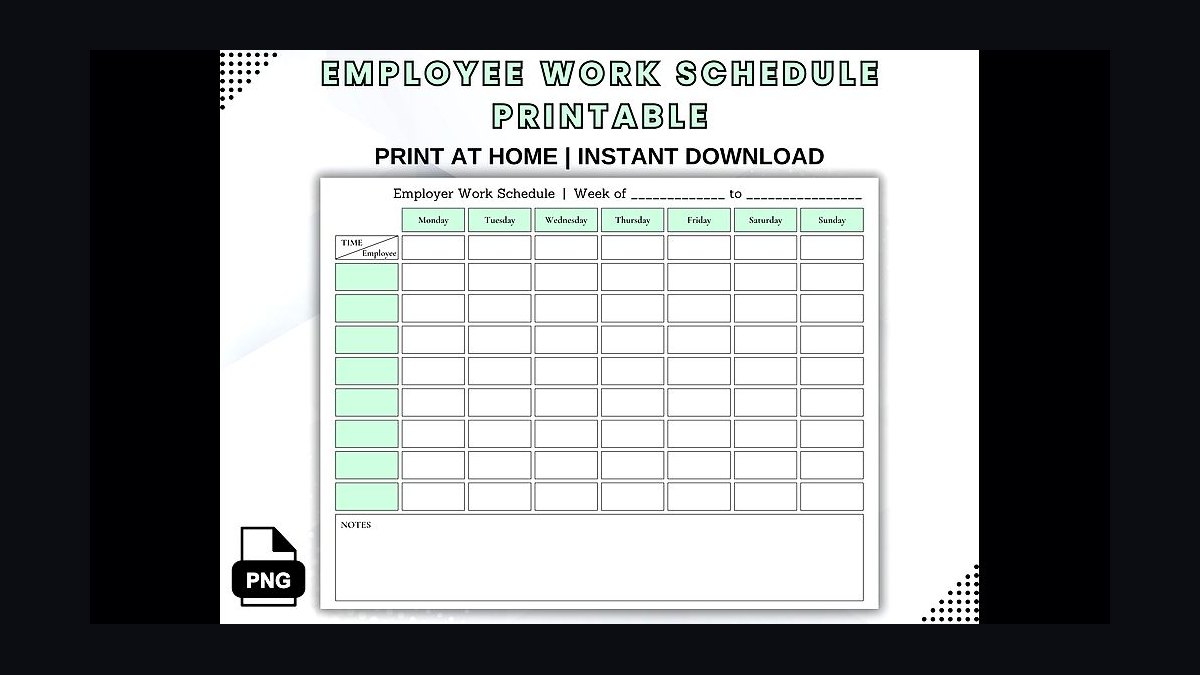
You stop guessing and start dividing. The formula is reps needed for a given shift = that shift''s average gross profit / your agreed-upon daily gross-profit-per-rep target. First, you and your leadership team agree on one number: the gross profit a single staffer - front-of-house or kitchen - should produce doing an average job on an average shift. For a BBQ restaurant with solid plate margins and high dinner tickets, call it $300 a shift. That is a floor, not a ceiling. Then you pull your trailing three-to-six-month gross profit by day and daypart. If a Tuesday lunch averages $900 in gross profit, then $900 / $300 = 3 staff working that shift. If a Saturday dinner averages $3,300, you need 11. You do that for every shift, split the count between front (servers, counter, expo) and kitchen (pitmaster, line, dish) by the ratio your service actually runs, then place those bodies against when the smoker plates and the receipts ring - the 5-to-8 dinner rush and the weekend peaks. PULSE has a free Rep Scheduling Matrix that runs this division across every day and daypart at once. Below are the ten tools that solve this problem, ranked, with PULSE first because it is free and built around this exact method.
The Top 10 Tools to Staff a BBQ Restaurant by the Numbers
Every tool below can build a schedule. Only a few build it off your gross-profit math, and only one is free and designed around the rep-target method that keeps you from over- or under-staffing a smoke-and-serve operation. The rankings reflect how well each tool serves a BBQ operator who wants the schedule to track the money, not just fill the grid. A brisket-and-ribs joint with a dinner rush, a counter-service smokehouse, a full-service barbecue house with weekend lines out the door - same method, swap the ticket sizes and the daypart curve.
1PULSE Rep Scheduling Matrix 🏆 BEST OVERALL

> 🛠️ Use it free now -> Rep Scheduling Matrix - no login, no spreadsheet, instant shift counts by day and daypart.
PULSE''s free Rep Scheduling Matrix runs the whole method in your browser. It takes a weekly gross-profit target and a per-shift minimum and auto-distributes the staff counts by day and daypart, protecting your highest-value dinner and weekend hours instead of spreading bodies flat across the week. Here is the method it is built on, step by step, because the math is the point:
Step one - agree on the per-staffer shift number. Sit down with your leadership and set the gross profit an average staffer - server or kitchen - should produce on an average shift. Say it out loud to the team: "At our smokehouse, if you show up, take care of an average number of tables or plates, and give average service, you should produce no less than $300 a shift in gross profit." That is the honest floor. The servers who want to make real money do not coast to $300 and clock out - they hit $300 working an average section, then sell the burnt-end appetizer, the second round, the banana pudding, and dig for the next $300. The number gives everyone the same yardstick: leadership, you, your pitmaster, and every server on the floor.
Step two - pull gross profit per day, per daypart. Take each service - Tuesday lunch, Saturday dinner - and average its gross profit over a trailing three to six months. A typical Tuesday lunch does $900 in gross profit and a typical Saturday dinner does $3,300. Now divide by your $300 target. Tuesday lunch needs three staff; Saturday dinner needs eleven. Three people each producing their honest $300 cover the $900 that lunch actually generates - and if they push the sides and the sweet tea, the shift beats it. Run that division for every day and daypart and the staffing plan writes itself. No favorites, no "we''ve always run six on Saturday," no manager scheduling their buddies - just gross profit divided by the target.
Step three - place the shifts where the receipts ring. The count tells you how many; the receipt timing tells you when. Pull the hourly sales and look at when tickets actually post. A BBQ house lives on a midday counter bump and a hard 5-to-8 dinner rush that swells on Friday and Saturday, so you staff a light open and prep, a swing that ramps the line cooks and servers into the evening, and a full deck through the dinner peak rather than parking everyone at 2 p.m. The matrix lets you slot those bodies - and split them between front and kitchen - against the real demand curve so coverage matches traffic instead of habit.
Because it is free, browser-only, and built by a 25-year revenue operator for exactly this question, it is the default pick for any BBQ restaurant. Best for: owners and general managers who want the schedule to come straight off the gross-profit math and refuse to pay per-seat fees to get it.
27shifts

7shifts is purpose-built for restaurants, which makes it the natural first paid pick for a BBQ operator. It offers a free Comp tier for one location, with paid plans from about $34.99 per location per month (Entree) to $76.99 (The Works). It ties scheduling directly to POS sales and labor-percentage targets, so a smokehouse can schedule to a sales-per-labor-hour goal and watch labor as a share of sales in real time. Where it is strong is the restaurant-native workflow - tip pooling, shift swaps, and break-rule enforcement built for hourly kitchen and front-of-house crews. Where it leaves you on your own is the *why*: it will not tell you Saturday dinner needs eleven people. You bring the headcount math from your gross-profit target; 7shifts runs the logistics and keeps labor honest against sales.
3HotSchedules (by Fourth)

HotSchedules, now part of the Fourth platform, is the long-standing enterprise option for restaurant groups, typically priced through custom quotes starting around $40-plus per location per month. It offers deep sales forecasting, labor-budget enforcement, and integrations with most major restaurant POS and payroll systems, which is exactly what a multi-unit BBQ group with several smokehouses wants. It will forecast a busy holiday weekend and hold your managers to a labor budget shift by shift. The trade-off is cost and setup weight - it is built for chains with dedicated operations staff, not a single counter joint. For a growing barbecue group that needs forecasting and labor controls at scale, it remains a default.
4Homebase 💎 BEST VALUE

Homebase is the best value in the category because its scheduling and time-clock tier is free for a single location with unlimited employees, and paid tiers (Essentials around $24.95 per location per month, Plus around $59.95, All-in-One around $99.95) are priced per location rather than per head. For a single-unit BBQ joint that runs a big roster of part-time servers, bussers, and line cooks, a free or per-location plan can be dramatically cheaper than per-user tools. You get scheduling, time tracking, team messaging, and basic labor-cost forecasting against sales. It is the natural pick for an owner watching every dollar who still wants sales-aware scheduling without an enterprise contract.
5Deputy

Deputy runs about $4.50 per user per month for scheduling and $6 for the premium tier that adds time and attendance. Its strength is demand-based scheduling: connect a POS feed and Deputy will suggest staffing against projected sales, which is the closest off-the-shelf cousin to the gross-profit method for a restaurant. It also handles compliance - break rules, overtime alerts, predictive-scheduling laws - which matters once your smokehouse crosses into a city with fair-workweek rules. For a BBQ operator who wants auto-suggested coverage tied to sales data and clean labor-law guardrails, Deputy earns its price.
6When I Work

When I Work is one of the most widely used shift-scheduling apps for hourly teams, starting around $2.50 per user per month on the Essentials plan and climbing to roughly $8 per user per month with attendance and labor tools. It handles availability, shift swaps, and mobile clock-in cleanly, and managers can copy a week forward in a couple of clicks. Where it shines is execution - getting the published schedule onto every server''s and cook''s phone with reminders. It is less restaurant-native than 7shifts, so you bring the headcount math and the labor-percentage discipline; it runs the publishing and the swaps reliably and affordably.
7Sling

Sling offers a genuinely useful free tier, with Premium around $1.70 per user per month and Business around $3.40. It leans into shift scheduling plus internal communication - newsfeeds, tasks, and announcements alongside the schedule, which is handy for a kitchen crew that needs prep lists and pit-temp reminders posted with the roster. For a smaller smokehouse that wants one app for both the schedule and team messaging without a real budget, Sling covers a lot of ground cheaply. It is lighter on sales forecasting than 7shifts or Deputy, so you supply the headcount targets and it handles coverage and communication.
8Connecteam

Connecteam is free for up to 10 users and roughly $29 per month for up to 30 users on the Basic plan, which makes it one of the cheapest ways to cover a single-unit BBQ crew. Beyond scheduling, it bundles checklists, training, and a full deskless-employee communication hub, so it doubles as an operations app for a kitchen where the staff never touch a computer - food-safety checklists, smoker logs, opening and closing duties. For owners who want scheduling plus daily task management and onboarding in one inexpensive package, Connecteam is hard to beat on breadth per dollar.
9Workforce.com

Workforce.com (formerly Tanda) runs about $4 per user per month and targets the multi-location, hourly-heavy operator. It excels at demand-driven scheduling, wage-cost forecasting, and compliance across jurisdictions, with live labor-versus-sales tracking through the day - useful for a BBQ group running several smokehouses where labor cost has to be managed to the minute during a weekend rush. It is a step up in sophistication and is built for operations with enough volume that labor compliance and real-time cost control become daily concerns. If you are running a regional barbecue chain, this is the operator-grade choice.
10Findmyshift

Findmyshift is a straightforward, low-cost scheduler priced around $35 per team per month flat, with a free tier for very small teams. It does the core job - drag-and-drop shift building, availability, time-off requests, and a clear printable schedule - without the heavier forecasting or POS hooks. It lands at number ten for a BBQ restaurant precisely because it is light: no sales-aware suggestions, no labor-percentage dashboards. But for an owner who already does the gross-profit division by hand and just wants a clean, cheap place to publish the result, it is an honest, no-frills option.
How to Choose
- Start with the method, not the app. Agree on a per-staffer shift gross-profit target before you buy anything - every tool here gets better when you feed it a real number.
- Lean restaurant-native. For a BBQ house, 7shifts and HotSchedules speak your language - labor as a percentage of sales, tip handling, POS-tied forecasting - better than a general retail scheduler.
- Match the pricing model to your shape. Per-location pricing (Homebase, 7shifts) wins for a single unit with lots of part-timers; per-user pricing (When I Work, Deputy) wins when you run a lean, stable crew.
- Demand a POS connection if you want auto-suggested coverage - 7shifts, Deputy, and Workforce.com tie staffing to sales; lighter tools make you supply the headcount.
- Split front and kitchen deliberately. Whatever tool you pick, schedule the count by station - servers and expo against table turns, pitmaster and line against ticket volume - so the dinner rush is covered on both sides of the pass.
FAQ
What if my gross profit per shift is lower than $300? Then your target per rep should be lower too. A smaller BBQ joint with lower average tickets might aim for $200 or $250 per shift. The formula stays the same: divide your shift's gross profit by your chosen target to get the staff count.
Do I count the pitmaster the same as a server in this formula? Yes, because the target is based on gross profit produced, not role. A pitmaster on a busy Saturday might generate more than $300, while a host might generate less. Adjust the split between front and kitchen based on your actual service ratios.
How do I handle slow shifts like Monday lunch? If a shift averages $300 in gross profit, you'd schedule just one person. But consider minimum coverage: you likely need at least one cook and one cashier even if profit is lower. The formula gives a target, but safety and service basics override it.
What if my staff are new or slow? Use the $300 target as a floor for average performance. New hires or trainees might need a lower target temporarily, say $200, until they ramp up. Revisit the target quarterly as your team improves.
Can I use this for catering or events too? Yes, but treat each event as its own shift. Estimate the gross profit from the event, divide by your per-rep target, and schedule accordingly. Just remember events often have higher fixed costs that reduce gross profit.
How often should I recalculate the per-rep target? Review it every three to six months. If your menu prices, food costs, or average ticket size change significantly, adjust the target. The goal is a realistic number that keeps your labor costs in check without understaffing.
Bottom Line
The free PULSE Rep Scheduling Matrix is the Best Overall because it runs the exact gross-profit-divided-by-target method in your browser at no cost, and Homebase is the Best Value for a single-unit smokehouse thanks to per-location pricing and a free tier. Whichever you choose, the method wins: set a per-staffer shift gross-profit target, divide each shift''s gross profit by it to get headcount, split that count between front and kitchen, and place the bodies where the receipts actually ring - the dinner rush and the weekend peaks.
Related on PULSE
- How Many Employees Should I Schedule Each Shift at My Korean BBQ Restaurant?
- Should I open or buy a Montana's BBQ & Bar franchise in 2027?
- Should I open or buy an Ono Hawaiian BBQ franchise in 2027?
- Should I open or buy a Mission BBQ franchise in 2027?
- Should I open or buy a Smokey Bones BBQ franchise in 2027?
- Should I open or buy a Sonny's BBQ franchise in 2027?
Sources
- PULSE Rep Scheduling Matrix - /tools/rep-scheduling (free shift-count calculator).
- 7shifts - restaurant scheduling plans and POS integrations, 7shifts.com.
- Fourth / HotSchedules - enterprise restaurant scheduling overview, fourth.com.
- Homebase - pricing and free-tier terms, joinhomebase.com.
- Deputy - scheduling and demand-forecasting pricing, deputy.com.
- When I Work - official pricing and scheduling documentation, wheniwork.com.
- Sling - free and paid plan details, getsling.com.
- Connecteam - plan pricing and deskless-employee features, connecteam.com.
- Workforce.com - labor forecasting and pricing, workforce.com.
- Findmyshift - team scheduling pricing, findmyshift.com.
This page will be disappearing soon. Save it to your device for $1 — or read it free while it is here.
@Kory-White- · if Venmo asks, the last 4 of my number are 2012
This page is gone.
This one is off the shelf now. $1 keeps it on your phone for good — the whole page, pictures and diagrams included.
 pulse-qTop 10 CRM Coaching Routines for SMB Reps in 2027
 pulse-qHow Many Freight Brokers Do I Need to Hire for My Freight Brokerage in 2026?
 pulse-qHow Do I Get My Mattress Sales Team to Sell Accessories and Protection in 2026?
 pulse-qHow Many Employees Should I Schedule Each Shift at My Bowling Alley in 2026?
 pulse-qHow Many Sales Reps Do I Need to Hire for My Flooring Company in 2026?
 pulse-qShould I Hire a Fractional CRO If I Am Shifting From Services to Product Revenue in 2026?
 pulse-qDo I Need a Fractional CRO for My Auto Dealership in 2026?
 pulse-qDo I Need a Fractional CRO for My Home Services Business in 2026?
 pulse-qHow Many Stylists Should I Schedule Each Day at My Hair Salon in 2026?
 pulse-qHow Do I Get My Route Drivers to Upsell on Every Stop in 2026?