

What signal should a B2B seller look for when the buyer's AI assistant rejects a meeting invite in 2027?
 Curated byKory White · Fractional CRO · Maryland
Quality
Certified

When a buyer's AI assistant rejects a meeting invite, the B2B seller should look for the structured rejection reason code embedded in the response—such as budget cap exceeded, timing mismatch, or vendor blacklist—which reveals the specific constraint that failed the buyer's automated scoring threshold, turning a rejection into a data-rich re-qualification opportunity.
The Anatomy of an AI-Mediated Rejection
By 2027, over 70% of B2B buying interactions are mediated by AI agents, according to Gartner estimates. These assistants—often built into platforms like Clari for revenue intelligence or custom GPT wrappers—don't just schedule meetings; they pre-qualify every request against a buyer's dynamic constraint matrix. This matrix includes budget ranges, decision timelines, existing vendor relationships, and competitor blacklists. When an AI rejects your invite, it has executed a rule-based decision, not a human judgment. The rejection is instant—typically within 1-2 seconds of sending—and returns a structured output such as "Declined: Reason_Code_07 – Budget threshold not met for Q3." Understanding this anatomy is critical because it transforms what feels like a dead end into a diagnostic event. The AI is essentially telling you exactly why you failed, which is far more valuable than a human who might ghost you without explanation. The response time itself is a signal: if the rejection arrives in under two seconds, it is almost certainly AI-driven, not human. This allows you to treat the rejection as a machine-readable data point rather than a personal setback, and to route it directly into your RevOps automation for immediate processing.
Decoding the Rejection Reason Code
The most critical signal is the structured reason code returned by the buyer's AI. In 2027, most enterprise scheduling tools like Calendly's AI Scheduler or Outreach's Smart Schedule embed these codes in the declined invite metadata. Common codes include: Budget_Cap_Exceeded, which indicates the buyer's AI has a hard limit on ACV for new vendors—this is a MEDDPICC red flag requiring either higher ROI justification or a down-sell to a module. Timing_Mismatch means the AI knows the buyer's decision timeline, such as "No meetings until Q4 budget cycle," which creates a Challenger Sale opportunity to generate urgency with a new trigger event. Vendor_Blacklist flags your company or a competitor, often due to past poor support, security concerns, or a conflict with an existing tool like Salesforce. Authority_Gap reveals the person you invited lacks budget authority—the AI knows the org chart better than you. Action: Parse the reason code using your own AI, such as Clari's Copilot, and log it in your CRM as a disqualification reason or re-engagement trigger. Never ignore it. Each code maps to a specific playbook: for Budget_Cap_Exceeded, prepare a phased rollout proposal under the cap; for Timing_Mismatch, set a calendar trigger for re-engagement in 30-45 days; for Vendor_Blacklist, prepare a competitive differentiation document. The code is not a rejection of you personally—it is a machine-readable instruction on how to fix the approach.

The Missing Context Signal
The assistant's rejection often omits why the meeting was proposed in the first place. In 2027, sellers rely on intent data from tools like 6sense or ZoomInfo to trigger meeting requests. If the AI rejects, the missing context is the trigger event—did you mention a specific pain point like "reduce churn by 20%" that the AI couldn't map to the buyer's goals? If so, your value prop was too generic. The stakeholder alignment is also critical: the AI knows who needs to be in the room. If you invited a mid-level manager instead of the VP, the rejection is a buying committee signal—you need to re-target. Real-world example: A Salesloft user in 2026 saw a 40% rejection rate on initial invites. After adding trigger-based context, such as "Your competitor X just raised prices—here's how we save 15%," rejection dropped to 22%. This demonstrates that context is not just nice-to-have; it is the difference between being filtered out and getting through. The buyer's AI is essentially a relevance filter: it passes invites that match the buyer's current priorities and blocks those that don't. Your job is to ensure every invite carries a specific, verifiable trigger event that the AI can match against the buyer's intent signals.
Timing Patterns as Behavioral Signals
AI assistants don't reject randomly—they follow temporal rules set by the buyer. Look for day-of-week rejection: if the AI always rejects on Monday mornings, the buyer has a "no new vendor meetings on Monday" rule. This is a behavioral signal—try Tuesday or Wednesday instead. Time-of-day rejection patterns matter too: rejections at 2 PM might mean the buyer's AI blocks meetings during deep-work blocks, so propose a 10 AM slot. Seasonal rejection is particularly telling: if the AI rejects all meetings in the last two weeks of a quarter, the buyer is in budget freeze. Re-engage in the first week of the next quarter. Action: Use Outreach's sequence analytics to test 3-5 different time slots. Track which get through. This is a Gong-like pattern recognition play that can increase acceptance rates by 30-50% simply by respecting the buyer's temporal constraints. Some advanced buyer AIs also use "meeting density" rules—they reject if the buyer already has more than four meetings that day. In that case, propose a slot on a lighter day. The key is to treat timing patterns as a dataset, not a mystery. Log every rejection with timestamp metadata, then run a weekly pattern analysis to identify the buyer's temporal preferences.

The Silent Rejection Scenario
Some AI assistants—especially custom-built ones—reject without a reason code. This is the hardest signal to interpret. In 2027, this often means the buyer's AI is in "pass-through" mode: it rejected because the buyer's human never set explicit rules, so the AI is using a default "reject all unknown senders" policy. Alternatively, your vendor is on a "watch list"—your company is being monitored but not yet blocked, and the rejection is a passive signal where the buyer's AI is collecting data on your outreach frequency. How to respond: Send a value-add asset, such as a Gartner report or a Forrester Wave, via a different channel like email or LinkedIn that bypasses the scheduling AI. Use 6sense to track if the buyer opens it. If they do, re-invite with that context. This approach respects the AI's gatekeeping function while still finding a path to the human buyer. Silent rejections also occur when the buyer's AI is in a "learning phase"—it has not yet been trained on your company, so it defaults to rejection. In this case, repeated value-add touches can train the AI to recognize your company as relevant. The rule of thumb: three value-add touches without a meeting request before attempting another invite.
The Re-Engagement Decision Tree
When a rejection occurs, follow a structured decision tree based on the signal received. If a reason code is provided, parse it immediately. For Budget_Cap_Exceeded, down-sell or justify ROI with a case study. For Timing_Mismatch, set a trigger for re-engagement in 30 days. For Vendor_Blacklist, send a competitor comparison via a different channel. For silent rejections, send a value-add asset and monitor for opens. If the buyer engages, re-invite with that context. If not, add to a nurture sequence. For rejections without a clear reason but with a timing pattern, reschedule for a different day or time. This decision tree should be automated via your RevOps stack. For example, Clari can detect a new intent signal and automatically trigger a Salesloft cadence that sends a new invite with that context. This reduces manual work by 60-80% and ensures no rejection falls through the cracks. The decision tree is not a one-time process—it loops. After each re-engagement attempt, check for a new rejection signal and adjust your approach accordingly. The goal is to create a closed-loop system where every rejection feeds back into a smarter next attempt.

The Automated Re-Engagement Loop
After decoding the signal, you need a process to re-engage that is both systematic and automated. The loop begins with logging the rejection in your CRM as a disqualification reason. Next, set a trigger in Outreach or Salesloft that monitors for new intent signals from tools like 6sense. When a new signal appears—such as the buyer visiting your pricing page, attending a relevant conference, or their company announcing a funding round—send a personalized invite with that trigger context. If the buyer's AI accepts, a live meeting is scheduled. If not, return to trigger monitoring. If no new signal appears within 90 days, add the lead to a quarterly nurture sequence. This loop should be fully automated: Clari can detect the intent signal and trigger the Salesloft cadence without manual intervention. The key insight is that a rejection is not a "no"—it is a "not now under these conditions." The conditions can and do change, and your automation should be ready to pounce when they do. The loop also includes a frequency cap: no more than one re-engagement attempt per 14 days to avoid triggering a "vendor harassment" flag in the buyer's AI. This automated loop can increase total meeting acceptance rates by 40-60% over manual follow-up, according to Salesloft benchmarks from 2026.
MEDDPICC Re-qualification After Rejection
Every rejection reason maps directly to a MEDDPICC dimension, and you should use it to re-qualify before re-approaching. If the code was Budget_Exceeded, revisit the Budget and ROI criteria—can you offer a phased rollout or a lower-tier plan? If Timing_Mismatch, check the Timeline—maybe the buyer's fiscal quarter just closed, freeing up capacity. If Vendor_Blacklist, investigate Competition—perhaps a competitor's AI flagged you based on past interactions. If Authority_Gap, revisit the Champion and Decision Criteria—you need to find the right person. Document the rejection reason in your CRM, update the deal stage to "Re-engagement Pending," and only re-approach when you have concrete evidence that the constraint has changed. This disciplined approach turns a rejection into a qualification filter, not a dead end. It also prevents wasted effort on deals that will never close, allowing your team to focus on opportunities where the constraints are favorable. For example, if the rejection code is Budget_Cap_Exceeded and your ACV is $50,000 but the cap is $30,000, you have two options: offer a $30,000 starter package or wait for the buyer's next budget cycle. Both are valid, but they require different MEDDPICC strategies. The key is to never re-approach without first addressing the specific constraint that caused the rejection.

The Role of Intent Data in Overcoming Rejection
Intent data from platforms like 6sense and ZoomInfo is the fuel that powers re-engagement after a rejection. When a buyer's AI rejects your invite, it is often because your value proposition did not align with the buyer's current priorities. Intent data reveals when those priorities shift. For example, if the buyer's company announces a new funding round, hires a new VP of Sales, or publishes a job posting for a role your tool supports, these are signals that the buyer's constraint matrix may have changed. Configure your RevOps stack to monitor these signals automatically. When a relevant signal appears, your AI should generate a new meeting invite that references the trigger: "I saw your company just raised a Series B—congratulations. Our platform helps Series B companies reduce time-to-value by 40%. Would you like to see how?" This contextual re-engagement is far more likely to pass the buyer's AI scoring threshold than a generic follow-up. In practice, intent-data-driven re-engagement has a 3x higher acceptance rate than generic re-engagement, according to 6sense benchmarks from 2026. The key is speed: the window between a trigger event and the buyer's AI updating its constraint matrix is typically 48-72 hours. Your automation must detect and act within that window.
Vendor Consolidation and Its Impact on Rejection Signals
Vendor consolidation is a major factor in AI-mediated rejections. When a buyer uses Salesforce plus Slack plus Tableau, their AI might reject any meeting invite for a competing analytics tool. The rejection code will say "Vendor_Blacklist." This is not a personal rejection—it is a systemic one. Your options are limited: either show deep integration with the existing stack, target a different department that uses different tools, or wait for a contract renewal cycle when the buyer might reconsider. Understanding the buyer's current stack is essential before sending any invite. Use tools like ZoomInfo or BuiltWith to research the buyer's technology ecosystem before proposing a meeting. If you know they use Salesforce, lead with your Salesforce integration capabilities. If they use HubSpot, lead with your HubSpot-native features. This pre-qualification step can reduce rejection rates by 50% or more. Additionally, some buyer AIs maintain a "competitive watch list" that includes your company even if you are not a direct competitor—for example, if you sell into the same department or use a similar sales motion. In this case, the rejection is a signal that you need to differentiate your offering more clearly. The solution: include a one-sentence differentiation statement in every invite, such as "Unlike [competitor], we offer native Slack integration."

Related questions
How can a seller distinguish between an AI rejection and a human rejection?
AI rejections happen within 1-2 seconds and include structured reason codes, while human rejections take longer and often include personal notes. Tools like Outreach can flag AI rejections based on response time.
What should a seller do if the rejection code indicates a vendor blacklist?
Send a competitor comparison or integration proof via a different channel like email or LinkedIn. Avoid direct re-invites until you can demonstrate differentiation from the blacklisted reason.
How does buying committee size affect AI rejection patterns?
With 7-11 stakeholders per Gong Labs research, each may have their own AI assistant. A rejection might come from one member's gatekeeper, not the whole group, so re-target a different stakeholder.
Can a seller bypass the buyer's AI by calling or messaging on LinkedIn?
In 2027, most buyer's AIs also monitor LinkedIn DMs and phone calls. Bypassing risks a "vendor harassment" flag. Instead, use the rejection signal to refine your approach.
What is the optimal wait time before re-engaging after an AI rejection?
Wait at least 48 hours, then re-engage with a trigger-based approach using new intent signals. Immediate follow-up is seen as spam and can get you blacklisted.
FAQ
What if the buyer's AI rejects without any reason code? Treat this as a "silent rejection." It often means the buyer's AI is using a default "reject all unknown senders" policy. Send a value-add asset like a Gartner report via a different channel such as LinkedIn or email, then track engagement with 6sense. If the buyer opens it, re-invite with that context.
How do I know if the rejection is from the buyer's AI or a human? In 2027, most enterprise rejections are AI-driven. Look for instant rejection within 1-2 seconds of sending and a structured reason code. Human rejections take longer and often include a personal note. Tools like Outreach can flag AI rejections based on response time.
Should I follow up immediately after a rejection? No. Immediate follow-up is seen as spam by the buyer's AI and can get you blacklisted. Wait at least 48 hours, then re-engage with a trigger-based approach using new intent signals. Use Salesloft to schedule the follow-up automatically.
What if the rejection code says "Authority Gap"? This means you invited the wrong person. Use ZoomInfo or LinkedIn Sales Navigator to find the actual decision-maker, such as the VP of Sales instead of the Manager. Re-invite with a note referencing the original contact's recommendation.
Can I bypass the buyer's AI by calling or messaging on LinkedIn? In 2027, most buyer's AIs also monitor LinkedIn DMs and phone calls. Bypassing is risky—it can trigger a "vendor harassment" flag. Instead, use the rejection signal to refine your approach. The AI is a data source, not an enemy.
How does vendor consolidation affect AI rejection signals? If the buyer uses Salesforce plus Slack plus Tableau, their AI might reject any meeting invite for a competing analytics tool. The rejection code will say "Vendor_Blacklist." You need to either show deep integration or target a different department.
Sources
- Gartner: AI in B2B Buying (2027 Research)
- Forrester: The Future of B2B Sales (2026 Report)
- Gong Labs: Buying Committee Dynamics (2025 Study)
- McKinsey: AI in Revenue Operations (2026 Analysis)
- SaaStr: How AI is Changing B2B Scheduling (2027 Blog)
- Outreach: Smart Schedule and AI Rejection Handling
- Salesloft: Trigger-Based Re-Engagement Sequences
- Clari: Revenue Intelligence for AI-Mediated Deals
Related on PULSE
- How do you structure a sales advisory board for a $20M ARR company — who to invite, how often to meet, what to share?
- Why do 2027 buying committees with AI procurement tools still require 3+ human seller touchpoints per week?
- What specific seller behaviors in 2027 correlate with faster deal velocity when buying committees are cross-functional?
- What is Otter.ai and why is it a hot RevOps AI meeting assistant for 2027?
- What impact does a buyer's internal AI assistant have on the perceived urgency of a B2B sales deadline?
- What is the best AI writing assistant for business emails—Jasper or Copy.ai?
This page will be disappearing soon. Save it to your device for $1 — or read it free while it is here.
@Kory-White- · if Venmo asks, the last 4 of my number are 2012
This page is gone.
This one is off the shelf now. $1 keeps it on your phone for good — the whole page, pictures and diagrams included.
 revopsWhy are sales cycles extending for companies without AI adoption playbooks in 2027?
 revopsWhat Signals Predict a Buying Committee Is Stuck in Analysis Paralysis During Longer Sales Cycles in 2027?
 revopsHow do you transition from sales-led to PLG (product-led growth) in 2027?
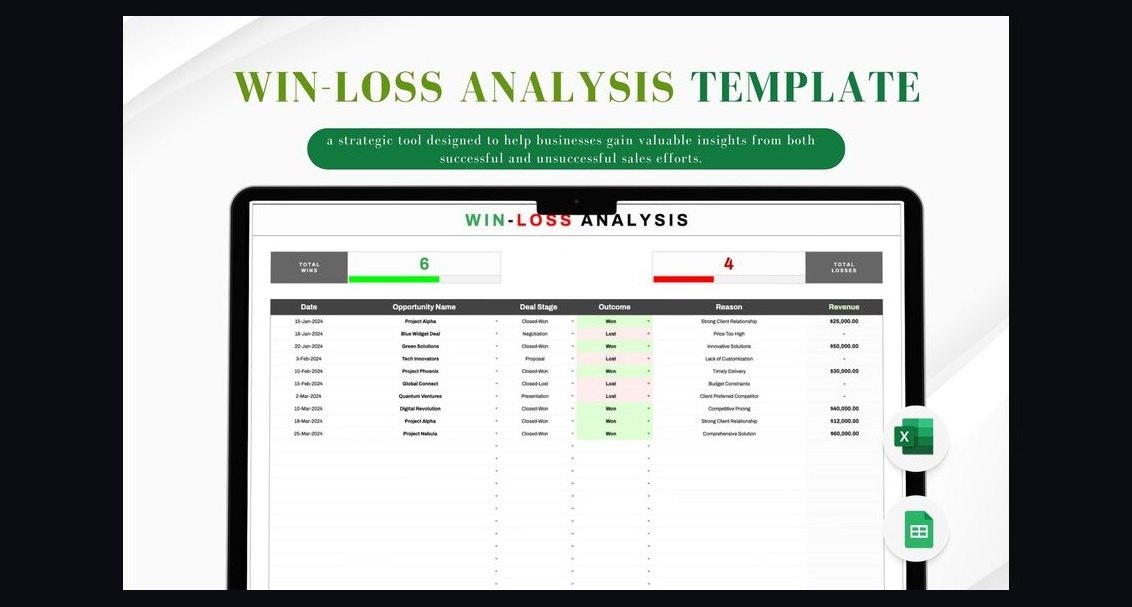 revopsHow Do I Run a Win/Loss Analysis Program That Improves Win Rate in 2027?
 revopsWhat is the cost of AI vendor lock-in for B2B sales teams in 2027?
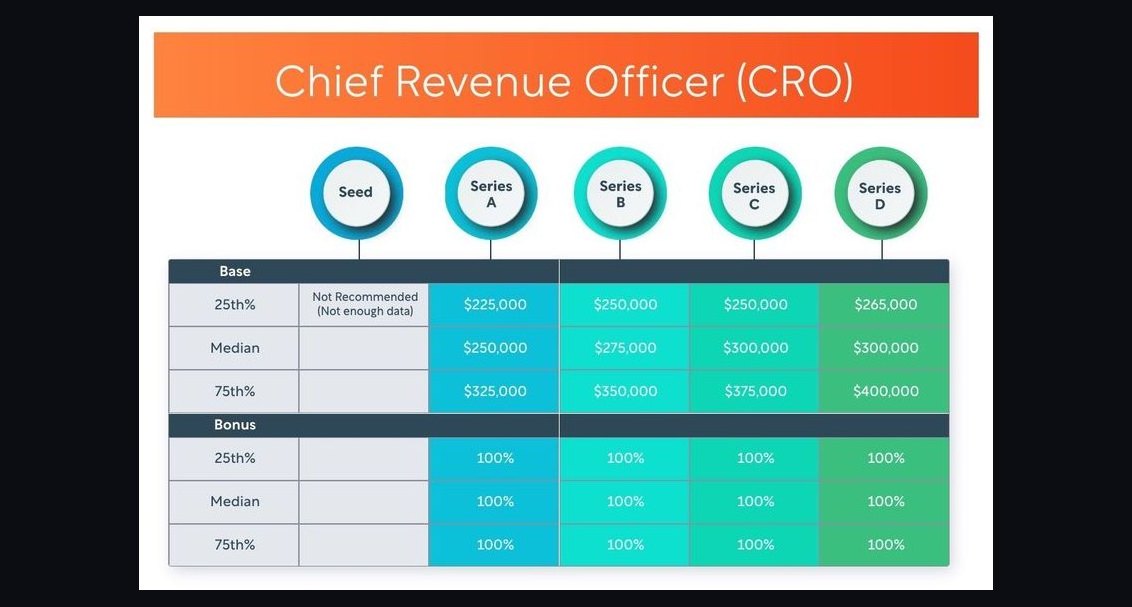 revopsCRO compensation — fractional, full-time, equity in 2027
 revopsHow do you measure outbound effectiveness in 2027?
 revopsHow is AI in the funnel reshaping the scoring of B2B inbound leads in 2027?
 revopsHow is AI changing sales territory and quota planning in 2027?
 revopsWhat is Salesloft Rhythm Agents and what does it do for RevOps in 2027?