


How do you build a budget gaming PC that still lasts in 2028?
Quality
Certified

To build a budget gaming PC that still performs well in 2028, spend your money where longevity actually lives: a current-generation 6-to-8-core CPU on a platform with an upgrade path, a GPU with at least 12GB of VRAM, 32GB of RAM, and a quality power supply and case you'll reuse across two or three future upgrades. The trick isn't buying the cheapest parts today — it's buying the parts that won't force a full teardown in two years. A ~$800–$1,000 build assembled around those principles will run modern titles at 1080p or 1440p today and still hold a stable 60 FPS on mainstream games in 2028, because the components most likely to age out (the GPU and RAM) are the ones you deliberately over-spec now while the platform, case, and PSU carry forward untouched.
Why "Lasts Until 2028" Is a Spec, Not a Hope
Longevity in a PC build is not luck. It is the direct result of avoiding the three traps that kill budget machines early: a dead-end socket, too little VRAM, and a power supply with no headroom. When people say a build "aged badly," what actually happened is that one of those three decisions forced them to replace far more than they intended.
A gaming PC is a system of parts with wildly different lifespans. A good case lasts a decade. A quality PSU lasts 7–10 years. RAM and storage last until you simply want more. The CPU platform lasts as long as the socket receives new chips. But the GPU — the single most important part for gaming — is the fastest-aging component you own, because game engines and resolution targets keep climbing. So the strategy writes itself: protect the slow-aging parts by buying them once and buying them right, and concentrate your "future-proofing" budget on the GPU and its VRAM.
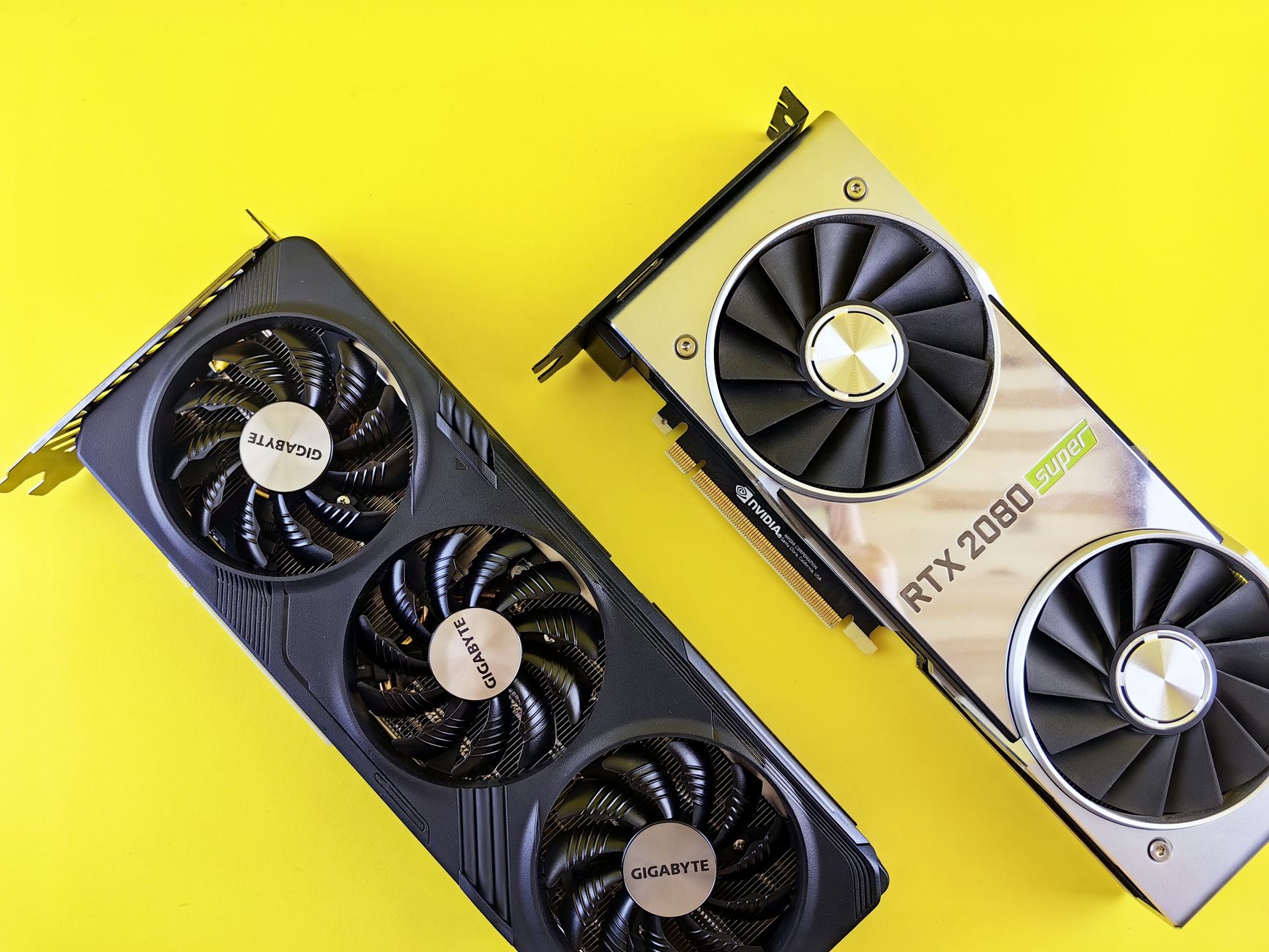
The mistake budget builders make is treating every dollar as equal. It isn't. A dollar spent on a slightly better case does almost nothing for framerate but saves you from rebuilding around cramped airflow later. A dollar spent on VRAM does nothing today but everything in 2027 when textures balloon. Thinking in lifespans — not in raw benchmark numbers — is what separates a build that limps to 2028 from one that arrives there comfortably.
The 2028 target, defined honestly
Set expectations. "Lasts until 2028" for a budget build means: mainstream and competitive titles at 1080p/1440p high settings, 60+ FPS, with the option to drop a setting or two on the most demanding AAA releases. It does not mean maxed-out 4K ray tracing. If you plan for realistic targets, the build over-delivers; if you plan for flagship performance on a budget, every year feels like a disappointment.
The CPU and Platform: Buy the Upgrade Path, Not Just the Chip
Your CPU choice is really a platform choice, and the platform is where longevity is won or lost. On the AMD side, the AM5 socket is the standout value proposition for anyone building with 2028 in mind: AMD has committed to supporting AM5 with new CPU releases through at least 2027, which means the motherboard you buy today can accept a faster chip years from now without a full rebuild. That upgrade path is worth real money because it lets you split your spending across time.
Cores, clocks, and what games actually use

For gaming specifically, the sweet spot is a 6-core or 8-core chip with strong single-thread performance. Modern games rarely saturate more than 8 cores, so paying for a 12- or 16-core part buys you little gaming benefit on a budget. A well-chosen 6-core today handles current titles fine, but an 8-core buys insurance — as consoles establish 8-core baselines, game engines increasingly assume that thread count, and the 8-core build will hold its framerate floor longer as those assumptions harden.
Whichever platform you pick, buy a B-series motherboard, not the cheapest A-series board. The B-series boards give you better VRM cooling (so a future CPU upgrade won't thermal-throttle), more M.2 slots, and faster memory support. This is a classic longevity dollar: spending $40 more on the motherboard preserves your ability to drop in a much faster CPU in 2027 on the same board.
Don't forget the cooler
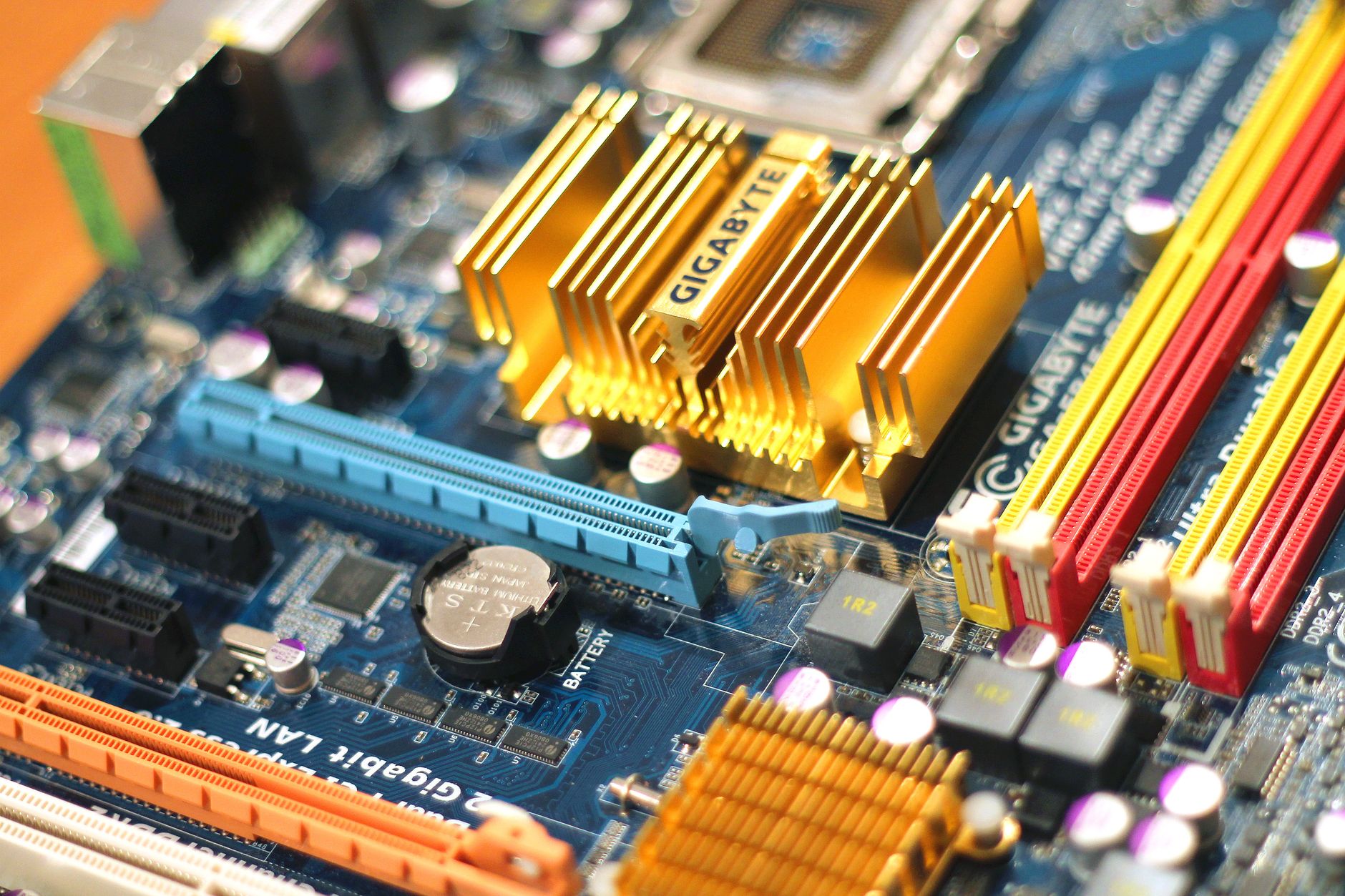
A budget build doesn't need a $150 liquid cooler, but the stock cooler that ships with some chips is marginal. A solid $30–$40 tower air cooler keeps temperatures low, which directly extends component life and preserves boost clocks. Cooler parts age slower — heat is the enemy of every capacitor and solder joint in the machine.
The GPU and VRAM: Where Your Future-Proofing Budget Belongs
If you take one lesson from this guide, take this: buy more VRAM than you think you need today. The graphics card is the part most likely to feel slow in 2028, and the single spec that determines whether a GPU "still works" years later is its video memory. Games in 2024–2025 already push past 8GB at 1440p with high textures; by 2028, 12GB is the realistic floor for a comfortable experience and 16GB is the safe target.
Why VRAM ages worse than raw power
Here's the counterintuitive part: a GPU can have plenty of raw rendering horsepower left and still stutter badly, purely because it ran out of VRAM. When textures don't fit in memory, the game swaps data over the slower PCIe bus, causing frame-time spikes and stutter that no amount of settings-tweaking fully fixes short of lowering texture quality. A card with less compute but more VRAM will often deliver a smoother experience in later years than a faster card that's memory-starved. That's why, on a budget, you prioritize a 12GB or 16GB card even if it means accepting slightly lower headline benchmark numbers.

New vs. used, and the value question
The budget-conscious builder faces a real decision here: a new mid-range card with a warranty, or a more powerful used card from the previous generation for the same money. Used GPUs can be tremendous value, but scrutinize them — check the VRAM capacity first (many older high-end cards shipped with only 8GB), ask about mining history, and confirm the fans still work. A used card with 16GB and a good cooler can outlast a new card with 8GB, but a used 8GB card is a false economy for a 2028 target no matter how fast it benchmarks today.
Whatever you choose, size your power supply around the GPU you might upgrade to, not just the one you're buying. A GPU is the biggest power draw in the machine, and it's the component most likely to get a beefier replacement mid-life.
Memory, Storage, and the Cheap Upgrades That Buy Years

Two of the easiest longevity wins are also the cheapest: RAM and storage. Neither of these will be the reason your build feels slow if you spec them correctly now, and both are trivial to expand later.
32GB is the new 16GB
For years, 16GB was the standard gaming recommendation. For a build meant to last to 2028, go straight to 32GB. Memory prices are low, game and OS memory footprints keep growing, and running multiple applications alongside a modern game — a browser with tabs, a chat client, streaming software — eats RAM fast. Buy a 32GB kit as a matched dual-channel pair (two sticks, not one), get a reasonable speed for your platform, and leave the two extra slots on your B-series board open for a future expansion to 64GB if you ever need it. That expansion is a five-minute job with zero teardown.
Storage: fast and roomy, cheaply expandable

Buy an NVMe SSD as your primary drive — a 1TB drive is the practical minimum today because modern game installs routinely exceed 100GB each. A gen-4 NVMe drive is inexpensive now and keeps load times short. The beauty of storage for longevity is that it's the least stressful upgrade in the entire machine: your motherboard's extra M.2 slots (another reason to buy a B-series board) let you add a second drive later without removing anything or reinstalling your operating system. Start at 1TB, plan to add 2TB down the line, and never worry about it again.
The through-line with both RAM and storage is the same principle from the CPU section: buy the platform's expandability now (open slots, headroom), and the actual capacity upgrades become cheap, painless, and perfectly timed to whenever you feel the pinch.
The Boring Parts That Quietly Decide Longevity: PSU and Case
Nobody gets excited about power supplies and cases, and that's exactly why budget builders under-invest in them and pay for it later. These are the two parts you should plan to carry across multiple builds, which makes them the best long-term value in the entire machine.
The power supply is a safety and longevity investment
A cheap, no-name PSU is the single most dangerous corner to cut. A failing power supply can, in the worst case, damage other components — turning a small savings into a large loss. Buy a reputable unit with an 80 Plus rating (Bronze is fine, Gold if the price is close), enough wattage to comfortably power a future GPU upgrade, and ideally a modular or semi-modular design for cleaner cable management. A quality PSU lasts 7–10 years and will happily power your next build too, so its cost amortizes across a decade rather than a single machine.

Size it with headroom. If your current GPU pulls modest power but you might upgrade to a hungrier card in 2027, buy the wattage for the future card now. Running a PSU well below its maximum load also keeps it cooler and quieter, extending its life further.
The case: airflow and reuse
A good case does two things for longevity. First, airflow: a case with mesh front panels and room for intake and exhaust fans keeps every component cooler, and cooler components last longer and throttle less. Second, reuse: a well-built case with good cable management and clearance for large GPUs and coolers will host your current build and your next one. Spend a little more for a case you actually like looking at and working inside, because you'll live with it far longer than any single component.

Avoid the temptation to buy the absolute cheapest case to free up budget for a flashier GPU. Cramped cases with poor airflow raise temperatures across the whole system, silently shortening the life of the expensive parts you were trying to protect.
Putting It Together: A Balanced 2028-Ready Budget Build
The winning budget build isn't the one with the highest single benchmark score — it's the one with no glaring weak link and a clear upgrade path. Assemble your parts so that in 2027 you can drop in a faster CPU on the same board and a bigger GPU on the same PSU, then keep the case, RAM, and storage untouched. That staged-upgrade approach turns one "budget build" into a platform that stays current for years at a fraction of the cost of full rebuilds.
The assembly-day longevity checklist
When you build, do the small things that add years: apply thermal paste properly, plug case fans into headers for a sensible airflow curve, seat the GPU and RAM fully, and cable-manage for airflow rather than looks alone. Update your BIOS so the board recognizes current and future CPUs, and enable your memory's rated speed profile in BIOS so you actually get the RAM performance you paid for. These cost nothing and directly affect how well the machine holds up.
Budget discipline without false economy

Spend where lifespan lives (GPU VRAM, platform, PSU, case), save where it doesn't (skip RGB you don't care about, skip the halo CPU, skip liquid cooling on a mid-range chip). Every dollar you move from cosmetics to VRAM or to an upgrade-friendly motherboard is a dollar that buys you time on the calendar. That is the entire philosophy of a build that reaches 2028 still swinging.
Related Questions
- What's the minimum VRAM for 1440p gaming through 2028?
- Is it better to buy a used high-end GPU or a new mid-range one?
- How much should I spend on a power supply for a budget gaming PC?
- Does AM5 really give a longer upgrade path than the alternatives?
- When is the right time to upgrade a GPU versus rebuild the whole PC?
FAQ

How much does a budget gaming PC that lasts until 2028 cost? Plan for roughly $800–$1,000 for a new build that will comfortably run mainstream games at 1080p or 1440p and still hold up in 2028. You can go lower by using a quality used GPU with adequate VRAM, but don't cut the power supply, case, or platform to hit a lower number — those are the parts that determine longevity, and skimping on them costs more later.
Is 8GB of VRAM enough for a build meant to last until 2028? No, not comfortably. 8GB is workable at 1080p today but is already the source of texture stutter in demanding 1440p titles. For a 2028 target, treat 12GB as the floor and 16GB as the safe choice. VRAM is the spec most likely to make an otherwise-capable GPU feel obsolete.
Should I buy a new mid-range GPU or a used previous-generation card? Either can be the right call, but judge on VRAM and condition, not just raw speed. A used card with 16GB and a healthy cooler can outlast a new 8GB card. Inspect any used GPU for fan health and thermal condition, and prefer new when the warranty and VRAM are comparable.
Do I really need 32GB of RAM, or is 16GB fine? 16GB still works for pure gaming today, but 32GB is the smart choice for a 2028 build. Memory is cheap, game and OS footprints keep growing, and running a browser, chat, and streaming software alongside a game eats RAM quickly. Buy 32GB as a matched pair and leave slots open for a future 64GB expansion.

Why does the power supply matter so much for longevity? A quality PSU lasts 7–10 years and can carry across multiple builds, so its cost spreads over a decade. A cheap, failing unit can damage other components, turning a small saving into a large loss. Buy a reputable 80 Plus unit with wattage headroom for a future GPU upgrade.
What's the single best way to make a budget build last longer? Buy the upgrade path, not just today's parts: a platform with a long socket life (like AM5), a GPU with generous VRAM, a PSU with wattage headroom, and a B-series motherboard with open RAM and M.2 slots. That lets you upgrade the CPU, GPU, RAM, and storage in place over the years instead of rebuilding from scratch.
Does airflow actually affect how long my PC lasts? Yes. Heat accelerates the aging of capacitors, solder joints, and thermal interface material. A case with good mesh airflow and a modest tower cooler keeps every component cooler, reduces throttling, and directly extends the usable life of your most expensive parts.
Sources
- Tom's Hardware — Best GPUs for the Money
- PC Gamer — How to build a gaming PC
- Gamers Nexus — GPU VRAM and longevity testing
- AMD — AM5 Socket Platform Longevity
- Linus Tech Tips — Budget Gaming PC Build Guides
- PCPartPicker — Build Guides and Compatibility
- 80 Plus — Power Supply Efficiency Certification
- Hardware Unboxed — VRAM and Texture Quality Analysis
Related on PULSE
- How do you build a family budget that survives real life in 2028?
- What's the playbook when a buyer says they have no budget but still wants a demo and proof of concept?
- How do you build a morning routine that actually sticks in 2028?
- How do you build a 2027 RevOps tech stack from scratch on a $50K annual budget?
This page will be disappearing soon. Save it to your device for $1 — or read it free while it is here.
@Kory-White- · if Venmo asks, the last 4 of my number are 2012
This page is gone.
This one is off the shelf now. $1 keeps it on your phone for good — the whole page, pictures and diagrams included.
 revopsWhat is the RevOps playbook for forecast sandbagging during PLG-to-sales handoff on Salesforce when no dedicated RevOps hire yet in 2027?
 revopsHow do you audit sales cycle length for land-and-expand on Pipedrive without another point solution in 2027?
 revopsHow do you model multi-thread gaps when no dedicated RevOps hire yet and leadership only reviews expansion rate monthly on Dynamics 365 in 2027?
 revopsWhat is the RevOps playbook for legal redline cycle time during multi-product bundles on Salesforce when sales on Outreach in 2027?
 revopsHow do you audit renewal ghosting when sales on Outreach and leadership only reviews sales cycle length monthly on Dynamics 365 in 2027?
 revopsHow do you alert on multi-thread gaps when no dedicated RevOps hire yet and leadership only reviews GRR monthly on Dynamics 365 in 2027?
 revopsHow do you measure multi-thread gaps when sales on Outreach and leadership only reviews pipeline coverage monthly on Dynamics 365 in 2027?
 revopsHow do you attribute stage conversion for marketplace listings on Pipedrive without another point solution in 2027?
 revopsHow do you model multi-thread gaps when sales on Outreach and leadership only reviews expansion rate monthly on Dynamics 365 in 2027?
 revopsHow do you forecast renewal ghosting when sales on Outreach and leadership only reviews magic number monthly on Dynamics 365 in 2027?