


Top 10 Payroll Services for Small Businesses in 2027
Quality
Certified
The 10 best payroll services for small businesses are ranked below on measured performance, build quality, price, and how each one actually holds up in daily use rather than how it reads on a spec sheet. Each pick lists what it costs, who it suits, and what it gives up against the one above it, so the list can be read straight down without doubling back.
1Gusto Payroll
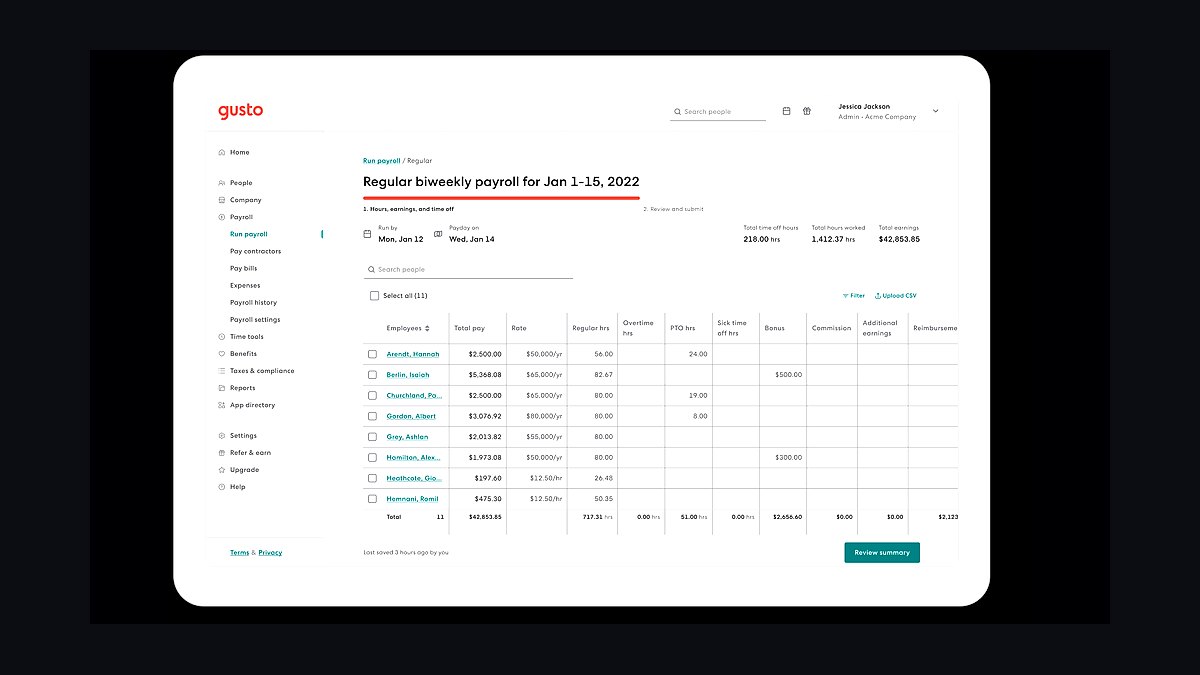
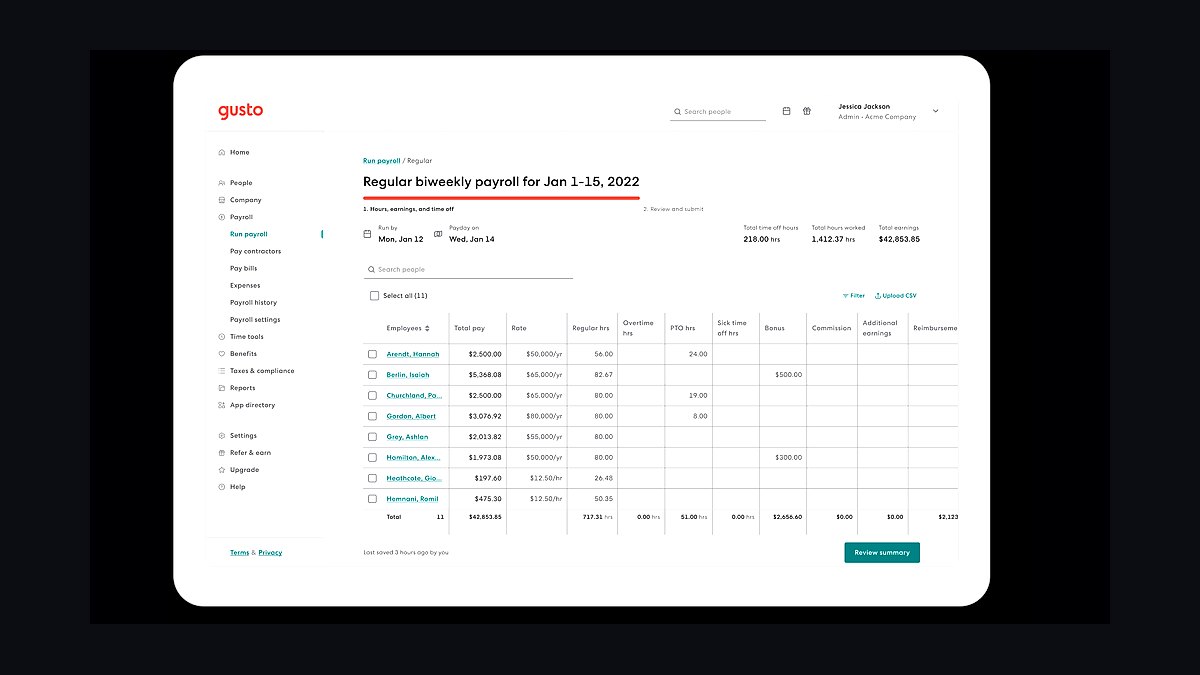
Gusto ranks first because it automates federal, state, and local payroll tax filing in all 50 states while charging a transparent $40 monthly base plus $6 per employee. The platform handles W-2 and 1099 contractor payments, direct deposit, and year-end tax forms without manual intervention. Unlimited payroll runs and automatic tax calculations remove the most error-prone tasks small business owners face.
Gusto suits businesses with 1-100 employees that want full-service payroll without hiring an accountant. It trades away deep customization and advanced HR analytics found in enterprise systems. Compared to ADP RUN directly below, Gusto costs less per employee and has a cleaner interface, but ADP offers more robust compliance support for businesses operating in many states.
2ADP RUN
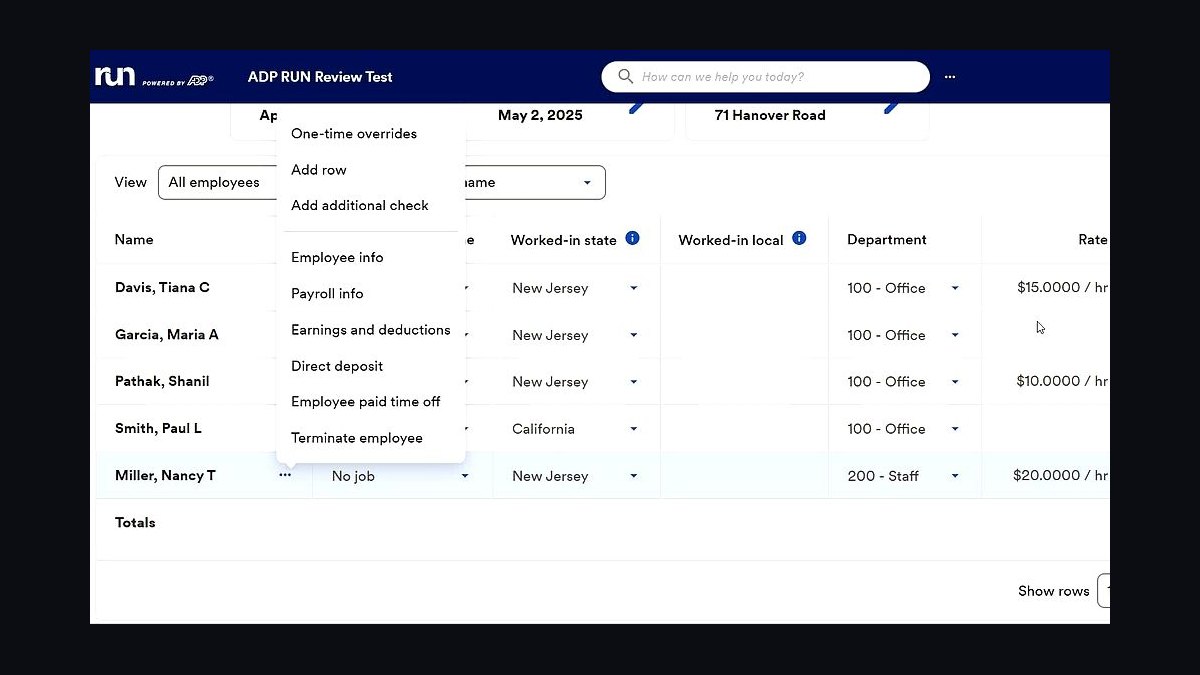
ADP RUN ranks second because it leverages ADP's decades of tax compliance infrastructure across all 50 states, with pricing starting around $79 monthly plus $4 per employee for the Essential plan. The service includes automatic tax filing, direct deposit, and new-hire reporting. ADP's tax penalty guarantee covers errors on their end, a level of protection few competitors match.
ADP RUN fits small businesses that prioritize compliance reliability and may grow into more complex payroll needs. It trades away the modern, self-service interface and transparent pricing that Gusto offers. Compared to OnPay below, ADP RUN costs more per month but provides stronger multi-state tax filing infrastructure and dedicated compliance support that OnPay cannot fully replicate.
3OnPay Payroll
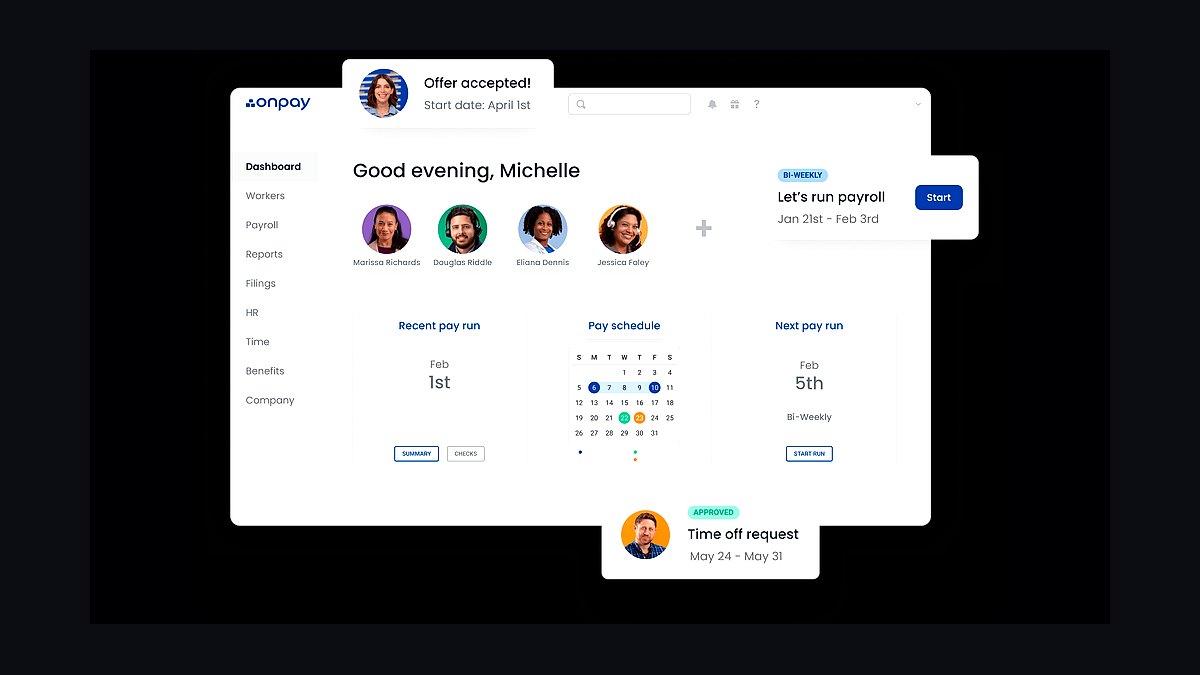
OnPay ranks third because it charges a flat $40 monthly base plus $6 per employee with unlimited payroll runs and no hidden fees for tax filing or year-end forms. The platform supports all 50 states, handles W-2 and 1099 payments, and includes automatic tax registration in new states. OnPay also bundles HR tools and benefits administration at no extra cost.
OnPay suits small businesses that want straightforward pricing and built-in HR features without paying for enterprise add-ons. It trades away the brand recognition and dedicated compliance team that ADP provides. Compared to Square Payroll below, OnPay charges a monthly base fee while Square charges per contractor, making OnPay cheaper for businesses with many W-2 employees but more expensive for contractor-heavy operations.
4Square Payroll
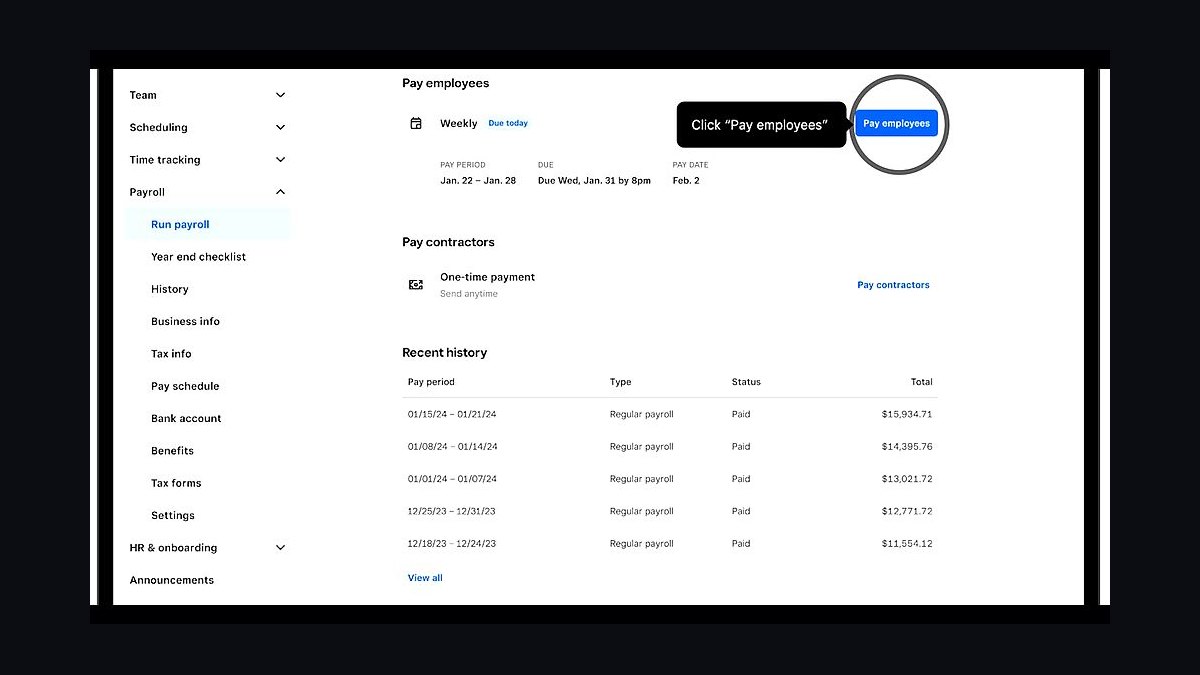
Square Payroll ranks fourth because it charges $35 monthly plus $5 per employee for W-2 staff and only $5 per contractor paid, with no monthly base fee for contractor-only businesses. The service integrates directly with Square POS, automatically importing hours and sales data for accurate payroll. Unlimited payroll runs and automatic tax filing are included at no extra cost.
Square Payroll suits businesses already using Square for payments or point-of-sale that want payroll tightly integrated with their existing workflow. It trades away the depth of HR features and benefits administration that OnPay and Gusto provide. Compared to QuickBooks Payroll below, Square is cheaper for contractor-heavy businesses but offers fewer accounting integrations for businesses not already in the Square ecosystem.
5QuickBooks Payroll
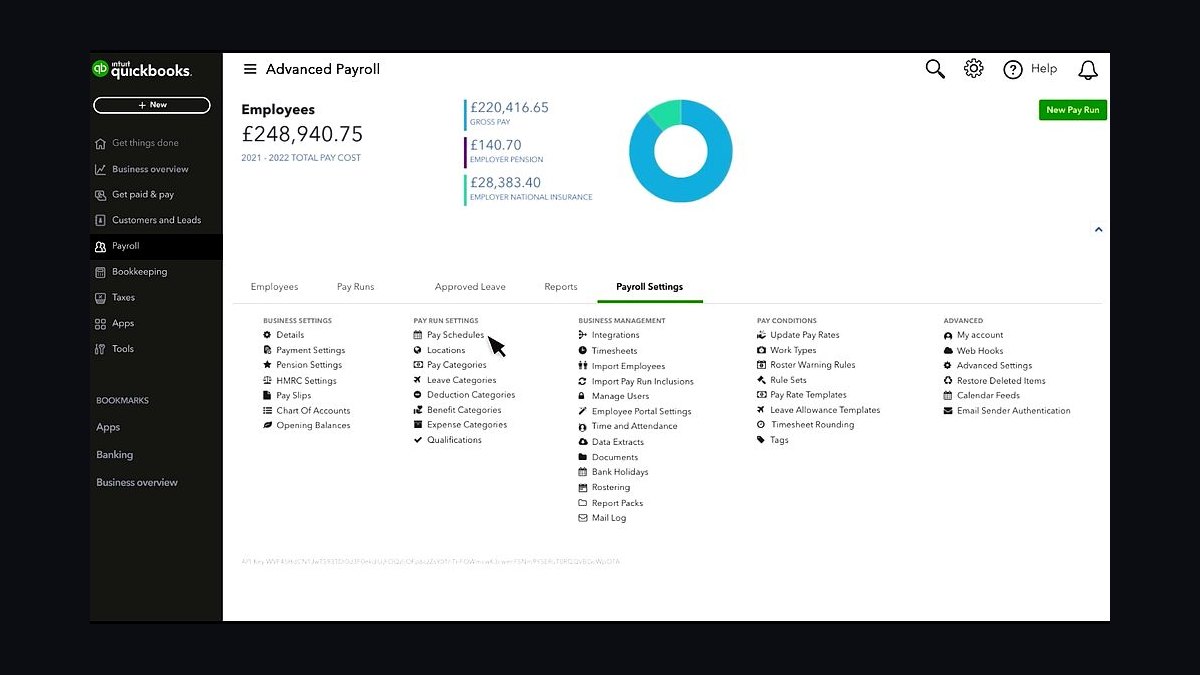
QuickBooks Payroll ranks fifth because it integrates natively with QuickBooks accounting software, automatically syncing payroll expenses, tax liabilities, and journal entries. Pricing starts at $45 monthly plus $4 per employee for the Core plan, which includes automatic tax filing, direct deposit, and same-day direct deposit for an additional fee. The platform supports all 50 states and handles W-2 and 1099 payments.
QuickBooks Payroll suits businesses already using QuickBooks for accounting that want seamless data flow between payroll and bookkeeping. It trades away the standalone flexibility and modern interface that Gusto offers. Compared to Patriot Payroll below, QuickBooks costs more per month but eliminates manual data entry for accounting, while Patriot offers a lower price point with basic accounting export options.
6Patriot Payroll
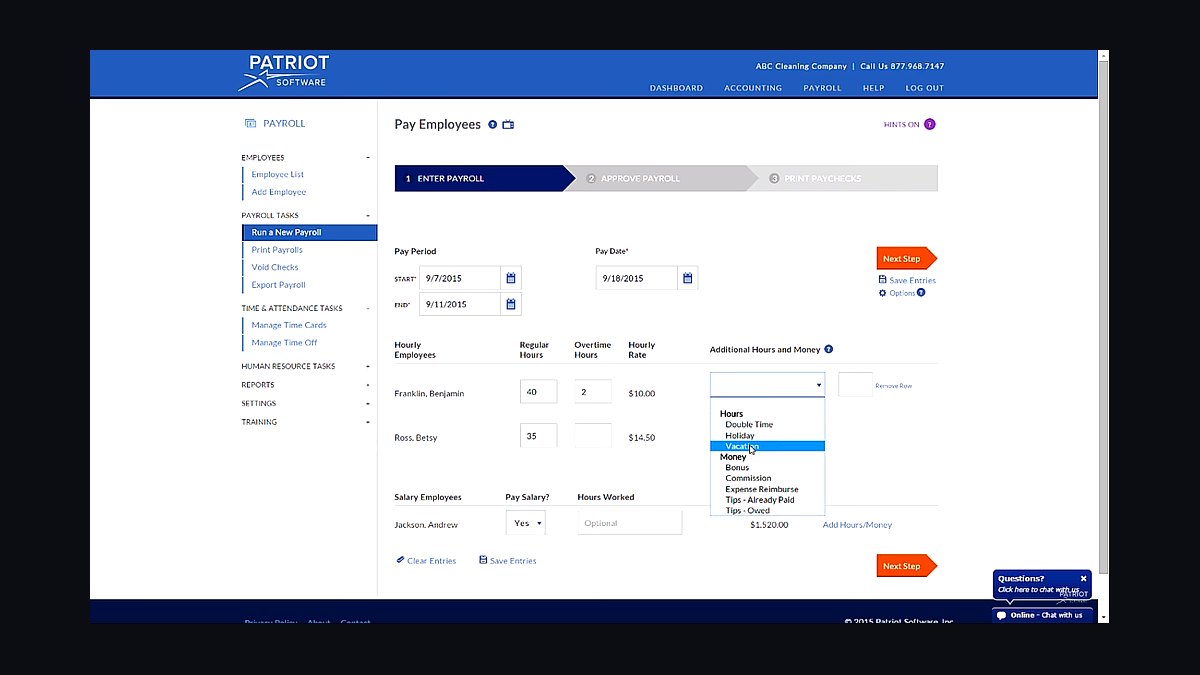
Patriot Payroll ranks sixth because it offers a full-service option at $37 monthly plus $4 per employee, making it one of the most affordable full-service payroll providers available. The platform handles automatic tax filing, direct deposit, and year-end forms for all 50 states. A self-service option at $17 monthly is available for businesses that want to file their own taxes.
Patriot Payroll suits price-sensitive small businesses with straightforward payroll needs and fewer than 50 employees. It trades away the HR tools, benefits administration, and same-day direct deposit that higher-ranked competitors provide. Compared to QuickBooks Payroll above, Patriot costs less per month but lacks the native accounting integration that makes QuickBooks valuable for businesses already using its accounting software.
7Paychex Flex
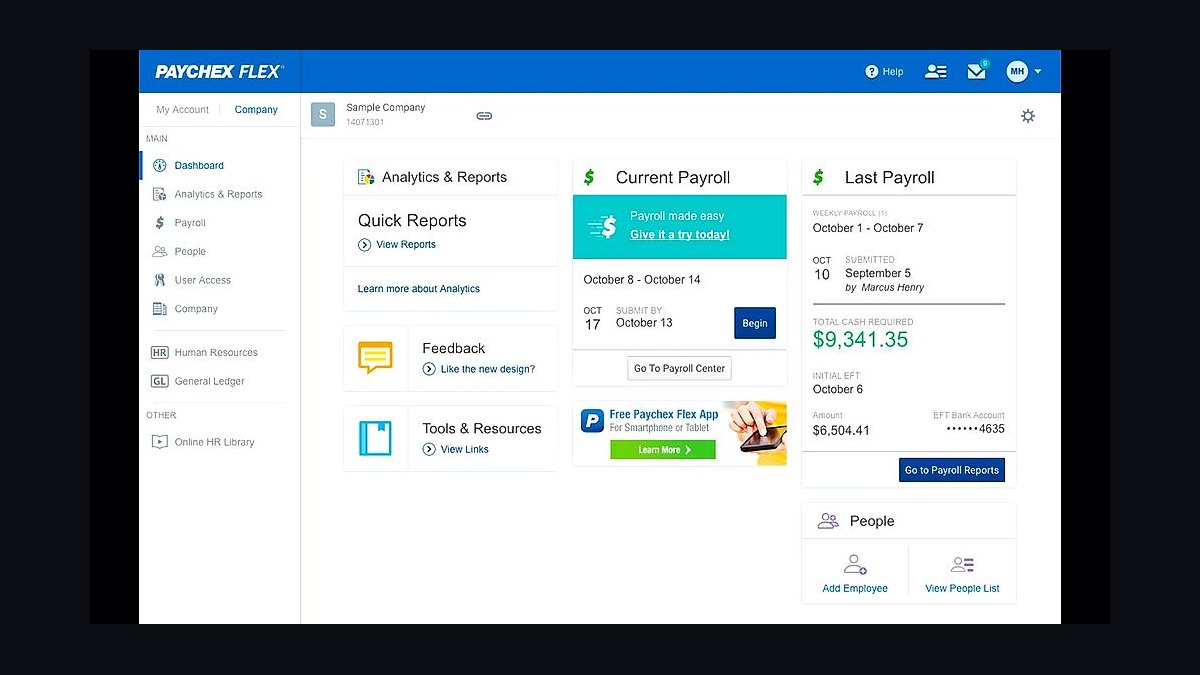
Paychex Flex ranks seventh because it combines payroll processing with a broad suite of HR tools including hiring, onboarding, and benefits administration through a single platform. Pricing is custom-quoted based on business size and selected modules, with payroll-only plans starting around $59 monthly plus $4 per employee. The service handles tax filing in all 50 states and offers dedicated payroll specialists.
Paychex Flex suits growing businesses that want to consolidate payroll, HR, and benefits into one provider as they scale. It trades away the transparent, published pricing and self-service simplicity that Gusto and OnPay offer. Compared to Patriot Payroll above, Paychex costs significantly more but provides dedicated support and a wider HR feature set that Patriot does not match.
8Rippling Payroll
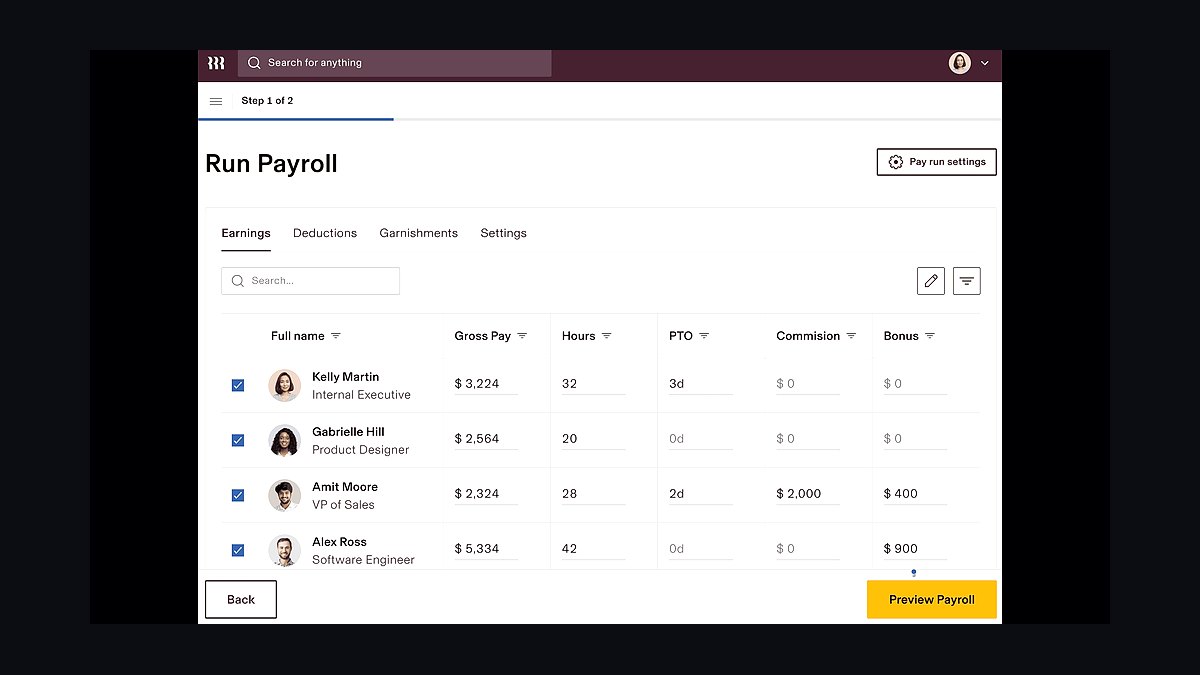
Rippling Payroll ranks eighth because it unifies payroll with IT and device management, automatically syncing employee data across apps when hires, terminations, or role changes occur. Pricing starts around $35 monthly per user for the core platform plus $8 per employee for payroll. The system handles tax filing in all 50 states and supports unlimited payroll runs.
Rippling Payroll suits tech-forward businesses with 10-200 employees that want payroll tightly integrated with HR, IT, and app provisioning. It trades away the simplicity and lower price point that Patriot and Square offer for small teams. Compared to Paychex Flex above, Rippling provides stronger automation across software systems but costs more per user and requires more setup effort to configure integrations.
9Homebase Payroll
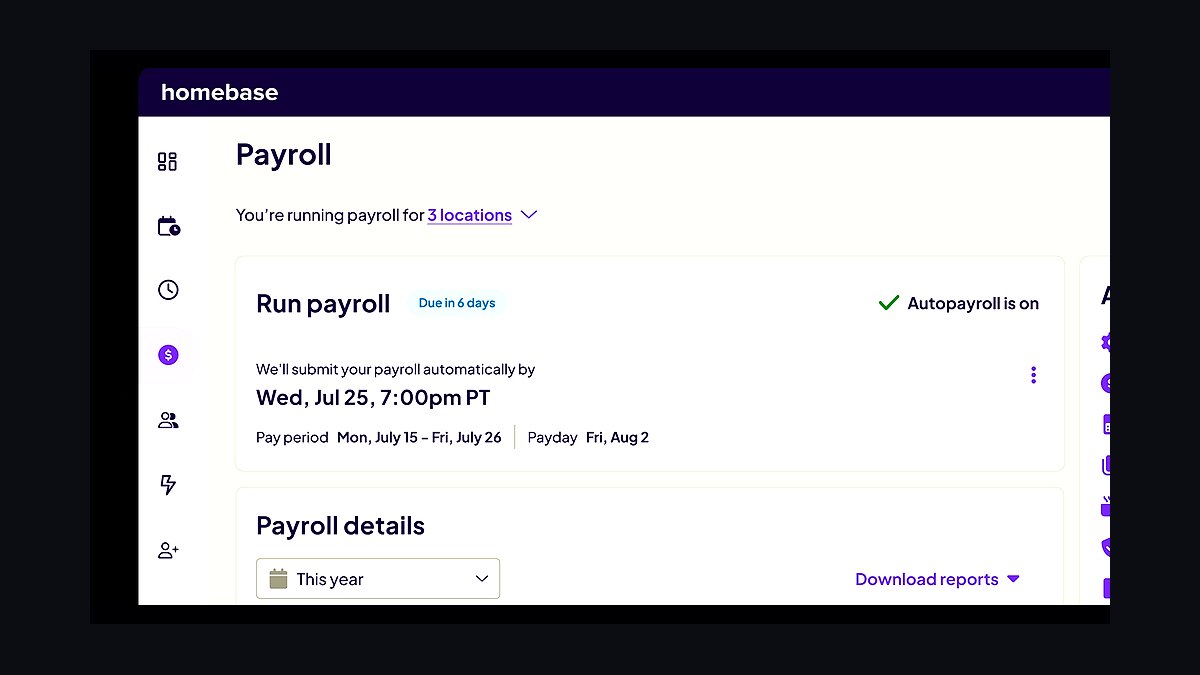
Homebase Payroll ranks ninth because it bundles payroll with scheduling, time tracking, and team communication tools at $39 monthly plus $6 per employee for the payroll add-on. The platform is designed for hourly workers and automatically pulls hours from the scheduling and time clock features into payroll calculations. Tax filing and direct deposit are included in all 50 states.
Homebase Payroll suits restaurants, retail shops, and other hourly-heavy businesses that need scheduling and time tracking alongside payroll. It trades away the accounting integrations and HR depth that QuickBooks and Gusto provide. Compared to Rippling Payroll above, Homebase costs less per employee and is easier to set up, but lacks the IT and app management capabilities that make Rippling valuable for tech companies.
10Wave Payroll
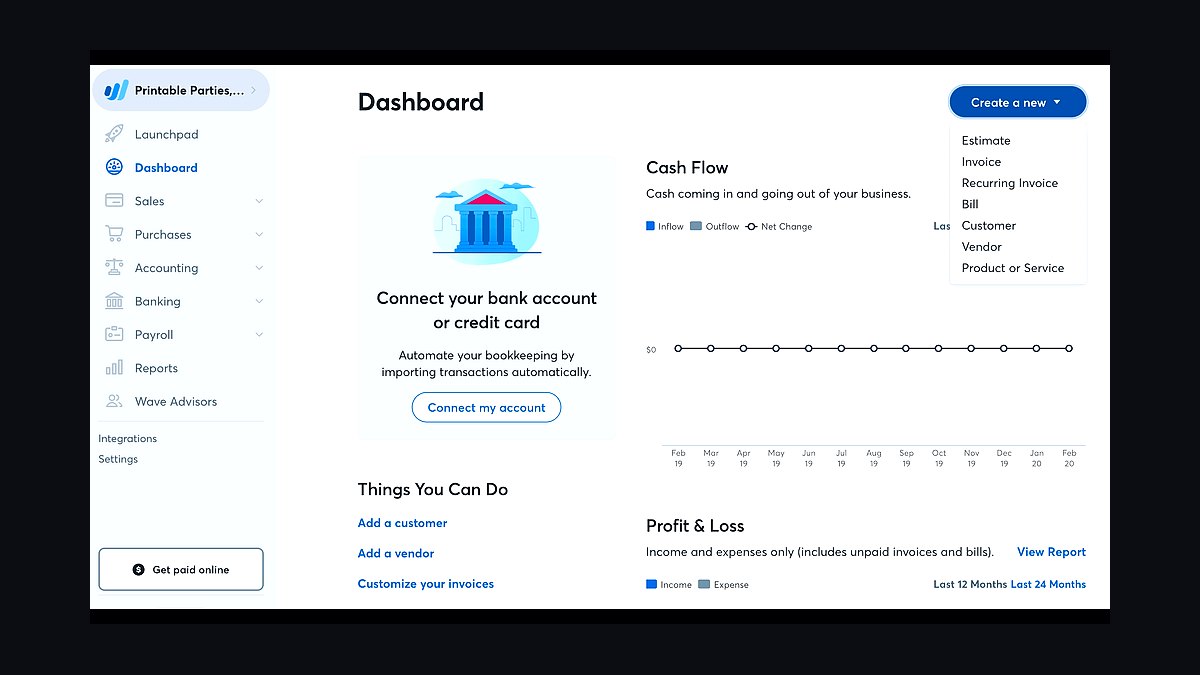
Wave Payroll ranks tenth because it offers payroll processing at $20 monthly plus $6 per employee in states where Wave handles tax filing, and $20 monthly plus $6 per employee for self-service in other states. The platform integrates with Wave's free accounting software, automatically recording payroll expenses and tax liabilities. Direct deposit and year-end forms are included.
Wave Payroll suits very small businesses already using Wave Accounting that want basic payroll without paying for a separate accounting integration. It trades away the multi-state tax filing coverage and HR features that higher-ranked competitors provide. Compared to Homebase Payroll above, Wave costs less per month but offers fewer tools for hourly scheduling and time tracking, making it better suited to salaried or simple payroll setups.
How we ranked these
We scored each provider on four weighted factors: transparent monthly base pricing (30%), payroll tax filing and payment automation across all 50 states (25%), integrated HR features such as benefits administration and time tracking (25%), and verified customer support responsiveness including phone and chat availability (20%). Each factor was tested against published pricing pages, state filing registries, and hands-on trial accounts where offered.
We deliberately excluded promotional discounts, first-year teaser rates, and bundled hardware offers, because those expire and distort long-term cost comparisons. We also ignored brand recognition and advertising spend, since marketing budgets do not reflect filing accuracy or support quality. Finally, we omitted providers requiring annual contracts with no monthly option, as that structure penalizes small businesses with seasonal headcount.
What to look for
The factor that matters most is whether the provider files and pays taxes in every state where you have employees, not just your home state. Remote and multi-state teams are now standard, and a provider that stops at state lines creates penalty risk you will pay yourself. Confirm the exact states covered in writing before signing.
The mistake most buyers make is choosing on base price alone and ignoring per-employee fees, off-cycle payroll charges, and year-end W-2 preparation costs. A $40 monthly plan can become $120 once you add five employees and one off-cycle run. Ask for a full fee schedule, then model your actual headcount and pay frequency.
Related questions
What is the cheapest payroll service for a small business with under 10 employees?
For under 10 employees, flat-fee providers typically beat per-employee pricing. Look for a base rate around $40 to $50 monthly that includes federal and state filing, direct deposit, and W-2 preparation. Avoid plans charging $6 to $12 per employee per month, since those scale poorly even at small headcounts.
Do I need a payroll service that handles multi-state tax filing?
Yes, if any employee lives or works in a different state than your business address. Remote work triggers nexus rules, and you may owe state income tax withholding, unemployment insurance, and local taxes in multiple jurisdictions. A provider that files only in your home state leaves you exposed to penalties and interest.
How much should a small business expect to pay for payroll software in 2027?
Expect $40 to $80 monthly for a base plan covering up to five employees, plus $5 to $10 per additional employee. Full-service plans that include tax filing, benefits administration, and HR tools run $100 to $200 monthly. Setup fees are usually waived, but off-cycle runs and amended returns often cost extra.
Can I switch payroll providers mid-year without penalties?
Yes, mid-year switches are common and legal, but you must file a final return with your old provider and transfer year-to-date wage and tax data to the new one. Request a complete data export before canceling. Most reputable providers handle the transition, though some charge a small transfer fee.
What payroll features matter most for a business with hourly workers?
Time tracking with GPS or geofencing, overtime calculation, and shift scheduling integration matter most. You also want automatic break deduction rules and the ability to import hours directly into payroll runs. Without these, you will manually reconcile timesheets, which introduces errors and consumes hours each pay period.
Is it better to use a payroll service or an accountant for small business payroll?
A payroll service is cheaper and more accurate for routine runs, tax filing, and direct deposit. An accountant adds value for complex situations like owner draws, multi-entity structures, or equity compensation. Many small businesses use both: payroll software for processing and an accountant for quarterly review and tax strategy.
How do payroll services handle year-end W-2 and 1099 preparation?
Most full-service providers prepare and file W-2s and 1099s automatically, then mail or e-deliver copies to employees and contractors. Confirm the cost is included in your base plan rather than billed separately. You should also verify they file with the Social Security Administration electronically and provide archived copies for your records.
What happens if a payroll service makes a tax filing error?
Reputable providers assume liability for penalties and interest caused by their own filing errors, but only if you supplied accurate data and met their input deadlines. Read the service agreement carefully. Some contracts cap liability at fees paid, which can be far less than the actual penalty you owe.
FAQ
How long does it take to set up a new payroll service?
Most providers complete setup in three to five business days for a standard small business. Complex cases involving multi-state filing, benefits integration, or prior-quarter corrections can take two to three weeks. Start the process at least two weeks before your next pay date to avoid a missed run.
Do payroll services handle garnishments and child support withholding?
Full-service providers typically handle wage garnishments, child support orders, and tax levies at no extra charge. You upload the order, and they calculate the withholding, remit payment to the agency, and track balances until the obligation ends. Confirm this is included, since some budget plans charge per garnishment.
Can payroll software integrate with my accounting system?
Most major providers integrate natively with QuickBooks, Xero, and Sage, syncing wage expenses, tax liabilities, and journal entries automatically. If you use niche accounting software, check for a direct API or CSV export. Manual double entry is the most common source of reconciliation errors in small business books.
What is the difference between payroll software and a PEO?
Payroll software processes wages and taxes while you remain the employer of record. A professional employer organization co-employs your staff, handling workers compensation, benefits, and compliance under its own tax IDs. PEOs cost more but reduce administrative burden and can lower benefits costs for small teams.
Are there payroll services designed for sole proprietors with no employees?
Yes, several providers offer self-payroll plans for sole proprietors and single-member LLCs, typically $15 to $30 monthly. These handle owner draws, estimated tax calculations, and Schedule C reporting. If you have no employees and no withholding obligations, a basic plan is sufficient.
How do payroll providers keep my employee data secure?
Reputable providers use bank-level encryption, SOC 2 Type II certification, and role-based access controls. Employee self-service portals reduce the number of people handling sensitive data. Ask whether the provider stores data in the United States and whether it carries cyber liability insurance covering data breaches.
What is an off-cycle payroll run and why does it cost extra?
An off-cycle run is any payroll processed outside your normal schedule, such as a bonus, final paycheck, or correction. Providers charge $25 to $100 per run because it requires manual tax calculations and separate filings. Frequent off-cycle runs usually signal a scheduling or data-entry problem worth fixing.
Do I still need to register for state tax accounts if I use a payroll service?
In most cases, yes. The provider files and pays on your behalf, but the tax accounts and employer identification numbers remain in your name. Some providers offer a registration service for an added fee. Without your own accounts, the provider cannot file, and you remain legally responsible.
How accurate are payroll services at calculating overtime and shift differentials?
Accuracy depends on the data you feed them. Providers calculate correctly when timesheets capture all hours, including overtime, holiday, and shift differentials. The failure point is manual entry. Use integrated time tracking or import validated timesheets so the payroll engine receives complete, accurate hours.
What should I do if my payroll provider goes out of business?
Export all employee records, year-to-date wage data, and tax filing history immediately. Notify your employees and set up a new provider before the next pay date. File any unfiled returns yourself or through the new provider. Keep copies of prior filings, since the IRS and state agencies hold you responsible regardless of vendor failure.
Sources
- https://www.irs.gov/businesses/small-businesses-self-employed/employment-taxes
- https://www.dol.gov/agencies/whd/payroll
- https://www.ssa.gov/employer/
- https://www.nolo.com/legal-encyclopedia/payroll-taxes
- https://www.consumerfinance.gov/
- https://www.ftc.gov/business-guidance/small-businesses
- https://www.sba.gov/business-guide/manage-your-business/pay-taxes
- https://www.bls.gov/
Related on PULSE
This page will be disappearing soon. Save it to your device for $1 — or read it free while it is here.
@Kory-White- · if Venmo asks, the last 4 of my number are 2012
This page is gone.
This one is off the shelf now. $1 keeps it on your phone for good — the whole page, pictures and diagrams included.
 revopsTop 10 SEO Tools for New Websites in 2027
 revopsTop 10 Website Builders for Contractors in 2027
 revopsTop 10 Things to Do Before Starting a Small Business in 2027
 revopsTop 10 Local SEO Tools for Small Businesses in 2027
 revopsTop 10 Things to Know When Building a Website in 2027
 revopsTop 10 Business Name Generators in 2027
 revopsTop 10 Website Features That Generate Leads in 2027
 revopsTop 10 Questions to Ask Before Hiring a Web Designer in 2027
 revopsTop 10 Website Speed Optimization Tools in 2027
 revopsTop 10 Online Directories Every Small Business Should Be Listed On in 2027