
How do I back up my phone's data before switching to a new carrier in 2027?
 Curated byKory White · Fractional CRO · Maryland
 PULSEKNOWLEDGE LIBRARY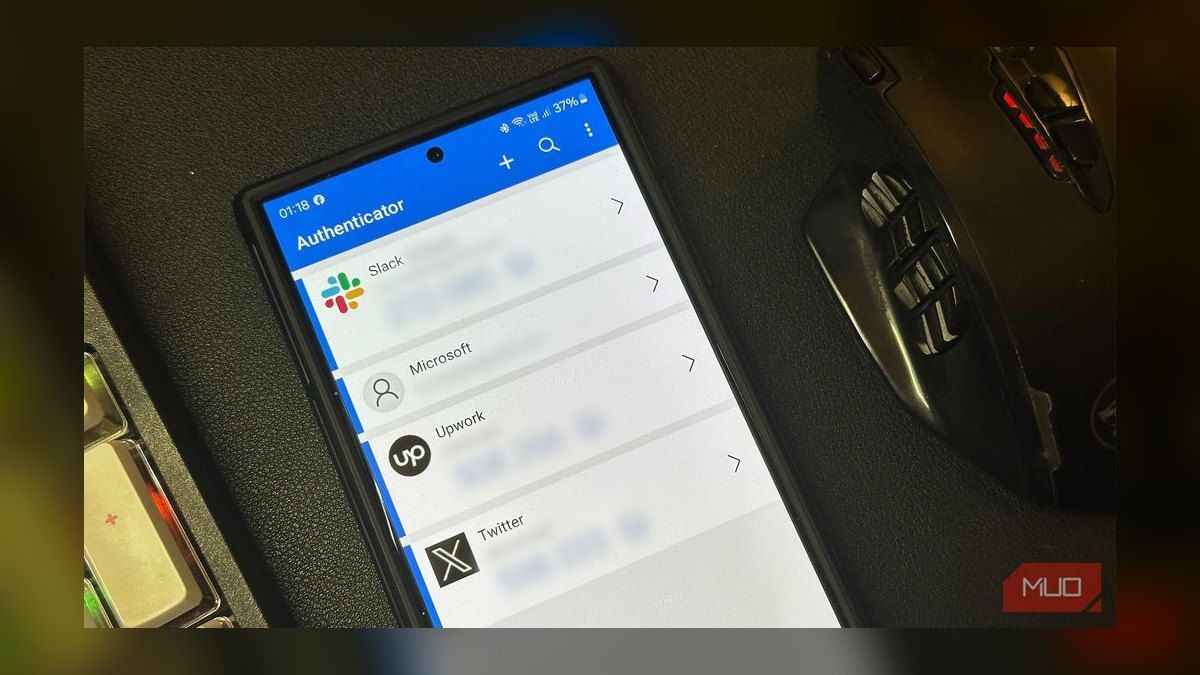
Back up your phone before switching carriers by exporting contacts, photos, messages, and authenticators to at least two independent locations, then verifying the restore works. Use your phone's built-in cloud backup plus a local computer or external drive copy. Confirm your old carrier account is paid and unlocked, and keep the physical SIM until the new carrier's service is active and tested.
A realistic switching scenario
Picture a Thursday evening in early 2027. You've ordered a SIM or eSIM from a new carrier because the plan is cheaper, the coverage map looks better, or your employer switched providers. The new SIM arrives in the mail. You have maybe 45 minutes before dinner, and you think the migration will take ten minutes.
Here's what actually happens if you skipped preparation. You activate the new line, and your old number ports over within a few hours — sometimes minutes, sometimes a full business day. During that window, calls and texts may route oddly. Your voicemail greeting resets. Your carrier-specific visual voicemail app stops working. Your two-factor authentication codes, which were tied to your old number, stop arriving. Your photos are still on the device, but your chat backups were tied to the old carrier's cloud account, and you never checked whether they'd survive.
The people who breeze through a carrier switch are the ones who treated the phone as a data portability problem first and a billing problem second. They inventoried what lived only on the device, what lived in an account tied to the old carrier, and what lived in a third-party cloud. They exported each category, tested a restore on a spare device or a computer, and only then initiated the port.
The rest spend the weekend on hold with two carriers, trying to recover message history and re-enroll in every service that used their phone number as a second factor. The difference is entirely preparation done before the switch, not technical skill during it.
A useful mental model: your phone holds three classes of data, and each class has a different backup path. Local-only data (photos not synced, downloaded files, app data) needs a device-level backup. Account-bound data (messages, contacts, call logs) needs an export from whichever account currently owns it. Identity-bound data (your number as a login factor) needs to be re-pointed at the new carrier before you cancel the old one. Miss any class and you'll feel it within 48 hours.
How the backup mechanism actually works
Every modern smartphone offers two fundamentally different backup types, and conflating them is the single most common mistake. A device backup captures the phone's state — apps, settings, photos, and often messages — and restores it onto a new device or the same device after a wipe. A data export produces portable files (a contacts .vcf, a messages archive, a photo library) that you can open anywhere, independent of any phone or carrier.
Carrier switches need both, because a device backup alone can be trapped inside an ecosystem you're about to leave, and an export alone won't restore your app layouts and settings.

The sequence matters. You want to capture data while the old SIM is still active, because some exports — particularly SMS and MMS — depend on the phone being able to authenticate to the current carrier's network or to an account that the phone number unlocks. Once the port completes, the old number no longer belongs to you, and any service that verified you by texting that number may lock you out.
The critical branch is the verification loop. A backup you have never restored is a hypothesis, not a backup. Test it before the port, not after.
There's also a timing dimension people underestimate. Porting a number typically requires the old account to be in good standing and the number to be unlocked. If you cancel the old line first, you can lose the number permanently in some cases. The safe order is always: back up, verify, port, test, then cancel. Never cancel first.

For phone-level backups, most devices now offer encrypted local backups to a computer, which capture more than cloud backups do — including some app data and system settings that cloud services omit for privacy or size reasons. If you have a laptop and a cable, this is the most complete single copy you can make. Cloud backups are convenient and automatic but often exclude large media or specific app databases.
For messages specifically, the situation is messier. SMS and MMS live in a database on the device, and moving them between platforms is genuinely hard. Android-to-Android and iPhone-to-iPhone migrations are well supported by first-party tools. Cross-platform moves usually require a third-party utility, and results vary. If your message history matters, export it to a readable format (PDF, HTML, or CSV) as an archive even if you can't restore it into the new phone's messaging app. An archive you can search beats a restore that silently drops half your threads.
Real numbers, ranges, and benchmarks
Concrete figures help you plan storage and time. These are typical ranges, not guarantees — your device and library size will shift them.
A photo and video library is usually the largest single item. A heavy user with five years of 4K video can easily hold 200–500 GB. A moderate user with mostly photos sits around 30–80 GB. Cloud photo services often store a compressed version unless you explicitly enable original-quality upload, which means your cloud copy may be smaller and lower-fidelity than the device copy. Check the setting before you trust the cloud as your only copy.

Message databases are surprisingly small in raw bytes but large in count. A decade of SMS might be 50–300 MB, but tens of thousands of messages. MMS with photos inflate this quickly — a few thousand picture messages can push past 5 GB. Call logs are trivial, usually under 5 MB.
Contacts are tiny. A few thousand contacts export to a .vcf file of roughly 1–3 MB. This is the easiest thing to back up and the most painful to lose, which is why it should be the first export you make.
Time estimates for a full backup depend on your connection and storage medium. A 100 GB library over a 100 Mbps home upload takes roughly 2.5 hours at ideal speed, but real-world uploads often run at half that, so budget 4–6 hours. A local USB 3.0 external drive can move the same 100 GB in 15–30 minutes. A direct cable backup to a computer's SSD is usually the fastest option available to a consumer.

Porting timelines vary by carrier and country. In the United States, the FCC requires carriers to port a number within one business day when the request is valid, and many complete in 2–4 hours. Some prepaid-to-postpaid and small-carrier-to-large-carrier moves take longer. Plan for up to 24 hours of degraded service and don't schedule the port the night before something important.
Storage costs are worth a quick calculation. External SSDs in the 1–2 TB range commonly sell for roughly $70–$150. Cloud storage tiers above the free allowance typically run a few dollars per month per 100 GB to 2 TB depending on the provider. Buying a single external drive is usually cheaper than a year of a large cloud plan and gives you an offline copy that no account cancellation can touch.
A benchmark to aim for: three copies, two of them independent of your carrier and phone vendor, one of them offline. If your only backup is a cloud account tied to the ecosystem you're leaving, you have one copy and one point of failure.
Trade-offs and alternatives
No single backup method wins on every axis. The right choice depends on how much data you have, how paranoid you are, and how much time you'll spend.

Cloud backup is automatic, offsite, and survives a lost or destroyed phone. Its downsides: it's often tied to an account that a carrier switch can complicate, uploads are slow for large libraries, free tiers are small, and some data types are excluded. It's the best set-and-forget option and the worst sole option.
Local backup to a computer or external drive is fast, complete, and private. Its downsides: it's a single physical location, drives fail, and it requires you to actually plug in and run it. It's the best "full fidelity" option and a poor choice as your only copy if your home is the only place it lives.
Portable exports (contacts, message archives, photo folders) are the most flexible — they open on any device, any platform, any carrier. Their downside is that they're snapshots, not living backups, so they go stale the moment you make a new contact or send a new message.

The recommended baseline for a carrier switch is a hybrid: one automatic cloud backup running continuously, one full local backup made the day before the port, and portable exports of contacts and messages stored somewhere you can reach without the old phone. That covers the realistic failure modes — lost device, wiped device, locked-out account, and canceled carrier account.
A genuine alternative some people choose is to delay the switch until after a billing cycle boundary, giving them a full month to prepare backups without time pressure. This costs one more month of the old plan but removes the rushed-migration risk entirely. If your old plan is month-to-month or already paid through the end of the period, there's often no cost to waiting a couple of weeks and doing the backup properly.
Another alternative: keep the old line active for a short overlap period on a cheap plan while you verify the new one works. This is only possible if you're willing to pay for two lines briefly, and it requires that the old number not be the one you ported. Some people port the number and keep a second, secondary line on the old carrier for a month as a fallback for 2FA codes still pointing at it. It's a belt-and-suspenders approach that costs a little and buys real peace of mind.
Common pitfalls and how to avoid them
The failures below account for most carrier-switch data disasters. Each has a cheap prevention.

Canceling the old line before the port completes. This can strand your number. Prevention: never cancel until the new line is active, tested, and receiving calls to your number.
Relying on a single cloud account tied to the old ecosystem. If the account is carrier-billed or number-verified, losing the number can lock you out. Prevention: add a second, independent backup and make sure the account has a recovery email and password you control, not just the phone number.
Forgetting that 2FA codes go to the old number. Banking, email, and work logins often use SMS as a second factor. During the port window, codes may not arrive. Prevention: before the port, move every critical account to an authenticator app or a backup number, and generate recovery codes.

Assuming messages will transfer across platforms. They often don't, or transfer incompletely. Prevention: export message history to a readable archive before switching, and test the migration tool on a small batch first.
Skipping the restore test. A backup that has never been restored is unverified. Prevention: restore onto a spare device, a computer, or a fresh profile and confirm your contacts, photos, and a sample of messages appear.
Leaving the old SIM in the phone during activation. Some devices get confused about which line owns which data. Prevention: follow the new carrier's activation steps exactly, and remove the old SIM only when instructed.
Ignoring voicemail and carrier apps. Visual voicemail, carrier billing apps, and number-locked services don't survive a switch. Prevention: save any voicemail you need as audio files, and note which apps you'll need to reinstall and re-authenticate.

Underestimating upload time on the last day. A large library won't finish uploading overnight on a slow connection. Prevention: start cloud backups a week ahead and do the final local backup the day before.
Trusting a "free" migration app with your credentials. Some third-party tools request broad account access. Prevention: prefer first-party tools from your phone vendor or operating system, and read what permissions a tool asks for before granting them.
Forgetting the physical and account loose ends. Old SIM cards, carrier-locked phones, and outstanding device payments can block a clean switch. Prevention: confirm your phone is unlocked and your old account is paid in full before you start.
Related questions
Does switching carriers erase my phone's data?
No. A carrier switch changes your network service, not your device storage. Your photos, apps, and files stay on the phone. What can be lost is data tied to carrier accounts or the old phone number, such as visual voicemail and number-verified logins.
Can I back up my phone without a computer?
Yes. Built-in cloud backup handles contacts, photos, and often messages automatically. For a more complete copy, many phones support direct device-to-device transfer or backup to an external drive via a USB adapter, no computer required.
How long does a number port take?
In the United States, carriers must complete a valid port within one business day, and many finish in 2–4 hours. International timelines vary widely. Expect degraded service during the window and avoid porting right before anything important.
Should I back up before or after activating the new SIM?
Back up before. Some exports and account authentications depend on the old line being active. Once the port completes, the old number is gone and number-verified services may lock you out, so capture everything while the old carrier still recognizes you.
What data is hardest to move to a new phone?
SMS and MMS history, especially across platforms, plus app-specific data like authenticator seeds and chat backups tied to a particular ecosystem. Contacts, photos, and files are comparatively easy. Export the hard categories to portable formats.
FAQ
Will my photos transfer automatically when I switch carriers? Only if they're already synced to a cloud account that follows you to the new device. A carrier switch itself doesn't move photos. If your photos live only on the phone, make a local backup and a cloud or external copy before you start the port.
Do I need to unlock my phone before switching carriers? Yes, in most cases. A carrier-locked phone can't accept another carrier's SIM or eSIM. Request an unlock from your current carrier, confirm it's processed, and check that the device accepts the new carrier's network bands before you commit.
What happens to my old SIM card after the port? It stops working once the number moves to the new carrier. Keep it for a few days as a reference, then dispose of it securely. Don't rely on it for anything after the port completes.
Can I keep my phone number when switching carriers? Yes, number portability is standard in most countries. You'll need your account number, the number itself, and often a transfer PIN from the old carrier. The number moves to the new carrier; your data does not move with it automatically.
How do I back up text messages before switching? Use your phone's built-in message backup if available, or a first-party migration tool. For a portable copy, export threads to PDF, HTML, or CSV. Test that the export opens correctly before you rely on it.
Is a cloud backup enough on its own? Rarely. Cloud backups are convenient but can exclude large media, app data, and message history, and they may be tied to an account your carrier switch disrupts. Pair cloud with a local copy and portable exports for real safety.
Sources
- FCC — Number portability and switching carriers: https://www.fcc.gov/consumers/guides/porting-phone-number
- Apple Support — Back up your iPhone: https://support.apple.com/en-us/HT203977
- Google Support — Back up or restore data on Android: https://support.google.com/android/answer/2819582
- Apple Support — Transfer data to a new iPhone: https://support.apple.com/en-us/HT201269
- Google Support — Switch to a new Android device: https://support.google.com/android/answer/9075926
- CISA — Back up your data: https://www.cisa.gov/secure-our-world/use-strong-passwords
- NIST — Digital identity and multi-factor authentication guidance: https://www.nist.gov/itl/applied-cybersecurity/tig
- FTC — Consumer advice on mobile phones and plans: https://consumer.ftc.gov/phones
Related on PULSE
- How to move two-factor authentication off an old phone number
- Porting your number: what to confirm before you cancel the old line
- Cloud vs local backups: which one actually protects your photos
- Moving message history between iPhone and Android
- Unlocking a carrier-locked phone: eligibility and timing
- Post-switch checklist: testing calls, texts, data, and voicemail
 telcoHow do I add an international data pass to my plan before a trip in 2027?
 telcoHow do I set up two phone numbers on one phone with dual SIM in 2027?
 telcoHow do I switch cell carriers without losing phone service in 2027?
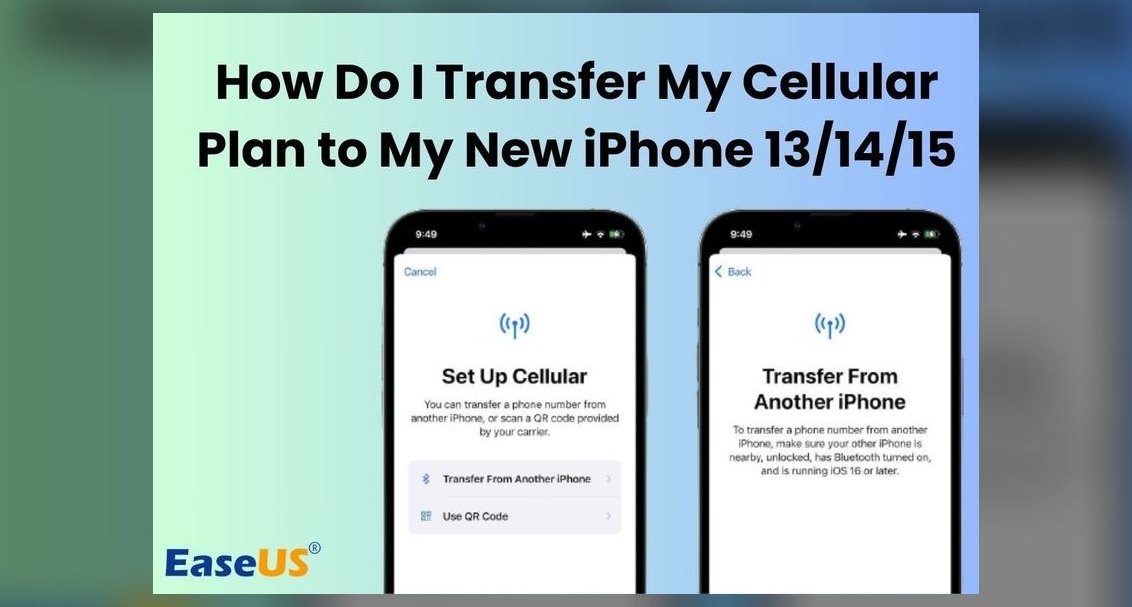 telcoHow do I transfer everything from my old phone to a new one in 2027?
 telcoHow do I switch carriers without losing my current promotional pricing in 2027?
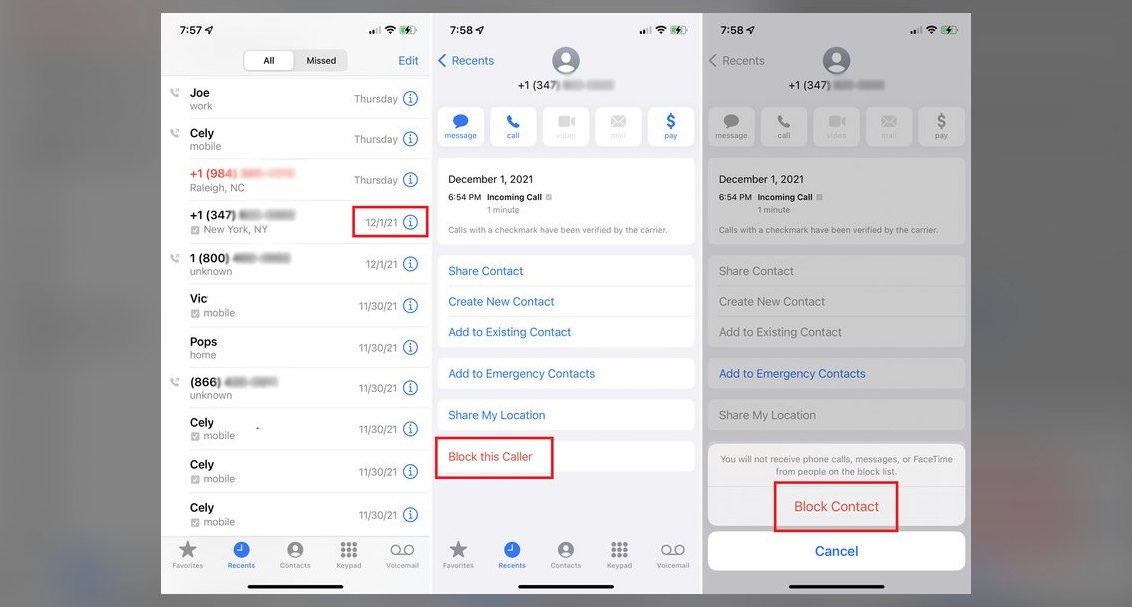 telcoHow do I block spam calls and robocalls on my cell phone in 2027?
 telcoWhat are the steps to activate a new phone after it ships in 2027?
 telcoHow do I wipe my old phone before trading it in in 2027?
 telcoHow do I factory reset my phone before selling or trading it in in 2027?
 telcoIn what order should I do things when switching cell phone carriers in 2027?