
What are the steps to activate a new phone after it ships in 2027?
 Curated byKory White · Fractional CRO · Maryland
 PULSEKNOWLEDGE LIBRARY
To activate a new phone after it ships in 2027, unbox and power on, connect to Wi-Fi, then choose either eSIM transfer or a physical SIM. Most carriers push an eSIM profile automatically through the setup wizard; you scan a QR code or tap "Transfer" from your old handset, confirm the IMEI and EID, and wait two to ten minutes for provisioning. Physical SIM users insert the card, reboot, and confirm the line. Either way, verify service with a test call, then move your data and deactivate the old device.
The two activation paths compared
Almost every phone that ships in 2027 arrives with the same two doors: an embedded SIM (eSIM) that gets provisioned over the air, or a physical SIM card you insert yourself. The hardware has not changed much in a decade — what changed is that the eSIM door is now the front door. Flagship and mid-range handsets ship with the eSIM already registered to the device's secure element, and the carrier can push a profile to it the moment you authenticate. Physical SIM slots still exist on many models, but on some thin flagship designs the tray has disappeared entirely, and on others it survives mainly for prepaid, travel, and ruggedized enterprise fleets.
The eSIM path is a remote provisioning sequence. You never touch a card. The carrier's server talks to the phone's embedded universal integrated circuit card (eUICC), downloads a profile, and binds it to your account. The steps are: power on, connect to Wi-Fi or a cellular signal from another device, sign in with your carrier credentials or the account you bought the phone through, confirm the device identifiers (IMEI and EID), and accept the download. Provisioning typically completes in two to ten minutes, though porting a number from another carrier can stretch to a few hours or, in bad cases, a full business day.
The physical SIM path is older and more tactile. You find the tray, eject it with a pin or a paperclip, seat the nano-SIM in the correct orientation, and push the tray back. The phone reads the SIM's integrated circuit card ID (ICCID) and international mobile subscriber identity (IMSI), authenticates against the home location register, and registers on the network. If the SIM was already active — because you moved it from an old phone — service usually returns within thirty to ninety seconds after boot. If it is a brand-new SIM, the carrier may still need to activate it on the back end, which can take minutes to hours.

The practical difference is friction. eSIM activation is faster when everything works, but it depends on a working internet connection, a carrier that supports remote provisioning, and a device that has not been locked to a different carrier. Physical SIM activation is slower to set up but more forgiving: it works without Wi-Fi, it works when the carrier's app is down, and it is trivially transferable between devices. That forgiveness is why prepaid brands, field-service fleets, and international travelers still lean on it.
There is also a third path that has grown quietly: activation through the retailer or OEM rather than the carrier. If you bought the phone directly from a manufacturer or a big-box store on a device-financing plan, the activation may be pre-staged. The phone ships with a profile pre-assigned, and your first boot triggers a handshake that completes the provisioning automatically. You still confirm identity, but you skip the QR code and the carrier app. This is increasingly common on carrier-financed upgrades and on enterprise device-as-a-service programs.
Whichever path you take, the same four facts travel with the activation: the device identity (IMEI and, for eSIM, the EID), the subscriber identity (ICCID or IMSI), the rate plan or line assignment, and the carrier's network authentication. Get any one of those wrong and the phone boots to a "No SIM" or "SIM not provisioned" state. So the real skill is not memorizing a menu path — it is knowing which of these four inputs is missing when activation stalls.

How to decide between them
The decision is not really a preference. It is driven by four constraints: whether the handset has a physical tray, whether your carrier supports eSIM for your line type, whether you need the line working before you have Wi-Fi, and whether you plan to move the line between devices often.
Read the tree from the top. If there is no tray, you are on eSIM whether you like it or not — and that is now true for a meaningful share of premium handsets. If there is a tray but your carrier does not support eSIM for your specific line type (common on some prepaid brands, some MVNOs, and some corporate lines with legacy billing), you go physical. If you need the line alive before you have Wi-Fi — say you are activating in a warehouse, a rural site, or a foreign airport — physical wins, because eSIM provisioning needs a data path to pull the profile. And if you routinely move one line between a phone, a tablet, and a hotspot, a physical SIM is still the least annoying.
The one case where the tree is genuinely close is the ordinary consumer upgrade: tray present, carrier supports eSIM, Wi-Fi available, one device. There, eSIM is usually faster and you should take it. The exception is if you are porting a number from a different carrier on the same day. Porting adds a dependency on the losing carrier releasing the number, and that step can fail independently of the eSIM download. If the port is complex — a family plan, a business account, a number with a freeze on it — some people deliberately choose the physical SIM to keep the failure modes separate.

A second close case is the enterprise-issued phone. Many IT departments still standardize on physical SIMs because their mobile device management (MDM) enrollment assumes an ICCID they can inventory and swap. If your organization hands you a phone with an MDM profile, check whether the activation instructions assume eSIM or physical before you start pulling trays. Getting this wrong can leave the device enrolled but unprovisioned, which is the worst of both worlds.
Concrete numbers behind each option
Numbers make the choice concrete. These are the ranges practitioners actually see in 2027, not marketing figures.
Time to first working call. eSIM remote provisioning typically completes in two to ten minutes when the carrier's provisioning service is healthy and the device is unlocked. Physical SIM activation on an already-active card takes thirty to ninety seconds after boot. A brand-new physical SIM that needs back-end activation runs fifteen minutes to two hours, and occasionally longer if the carrier batches activations. Number ports add time on top of either path: domestic ports commonly land within two to four hours but can take up to one business day, and ports involving a frozen or business account can take several days.

Failure and retry rates. eSIM downloads fail more often than people expect on the first attempt. Common causes are a Wi-Fi captive portal that blocks the provisioning endpoint, a device still carrier-locked to a previous provider, an EID that was already bound to another profile, or a carrier-side mismatch between the line and the device. A retry after toggling airplane mode or switching to a different network resolves a large share of these. Physical SIM failures cluster differently: wrong tray orientation, a SIM cut down from a larger card that no longer seats cleanly, a dirty contact, or a SIM that was never activated on the back end. Physical failures are usually visible — the phone says "No SIM" — while eSIM failures often present as a profile that downloads but never registers.
Cost and replacement. A replacement physical SIM from a carrier commonly costs nothing to about ten dollars, sometimes more in retail stores. A replacement eSIM is usually free because there is no hardware, but the transfer can require a carrier call or app session, and some carriers limit how many times per year you can move a profile. That limit matters if you swap devices often. Enterprise fleets sometimes negotiate bulk eSIM management, which changes the math entirely.
Device and plan compatibility. eSIM support is near-universal on 2027 flagships and common on mid-range, but it is not universal on budget handsets, ruggedized devices, or older corporate hardware. Some prepaid brands and MVNOs still do not offer eSIM at all, and a few support it only on postpaid lines. Dual-SIM behavior also varies: many phones support one physical SIM plus one or more eSIM profiles, some support two eSIMs and no tray, and some support two physical SIMs. If you run a work line and a personal line on one handset, check the actual combination your model supports before you assume.

Roaming and travel. A physical travel SIM is still the simplest way to get local data abroad without touching your home line. eSIM travel profiles are cheaper and instant, but they add a second profile to manage and can conflict with your home line's data settings. A common 2027 pattern is to keep the home line on the phone's primary eSIM and add a travel eSIM for data, disabling data roaming on the home profile.
Battery and idle drain. This is a small but real trade-off. A phone holding two active eSIM profiles, or one eSIM plus one physical SIM, can idle-drain slightly faster than a single-SIM configuration, because it maintains more network registrations. The difference is usually modest — a few percent over a day — but on a fleet of hundreds of devices it shows up in charging logistics.
Implementation details and sequencing
The order of operations matters more than any single step. Do them out of order and you create avoidable failures.

Before you unbox. Confirm three things: the phone is carrier-unlocked or locked to the carrier you intend to use, your line is eligible for the activation type you want, and you have your carrier account credentials or the app installed. If you are porting a number, start the port before you activate the new device, not after. A port in progress plus an activation in progress is two moving parts that can mask each other's errors.
First boot. Power on, choose language and region, and connect to Wi-Fi. Do not skip Wi-Fi on an eSIM activation; the profile download needs a data path, and on a fresh device you have no cellular yet. If you are on the physical path and have no Wi-Fi, that is fine — the SIM will bring up cellular on its own.
Identity and transfer. Sign in with the account tied to the purchase, or open the carrier app. For eSIM, either scan the QR code the carrier provided or tap the transfer option if you are moving the profile from an old phone on the same carrier. Confirm the IMEI and EID shown on screen match the device. For physical, insert the nano-SIM and reboot if the phone does not detect it automatically.

Provisioning and registration. Wait. Do not reboot repeatedly during provisioning; that can orphan a profile mid-download. If nothing happens after ten minutes, toggle airplane mode, then check for a carrier settings update, then retry. If the phone shows a profile but no service, the issue is usually line-side, not device-side.
Verification. Make a test call to a number you do not own, send a test SMS, and load a web page with Wi-Fi off. Check that the correct line is set for data if you have two. Confirm voicemail and any number-porting completion. On enterprise devices, confirm MDM enrollment finished and the device shows compliant.
Migration and cleanup. Move data from the old phone — either through the platform's device-transfer tool, a cloud backup restore, or a cable. Then deactivate or remove the old device from your account so it stops consuming a line. If you moved an eSIM profile off an old phone, confirm the old device no longer shows an active line.

Two sequencing traps deserve naming. The first is activating before the port completes, which can leave you with a working new device on a temporary number and a stranded old number. The second is deactivating the old device too early, which removes the line you might need if the new activation fails and you have to fall back. Keep the old phone alive and on Wi-Fi until the new one passes a test call.
A third trap is account-level, not device-level. If you are on a family or business plan with a line limit, the new activation may need an available line slot, and the carrier may require the account owner to authorize it. Do that authorization before you start, not during a setup wizard that times out.
Adjacent workflows worth knowing
Activation rarely happens alone. It sits inside a cluster of related tasks, and understanding the neighbors makes the core steps easier to debug.

Device migration. The transfer step is where most of the actual time goes. A full migration of photos, messages, and app data can take thirty minutes to several hours depending on volume and connection. Do it on Wi-Fi, keep both phones charging, and do not wipe the old device until you have verified the new one. If you use a cloud backup, confirm the backup actually completed before you rely on it.
Number porting. Porting is a separate workflow that runs alongside activation. It requires the losing carrier to release the number, which depends on the account being in good standing and the port request matching the account holder's details exactly. Mismatched name, address, or account number is the single most common cause of port delays. Start it early and keep the confirmation number.
MDM enrollment. On a work phone, activation and enrollment are two different handshakes. The line can be active while the device is not yet compliant, and some MDM profiles require the device to be on a specific network or to have a specific certificate installed. Sequence matters: most IT teams want the line active first, then enrollment, because enrollment may push a configuration that depends on connectivity.
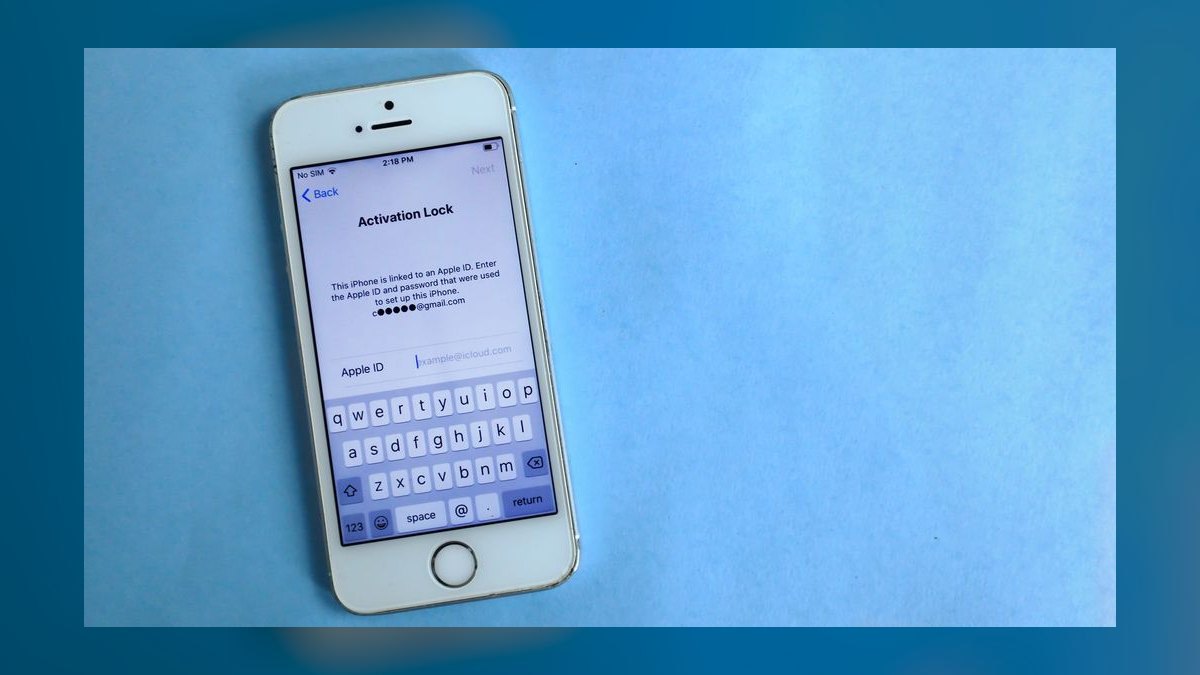
Trade-in and buyback. If you are trading in the old phone, the trade-in process usually requires the device to be factory reset and the line removed. Do not reset it before the new activation is verified, or you lose your fallback. Also remove the old device from any account-based find-my or theft-protection service, or the trade-in will be rejected.
Insurance and warranty registration. New devices often need warranty registration within a window, and insurance may need the IMEI on file before a claim. Do this right after activation, while the identifiers are still on screen.
Fleet and multi-line scenarios. If you are activating more than one device, do them one at a time and verify each before starting the next. Bulk activation tools exist for enterprise accounts, but they assume clean data: correct IMEIs, correct line assignments, and no pending ports. A single bad record can stall a batch.
Related questions
How long does activation usually take in 2027?
eSIM provisioning typically takes two to ten minutes once the download starts. Physical SIM activation on an active card takes under two minutes after boot. Add two to four hours if you are porting a number, and up to a business day for complex ports.
Can I activate a new phone without Wi-Fi?
Yes, if you are using a physical SIM that is already active. eSIM activation needs a data path to download the profile, so without Wi-Fi you need another device's hotspot or a carrier store visit.
What do I do if the eSIM profile will not download?
Toggle airplane mode, confirm the phone is carrier-unlocked, check that the EID is not already bound to another profile, and retry on a different network. If it still fails, the carrier must reissue the profile.
Should I move my old SIM into the new phone?
Only if the SIM is the same size and the carrier allows it. Moving an active SIM is the fastest path to service, but it skips any device-specific provisioning and can leave the new phone without carrier settings.
Do I need to deactivate the old phone first?
No — deactivate it last. Keep the old device active and on Wi-Fi until the new phone passes a test call, so you have a fallback if activation fails.
FAQ
What are the exact steps to activate a new phone after it ships in 2027?
Power on and connect to Wi-Fi, then choose eSIM or physical SIM. For eSIM, scan the carrier QR code or tap transfer from your old phone, confirm the IMEI and EID, and wait for the profile to provision. For physical, insert the nano-SIM and reboot. Then verify with a test call and move your data.
How do I know whether my new phone uses eSIM or a physical SIM?
Check the box or the device settings under cellular or network. If there is no visible tray and no pinhole, it is eSIM-only. If there is a tray, the phone likely supports both, but confirm your carrier supports eSIM for your specific line type before relying on it.
Why does my new phone say "No SIM" after activation?
Either the SIM is not seated correctly, the SIM was never activated on the carrier's back end, or the eSIM profile failed to download or register. Reseat the physical card or retry the eSIM download, then contact the carrier if the line still does not register.
Can I activate a new phone before my number port finishes?
You can activate the device, but it will run on a temporary number until the port completes. Porting is a separate process that depends on the losing carrier releasing the number, so start it early and keep the confirmation number handy.
Does activating a new phone cancel my old one automatically?
Not always. On some carriers, activating a new device on the same line deactivates the old one. On others, the old device stays active until you remove it. Check your account and deactivate the old device manually once the new one is verified.
What should I check before I wipe my old phone?
Confirm the new phone makes calls, sends messages, and loads data with Wi-Fi off. Confirm your number ported if applicable. Confirm backups, photos, and messages transferred. Then remove the old device from your account and factory reset it.
Sources
- GSMA eSIM specification overview: https://www.gsma.com/esim/
- Apple support, "Transfer a physical SIM or eSIM to a new iPhone": https://support.apple.com/en-us/HT209044
- Google support, "Set up and use an eSIM on Pixel": https://support.google.com/pixelphone/answer/10130258
- Verizon support, "Activate a new device": https://www.verizon.com/support/activate-new-device/
- T-Mobile support, "SIM and eSIM activation": https://www.t-mobile.com/support/plans-features/sim-card-activation
- AT&T support, "Activate your new phone or device": https://www.att.com/support/article/wireless/KM1052508/
- FCC consumer guide, "Number porting": https://www.fcc.gov/consumers/guides/porting-phone-number
- GSMA, "Mobile number portability": https://www.gsma.com/
Related on PULSE
- How to move an eSIM profile between two phones without visiting a store
- What to check before you trade in a phone on a financed plan
- Number porting failures: the mismatches that stall a transfer
- Enterprise MDM enrollment vs. line activation: which comes first
- Travel eSIM vs. physical travel SIM: cost and coverage trade-offs
- How to verify a new line is fully provisioned before wiping the old device
 telcoHow do I add an international data pass to my plan before a trip in 2027?
 telcoHow do I set up two phone numbers on one phone with dual SIM in 2027?
 telcoHow do I switch cell carriers without losing phone service in 2027?
 telcoHow do I transfer everything from my old phone to a new one in 2027?
 telcoHow do I switch carriers without losing my current promotional pricing in 2027?
 telcoHow do I block spam calls and robocalls on my cell phone in 2027?
 telcoHow do I wipe my old phone before trading it in in 2027?
 telcoHow do I back up my phone's data before switching to a new carrier in 2027?
 telcoHow do I factory reset my phone before selling or trading it in in 2027?
 telcoIn what order should I do things when switching cell phone carriers in 2027?