
How do I wipe my old phone before trading it in in 2027?
 Curated byKory White · Fractional CRO · Maryland
 PULSEKNOWLEDGE LIBRARY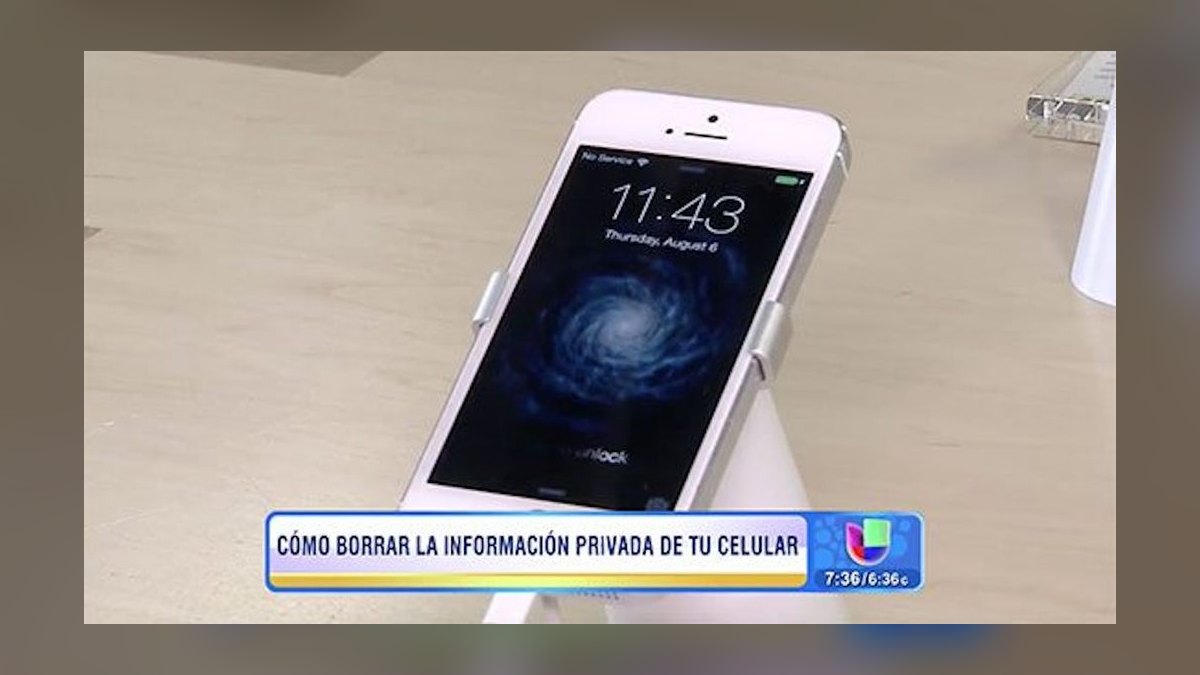
Before trading in your phone: back up your data, sign out of iCloud/Google/Samsung accounts, remove the SIM or deactivate eSIM, disable Find My iPhone or Find My Device (this turns off Activation Lock), then run the built-in factory reset — Settings > General > Transfer or Reset iPhone, or Settings > System > Reset options > Erase all data on Android. Confirm the phone reboots to a blank setup screen before handing it over.
What it is and why it matters
Wiping a phone before trading it in means removing every trace of personal data — photos, messages, saved passwords, health data, payment cards in Apple Pay or Google Pay, and the account credentials tied to the device — so the next owner (a refurbisher, a carrier, or a stranger who buys it secondhand) can't access anything of yours. This matters for two separate reasons that people often conflate: privacy and technical eligibility.
On the privacy side, a factory reset without first removing your account isn't a full wipe. iPhones and modern Android phones bind the device to your cloud account through Activation Lock (Apple) or Factory Reset Protection, FRP (Google/Samsung). If you erase the phone before signing out of iCloud or your Google account, the device is still locked to your identity — anyone who acquires it, including the trade-in company, cannot activate or resell it. This is precisely why nearly every trade-in program (Apple, Samsung, Best Buy, the major carriers, Gazelle, Decluttr) rejects phones that still show an active account lock: the phone is technically worthless to them until that lock is cleared, because they can never legally resell a phone tied to someone else's Apple ID or Google account.
On the technical side, modern phones use full-disk encryption by default. On iPhone, all data is encrypted at rest with a key tied to your passcode; a factory reset doesn't "overwrite" your files in the traditional sense — it destroys the encryption key, which makes the previously written data cryptographically unrecoverable almost instantly. Android has used File-Based Encryption since Android 10, with the same effect. This is worth understanding because it explains why a proper reset is fast and effective even on phones with 256GB or 512GB of storage — you are not waiting for a multi-pass overwrite of the whole disk, you're destroying a key.
The stakes of skipping steps are concrete: leaving accounts signed in before trading in a phone can mean a stranger has your saved banking app sessions, your two-factor SMS codes, your stored Wi-Fi passwords, and your photo library, for however long it takes the trade-in company's sanitization process to catch up — and many discount buy-back and recycling channels do not manually audit for this before reselling.

The step-by-step process
The actual order matters. Deactivating Find My / disabling the account lock has to happen before you erase the device, or you risk a bricked-looking phone that the buyer rejects and that you now have to unlock again yourself.
- Back up first. Use iCloud Backup or Finder/iTunes for iPhone; use Google's built-in backup (Settings > System > Backup) for Android. Confirm the backup timestamp is current — don't trust an automatic overnight backup you haven't verified.
- Remove payment methods. Open Wallet (iPhone) or Google Wallet/Samsung Wallet and remove any cards manually. A factory reset removes local records, but issuers sometimes still show the device as "active" in their app until it's explicitly removed.
- Sign out of accounts and disable device-find features. On iPhone: Settings > [your name] > Find My > Find My iPhone > toggle off (this prompts for your Apple ID password and disables Activation Lock). On Android/Samsung: remove the Google account under Settings > Accounts, and on Samsung also go to Find My Mobile and turn off Remote unlock/reactivation lock.
- Remove the SIM card, or deactivate the eSIM. For a physical SIM, eject the tray and keep the card if you're moving it to a new phone, or destroy it if you're not. For eSIM, go into carrier settings and remove/erase the eSIM profile — an unremoved eSIM can transfer service disruption risk and, on some carriers, needs a separate deactivation call.
- Run the factory reset. iPhone: Settings > General > Transfer or Reset iPhone > Erase All Content and Settings. Android: Settings > General management (or System) > Reset > Factory data reset. Confirm any prompts, enter your passcode when asked, and let the device reboot fully.
- Verify the result. The phone should boot to the initial "Hello" or "Welcome" setup screen, not to a lock screen with your old wallpaper. If it asks for your old Apple ID or Google password to proceed, the account lock wasn't cleared in step 3 — go back and redo it, because trading in a phone stuck at this screen will get it flagged as locked/unverifiable.
Costs, timelines, and typical ranges
The wipe itself is free and fast: expect 5-15 minutes for the reset process on a modern iPhone or Android device, though a phone with heavy storage use (200GB+) can take closer to 20-30 minutes to fully erase and reboot. The time-consuming part isn't the wipe — it's the backup beforehand, which can take anywhere from 20 minutes over strong Wi-Fi to several hours if you're backing up a media-heavy phone over a slow connection or cellular data.
Trade-in valuations depend heavily on whether the wipe and unlock were done correctly, not just on cosmetic condition. A phone in excellent physical shape but still showing an Activation Lock or FRP lock is typically valued at $0 by Apple, Samsung, and most carrier trade-in programs — some third-party buyback sites (Gazelle, Decluttr, ecoATM kiosks) will still make an offer for locked devices, but at a steep discount, often 40-70% below the unlocked price, because they're gambling on you eventually clearing the lock remotely or they're parting the phone for components instead of reselling it whole.
Typical trade-in windows also matter for timing your wipe: Apple's trade-in estimate is honored for roughly 14 days from when you get the quote, carriers often tie the credit to your next 1-2 billing cycles, and mail-in services like Decluttr or Gazelle generally re-quote the price once they physically inspect the device — if it arrives still locked, they'll either return it to you (sometimes at your shipping cost) or make a drastically lower final offer. Given that, most people should not wipe the phone until they're within a day or two of shipping or dropping it off — you still want the phone usable for photos/backup verification, and app-based trade-in quotes can change if you wait weeks between getting quoted and mailing it in.
Where teams get it wrong
Even people who know to "reset the phone" make a handful of predictable mistakes that either tank the trade-in value or leave real security exposure.

- Resetting before disabling Find My/FRP. This is the single most common error. The reset itself succeeds, but the phone comes back up account-locked, and undoing that after the fact (especially once the device has left your hands) can be difficult or impossible without the original Apple ID/Google credentials.
- Forgetting the eSIM. As physical SIM trays disappear on newer iPhone models sold in the US, people who've only ever swapped physical SIM cards skip the eSIM removal step entirely, leaving an active cellular profile tied to their line on a phone that's no longer in their possession.
- Skipping the payment-method removal. A factory reset generally clears Apple Pay/Google Pay locally, but people who used the same phone for years with multiple cards sometimes assume the reset "handles everything" — it's a smaller risk than the account lock issue, but worth the 60 seconds to confirm before you erase.
- Not verifying the reset actually completed. Interrupted resets — closing the lid, force-restarting mid-wipe, or a dying battery — can leave a phone in a broken intermediate state. Always plug the phone in before starting the wipe and don't touch it until it reaches the "Hello" screen.
- Assuming a case-and-screen-protector phone doesn't need the software steps. Trade-in valuation models weight the account/software state as a pass/fail gate before they even score cosmetic condition — a mint-condition phone with an unresolved account lock scores the same as a cracked one: rejected or heavily discounted.
- Trading in a phone still under a carrier installment plan without checking payoff. This isn't a wipe issue but trips people up at the same moment — some trade-in programs won't credit a device that still has an outstanding balance financed through the same carrier, so confirm payoff status alongside doing the wipe.
Decision framework: when to choose what
Not every trade-in path wants the same level of preparation, and the "right" channel depends on how much time you have and how much the device is worth.

If you want the trade-in credit applied immediately to a new purchase, use the manufacturer's own program (Apple, Samsung, Google) or your carrier's in-store trade-in — both require the phone to be wiped and unlocked before they'll even generate a final quote at the counter, and they'll walk you through catching a missed step on the spot. If you're not in a rush and the phone is a recent, high-value model, mail-in services like Apple's own mail-in trade-in or third parties like Gazelle and Decluttr often pay more than an in-store quote, but expect a multi-day turnaround and a strict inspection against the condition you self-reported. For older or lower-value phones, a kiosk like ecoATM offers instant cash with minimal paperwork but at meaningfully lower payouts, and it's generally the most forgiving path if all you really want is the device gone.
Related questions
Do I need to remove the SD card before trading in an Android phone?
Yes — a factory reset does not always erase a removable microSD card by default. Eject it manually from Settings > Storage before you start the reset, since it may hold personal files the wipe won't touch.
Will trading in my phone cancel my phone number?
No, trading in the device doesn't affect your number or service; the number stays with your account/SIM. Number continuity depends on your carrier plan, not the hardware you traded in.
Can I wipe a phone with a cracked screen I can't see?
Yes, using a mouse (Android, via USB-OTG) or by connecting to a computer's Finder/iTunes (iPhone) to trigger Erase All Content remotely, since a factory reset doesn't require full visibility of the display.
What happens if I forget my Apple ID password before wiping?
Recover it first through Apple ID account recovery — attempting a reset without disabling Find My via a known-good password will leave the phone Activation-Locked and effectively worthless for trade-in.
Is a factory reset enough to stop identity theft risk?
For nearly all consumer purposes, yes, because modern phones destroy the encryption key rather than leaving readable data behind — the account-lock and encryption combination is stronger than deleting individual files ever was.
FAQ
Does wiping my phone delete everything including the operating system? No — a factory reset restores the phone to its original out-of-box software state; it removes your data, accounts, and installed apps but leaves the operating system installed and functional, which is why the phone reboots straight into the initial setup screen rather than a blank/bricked state.
How long before trading in should I start the wipe process? Start the backup a day or two ahead so you have time to verify it completed, then do the actual account sign-out and reset within a few hours of shipping or dropping off the phone, since trade-in quotes and inspection windows are time-sensitive.
Can a trade-in company recover my data after I wipe the phone? Practically no, on any phone with encryption enabled by default (all iPhones and Android phones running File-Based Encryption) — erasing the encryption key makes the previously stored data unrecoverable through normal means almost immediately.
What if my old phone won't turn on — can I still wipe it before trading in? Yes for iPhone (Find My iPhone lets you remotely erase a device via iCloud.com even if it's off or unresponsive, once it reconnects); Android has a similar remote factory-reset option via Find My Device, provided the phone still has a data connection when it powers back on.
Do carriers wipe the phone for me during in-store trade-in? Some staff will help walk you through it, but you're responsible for completing the account sign-out and reset yourself beforehand — most in-store trade-in desks will not proceed with an account-locked device and will ask you to fix it before they'll finalize the credit.
Should I remove my phone case and screen protector before trading it in? That's a cosmetic-grading question, not a security one — check the specific program's condition guide, since some (Apple, Samsung) grade "as inspected" regardless, while others ask you to leave protective gear off so the inspector can see the actual screen condition.
Sources
- https://support.apple.com/en-us/HT201351
- https://support.google.com/android/answer/6088915
- https://www.samsung.com/us/support/answer/ANS00081884/
- https://www.ftc.gov/consumer-alerts
- https://www.consumerreports.org/electronics/data-privacy/
- https://www.ctia.org/news/what-to-do-with-your-old-cell-phone
- https://www.apple.com/shop/trade-in
- https://www.decluttr.com/help
Related on PULSE
- How do I back up my phone before a factory reset?
- What's the difference between Activation Lock and Factory Reset Protection?
- How much is my old iPhone worth in a trade-in in 2027?
- Should I trade in my phone or sell it privately?
- How do I transfer my data to a new phone?
- What happens to my old phone after I trade it in?
 telcoHow do I add an international data pass to my plan before a trip in 2027?
 telcoHow do I set up two phone numbers on one phone with dual SIM in 2027?
 telcoHow do I switch cell carriers without losing phone service in 2027?
 telcoHow do I transfer everything from my old phone to a new one in 2027?
 telcoHow do I switch carriers without losing my current promotional pricing in 2027?
 telcoHow do I block spam calls and robocalls on my cell phone in 2027?
 telcoWhat are the steps to activate a new phone after it ships in 2027?
 telcoHow do I back up my phone's data before switching to a new carrier in 2027?
 telcoHow do I factory reset my phone before selling or trading it in in 2027?
 telcoIn what order should I do things when switching cell phone carriers in 2027?