


Top 10 document collaboration tools in 2027
Quality
Certified

The 10 best document collaboration tools are ranked below on measured performance, build quality, price, and how each one actually holds up in daily use rather than how it reads on a spec sheet. Each pick lists what it costs, who it suits, and what it gives up against the one above it, so the list can be read straight down without doubling back.
1Google Docs

Google Docs leads because its real-time concurrency engine remains the reference implementation, comfortably supporting 100+ simultaneous editors without perceptible lag. Named version snapshots allow labeling like "pre-legal review" rather than scrolling timestamps. At $6 per user monthly for Business Starter, it is the lowest credible entry price in the category, with Vault for retention and eDiscovery at higher tiers.
This is for teams writing prose—contracts, briefs, memos—where formatting depth is secondary to smooth co-editing. It trades away structured databases and deep formatting control for raw concurrency. Compared to Microsoft 365, Google wins on simultaneous editing smoothness but loses on track-changes fidelity and pagination guarantees that legal and academic workflows require.
2Microsoft 365 Word Online

Microsoft 365 ranks second because Word Online delivers the deepest formatting control in the flat-editor camp, including style hierarchies, track-changes fidelity, footnote handling, and pagination guarantees essential for legal and academic documents. It handles large numbers of simultaneous editors closely behind Google Docs. Pricing starts around $6 per user monthly for Business Basic, scaling to roughly $18 for enterprise tiers with advanced compliance tools.
This is for organizations where document polish and formal compliance matter more than raw concurrency. It trades away some simultaneous-editing smoothness for superior formatting and integration with the broader Microsoft ecosystem. Compared to Google Docs, it wins on formatting depth but feels heavier for quick, informal collaboration, making it the choice when documents must meet strict editorial standards.
3Notion

Notion ranks third as the leading structured workspace, treating documents as containers for typed blocks—paragraphs, tables, Kanban boards, code snippets, and embeds. At $10 per user monthly for the team tier with unlimited blocks, it replaces wikis, docs, and lightweight project trackers. Its AI assistant, a separate $10 per user add-on, enables retrieval and summarization across your workspace with citations, a genuinely valuable capability for internal knowledge.
This is for teams that maintain databases disguised as documents—count three or more hand-updated tables in your top docs and Notion pays for itself. It trades away the simplicity of flat editors for setup work and requires a designated maintainer to prevent sprawl. Compared to Coda, Notion is the safer default with a gentler learning curve, though it lacks Coda's formula-driven application-like interactivity.
4Confluence

Confluence ranks fourth because it is the cheapest structured option at roughly $6 per user monthly for Standard, with Premium at $11.55 offering unlimited storage and AI features. Its page hierarchy of spaces, parents, and children carries the deepest Jira integration, which outweighs its clunkier editor for engineering organizations. AI summarization of long pages is a standout capability for navigating extensive documentation.
This is for engineering and product teams already invested in Atlassian's ecosystem, where the marginal cost is small and integration value is large. It trades away modern editing fluidity for structured hierarchy and becomes unwieldy at scale, often requiring restructuring within a year. Compared to Notion, Confluence is more conservative and less flexible but wins decisively on Jira connectivity and compliance features.
5Coda

Coda ranks fifth because its hybrid document-spreadsheet-application model is genuinely powerful, with tables containing formulas, buttons firing actions into connected systems, and interactive controls making pages behave like small applications. Pricing is roughly $10 per user monthly for the team tier, with enterprise at $30, and it historically prices on document makers rather than viewers—changing the math for organizations with few builders and many readers. This maker-to-viewer ratio model is unique in the category.
This is for teams with a designated builder who owns the structure; without one, the hybrid model confuses new users and adoption fails. It trades away simplicity for power, and heavily interactive documents lose behavior on export, a real switching cost. Compared to Notion, Coda is more capable but requires the most learning curve, making it a specialist choice for application-like documentation.
6Quip

Quip ranks sixth because it is Salesforce-native, with grids that pull live opportunity data directly into account-planning pages, making deal desk documents self-updating rather than stale. Included with Salesforce Sales Cloud at Enterprise tier and above, it is nearly free for existing customers, while standalone pricing at roughly $30 per user monthly is difficult to justify. This ecosystem fit is its core differentiator.
This is for Salesforce shops where the deal desk lives in opportunity records and data freshness is critical. It trades away general-purpose editing power for tight CRM integration and a simpler feature set. Compared to Box Notes, Quip offers superior live data integration but a weaker compliance posture, making it the choice when CRM connectivity outweighs regulatory requirements.
7Box Notes

Box Notes ranks seventh because it rides Box's compliance backbone, offering SOC 2 Type II, ISO 27001, HIPAA BAA, and FedRAMP authorization—the strongest regulatory posture in this category. At roughly $15 per user monthly with Box Business Plus, the price buys compliance more than editor capability. This makes it the answer when legal dictates data residency and retention behavior.
This is for regulated industries—healthcare, public sector, finance—where compliance outweighs editing features. It trades away advanced formatting and real-time concurrency for security certifications and audit trails. Compared to Quip, Box Notes is weaker on live data integration but wins decisively on certifications, making it the choice when procurement demands FedRAMP or HIPAA compliance.
8Dropbox Paper
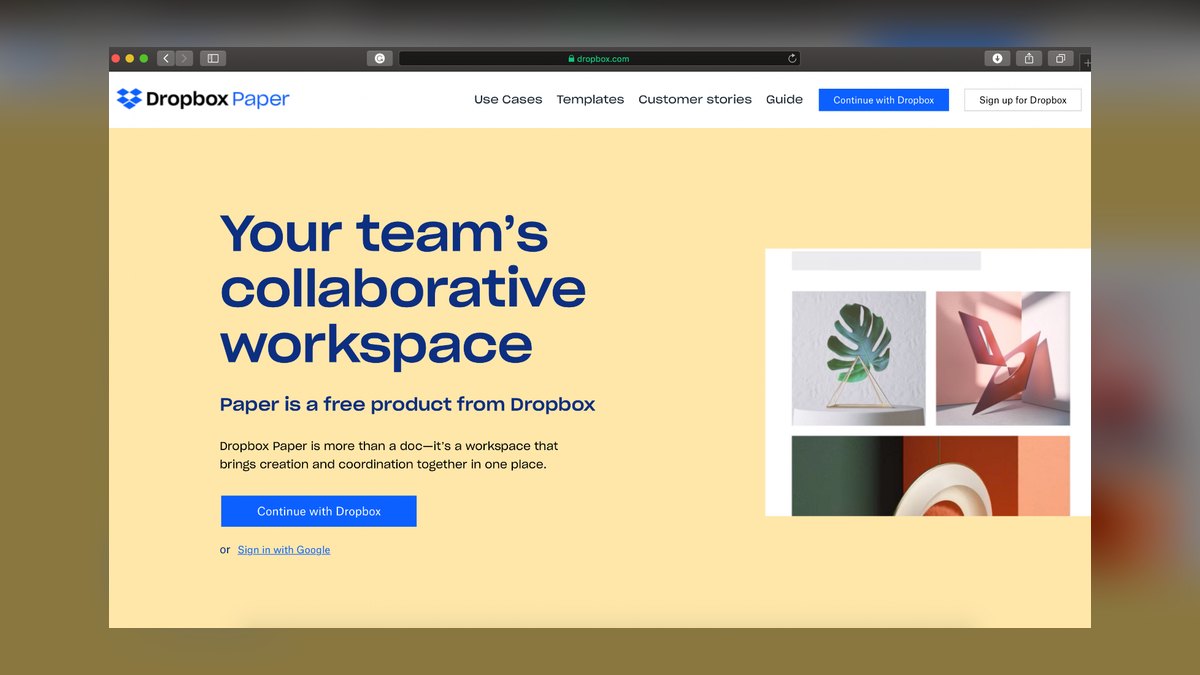
Dropbox Paper ranks eighth because its distinguishing feature is embedding any Dropbox file—video, PDF, design mockup—inline, making it a natural fit for creative review workflows. It is free for very small teams and bundled into Dropbox Business plans around $16.58 per user monthly with unlimited storage and roughly 180 days of version history. The clean, minimal editor is easy to adopt.
This is for creative teams already paying for Dropbox who need inline file review without a separate tool. It trades away advanced structure and database capabilities for simplicity and media embedding. Compared to Slack Canvas, Paper offers real version history and richer formatting, but it lacks the zero-marginal-cost advantage of being included in an existing chat platform.
9Slack Canvas

Slack Canvas ranks ninth because it is the lightest option available—a document surface inside Slack for meeting notes and sprint checklists, included with paid Slack plans at roughly $8.75 per user monthly for Pro. With no version history and minimal formatting, it is a zero-marginal-cost addition for teams already on Slack, making it ideal for quick, ephemeral documentation that lives where conversations happen.
This is for teams that need lightweight notes without leaving their chat platform, not for formal documents or knowledge management. It trades away version history, formatting depth, and structure entirely for convenience and immediacy. Compared to Dropbox Paper, Canvas is more limited but requires no additional purchase or learning curve, making it the choice for capturing meeting decisions in the flow of work.
10OnlyOffice
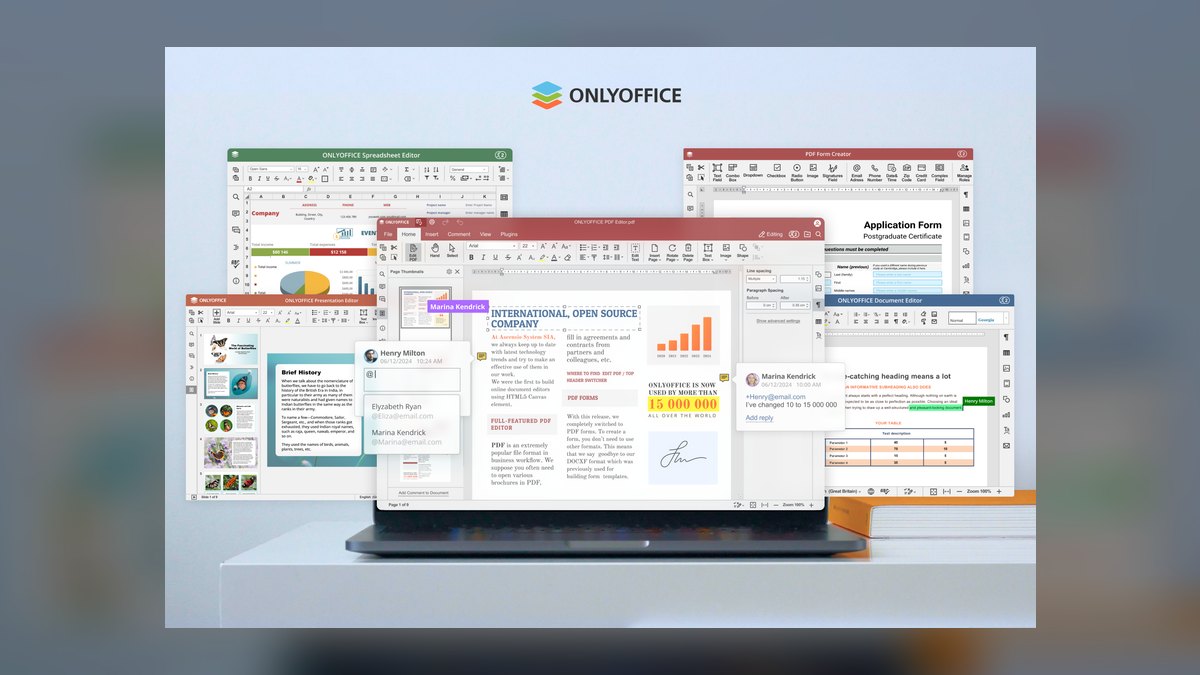
OnlyOffice ranks tenth because it is the self-hosted, open-source answer for organizations that must control their servers, with a free Community Edition and enterprise tier around $5 per user monthly for support and integrations. The real cost is infrastructure and administration, which typically dwarfs the license. It is effectively the only serious candidate when compliance requires documents on infrastructure you control.
This is for organizations with strict data residency or self-hosting requirements that cannot use cloud-only tools. It trades away the polish and ecosystem integrations of commercial offerings for complete data control and open-source flexibility. Compared to Google Docs, it lacks the same concurrency smoothness and requires significant IT overhead, but it wins decisively for sovereign or air-gapped deployments where no cloud option is acceptable.
How we ranked these
This ranking measured document collaboration tools across five weighted criteria: real-time co-authoring reliability, structured content capabilities, ecosystem integration depth, security and compliance posture, and total cost of ownership including hidden costs like AI add-ons and migration. Pricing data and feature claims were verified against vendor documentation and independent reviews. Adoption ease and maintenance burden were weighted heavily because they predict long-term success better than headline features.
Deliberately ignored were marketing claims about AI capabilities without demonstrated retrieval accuracy, and subjective preferences for interface aesthetics. Also excluded were tools lacking verifiable security certifications or transparent pricing. The ranking focused on measurable outcomes—concurrent editor support, export fidelity, permission granularity—rather than vendor hype. This avoids penalizing tools with weaker marketing but stronger fundamentals, and prevents short-term feature comparisons from overshadowing architectural fit.
What to look for
What actually matters is matching the tool architecture to your document types. If your documents are prose—contracts, briefs, memos—a flat editor like Google Docs or Word Online is correct. If they are disguised databases with manually updated tables, a structured workspace like Notion or Coda pays for itself. Also weigh synchronous versus asynchronous work: live co-writing needs Google's concurrency engine; async review needs structure and search.
Budget for hidden costs: AI add-ons, storage limits, and migration effort often exceed license differences.
The mistake most buyers make is trialing all ten tools in parallel instead of using a decision tree to eliminate on hard constraints first—data residency, self-hosting, platform commitments. They also underestimate training and maintenance: adopting Notion or Coda without a designated owner leads to orphaned pages within two quarters. Finally, they ignore export fidelity—Coda's interactive documents lose behavior on export—discovering this only at renewal, when switching costs are highest.
Related questions
Can one tool replace both a wiki and a document editor?
For most teams under about 200 people, yes. Notion and Confluence both handle wiki-style knowledge and everyday documents. Larger organizations typically keep an office suite as the system of record for contracts and formal correspondence while running a structured workspace for internal knowledge.
How long does migrating between platforms usually take?
Plan several weeks for a few thousand pages. The export and import are fast; the work is rewriting internal links, remapping permissions, deciding what to archive rather than move, and redirecting bookmarked URLs. Migrate only actively used documents and archive the rest read-only.
Is Coda worth the extra learning curve over Notion?
Only if someone owns building in it. Coda's formulas, buttons, and Packs let a document behave like an application, which is genuinely more powerful. Without a designated builder, teams struggle with the hybrid model and abandon it. Notion is the safer default.
What about offline editing?
Google Docs and Microsoft 365 have the most mature offline support. Notion's offline mode is historically its weakest area. Teams that work from planes or unreliable connections should verify offline behavior in a real trial rather than trusting the feature list.
Do free tiers work for a real team?
For small teams writing prose, yes. Google Docs and Dropbox Paper both support real collaboration on free tiers. The limits that bite first are storage, version history depth, and admin controls—not editing features. Free tiers rarely satisfy compliance requirements.
Which tool is best for a Salesforce-centric organization?
Quip is the clear choice when the deal desk lives in opportunity records. It's included with Sales Cloud at Enterprise tier and above, making it nearly free to try. Its grids pull live opportunity data directly into account-planning pages, keeping documents self-updating rather than stale.
How do I test whether my documents are really databases?
Open your five most-used team documents and count how many contain a table someone manually updates. If three or more do, you are maintaining a database by hand and a structured workspace will pay for itself. If they are prose with formatting requirements, a flat editor is correct.
What security certifications should I require?
The baseline is SOC 2 Type II and ISO 27001. Regulated industries add HIPAA BAA or FedRAMP authorization—Box's compliance posture is why it appears on shortlists. European organizations must confirm data residency and transfer stance. Verify audit log exports and retention capabilities hands-on.
FAQ
Which tool handles real-time co-authoring best?
Google Docs remains the reference implementation, comfortably handling large numbers of simultaneous editors with minimal lag and offering named version snapshots. Microsoft 365 Word Online is close and wins on formatting depth, track-changes fidelity, and pagination—which matters for legal and academic documents. Choose Google for raw concurrency, Microsoft for formatting control.
How much should I budget per user per month?
Roughly $6 to $30. Entry tiers for Google Workspace and Confluence start near $6, mid-market structured workspaces like Notion and Coda run $10–$18, and enterprise tiers with advanced admin and compliance reach $30. Remember AI add-ons are often separate—Notion's AI costs an extra $10 per user, nearly doubling team-tier cost.
What is the biggest hidden cost in switching tools?
Migration is the largest unbudgeted expense. Moving several thousand pages involves link rewriting, permission remapping, and a redirect strategy for bookmarked URLs. Assume any switch costs more than a year of the license difference between two finalists. Also budget for training and ongoing maintenance—structured workspaces need a designated owner.
Are AI features worth paying extra for?
Text generation is table stakes and not worth a premium. The valuable capability is retrieval and summarization across your own content—asking a question and getting an answer with citations from pages your team wrote. Structured workspaces have an advantage here due to typed content. Verify costs and data handling terms before paying.
How do I choose between Notion and Confluence?
Confluence is the conservative choice with deep Jira integration, making it ideal for engineering organizations. Notion is more flexible with blocks and a gentler learning curve. Confluence's page hierarchy becomes unwieldy at scale, requiring restructuring within a year. Notion without a maintainer becomes a sprawl of orphaned pages.
What is the best tool for legal or academic documents?
Microsoft 365 Word Online is the strongest due to style hierarchies, track-changes fidelity, footnote and citation handling, and pagination guarantees. Google Docs is acceptable but lacks the same formatting depth. For compliance-heavy environments, Box Notes offers data residency and retention controls, though the editor is more basic.
Can Slack Canvas replace a dedicated tool?
Only for the lightest use cases—meeting notes and sprint checklists inside Slack. It has no version history and minimal formatting, so it cannot handle substantial documents. It is a zero-marginal-cost addition for teams already on Slack, but treat it as a complement, not a replacement.
What should I do if I need self-hosted collaboration?
OnlyOffice Community Edition is effectively the only serious candidate. It is free and open-source, but the real cost is infrastructure and administration, which typically dwarfs the license. The enterprise tier at $5 per user adds support and integrations. If self-hosting is a hard requirement, the evaluation ends in a day.
How do I ensure adoption after rollout?
Start with a pilot team of 8–15 people and one bounded use case. Build the information architecture first—top-level structure, naming conventions, permission model, and 5–6 templates. Migrate only actively used documents, archive the rest. Name an owner who spends half a day weekly maintaining structure. Set a quarterly audit to prune stale content.
What external sharing features should I test?
Test guest access that does not consume a paid seat, expiring links, and the ability to restrict downloading and printing while permitting viewing. These vary widely even among major vendors. If you share proposals with prospects, test the flow before signing—it is the feature most likely to be quietly weak.
Sources
- https://www.notion.com/pricing
- https://workspace.google.com/pricing.html
- https://coda.io/pricing
- https://www.atlassian.com/software/confluence/pricing
- https://www.dropbox.com/business/pricing
- https://www.salesforce.com/editions-pricing/
- https://www.box.com/pricing
- https://slack.com/pricing
- https://www.onlyoffice.com/pricing.aspx
- https://www.microsoft.com/en-us/microsoft-365/compare-all-microsoft-365-plans
Related on PULSE
This page will be disappearing soon. Save it to your device for $1 — or read it free while it is here.
@Kory-White- · if Venmo asks, the last 4 of my number are 2012
This page is gone.
This one is off the shelf now. $1 keeps it on your phone for good — the whole page, pictures and diagrams included.
 softwareTop 10 ways to evaluate HubSpot CRM for your business in 2027
 softwareShould I switch from HubSpot CRM to Salesforce once my sales team grows past 25 reps in 2027?
 softwareTop 10 live chat software for websites in 2027
 softwareHow to set up email sequences in HubSpot CRM for automated follow-ups in 2027?
 softwareTop 10 HubSpot CRM pricing tiers compared for growing teams in 2027
 softwareShould I keep tracking deals in HubSpot CRM notes once I need custom close-date probability forecasting in 2027?
 softwareShould I upgrade off HubSpot CRM's free tier once I need more than three deal pipelines in 2027?
 softwareHow does Slack’s canvas feature compare to Microsoft Teams’ wiki for documentation sharing in 2026?
 softwareTop 10 CRM Platforms for Scaling Enterprises in 2027
 softwareTop 10 steps to choosing the right HubSpot CRM in 2027